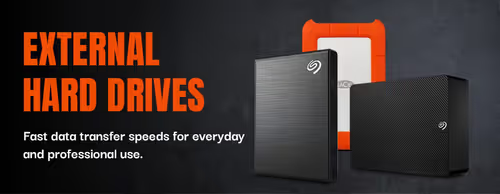
External Hard Drives — Portable Storage & Backup 💾

External Hard Drives — Portable Storage & Backup 💾

An external hard drive is extra storage you plug in over USB — no opening your PC. It is the simplest way to back up files, free up space on a full laptop, carry a game or media library between machines, or keep a separate copy of work you can't afford to lose. Portable models are pocket-sized and powered by the cable itself; desktop models hold more and use a mains adapter.

Choose by capacity and speed. Mechanical drives (HDDs) give you the most terabytes per rand and suit backups, archives and media libraries. Portable SSDs cost more per terabyte but transfer far faster and shrug off knocks, which matters if you edit video or move large files often. For everyday backup, a 2.5" portable HDD is the value pick; for speed, a portable SSD wins.

Evetech stocks portable and desktop external drives from the major brands, all with local warranty and nationwide delivery. Compare capacity and interface below, and consider a second drive — or a drive plus cloud — so an important backup is never the only copy.

Portable & Desktop External Drives for Backup (10)

How to Choose an External Hard Drive

Two questions decide it: how much you need to store, and how fast you need to move it. Backups and media libraries reward capacity, so a mechanical drive makes sense; editing and frequent large transfers reward speed, so a portable SSD earns its premium. The points below cover the rest.

External HDDs give you the most storage per rand and are ideal for backups, archives and large media libraries. Portable SSDs cost more per terabyte but transfer far faster, run silent and survive knocks better with no moving parts. Pick an HDD for bulk capacity, an SSD for speed and portability.
For document and photo backups, 1–2TB is usually plenty. For game libraries or 4K video, look at 4TB and up. As a rule, buy roughly double what you currently use so you have room to grow and aren't replacing the drive within a year.
2.5" portable drives are pocket-sized and powered by the USB cable alone — nothing extra to carry. 3.5" desktop drives offer the highest capacities at the best price per terabyte but need a mains power adapter, so they stay on a desk. Match the form factor to whether the drive travels or lives in one spot.
Check the port: USB 3.2 Gen 1/Gen 2 and USB-C deliver fast transfers, while older USB 2.0 is a bottleneck. A portable SSD over USB 3.2 Gen 2 can hit roughly 800–1,000 MB/s; a mechanical drive sits nearer 100–160 MB/s regardless of port. Use a cable and port that match the drive to get its rated speed.
Most drives ship formatted for Windows. Reformat to exFAT for use across both Windows and macOS, or to the console's required format for a PS5/Xbox. External HDDs work well for console game storage; check each console's current rules on running versus storing games.
EvetechYou Dream It, We Build It

Elevating your gaming experience with premium hardware and cutting-edge technology since 2007.

Stay updated

Get the latest deals and tech news

Hours

Mon–Fri: 9am – 4pm

Sat: 9am – 12pm

Copyright © 2007 - 2026 - All rights reserved by EVETECH (Pty) Ltd

All images appearing on this website are copyright Evetech.co.za. Any unauthorized use of its logos and other graphics is forbidden. Prices and specifications are subject to change without notice. EVETECH IS NOT RESPONSIBLE FOR ANY TYPO, PHOTOGRAPH, OR PROGRAM ERRORS, AND RESERVES THE RIGHT TO CANCEL ANY INCORRECT ORDERS. Please Note: Product images are for illustrative purposes only and may differ from the actual product.

External Hard Drives — Portable Storage in SA | Evetech