
Engineered
Compact.
Capable.
Award-winning mini PCs, mini workstations and NAS systems. Desktop-class silicon in a chassis that fits behind your monitor. Available at Evetech.
4M+
Users Global
2012
Founded
100+
R&D Engineers
Red Dot
Award Winner
DDR55600MHz
USB440Gbps
NPU80 TOPS
The Case for Compact
Desktop-class performance in a fraction of the space, drawing a fraction of the power. Here is why a mini PC works.
Litres, Not Towers
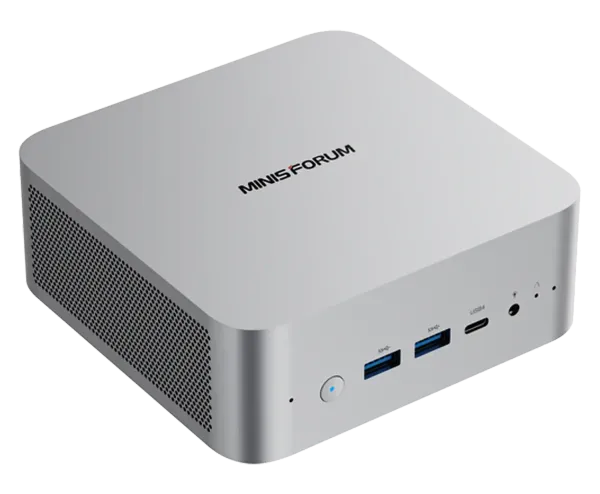
A Minisforum is a fraction of the volume of a mid-tower. Mount it behind a monitor, tuck it under a TV, or pack it in a bag.
Lower Power Draw
Mobile-class silicon pulls far less than a full desktop under load. With local tariffs, that adds up on the monthly bill.
Upgradeable
SODIMM RAM and M.2 NVMe slots on most models mean you can add memory and storage later rather than replacing the whole unit.
Multi-Display Output
HDMI, DisplayPort and USB4 combine to drive several independent monitors from a box that sits in your palm.
On-Device AI
Models with an NPU run local AI inference and Copilot tasks on the device, without sending data to the cloud.
Quiet Operation
Cold Wave cooling keeps most models quiet under load, and passively cooled units run silently.
Find Your Minisforum
Each Minisforum series is built for a specific job. Which one fits yours?
Home & Office
Productivity, video calls and multi-tasking on a clean, quiet desk.
Venus / UM Series
Creators & Devs
Video editing, 3D, coding and VMs with ECC RAM, PCIe 5.0 and fast networking.
MS Workstation Series
Gamers
Discrete graphics and OCuLink eGPU support for AAA gaming in a mini chassis.
AtomMan Gaming Series
Homelab & NAS
5-bay storage, 10GbE, ECC and RAID for Docker, Proxmox or a media server.
N5 NAS Series
Explore by Series
Venus Series
Everyday Mini PCs
AMD Ryzen mobile silicon, DDR5, USB4 and Wi-Fi 6E. A balanced pick for daily work, browsing and media.
Ryzen 5/7DDR5USB4
EliteMini Series
AI-Ready Computing
Ryzen AI silicon with a dedicated NPU and Cold Wave cooling. Suited to Copilot workloads and light creative work.
Ryzen AINPUCopilot
MS Series
Mini Workstations
Intel Core Ultra, ECC DDR5, high-speed SFP+ networking, PCIe 5.0 and multiple M.2 slots in a sub-5-litre chassis.
ECC DDR525GbEPCIe 5.0
AtomMan Series
Compact Gaming PCs
High-core mobile CPUs, discrete graphics and OCuLink eGPU expansion for AAA gaming in a small form factor.
High-core CPUOCuLinkdGPU
N5 NAS Series
AI NAS Storage
5-bay network storage with 10GbE and 5GbE, ECC RAM and RAID for a private cloud, media server or backup target.
5-bay10GbERAID
BD / MODT Series
Mini-ITX Motherboards
Build your own compact system around a soldered Ryzen mobile CPU. Add your own GPU, RAM and PSU.
Soldered CPUMini-ITXPCIe x16


