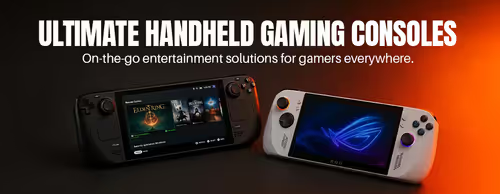
Handheld Gaming Consoles & Portable PCs 🎮
Handheld Gaming PCs — Play Anywhere (4)


How to Choose a Gaming Handheld
Choosing a handheld comes down to which games you want to play and how long you need to play them between charges. A Windows or SteamOS handheld opens up your whole PC library; a Switch is for Nintendo's games. The guide below covers the decisions that matter once you've picked your camp.
SteamOS handhelds like the Steam Deck are polished, simple and tuned for Steam, with great battery efficiency. Windows handhelds like the ROG Ally and Legion Go run every PC store and app but need a bit more fiddling. The Nintendo Switch is its own walled garden — buy it for Mario, Zelda and Nintendo exclusives, not for PC games.
Handhelds share a power budget between frame rate and runtime, so you can run a game at high settings for a shorter session or cap the power draw to play longer. Demanding titles might give a couple of hours; lighter indie games last much longer. If long sessions away from a plug matter most, favour efficiency over raw power.
Modern games are large, so base storage fills quickly. Most handhelds take a microSD card for cheap extra space, and several let you upgrade the internal SSD for faster loading. Buy as much built-in storage as your budget allows, then top up with a fast microSD card for your library.
Bigger, higher-resolution screens look great but cost more battery and demand more from the chip. A sharp OLED panel improves contrast and colour noticeably over a basic LCD. A higher refresh rate makes fast games feel smoother if the hardware can keep up. Match the screen to the games you play rather than chasing the highest numbers.
Most PC handhelds output to a monitor or TV over USB-C, so a dock turns the device into a small desktop with a keyboard, mouse and big screen. This makes a handheld a genuine two-in-one for people short on space. Check the dock supports the resolution and refresh rate of your monitor before buying.