Intel Upgrade Kits ⚙️
Intel Core Ultra Upgrade Bundles (11)


How to Choose an Intel Upgrade Kit
The right kit depends on what's limiting your PC today and how far you want to jump. Work out whether your CPU is the bottleneck, decide on a performance tier, and confirm the rest of your build — power supply, case and cooling — will take the new platform. The guide below covers the decisions that matter.
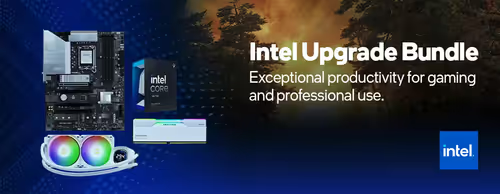
An Intel upgrade kit centres on a matched processor and motherboard, chosen to share the same socket and chipset. Most kits also include RAM, and some add a CPU cooler. The point is that everything is verified to work together and to POST, so you skip the compatibility research and the risk of buying mismatched parts.
The kit covers the CPU, board and memory, but you reuse your case, power supply, storage and graphics card. Check the motherboard form factor fits your case (ATX, micro-ATX or mini-ITX) and that your PSU has the right CPU power connectors and enough wattage. A modern kit plus an existing strong GPU is usually a balanced pairing.
It depends on the board. DDR4 kits cost less and are fine for mainstream gaming. DDR5 kits offer more memory bandwidth and more headroom for the future, at a higher price. If RAM is already in the kit you don't need to worry; if not, buy the memory type the board requires — the two are not interchangeable.
A mid-tier Core kit suits 1080p and 1440p gaming and everyday tasks. A higher Core or Core Ultra kit adds cores and clock speed for high-refresh gaming, streaming while you play, and creator workloads like video editing and rendering. Pair the tier to what you actually do rather than buying the top kit by default.
Kits are tested to boot, so the board is generally ready for its CPU out of the box. Moving to a new platform usually means a clean Windows install or at least re-activating, since the motherboard changes. Back up your data first, and keep your Windows licence details handy so re-activation is straightforward.