Internal Hard Drives & SSDs 💽
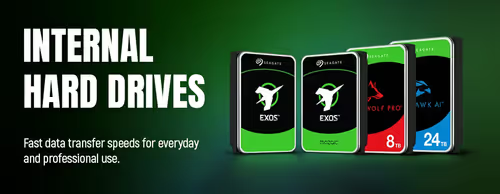
Internal Hard Drives — 3.5-Inch SATA (17)


How to Choose an Internal Drive
Two questions decide it: how fast do you need it, and how much space do you need. An SSD for speed where it counts, an HDD for cheap bulk capacity — most builds use both. After that, the key thing is matching the drive's form factor and connection to what your PC or laptop actually supports. The guide below walks through it.
An SSD has no moving parts and is dramatically faster, so it's the right choice for your main drive where Windows and your games live — boot, load and copy times all improve. A mechanical HDD is slower but gives far more capacity per rand, making it ideal for bulk media, backups and games you don't play often. Many builds use a smaller SSD plus a large HDD to get both.
A 2.5-inch SATA SSD connects with the same cables as a hard drive and tops out around 550MB/s — a huge jump over an HDD and compatible with almost any PC. An M.2 NVMe SSD plugs straight into the motherboard and is several times faster again, but needs a free M.2 NVMe slot. For everyday use both feel fast; NVMe shines for large file transfers and fast-loading games.
Check three things: that your board or laptop has a free M.2 slot, that it supports NVMe (PCIe), not just SATA M.2, and the length it accepts (2280 is the common size). Older or budget boards sometimes only take SATA M.2, which is slower. The product page and your motherboard manual list the supported M.2 type and length — confirm before buying.
Buy for what you store, with headroom — drives slow down and Windows misbehaves when nearly full. A modern OS plus a few large games fills space quickly, so a roomy main SSD is worth it, backed by a larger HDD for media and archives. It's usually better value to buy one larger drive than to run several small ones near capacity.
On mechanical drives, 7200 RPM is quicker and better for an active drive, while 5400 RPM runs cooler and quieter and is fine for backups and bulk storage. On fast NVMe SSDs, heat can cause throttling under sustained load — many motherboards include an M.2 heatsink, or the drive ships with one, which keeps speeds consistent during big transfers.