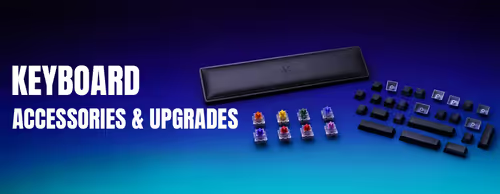
Keyboard Accessories & Upgrades ⌨️
Keyboard Switches, Keycaps & Parts (36)


How to Choose Keyboard Accessories
Compatibility is everything with keyboard parts. Before you buy, know three things about your board: the switch stem type (most are Cherry MX-style +), whether the PCB is hot-swap or soldered, and the layout (full-size, TKL, 75%, 65%) since that decides which keycap and bottom-row sizes you need. The guide below covers the decisions that matter most.
Most mechanical keyboards use Cherry MX-style (+) stems, which fit the majority of aftermarket keycap sets, including Gateron and Kailh switches. The catch is layout: 65% and 75% boards often need non-standard bottom-row sizes (1.25u or 1.5u keys) and a smaller spacebar, so check the set lists those sizes before buying.
A hot-swap keyboard has sockets that let you pull and replace switches by hand, no soldering needed — ideal if you want to experiment with feel. A soldered board needs desoldering tools and skill to change switches. Check your keyboard's spec sheet; if it doesn't say hot-swap, assume it's soldered.
Linear switches (often "Red") are smooth top to bottom and popular for gaming. Tactile switches (often "Brown") give a bump at the actuation point that many prefer for typing. Clicky switches add an audible click on top of the bump. Actuation force and travel are personal — try a switch tester if you're unsure.
Stabilisers sit under your longer keys (spacebar, Enter, Shift, Backspace) and are the main source of rattle on an otherwise good keyboard. Screw-in stabilisers are more stable than clip-in ones, and a light lube plus the "band-aid" mod removes most of the rattle for a cleaner, more uniform sound.
PBT keycaps resist the shine that develops on ABS over time and generally feel more textured. For legends that last, look for dye-sublimation or double-shot printing rather than pad-printed legends, which wear off. ABS sets can still be excellent — double-shot ABS keeps its legends — but for durability PBT is the safer default.