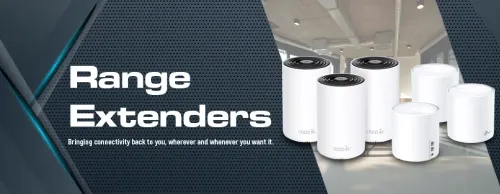
Wi-Fi Range Extenders — Reach Every Room 📶
Wi-Fi Range Extenders & APs (5)


How to Choose a Wi-Fi Range Extender
The right extender depends on how far the signal needs to travel and what you'll do at the far end. Casual browsing in a spare room needs far less than 4K streaming or gaming. The two decisions that matter most are placement and whether the extender keeps a dedicated band for the link back to your router.
Put it roughly halfway between your router and the dead zone — close enough to the router to still receive a strong signal, but far enough to push coverage where you need it. If you place it inside the dead zone, it only rebroadcasts a weak signal. A wall plug at chest height, away from large metal objects and microwaves, works best.
An extender is cheaper and fixes one dead zone, but it usually creates a separate network name and your devices won't always switch to it automatically. A mesh system blankets the whole home under one name with smooth hand-off as you move. For a single problem area, an extender is enough; for whole-home coverage, choose mesh.
It can. A basic single-band extender has to receive and resend on the same band, roughly halving throughput for devices connected to it. Dual-band extenders that reserve a band for the backhaul to the router avoid most of that loss. If the far-room job is heavy streaming or gaming, choose a dual-band model.
Backhaul is the link the extender uses to talk back to your router. A dual-band extender can dedicate one band to that link and keep the other free for your devices, which preserves more speed. Single-band units share one band for both jobs and are slower, but fine for light use like a security camera or a phone.
Many extenders include an Ethernet port so you can plug in a TV, console or PC at the far end for a more stable wired link off the extended signal. Some can also run in access-point mode if you cable them back to the router, which gives the cleanest result. Check the model's ports before buying if this matters.