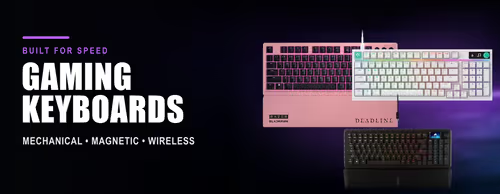
MSI Gaming Keyboards ⌨️🎮

MSI Gaming Keyboards ⌨️🎮

MSI is one of the biggest names in gaming motherboards, graphics cards and laptops, and its Vigor line brings that ecosystem to keyboards. The pull of an MSI keyboard is integration: the lighting and software tie into the same Mystic Light system that runs your MSI motherboard and GPU, so a full MSI build glows and behaves as one.

MSI Vigor keyboards use mechanical (and on some models optical) switches for fast, consistent actuation, with anti-ghosting and N-key rollover so simultaneous presses all register. RGB lighting is controlled through MSI Center on Windows, where you also set macros and profiles. Aluminium top plates on the higher models keep the typing surface rigid through long sessions.

Every MSI keyboard at Evetech ships with local warranty and fast nationwide delivery, backed by South Africa's largest gaming hardware retailer. If you're already running MSI components, compare the Vigor range below to keep your whole battlestation on one lighting and software ecosystem.

MSI Vigor Mechanical Gaming Keyboards (4)

How to Choose an MSI Keyboard

The strongest reason to pick an MSI Vigor keyboard is ecosystem fit — shared Mystic Light RGB and MSI Center control alongside your MSI board and GPU. Beyond that, choose on switch type, layout and feature depth. The points below cover the decisions that change how the board feels and works day to day.

If you run an MSI motherboard or graphics card, an MSI Vigor keyboard can sync its RGB lighting through Mystic Light so the whole system shares one colour scheme and effects. This is the main advantage of staying within the MSI ecosystem rather than mixing brands and lighting apps.
MSI Vigor boards use mechanical switches for tactile or linear feedback, with some models offering optical switches for faster, contactless actuation. Choose tactile for typing feel and clear feedback, or linear/optical for the quickest, smoothest key presses in fast games.
N-key rollover with anti-ghosting means every key you press registers even when you're holding several at once — essential for movement plus abilities in shooters and MOBAs. MSI gaming keyboards include this so combos and simultaneous inputs don't get dropped mid-fight.
RGB, macros, key remapping and onboard profiles are managed through MSI Center on Windows. If you rely on macros or per-game profiles, MSI Center is where you set them up; check the model supports onboard storage if you want settings to travel between PCs.
Full-size MSI boards keep a numpad for work and number entry. A tenkeyless (TKL) layout drops the numpad to free desk space and bring the mouse closer for low-sensitivity aiming. Match the layout to your desk size and whether you actually use the numpad.
EvetechYou Dream It, We Build It

Elevating your gaming experience with premium hardware and cutting-edge technology since 2007.

Stay updated

Get the latest deals and tech news

Hours

Mon–Fri: 9am – 4pm

Sat: 9am – 12pm

Copyright © 2007 - 2026 - All rights reserved by EVETECH (Pty) Ltd

All images appearing on this website are copyright Evetech.co.za. Any unauthorized use of its logos and other graphics is forbidden. Prices and specifications are subject to change without notice. EVETECH IS NOT RESPONSIBLE FOR ANY TYPO, PHOTOGRAPH, OR PROGRAM ERRORS, AND RESERVES THE RIGHT TO CANCEL ANY INCORRECT ORDERS. Please Note: Product images are for illustrative purposes only and may differ from the actual product.