Razer Gaming Mouse Pads 🖱️

Razer Gaming Mouse Pads 🖱️

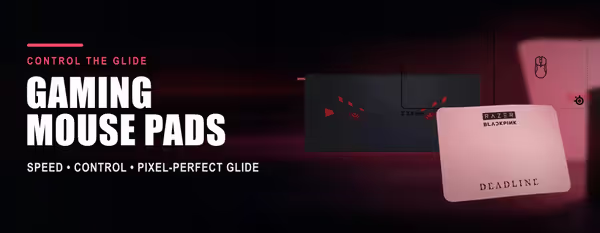
Razer's mouse pads cover three jobs: cloth pads for control, a hard surface for speed, and Chroma RGB for a setup that lights up with the rest of your Razer gear. The Goliathus and Gigantus cloth lines give you a consistent textured surface for accurate tracking, while the Firefly line adds a hard, micro-textured top for faster glide.

Choosing comes down to feel and size. Cloth Speed surfaces let the mouse move quickly; Control surfaces add grip for precise aiming. Sizes run from compact up to extended desk-mats that sit under both keyboard and mouse — handy for low-sensitivity FPS play where you need room to swing.

Evetech stocks Razer mouse pads with local warranty and fast nationwide delivery, backed by South Africa's largest gaming hardware retailer. Compare cloth, hard and RGB options below, and pair a Chroma pad with a Razer mouse to sync lighting through Razer Synapse.

Razer Gaming Mouse Pads — Cloth, Hard & RGB (12)

How to Choose a Razer Mouse Pad

Pick a Razer pad on three decisions: surface (cloth or hard), size (how much room your sensitivity needs), and whether you want Chroma RGB. The guide below covers each so you land on the right pad rather than the flashiest one.

The Goliathus and Gigantus are cloth pads built for control and a consistent textured glide, ideal for most gamers and lower sensitivity. The Firefly is a hard-surface pad with a micro-textured top for faster, smoother movement and built-in RGB. Choose cloth for control, Firefly for speed and lighting.
Speed surfaces are smoother so the mouse moves with less friction, which suits fast flick-heavy play. Control surfaces add a bit more texture and grip for precise stops and tracking. If you play tactical FPS at lower sensitivity, lean Control; for fast aim, lean Speed.
Chroma models like the Firefly add programmable RGB lighting that syncs with other Razer Chroma devices through Razer Synapse, for a matched lit setup. RGB doesn't change tracking — it's purely aesthetic — so only pay for it if a cohesive lit desk matters to you.
Lower sensitivity means bigger arm sweeps, so go large or extended to avoid running off the edge mid-aim. Higher-sensitivity players manage fine on a medium pad. Extended desk-mats sit under the keyboard too, which suits low-sens FPS and a tidy desk.
Spot-clean cloth pads with a little water and mild soap, then dry flat — avoid soaking or harsh chemicals. Keep the rubber base flat and away from heat so it doesn't curl. Firefly and other hard surfaces just need a wipe with a damp cloth.
EvetechYou Dream It, We Build It

Elevating your gaming experience with premium hardware and cutting-edge technology since 2007.

Stay updated

Get the latest deals and tech news

Hours

Mon–Fri: 9am – 4pm

Sat: 9am – 12pm

Copyright © 2007 - 2026 - All rights reserved by EVETECH (Pty) Ltd

All images appearing on this website are copyright Evetech.co.za. Any unauthorized use of its logos and other graphics is forbidden. Prices and specifications are subject to change without notice. EVETECH IS NOT RESPONSIBLE FOR ANY TYPO, PHOTOGRAPH, OR PROGRAM ERRORS, AND RESERVES THE RIGHT TO CANCEL ANY INCORRECT ORDERS. Please Note: Product images are for illustrative purposes only and may differ from the actual product.