MacBook RAM Buying Guide
How much MacBook RAM do you need? — Choose once. It's soldered in for life.
Unified memory means less RAM goes further on Apple Silicon — but there's still a ceiling. And unlike a PC, you cannot add a stick later. Here's how to pick the right tier the first time.
- 2026 baseline
- 16GB
- sweet spot
- 24GB
- per tier step
- ~R4,000
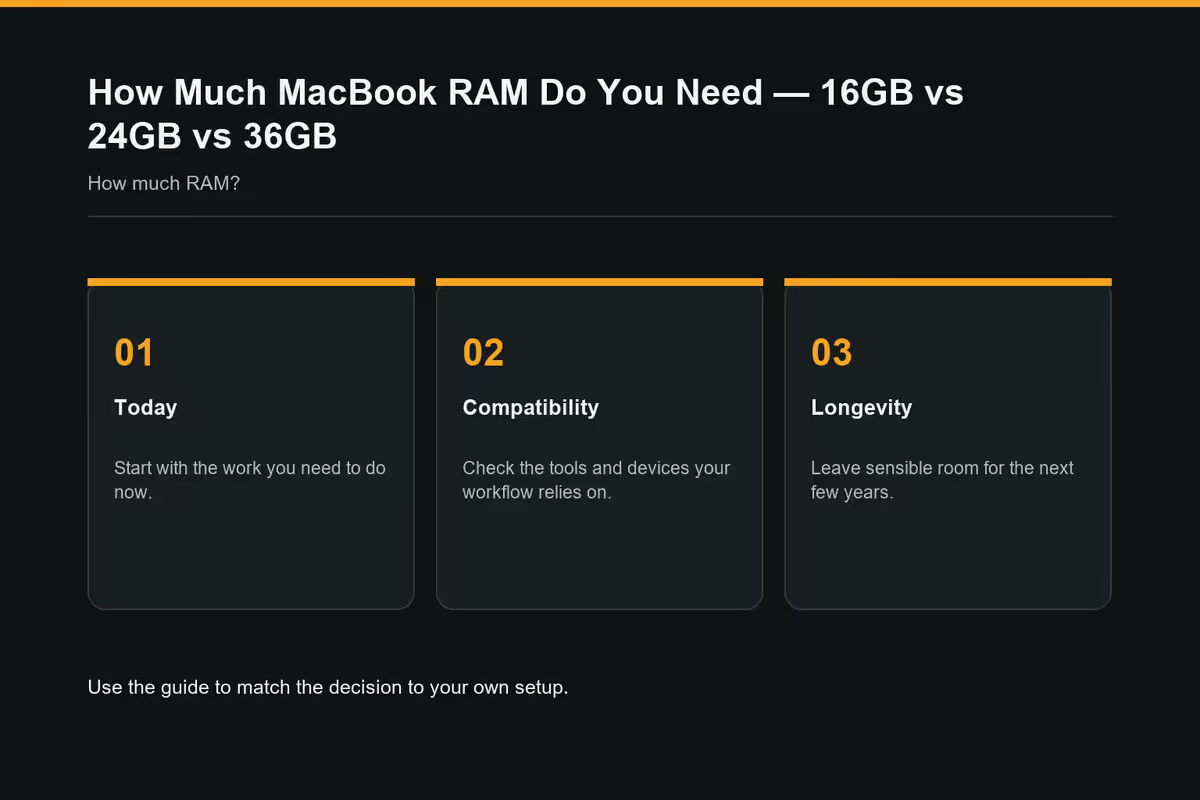
RAM tiers — 16 to 64GB
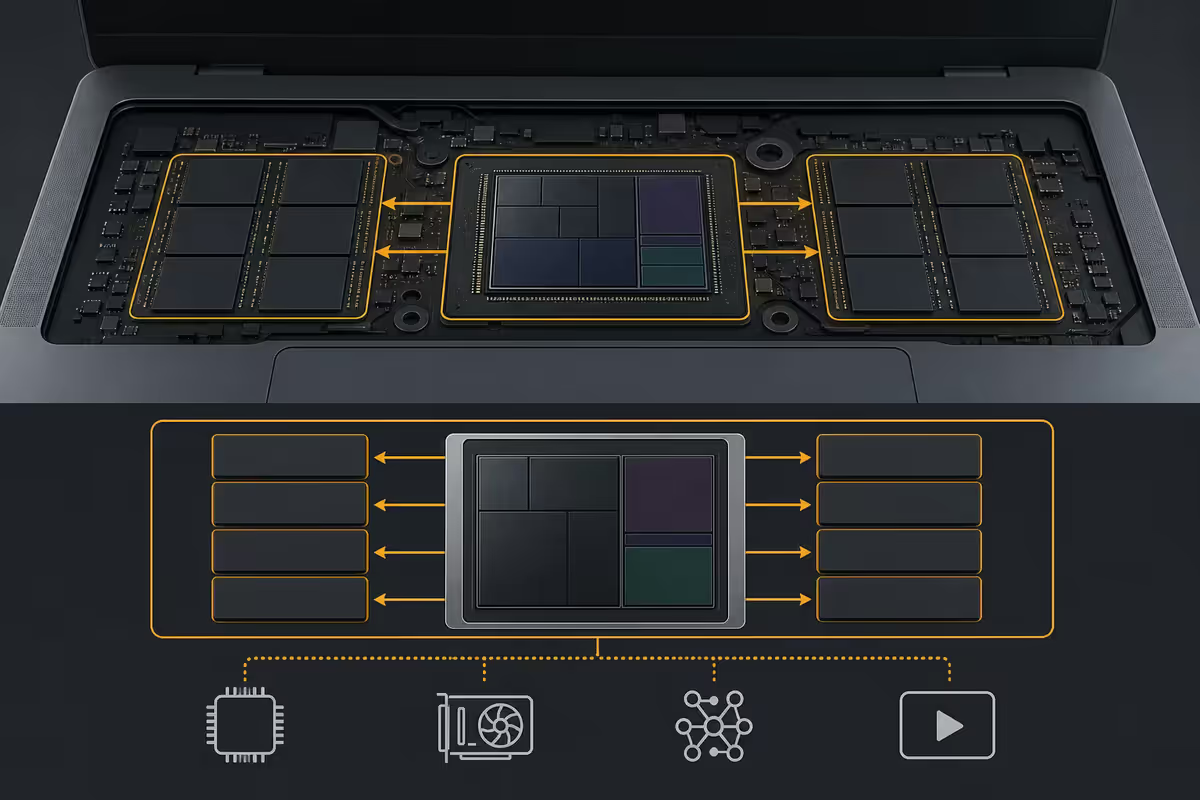
In 2026, every new Apple Silicon MacBook ships with at least 16GB of unified memory. Apple lifted the floor in late 2024 and never reverted — there is no 8GB MacBook for sale anywhere on apple.com/za. The decision now is simply how far above 16GB you go.
| Tier | Best for | Headroom feel |
|---|---|---|
| 16GB unified | Students, writers, light browsers | Comfortable for one task |
| 24GB unified | Prosumers, heavy multitaskers | Comfortable for everything most people do |
| 36GB unified | Serious video / photo / music creators | Pro workloads stay snappy |
| 48GB unified | 3D, large dev stacks, data work | Heavy pro work without compromise |
| 64-128GB unified | 8K finishing, 70B LLMs, science compute | You already know if you need it |
The tiers are not perfectly linear across chip families. M4 Air offers 16/24/32GB. M4 Pro offers 24/48GB. M4 Max stretches to 36/48/64/128GB. Always cross-check the specific configurator for the model you're targeting.
The good news: 16GB is no longer the apologetic baseline it was on Intel-era Macs. On Apple Silicon, 16GB feels meaningfully better than 16GB on a Windows laptop because there's no VRAM carve-out and memory bandwidth is roughly 3-4x higher.
Unified memory — what it actually means
Unified memory means the CPU, GPU and Neural Engine all read from the same physical RAM pool with no copy step between them. On a Windows laptop, your 16GB of system RAM is separate from your GPU's VRAM, and data has to be shuffled across the PCIe bus every time the GPU needs it.
Apple Silicon eliminates that shuffling. Result: workloads that would saturate a 16GB PC laptop — especially graphics and ML tasks — run comfortably on a 16GB MacBook because there's no duplicate copy of textures or model weights.
- No VRAM tax. On a PC with a discrete GPU, 4-8GB of system RAM is effectively unusable for the CPU because the GPU has already allocated equivalent VRAM separately. On Mac, every gigabyte is addressable by whichever processor needs it.
- Massive bandwidth. M4 Pro / Max memory bandwidth is 273-546 GB/s versus typical laptop DDR5 at 90-120 GB/s. Your "less" RAM actually moves data 3-5x faster.
- No PCIe round-trips. Photoshop, Lightroom, Final Cut and Logic all hand data between CPU and GPU constantly — and on Mac that handoff is effectively free.
But unified memory is not magic. When your working set exceeds physical RAM, macOS swaps to the SSD. SSD swap on Apple Silicon is fast — much faster than a HDD page file — but it's still 50-100x slower than RAM, and aggressive swap wears down the (also non-upgradeable) SSD.
Choosing your tier by workload
The most honest way to pick is to match your actual daily work, not a fantasy of what you might do. Be ruthlessly realistic about what you open on a typical Tuesday afternoon.
16GB is enough if you:
- Live in Safari, Mail, Messages, Notes, and the occasional Office or iWork doc.
- Stream meetings on Zoom or Teams but don't record-and-edit them.
- Do light photo editing in Photos or basic Lightroom adjustments on smaller libraries.
- Are a student running coursework, programming basics, light Xcode or VS Code projects.
- Use Apple Intelligence and iCloud features but aren't running local LLMs.
24GB is the right call if you:
- Keep 20-50 browser tabs open across multiple windows all day.
- Edit 4K video in Final Cut Pro or DaVinci Resolve, with HDR colour grades.
- Work on Lightroom catalogues with 30,000+ photos or do regular RAW culling sessions.
- Run Logic Pro sessions with 50-150 tracks, virtual instruments and plugin chains.
- Are a developer with VS Code, a few Docker containers, Postman, Slack and Chrome open simultaneously.
36GB or 48GB earns its keep if you:
- Edit multi-camera 4K HDR or 6K projects, with Final Cut background rendering and lots of effects nodes.
- Use Blender, Cinema 4D, ZBrush or other 3D tools with large scenes.
- Run Logic Pro projects with 200+ tracks, large sample libraries (Spitfire, Kontakt) and many busses.
- Need to run multiple Docker stacks, Kubernetes locally, multi-VM setups, or large database imports.
- Work in data science with pandas DataFrames at the multi-gigabyte scale.
- Run 13B to 30B parameter local LLMs in LM Studio or Ollama.
64GB and up only if you:
- Finish 8K projects in Resolve or Final Cut for delivery.
- Run 70B+ parameter LLMs locally with sensible response times.
- Run scientific simulations, large CAD assemblies, or render-farm workflows.
- Need to keep multiple heavy creative apps and a large dev environment open simultaneously without ever thinking about it.
Why RAM is not upgradeable
Every Apple Silicon Mac (M1 through M4 Max and beyond) has its RAM physically fused onto the System on a Chip package, sitting millimetres from the CPU and GPU dies. This is what makes the bandwidth advantage possible — but it also means there is no DIMM slot, no service swap, no aftermarket option.
What this actually rules out:
- No iFixit upgrade. Unlike an older Intel MacBook Pro or a Windows laptop, opening the bottom of the chassis reveals no socketed RAM. The memory is part of the chip.
- No Apple service swap. Apple does not offer a "RAM upgrade" service even out of warranty. If you want more memory, you buy a different machine.
- No third-party module. Companies that used to sell MacBook RAM kits (Crucial, OWC) no longer have anything to sell for any Apple Silicon Mac.
This makes the buy-time decision more consequential than on any other laptop you can purchase. The RAM tier you choose at checkout is the RAM tier you live with for the life of the machine. If you expect to keep your MacBook for 5-7 years (and most people do), bias one tier higher than you think you need today.
ZAR upgrade pricing reality
Apple's RAM uplifts on the South African store are steep — easily the most expensive per-gigabyte memory available on any laptop you can buy locally. Here's roughly what the steps cost in mid-2026:
| Upgrade step | Typical SA uplift | Effective cost per extra GB |
|---|---|---|
| 16GB → 24GB (M4 Air) | R4,000-R4,500 | R500-R560 / GB |
| 16GB → 32GB (M4 Air) | R8,000-R9,000 | R500-R560 / GB |
| 24GB → 48GB (M4 Pro) | R8,500-R9,500 | R350-R400 / GB |
| 36GB → 48GB (M4 Max) | R4,500-R5,000 | R375-R420 / GB |
| 48GB → 64GB (M4 Max) | R7,500-R8,500 | R470-R530 / GB |
| 48GB → 128GB (M4 Max) | R28,000-R32,000 | R350-R400 / GB |
Two things to keep in perspective. First, that R4,000 uplift to 24GB stings, but spread over 5-7 years of ownership it's R570-R800 per year — a small price for keeping the machine fast all the way through. Second, the resale market in SA pays a real premium for higher-RAM Macs: a 24GB MacBook Air resells for noticeably more than a 16GB one three years on, partly clawing back the upgrade.
Across the thousands of Macs we've configured for SA customers at Evetech — from first-year students to working architects and broadcast editors — the single regret pattern is identical. Nobody three years on regrets paying R4,000 for 24GB. The regret is always the other direction: "I bought 16GB to save and now Final Cut chugs when I drop B-roll on the timeline." With RAM soldered for life, the tier-up is cheap insurance. Our default recommendation is 24GB on Air, 48GB on Pro, unless you genuinely know you'll never push the machine.
Evetech Mac specialist desk
Recommended RAM tier by user
| User profile | RAM tier | Typical SA total |
|---|---|---|
| First-year student, web + Office | 16GB Air M4 | R23,000-R26,000 |
| Working professional, daily driver | 24GB Air M4 | R28,000-R32,000 |
| Developer, Docker + IDE + Slack | 24GB Air M4 or 24GB Pro M4 Pro | R32,000-R42,000 |
| Photographer, 4K video hobbyist | 24GB Pro M4 Pro | R42,000-R48,000 |
| Working video editor (4K HDR) | 48GB Pro M4 Pro / Max | R55,000-R68,000 |
| 3D / motion / heavy Logic Pro | 48GB Pro M4 Max | R65,000-R78,000 |
| 8K finisher, local LLM developer | 64-128GB Pro M4 Max | R85,000-R130,000 |
Common RAM mistakes Mac buyers make
Buying 16GB to save money on a machine you'll keep 7 years. R4,000 of upgrade across a 7-year ownership window is R570 a year. The frustration of a swapping Mac three years in costs far more in lost productivity than that.
Assuming "unified memory" means 8GB is enough. 8GB MacBooks aren't sold anymore for good reason — even macOS itself idles around 6GB in 2026. The argument that "Macs use RAM differently" doesn't stretch to a tier Apple has officially retired.
Spec'ing 48GB on a MacBook Air. The Air can't sustain the workloads that would justify 48GB without thermal throttling. If you need that much memory, you need the Pro chassis too.
Maxing out RAM at the expense of SSD. If you can afford either 24GB + 1TB or 36GB + 512GB, pick the bigger SSD. macOS uses fast SSD as effective swap, and running out of storage is far more painful day-to-day than running out of memory.
Comparing tier-for-tier with Windows laptops. 24GB on Mac genuinely competes with 32GB on Windows for many workloads. But the inverse is also true — if a colleague says "16GB Mac is amazing," ask whether their workload looks anything like yours before drawing conclusions.
Skipping the upgrade because "I'll buy a new one in 3 years." Most people don't. The average MacBook hangs around 5-7 years in SA, and the upgrade cost amortises beautifully across that span.
Key takeaways
- 16GB is the new 2026 floor — no Apple Silicon MacBook ships with less. It's enough for everyday users.
- 24GB is the sweet spot for prosumers — R4,000 of insurance against a tight machine in year four.
- 36-48GB earns its keep for serious video, 3D, music production and dev work with multiple stacks.
- Unified memory stretches RAM ~25% further than PC RAM — not 50%, not magic, but a real advantage.
- MacBook RAM is soldered into the SoC and cannot be upgraded later. Choose once, for the life of the machine.
Frequently asked questions
Is 16GB of RAM enough for a MacBook in 2026?
Yes for everyday users — students, writers, light browsers. Apple made 16GB the baseline across the whole MacBook range and unified memory means it stretches further than 16GB on a PC. Where it tightens up: 20+ tabs plus Slack plus Photoshop, 4K editing, large Xcode projects, or local LLMs.Is 24GB worth the extra R4,000 over 16GB?
For most prosumers, yes. 24GB is the 2026 sweet spot — comfortable 4K editing, big Lightroom catalogues, dozens of tabs without swap. At R4,000 typical uplift on a machine you'll own 5-7 years, it's the single best long-term upgrade since RAM is soldered.Who actually needs 36GB or more?
Serious creative pros: 8K video, 3D in Blender/Cinema 4D, Logic Pro with 200+ tracks, multi-container dev stacks, big pandas DataFrames, and 30B+ parameter local LLMs. If your work pegs the memory pressure indicator yellow, step up.What does unified memory actually mean?
CPU, GPU and Neural Engine share the same RAM pool with no copy overhead. There's no separate VRAM and no PCIe shuffling — so 16GB Mac handles workloads that need 24-32GB on PC. But it's not magic — once your working set exceeds physical RAM, macOS swaps to SSD and things slow down hard.Can I upgrade MacBook RAM after purchase?
No. Every Apple Silicon MacBook (M1, M2, M3, M4) has the RAM fused into the SoC. No DIMM slot, no service swap, no aftermarket. The tier you order at checkout is the tier for the life of the machine.How much does Apple charge for RAM upgrades in SA?
Typical uplifts: R4,000-R4,500 per tier step (16→24GB Air), R8,000-R9,000 for a two-step jump (24→48GB Pro), R16,000-R20,000 to reach 64GB+ on Max. Steep per-GB, but resale on higher-RAM Macs is meaningfully stronger.Will 16GB be enough in five years?
For everyday use, probably yes. But as Apple Intelligence, future Final Cut versions and local AI tools lean on more RAM, 24GB gives you a meaningfully longer comfort window. For a 5-7 year machine, R4,000 to 24GB is the right risk hedge.Does MacBook Air or Pro affect how much RAM I need?
Air and Pro share RAM tiers within a chip family, but the Pro's sustained cooling makes heavier workloads (long exports, big builds) realistic — and those often need more RAM. If you bought a Pro for the chip headroom, pair with at least 24GB. Light Air users are well served by 16GB.
Get the Evetech app
Exclusive app-only prices, daily flash sales, and free delivery on orders over R4,000 — download the app and start saving.