MacBook vs iPad Decision Guide
MacBook vs iPad. — Which one do you actually need?
iPad Pro M4 has the same chip as a MacBook Air. It costs more once you've added the keyboard and pencil. So why would anyone buy the iPad? For some people, it's the only correct choice. For most, it's a R28,000 mistake.
- iPad Pro + keyboard + pencil
- ~R28K
- MacBook Air M4
- R25K
- iPad Pro M4 sizes
- 11 / 13″
Who an iPad genuinely replaces a MacBook for
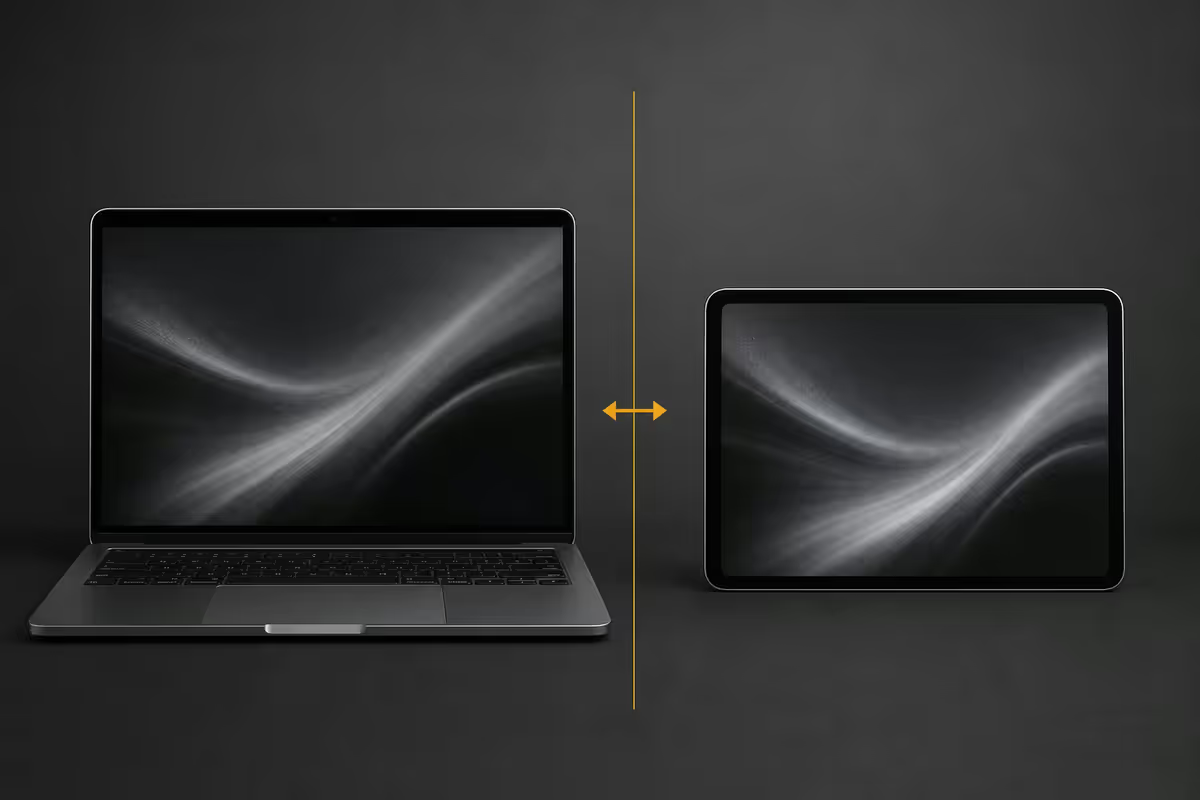
An iPad Pro M4 has the same silicon as a MacBook Air M4. The hardware difference between the two has never been smaller. But the experience is almost entirely shaped by the operating system — and iPadOS is the most opinionated OS Apple ships. It rewards specific workflows and frustrates everything else.
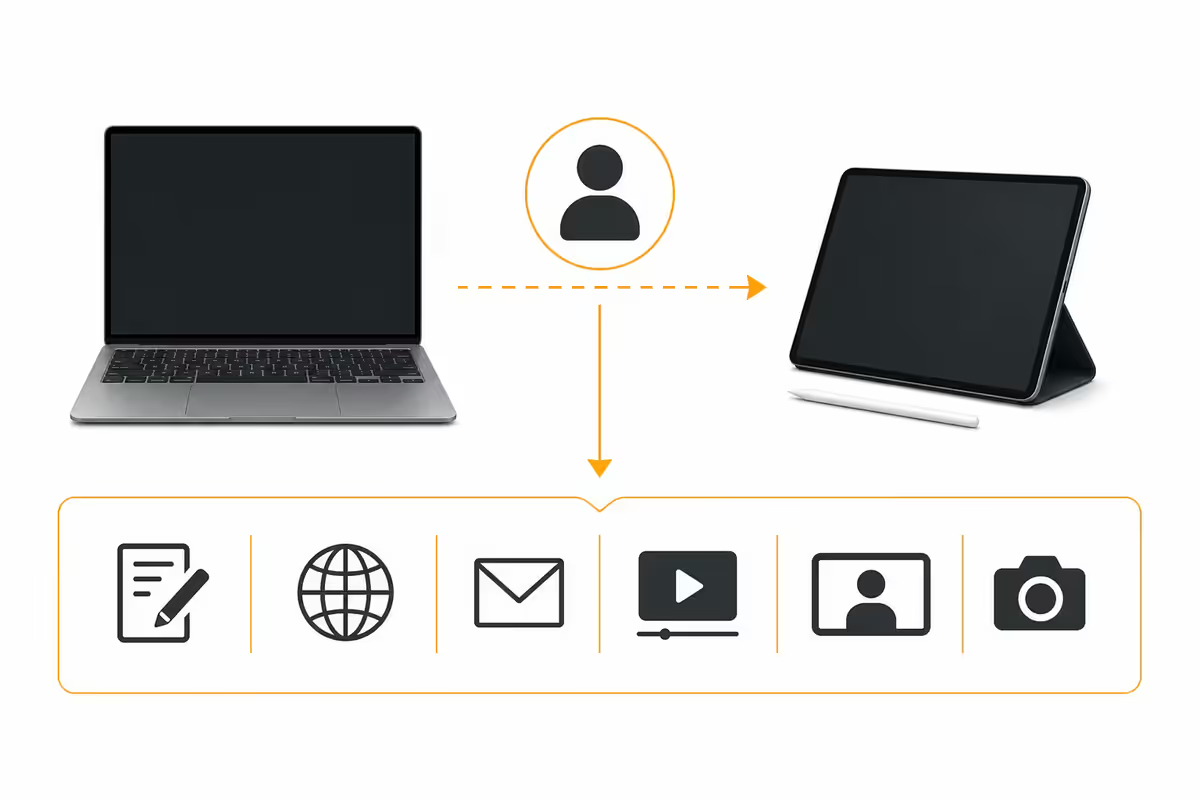
After five years of customers swapping back and forth, four user profiles consistently make iPad their primary device and never look back:
- Illustrators and animators. Procreate and Procreate Dreams have no MacBook equivalent that touches them for stylus-first creative work. For digital artists, iPad Pro is the industry-standard tool.
- Students who consume more than create. Reading PDFs, watching lectures, annotating notes, writing the occasional essay. iPad with Apple Pencil and Magic Keyboard does all of this beautifully.
- Executives and consultants who present. Stage Manager + Keynote + external display = a clean, fast, light meeting setup. No fan noise. 10+ hour battery.
- Field workers who fill forms. Site inspectors, real-estate agents, medical reps — the iPad's combination of touch, GPS, camera and form apps beats a laptop's foldable awkwardness.
If you're not in one of those profiles, the iPad is more likely a beautifully made second device than a laptop replacement.
iPadOS limitations vs macOS — what actually still hurts
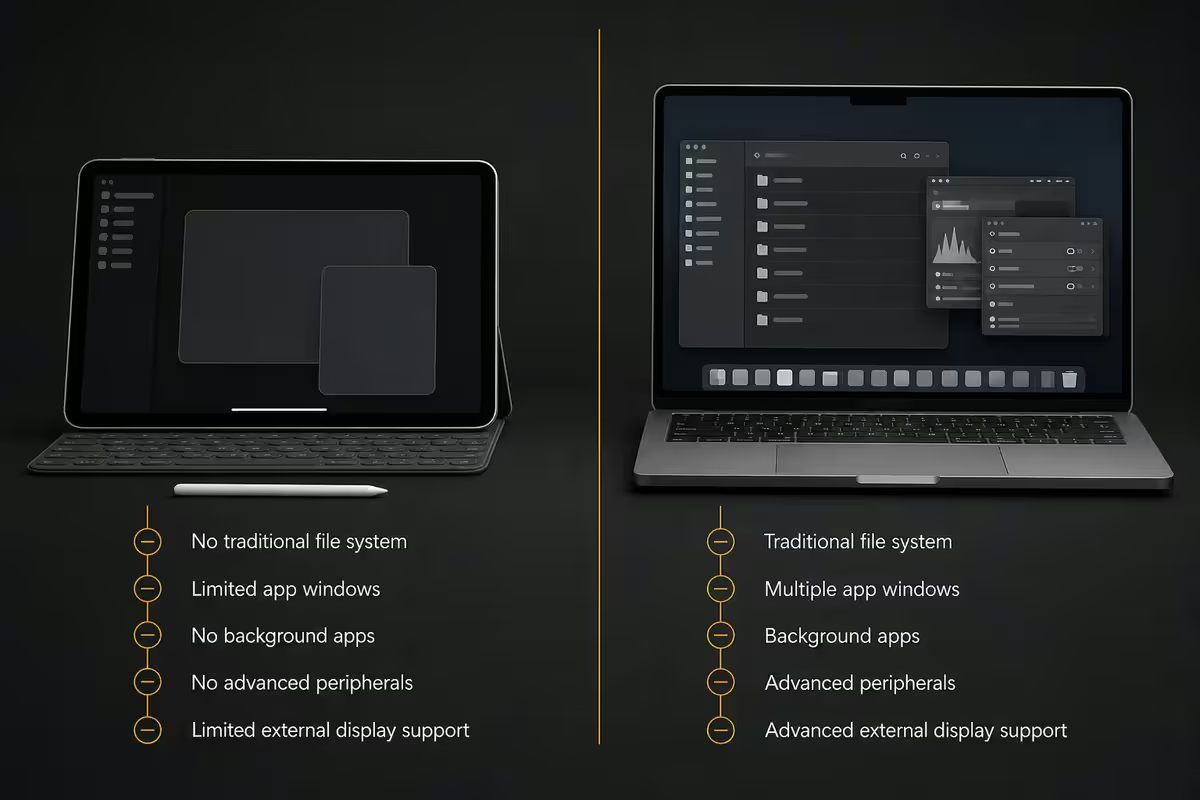
Apple has spent five years closing the gap. Stage Manager, external display support, professional apps (Final Cut, Logic, Davinci Resolve coming) and the Files app are all dramatic improvements over the iPadOS of 2020. But several fundamental limits remain — and any one of them can quietly ruin your workflow.
| Capability | macOS | iPadOS 18 |
|---|---|---|
| Real file system | Full Finder | Files app (sandboxed) |
| Terminal / shell | Native | No |
| Docker / dev containers | Yes | No (cloud only) |
| External monitor extended | Multi-monitor | Stage Manager only, M-series |
| Window snapping / tiling | macOS tiling + apps | Stage Manager (limited) |
| Multiple user accounts | Yes | No |
| Pro audio (Logic, ProTools) | Both native | Logic for iPad only |
| 3D / CAD (Blender, AutoCAD) | Native | No / cloud |
| Final Cut on a timeline | Pro version | Final Cut for iPad (cut down) |
| Procreate / Procreate Dreams | N/A | iPad-only |
| Apple Pencil | N/A | Yes |
| Touch-first design tools | Trackpad only | Native touch |
The trade-off is clear: iPad gives you touch + Pencil at the cost of file system, terminal, and pro desktop apps. If you need both worlds, you'll end up owning both devices.
The Magic Keyboard reality
The iPad Magic Keyboard (current floating-cantilever design, released 2024) is the best tablet keyboard ever made, and it isn't close. The keys feel like a MacBook's keys. The aluminium palm rest is solid. The trackpad is small but excellent. The floating hinge is rigid and looks magic. It transforms the iPad from "tablet with attached keyboard" to "laptop with detachable screen."
And it costs R7,500.
Once you add it to an iPad Pro 11 (256GB, R20,000) and an Apple Pencil Pro (R3,500), you're at R31,000 for a fully kitted iPad Pro setup. That's R6,000 more than a MacBook Air 13 M4 (R25,000), and only marginally cheaper than a MacBook Air 15 M4 (R30,000).
If you'll genuinely type and use the trackpad for several hours a day, the Magic Keyboard is worth it. If you'll only use the keyboard occasionally, the Smart Folio Keyboard (R3,500) is a better choice — and the saved R4,000 could go toward a better iPad storage tier (storage upgrades are punishing on iPad too — 256→512GB costs R3,000).
The Magic Keyboard is amazing. It's also the most aggressive pricing move Apple has made in years.
Creative pro use — where iPad genuinely wins and where it doesn't
Creative work is where the iPad case is strongest. But "creative" covers a lot of ground — and iPad's actual lead is narrower than the marketing suggests.
Illustration and animation — iPad wins outright
Procreate is iPad-only. Procreate Dreams (timeline animation) is iPad-only. Fresco runs on both but is best on iPad. The combination of stylus pressure, tilt, palm rejection and 120Hz screen makes iPad the industry standard for digital illustrators in 2026. There is no MacBook workflow that competes.
Video editing — close but Mac still wins for pros
LumaFusion is brilliant on iPad. Final Cut for iPad now genuinely works for short-form content (YouTube, social, podcasts). DaVinci Resolve is coming. But anyone working on long-form (TVC, films, documentary) still benefits from a MacBook with multi-monitor, scopes, plug-ins and the full Resolve/Final Cut/Premiere desktop workflows.
Photo editing — split decision
Lightroom on iPad is class-leading and arguably better than the Mac version for one-handed culling. Photoshop on iPad is missing key features and feels like a sibling to the desktop app. Affinity Photo is excellent on both. If you sift through 1000 shots and pick favourites, iPad wins. If you composite 20 layers with masks, Mac wins.
Music production — Mac wins for now
Logic Pro for iPad is now genuinely capable and many producers use it as their primary DAW. But ProTools, Cubase, Ableton Live and the heavyweight plug-in ecosystem (Native Instruments, Universal Audio, FabFilter) are still Mac/PC-only. For semi-pro music: iPad works. For pro studio: Mac.
3D, CAD and motion graphics — Mac wins, no contest
Blender, Cinema 4D, AutoCAD, Revit, After Effects — all desktop-only. iPadOS has Shapr3D and Affinity Publisher but nothing for serious 3D. If 3D is part of your work, MacBook is mandatory.
Real productivity — essays, spreadsheets, code
Essays, docs, articles — both work
For long-form writing, both platforms work equally well. Pages, Word, Google Docs, Scrivener, Ulysses, iA Writer all run on iPad with the Magic Keyboard. The Magic Keyboard's typing feel matches MacBook closely. The argument flips on multitasking: MacBook is better for writers who need 5 reference tabs, a citation manager and a research PDF simultaneously open. iPad handles 2-3 windows comfortably; beyond that it starts to feel cramped.
Spreadsheets — MacBook wins
Numbers on iPad is good for simple sheets. Excel on iPad lacks Power Query, custom functions, macros, and the keyboard-shortcut speed of the desktop version. For accountants, analysts, anyone doing real spreadsheet work — MacBook is the only choice.
Coding — Mac wins by a wide margin
You can write code on iPad via Working Copy, Pythonista, Textastic, and you can SSH into a real machine via Termius. For frontend or remote development this is workable. But local development with Docker, Node.js dev servers, Postgres, or any compilation workflow requires a real macOS environment. iPad as a coding device is only viable if your build environment lives in the cloud.
Email, calendar, meetings — both excellent
Outlook, Mail.app, Spark, Superhuman, Fantastical, Zoom, Teams, FaceTime, Meet — all work brilliantly on both platforms. The iPad's instant-on quality and lighter form factor actually wins for back-to-back meeting days.
SA price overlap — when iPad Pro costs more than MacBook Air
| Configuration | SA total (May 2026) | Notes |
|---|---|---|
| iPad Air M3 11 (128GB) | R12,500 | Bare tablet, no accessories |
| iPad Air M3 11 + Magic Keyboard + Pencil Pro | R20,500 | Capable Air-class setup |
| iPad Pro 11 M4 (256GB) | R20,000 | Bare tablet, no accessories |
| iPad Pro 11 M4 + Magic Keyboard + Pencil Pro | R31,000 | Full Pro setup |
| iPad Pro 13 M4 (256GB) + Magic Keyboard + Pencil Pro | R36,500 | Bigger screen setup |
| MacBook Air 13 M4 (16/256) | R25,000 | Full laptop, no extras needed |
| MacBook Air 15 M4 (16/512) | R30,000 | Bigger MacBook Air |
| MacBook Pro 14 M4 (16/512) | R39,000 | Full Pro laptop |
The cost story is clear: a fully kitted iPad Pro setup overlaps with or exceeds a MacBook Air at every comparable tier. If you're saving money, an iPad Pro setup isn't where you do it.
Decision framework — which one you need
Buy iPad Pro M4 if:
- Procreate, Procreate Dreams or Adobe Fresco is a primary tool in your work.
- You spend more time consuming (reading, watching, annotating) than creating long docs.
- You already love and use an older iPad daily for non-trivial work.
- You travel light and value tablet form factor over keyboard primacy.
- You don't need terminal, Docker, multi-monitor, full Excel or pro audio/3D apps.
Buy MacBook Air or Pro if:
- You write code, run Docker, or work in any local dev environment.
- You live in Excel with macros, Power Query, custom functions.
- You use Final Cut, Logic Pro, ProTools, Ableton, Blender, AutoCAD or any pro desktop app.
- You frequently need 4+ apps and multiple browser windows open simultaneously.
- You manage many files, downloads, ZIPs, archives daily.
- You want the absolute longest battery and best laptop typing experience.
Buy both if:
- You're a creative who needs both pencil-first illustration and a real workstation.
- Your work involves drawing, annotating PDFs, or sketching ideas alongside heavy desktop work.
- You have the budget — and the MacBook Air + cheap iPad combo costs less than a fully kitted iPad Pro alone.
Key takeaways
- iPad replaces a MacBook for illustrators, consumption-heavy users, students, and execs — not everyone.
- iPadOS limits are real — no file system depth, no terminal, no Docker, limited multi-monitor.
- Magic Keyboard is the best tablet keyboard ever, but costs R7,500 on top of an already-pricey tablet.
- Fully kitted iPad Pro 11 = R31K; MacBook Air 13 = R25K. iPad is not a money-saver.
- If unsure, buy MacBook Air + cheap iPad for under R35K. You get both worlds for less than full Pro iPad alone.
Frequently asked questions
Can an iPad replace a MacBook?
For illustrators, consumption-heavy users, students with light writing, and execs presenting — yes. For anyone needing file system depth, terminal, Excel power features, or pro desktop apps — no.What are the biggest iPadOS limitations vs macOS?
Files app vs Finder, no terminal/shell, no Docker, limited external monitor support, no proper tiling, no virtualisation, no pro audio/3D apps, mobile web fallbacks for some business tools.Is the iPad Magic Keyboard worth R7,500?
Yes if you type 2+ hours a day on iPad. No if typing is occasional — the Smart Folio Keyboard at R3,500 covers light use and saves the difference.Can you do real creative pro work on an iPad?
Illustration/animation: yes, Procreate is industry-standard. Video: LumaFusion + Final Cut for iPad are capable but Mac still wins long-form. Photo: split — Lightroom wins iPad, Photoshop wins Mac.Is iPad Pro M4 powerful enough to be a primary computer?
The chip absolutely is — M4 matches MacBook Air M4 in raw compute. iPadOS is the bottleneck, not silicon. If your workflow fits iPad-native apps, hardware never holds you back.How does iPad Pro + accessories compare to MacBook Air price?
iPad Pro 11 M4 + Magic Keyboard + Pencil Pro: ~R31,000. MacBook Air 13 M4 (16/256): R25,000. iPad Pro 13 M4 + accessories: ~R36,500. MacBook Air 15 M4: R30,000.Can you write code on an iPad?
For web frontend, scripting and SSH into remote servers — yes. For local backend with Docker, Node.js dev server, Postgres — no. Most devs keep a Mac alongside.How long do iPad and MacBook batteries last?
iPad Pro M4: 10-12h real mixed use. iPad Air M3: 10-13h. MacBook Air 13 M4: 16-18h. MacBook Pro 14 M4: 14-17h. MacBook wins on raw runtime; iPad feels more available due to tablet form.
Get the Evetech app
Exclusive app-only prices, daily flash sales, and free delivery on orders over R4,000 — download the app and start saving.