Mac Guide · Apple Thin
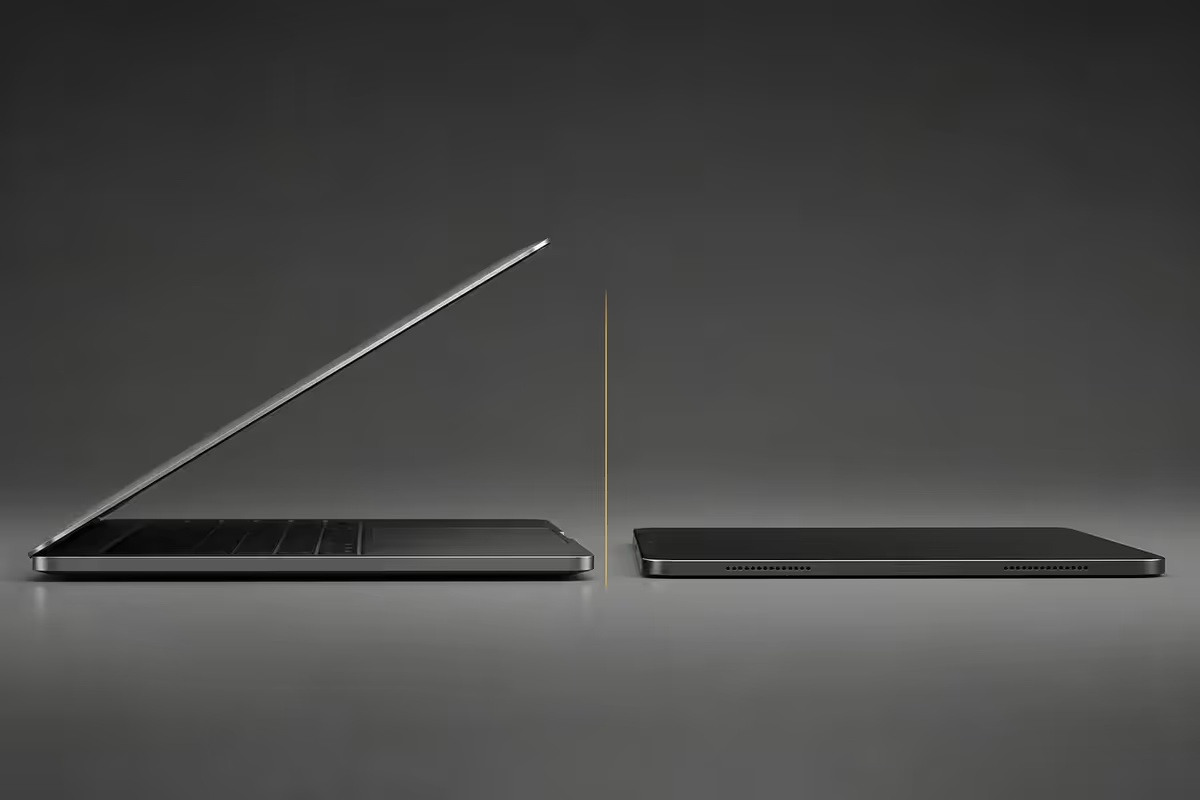
MacBook Neo vs iPad Pro. — Same thickness. Different machines.
Apple's thin obsession finally converges. One runs a true laptop OS; the other ships the best stylus on Earth. The honest comparison nobody on YouTube wants to make.
- same thickness
- ~10mm
- vs iPadOS
- macOS
- SA loaded
- R28k-R55k
The thin battle Apple set up itself
For over a decade, Apple's iPad Pro line has progressively edged toward laptop territory — Apple Silicon, ProMotion displays, Magic Keyboard, Apple Pencil Pro, eventually Stage Manager. From the other direction, MacBook chassis design has trended ever thinner — MacBook Air M4 hit 11.3mm, and rumours of a sub-1kg MacBook Neo at 9-11mm imply convergence is finally arriving.
The result, in 2026: two devices at roughly the same physical thickness, running fundamentally different operating systems and serving fundamentally different workflows. The hardware says "same thing"; the experience says "very much not."
| Spec | MacBook Neo (rumoured) | iPad Pro M5 + MK |
|---|---|---|
| OS | macOS | iPadOS |
| Display size | 12-13" Retina ProMotion | 11-13" Tandem OLED ProMotion |
| Closed thickness | ~9-11mm | ~10mm (pad alone: 5.1mm) |
| Weight (open) | ~0.9-1.0kg | 1.0kg (pad + Magic Keyboard) |
| Silicon | M5 / M5 Pro | M5 |
| Stylus support | None (no touch input) | Apple Pencil Pro |
| Detachable display | No | Yes |
| SA price (loaded) | ~R30,000-R45,000 entry | R40,000-R55,000 fully kitted |
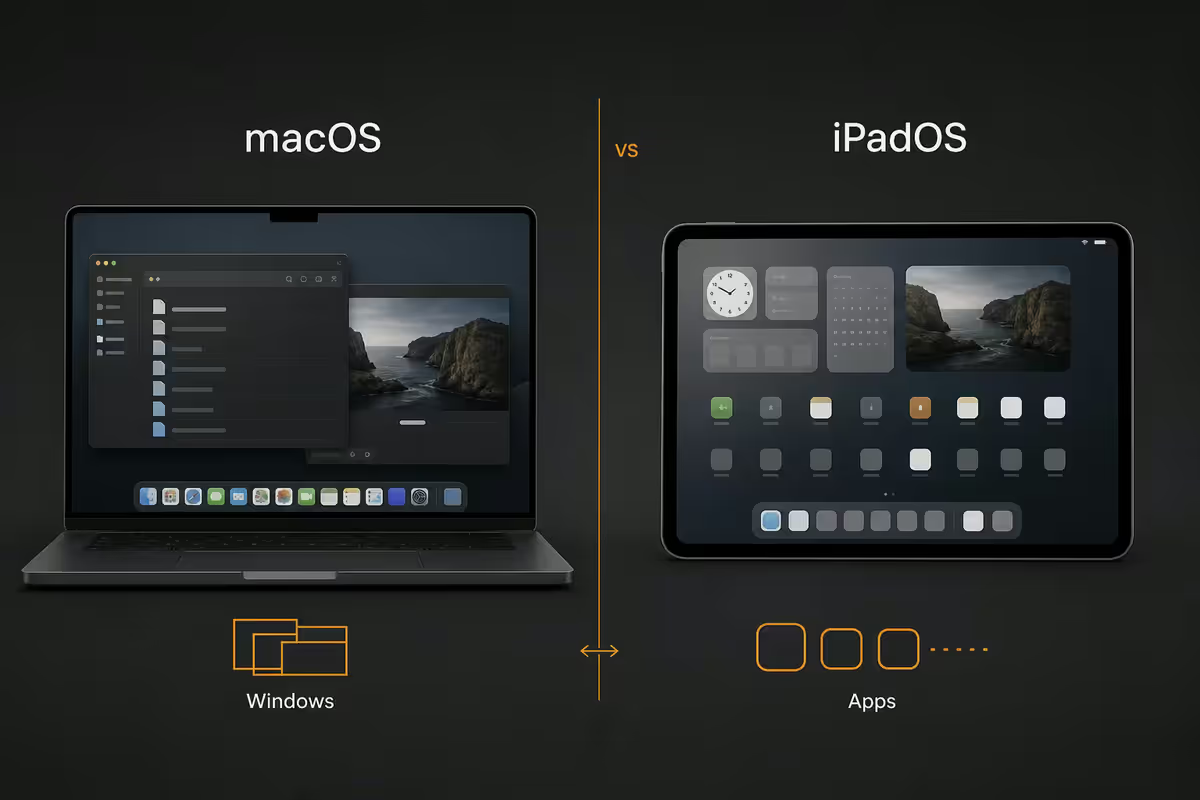
macOS vs iPadOS — the gap that still matters
This is the entire comparison. Everything else is detail.
macOS in 2026 remains a 30-year-old desktop operating system polished into one of the most refined work environments available. Multiple resizable windows that genuinely stack and tile. A real file system with Finder, deep folder structure and full third-party access. A POSIX-grade Terminal with Homebrew, native package management, full developer toolchain. Decades of professional desktop applications — Xcode, Final Cut Pro, Logic Pro, Affinity, JetBrains, VS Code, complete Adobe Creative Cloud, Maya, Houdini, full Microsoft Office. Power-user keyboard shortcuts that compound into serious throughput.
iPadOS in 2026 is the most refined touch-first operating system in existence. Pencil input matches paper for visual creatives. App Store curation produces a tighter, more battery-efficient app ecosystem. Stage Manager has matured into a usable multi-window environment for two or three apps at once. Files app has improved markedly. iPadOS 19 finally exposes a credible terminal-equivalent for light development workflows. But the desktop heritage — and the depth of desktop-class software — still lives on macOS, not here.
Multitasking reality
Stage Manager is the multitasking story Apple keeps refining on iPadOS. In 2026 it's better than it has ever been — but still has rules a macOS user finds limiting. Apps cluster in pre-defined groups. Resize is constrained. Some apps still don't co-operate. The mental model is "groups of apps" rather than "windows on a desk."
Examples where macOS clearly wins multitasking:
- Code editor + browser docs + Terminal + Slack visible simultaneously.
- Spreadsheet with 4 source data windows visible while editing.
- Video editor timeline + reference monitor + browser asset library + Finder.
- Six Chrome tabs, two browsers, three native apps and a virtual machine.
Examples where iPadOS multitasking is sufficient or better:
- Reading PDF + taking handwritten notes with Pencil.
- Writing in one app + research browser visible alongside.
- Sketching in Procreate + reference image floating in Slide Over.
- Video call + chat app + notes — three-app limit perfectly fine.
File system reality
Files on iPadOS in 2026 is genuinely competent — connect external SSDs, browse arbitrary folder structures, drag-drop between apps. But the difference between "Files app" and "Finder" is the difference between "I can move files around" and "the operating system is built around the file system."
In practical terms: developers, video editors with large media libraries, researchers managing complex source folders, anyone scripting workflows or building automation around folder structures — these are macOS workflows. iPadOS users routinely report frustration with file management once their workflow involves more than a handful of folders.
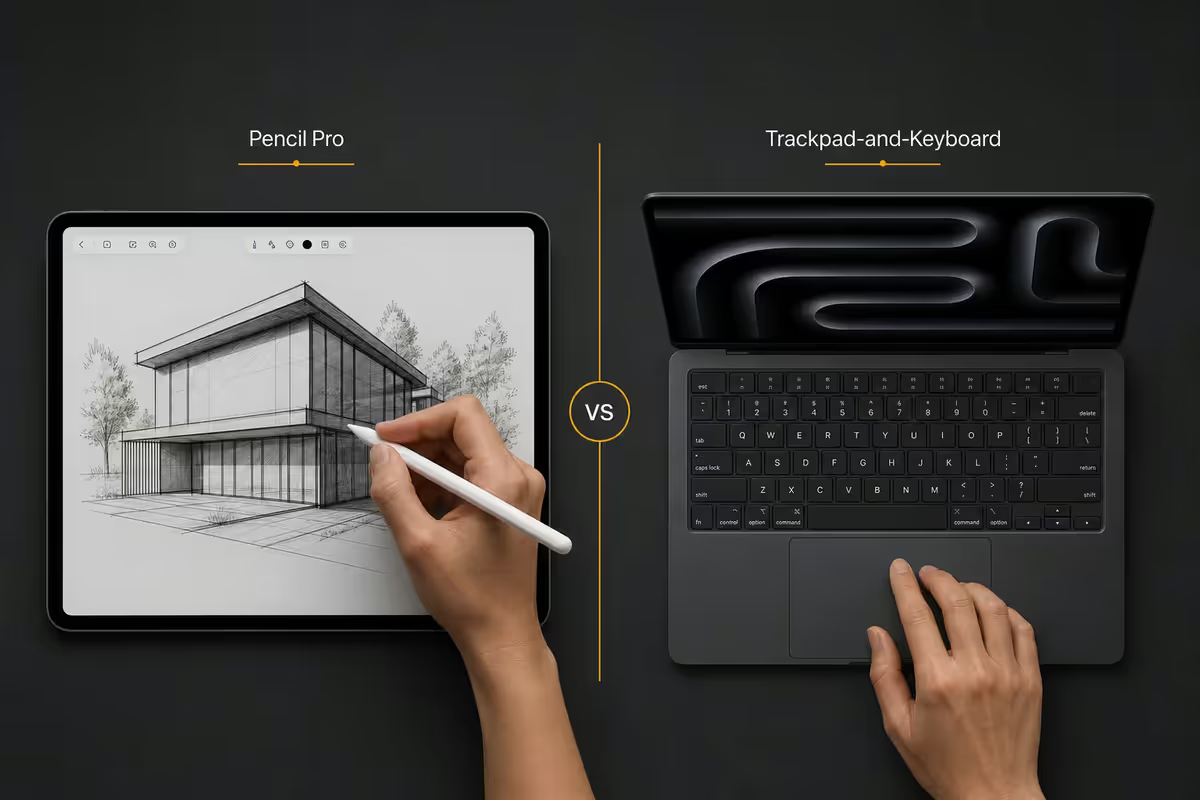
Input — Pencil Pro vs trackpad-and-keyboard
Apple Pencil Pro on iPad Pro M5 is the best stylus available on any consumer device — 1ms latency, pressure and tilt sensitivity, squeeze and double-tap controls, haptic feedback. For visual creatives the Pencil is so close to natural drawing it changes how people work.
The Magic Keyboard on iPad Pro M5 (the updated 2024-onward design with a function row and aluminium palm rest) brings genuine laptop-grade typing and a high-quality trackpad. For typing-heavy workflows it's better than every previous iPad keyboard but still trails the MacBook Air keyboard slightly on travel feel.
The MacBook Neo — being a Mac — wouldn't ship with touchscreen input at all. Apple's product philosophy holds that Macs use trackpad and cursor, full stop. So Pencil and direct touch interaction are uniquely iPad's domain. For a designer, illustrator or note-taker, this is the single most important factor.
Battery life & weight — the travel maths
| Spec | MacBook Neo (rumoured) | iPad Pro M5 + MK | MacBook Air M5 |
|---|---|---|---|
| Real-world battery | 12-14 hours mixed use | 10-12 hours mixed use | 16-20 hours mixed use |
| Weight (open) | ~0.9-1.0kg | ~1.0kg (pad + Magic Keyboard) | 1.24kg (13") / 1.51kg (15") |
| Tablet-mode option | No | Yes (5.1mm, ~600g) | No |
| Charging | USB-C / MagSafe | USB-C | USB-C / MagSafe |
Two surprises in those numbers:
- MacBook Air actually wins on real-world battery life due to its larger battery cell in a thicker chassis. The Air is a 1.24kg battery on legs.
- iPad Pro detaches into a 5.1mm, ~600g pure tablet — a use case neither MacBook offers. For reading, sketching, presenting, lounging or in-flight watching, this is unmatched.
MacBook Air — the alternative that already exists
For most buyers asking the MacBook Neo vs iPad Pro question, the actual answer in 2026 is MacBook Air M5. Why:
- Full macOS at R28,000-R36,000 in SA — substantially below where MacBook Neo would launch.
- 1.24kg (13-inch) — light enough for daily mobility; not punishingly thicker than a Neo would be.
- Real-world 16-20 hour battery on mixed use — better than either Neo or iPad Pro.
- Full keyboard, trackpad, MagSafe, two USB-C ports, headphone jack, fanless silent operation.
- The thin-and-light experience Apple users wanted from MacBook Neo, available today.
The MacBook Neo's product pitch is sub-1kg weight and 9-11mm thickness. Real question: do you genuinely need 1.0kg vs 1.24kg badly enough to pay the premium? For most users, the honest answer is no. For frequent flyers, design consultants and others who carry their laptop everywhere daily, possibly yes.
Who each suits
| Workflow | Better fit | Why |
|---|---|---|
| Software development | MacBook Neo / Air | Terminal, multi-window IDEs, Docker |
| Video editing (Final Cut / DaVinci) | MacBook Neo / Air | Pro NLE timelines, file system |
| Illustration / digital painting | iPad Pro M5 | Pencil Pro is the differentiator |
| Design (Figma / Affinity) | Either — Mac edges by app maturity | Some prefer Pencil; depends on style |
| Sales / consulting / travel | iPad Pro M5 | Detachable + Pencil + 600g tablet mode |
| Students (notes + reading) | iPad Pro M5 | Handwritten notes + PDFs + textbooks |
| Office / Excel / Word power user | MacBook Air | Full Excel formulas + multi-sheet windows |
| Heavy multitasker | MacBook Air / Neo | Real window management |
| Couch / bedroom / casual reading | iPad Pro M5 | Tablet mode wins |
Key takeaways
- MacBook Neo and iPad Pro converge on physical thickness — the OS is what differs.
- macOS wins for code, video, multi-window work, file system and decades of pro apps.
- iPadOS wins for Pencil work, reading, travel weight and any single-app workflow.
- MacBook Air M5 remains the realistic mainstream answer — full macOS in thin-and-light.
- Best setup for many: Mac at the desk + iPad for travel and sketching. Continuity makes the pair seamless.
Frequently asked questions
What is the MacBook Neo?
Rumoured sub-1kg, 9-11mm thick MacBook positioned between MacBook Air and iPad Pro. Runs full macOS on M5-class silicon. Not yet shipped as of mid-2026.How does MacBook Neo compare to iPad Pro M5 with Magic Keyboard?
Similar dimensions, fundamentally different OS. MacBook Neo = full macOS, multi-window, file system. iPad Pro = touch + Pencil + iPadOS app ecosystem.Which is better for actual work — laptop OS or iPadOS?
macOS for code, video editing, multi-window research, Excel power users, anything needing file system or Terminal. iPadOS for design with Pencil, reading, single-app focus, travel.What's the iPad Pro M5 actually missing for laptop replacement?
Real file system depth, pro desktop apps that haven't shipped on iPadOS, true multi-window workflows beyond Stage Manager limits, full Terminal access.Is Apple Pencil worth it on the iPad Pro?
Yes for visual creatives — best stylus on any consumer device. No for typing-and-mousing knowledge workers — rarely justifies the premium over MacBook Air.How does the MacBook Air alternative compare honestly?
MacBook Air M5 at R28,000-R36,000 in SA is the realistic answer for most buyers. Full macOS, 1.24kg, 16-20 hour battery — the thin-enough Mac that already exists.What about battery life — laptop vs tablet?
iPad Pro 10-12 hours mixed use. MacBook Neo estimated 12-14. MacBook Air actually wins at 16-20 hours due to larger battery cell.How will SA pricing look on MacBook Neo and iPad Pro?
iPad Pro M5 13" R28k-R42k + Magic Keyboard R5.5k-R6.5k + Pencil R3k-R4k = R40k-R55k loaded. Neo estimated R30k-R45k entry. MacBook Air R28k-R36k.
Get the Evetech app
Exclusive app-only prices, daily flash sales, and free delivery on orders over R4,000 — download the app and start saving.