Budget Laptop Comparison
MacBook Neo vs ASUS VivoBook. — Two camps, one budget, no clear winner.
At the R12k-R15k SA tier the choice is no longer "Mac or whatever Windows fits." It's a real fight — recycled aluminium and battery on one side, RAM ceiling and ports on the other.
- price band
- R12k-R15k
- M vs AI 300
- 2 chips
- longevity test
- 5 yrs
Build & materials — premium feel vs honest plastic
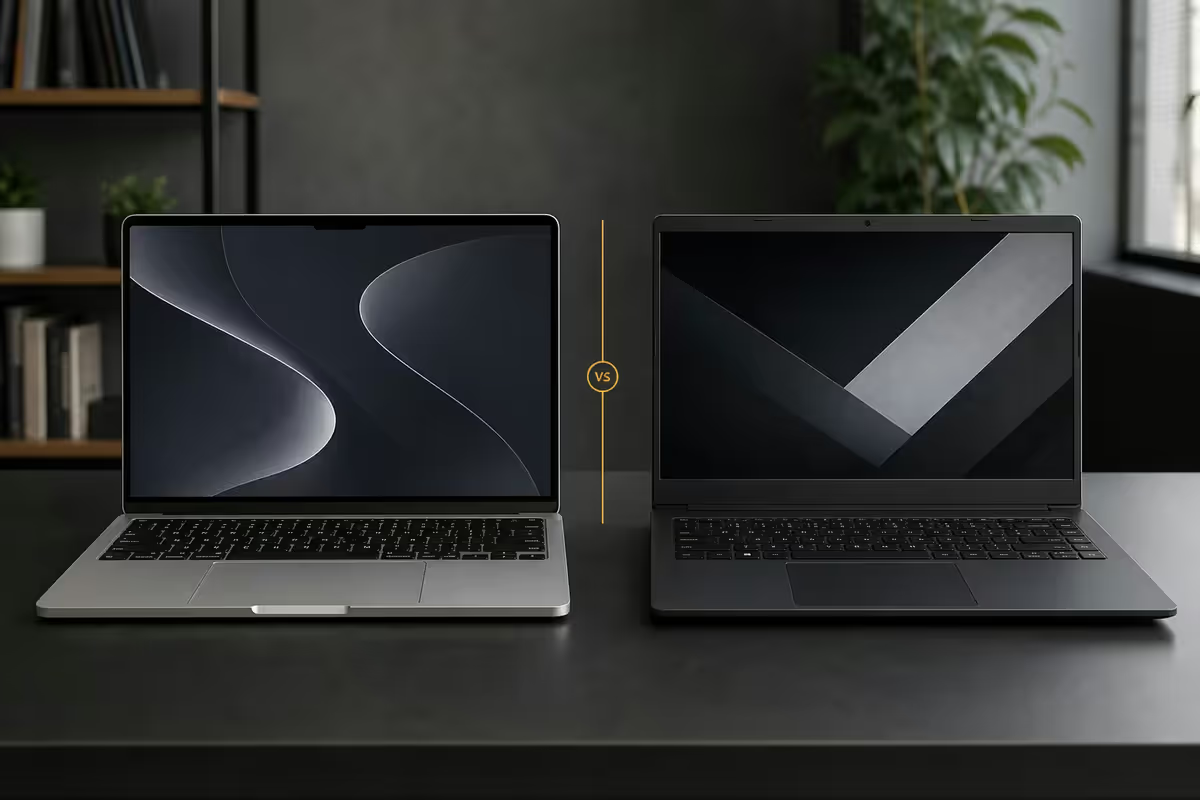
At this price tier the two laptops aren't trying to be the same thing. The MacBook Neo ships in a 100% recycled aluminium unibody chassis that's identical in materials to the R30k MacBook Pro. The ASUS VivoBook 16 ships in a polycarbonate-and-aluminium-lid mix that ASUS calls "Cool Silver" — looks decent, but flexes if you press hard on the keyboard deck.
| Build | MacBook Neo | ASUS VivoBook 16 / S16 |
|---|---|---|
| Chassis material | 100% recycled aluminium unibody | Polycarbonate base, aluminium lid (S16) |
| Weight | 1.24 kg | 1.80 kg (16-inch) |
| Thickness | 11.3 mm | 17.9 mm |
| Keyboard flex | None | Slight on hard press |
| Hinge feel | One-finger open, solid stop | Two-hand open, some bounce |
| Fingerprint resistance | Aluminium shows oils | Matte plastic hides them |
The Neo will still feel premium at year 5. The VivoBook will feel like a 5-year-old laptop — functional but tired around the palm rest. If aesthetics matter at the boardroom table, the Neo wins outright. If the laptop lives in a backpack between lecture halls and you don't care about a few palm-rest scratches, the VivoBook is honest about what it is.
Screen brightness & colour
SA sunlight is brutal. Coffee shop desk windows, working from a Cape Town patio, presenting from your laptop in a meeting room with overhead fluorescents — screen brightness matters here more than in cooler climates.
MacBook Neo: 13.6-inch Liquid Retina IPS, 500 nits typical / 600 nits HDR peak, P3 wide colour, no glossy-killer reflection. Calibrated from factory to within Delta E <1.5.
VivoBook 16 base: 16-inch IPS, 250-300 nits typical, sRGB ~62% coverage. Adequate indoors, struggles outdoors.
VivoBook S16 (OLED): 16-inch OLED, 400 nits typical / 600 nits HDR peak, P3 100% coverage, perfect blacks. Genuinely matches the Mac for colour and beats it for contrast — at the cost of OLED burn-in risk over 4-5 years.
M-chip vs Core Ultra 7 / Ryzen AI 300
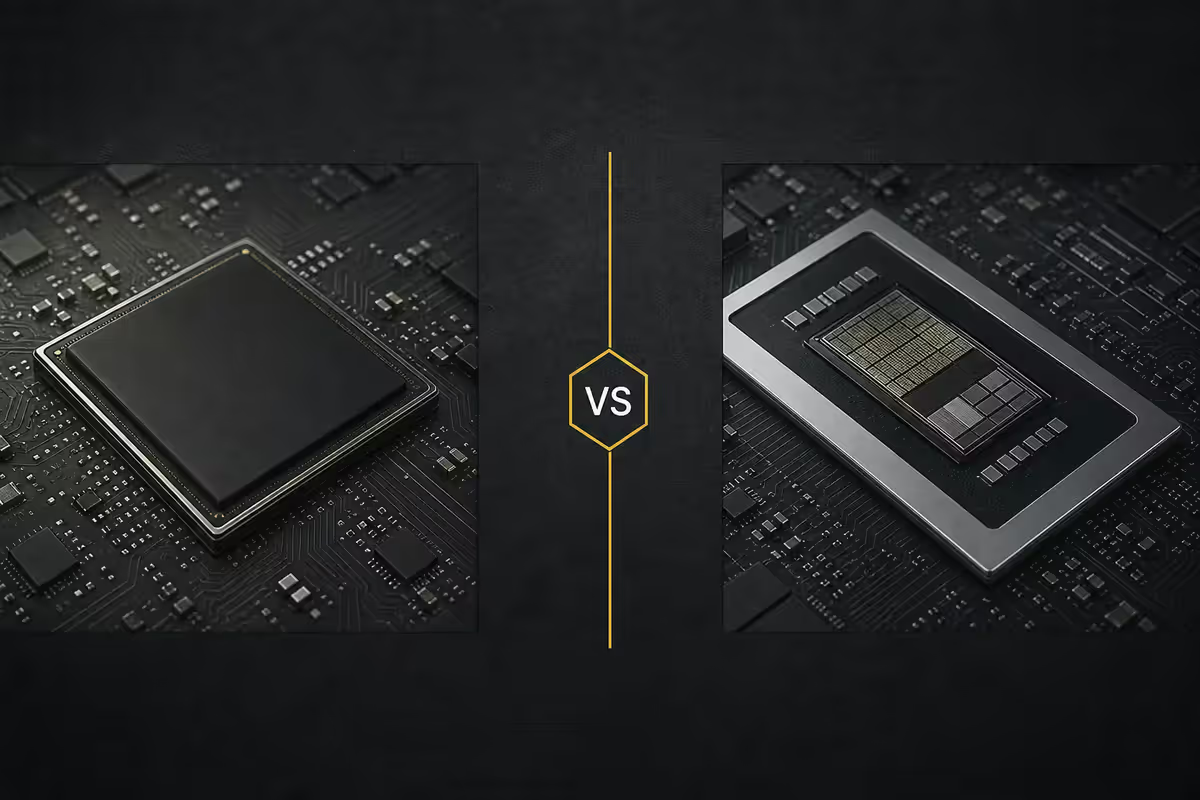
In 2026, the chip choice is no longer a foregone Apple win. AMD's Ryzen AI 300 series (Strix Point) and Intel's Lunar Lake (Core Ultra 200V) have closed the efficiency gap dramatically.
| Chip | Best at | Where it loses |
|---|---|---|
| Apple M (entry) | Battery, sustained creator apps, video export | Windows-only SA business software |
| Ryzen AI 9 365 | Multi-thread, NPU AI workloads, value | Sustained battery vs Mac |
| Core Ultra 7 268V | Battery (Lunar Lake very efficient), Intel software | Multi-thread vs Ryzen AI 9 |
| Ryzen 7 7000 series | Cheapest entry, still strong general productivity | NPU absent, older battery profile |
For everyday Office, Chrome, Slack, Zoom, Notion — any of these chips is overkill. The real differentiation shows up in sustained workloads: Lightroom catalog exports, Premiere 4K timeline scrubbing, Logic Pro audio mixing. There the M-chip and macOS optimisation team up to deliver an experience the Windows competitors can match in raw benchmarks but rarely match in real-world flow.
For Windows-only SA business software (Pastel Accounting, Sage One older versions, certain SARS eFiling tools, some banking online client apps) the M-chip needs Parallels Desktop and a Windows licence — R2,500-R4,000 of added software cost. The VivoBook just runs them.
RAM & SSD ceiling — the real budget difference
At R12k-R15k SA in 2026, here's the actual configuration split:
| Tier | MacBook Neo gives you | VivoBook gives you |
|---|---|---|
| R12,000 | 8GB / 256GB (entry only) | 16GB / 512GB |
| R13,500 | 8GB / 256GB + Apple Care | 16GB / 1TB + Ryzen AI 9 |
| R14,999 | 16GB / 256GB (upgrade) | 24GB / 1TB + OLED (S16) |
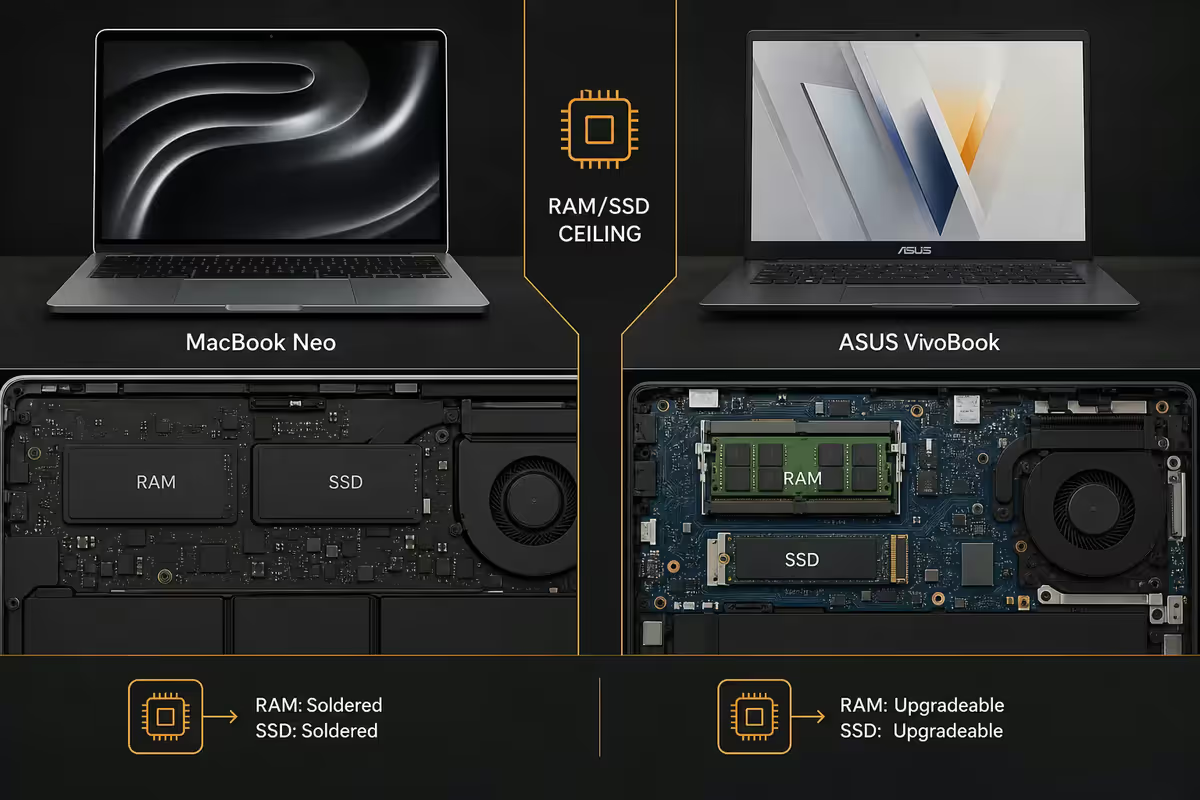
| RAM ceiling at price | 16GB | 24-32GB |
| SSD ceiling at price | 512GB (with upgrade) | 1-2TB |
This is where the value-per-Rand argument lives or dies. The VivoBook delivers 2-3× the RAM and 2-4× the storage at the same price. Apple's official defence — that macOS memory compression handles 8GB better than Windows handles 8GB — is genuinely true. But it doesn't make 8GB future-proof. By 2028, an 8GB Mac with a 256GB SSD will be the entry-level baseline that struggles, and you can't upgrade later. The RAM is soldered.
Ports & expansion — the dongle reality
The MacBook Neo's port philosophy is opinionated. It offers two Thunderbolt 4 / USB-C ports and a headphone jack. That's it. No HDMI, no USB-A, no SD card slot, no Ethernet.
The VivoBook 16 ships with everything: HDMI 2.1, two USB-A 3.2 (for older mice, flash drives, peripherals), one USB-C 3.2 with DisplayPort and PD charging, a microSD card reader and a headphone jack. Plug it into a SA office projector, a colleague's USB stick, your camera card and external SSD without dongles.
The dongle math: a decent USB-C hub with HDMI, USB-A, SD reader and pass-through power costs R600-R1,200 in SA. Add that to the Mac's price and the gap widens further.
Battery & load shedding
SA's stage-6 load shedding window is around 4 hours. Anything that does 6+ hours of real-world work survives a stage without a single charge. Anything that does 10+ hours survives a stage and most of the rest of a workday.
MacBook Neo: 16-18 hours real-world (web, Office, light creative). 12-14 hours sustained creator work. 8-9 hours of Final Cut export. The chip-OS integration delivers numbers Windows laptops only quote in marketing.
VivoBook S16 (Ryzen AI 9): 10-13 hours real-world. 7-9 hours sustained creator. 4-5 hours of Premiere export. The Lunar Lake variant (Core Ultra 7 268V) edges this up another 1-2 hours.
Both charge from USB-C PD power banks (the Anker 737, EcoFlow Rivers and smaller UPS units handle either machine). The Mac wins on absolute battery; the VivoBook is no longer the weak link it once was.
Who each suits
Pick the MacBook Neo if:
- You're a creator who lives in Lightroom, Final Cut, Logic Pro, Adobe CC, or shoots iPhone/RAW video.
- You work outdoors, on the road, or in load-shedding-prone areas where battery is gold.
- You value premium build at the boardroom and don't mind 8GB / 256GB if you upgrade to 16GB.
- You'll resell every 3 years and want to recover 55-65% of the spend.
- You're already in the iPhone / iPad / AirPods ecosystem and want continuity features.
Pick the ASUS VivoBook 16 / S16 if:
- You need RAM headroom — you run 20+ Chrome tabs, Slack, Spotify and one creative app constantly.
- You depend on Windows-only SA business software (Pastel, Sage, certain banking client apps).
- You want a bigger 16-inch screen for spreadsheets, multi-window productivity or split-screen study.
- Real ports matter — plug into office projectors, USB peripherals, SD cards without dongles.
- You want maximum specs-per-Rand and don't mind a polycarbonate chassis at year 4.
5-year longevity reality
Both laptops will work in 2031. The question is how usefully.
MacBook Neo at year 5: chassis still looks great (recycled aluminium ages well), battery at ~75% original capacity, RAM still 8GB or 16GB (no upgrade option), macOS still receiving updates (Apple supports M-series chips 6-7 years on average), 8GB models becoming sluggish. Resale: R5,500-R7,500.
VivoBook 16 at year 5: chassis worn (palm rest, hinge bounce, scratches on lid), battery at ~50-60% original capacity, RAM upgradable (DDR5 SO-DIMM slot on most configs — adds 16GB for R1,500), Windows still updating, SSD upgradable to 2TB. Resale: R4,000-R5,500. Net cost similar after RAM/storage upgrades.
Key takeaways
- MacBook Neo wins build, screen, battery and 3-year resale. VivoBook wins RAM, ports, SSD, screen size and specs-per-Rand.
- If you go Mac, upgrade to 16GB RAM at purchase. Non-negotiable for 5-year longevity.
- If you go ASUS, get the VivoBook S16 OLED variant. It closes most of the Mac perceived-premium gap.
- Windows-only SA business software (Pastel, Sage) tips the scale to VivoBook outright.
- The Mac wins on battery for load shedding, but the VivoBook S16 is no longer the weak link.
Frequently asked questions
Which is better at R15k — MacBook Neo or ASUS VivoBook?
Mac wins build, battery and screen but ships with only 8GB / 256GB. VivoBook S16 wins RAM, ports and SSD ceiling. Creators on the move pick Mac; general productivity and Windows-software users pick VivoBook.Is 8GB RAM enough on the entry MacBook Neo in 2026?
Light use yes — macOS handles 8GB better than Windows handles 8GB. But for 4+ year ownership, upgrade to 16GB at purchase. The RAM is soldered, no later option.Will the ASUS VivoBook last 5 years?
Yes — spec 16GB RAM and 512GB+ SSD at purchase. Chassis won't feel premium at year 5; battery will be 50-60% capacity. R2,500 battery swap at year 3 extends lifespan to year 6.How does the M-chip compare to Ryzen AI 300 / Core Ultra 7?
M-chip wins sustained battery and creator apps (macOS optimisation advantage). Ryzen AI 9 / Core Ultra 7 are equivalent or ahead in raw multi-thread. For general productivity, all are overkill.What about ports — does the VivoBook really win?
Yes. Mac offers 2x USB-C and a headphone jack. VivoBook offers HDMI, 2x USB-A, USB-C, SD card and a headphone jack. Budget R600-R1,200 for a hub if you pick Mac.Which laptop is better for SA load shedding?
Mac: 16-18 hr real-world battery. VivoBook S16: 10-13 hr. Both survive stage 6 (4-hour windows). Mac wins absolute battery; VivoBook is no longer weak.Can the MacBook Neo run Windows software?
Most modern apps run native on Mac (Office, Adobe, Chrome). Windows-only SA business software (Pastel, certain banking clients) needs Parallels Desktop — adds R2,500-R4,000 cost. If you depend on these, pick VivoBook.Resale value after 3 years — Mac or ASUS?
Mac holds 55-65% of original price; VivoBook holds 30-40%. On 3-year total cost of ownership the gap is closer than the sticker price suggests.
Get the Evetech app
Exclusive app-only prices, daily flash sales, and free delivery on orders over R4,000 — download the app and start saving.