Budget Laptop Comparison · R12k-R15k
MacBook Neo vs IdeaPad Slim 5. — Which R15k laptop earns its place.
The 2026 budget-laptop fight comes down to two genuinely good choices that suit completely different people. Battery and build vs ports and upgradability. Here's how the honest comparison plays out at South African pricing.
- budget tier
- R12k-R15k
- MacBook battery
- 16-18 hr
- useful life
- 5-7 yrs
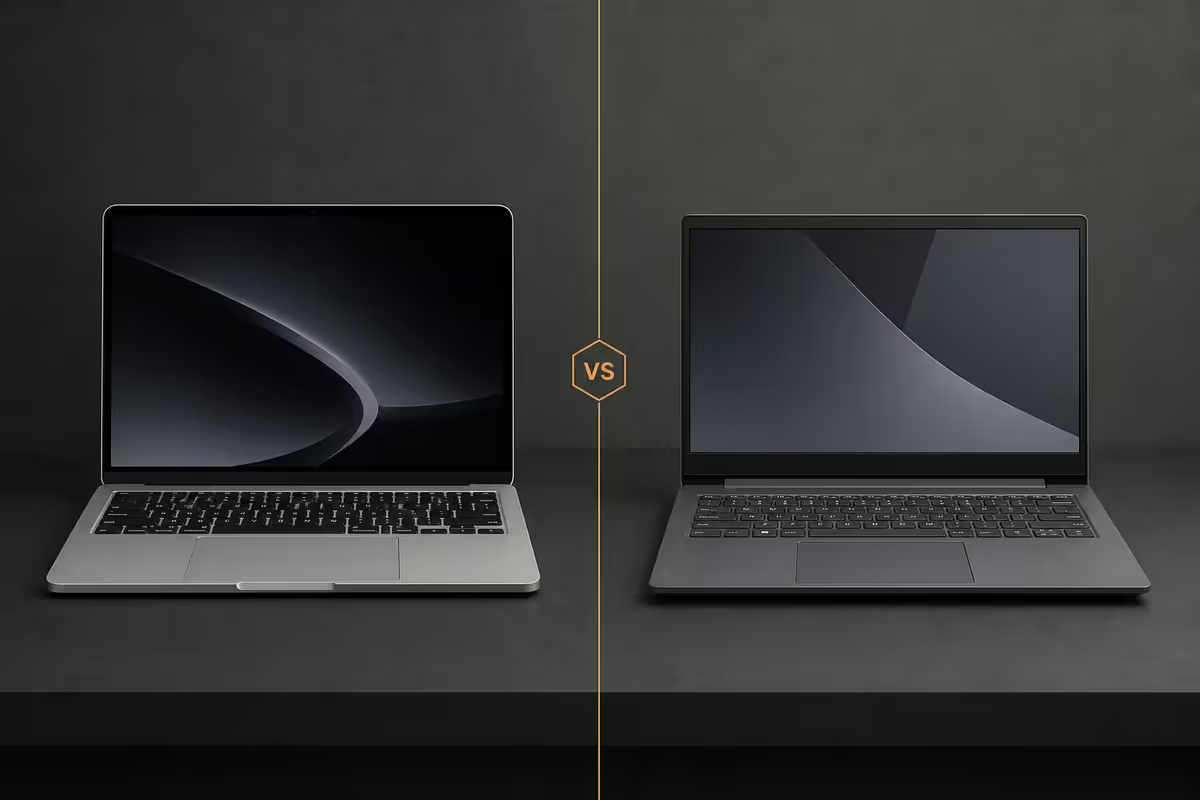
Build & materials — the unibody gap
The MacBook Neo continues the Apple recycled-aluminium unibody tradition — a single piece of CNC-milled aluminium that feels uniformly rigid, doesn't flex under typing pressure, and has the build tolerance of a much more expensive laptop. It's the area where Apple still has no real budget-tier competition.
The Lenovo IdeaPad Slim 5 uses an aluminium top and palm rest with a polycarbonate bottom panel on most SKUs. The hinge is solid, the keyboard deck is rigid enough for normal use, but there's a perceptible give when you press hard on the lid. It's a good laptop that feels like a R13 000 laptop.
Both pass MIL-STD-810H drop and vibration testing on their respective higher SKUs. Neither is rugged in the field sense — both will dent, scratch and crack if dropped on tile.
Screen — the brightness gap matters
| Spec | MacBook Neo | IdeaPad Slim 5 |
|---|---|---|
| Size | 13.6" | 14" or 16" |
| Resolution | 2560 × 1664 | 1920 × 1200 (most), 2240 × 1400 (premium SKU) |
| Brightness | 500 nits | 300-400 nits |
| Colour coverage | P3 wide gamut | 100% sRGB |
| Refresh rate | 60 Hz | 90 Hz (premium SKU) |
Brightness is where the MacBook earns its premium. 500 nits is bright enough to use in a sunlit braai-area lounge or on a Cape Town patio at midday. The IdeaPad Slim 5's 300-400 nits is fine indoors but washes out near windows. For SA buyers who work outside or near big windows, this is a real difference.
Colour-critical work (photo editing, video grading, design) lands on the MacBook side — the P3 wide gamut and factory calibration are tighter than anything at the IdeaPad tier. For office work, browsing and video, both are completely fine.
M-chip vs Ryzen AI 300 / Intel Core Ultra
The performance gap between Apple Silicon and modern x86 chips at the budget tier is much smaller than the marketing of either side suggests. Both are fast enough for almost every buyer in 2026. The differences live in three specific places:
- Sustained workloads. M-chip MacBooks run faster for longer under load because they throttle less aggressively. The IdeaPad's fans spin up sooner under sustained video export or compilation.
- Battery vs performance. The MacBook delivers most of its performance on battery; the IdeaPad's Ryzen AI runs at noticeably reduced clocks unplugged.
- Specific software. Final Cut Pro, Logic Pro, Photoshop and Adobe Premiere are extremely fast on M-chips. Davinci Resolve, blender, and any CUDA-accelerated workload benefits more from a Windows laptop with discrete GPU (which IdeaPad Slim 5 doesn't have at this tier — see the premium SKUs).
RAM / SSD ceiling — the real upgrade question
This is where the IdeaPad's flexibility shows. The MacBook Neo's RAM and SSD are both soldered — what you order is what you have for the laptop's life. Apple charges aggressively for upgrades (16GB RAM is +R3 000, 512GB SSD is +R3 500). Plan ahead.
The IdeaPad Slim 5 is mixed depending on the SKU:
- Ryzen AI 300 series — soldered LPDDR5X RAM, user-replaceable M.2 NVMe SSD (1 slot).
- Intel Core Ultra 7 series — 1 × soldered + 1 × SO-DIMM slot for RAM, replaceable M.2 NVMe SSD.
- Ryzen 7 8000 series (older SKU) — 1 × SO-DIMM slot, replaceable M.2 NVMe SSD.
If RAM upgradability matters, buy the Intel Core Ultra or older Ryzen 7 IdeaPad — not the Ryzen AI 300. SSD is replaceable on every IdeaPad regardless.
Ports & expansion — IdeaPad wins easily
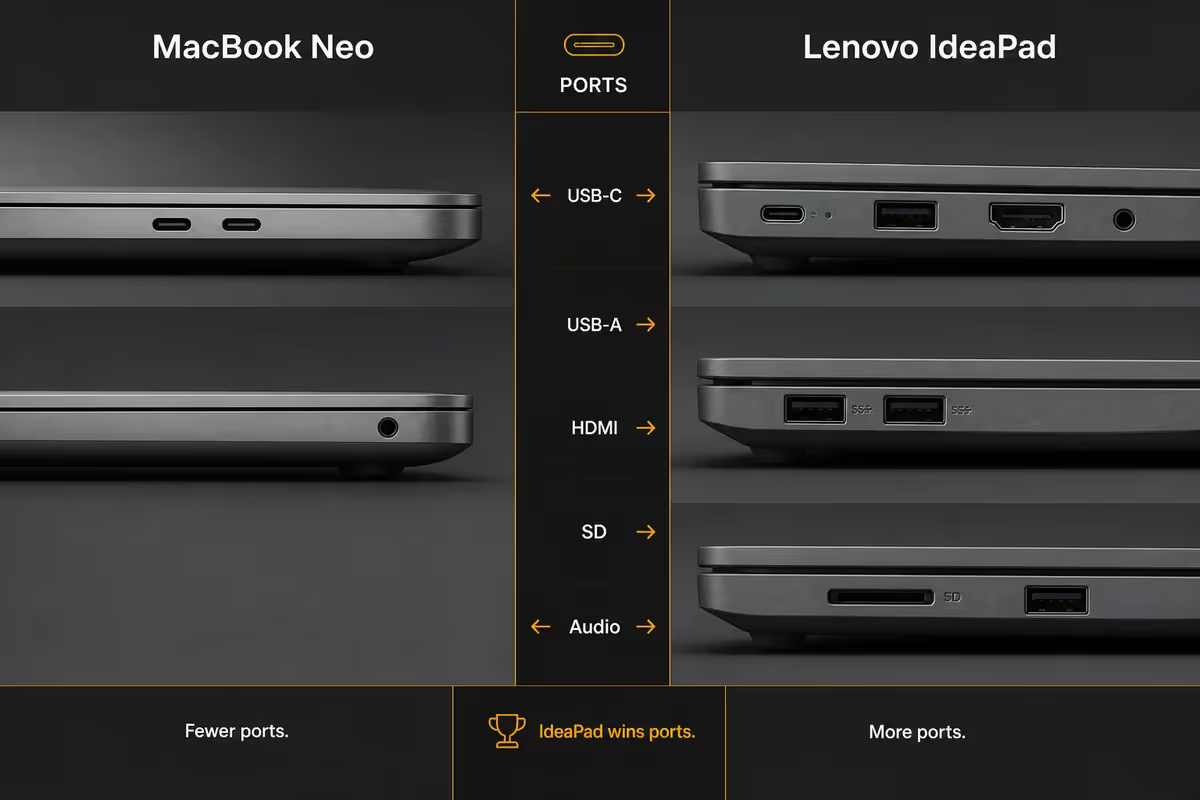
The MacBook Neo offers 2 × Thunderbolt 4 / USB-C, a MagSafe 3 charging port, and a 3.5mm headphone jack. Anything else requires a dongle or hub. For a R15 000 laptop, this remains genuinely frustrating.
The IdeaPad Slim 5 has the full port spread:
- 2 × USB-C (Thunderbolt 4 on Intel SKU, USB4 on AMD)
- 2 × USB-A (3.2 Gen 1)
- 1 × HDMI 1.4b (1.4 — older spec, fine for 1080p projectors but not multi-monitor 4K)
- 1 × SD card reader (4-in-1, full-size)
- 1 × 3.5mm combo audio jack
For SA classroom / boardroom realities — connecting to an HDMI projector, a USB flash drive someone hands you, an SD card from a DSLR — the IdeaPad is just easier. The MacBook user always carries a dongle.
Battery & load shedding — the SA decider
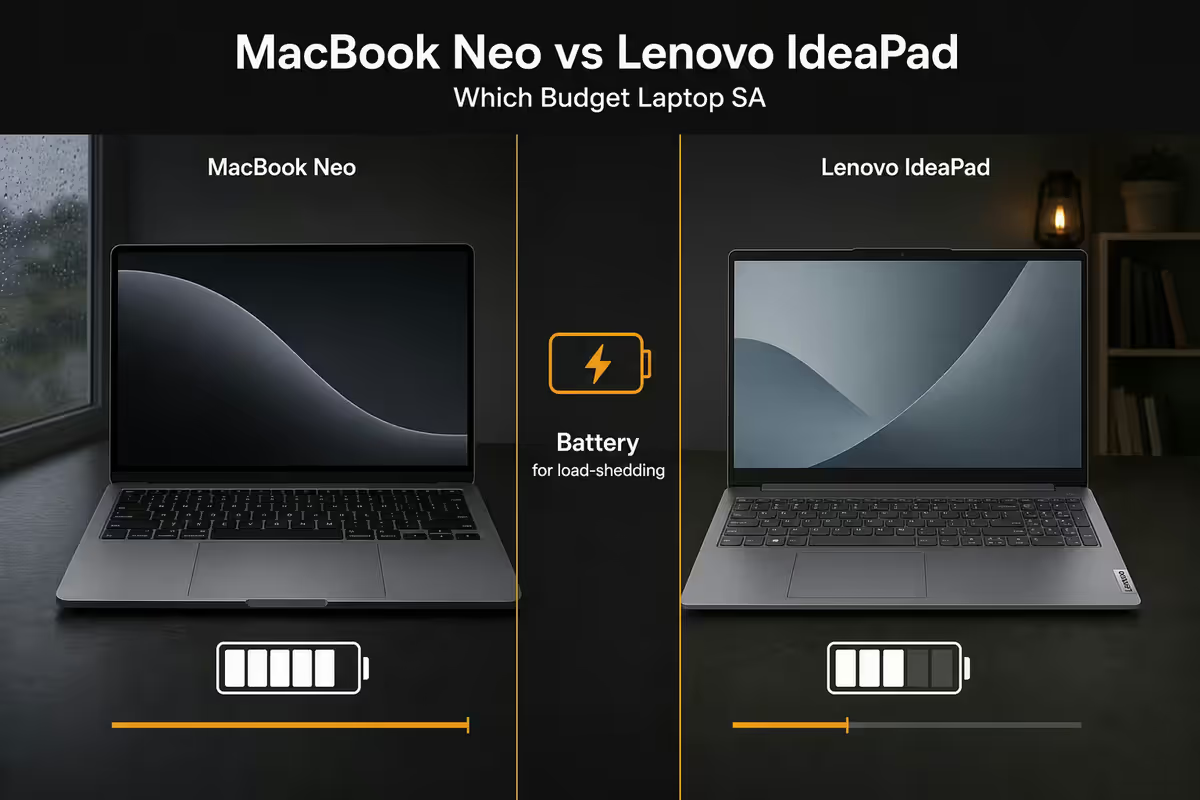
South Africa is back in active load-shedding cycles through 2026 — stages 2-4 are now normal in winter. Battery life on a laptop matters more here than almost anywhere else.
MacBook Neo: 16-18 hours real-world. Genuinely all-day. One full charge survives both daily load-shedding slots without needing UPS or inverter time. You can work in coffee shops, on the patio, in a parked car at school pickup without thought.
IdeaPad Slim 5: 8-12 hours real-world depending on SKU and workload. A solid full work-day for office tasks, but you'll plug in at lunchtime. A UPS-backed desk for video calls is recommended.
5-year longevity — the honest reality
Both laptops will outlast their warranty period if treated well. The honest 5-year forward look:
| Year | MacBook Neo | IdeaPad Slim 5 |
|---|---|---|
| 1-2 | Fast, quiet, full feature support | Fast, light fan noise under load |
| 3-4 | Still fast, battery ~85% | Light slowdown, fans louder, battery ~70% |
| 5-6 | macOS supports it, battery may need swap | Windows 11/12 still runs, SSD upgrade recommended |
| 7-10 | macOS updates likely end, still useful for kids/secondary | Likely retired or downgraded to secondary device |
The MacBook Neo holds resale value markedly better. A 4-year-old MacBook routinely sells for 45-55% of original retail on Bidorbuy or Facebook Marketplace. An equivalent IdeaPad sells for 25-35%. Factor that into total cost of ownership.
Warranty & care plans — both are fine
Apple: 1-year limited warranty. AppleCare+ extension at R3 999 for 3 years total, includes 2 incidents of accidental damage with R1 500 service fee each. Service through Apple Authorised Service Providers (Core Group locations, certain iStore Premium Resellers). Reasonable turnaround in JHB / CT / Durban metros.
Lenovo: 1-year standard warranty. Premium Care Pack (R2 500-R4 000 depending on SKU) extends to 3 years with on-site service in metro areas, plus accidental damage protection. Service through Lenovo Authorised Service Centres and direct Lenovo dispatch.
Lenovo Premium Care wins on convenience — they come to your office or home. AppleCare+ wins on global coverage — service the laptop in London, New York, Sydney with the same plan. For most SA buyers staying local, Lenovo's on-site service is the genuinely useful upgrade.
Which one is right for you?
| You are… | Pick | Why |
|---|---|---|
| University student | MacBook Neo | Battery for all-day campus, resale at degree end |
| Office / corporate user | IdeaPad Slim 5 | Windows/Office native, ports, R3k cheaper |
| Photo / video editor (light) | MacBook Neo | P3 screen, native FCP/Premiere/Lightroom |
| Engineer / CAD / 3D | IdeaPad Slim 5 (Intel Core Ultra) | Windows software compatibility |
| Remote / hybrid worker | MacBook Neo | Battery for load-shedding survival |
| First laptop / parent buying | IdeaPad Slim 5 | Familiar Windows, lower upfront, ports for printers |
| Travel-heavy professional | MacBook Neo | Build, battery, weight, global service |
| Software developer (web/mobile) | MacBook Neo | Unix, native ARM/iOS dev, container performance |
Key takeaways
- MacBook Neo wins on battery (16-18 hours), build, screen brightness and 7-10 year longevity.
- IdeaPad Slim 5 wins on ports, upgradable SSD, Windows compatibility and R3 000 saved at the till.
- For load-shedding survival and remote work, the MacBook's battery advantage is decisive.
- For office, engineering, CAD and Windows-locked workflows, IdeaPad is the more honest answer.
- Plan RAM upfront on the MacBook (soldered) — pay R3 000 once for 16GB, or upgrade IdeaPad RAM later for R1 500.
Frequently asked questions
Is a MacBook Neo or Lenovo IdeaPad Slim 5 better at the R15 000 mark in SA?
It depends on the user. MacBook wins on battery, build, screen and longevity. IdeaPad wins on ports, upgradability, Windows compatibility and price. Students lean Mac, office users lean IdeaPad.Is 8GB RAM enough on a MacBook Neo in 2026?
Yes for typical student / lifestyle use. macOS handles 8GB better than Windows handles 8GB. Step up to 16GB if you run dev tools, heavy photo editing, or 30+ browser tabs.Can the Lenovo IdeaPad Slim 5 RAM and SSD be upgraded?
SSD: yes, always (M.2 NVMe replaceable). RAM: depends on SKU — Ryzen AI 300 is soldered, Intel Core Ultra and older Ryzen 7 have one SO-DIMM slot.How long will a R15 000 laptop actually last in South Africa?
MacBook: 7-10 years of macOS updates, 5-7 years before feeling dated. IdeaPad: 4-6 years of Windows usefulness, extendable by SSD/RAM upgrades.Is the Apple warranty better than Lenovo Care Pack in SA?
Both are 1 year standard. AppleCare+ (R3 999) extends 3 years with global coverage. Lenovo Premium Care (R2 500-R4 000) extends 3 years with on-site SA service. Lenovo wins on local convenience, Apple wins on travel.Will I struggle with software compatibility on the MacBook Neo?
Less than people think. Office, Adobe, Slack, Zoom, all dev tools run native. Genuine gaps: SARS eFiling Java applets, niche banking software, legacy engineering tools. Verify must-have apps first.Should I buy a MacBook Neo or wait for a sale?
Apple rarely discounts. Best savings: education pricing (R1 000-R2 000 off), bundle deals at Apple Premium Resellers, and back-to-school promo Jan-Feb.Does battery life actually matter for budget laptops in SA?
More than anywhere. MacBook's 16-18 hours survives both daily load shedding slots without UPS or inverter time. IdeaPad's 8-12 hours is workable with a UPS-fed desk.
Get the Evetech app
Exclusive app-only prices, daily flash sales, and free delivery on orders over R4,000 — download the app and start saving.