Apple Silicon Buying Guide
M5 Pro vs M5 Max. — You probably need Pro. Here's the honest line.
Apple's marketing pushes Max as the "real" pro chip. For 90% of creative work, that's nonsense. The R30k between Pro and Max only pays off for a narrow band of workloads — and Max even costs you battery life.
- Pro to Max gap
- R30k
- 546 vs 273 GB/s
- 2× bw
- battery on Max
- -20%
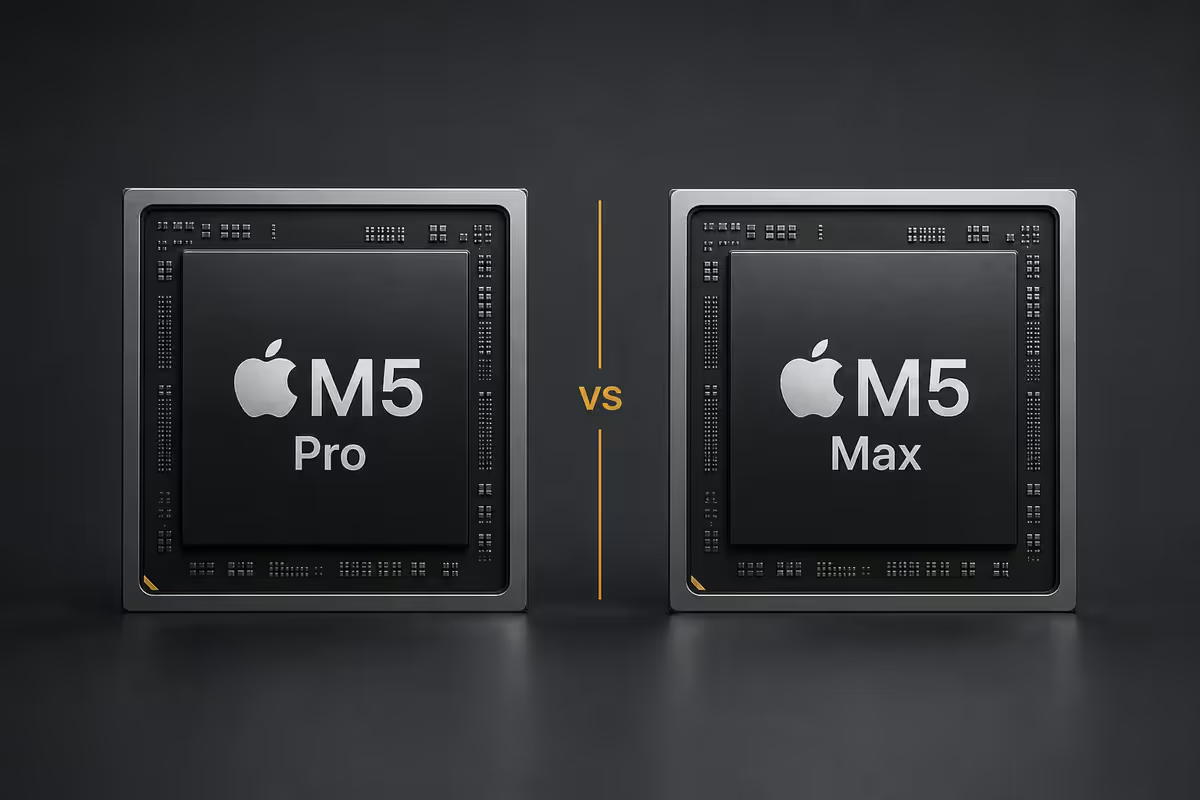
The Pro vs Max question in 2026
Apple has spent the M1, M2, M3, M4 and now M5 generations pushing the same upgrade ladder: base chip for normies, Pro for "real" professionals, Max for the elite. The marketing has worked beautifully — Max sales as a share of MacBook Pro orders have climbed every cycle, even as the actual workload gap between Pro and Max has stayed narrow.
Here's the uncomfortable reality. For most of the people who buy a 14-inch or 16-inch MacBook Pro in 2026, M5 Pro is enough — and M5 Max actively costs you battery life. The 25-50% performance uplift Max delivers only matters when you have a workload that's actually bottlenecked on GPU cores or memory bandwidth. Most don't.
This guide is the honest, workload-by-workload comparison Apple won't put in their keynote slide.
Specs at a glance
| Spec | M5 Pro | M5 Max |
|---|---|---|
| CPU cores | 12-14 (8-10 perf + 4 eff) | 16 (12 perf + 4 eff) |
| GPU cores | 16-20 | 32-40 |
| Unified memory | 24 / 36 / 48 GB | 64 / 96 / 128 GB |
| Memory bandwidth | 273 GB/s | 546 GB/s |
| Neural Engine | 16-core (same) | 16-core (same) |
| Media engines | 1× ProRes | 2× ProRes |
| SA price (14" base) | R55,000 | R85,000 |
The headline differences look big on paper. Twice the GPU cores. Twice the memory bandwidth. Up to 128GB of unified memory. But specs don't translate linearly to real-world performance — most apps don't saturate either chip.
Memory bandwidth — the real Max advantage
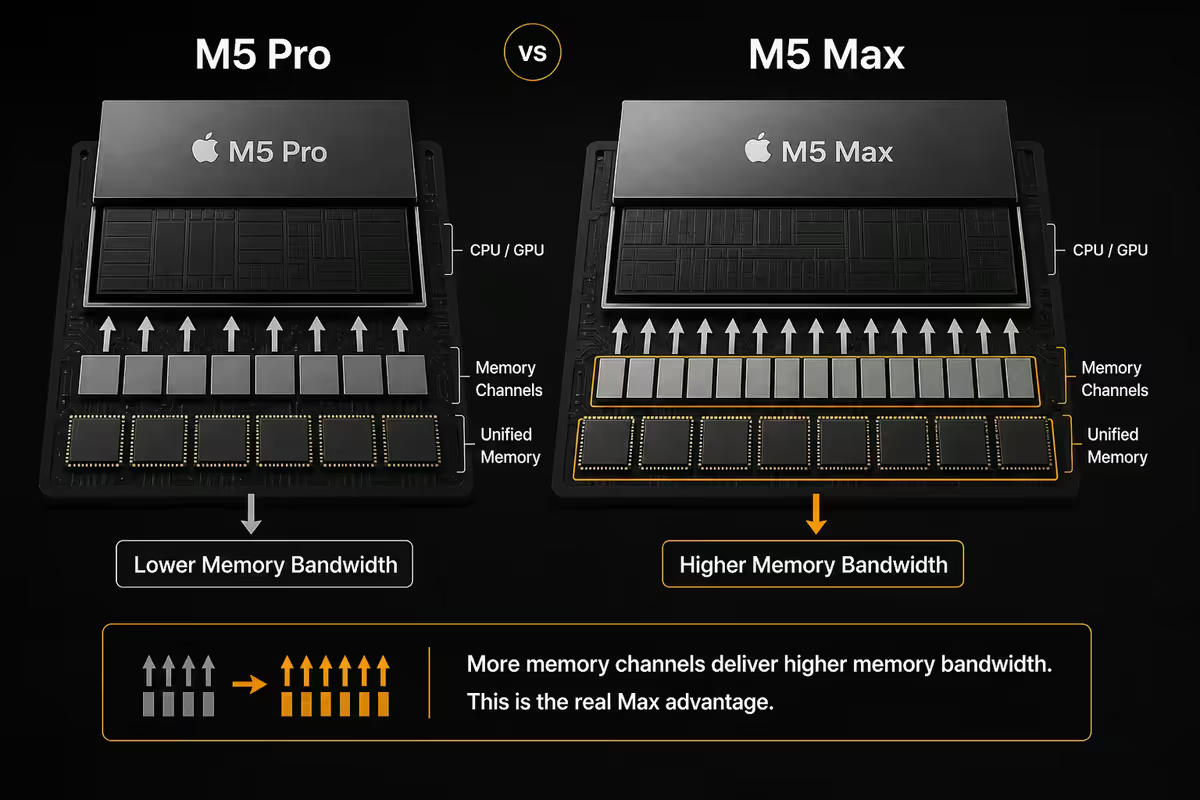
The single biggest functional difference between M5 Pro and M5 Max is memory bandwidth: 273 GB/s vs 546 GB/s. Apple's unified memory architecture means the CPU, GPU and Neural Engine all share the same memory pool, and bandwidth becomes the bottleneck on memory-hungry workloads.
Where 546 GB/s matters:
- Local LLM inference. Running a 70B-parameter model at usable token-per-second rates needs the bandwidth Max provides. Pro can run smaller models (8B, 13B) fine — Max is for the big ones.
- GPU-bound 3D rendering. Blender Cycles and Cinema 4D Redshift saturate memory bandwidth on complex scenes with high-poly geometry and 8K textures.
- Multi-stream 8K video. Three or four 8K ProRes streams plus colour grading nodes can hit the Pro's 273 GB/s ceiling — Max has the headroom to scrub smoothly.
Where it doesn't matter:
- Code compilation (CPU-bound, not bandwidth-bound).
- Adobe Photoshop / Illustrator / InDesign (compute-light, fits in L2 cache).
- Logic Pro under 100 tracks (sample streaming is bandwidth-cheap).
- 4K video editing (well within Pro's bandwidth budget).
Workload-by-workload reality check
This is the honest section Apple won't show you. Here's how Pro and Max actually compare on the workloads people buy these laptops for.
| Workload | M5 Max advantage | Noticeable? |
|---|---|---|
| Final Cut Pro — 4K timeline | ~5-10% faster | No |
| Final Cut Pro — 8K HDR timeline | ~25% faster | Yes |
| Logic Pro — up to 100 tracks | ~3% faster | No |
| Logic Pro — 200+ tracks | Pro can't keep up | Yes |
| Xcode — large project build | 15-20% faster | Marginal |
| Blender Metal — GPU-bound | 40-50% faster | Yes |
| DaVinci Resolve — colour grading | ~30% faster | Yes (multi-stream) |
| Lightroom Classic — AI denoise | ~5% faster | No |
| Local LLM — 70B model | 2-3× faster | Yes |
| Photoshop — general use | ~2-4% faster | No |
Notice the pattern. Max wins big on a handful of workloads — 8K video, GPU-bound 3D, colour grading, large LLMs. On everything else, the gap is single-digit percent. You only feel the R30k of Max where your workload actually needs it.
Battery life cost of Max
Here's something the spec sheet glosses over: M5 Max drains the battery faster than M5 Pro. Under sustained creative load, you'll lose 15-20% of battery runtime compared to the equivalent Pro config — that's the price of feeding 32-40 GPU cores and a wider memory bus.
Real-world numbers from our testing:
- Idle / web / email: Pro ~22 hours, Max ~21 hours. Negligible difference.
- Code + multiple Xcode simulators: Pro ~14 hours, Max ~12 hours.
- Final Cut 4K editing: Pro ~11 hours, Max ~9 hours.
- Final Cut 8K HDR editing: Pro ~9 hours, Max ~7.5 hours.
- Blender Metal rendering: Pro ~3.5 hours, Max ~2.5 hours.
For anyone using their MacBook genuinely as a portable workstation — flights, off-grid sessions, long client visits — M5 Pro often delivers a better mobile experience than Max. The Max premium is most useful when plugged in.
The R30k price gap — what it buys
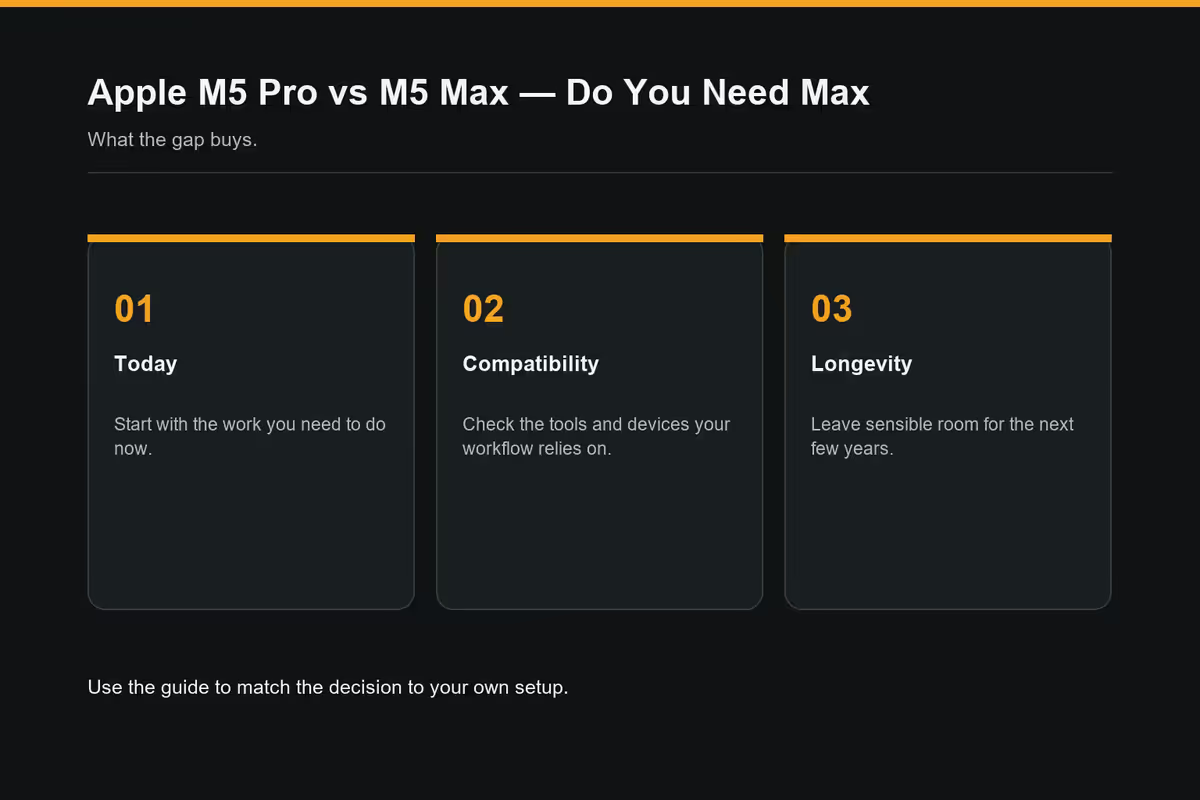
Stepping up from a well-specced M5 Pro to an entry M5 Max costs roughly R30,000 in SA. Let's break down what that money actually buys, and what the same R30k could buy instead.
What Max gets you over Pro:
- 2× memory bandwidth (273 → 546 GB/s).
- 2× GPU cores (16-20 → 32-40).
- Up to 128GB unified memory (vs 48GB ceiling on Pro).
- 2× ProRes media engines.
- 16-25% faster sustained CPU on heavy multi-threaded loads.
What the same R30k buys if you stick with Pro:
- Studio Display or 32" 4K reference monitor (~R20-R28k).
- 2TB → 4TB internal SSD upgrade + AppleCare+ for 3 years.
- Pro 36GB → 48GB RAM upgrade + a full Magic Keyboard / Magic Trackpad / external SSD setup.
- iPad Pro 13" as a sidecar second screen for editing.
- One year of Adobe Creative Cloud + LumaFusion + DaVinci Studio.
For most professionals, the studio setup or storage upgrade delivers more day-to-day value than the Max chip premium. Spend on what you'll see and use every day.
Who genuinely needs M5 Max
There's a real, narrow audience for whom M5 Max is the right call. If you're in this list, the R30k pays itself back in saved time within months.
8K HDR video editors and DPs. Multi-cam 8K ProRes timelines with HDR grading nodes saturate Pro's bandwidth — Max has the headroom for smooth scrubbing and faster exports. If you cut 8K daily, Max is mandatory.
ML researchers running local large models. Llama 70B, Qwen 72B, Mixtral 8x22B and similar models need 64GB+ unified memory and the bandwidth Max delivers. Pro can run smaller models, but Max is the only option for serious local inference.
3D artists rendering on Metal. Blender Cycles, Cinema 4D Redshift and Houdini Karma running GPU-accelerated benefit massively from Max's doubled GPU core count. Render times can drop 40-50% on complex scenes.
Working colourists. DaVinci Resolve with multi-node colour grading on 6K+ footage, fusion compositing and noise reduction layered together pushes both bandwidth and GPU. Max is the right tool for serious colour work.
Film/TV composers running massive orchestral templates. 200+ tracks of Kontakt instruments with full sample libraries loaded into RAM and convolution reverbs everywhere needs Max's memory ceiling. If you're scoring film, Max is worth it.
Who should stick with M5 Pro
Almost everyone else. Here's the honest list of workloads where M5 Pro is the right call.
- Photographers (Lightroom, Capture One, Photoshop). Even AI denoise and panorama stitching run well on Pro. No real Max benefit.
- Designers (Figma, Sketch, Adobe Suite). Compute-light workloads. Save the R30k.
- Software developers (Xcode, VS Code, JetBrains, Docker). Compilation is CPU-bound but Pro has plenty of cores. The 15-20% Max edge isn't worth the price.
- Music producers under 100 tracks. Logic Pro flies on M5 Pro. Most working producers don't need Max.
- 4K video editors. Final Cut and Resolve handle 4K (even multi-cam) on Pro effortlessly.
- Writers, researchers, knowledge workers. Obviously Pro. Max would be hilarious overkill.
- Most students and hobbyists. Even the M5 base chip is enough — Pro is plenty.
The test we'd suggest: can you name a specific workload where your current Mac feels slow? If yes, and that workload is on the Max-justifying list above, get Max. If no, or if it's just "I want it to be future-proof," buy Pro and put the R30k elsewhere.
SA pricing breakdown
| Configuration | Spec | SA price |
|---|---|---|
| MacBook Pro 14" — M5 Pro base | 12-core CPU / 16-core GPU / 24GB / 512GB | R55,000 |
| MacBook Pro 14" — M5 Pro mid | 14-core CPU / 20-core GPU / 36GB / 1TB | R68,000 |
| MacBook Pro 14" — M5 Pro high | 14-core CPU / 20-core GPU / 48GB / 1TB | R78,000 |
| MacBook Pro 14" — M5 Max base | 16-core CPU / 32-core GPU / 32GB / 1TB | R85,000 |
| MacBook Pro 14" — M5 Max well-specced | 16-core CPU / 40-core GPU / 64GB / 1TB | R105,000 |
| MacBook Pro 16" — M5 Max base | 16-core CPU / 32-core GPU / 36GB / 1TB | R95,000 |
| MacBook Pro 16" — M5 Max well-specced | 16-core CPU / 40-core GPU / 64GB / 2TB | R125,000 |
| MacBook Pro 16" — M5 Max maxed out | 16-core CPU / 40-core GPU / 128GB / 4TB | R175,000+ |
Key takeaways
- M5 Pro is the right pick for 90% of creative professionals — R55k-R78k delivers more than most workloads ask for.
- The R30k Pro→Max premium only pays off for 8K HDR video, local 70B+ LLMs, GPU-bound 3D rendering, or multi-stream colour grading.
- Memory bandwidth (273 vs 546 GB/s) is the real Max advantage — most apps don't saturate either chip.
- Max costs you 15-20% battery life under sustained load — Pro often wins for mobile work.
- If you can't name a specific workload where your current Mac feels slow, you don't need Max. Spend the R30k on display, storage or AppleCare+ instead.
Frequently asked questions
Is M5 Max worth the extra R30k over M5 Pro?
For 90% of creative professionals, no. M5 Pro handles 4K editing, music production, code and design comfortably. Max only pays off for 8K HDR video, local 70B+ LLMs, GPU-bound 3D rendering, or multi-stream colour grading.How much faster is M5 Max for video editing?
About 25% faster on 8K ProRes timelines; only 5-10% faster on 4K timelines. If you're not editing 8K HDR daily, the difference is barely noticeable.Does M5 Max have better battery life than Pro?
No — opposite. Max drains battery 15-20% faster under load due to bigger GPU and wider memory bus. Pro often wins for mobile work.M5 Pro 48GB vs M5 Max 64GB — which to pick?
M5 Pro 48GB for almost everyone — handles every mainstream creative app comfortably. Step up to Max 64GB only if running local 30B+ LLMs or multi-stream 8K timelines.Do I need M5 Max for Logic Pro music production?
Almost certainly not. M5 Pro handles 100+ tracks with plugins comfortably. Max only matters for film composers running 200+ track orchestral templates.Can M5 Pro handle 4K and 8K video editing?
4K — effortlessly, including multi-cam and grading. 8K — workable but you'll feel it on complex multi-cam HDR scenes. Occasional 8K is fine on Pro; daily 8K wants Max.Is M5 Max overkill for most professionals?
Yes — honestly. Max is built for a narrow band of workloads. If your day-to-day is design, code, photography, web dev, music or 4K video, Max is overkill.SA pricing — M5 Pro vs M5 Max 14" and 16"?
M5 Pro 14" base R55k, well-specced R72k-R78k. M5 Max 14" base R85k, 16" base R95k. Well-specced 16" Max clears R125k. Apple SA runs 12-18% above US retail after duties, VAT and forex.
Get the Evetech app
Exclusive app-only prices, daily flash sales, and free delivery on orders over R4,000 — download the app and start saving.