MacBook Pro Chip Guide
M5 Pro or M5 Max?
Apple sells Pro vs Max as a power-user choice. In practice, 80% of “Max” buyers don’t need the headroom — they’re paying R30k+ for badge pride and faster resale.
- M5 Pro 14"
- R55k
- M5 Max 16"
- R85k+
- unified ceiling
- 128 GB
Cores, GPU and bandwidth — the real deltas
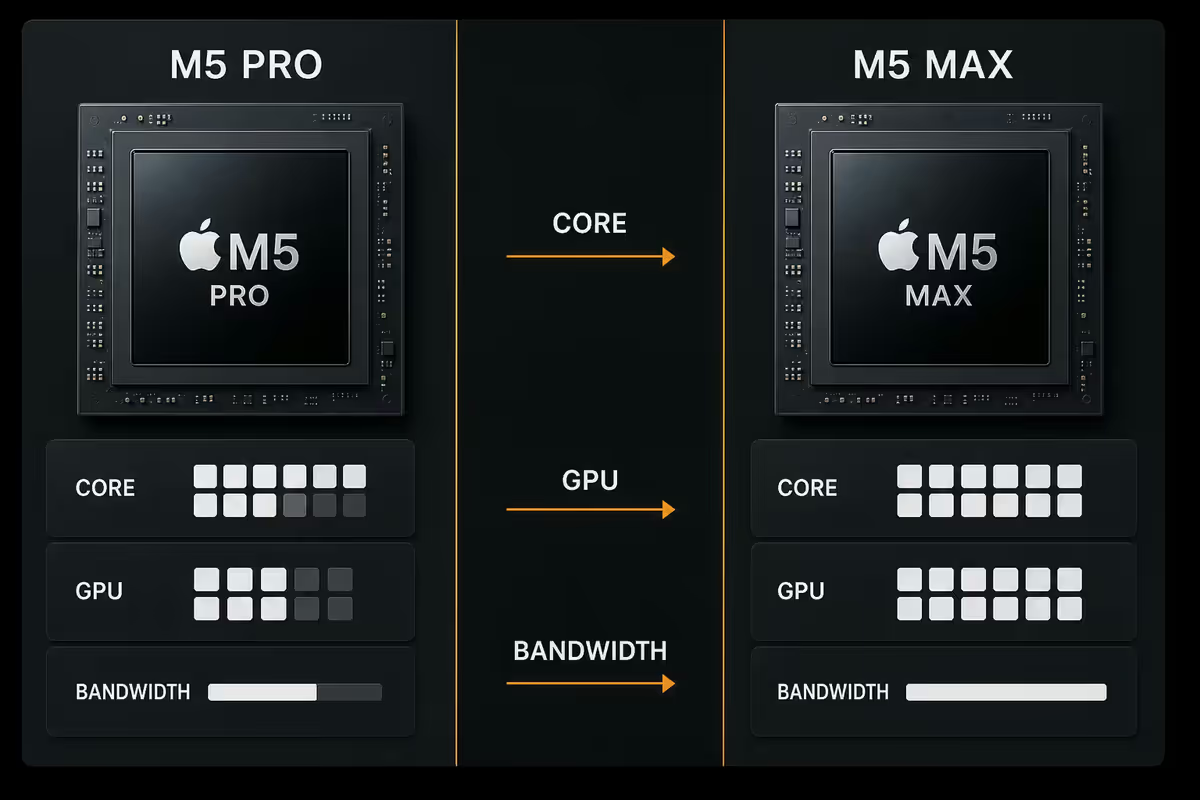
The 2026 M5 Pro and M5 Max share the same architecture and same single-thread performance. The differences are scale: more CPU cores, more GPU cores, double the memory bandwidth.
| Spec | M5 Pro | M5 Max |
|---|---|---|
| CPU cores | 12 (8P + 4E) | 16 (12P + 4E) |
| GPU cores | 20 | 40 |
| Neural Engine | 16-core, 38 TOPS | 16-core, 38 TOPS |
| Memory bandwidth | 280 GB/s | 540 GB/s |
| Unified memory options | 24 / 36 / 48 GB | 64 / 96 / 128 GB |
| Media engines | 1× ProRes | 2× ProRes |
| External display support | Up to 2 (6K) | Up to 4 (6K) |
Single-thread performance is identical across Pro and Max. Web browsing, Word, Outlook, Slack, Visual Studio Code editing, Photoshop touchups — the Pro feels exactly as fast as the Max. Where the Max pulls ahead is sustained multi-threaded work: many cores fully loaded, GPU at 100%, memory bandwidth saturated.
Unified memory — pick the ceiling, not the tier
For most pros, unified memory capacity matters more than which chip tier they buy. A 48 GB M5 Pro handles more real-world work than a 64 GB M5 Max if your bottleneck is “running out of RAM” rather than “render time”.
M5 Pro ceiling: 24 / 36 / 48 GB. 24 GB is the minimum for any professional Mac in 2026 — the 16 GB option is gone. 36 GB is the sweet spot for typical multi-app pro work (30+ Chrome tabs, Lightroom, Logic, Slack, IDE, Docker). 48 GB is the Pro ceiling — buy it if you’ve genuinely exhausted 36 GB.
M5 Max ceiling: 64 / 96 / 128 GB. 64 GB is the right starting point for Max — anything less and you’re paying Max prices for capacity you could’ve had on a Pro. 96 GB unlocks 70B-parameter local LLMs and very large Blender scenes. 128 GB is overkill unless you specifically work with 8K timelines or AI inference at scale.
14-inch vs 16-inch — thermal headroom matters
The two chassis sizes aren’t just about screen real estate — the 16-inch has noticeably more thermal mass and a larger heatsink. Under sustained heavy load, this changes which chip you should pair with which chassis.
14-inch + M5 Pro: the right combination. The Pro chip stays within thermal headroom and sustains full clocks indefinitely. Perfect balance for portability + power.
14-inch + M5 Max: available but compromised. Under sustained Blender/Final Cut HDR/Xcode-link loads, the 14-inch Max throttles 8–12% compared to the 16-inch Max. You’re paying R30k+ extra for a chip the chassis can’t fully exploit. Apple sells it, but reviewers consistently advise against it.
16-inch + M5 Pro: a sensible call if you want the larger screen and don’t need Max performance. Battery life is excellent here and the chip never gets warm.
16-inch + M5 Max: the only Max configuration that makes sense. Full thermal headroom, full sustained clocks, full pro performance. This is the configuration aimed at people who actually need a Max.
Real-world workload comparison
| Workload | M5 Pro time | M5 Max time |
|---|---|---|
| Xcode: build large iOS app (cold) | 4m 20s | 3m 10s |
| Final Cut: 4K H.264 → ProRes export, 10 min timeline | 3m 15s | 2m 40s |
| Final Cut: HDR 8K multi-cam, 30 min timeline | 22 min | 11 min |
| Logic Pro: 100-track session playback | Smooth | Smooth (no difference) |
| Logic Pro: 300-track session with effects | Drops samples | Smooth |
| Blender Metal: classroom benchmark | 2m 30s | 1m 15s |
| Lightroom: 200 RAW export with edits | 4m 10s | 3m 20s |
| Local LLM (Llama 3 70B) tokens/sec | Won’t load | 14 tok/s (96 GB) |
| Chrome 50 tabs + Slack + Spotify + Notes | Snappy | Identical |
The pattern is consistent: on light and medium loads, Pro and Max are indistinguishable. On heavy sustained loads (large renders, big builds, LLM inference), the Max delivers 1.5×–2× the throughput. There’s no middle ground — if your work doesn’t sit in the “heavy sustained” category, you’re paying for headroom you’ll never use.
Who genuinely needs M5 Max
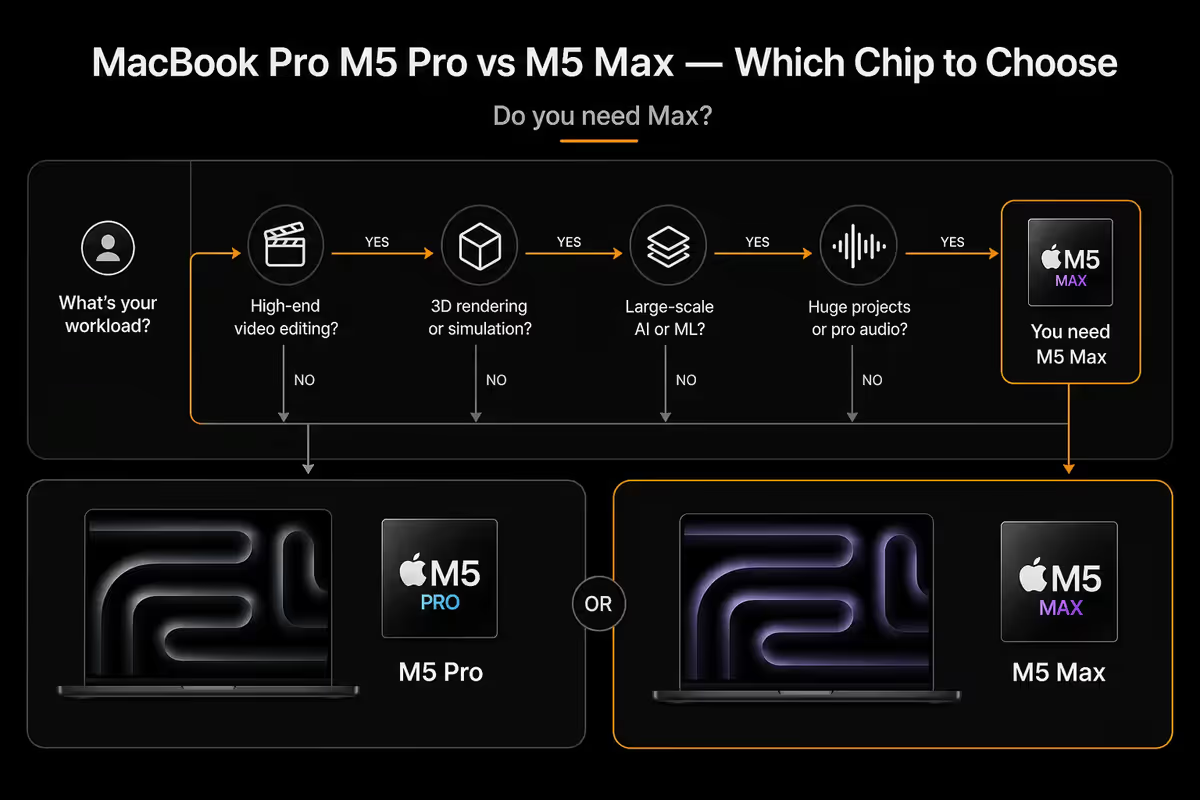
Video editors working in HDR / 8K / multi-cam. The second ProRes media engine and double GPU cores cut export times in half. If you’re a Final Cut, DaVinci Resolve or Premiere Pro professional shipping work daily, the Max pays for itself in hours saved.
3D / motion / VFX artists. Blender Metal, Cinema 4D, Houdini and Maya benefit linearly from extra GPU cores. The Max nearly doubles render throughput. For freelancers billing per project, this is the chip.
Large-codebase iOS / macOS developers. If your Xcode project takes 4+ minutes to cold-build, the Max shaves it to under 3. Multiply by 20 builds per day, multiply by 250 days per year — Max recoups itself quickly. Smaller projects don’t see meaningful gains.
On-device ML / AI engineers. 96 GB and 128 GB Max configurations let you run 70B-parameter LLMs locally and train smaller models without renting GPU time. No other portable Mac can do this.
Music producers with 200+ track sessions. Logic Pro and Pro Tools sessions with heavy plugin chains saturate cores fast. The Max chip handles real-time effects on more parallel tracks before dropping samples.
Battery cost of Max — real numbers
The M5 Max is power-hungry even at idle. The additional GPU cores, the extra memory channels, the dual ProRes engines — none of them fully sleep. This shows up at the battery indicator.
M5 Pro 14-inch: 16–18 hours typical productivity (web, docs, code, Slack, light Lightroom). 11–13 hours of moderate creative work. 4–5 hours of sustained heavy load.
M5 Max 16-inch: 14–16 hours typical productivity. 9–11 hours of moderate creative work. 3–4 hours of sustained heavy load.
M5 Max 14-inch: 11–13 hours typical productivity. 8–10 hours moderate creative. The smaller battery + power-hungry chip = the worst battery-per-rand of any current MacBook Pro.
For mobile-first creators (cafe work, plane work, multi-day load-shedding survival), the M5 Pro is a stronger pick. The Max wants to be plugged in.
SA pricing & resale reality
| Configuration | SA price (Jun 2026) | 3-yr resale |
|---|---|---|
| 14" M5 Pro / 24 GB / 512 GB | R55,000 | R28k (51%) |
| 14" M5 Pro / 36 GB / 1 TB | R64,000 | R34k (53%) |
| 14" M5 Pro / 48 GB / 1 TB | R72,000 | R38k (53%) |
| 16" M5 Pro / 36 GB / 1 TB | R68,000 | R36k (53%) |
| 16" M5 Max / 64 GB / 1 TB | R88,000 | R56k (64%) |
| 16" M5 Max / 96 GB / 2 TB | R110,000 | R72k (65%) |
| 16" M5 Max / 128 GB / 4 TB | R145,000 | R96k (66%) |
Apple Education pricing through iStore drops 10% off most configurations for students, lecturers and faculty staff.
Key takeaways
- M5 Pro 14" with 36 GB / 1 TB (R64k) is the right pick for most professional Mac buyers.
- Only buy M5 Max if you regularly render HDR/multi-cam video, work in Blender, run local LLMs, or build huge Xcode projects.
- If you buy a Max, get the 16-inch chassis. The 14-inch Max throttles 8–12% under load.
- Memory ceiling matters more than chip tier for most pros — 36 GB Pro often outperforms 24 GB Max in practice.
- Max holds 60–67% resale value at 3 years vs 50–55% for Pro — partially offsetting the price premium.
Frequently asked questions
Should I buy the MacBook Pro M5 Pro or M5 Max?
M5 Pro for 80% of pros — code, design, photography, mid-tier video. M5 Max only if you regularly render HDR timelines, work in Blender, or compile huge Xcode projects.How much faster is M5 Max than M5 Pro for video editing?
20–30% faster on ProRes timelines; 40–60% faster on HDR/8K multi-cam with heavy effects. On basic 4K YouTube edits the Pro is functionally identical.What unified memory should I get on the M5 Pro?
24 GB is the new pro baseline. 36 GB is the sweet spot for typical multi-app work. 48 GB only if you’ve genuinely exhausted 36 GB before.How much memory do I need on the M5 Max?
64 GB is the baseline — anything less defeats the purpose. 96 GB unlocks 70B local LLMs and very large Blender scenes. 128 GB only for specific edge cases.Does the 14-inch MacBook Pro throttle the M5 Max?
Yes — 8–12% slower than the 16" under sustained heavy load. If you’re paying for Max, get the 16" chassis. 14" Max defeats the purpose.Is the M5 Max worth it for software development?
Only for very large codebases (Xcode cold builds 4+ min). Day-to-day VS Code, Docker and web dev run identically on M5 Pro.How long does the battery last on M5 Pro vs M5 Max?
M5 Pro 14": 16–18 hrs typical. M5 Max 16": 14–16 hrs. Max chassis is power-hungry even at idle. If battery matters, Pro stretches noticeably longer.Does the M5 Max hold its second-hand value better?
Yes — 60–67% retention at 3 years vs 50–55% for Pro. Max is rarer, ages slower, and sought after by power users on second-hand SA markets.
Get the Evetech app
Exclusive app-only prices, daily flash sales, and free delivery on orders over R4,000 — download the app and start saving.