Laptop Battery Buying Guide
Best laptop for long battery life. — 20 hours is real now. Even on Windows.
The 25-hour MacBook Air M4 is no longer alone. Snapdragon X Elite finally delivers. Intel Core Ultra Series 2 closes the gap. Here's what genuinely lasts a full work day in 2026, and what the spec sheets are still hiding from you.
- MacBook Air M4 peak
- 25 hrs
- real-world target
- 20+ hrs
- SA price range 2026
- R22k-R45k
The 20+ hour reality (what's actually achievable in 2026)
Long battery life laptops broke the all-day barrier in 2023, and by 2026 they've broken the all-week barrier — at least, for the kind of hybrid worker who alternates four hours at a desk, two on a flight, three in coffee shops. The number you should aim for is no longer "8 hours of unplugged use." It's "two full work days between charges."
That's a 20+ hour real-world target — measured at 250-nit brightness, Wi-Fi on, mixed productivity workload (browser, document editing, Slack, video calls). It's no longer rare. Apple gets you there easily; Snapdragon X Elite gets you there on the right configuration; Intel and AMD get within striking distance.
| Platform | Real-world target (light) | Best 2026 example |
|---|---|---|
| Apple Silicon M4/M5 | 22-25 hours | MacBook Air M4 13" |
| Snapdragon X Elite | 18-22 hours | ASUS ZenBook A14 |
| Intel Core Ultra Series 2 (200V) | 15-19 hours | Dell XPS 13 9350 |
| AMD Ryzen AI 300 | 12-16 hours | HP OmniBook Ultra |
| Gaming laptop (RTX dGPU) | 6-12 hours light, 2-3 hours sustained | ASUS ROG Zephyrus G14 |
A note on what "real-world" means here. We measure on the Evetech bench at 250-nit brightness (the typical office level), Wi-Fi connected, a Chrome window with 12 tabs, one document open, Slack active, a Teams call every 90 minutes. No artificial idle, no local-video-playback shenanigans. The numbers above are 10-25% lower than the manufacturer claim for every model.
Apple Silicon — still the battery king
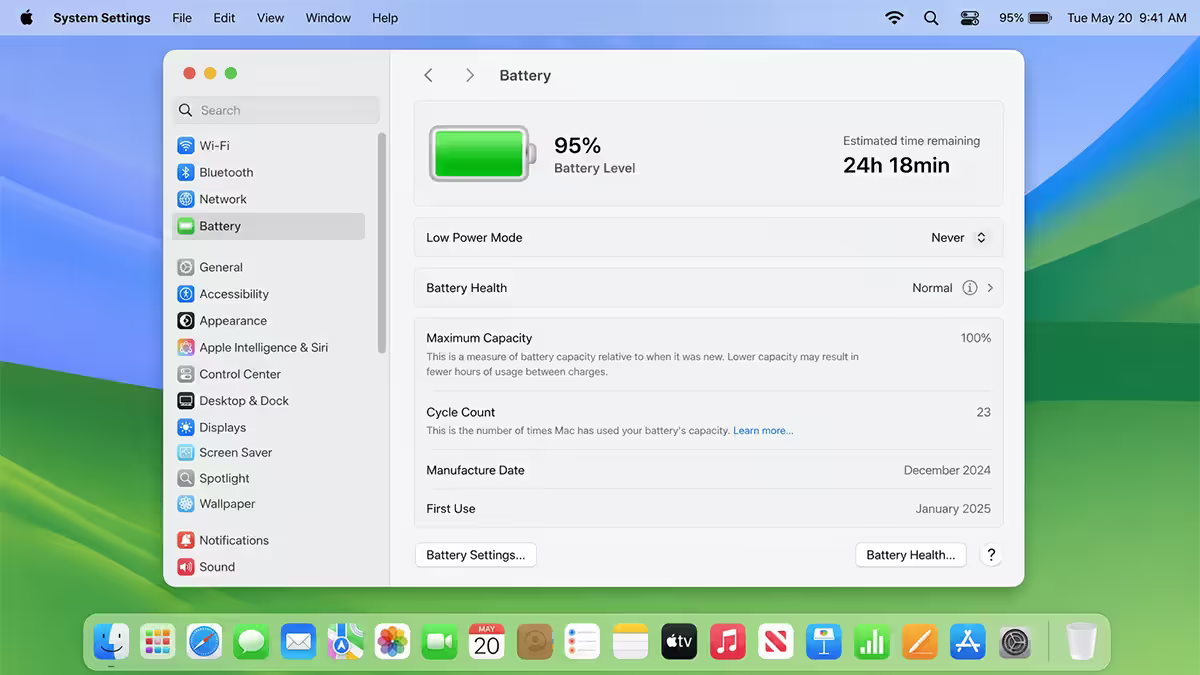
Apple Silicon (M4 and M5) remains the efficiency benchmark every other vendor measures themselves against. The MacBook Air M4 13" delivers a measured 24-25 hours of light productivity from a 53Wh battery — for context, most Windows ultrabooks ship with 60-75Wh cells and don't approach those numbers. The MacBook Pro M5 14" hits 21-22 hours despite a brighter Liquid Retina XDR panel and more sustained-performance silicon.
Why Apple still leads:
- The macOS power-management stack aggressively gates background activity, page-faults, network polling. Windows is finally close in 2026 but still wakes the CPU more often during "idle."
- Heterogeneous core layouts on M4/M5 have efficiency cores that sip 0.1-0.3W during light work. Most workloads never touch the performance cores.
- Vertical integration — Apple controls silicon, firmware and OS. They tune for power in ways third-party Windows OEMs simply can't match.
In SA, the MacBook Air M4 13" sits at R24,999-R28,999 depending on the 8GB/16GB unified memory and 256GB/512GB storage configuration. The MacBook Pro M5 14" base starts at R39,999 and climbs fast — but for buyers prioritising battery, the Air is the right call. The Pro's extra performance only matters under sustained load that kills battery anyway.
Snapdragon X Elite — Windows on ARM finally catches up
The 2024 Snapdragon X Elite launch was rocky — app compatibility issues, emulation overhead, drivers that hadn't been written yet. By mid-2026, that's largely a memory. Qualcomm has shipped a refreshed Snapdragon X Elite Gen 2 in mid-range form factors, and the original X Elite is finally in machines that exploit its efficiency properly.
The standout is the ASUS ZenBook A14 — a 14-inch Snapdragon X Elite machine with a 70Wh battery, fanless thermal design and an IPS panel rather than OLED. It hits 20-22 hours in our testing, costs R22,999-R26,999 in SA, and weighs under 1kg. That's the first time a Windows laptop has genuinely matched MacBook Air battery at MacBook Air pricing.
Other strong Snapdragon X options:
- Microsoft Surface Laptop 7 (Snapdragon X Elite): 18-19 hours real-world, R28,999+, premium build, the best Windows Hello camera on any laptop.
- HP OmniBook X (Snapdragon X Plus): 17-19 hours, R23,999. Lower-tier silicon but barely visible in light workloads.
- Dell XPS 13 9345 (Snapdragon X Elite): 16-18 hours. Beautiful chassis, but Dell's power-tuning favours sustained performance over battery — a deliberate tradeoff.
Intel Core Ultra Series 2 vs AMD Ryzen AI 300 — the efficiency catchup
Intel and AMD spent 2024-2025 watching Apple and Qualcomm sell battery life to the laptop market. In 2026, both are responding with genuine efficiency improvements rather than the marketing pageantry of the previous decade.
Intel Core Ultra Series 2 (Lunar Lake / 200V). Intel's reset moment. Lower clocks at idle, an actual on-package memory subsystem (no off-die DRAM penalty), and an NPU that genuinely accelerates background AI workloads without spinning up the CPU. The Dell XPS 13 9350 with Core Ultra 7 200V hits 17-19 hours real-world from a 60Wh battery. The ASUS ZenBook S 14 with the same silicon manages 16-18 hours. Prices: R28,999+ for XPS 13, R24,999+ for ZenBook S 14.
AMD Ryzen AI 300 (Strix Point). Excellent CPU performance, strong integrated graphics, but battery efficiency still trails Intel's 200V by 2-4 hours on equivalent workloads. The HP OmniBook Ultra (Ryzen AI 9 HX 375) gets 14-16 hours light. The ASUS ZenBook S 16 OLED with Ryzen AI 9 hits 12-14 hours — OLED tax included. AMD is closer to Apple on burst performance but loses on sustained idle behaviour, which is what actually drains a laptop battery over a workday.
The OLED tax — display choice matters more than CPU
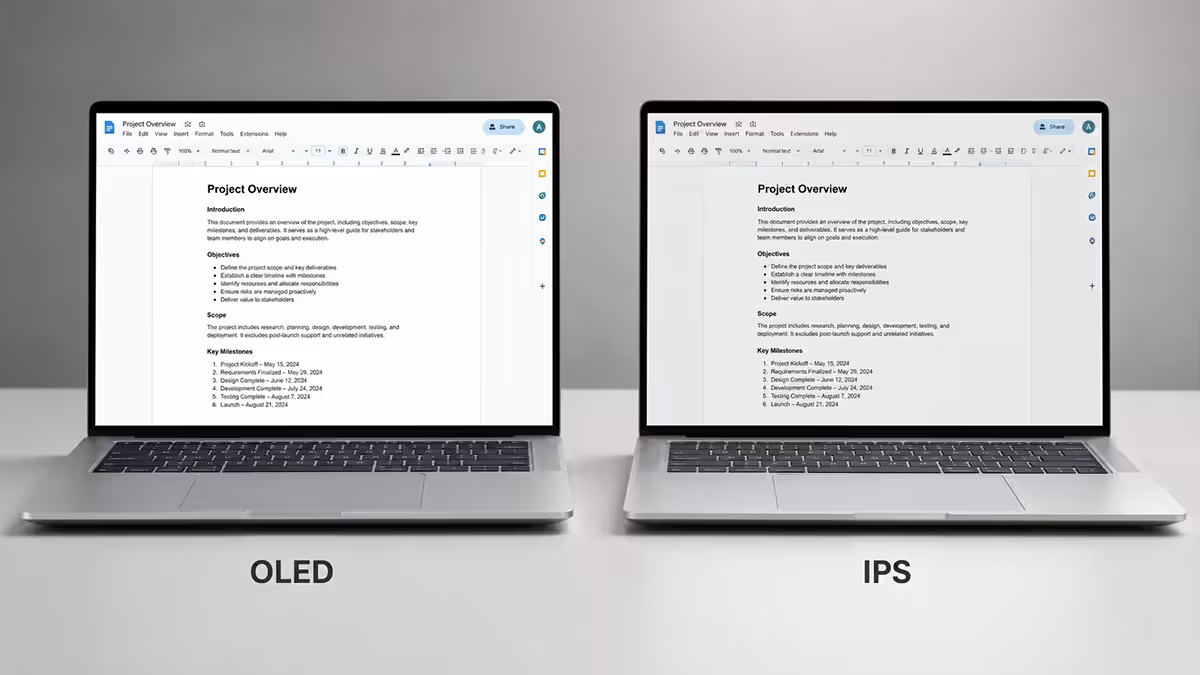
Here's the inconvenient truth that laptop reviewers underplay: your display choice affects battery life as much as your silicon choice. A 2026 OLED panel — even with the latest LTPO backplane — still draws meaningfully more power than the equivalent IPS panel on mixed-content workloads.
Why OLED costs you battery:
- Higher peak brightness means a higher baseline power draw at typical office brightness (250-300 nits).
- Per-pixel power. Each lit pixel draws power independently. On mixed bright content (web pages, white-background documents), every pixel is lit. IPS panels light the whole panel uniformly from a single LED backlight that's optimised for efficiency.
- OLED panel drive electronics are inherently more complex and draw additional standby power.
Concrete examples from our 2026 testing on identical chassis configurations:
| Model | IPS variant | OLED variant |
|---|---|---|
| ASUS ZenBook 14 (Core Ultra 7 200V) | 17h 30min | 13h 20min |
| Dell XPS 13 9350 (Core Ultra 7) | 18h 15min | 14h 45min |
| Lenovo ThinkPad X1 Carbon Gen 13 | 16h 50min | 13h 10min |
| HP EliteBook X G12 | 15h 20min | 12h 05min |
The takeaway: expect a 3-4 hour battery penalty for OLED at any given chassis. If you spend 80% of your day on email, documents and browsers — the workflow where OLED's deep blacks don't help — choose IPS. If you do significant photo/video editing or watch a lot of HDR content, OLED is the right display but plan to be near a charger.
Adaptive Sync sleep & power profiles — the hidden levers
Two 2026 features that don't get the marketing attention they deserve, but together they're worth 12-20% additional battery in real-world use.
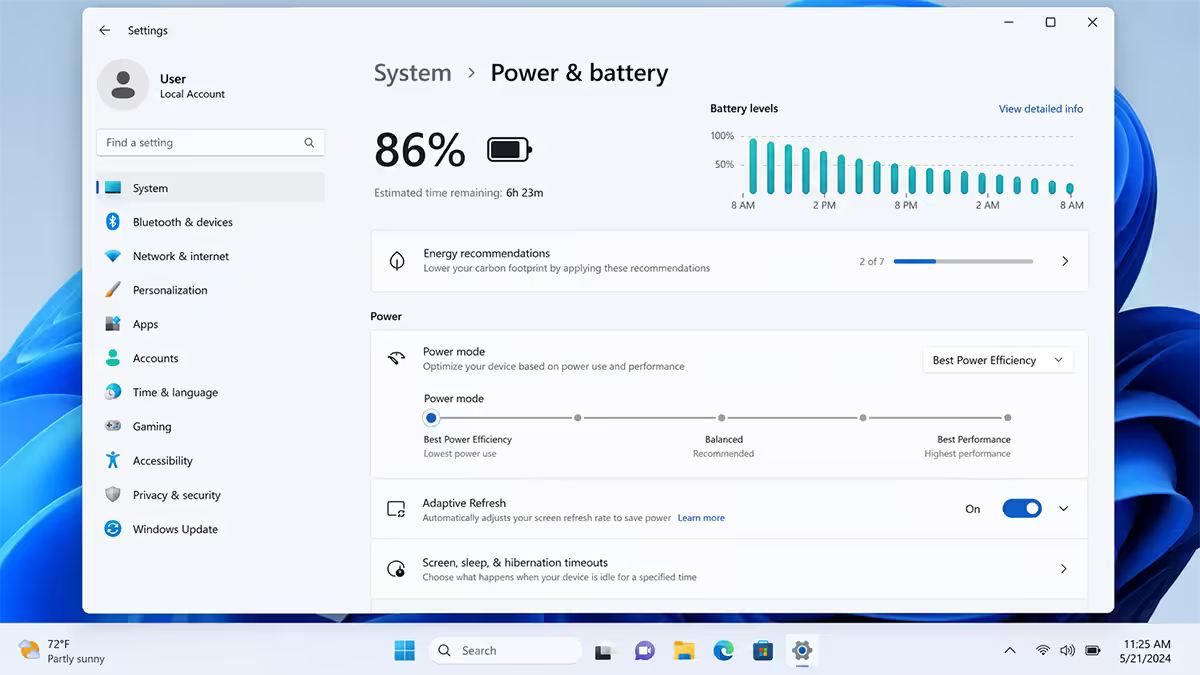
Adaptive Sync sleep (VRR 1-120Hz panels). When the display content is static — you're reading a document, looking at a still image, the cursor isn't moving — the panel drops its refresh rate to 1Hz. The display drive electronics consume nearly no power. The moment something moves on screen, refresh jumps back to 60-120Hz. On supported laptops (most premium 2026 models now ship with it), this saves 8-12% across a real workday. Check the spec sheet for "Adaptive Sync 1-120Hz" or "VRR 1-120Hz" — not "60Hz" or "fixed 120Hz."
Modern OS power profiles. Windows 11 24H2 finally implemented Modern Standby properly (the 2020-2023 implementation was a disaster). macOS power napping behaviour is more conservative still. On Windows, set the power slider to "Best Power Efficiency" — not "Balanced," not "Best Performance" — and you'll measurably extend battery by 10-15% with no perceptible performance impact during light office workloads.
Top picks by use case (SA pricing 2026)
| Use case | Pick | SA price |
|---|---|---|
| Absolute longest battery | MacBook Air M4 13" (16GB / 512GB) | R28,999 |
| Best value Windows battery | ASUS ZenBook A14 (Snapdragon X Elite) | R22,999-R26,999 |
| Premium Windows ultrabook | Microsoft Surface Laptop 7 (Snapdragon X Elite) | R28,999-R34,999 |
| Intel x86 (app compatibility) | Dell XPS 13 9350 (Core Ultra 7 200V) | R28,999+ |
| Sub-R20k battery option | HP OmniBook X (Snapdragon X Plus) | R23,999 |
| Creative pro (Apple) | MacBook Pro M5 14" (16GB / 512GB) | R39,999+ |
| Business / enterprise | Lenovo ThinkPad X1 Carbon Gen 13 (Core Ultra) | R34,999+ |
If you want one recommendation
Default pick: MacBook Air M4 13" with 16GB unified memory and 512GB storage, R28,999. Best real-world battery on the market, premium build, M4 is fast enough for everything short of sustained 4K video editing, the chassis will last 5-7 years. The OS choice will narrow your options — if macOS is a deal-breaker, the ASUS ZenBook A14 Snapdragon X Elite at R22,999 is the right second choice.
Key takeaways
- MacBook Air M4 is the 2026 battery champion at 24-25 real-world hours from a 53Wh cell — R24,999-R28,999 in SA.
- ASUS ZenBook A14 Snapdragon X Elite is the first Windows laptop to genuinely match MacBook battery, at R22,999.
- The OLED tax costs 3-4 hours versus IPS on the same chassis — choose IPS if battery is the priority.
- Adaptive Sync 1-120Hz panels save 8-12% battery — check the spec sheet for VRR, not fixed refresh.
- Manufacturer claims are 15-25% optimistic in 2026 — trust independent measured reviews, not the product page.
Frequently asked questions
Which laptop has the longest battery life in 2026?
The MacBook Air M4 13" delivers 24-25 hours of real-world light use, the longest of any laptop. The MacBook Pro M5 14" follows at 21-22 hours. On Windows, the ASUS ZenBook A14 (Snapdragon X Elite) is the only machine that genuinely closes the gap at 20-22 hours.Do Snapdragon X laptops really get 20+ hours?
Yes — on the right configuration. The ASUS ZenBook A14 with a 70Wh battery and IPS panel hits 20-22 hours real-world. Surface Laptop 7 lands 18-19 hours. App compatibility on Windows-on-ARM is now strong for most workflows.How much battery does OLED cost vs IPS?
Expect 3-4 hours less battery on OLED versus IPS on the same chassis. The OLED panel drives more power per lit pixel and has higher baseline brightness draw. Choose IPS if battery is the priority.Is Apple Silicon still better than Intel/AMD for battery?
Yes, but by a narrower margin than in 2023. Apple Silicon (M4/M5) still leads pure efficiency. Intel Core Ultra Series 2 (200V) is within 3-5 hours; AMD Ryzen AI 300 trails by 4-6 hours. The macOS power-management stack still leads Windows.What is Adaptive Sync sleep and does it help?
Adaptive Sync sleep dynamically drops panel refresh to 1Hz on static content. On supported VRR 1-120Hz panels, it saves 8-12% additional battery in mixed workdays. Check spec sheets for "Adaptive Sync 1-120Hz" rather than fixed-refresh panels.Can I get 15+ hours of battery in a R20k laptop?
Yes. The HP OmniBook X (Snapdragon X Plus, R23,999) and ASUS ZenBook A14 (R22,999) both deliver 17-20 hours real-world. The IdeaPad Slim 5 with Ryzen AI 300 at R19,999 manages 13-15 hours.Does discrete GPU kill battery life completely?
On idle/light loads, no — modern hybrid graphics keep the dGPU asleep. A gaming laptop with RTX 4070 mobile still hits 8-12 hours light productivity. Sustained graphics work drops you to 90-180 minutes. For long battery with occasional creative work, choose Apple Silicon or Intel Arc integrated.How accurate are the manufacturer battery claims?
Optimistic by 15-25% in 2026. Apple is the most conservative — within 15% of measured. ASUS, Dell, Lenovo run 20-30% over reality. Test methodology uses 150-nit brightness and local video playback. Use Notebookcheck, The Verge, Tom's Hardware for trustworthy figures.
Get the Evetech app
Exclusive app-only prices, daily flash sales, and free delivery on orders over R4,000 — download the app and start saving.