Teacher Buying Guide
Best laptops for teachers.
A teacher's laptop lives in a backpack, takes the hits, gets opened twelve times a day, and runs Teams + Word + Chrome simultaneously while marking PDFs. Most "best laptop" lists ignore this and recommend ultrabooks that don't survive Term 1.
- RAM minimum
- 16GB
- portability sweet spot
- 14-15.6"
- 3 tier range
- R12k-R30k

The daily teacher workload
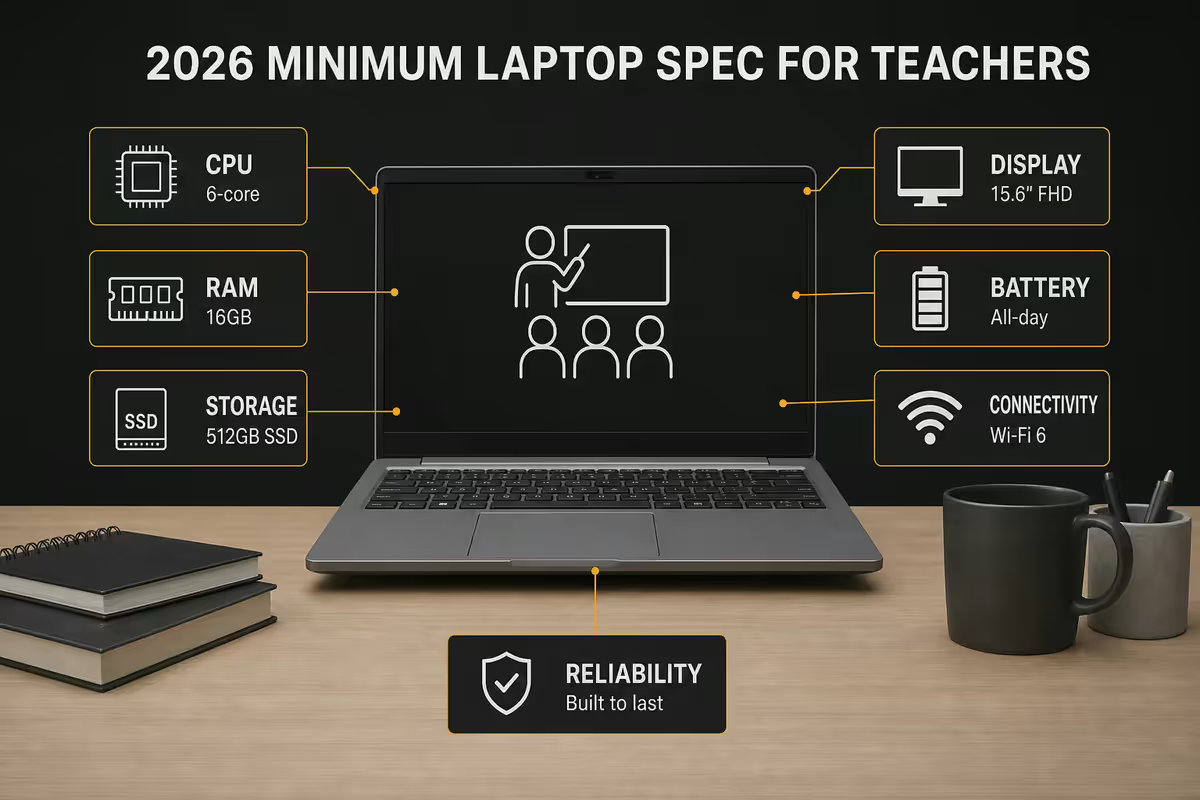
Before recommending hardware, it's worth being honest about what a teacher's laptop actually does in 2026. A typical day:
- Morning prep at home — PowerPoint lesson updates, OneNote class notebook edits, Teams calendar review, OneDrive sync. 60-90 mins, often on battery.
- Classroom delivery — laptop connected to projector or smartboard via HDMI/USB-C, PowerPoint in presenter mode, OneNote inking, video clips, browser tabs for YouTube/Pearson resources, Teams chat with absent learners. 4-6 hours.
- Period changeover — laptop closed, walked between classrooms, opened, projector reconnected, presentation continues. Maybe 6-8 cycles a day.
- Marking and admin — PDF annotation of essays in OneNote or Drawboard, Excel mark sheet entry, Outlook responses to parents, Teams meetings with HoD. 1-3 hours after school or evening.
- Once-a-week heavy lift — recording a screencast for absent learners (Stream, OBS), photographing learner work with phone-to-PC, large file uploads to school SharePoint.
The pattern: always-multitasking, frequent open/close cycles, persistent network and HDMI connections, all-day battery dependency, occasional bursts of heavy compute. The hardware needs to handle background noise gracefully (no fan ramp during a lesson video), survive being dropped into a backpack mid-cycle, and not need charging during the school day.
The minimum spec floor for 2026
| Component | Minimum | Why |
|---|---|---|
| CPU | AMD Ryzen 5 7535U / Intel Core 5 120U / Apple M3 | 4-5 year usable life with Win11 / macOS updates |
| RAM | 16GB DDR4 or DDR5 | Teams + Chrome + OneDrive + AV needs ~12GB at peak |
| Storage | 512GB NVMe SSD | OneDrive cache, school resources, photo and video uploads |
| Display | 14-15.6 inch IPS FHD (1920x1080) matte | Glossy reflects classroom lighting; FHD enough for projector mirror |
| Battery | 50Wh+ — 8 hours real-world web/Office | School day 07:00-15:00 without a charger |
| Weight | Under 1.6kg | Comfortable for daily commute |
| Ports | 2x USB-A, 1x USB-C/PD charging, 1x HDMI | Projectors, school printers, USB sticks from learners |
| Webcam | 1080p, IR for Windows Hello | Teams calls, learner identity verification |
| Keyboard | Spill-resistant, backlit | Coffee, water bottles, evening marking |
| OS | Windows 11 Pro (not Home) | BitLocker, group policy, school domain join for POPIA |
| Warranty | 3-year on-site or NBD | Repair without leaving the school for a week |
The three sensible budget tiers
Entry tier — R12,000 to R14,000
The minimum-viable teacher laptop. Compromises on chassis material (mostly polycarbonate, not aluminium) and screen brightness (250-300 nits, fine indoors, poor in bright classrooms). Battery realistically 6-8 hours. Specs hit the floor: Ryzen 5 7530U / Core i3 1315U, 16GB, 512GB. 3-year base warranty. Examples: ASUS ExpertBook B1, HP 250 G10, Lenovo V14 Gen 4. Good for early-career or part-time teachers; tight margins.
Sweet spot — R18,000 to R22,000
The right answer for most career teachers in SA. Aluminium or magnesium-alloy chassis, MIL-STD-810H tested durability, 400+ nits screens, 10-12 hour battery, proper hinge engineering, business-class keyboard. Specs comfortable: Ryzen 5/7 7535U/7735U or Core Ultra 5/7, 16GB, 512GB. 3-year next-business-day on-site warranty available. Examples: Lenovo ThinkPad E14 Gen 6, HP ProBook 445 G11, Dell Latitude 3540, ASUS ExpertBook P5. This is where build quality starts paying for itself over 5 years.
Premium — R28,000 to R35,000
Career-long machines for HoDs, senior teachers, and anyone who travels for conferences or runs hybrid courses. Carbon fibre or full-aluminium, 14+ hour battery, OLED or 2.5K screens, Wi-Fi 7, dedicated NPU for on-device AI marking helpers. Examples: Lenovo ThinkPad T14 Gen 5, Dell Latitude 7450, HP EliteBook 845 G11, Apple MacBook Air M4 13"/15", Microsoft Surface Laptop 7 Copilot+. Premium also unlocks accidental damage coverage worth the extra R900-R1,800 for classroom use.
Top picks at each tier — SA 2026
| Pick | Best for | SA price |
|---|---|---|
| HP ProBook 445 G11 | Best all-rounder — most teachers | R14,500-R16,500 |
| Lenovo ThinkPad E14 Gen 6 | Best keyboard + build | R18,000-R20,000 |
| Dell Latitude 3540 | Best 15.6 inch — projector teachers | R17,500-R19,500 |
| ASUS ExpertBook B1 14" | Entry tier — budget | R12,500-R14,000 |
| Apple MacBook Air M3 13" | Apple ecosystem teachers | R22,000-R24,000 |
| Apple MacBook Air M4 15" | Apple — larger screen | R28,000-R32,000 |
| Lenovo ThinkPad T14 Gen 5 | Career laptop — survives decades | R32,000-R36,000 |
| Microsoft Surface Laptop 7 | Copilot+ AI, premium Windows | R28,000-R34,000 |
| HP EliteBook 845 G11 | Best HoD / senior teacher pick | R30,000-R34,000 |
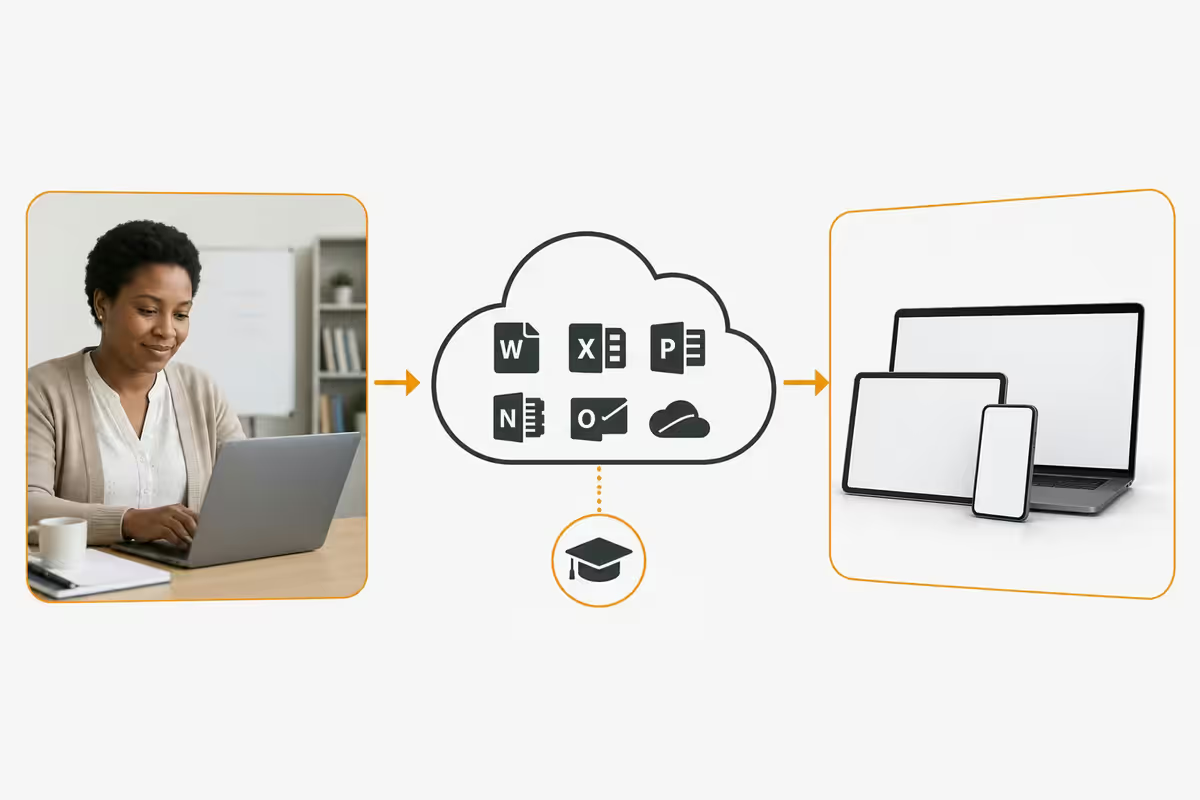
Microsoft 365 Education — free for teachers
If you teach at an accredited SA school (public, private, IB), you qualify for Microsoft 365 Education A1 at no cost. Sign-up at microsoft.com/education using your school email address (typically @school.co.za or @doe.gov.za).
The A1 free tier includes:
- Word, Excel, PowerPoint, OneNote, Outlook — full web and mobile apps. Desktop apps require A3 (paid).
- Microsoft Teams for Education — meetings, classroom assignments, learner submissions, integrated grading.
- 1TB OneDrive cloud storage per user — class resources, lesson plans, learner work.
- SharePoint sites — department-wide resource libraries, learner portfolio sites.
- Forms, Stream, Sway — quizzes, screencasts, classroom websites.
- Power Automate — workflow automation for repetitive admin tasks.
A3 (paid, ~R45/month per teacher) adds desktop installs of Office across 5 devices, advanced compliance tools, larger file size limits and unlimited audio conferencing minutes. Most SA schools provide A3 licences to teaching staff as a baseline.
Google Workspace for Education is the equivalent for schools standardised on Google — also free at the Fundamentals tier. Both unlock the same web-based functionality; the choice typically reflects school policy rather than personal preference.
POPIA and learner data on your laptop
POPIA (Protection of Personal Information Act) applies to any teacher storing or processing learner data — mark sheets, photos, contact details, behavioural notes. The Information Regulator has made clear that schools (and individual teachers, as data processors) carry responsibility for safeguarding this information.
Hardware features that help compliance:
- TPM 2.0 chip — mandatory for Windows 11 anyway. Provides hardware-rooted encryption keys.
- BitLocker disk encryption — encrypts the SSD so a stolen laptop doesn't expose learner data. Requires Windows 11 Pro (not Home). macOS equivalent is FileVault, on by default.
- Windows Hello biometric login — fingerprint or IR webcam face recognition. Faster than passwords, harder to shoulder-surf.
- Find My Device / Find My iPhone equivalents — remote location and wipe if the laptop is stolen.
- Domain join (Win11 Pro / Apple Education) — school IT can centrally enforce policies (forced disk encryption, screen lock timeout, AV updates).
Habit changes that matter more than hardware: lock the laptop when leaving the desk (Win+L), don't store mark sheets in unencrypted cloud accounts, don't share learner photos on personal social media, request school IT enrolment so the device is remotely manageable.
Common teacher laptop mistakes
Buying a retail consumer laptop. The R8,000-R10,000 retail special at Game/Makro is engineered for retail margins, not classroom durability. Plastic hinges fail, batteries degrade fast, no business-grade warranty. The R6,000-R8,000 you save on day one becomes a R14,000 replacement at month 18.
Going under 16GB RAM. 8GB seems fine when you buy it. Within 18 months of Windows 11 updates and modern Edge tab behaviour, 8GB systems thrash to swap and become genuinely slow. The R1,200-R1,800 upgrade to 16GB at purchase pays back twice over in years 2-4.
Buying a touchscreen "just in case". Touchscreens add R1,500-R2,500 to the price, reduce battery life by 1-2 hours, and you'll use them maybe twice in three years. Unless you teach maths or art and actually need stylus input, skip them.
Skipping Windows 11 Pro. Home edition can't do BitLocker, can't join a domain, can't enrol with school IT MDM. The R600-R900 Pro upgrade at purchase saves you from compliance headaches across the device's lifetime.
Buying without measuring carry weight. A 1.9kg "thin and light" feels different at 07:30 with a backpack full of books on a 15-minute walk to school. If you commute on foot or public transport, stay under 1.6kg. If you drive door-to-door, the weight matters less.
Key takeaways
- 16GB RAM, 512GB SSD, 14-15.6 inch FHD, full-day battery, Win11 Pro — minimum spec floor for 2026.
- HP ProBook 445 G11 (R14,500-R16,500) is the best all-rounder for most SA teachers.
- Lenovo ThinkPad E14 Gen 6 (R18,000-R20,000) for build quality; MacBook Air M3/M4 for Apple ecosystem.
- 3-year on-site warranty (+R800-R1,500) is the highest-ROI upgrade. Buy at purchase, not after.
- Microsoft 365 Education A1 is free with a school email. POPIA needs TPM 2.0 + BitLocker (Win11 Pro).
Frequently asked questions
What is the best laptop for a teacher in 2026?
For most SA teachers, the HP ProBook 445 G11 (R14,500-R16,500) is the right mix of durability, warranty and daily-workload performance. Step up to ThinkPad E14 Gen 6 or MacBook Air M3/M4 for premium build.How much should a teacher spend on a laptop?
Three sensible tiers: R12,000-R14,000 entry, R18,000-R22,000 sweet spot (5-year career laptop), R28,000-R35,000 premium. Avoid sub-R10,000 retail laptops — built for margins, not classroom durability.Do teachers get Microsoft 365 for free?
Yes — Microsoft 365 Education A1 is free for qualifying teachers at accredited SA institutions. Sign up at microsoft.com/education with your school email. Includes Word, Excel, PowerPoint, OneNote, Teams and 1TB OneDrive.How much RAM does a teacher's laptop need?
16GB minimum in 2026. Modern Windows 11, Chrome with school tabs, Teams, OneDrive sync and AV need ~12GB at peak. 8GB systems thrash by year 3.What screen size is best for a teacher's laptop?
14-15.6 inches. 14-inch for daily commute portability, 15.6-inch for teachers who project from the laptop screen. Avoid 13-inch (too small for marking) and 16-17 inch (too heavy for daily carry).Is Apple MacBook or Windows laptop better for teachers?
Depends on school ecosystem. Most SA public schools standardise on Microsoft 365 + Windows. Private and IB schools more often allow Apple. MacBook Air has best-in-class battery and silent operation. Both run Microsoft 365 fine.Is POPIA compliance important for teacher laptops?
Yes — POPIA applies to any teacher storing learner data. Buy Windows 11 Pro (for BitLocker), enable TPM 2.0, use Windows Hello biometric login, register for Find My Device. Apple macOS has FileVault on by default.What is the best laptop warranty for teachers?
3-year next-business-day on-site warranty is baseline. Adds R600-R1,500 to purchase. Accidental damage protection adds R900-R1,800 and is worth it for classroom use. Apple AppleCare+ for Schools is R3,000-R5,000.
Get the Evetech app
Exclusive app-only prices, daily flash sales, and free delivery on orders over R4,000 — download the app and start saving.