Desktop vs Laptop
Desktop or laptop? — The honest answer for SA buyers in 2026.
The marketing for both categories has gone wild — "desktop replacement laptops", "portable gaming desktops", endless overlap. The actual decision rests on five hard trade-offs. Here's the honest comparison, with SA pricing and the math that explains why "both" is sometimes the smartest answer.
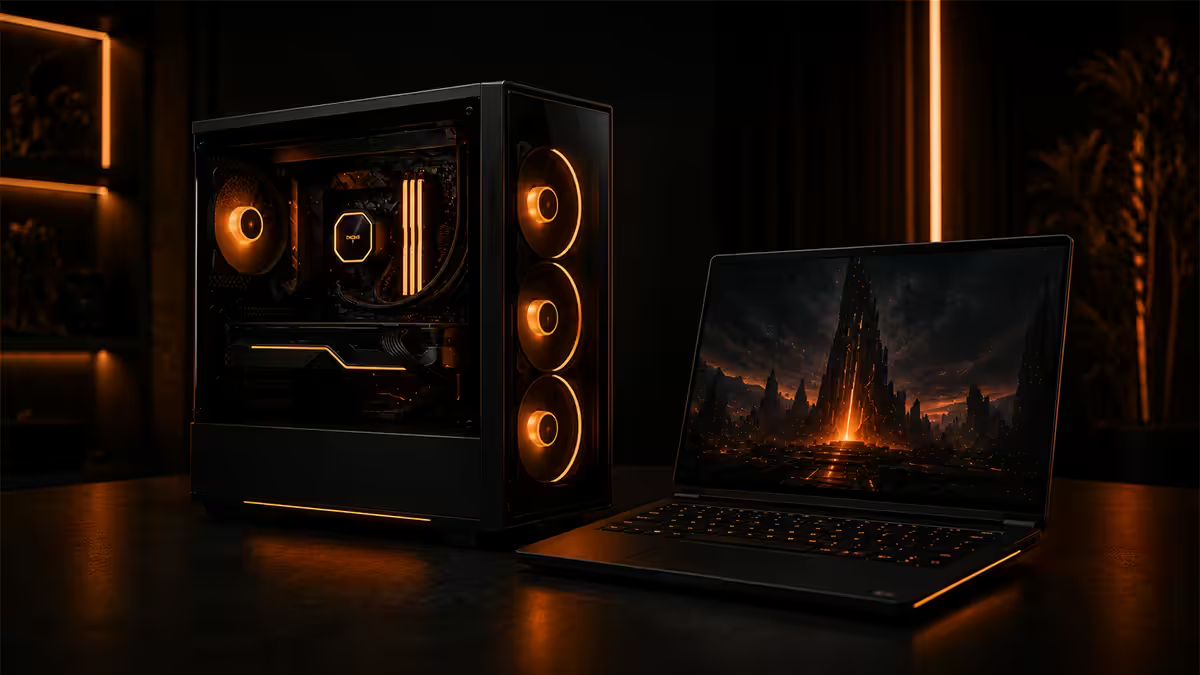
Performance per Rand — desktop wins big
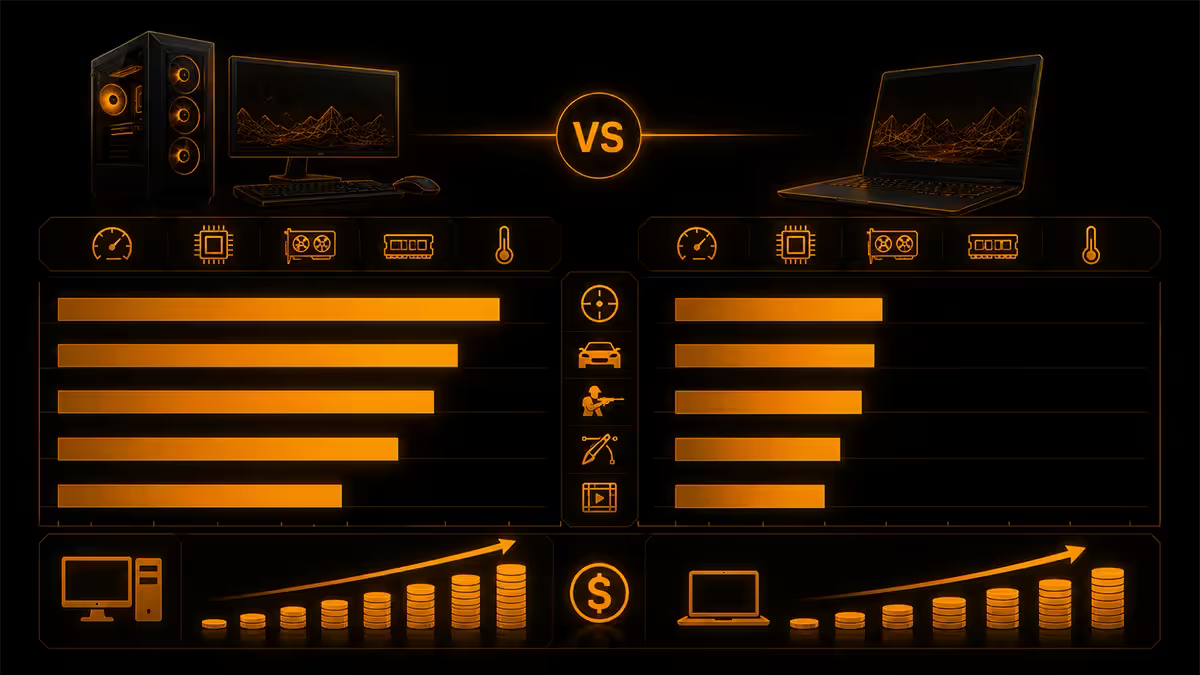
At every price tier, a desktop delivers meaningfully more performance than a laptop costing the same. The gap is not subtle.
| Price tier | Desktop performance | Laptop performance |
|---|---|---|
| R15,000 | RTX 5060 + Ryzen 5 7600 — comfortable 1080p high | RTX 4050 mobile + i5-13420H — entry 1080p medium |
| R25,000 | RTX 5070 + Ryzen 7 9700X — 1440p high refresh | RTX 4060 mobile + i7-14700HX — 1440p medium |
| R40,000 | RTX 5070 Ti + Ryzen 7 9800X3D — 1440p ultra / 4K medium | RTX 4070 mobile + i9-14900HX — 1440p high |
| R60,000 | RTX 5080 + Ryzen 9 9950X3D — 4K ultra | RTX 4080/5080 mobile + i9 — 1440p ultra |
| R80,000+ | RTX 5090 + 9950X3D — flagship 4K + workstation | RTX 5090 mobile — 1440p ultra (thermal-limited) |
Why the gap exists: laptops pay a "portability tax" on every component. Smaller cooling means lower power limits, which means lower clocks, which means lower performance. A desktop RTX 5070 runs at 220W and delivers its full advertised performance; a laptop "RTX 5070" runs at 80-150W and effectively performs like a desktop RTX 5060 Ti — two tiers below.
Add the cost of integrating that hardware into a thin chassis with a screen, battery, keyboard and trackpad, plus the assembly labour, and laptops carry roughly a 40-60% per-Rand penalty at every tier.
Portability — laptop wins, obviously
The single domain where laptops win cleanly and decisively. You cannot move a desktop without unplugging cables, packing components, and re-setting up at the destination. Laptops fold shut, slip into a bag, and turn back on wherever you sit down.
Real portability classes:
- Ultrabook (under 1.4kg, 13-14" — MacBook Air, Lenovo Yoga Slim, HP EliteBook) — true daily-carry portable
- Productivity laptop (1.5-2.0kg, 14-15" — most business laptops) — daily carry, less comfortable
- Gaming laptop (2.3-3.5kg, 15-17" — Asus ROG, MSI Stealth, Lenovo Legion) — moves house to house, not ideal daily carry
- "Desktop replacement" laptop (3.5-5kg, 17-18") — basically a luggable; only moved occasionally
Honest framing: a 3kg gaming laptop with a 200W charger is portable in the sense that you could move it daily, but most owners stop carrying it within a month. The realistic portability of a gaming laptop is closer to "moves to a coffee shop monthly" than "daily commute".
For genuine portability needs — university lectures, daily commute, fieldwork, frequent travel — buy an ultrabook or productivity laptop, not a gaming laptop. Gaming laptops are too heavy and have battery life under load that makes them desk-bound anyway.
Upgrade path 5 years out
This is where the gap is widest and least discussed. A desktop bought today can be substantially upgraded multiple times over 5-7 years. A laptop bought today is mostly locked at purchase.
What a desktop owner can swap over 5 years:
- GPU — typical 2-3 swaps over 5 years as games demand more
- RAM — easy DIMM swap (16GB → 32GB → 64GB as workloads grow)
- Storage — add additional M.2 NVMe drives without removing the original
- CPU — possible 1 swap mid-cycle on the same socket (e.g. Ryzen 7600 → 9800X3D on AM5)
- Cooling — add a better AIO when the new GPU/CPU runs hotter
- PSU — only if upgrading to dramatically higher TDP components
- Case — rare, but possible if moving to a different form factor
What a laptop owner can swap over 5 years:
- Storage — possible on most gaming laptops, harder on M-series Macs and some ultrabooks (soldered)
- RAM — possible on some gaming laptops (SO-DIMM slots), impossible on M-series Macs and most modern ultrabooks (LPDDR soldered)
- Battery — possible after 3-4 years of degradation, requires service
- GPU, CPU, screen, keyboard — soldered or integrated. Effectively unswappable.
In practice: a 2026 RTX 5070 laptop is still an RTX 5070 laptop in 2031. A 2026 RTX 5070 desktop has likely become a 2028 RTX 6070 then a 2030 RTX 7070 by then — at the cost of two GPU swaps, not a full new machine.
Thermals and noise
A 250W workload generates 250W of heat regardless of where it runs. Where that workload runs decides what happens to the heat:
Desktop dissipates 250W through:
- Large air tower or 240/360mm AIO on the CPU (capacity 200-300W+ each)
- Triple-fan GPU cooler with 8-10 heatpipes (capacity 350W+)
- 4-6 case fans moving 80-120 CFM each (≈ 600 CFM total airflow)
- Mid-tower volume of 40-50 litres to hold heat-soaked air briefly
- Sustained noise at full load: 30-40 dBA
Laptop dissipates 200-300W through:
- Vapour chamber + heatpipes spread across roughly 200×280mm area
- Two 55-65mm fans spinning 4500-7500 RPM
- Vents typically 50-80mm tall
- Chassis volume under 2 litres
- Sustained noise at full load: 45-55 dBA (loud office to vacuum cleaner range)
Result: at sustained load, a typical gaming desktop is whisper-quiet while a gaming laptop sounds like a jet engine. Worse: the laptop also thermal-throttles after 15-30 minutes, dropping sustained FPS 10-20% vs the peak it shows in 60-second benchmarks. The desktop holds its clocks indefinitely.
Screen options
Laptops integrate one screen for the life of the device. Desktops let you choose any monitor and replace it independently.
Laptop screens 2026 baseline:
- 14-17" panels, mostly OLED, IPS or mini-LED
- 120-240 Hz refresh on gaming laptops, 60-120 Hz on productivity
- 2560×1600 (QHD+) or 2880×1800 typical resolutions
- Glossy or anti-glare matte finish, vendor-fixed
Desktop monitor options 2026:
- 24-49" sizes in single or multi-monitor configurations
- 240-540 Hz refresh available on high-end OLED panels
- 4K, 5K, ultrawide 21:9 and super-ultrawide 32:9
- Independent monitor lifecycle — replace every 5-7 years without buying a new computer
- Mount on arms for ergonomics, rotate to portrait for coding
A R12,000 desktop monitor (LG OLED 32", Samsung G8 OLED, Asus PG34UCDM) outperforms any laptop screen in size, refresh and connection options. And the monitor can be reused across 3 generations of desktops.
Keyboard quality
Mechanical keyboards exist only as external accessories. Laptop keyboards are universally scissor-switch or low-profile mechanical at best, with significantly limited key travel (typically 1.0-1.5mm vs 3.5-4.0mm on desktop mechanicals).
For people who type 4+ hours a day — programmers, writers, anyone with email-heavy work — the difference between a desktop mechanical keyboard and a laptop scissor keyboard is substantial. Faster typing, less hand fatigue, less RSI risk over years.
Counter-argument: you can always connect an external keyboard to a laptop at a desk. True — but if you're going to do that, you're using the laptop as a desktop, and the portability argument weakens.
Repairability and longevity
When something fails on a desktop, you replace the failed component. When something fails on a laptop, you often replace the laptop.
Typical failure scenarios and resolutions:
| Failure | Desktop fix | Laptop fix |
|---|---|---|
| SSD fails | Swap M.2, R1,500-R3,000 | Sometimes swap M.2, sometimes board replacement |
| RAM stick fails | Swap stick, R600-R1,500 | Sometimes swap, sometimes soldered = board replacement |
| GPU fails | Swap GPU, R8,000-R30,000 | Board replacement R15,000-R35,000+ or write off |
| Cooling/fan fails | Swap cooler, R600-R2,500 | Service centre, R3,000-R6,000 labour + parts |
| Battery degrades (laptops only) | N/A | Replace at 3-4 years, R1,500-R3,500 service |
| Screen damage | Replace monitor only, R3,000-R15,000 | Service replacement, R4,000-R12,000 + labour |
| Keyboard damage | Replace keyboard, R500-R3,000 | Often board replacement R8,000+ |
| Liquid spill | Usually limited, replace affected parts | Often write-off |
Across 5-7 years of ownership, the desktop's modular repairability translates to lower total cost of ownership even before factoring in upgrade flexibility.
Lifetime cost analysis (5 years)

Run the numbers for a typical SA buyer over a 5-year ownership window:
| Cost item | Desktop path | Laptop path |
|---|---|---|
| Initial purchase (mid-tier) | R30,000 | R40,000 |
| GPU upgrade year 3 | R15,000 (sell old GPU R6,000 net) | Not possible |
| SSD upgrade year 2 | R2,500 (add 2TB) | R2,500 if upgradeable, often R7,000 service |
| Battery replacement year 4 | N/A | R2,500 |
| Cooling refresh year 4 | R1,500 (new fans/paste) | R3,500 service |
| Monitor (independent lifecycle) | R6,000 (kept across all 5 years) | Built-in (no separate cost) |
| Total 5-year ownership | R49,000 | R55,500 |
| Performance at year 5 | Modern (post-upgrade) | Behind current gen by 2 generations |
Same money over 5 years, but the desktop owner has a modern-performing machine at year 5 while the laptop owner has a fading device. The laptop owner typically replaces the entire device at year 5 — another R40,000+ — while the desktop owner extends another 2-3 years with one more GPU swap.
Use case decisions — clear recommendations
Stripped of preference, here's the right answer for each major use case:
- Pure gaming, stationary setup → Desktop, always. Same money buys 40-60% more performance, runs quieter, lasts longer.
- Hybrid work + light gaming, daily commute → Productivity laptop or ultrabook, not a gaming laptop. Use cloud-streamed gaming (GeForce Now, Xbox Cloud) or pair with a desktop at home.
- University student, gaming on weekends → Desktop at home + ultrabook for lectures. The combo costs less than a single equivalent gaming laptop.
- Frequent travel, gaming on the road → Gaming laptop, but accept the compromises: 50dBA noise, thermal throttling, 4-6 year lifespan.
- Content creator (streaming, editing) → Desktop, no contest. Multi-monitor, capture cards, sustained render performance, multiple drive bays.
- Casual family use, web + light gaming → Desktop with multiple seats or an iMac-style all-in-one. Single shared machine outlasts laptops by far.
- Mobile professional (consultant, photographer) → Workstation laptop for fieldwork + desktop at office for sustained editing.
- Esports competitive (CS, Valorant) → Desktop, mandatory. Lower input lag, higher refresh monitor options, no thermal throttling drops mid-match.
The "both" option — often the smartest play
For SA buyers with a budget over R30,000, the desktop + laptop combo frequently beats either single device:
| Combo | Total cost | Notes |
|---|---|---|
| R20k desktop + R10k laptop | R30,000 | Entry combo — beats R30k gaming laptop |
| R30k desktop + R12k laptop | R42,000 | Beats R45k+ gaming laptop on every axis |
| R45k desktop + R15k ultrabook | R60,000 | Beats single R60k+ gaming laptop comfortably |
| R60k workstation desktop + R20k MacBook Air | R80,000 | Pro creator combo — eats single R80k MacBook Pro for breakfast |
Why the combo wins: each device specialises. The desktop handles sustained-load gaming, rendering and any demanding work without compromise. The laptop handles email, browsing, lectures, meetings and travel without compromise. Neither device has to be a jack-of-all-trades.
The math reality: a "gaming laptop that can also be a productivity machine" is mediocre at both. It's too heavy and noisy to be a great daily-carry laptop, and too thermally limited to be a great gaming machine. The compromise device under-serves both jobs.
Common buying mistakes
Buying a gaming laptop when you don't actually travel. The most common regret. Most "gaming laptop" buyers carry it to a coffee shop twice and then leave it on a desk indefinitely. If your laptop lives on a desk, you bought a worse desktop at a 40-60% premium.
Believing "mobile RTX 5070" performs like desktop RTX 5070. It does not. The mobile chip is power-limited to 80-150W vs the desktop's 220W — roughly two desktop tiers of performance lost. Check TGP, not the model name.
Assuming the gaming laptop's specs match the marketing footage. Reviews shoot benchmarks in cold rooms with the laptop on a cooling pad. Real-world sustained performance on a soft surface (lap, bed, couch) is 20-30% lower because the intake vents underneath get blocked.
Skipping the desktop because of "no space". Modern mid-towers are 35-50cm tall. A small form-factor or mini-ITX build can be even smaller. Most "no space" claims dissolve when measured — there's room next to a desk or under it for almost any home setup.
Believing the laptop is "easier" because it's pre-assembled. Both an Evetech-built desktop and a retail laptop are pre-assembled by the time you receive them. The difference is the desktop can be upgraded later, the laptop can't.
Underestimating noise on gaming laptops. 50+ dBA under sustained load is disruptive. If you've only seen retail demo units, you haven't heard the real noise yet — and YouTube reviews can't capture how a 55 dBA fan feels next to your face for three hours.
Key takeaways
- Desktop wins performance per Rand by 40-60% at every price tier. Same money, much more performance.
- Laptop only justifies the premium if you truly travel with it daily. Most "I might travel" buyers regret it.
- Desktop upgrade path = 5-7 years modern performance with 2 GPU swaps. Laptop = 4-6 years then full replacement.
- The combo (desktop + ultrabook) beats a single gaming laptop on every axis except weight in a bag.
- "Mobile RTX 5070" ≠ "Desktop RTX 5070". Check TGP rating, expect 2 desktop tiers of performance loss.
Frequently asked questions
Is a desktop or laptop better value in South Africa?
Desktop wins by 40-60% in performance per Rand at every tier. A R25k desktop beats a R40k gaming laptop in raw FPS, thermal sustain and quietness. Laptops justify the premium only for genuine daily portability.Can I upgrade a gaming laptop's GPU later?
No. Laptop GPUs are soldered to the motherboard. Storage is upgradeable on most gaming laptops; RAM sometimes; GPU never.Are gaming laptops actually as powerful as desktops?
No — mobile chips are power-limited. A 'mobile RTX 5070' at 150W TGP performs like a desktop RTX 5060 Ti (two tiers below). Check TGP rating.How long do desktops vs laptops typically last?
Desktops 7-10 years with 1-2 GPU upgrades. Laptops 4-6 years before performance falls behind and battery degradation kicks in.Is the 'both' option (desktop + cheaper laptop) worth it?
Yes for many use cases. R30k desktop + R12k laptop = R42k beats a single R45k+ gaming laptop. Each device specialises rather than compromising.Are gaming laptops noisy?
Yes — 45-55 dBA at full load vs 30-38 dBA for a desktop. The single biggest source of post-purchase disappointment among gaming laptop buyers.What about thermal throttling on laptops?
Real. Even premium gaming laptops drop 10-20% sustained FPS after 15-30 minutes of full load. Desktops with proper airflow hold full clocks indefinitely.Which is better for streaming or content creation?
Desktop, decisively. Multiple monitors, capture cards, sustained render times. A R35k streaming desktop outperforms a R55k 'creator laptop'.
Get the Evetech app
Exclusive app-only prices, daily flash sales, and free delivery on orders over R4,000 — download the app and start saving.