Laptop Buying Guide
Gaming laptop vs desktop. — The honest, Rand-for-Rand comparison.
At the same Rand tier, a desktop delivers 30-40% more sustained performance. The portability premium is real and quantifiable. Here’s the honest trade-off — no fan boyism, just what the same R25k buys on each side.
- portability premium
- R6k-R10k
- perf-per-Rand gap
- 30-40%
- tier breakdown
- R20k/R35k/R55k
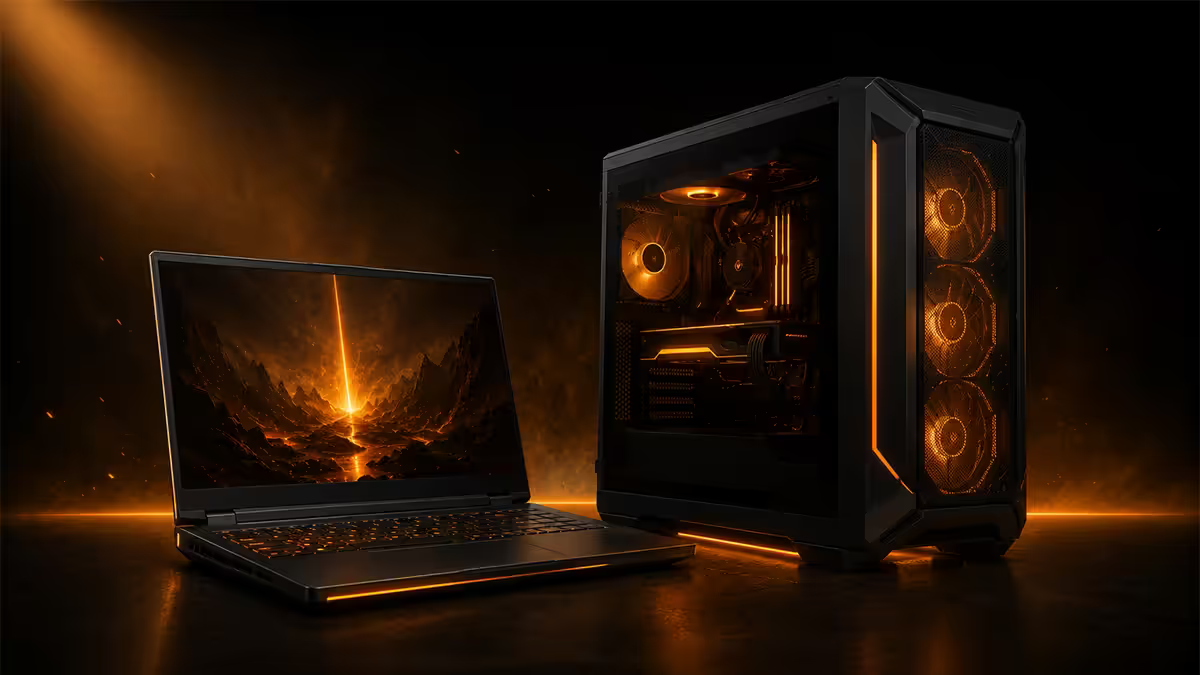
The honest framing — same Rands, different machines
Most laptop-vs-desktop articles read like ad copy for whichever side the author already bought. The honest version is simpler: the same Rands buy meaningfully different machines, and the trade-off is concentrated in a small number of dimensions. Once you understand which dimensions matter for your life, the decision is mechanical.
Here’s the short list of trade-offs. Every other detail follows from these.
- Sustained performance. Desktops win by 30-40% at the same price tier — and the gap widens during long sessions.
- Upgrade path. Desktops let you replace almost any part. Laptops let you replace SSD and RAM only (and often only one of those).
- Portability. Laptops fold up and go in a bag. Desktops do not.
- Total cost of ownership. Laptops include screen, keyboard, trackpad, webcam, speakers, battery. Desktops include none of those.
- Footprint. A small-form-factor desktop can match a laptop’s desk footprint — but you cannot pack one in carry-on.
Everything else — RGB, brand prestige, screen quality, “future-proofing” — is downstream of these five. Get these right and you’ll buy the right machine the first time.
Performance — sustained vs peak
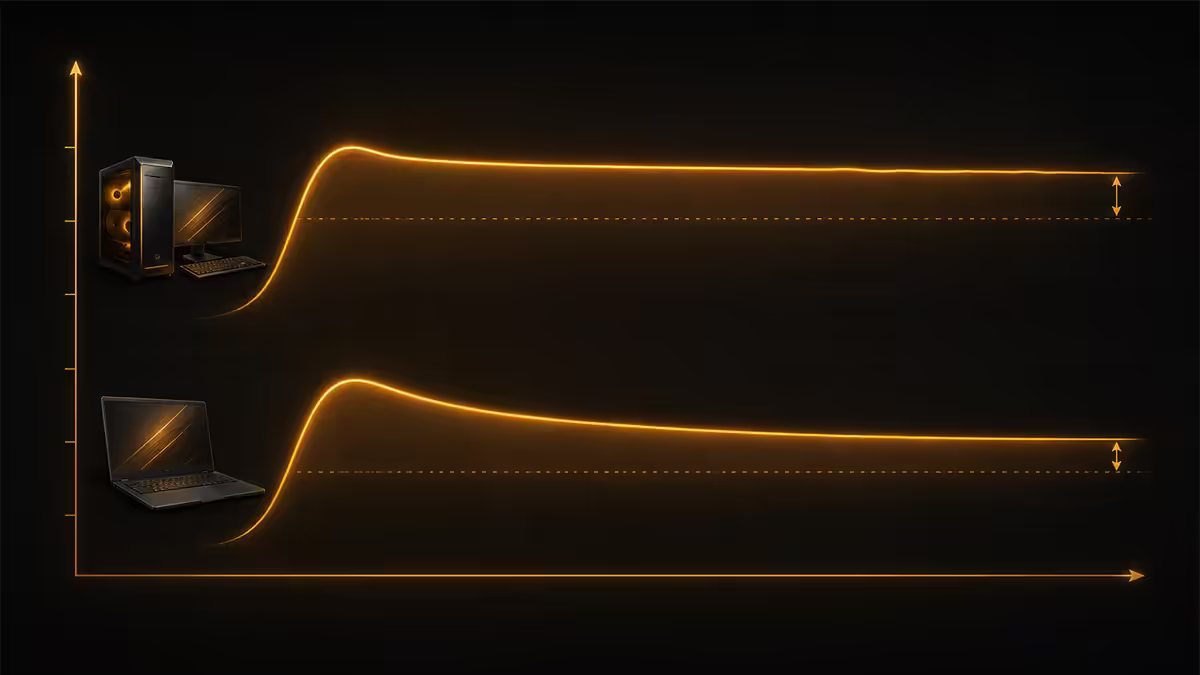
The cleanest way to compare the two is to put them in the same Rand bucket and benchmark. At R25k in SA in 2026, the typical match-up looks like this:
| At R25k tier | Gaming Laptop | Gaming Desktop |
|---|---|---|
| GPU ceiling | Mobile RTX 5060 / 5070 (80-115W TGP) | Desktop RTX 5070 (220W) |
| CPU ceiling | Ryzen 7 8845HS / Core Ultra 7 | Ryzen 5 7600 / Core Ultra 5 |
| Sustained perf delta | Baseline | +30 to +40% |
| Upgrade path | SSD + RAM only (sometimes just SSD) | Almost everything swappable |
| Screen included | Yes (144Hz 1080p typical) | No |
| Peripherals required | None — built in | Yes (keyboard, mouse, monitor, audio) |
| Portability | High — folds up, runs on battery | None — single location only |
| Footprint | 1 backpack / 35x25cm desk | 15-55 litre tower + monitor |
| Target user | Commuter, student, share-house | Permanent desk, longevity, max FPS |
Why mobile GPUs lag. Mobile and desktop GPUs share a marketing name but not silicon power budgets. A “mobile RTX 5070” in a 25mm laptop chassis runs at 80-115W. A desktop RTX 5070 runs at 220W. More power means more sustained clocks, more sustained frame rates and more headroom for ray tracing.
Peak benchmarks lie. A 5-minute Cyberpunk benchmark on a fresh-out-of-the-box laptop will land surprisingly close to its desktop counterpart. Run that same loop for 60 minutes and the laptop drops 8-15% as the chassis heats up and clocks throttle. Tom’s Hardware and Hardware Unboxed long-session testing consistently show this pattern. The desktop holds its peak; the laptop slides toward its sustained floor.
Upgrade path — the desktop’s quiet win
This is the dimension most buyers underweight at point-of-purchase and most regret three years later.
On a desktop, you can swap the GPU, CPU, motherboard, RAM, storage, PSU, case fans, cooler — essentially everything. A R25k desktop bought in 2026 can be upgraded to a R40k desktop in 2029 for the cost of a GPU and an SSD, keeping the case, PSU, RAM and CPU. Most desktops we sell at Evetech remain in service 6-8 years with one or two upgrades along the way.
On a laptop, you can replace the SSD and (sometimes) the RAM. That’s it. The GPU is soldered. The CPU is soldered. The screen, battery, motherboard, cooling — all factory-bonded into a single assembly. When the GPU falls behind, your only path is a new laptop.
Thermals + sustained perf
A gaming desktop in a 30-litre case with a 360mm AIO and three intake fans is doing one thing — moving heat out of the chassis. It does it well. CPU temperatures sit at 65-75°C during gaming. GPU temperatures sit at 60-72°C. Fans stay quiet because the cooling solution is over-built for the load.
A gaming laptop in a 22mm chassis is fighting physics. The same 140W mobile GPU dumps heat into vapour chambers and two small blower fans that vent through 4mm slots in the rear bezel. Temperatures sit at 85-95°C during gaming. Fans run at full RPM and sound like a small drone. After 20-30 minutes, the silicon throttles to protect itself — clocks drop, frame rates drop, and the laptop settles into a lower steady state.
Undervolting and cooling pads help. Undervolting (lowering the voltage at a given clock) drops sustained temps 5-10°C and can recover most of the throttling loss. A R400-R800 cooling pad helps a little — but it’s not turning a laptop into a desktop. The form factor caps thermal headroom no matter what you do.
Total cost — peripherals, screen, dock
A R25k laptop walks out the door ready to use. A R25k desktop walks out as a tower. Honest comparison means adding the missing pieces.
What a desktop needs that a laptop includes:
- Monitor. R3k for a 1080p 144Hz IPS, R5k-R8k for a 1440p 144-180Hz IPS, R10k-R18k for 1440p OLED or 4K.
- Keyboard + mouse. R1k-R3k for a decent mechanical board and gaming mouse. R500 for a basic membrane combo that works fine.
- Speakers or headset. R600-R2k. Most desktop buyers already have a headset.
- Webcam. Optional, R400-R1.5k. Skip unless you stream or work remotely.
- UPS. R1.5k-R3k. Important in SA — load-shedding can corrupt drives mid-write. (Laptop has built-in battery; covered for free.)
Realistic add-on for a desktop: R5k-R8k for monitor + peripherals + UPS at the entry tier, R8k-R14k at the enthusiast tier. Once you add that, the laptop’s portability premium narrows from ~R10k to ~R3k-R5k. The desktop still wins on performance, but the price gap closes meaningfully.
Space + portability — the real trade
This is where most buyers stop being logical and start being honest about how they live.
If your gaming happens in one room, in one chair, on one desk — portability is a feature you’ll never use. You’re paying R6k-R10k for a backpack handle. The desktop wins decisively.
If your living situation is fluid — student between residence and home, professional renting share-houses, someone moving every 6-18 months, a creative working from coffee shops — portability is a feature you’ll use weekly. The laptop earns its premium.
Small flat, no dedicated desk? A mini-ITX desktop in a Fractal Ridge or Lian Li A4-H2O is 15-20 litres — barely bigger than a console. Mounted under a multi-purpose desk with a single 27” monitor, it disappears. People assume “desktop = big tower”; modern small-form-factor builds match a laptop’s footprint on the desk even if they’re not actually mobile.
Evetech sits in an unusual position — we’ve shipped 200,000+ custom desktops from our Centurion warehouse and thousands of laptops as an authorised reseller for ASUS, Lenovo, MSI and others. We see both sides of the trade. The most common feedback we hear in repeat-buyer surveys: “the year I moved to a permanent desk was the year I sold my gaming laptop.” The reverse is just as common — students who bought desktops to save money and ended up dragging the tower between residence and home every term. Match the machine to your life, not the spec sheet.
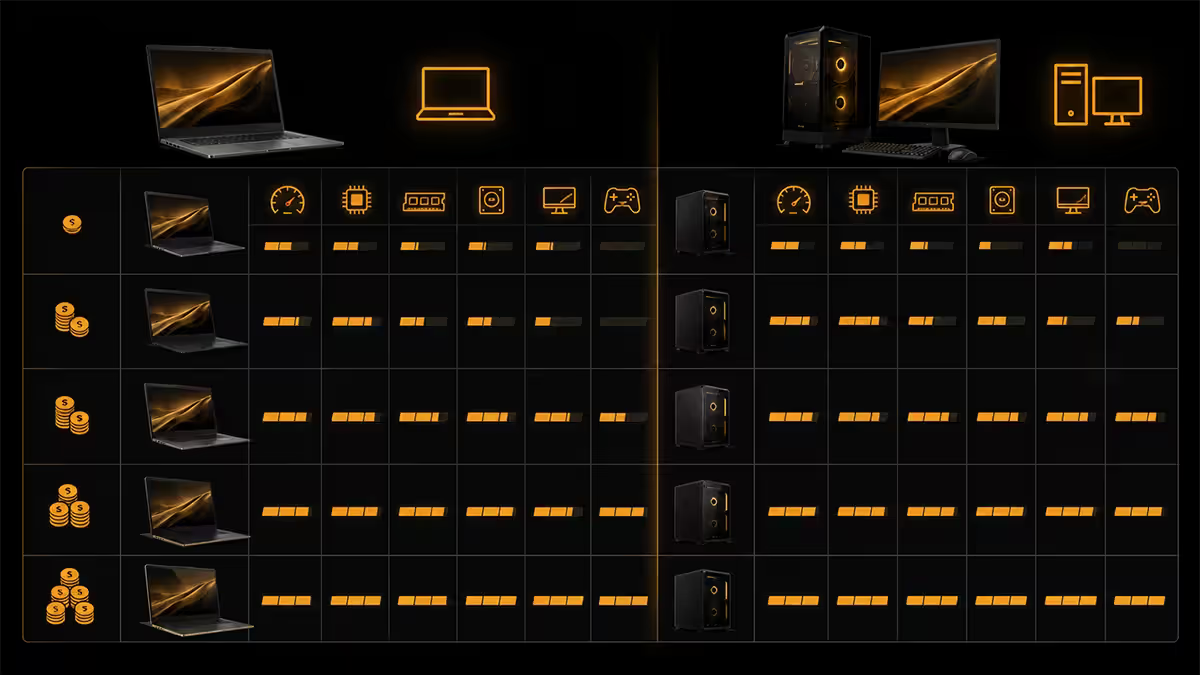
What R20k / R35k / R55k buys you (laptop vs desktop)
| Budget tier | Gaming Laptop | Gaming Desktop |
|---|---|---|
| At R20k (entry) | RTX 5060 mobile · Ryzen 7 8745H · 16GB · 144Hz 1080p · 512GB SSD | RTX 5070 · Ryzen 5 7600 · 32GB DDR5 · 1TB NVMe (tower only) |
| At R35k (mid) | RTX 5070 mobile · Ryzen 7 / Core Ultra 7 · 32GB · 165Hz 1440p · 1TB SSD | RTX 5080 · Ryzen 7 7700X · 32GB DDR5 · 2TB NVMe + 27” 1440p screen |
| At R55k (flagship) | RTX 5080 mobile · Ryzen 9 / Core Ultra 9 · 32GB · 240Hz mini-LED · 2TB SSD | RTX 5090 · Ryzen 7 9800X3D · 64GB DDR5 · 4TB NVMe + 27” 4K OLED + full peripherals |
The pattern is consistent. One GPU tier up on the desktop side, plus one CPU tier up, plus more RAM, plus better thermals — and at the upper tiers, the desktop still has room left in the budget for a premium monitor and peripherals. The laptop swallows the premium into portability.
Mid-tier (R35k) sweet spot. This is where the trade-off is sharpest. A laptop here gives you a genuinely excellent portable 1440p machine. A desktop here gives you genuinely excellent 1440p plus a 27” 1440p screen plus peripherals — and a clear upgrade path. If the budget allows, pair a R35k desktop with a R10k laptop for travel instead of putting all R45k into one gaming laptop. You’ll have more capability for the same Rands.
Key takeaways
- At the same Rand tier, the desktop delivers 30-40% more sustained performance. Peak benchmarks lie — long-session frame rates tell the real story.
- The R6k-R10k portability premium is real and quantifiable. If you won’t use the portability weekly, you’re paying for a feature you don’t need.
- Upgrade path strongly favours desktops. Laptops let you swap SSD and RAM only — the GPU is soldered for life.
- Total cost of ownership for the desktop must include screen, peripherals and UPS — that closes the gap to ~R3k-R5k, not eliminates it.
- Decision rule: commute, share desk, fluid living situation — laptop. Permanent desk, single room, longevity — desktop. That single trade-off makes the call.
Frequently asked questions
Is a gaming laptop ever the better value than a desktop?
Only when portability has real, daily value — students, share-house tenants, weekly travellers. The laptop carries a R6k-R10k portability premium and gives up 30-40% of sustained performance at the same Rand tier. If you don’t need mobility, you’re paying for a feature you won’t use.How much performance do I lose to portability?
Roughly 30-40% sustained at the same Rand tier — more in long sessions where thermals dominate. A R25k laptop with mobile RTX 5070 benches near a desktop RTX 5060 Ti, then throttles further after 20-30 minutes of demanding load.Can I dock a gaming laptop and get desktop perf?
No. Docking gives you bigger screen and full keyboard/mouse, but the GPU, CPU and cooling don’t change. A docked R30k gaming laptop still throttles like a laptop. eGPUs help bridge GPU gap (at bandwidth cost); CPU and thermal ceiling remain.What about thermal throttling on laptops?
Real and unavoidable. A 140W mobile GPU in a 25mm chassis cannot dissipate heat the way a desktop with 360mm AIO and three case fans can. Expect 5-10°C higher temps and 200-500MHz clock loss after 20-30 minutes of sustained load. Undervolting and cooling pads help; they don’t close the gap.What R25k buys laptop vs desktop in SA 2026?
Laptop: ASUS TUF or Lenovo LOQ with mobile RTX 5060 / Ryzen 7 / 16GB / 512GB / 144Hz screen. Desktop: Evetech tower with RTX 5070 / Ryzen 5 7600 / 32GB DDR5 / 1TB — no screen included. Desktop benches 35-40% higher. Add R5k for monitor + R1.5k for peripherals and the desktop still leads 20-25%.Small flat — can a tower still work?
Yes. A mini-ITX or micro-ATX build (Fractal Ridge, NR200P, Lian Li A4-H2O) gives full desktop performance in a 15-25 litre case — barely larger than a console. Mounted under the desk with a 27” monitor, total footprint matches a 17” laptop with cooling pad.Laptop with eGPU — viable in SA?
Technically possible, rarely sensible. Razer Core X and Akitio Node enclosures imported on order (R6k-R9k empty). Add a desktop GPU (R10k-R20k) and you’re at the cost of a full desktop, with Thunderbolt 4 capping GPU throughput at roughly 80% of native PCIe.Gaming laptop or desktop in 2026 — which to buy?
If you commute with your machine, share desk space, or live in a flat you’ll move out of in the next 12-24 months — buy the laptop. If you have a permanent desk and gaming happens in one room — buy the desktop. Desktop wins on performance, thermals, upgrade path, longevity, noise. Laptop wins on portability and only on portability.
Get the Evetech app
Exclusive app-only prices, daily flash sales, and free delivery on orders over R4,000 — download the app and start saving.