Laptop Comparison Guide
Gaming laptop vs normal laptop.
— One has a discrete GPU. Everything else follows.
- the difference
- Discrete GPU
- daily trade-off
- Heavier + louder
- cost premium
- +R10,000
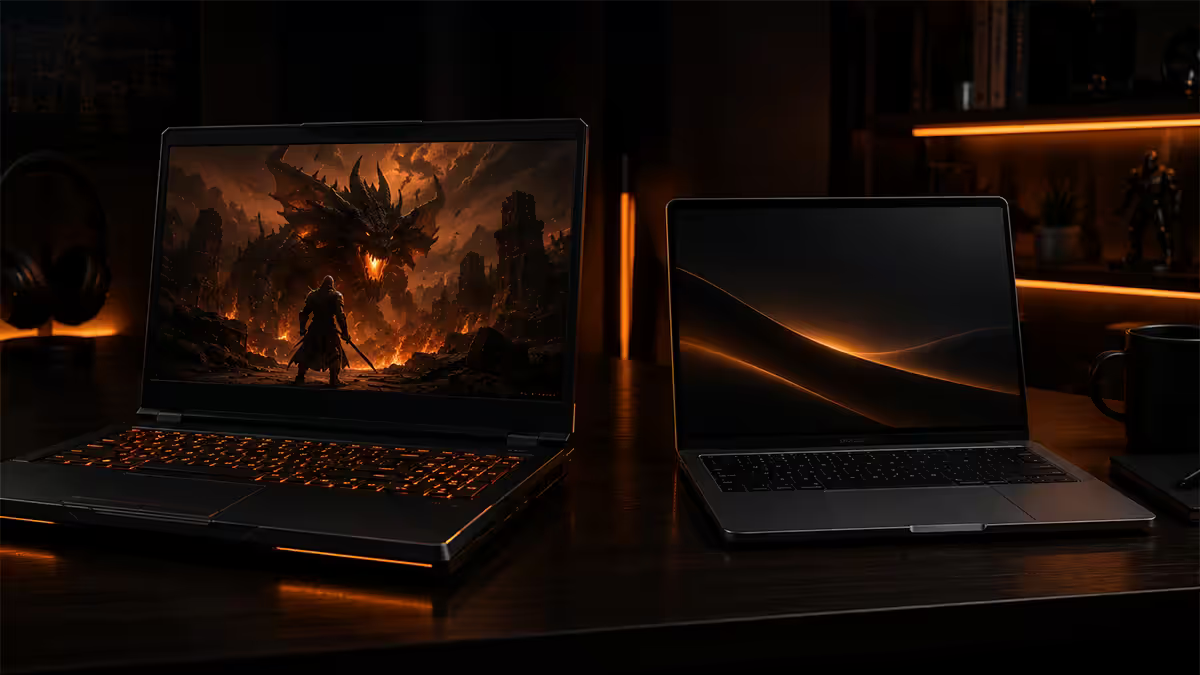
The core difference — one chip changes everything
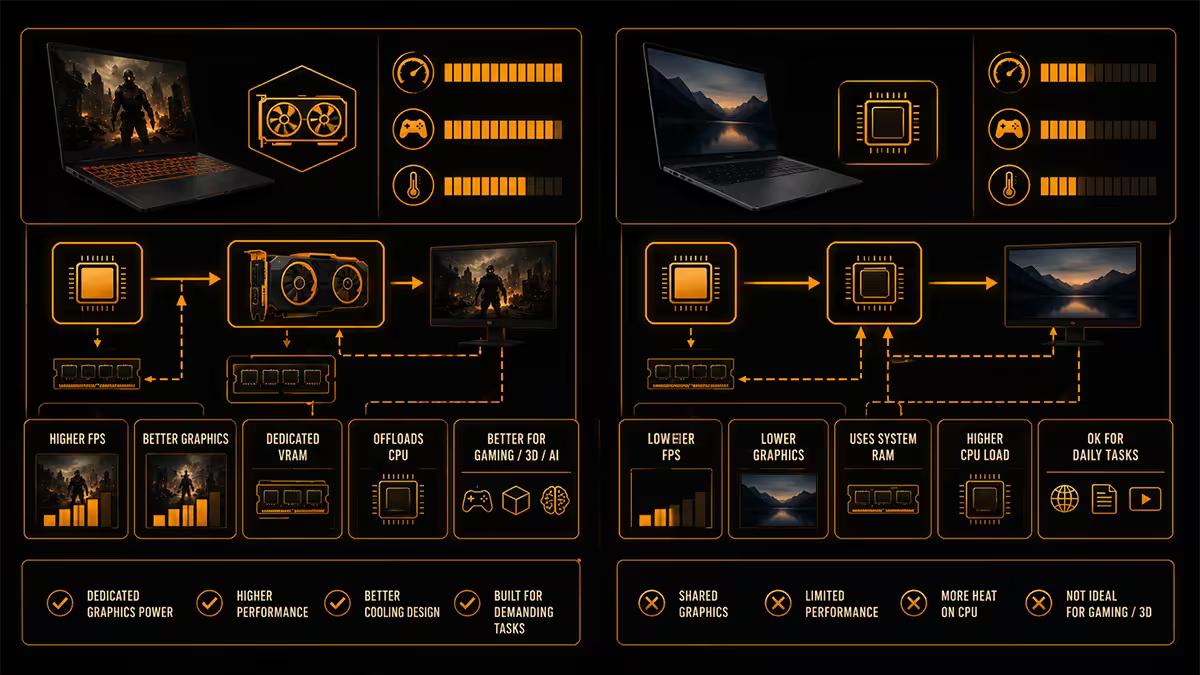
Strip the marketing away and the entire distinction between a gaming laptop and a normal laptop reduces to one component: the graphics card. Gaming laptops carry a discrete GPU — typically an NVIDIA GeForce RTX 4050, 4060, 4070, 4080 or 4090, occasionally an AMD Radeon equivalent — with its own dedicated video memory (VRAM), its own power delivery and its own cooling. Normal laptops use the integrated graphics built into the CPU itself, sharing system RAM and drawing on the same power budget as everything else.
That single architectural choice cascades into every other difference you'll notice on the spec sheet. A discrete GPU produces serious heat (60-150W under load), so the chassis needs more cooling capacity. More cooling means more fans, larger vents, taller heat pipes, and a thicker, heavier body. A discrete GPU also burns through power, so the battery life takes a hit. To do justice to the GPU's frame rendering, the screen pairs with higher refresh rates. To keep things stable under sustained load, the power brick gets bulkier too.
Everything else — RGB lighting, aggressive styling, mechanical-feeling keyboards, beefier hinges — is downstream of the simple fact that there's a hot, hungry GPU inside.
| Attribute | Gaming laptop | Normal laptop |
|---|---|---|
| Graphics | Discrete RTX / Radeon GPU | Integrated (Iris Xe, Radeon iGPU) |
| Weight | 1.8-2.5kg typical | 1.2-1.6kg typical |
| Battery (mixed use) | 3-6 hours | 8-15 hours |
| Screen refresh rate | 144Hz, 165Hz, 240Hz, 360Hz | 60Hz, 90Hz, 120Hz |
| Fan noise (load) | Audible 45-55 dB | Near-silent |
| Power brick | 180-330W, ~700-1200g | 45-100W, ~200-400g |
| SA price band | R20,000-R80,000+ | R8,000-R30,000 |
Cooling and noise — the daily reality
A discrete GPU at full tilt dumps 60-150W of heat into the chassis. Add the 45-65W from the CPU running flat out and you've got 100-200W of heat to evacuate from a 25mm-thick aluminium box. That's why every gaming laptop is loud at peak load.
Typical gaming laptop cooling: two centrifugal fans, four to six heat pipes, two large rear-and-side exhaust vents, and intake grilles across the entire underside. At full load, fan noise sits around 45-55 dB — comparable to a moderate conversation, definitely audible across a quiet room, distracting in a quiet office or library.
Normal laptops are dramatically quieter. With no discrete GPU and total power draw under 30W during typical use, a single small fan handles cooling — sometimes none at all on ultra-low-power chips like Apple's M-series and Snapdragon X. You can sit a MacBook Air in a quiet meeting room and nobody will hear it. You cannot do the same with a Razer Blade running Cyberpunk.
If your daily use includes meetings, lecture halls, libraries, or shared workspaces — noise alone is a reason to think twice about a gaming laptop as a primary work machine.
Weight and portability — the daily commute
A typical 15-16 inch gaming laptop weighs 1.8-2.5kg. Add the 700-1200g power brick (you'll need it for any session over a couple of hours) and you're carrying around 3kg in your bag. Premium normal laptops in the same size class come in at 1.2-1.6kg, with their 200-400g power adapters bringing the total to 1.5-2kg.
The 500-1000g difference doesn't sound like much in isolation. On a 30-minute commute, university campus walk, or in-flight carry-on, it compounds. By month six, the gaming laptop user is leaving the machine on a desk; the normal laptop user is still happily moving theirs around.
The exceptions: ultra-thin gaming laptops like the Razer Blade 14 (1.7kg), ASUS Zephyrus G14 (1.5kg) and Lenovo Legion Slim 5 (2.0kg) split the difference at a price premium. You pay R5,000-R15,000 more for the same internals in a slimmer chassis with better cooling engineering. For people who genuinely need a gaming-capable laptop they'll carry every day, these are worth the upcharge.
Battery life — the honest numbers
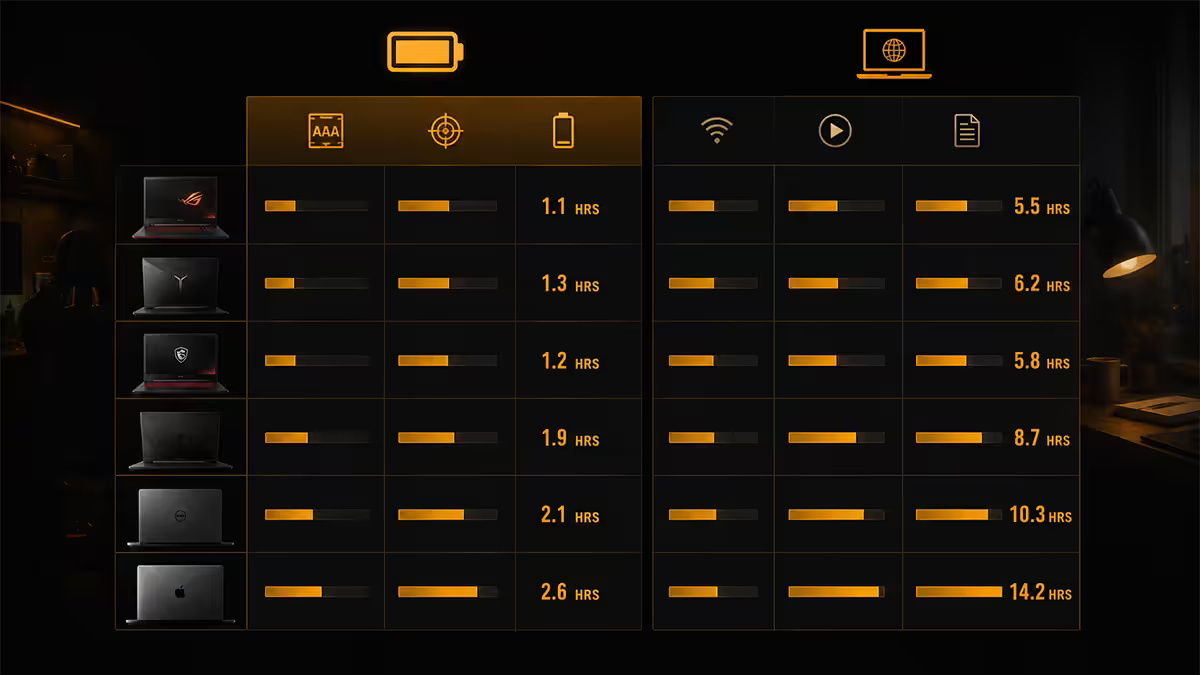
Manufacturer battery claims are almost universally optimistic. Real-world numbers from the testing we do on every laptop we ship:
| Use case | Gaming laptop | Normal laptop |
|---|---|---|
| Heavy gaming | 0.5-1.5 hr | N/A |
| Video calls + browsing | 2-4 hr | 6-10 hr |
| Documents + email | 3-6 hr | 10-15 hr |
| 4K video playback | 2-4 hr | 8-14 hr |
| Standby (lid closed) | 1-3 days | 3-7 days |
Apple Silicon MacBooks (M3/M4 Air, MacBook Pro) genuinely deliver 15-20 hours of real-world mixed use thanks to extremely efficient ARM-based chips and tight macOS power management. Snapdragon X Elite Windows laptops (Surface Pro, ThinkPad T14s, Galaxy Book) are right behind at 12-18 hours.
If you spend any meaningful time away from a power socket — daily commute on train or taxi, long lectures, café working, long-haul flights, load-shedding survival mode — this gap is more important than any other single spec.
Screen refresh rate — when it actually matters
Gaming laptops trumpet their high refresh rates: 144Hz, 165Hz, 240Hz, 360Hz, and at the extreme 480Hz on competitive-gaming-focused models. Normal laptops mostly sit at 60Hz, with premium models bumping to 90Hz, 120Hz or matched-refresh ProMotion (Apple) and 120Hz Surface variants.
High refresh rate is genuinely better — for gaming. The visible difference between 60Hz and 144Hz the first time you see it is striking, especially on fast-motion games like Counter-Strike 2, Valorant, Apex Legends, Overwatch 2 and Rocket League. Once you've used 144Hz for fast games, going back to 60Hz feels heavy.
For everything else, it's a smaller bonus. Scrolling feels smoother, cursor movement feels more responsive, and 120Hz on macOS or iPadOS has a real "everything feels fluid" quality. But it's incremental, not transformative. If you don't game, you don't need 240Hz — and you'll trade battery life for a benefit you barely notice.
Panel quality matters more than refresh rate for most users. Both gaming and normal laptops can have excellent IPS, mini-LED or OLED displays. For colour-critical work (photo editing, design, video), look for 100% sRGB or better DCI-P3 coverage, factory calibration, and uniform backlighting. Refresh rate is secondary.
Keyboard feel and lighting
Gaming laptop keyboards trend toward longer key travel (1.5-2.0mm), per-key RGB lighting, and tactile membrane or low-profile mechanical switches. Some flagship gaming laptops (Lenovo Legion 9, MSI Titan, ASUS ROG Zephyrus) include opto-mechanical low-profile switches that feel close to a desktop gaming keyboard.
Normal laptop keyboards favour quieter scissor or butterfly mechanisms, shorter travel (1.0-1.5mm) and white-only or no backlighting. The MacBook Pro keyboard, ThinkPad keyboards and Dell XPS keyboards are among the best laptop keyboards ever made — focused on long-session typing comfort and quiet operation.
If you type for hours daily (writers, developers, students), a quiet scissor keyboard often beats a flashy RGB gaming keyboard for sheer endurance. If you game and type roughly equally, find a gaming laptop with the quieter optical or low-profile mechanical switches rather than loud "clicky" membrane mechanisms.
Build aesthetic — where it lands matters
Gaming laptops typically wear their function on their sleeves: angular vents, RGB accent strips, brand logos that light up, and sometimes screen lids in colours other than black. Some models — MSI Stealth, Razer Blade, ASUS Zephyrus, Alienware m-series — tone down the styling. Others — MSI Raider, Acer Predator, ASUS ROG Strix Scar — lean into it.
Normal laptops are deliberately minimal. Brushed aluminium or magnesium chassis, single small logo, no decorative lighting. The aesthetic signals "professional" — which is exactly why corporate, legal, medical and consulting environments default to ThinkPads, MacBook Pros, Dell XPS and HP EliteBooks.
If you'll bring this laptop into client meetings, courtrooms, hospital rounds, university lecture halls or your boss's office — think about how it reads in that context. A laptop with neon-blue light-up dragons on the lid sends a message that doesn't always help.
Price tiers — SA Rands, May 2026
| Tier | Gaming laptop | Normal laptop |
|---|---|---|
| Entry | R18,000-R25,000 (RTX 4050/4060) | R7,000-R12,000 (Core i3/i5, Ryzen 5) |
| Mid-range | R28,000-R45,000 (RTX 4060/4070) | R13,000-R22,000 (Core i7, Ryzen 7) |
| High-end | R48,000-R75,000 (RTX 4070/4080) | R24,000-R38,000 (Core Ultra 7/9) |
| Flagship | R80,000-R130,000+ (RTX 4090) | R40,000-R65,000 (MacBook Pro M4 Max) |
A useful mental model: for the same CPU and RAM, a gaming laptop costs roughly R10,000-R15,000 more than the equivalent normal laptop. That premium buys you the discrete GPU, the high-refresh screen, the upgraded cooling and the larger battery (which still won't last as long because the GPU drains it).
When a gaming laptop is the right call
Pick a gaming laptop when:
- Gaming is a primary use case. AAA games (Cyberpunk 2077, Baldur's Gate 3, Spider-Man, Hogwarts Legacy) need a discrete GPU. Period.
- You do 3D rendering, video editing or AI work. A discrete GPU dramatically accelerates Blender renders, DaVinci Resolve, Premiere Pro and local LLM inference.
- You're willing to accept the weight and battery cost. Carrying 2-3kg and plugging in every few hours is fine if your laptop mostly lives at a desk.
- You game more than you work-meetings. Noise becomes irrelevant if you're at home in your gaming setup; less so if you live on conference calls.
- You can't have a desktop PC. If a desktop isn't an option (rental restrictions, frequent moves, dorm life), gaming laptop is the next best gaming machine.
When a normal laptop is the better call
Pick a normal laptop when:
- Work or study is the primary use. You spend most hours in browsers, documents, spreadsheets, Slack, Zoom, code editors.
- Battery life matters. If you commute, attend lectures, work in cafés, or just hate plugging in mid-day — a normal laptop's 10-15 hours wins.
- Portability matters. Daily commute, frequent meetings, travel — every 100g you save is appreciated.
- You game occasionally on something else. Console (PS5, Xbox Series X), gaming desktop, Steam Deck — you don't need a portable gaming setup.
- Your gaming is light / older / indie. Modern integrated graphics handle Stardew Valley, Hades, Hollow Knight, Vampire Survivors, older AAA at low settings just fine.
- You're in client-facing or formal environments. The minimalist aesthetic reads professional.
Creator laptops — the honest middle ground
If you genuinely need both a discrete GPU and a professional-looking machine that runs quieter, the category to look at is creator laptops: ASUS ProArt Studiobook, Razer Blade (with Studio configuration), MSI Creator Z16, MacBook Pro with M4 Pro/Max, Dell XPS 16 with NVIDIA option.
What you get from a creator laptop:
- Discrete GPU (RTX 4060, 4070, 4080 typically) for gaming, rendering and AI workloads.
- Colour-accurate displays — 100% DCI-P3, factory-calibrated, often touch and pen-enabled (ProArt).
- Quieter cooling tuned for sustained creative workloads rather than peak gaming spikes.
- Larger batteries — typically 90-99Whr (the legal carry-on maximum) for 6-10 hour office-task life.
- Minimalist styling — boardroom-appropriate, no RGB, single-colour subtle branding.
- Premium build materials — full aluminium, CNC chassis, premium hinges.
The trade: you pay R5,000-R20,000 more than the equivalent gaming laptop with the same GPU, and you may give up some peak gaming performance because the cooling is tuned for sustained loads rather than burst. For mixed-use buyers, it's almost always the smarter spend.
The MacBook in this comparison
MacBook Pro M4 Pro and M4 Max occupy a special position. They're not "normal laptops" in the integrated-graphics sense — Apple Silicon's GPU is genuinely powerful and capable of running modern games, video editing in 8K, and serious 3D work. They're also not "gaming laptops" because the gaming-software ecosystem on macOS is limited (lots of titles missing, others run through translation layers).
For people whose gaming is Mac-native titles (Resident Evil Village, Death Stranding, Baldur's Gate 3, Civilization VI, the growing Game Porting Toolkit catalogue) and whose primary use is creative work — MacBook Pro is the answer. For people who need to run Cyberpunk, Helldivers 2, Counter-Strike 2 or any Windows-exclusive AAA title on launch day, a Windows gaming laptop or creator laptop with NVIDIA RTX is the answer.
Common mistakes when choosing between them
Buying a gaming laptop "just in case I want to game." You'll carry the weight, fan noise and battery cost every single day. Unless you actively game weekly, the GPU sits idle while you pay for it daily. Cheaper to buy a normal laptop plus a console or Steam Deck.
Buying a normal laptop hoping to game on it. Integrated graphics handle older and indie titles. They struggle with modern AAA. If your laptop is meant to also be your gaming machine, you need the discrete GPU — there's no "good enough" workaround for serious games on integrated graphics.
Underestimating the power brick. A 330W gaming laptop charger is bigger than a stack of three normal-laptop chargers and weighs nearly a kilogram. Factor it into "what I'm carrying."
Buying RGB-heavy for a professional setting. If the laptop is going on a client desk, on a stage, on TV, in a courtroom — the styling reads loud. Choose a quieter chassis (Lenovo Legion Slim, MSI Stealth, Razer Blade) or a creator laptop instead.
Ignoring fan noise during the buying decision. Read reviews specifically for fan-noise behaviour under load. Some gaming laptops are 48 dB; some are 56 dB. The 8 dB difference is significant — that's "background hum" vs "I need to leave the room."
Overspending on refresh rate. 240Hz and 360Hz screens command price premiums and reduce battery life. Unless you're a competitive FPS player at a level where milliseconds matter, 144Hz is plenty.
Key takeaways
- The headline difference is the discrete GPU — everything else (weight, noise, battery, screen Hz, price) follows from supporting it.
- Gaming laptops weigh 500-1000g more, run 30-40 dB louder under load, and lose 4-9 hours of battery compared to normal laptops.
- For the same CPU and RAM, a gaming laptop costs roughly R10,000-R15,000 more than a normal laptop in SA pricing.
- Creator laptops (ASUS ProArt, Razer Blade, MacBook Pro) are the honest middle ground — discrete GPU, professional looks, quieter cooling, longer battery.
- If you don't actively game on the laptop monthly, you're paying daily for capacity you barely use — buy a normal laptop and a console / Steam Deck instead.
Frequently asked questions
What is the main difference between a gaming laptop and a normal laptop?
A discrete GPU. Gaming laptops include an RTX or Radeon graphics card with its own VRAM. Normal laptops use integrated graphics in the CPU. Every other difference — heavier chassis, louder fans, shorter battery, higher refresh screen — flows from supporting that GPU.Are gaming laptops good for work and university?
Yes, but you accept 1.8-2.5kg weight, 3-6 hour battery and audible fan noise. For pure office and web work, a normal laptop is lighter, quieter and lasts a full day on battery.What is a creator laptop and is it a middle ground?
Yes. Creator laptops (ASUS ProArt, Razer Blade, MacBook Pro, MSI Creator) pair a discrete GPU with quieter chassis, longer battery, colour-accurate displays and minimalist styling. R35,000-R80,000+ but the right call for mixed-use buyers.How much heavier is a gaming laptop?
1.8-2.5kg for typical gaming laptops vs 1.2-1.4kg for premium normal laptops. The 500-1000g difference is real on a daily commute and compounds with a 700-1200g power brick.What battery life can I expect from a gaming laptop?
3-6 hours of office tasks, 1-2 hours of actual gaming. Normal laptops do 8-15 hours of mixed use. MacBook Air M-series leads at 15-20 hours, Snapdragon X at 12-18 hours.Do I need a 144Hz or higher refresh rate screen?
Only for gaming. 144Hz is genuinely smoother for fast-paced games. For office work, 60Hz is fine. Don't pay extra for 240Hz unless you're a competitive gamer.Are gaming laptops more expensive than normal laptops?
Yes — roughly R10,000-R15,000 more for the same CPU and RAM. Entry gaming laptops from R20,000, mid-range R28,000-R45,000, high-end R45,000-R80,000+.Should I buy a gaming laptop or a desktop PC for gaming?
Desktop wins on value if you only game at one desk — 40-60% more performance at the same budget, cooler, quieter, upgradeable. Buy the laptop if portability matters at all.
Get the Evetech app
Exclusive app-only prices, daily flash sales, and free delivery on orders over R4,000 — download the app and start saving.