Photographer Laptop Guide · SA 2026
The best laptop for photographers in SA. — Calibrated colour. Real brightness. Catalogue speed.
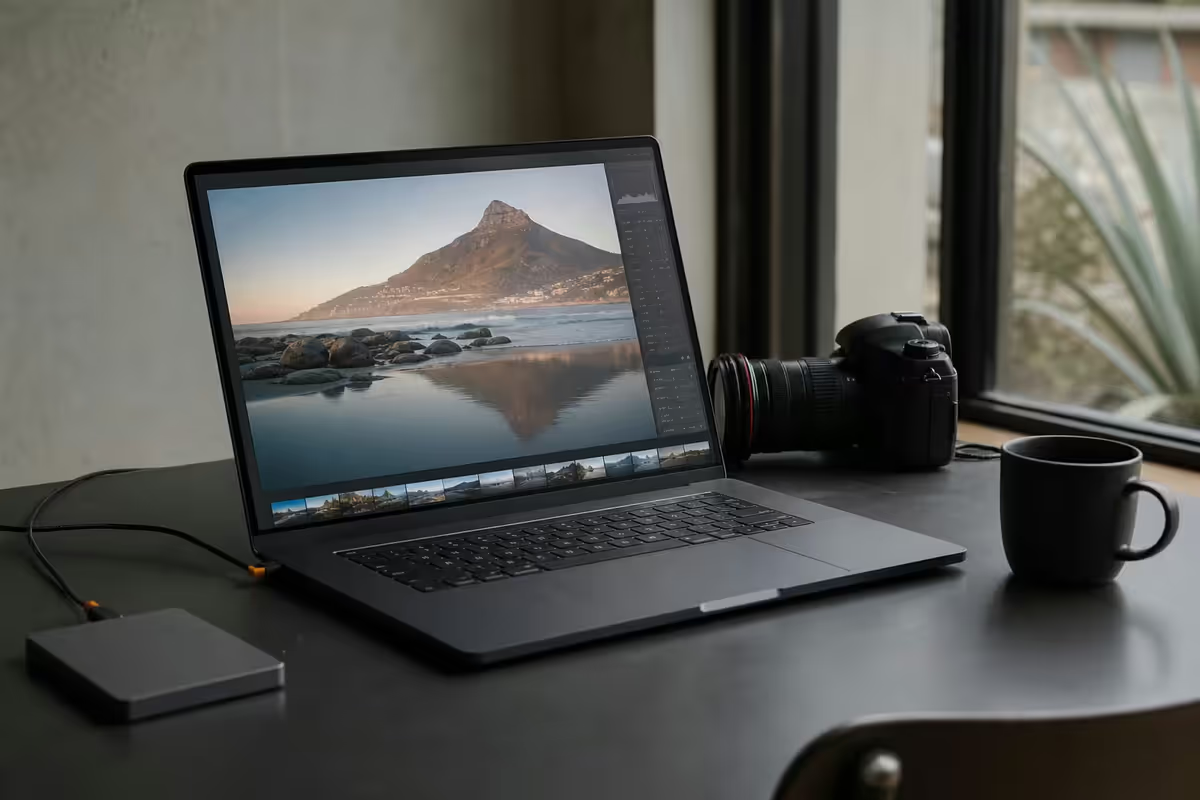
A laptop you can carry to a shoot and trust under sunlight, calibrate to studio printers, and not throttle when Lightroom imports 800 RAW files. There's a specific shortlist, and most "creator laptops" don't qualify.
- colour minimum
- 100% sRGB
- SA outdoor
- 500+ nits
- working RAM
- 32GB
Colour accuracy — the must-have spec
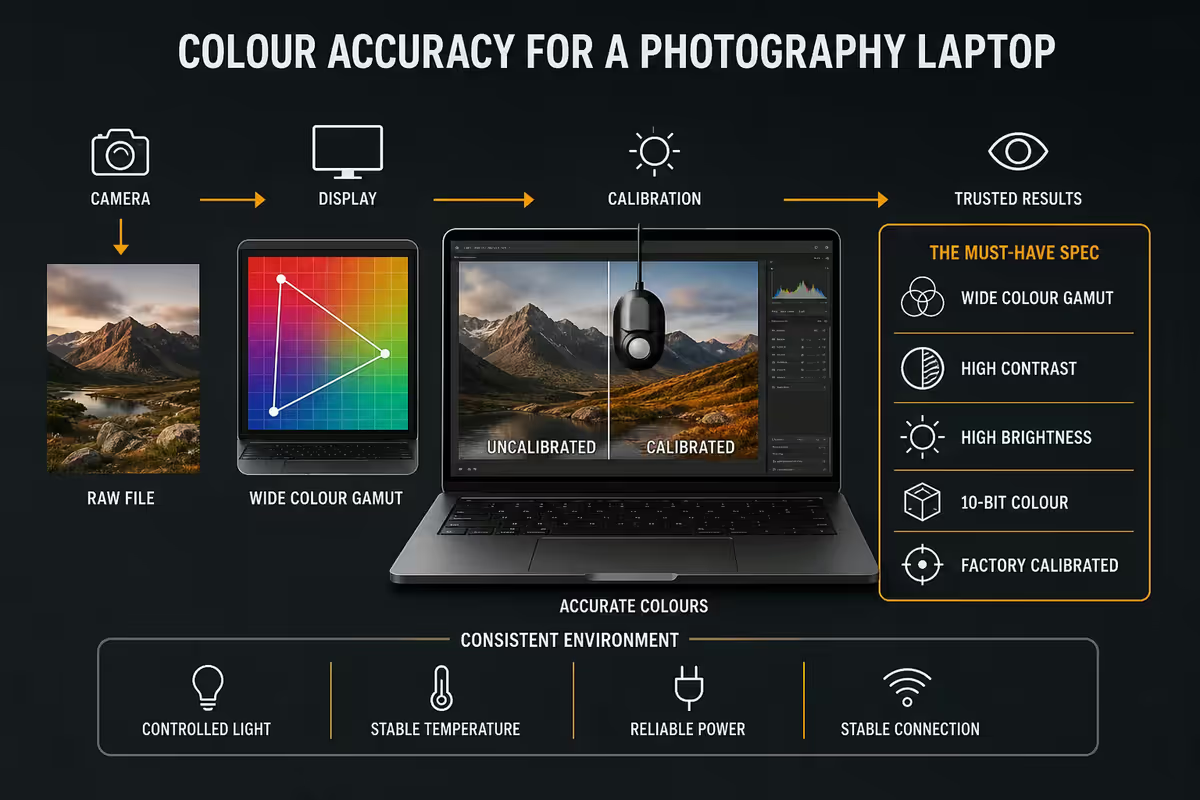
Every photography decision you make in post — exposure pulled half a stop, white balance shifted to warmer, skin tones nudged toward magenta — depends on the colour you see on screen being the colour your client and your prints will see. A non-calibrated, low-gamut panel turns your edits into guesses.
The two gamut numbers that actually matter:
- sRGB: the standard web colour space. 100% sRGB coverage is the absolute baseline. Anything less means your edits will look wrong on every other screen that views them.
- DCI-P3: the wider cinema gamut now standard for HDR delivery and modern print. 95% or higher is the modern photographer target. Apple's "P3" displays and the best OLED panels hit 98-100%.
- Adobe RGB: matters specifically if you print to Adobe RGB workflow (high-end fine art printing). Most working photographers don't need it; if you do, you already know.
Delta-E measures colour accuracy — how close the displayed colour is to the actual target colour. A Delta-E below 2 is generally invisible to the human eye. Below 1 is studio-grade. Look for Delta-E figures in laptop reviews, not just gamut percentages — gamut tells you the panel can show the colour, Delta-E tells you whether it shows it correctly.
Brightness — why 300 nits fails in SA
Consumer laptops advertise 250-300 nits brightness as if it's adequate. In the UK or Germany, perhaps. In South Africa with midday sun streaming through a coffee-shop window in Sandton, or sitting in your car between assignments in Cape Town, 300 nits is genuinely unreadable.
The number that matters for SA work is 500 nits sustained brightness or higher. The current generation of OLED and mini-LED panels push to 600-1,000 nits, which makes outdoor viewing viable.
Glossy vs matte: matte coatings reduce reflectivity but also cut perceived contrast and sharpness. Most photography-grade laptops use glossy or semi-glossy displays at high brightness — the brightness overpowers the reflections rather than diffusing them. The MacBook Pro M5's mini-LED is the gold standard for this approach.
HDR brightness: if you edit HDR content (increasingly common for video and modern photo workflows), look for "1,000 nits peak HDR" or higher in the spec. Standard SDR brightness is a separate spec — the peak HDR number applies to small bright regions of the image, not full-screen brightness.
RAM and CPU — the workflow drivers
Modern photo editing applications have ballooning RAM requirements. The 16GB that comfortably handled Lightroom in 2020 now feels constrained on a serious working catalogue.
RAM tiers for photographers
| RAM | Comfortable for | Hits the wall at |
|---|---|---|
| 16GB | Hobbyist editing, JPEG workflow, social-media output | Lightroom catalogues over 10k images, 10+ Photoshop layers |
| 32GB | Working photographers — weddings, portraits, commercial | Capture One with very large catalogues, focus stacking 100+ frames |
| 64GB | Studio pros — multi-month catalogues, 4K video alongside photo | Genuinely rare to hit limits |
| 96-128GB | Architectural / scientific imaging, multi-layer 8K compositing | Specialist workflows only |
CPU choice
Lightroom and Photoshop have improved their multi-threading dramatically but still benefit from strong per-core performance. The current sweet spot in 2026:
- Apple M5 Pro / M5 Max — the best single-thread performance in a laptop and the most efficient per-watt; battery life on a MacBook Pro M5 destroys every Windows competitor.
- Intel Core Ultra 9 285HX / 285H — strong all-rounder, available across most Windows OEMs in 2026.
- AMD Ryzen AI 9 HX 375 / HX 380 — better battery life than Intel, slightly less performance per clock — well-suited to ASUS ProArt and ZenBook lines.
SSD speed — why Gen 4 NVMe transforms workflow
Photo workflow is heavily disk-bound. RAW files are huge — a Sony A7R V produces 60MB compressed RAW files; a Fujifilm GFX100S II produces 100MB+. A single wedding shoot is 50,000-100,000 photos and 50-200GB of data. The drive your catalogue lives on is critical to workflow comfort.
Import speed comparison (importing 1,000 Sony A7R V RAW files into a Lightroom catalogue with 1:1 preview generation):
- SATA SSD: 18-25 minutes
- PCIe Gen 3 NVMe: 8-12 minutes
- PCIe Gen 4 NVMe: 4-6 minutes
- PCIe Gen 5 NVMe: 3-5 minutes (small gain over Gen 4 here)
Capacity matters too. A working photographer fills 500GB-2TB of fast SSD per year for the active catalogue. Older completed shoots can move to slower archive storage (external NAS or external HDD) but the working catalogue must live on fast local SSD. 1TB is the minimum; 2TB is the realistic photographer working size.
MacBook Pro vs Windows for photographers — the real picture
The MacBook-versus-Windows debate gets emotional. Here's the actual breakdown for photography in SA in 2026:
MacBook Pro M5 — where it wins
- Best display panels in any laptop — XDR mini-LED with proper colour calibration baked in.
- Battery life measured in entire working days, not hours. 14-20 hours of real Lightroom use is not unusual.
- Silent thermals under typical photo loads. Most photo work doesn't spin the fans up.
- Resale value — MacBooks hold value far better than Windows competitors over a 3-5 year cycle.
- Adobe Photography Plan works identically on Mac and Windows; no software disadvantage either way.
Windows on ProArt / X1 / ZBook — where it wins
- Cost. A similarly-spec'd ASUS ProArt or HP ZBook costs roughly 25-35% less than a MacBook Pro 16 M5 Max.
- Capture One tethering — broader camera support than Mac, particularly for older Sony and Phase One bodies.
- Local repair. Apple repair in SA is limited and slow; HP, Lenovo and ASUS have business-tier next-business-day service across Joburg, Cape Town and Durban.
- Ports. Windows photo laptops usually have a built-in SD card reader, full HDMI and at least 3 USB-A/C ports. MacBook Pro M5 16-inch has 3x Thunderbolt 5, SD card and HDMI; 14-inch loses SD card reader on the base model.
- Discrete NVIDIA GPU available for Topaz AI workflows and gaming alongside work.
The honest summary: MacBook Pro M5 is the convenience and resale leader. Windows on ProArt / ZBook / X1 Extreme is the price-performance and repairability leader. Neither is "wrong" — pick based on what you currently shoot with, what your colleagues use (for collaboration), and how you weight upfront cost versus 5-year cost of ownership.
Specific picks for SA photographers in 2026
ASUS ProArt Studiobook 16 OLED H7604
R45,000-R65,000 depending on config. 16" 3.2K 120Hz OLED panel (100% DCI-P3, 100% sRGB, Delta-E < 1), Core Ultra 9 285HX, 32GB or 64GB DDR5, RTX 5070 / 5080 mobile, 1-2TB NVMe Gen 4. Comes with hardware calibration via ASUS ProArt Creator Hub. The most colour-accurate Windows photo laptop currently in SA stock.
Lenovo ThinkPad X1 Extreme Gen 7
R55,000-R75,000. 16" 2.8K 120Hz OLED, Core Ultra 9, 32-64GB, RTX 5070 mobile, 2TB NVMe. The travel photographer's pick — solid build, brilliant keyboard, business support, X-Rite Pantone factory calibration. Slightly less display brightness than ProArt but more durable for shoot bags and travel.
HP ZBook Studio G11
R65,000-R85,000. Workstation-tier ISV-certified for Adobe and DaVinci. 16" 4K OLED (Pantone Validated), Core Ultra 9 / Xeon options, up to 128GB RAM, RTX 4000/5000 Ada mobile. For studio photographers integrating video editing or 3D imaging. Premium and pricey.
Apple MacBook Pro 14 M5 Pro / M5 Max
R55,000-R75,000 (M5 Pro), R75,000-R100,000+ (M5 Max). 14.2" Liquid Retina XDR mini-LED (1,000 nits sustained, 1,600 nits peak HDR), 36-64GB unified memory, 1-4TB SSD, 14-21 hour battery. The travel-and-cafe photographer's pick.
Apple MacBook Pro 16 M5 Max
R85,000-R130,000. The same display tech as the 14, in a 16" body with bigger battery and slightly better thermals. Best for studio + travel hybrid use, large RAW catalogues, and video work alongside photography.
Calibration tools — non-negotiable for paid work
Even with a factory-calibrated panel, your display drifts. Phosphor and LED ageing, ambient lighting changes (sunset versus midday sun in your studio), and even cable changes can shift perceived colour over weeks. For client work, recalibration every 4-8 weeks is the standard.
Calibrite Display Pro HL
R3,500-R4,500 in SA. The successor to the X-Rite i1 Display, now under Calibrite branding after Xerox sold the i1 line. Hardware-grade colorimeter, supports all major calibration software (Calibrite Profiler, DisplayCAL, Lightroom), measures ambient light. The professional choice.
Datacolor Spyder X2 Elite
R3,000-R4,000. Strong alternative with Datacolor's mature software. Slightly faster calibration runs than Calibrite Display Pro, marginal differences in measurement accuracy. Either tool is a professional choice.
DisplayCAL (free software)
Open-source calibration software that pairs with either colorimeter. More granular control than the manufacturer software, longer learning curve, but free. Worth installing alongside whichever bundled software comes with your colorimeter.
Key takeaways
- 100% sRGB and ≥95% DCI-P3 with Delta-E < 2 — the display floor for serious photography.
- 500+ nits brightness — 300-nit consumer laptops are unreadable in SA outdoor light.
- 32GB RAM working minimum for Lightroom catalogues; 64GB if you also do video.
- PCIe Gen 4 NVMe — 5x faster RAW import than SATA, transforms catalogue workflow.
- MacBook Pro M5 wins on display, battery, resale; Windows wins on price, ports, repair.
- Picks: ASUS ProArt Studiobook 16, Lenovo X1 Extreme Gen 7, HP ZBook Studio G11, MacBook Pro 14/16 M5.
- Calibrate every 4-8 weeks with Calibrite Display Pro HL or Datacolor Spyder X2 — non-negotiable for paid work.
Frequently asked questions
What screen specs do photographers need in a laptop?
100% sRGB coverage is the absolute minimum. DCI-P3 ≥95% is the modern target for photographers editing for print and web. Brightness of 500 nits or higher matters for outdoor shoots and SA daylight conditions where 250-300 nit consumer laptops are unreadable. Look for Delta-E less than 2 on review measurements and OLED or mini-LED panels with hardware calibration support.How much RAM does a photography laptop need?
16GB is the minimum for casual photo editing. 32GB is the realistic working RAM for Lightroom Classic catalogues over 30,000 images, Photoshop with 10+ layered RAW files open, or batch processing with Topaz Photo AI / DeNoise. 64GB starts to matter only when running Capture One with very large catalogues, focus stacking 100+ frames or compositing in Photoshop with smart objects exceeding 4GB.Is a MacBook Pro better than Windows for photography in 2026?
The MacBook Pro M5 has the best colour-accurate panels, longest battery life and quietest thermals. Windows laptops cost roughly 25-35% less for similar performance, are easier to repair locally, and let you tether to a broader range of cameras with Capture One. For studio photographers staying on Adobe, MacBook is the convenience pick. For travel photographers, scientific photographers or anyone needing Capture One tethering and Camera RAW support, Windows on a ProArt or ZBook is equally valid.Why does SSD speed matter for photography?
RAW files are large — modern 45MP cameras produce 50-90MB per shot, and a single wedding shoot can be 50-200GB. Importing 1,000 RAW photos to a Lightroom catalogue on a slow SATA SSD takes 15-25 minutes; on a fast Gen 4 NVMe it takes 3-5 minutes. Scratch disk performance during 1:1 preview generation and on-the-fly RAW decode also benefits hugely from PCIe Gen 4 NVMe versus Gen 3 or SATA storage.Do I need a calibrator tool for my photography laptop?
Yes — even with a factory-calibrated panel. Display colour drifts over time and varies with ambient lighting. A Calibrite Display Pro HL (R3,500-R4,500 in SA) or Datacolor Spyder X2 (R3,000-R4,000) recalibrates every 4-8 weeks and ensures the print matches the screen. Without calibration, your post-processing decisions are based on incorrect colour and brightness.What are the best photography laptops in SA in 2026?
ASUS ProArt Studiobook 16 OLED (R45-65k) — best Windows colour panel. Lenovo ThinkPad X1 Extreme Gen 6 (R55-75k) — best for travel and tethering. HP ZBook Studio G11 (R65-85k) — workstation tier with NVIDIA RTX. Apple MacBook Pro 14 M5 Pro (R55-75k) — best battery and colour. MacBook Pro 16 M5 Max (R75-110k) — for professional video and large catalogues.Does Adobe Photography Plan cost more in SA?
Adobe's Photography Plan (Lightroom + Photoshop + 20GB cloud) is priced at the local equivalent of roughly R190-R230 per month in SA depending on promotional pricing — paid in Rand directly to Adobe SA. The 1TB cloud option is around R340 per month. SA pricing tracks USD with periodic adjustments. The bundled plan is significantly cheaper than buying Lightroom and Photoshop separately.Should I get a discrete GPU in a photography laptop?
For pure photo editing (Lightroom, Photoshop), no — the GPU acceleration in these apps is modest and integrated graphics on Intel Arc / AMD 880M / Apple M5 is adequate. For Topaz Photo AI, DeNoise AI, video editing alongside photography, or any AI-accelerated workflow, a discrete RTX 4070 / 5070 (Windows) or M5 Pro/Max (Apple) reduces export times by 3-8x. The GPU question is really 'do you do anything beyond basic editing?'
Get the Evetech app
Exclusive app-only prices, daily flash sales, and free delivery on orders over R4,000 — download the app and start saving.