Build Guide · Silent Operation
A silent gaming PC. — Under 22 dBA at idle. Inaudible.
Some builds chase frames. This one chases silence. The right components in the right case can deliver high-end 1440p gaming at noise levels quieter than your bedroom at night.
- idle target
- 22 dBA
- gaming load
- 28 dBA
- total build
- R42k
Where PC noise actually comes from
A typical mid-tower PC under gaming load produces 35-45 dBA. Most of that noise comes from four sources, and quieting each one has a known weighting:
| Source | Typical contribution | How to fix |
|---|---|---|
| Case airflow (fans + panel acoustics) | 40% | Sound-dampened case + large slow fans |
| CPU cooler | 30% | Premium air tower, no AIO pump whine |
| GPU fans under load | 20% | Larger GPU variants, fan curve tuning |
| PSU fan | 10% | Semi-passive 80+ Platinum (fan off at low load) |
Get all four right and you reach the 22 dBA idle / 28 dBA gaming sweet spot. Miss one (most commonly the case) and you're stuck at 35+ dBA regardless of other premium components.
The full silent build parts list
| Part | Pick | SA price |
|---|---|---|
| CPU | AMD Ryzen 7 9800X3D (105W TDP — runs cool) | R10,500 |
| Motherboard | MSI MAG B650 Tomahawk WiFi | R3,200 |
| RAM | G.Skill Trident Z5 32GB DDR5-6000 CL30 | R3,000 |
| GPU | ASUS TUF Gaming RTX 5070 12GB (3-fan large) | R12,000 |
| SSD | Lexar NM790 2TB Gen 4 | R1,800 |
| PSU | Be Quiet! Straight Power 11 Platinum 750W (semi-passive) | R3,500 |
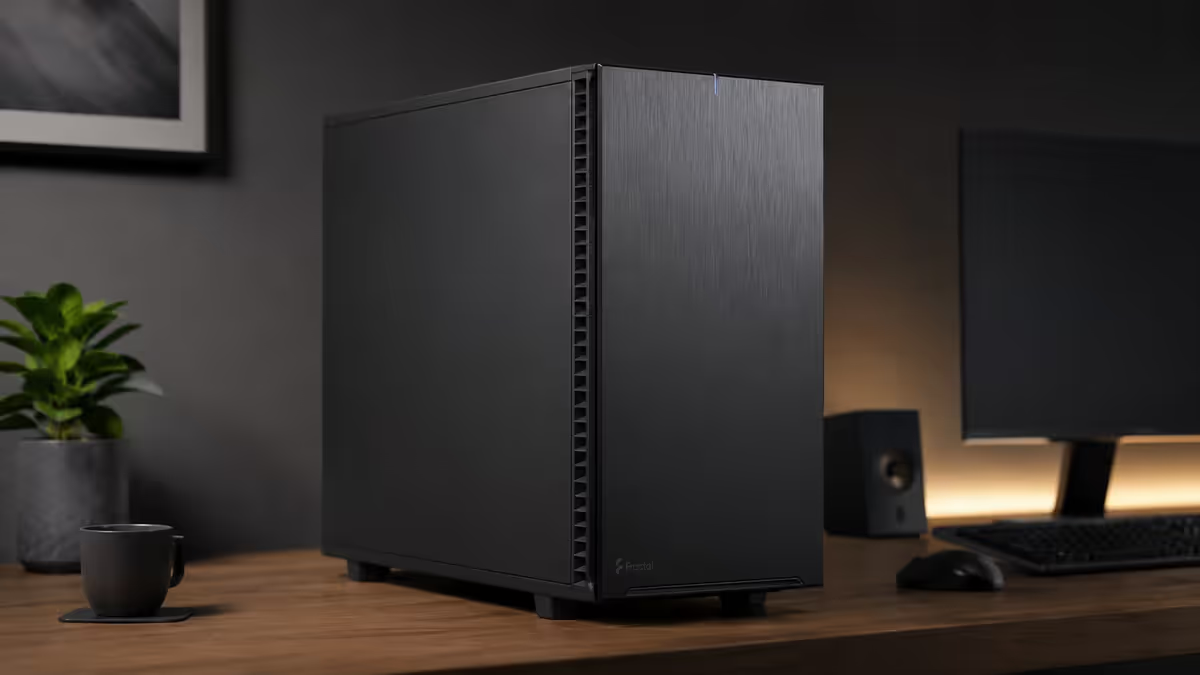
| Case | Fractal Design Define 7 (sound-dampened) | R3,500 |
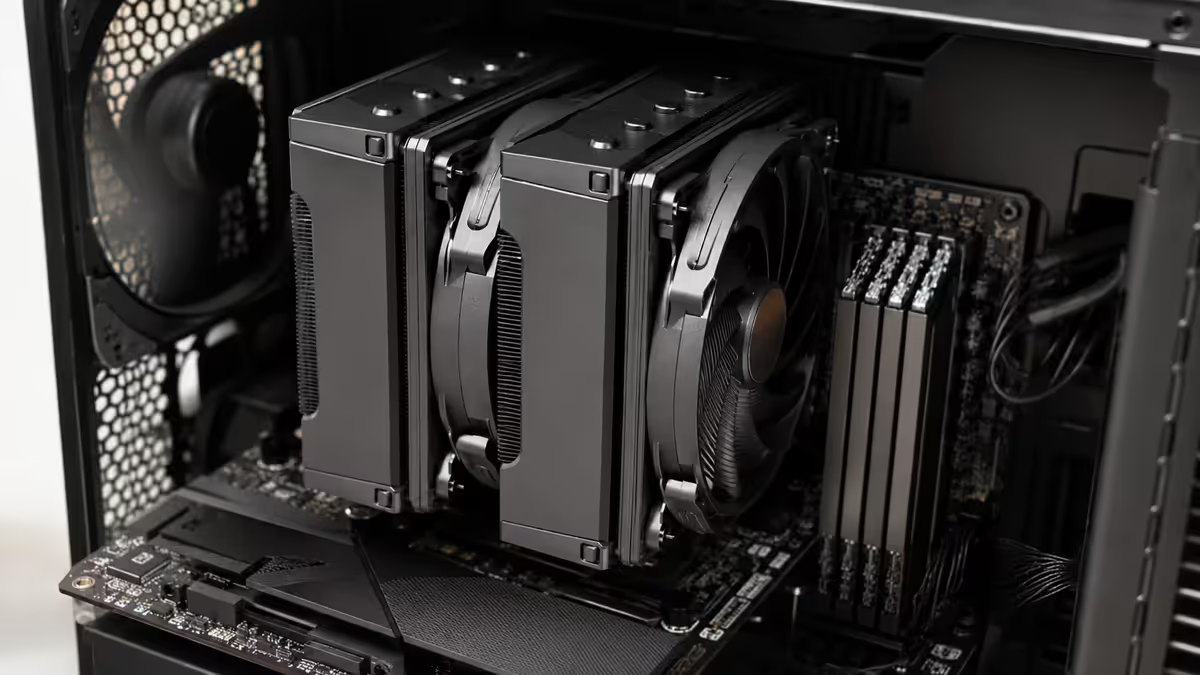
| CPU Cooler | Be Quiet! Dark Rock Pro 5 (premium silent air) | R1,700 |
| Case Fans | 3× Noctua NF-A14 PWM (140mm slow) | R1,650 |
| Optional | Phanteks Glacier RGB Silent fan controller | R600 |
| Total | R41,450 |
Silent case picks — the 40% that decides everything
| Case | Dampening | Best for | SA price |
|---|---|---|---|
| Fractal Design Define 7 | Excellent — foam sides + sealed front | Standard silent build | R3,500 |
| Be Quiet! Pure Base 500DX | Very good — foam + Pure Wings fans | Budget silent build | R2,600 |
| Be Quiet! Silent Base 802 | Excellent — full dampening + flexible panels | Tweakable silent build | R4,200 |
| NZXT H7 Elite | Good — foam side panels | Silent + aesthetic | R3,000 |
| Fractal Define 7 XL (E-ATX) | Excellent + larger volume | Workstation silent | R4,800 |
What to avoid: mesh-front-only cases (Lancool 216, NZXT H7 Flow, Corsair 4000D Airflow). These trade acoustics for airflow — great for cooling, loud for silent builds. The Define 7 has a swappable solid/mesh top panel so you can choose airflow when needed and silence when not.
Air vs AIO for silence — premium air wins
For silent builds, premium air coolers consistently beat AIOs:
- No pump whine. AIO pumps produce 20-25 dBA even at minimum RPM. Premium air = zero pump noise.
- Larger heatsink mass means lower fan RPM for the same cooling. Noctua NH-D15 G2 dissipates 200W+ at 700 RPM (22 dBA).
- No long-term wear point. AIO pumps fail at year 5-7; quality air coolers run 10+ years.
- Cheaper. Premium air R1,600-R2,000 vs equivalent AIO R2,200-R3,500.
Top silent air coolers in SA:
- Noctua NH-D15 G2 (R2,000) — the silent benchmark. Two towers + two fans. Handles 220W TDP at 22 dBA.
- Be Quiet! Dark Rock Pro 5 (R1,700) — closer to dampened look (black, no beige). Same class as NH-D15.
- Thermalright Phantom Spirit 120 EVO (R900) — budget silent option. Surprisingly close to NH-D15 performance for half the price.
When AIO makes sense for silent: Ryzen 9 9950X3D or Core Ultra 9 (170W+ TDP) — the radiator's larger surface area allows lower fan speeds than air can manage. Choose Arctic Liquid Freezer III 360 — its pump is quieter than most. Accept 24-27 dBA at idle.
Fan strategy — big and slow, always
The single most important silent-build rule: large slow fans beat small fast fans for any given airflow target. A 140mm fan at 700 RPM moves the same air as a 120mm fan at 1100 RPM — but the larger fan runs 6-10 dBA quieter doing it.
| Fan model | Size | Idle noise | SA price (each) |
|---|---|---|---|
| Noctua NF-A14 PWM | 140mm | ~17 dBA @ 600 RPM | R550 |
| Be Quiet! Silent Wings 4 140mm | 140mm | ~17 dBA @ 700 RPM | R420 |
| Noctua NF-A12x25 PWM | 120mm | ~19 dBA @ 700 RPM | R500 |
| Arctic P14 PWM PST | 140mm | ~19 dBA @ 700 RPM | R220 |
| Phanteks T30 140mm | 140mm | ~18 dBA @ 600 RPM | R380 |
Standard silent fan layout: 2-3 × 140mm front intake + 1 × 140mm rear exhaust. Skip top fans entirely if not needed — every additional fan adds noise.
Optional: undervolt the CPU for further gains
If you're willing to spend 30-60 minutes on stress testing, undervolting drops CPU power draw 15-30% with negligible performance loss. Less heat = lower fan speeds = quieter.
AMD Ryzen (Curve Optimiser):
- Enter BIOS → "AMD Overclocking" → "Precision Boost Overdrive" → set to Advanced.
- Find "Curve Optimiser" → set all cores → "Negative" → start at -10.
- Boot to Windows. Run Cinebench R23 multi-core for 30 minutes.
- If stable, go back to BIOS and try -15. Repeat. Most chips run stable at -15 to -25.
- If you get a crash or BSOD, go back to the last stable value -5.
Intel (XTU or BIOS): use Intel Extreme Tuning Utility, apply -50 to -100mV undervolt to Core, P-Core, and Cache. Test similarly.
A successful -20 undervolt typically drops CPU all-core temps 8-12°C — letting fans run that much slower and quieter.
BIOS fan curves — the free silence step
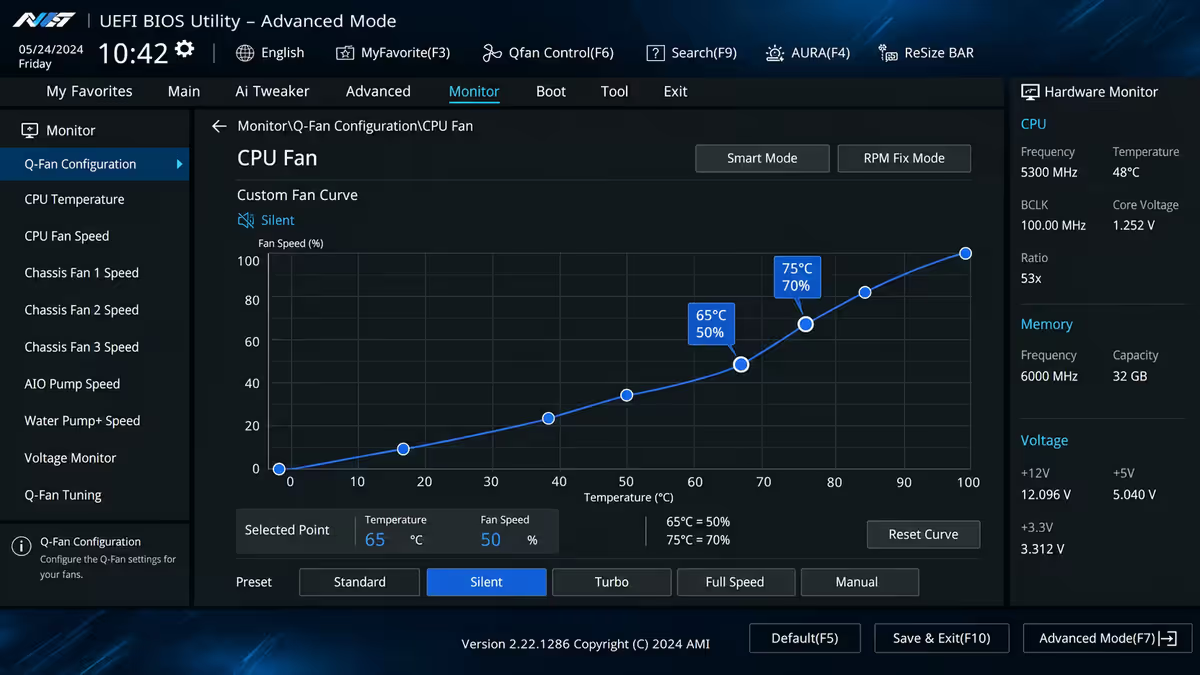
Most motherboards ship with conservative default fan curves that ramp aggressively. Custom curves cut noise without affecting cooling. Recommended silent curve in BIOS:
| CPU temp | Default curve % | Silent curve % |
|---|---|---|
| 30-40°C (idle) | 30-40% | 20-25% |
| 50°C (light load) | 50% | 30% |
| 65°C (gaming) | 70% | 50% |
| 75°C (sustained load) | 85% | 70% |
| 85°C (max load) | 100% | 100% (safety) |
The trade-off is real but small: CPU temps run 3-6°C higher in the silent curve. As long as max temps stay under 85°C, this is completely safe and saves 8-12 dBA at typical gaming loads.
Key takeaways
- Case acoustics carry 40% of total silence — pick a sound-dampened case (Define 7, Pure Base 500DX) or all other premium choices fall flat.
- Premium air cooler beats AIO for silence — no pump whine. Noctua NH-D15 G2 or Be Quiet Dark Rock Pro 5.
- Large slow fans beat small fast fans. 140mm @ 700 RPM = 120mm @ 1100 RPM in airflow, 6-10 dBA quieter.
- Semi-passive 80+ Platinum PSU stays fan-off at idle — 0 dBA from PSU at normal desktop use.
- Custom BIOS fan curve is free silence — drop default curve targets 20% across the board.
Frequently asked questions
How quiet can a gaming PC actually be?
18-22 dBA idle, 25-30 dBA gaming load — essentially inaudible at desk distance. Comparison: quiet office is 40 dBA, library 30-40 dBA.What makes a PC quiet?
Case acoustics (40%), fan selection (30%), cooler choice (20%), PSU quality (10%). Skip any one and the build won't be silent.Is silent always at odds with cooling?
Modern silent builds achieve both. Large slow fans + premium air coolers + sealed cases work cleanly. Only at extreme top-end (RTX 5090) does silence get hard.Air cooler or AIO for a silent build?
Premium air, usually. NH-D15 G2 or Dark Rock Pro 5. No pump whine. AIO only for Ryzen 9 / Core Ultra 9 sustained loads.Can a silent PC be a high-end gaming PC?
Yes up to RTX 5080-class. 9800X3D + RTX 5070/5080 in Define 7 sits at 28 dBA gaming. RTX 5090 is genuinely hard to silence.What's the quietest PC case in SA in 2026?
Fractal Define 7, Be Quiet Pure Base 500DX, NZXT H7 Elite. Avoid mesh-front-only cases — they trade acoustics for airflow.Do I need to undervolt the CPU?
Optional but high-value. AMD Curve Optimiser -15 to -25 drops temps 8-12°C, lets fans run quieter. 30-60 min of stress testing required.Is RGB OK on a silent build?
RGB itself doesn't add noise but RGB fans usually have lower-quality bearings. For RGB + silent, look at Phanteks T30 RGB or Lian Li UNI SL-INF.
Get the Evetech app
Exclusive app-only prices, daily flash sales, and free delivery on orders over R4,000 — download the app and start saving.