GPU Buying Guide
How to choose a graphics card. — The biggest decision in your build.
Match the right GPU to your monitor's resolution, refresh rate and your South African budget. Honest 2026 tier breakdown, no team-loyalty posturing.
- of build budget
- 40-50%
- 1440p sweet spot
- RTX 5070
- VRAM floor in 2026
- 12 GB+
Why GPU is the biggest decision
In a modern gaming PC, the GPU does almost all the work of rendering each frame. Your CPU sets the scene; the GPU paints every pixel, calculates lighting, applies textures and effects. Upgrade the CPU and you might gain 5-10% FPS in CPU-bound games. Upgrade the GPU and you can double your frame rate or jump from 1080p to 4K. For pure gaming, no other component returns as much performance per Rand.
The rule we live by at our Centurion workshop — and the one we'll teach you in this guide — is simple: pick your GPU first, then build the rest of the machine to support it without compromise.
Choose by your monitor's resolution
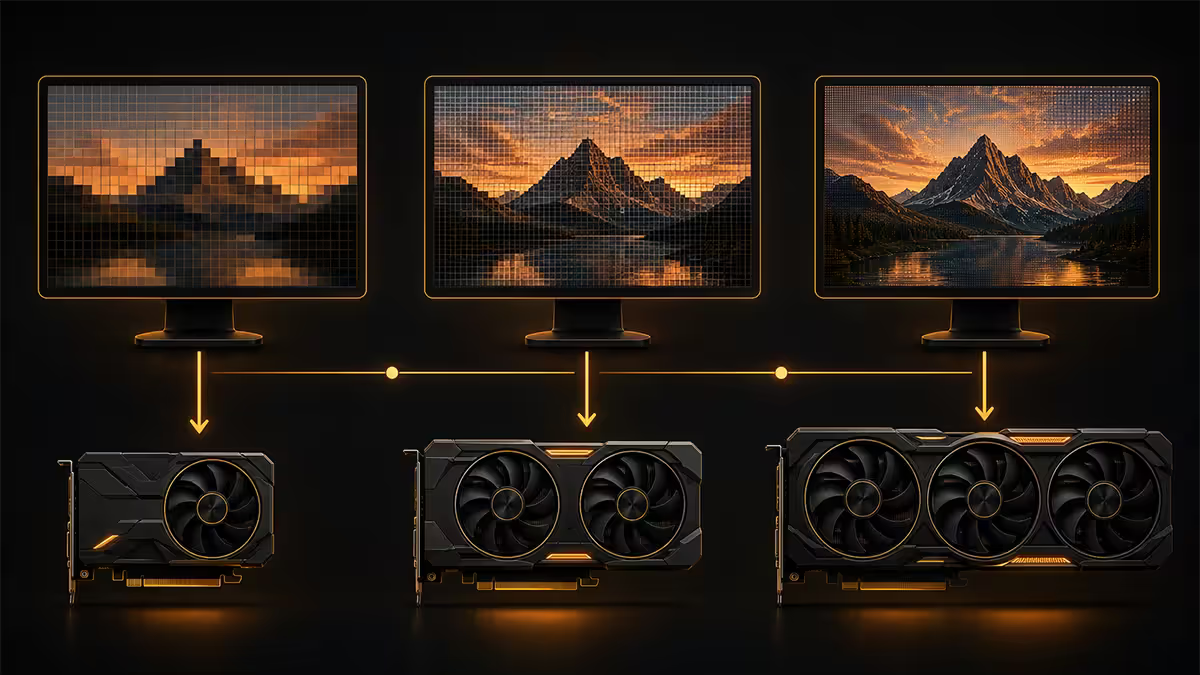
Your monitor decides your GPU class. Buying a card stronger than your monitor needs is wasted money; buying one weaker means frame rates that don't match your refresh rate.
8 GB or 16 GB. Lean to the Ti — the 8 GB version is increasingly running into VRAM walls. R6,500-R10,500
12 GB (NVIDIA) or 16 GB (AMD). The 2026 sweet spot. R12,000-R15,500
16 GB recommended. UltraWide adds 33% pixels over 16:9 1440p. R15,500-R19,500
16 GB minimum, 32 GB if you turn ray tracing on. R19,500-R45,000
VRAM matters more than ever in 2026
VRAM is the dedicated memory on your graphics card. Once it fills up, games stutter, textures pop in, and frame times spike — and no other upgrade fixes it. VRAM is also soldered to the card and cannot be upgraded later, so always lean larger if you'll keep the card 3+ years.
2026 minimums by resolution:
- 1080p — 8 GB works for older titles; 10-12 GB is safer for new AAA games with ray tracing
- 1440p — 12 GB minimum; 16 GB if you turn ray tracing on
- 4K — 16 GB minimum; many newer engines hit 14-15 GB at 4K Ultra
- 4K + ray tracing — 16-24 GB; path-traced games can reach 22 GB
NVIDIA vs AMD — what's actually different
Both make excellent cards. The differences cluster in three areas:
Ray tracing. NVIDIA leads. RTX 5070 outperforms RX 9070 in ray-traced games by 15-25%. If you want path tracing in Cyberpunk or Alan Wake 2, NVIDIA is the better pick.
Rasterised performance per Rand. AMD often wins. RX 9070 XT and RX 9070 typically deliver more raw FPS in non-ray-traced games than NVIDIA equivalents at the same SA price point, plus they ship with more VRAM.
Upscaling and frame generation. DLSS 4 (NVIDIA) is the quality leader; FSR 4 (AMD) has closed the gap considerably but still falls slightly behind in motion clarity. Both add huge FPS — sometimes 50-100% — at near-native visual quality.
Creator workflows. NVIDIA dominates. CUDA, NVENC encoding for streaming, and broad app support across Blender, DaVinci Resolve, Adobe Premiere and OBS all favour NVIDIA. If you do creator work alongside gaming, choose NVIDIA.
2026 GPU tier breakdown
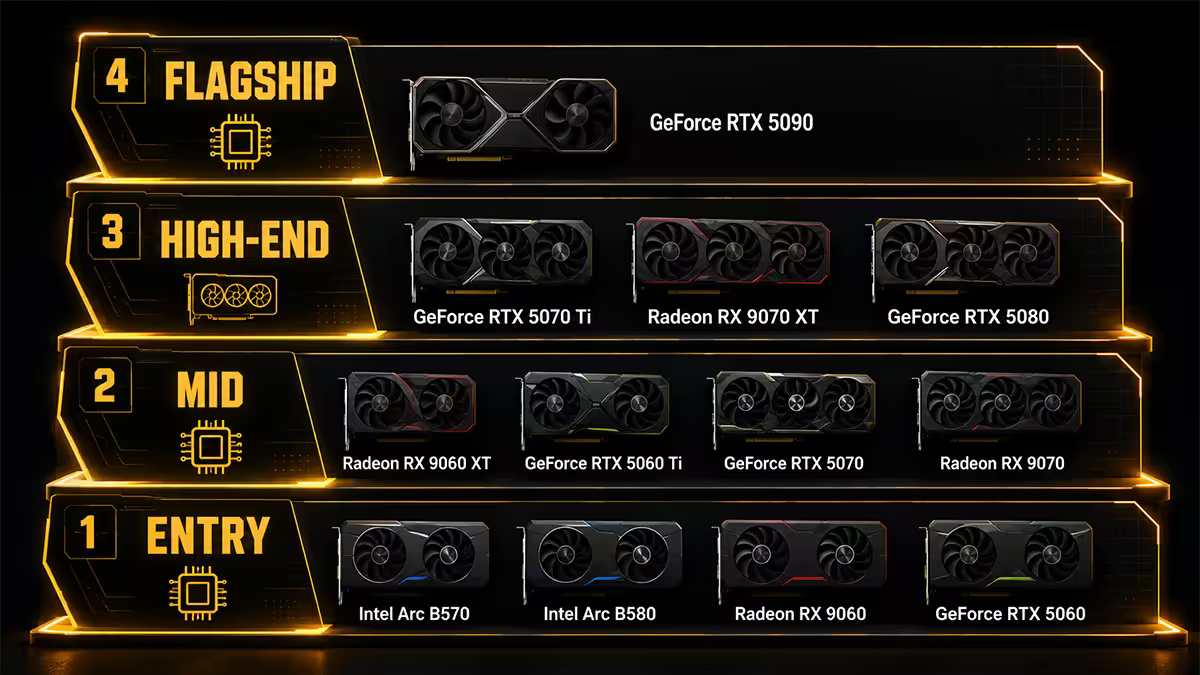
The actual cards you can buy in South Africa this month, with realistic SA pricing:
| Card | VRAM | Target | SA price |
|---|---|---|---|
| RTX 5060 | 8 GB | 1080p, budget | R6,500-R7,500 |
| RTX 5060 Ti | 16 GB | 1080p, future-proofed | R9,500-R10,500 |
| RX 9060 XT | 16 GB | 1080p / 1440p value | R9,000-R10,500 |
| RTX 5070 | 12 GB | 1440p sweet spot | R12,000-R13,500 |
| RX 9070 | 16 GB | 1440p value | R12,500-R14,000 |
| RTX 5070 Ti | 16 GB | 1440p UltraWide / 4K-curious | R15,500-R17,000 |
| RX 9070 XT | 16 GB | 1440p high-refresh | R15,000-R17,500 |
| RTX 5080 | 16 GB | 4K entry | R19,500-R22,500 |
| RTX 5090 | 32 GB | 4K + RT, creator work | R38,000-R45,000 |
DLSS, FSR and frame generation
Modern GPUs ship with AI-based upscalers that render games at a lower internal resolution and reconstruct them to your target resolution. The visual quality is often indistinguishable from native, and the FPS gains are enormous:
- DLSS 4 Quality (NVIDIA) — typically 40-60% FPS boost over native, near-imperceptible quality loss
- DLSS 4 Frame Generation — 2x to 4x FPS by interpolating extra frames between rendered ones, best on already-strong 60+ FPS baselines
- FSR 4 (AMD) — comparable to DLSS 3 quality, runs on AMD RX 9000 series and newer NVIDIA cards
The practical implication: a RTX 5070 with DLSS Quality + Frame Generation can match the native 4K performance of a RTX 5080 in supported games. Plan for upscaling — almost every modern AAA title supports it.
Common mistakes when choosing a GPU
Buying for a monitor you haven't bought yet. A R20,000 RTX 5080 plugged into a 1080p 60 Hz monitor is wasted spend. Buy GPU and monitor together, or upgrade the monitor first if it's the bottleneck.
Underestimating PSU requirements. RTX 5070 needs 750 W, RTX 5080 needs 850 W, RTX 5090 needs 1000-1200 W. Many builders try to keep an old 650 W PSU when stepping up to a 5070 Ti or 5080 — that's a recipe for shutdowns under load.
Ignoring case clearance. Modern flagship GPUs are physically huge. RTX 5090 cards routinely measure 340-360 mm long and 3-4 slots thick. Always check your case's max GPU length before ordering.
Choosing brand over tier. The biggest performance differences are between tiers (RTX 5070 vs 5070 Ti), not between brands of the same tier (ASUS 5070 vs MSI 5070 vs Gigabyte 5070). The brand affects cooler quality and warranty — not the chip performance.
Skipping ATX 3.1 PSU compatibility. RTX 50-series cards use the 12V-2x6 connector. Most newer 750 W+ PSUs include this, but if you're reusing an older PSU with an adapter, surge stability suffers.
Key takeaways
- The GPU is the biggest single decision in a gaming build — spend 40-50% of your total budget here.
- Match the card to your monitor's resolution and refresh rate. 5060 Ti for 1080p, 5070 for 1440p, 5080 for 4K.
- VRAM matters more than ever — 12 GB is the practical 2026 floor for any new build, 16 GB if you want longevity.
- NVIDIA wins ray tracing and creator workflows. AMD wins rasterised performance per Rand and more VRAM at the same tier.
- Plan around DLSS / FSR — they're not optional anymore. Modern GPUs are designed assuming you'll upscale.
Frequently asked questions
What GPU should I buy for 1080p gaming in 2026?
RTX 5060 (8 GB) or RTX 5060 Ti (16 GB). Lean to the Ti — 8 GB cards are increasingly running into VRAM walls in new titles with ray tracing or high-resolution textures.What GPU should I buy for 1440p gaming?
RTX 5070 (12 GB) is the sweet spot — strong rasterised performance, ray tracing handles well. AMD's RX 9070 with 16 GB is also excellent at 1440p and often cheaper in SA.What GPU should I buy for 4K gaming?
RTX 5080 (16 GB) is the practical 4K entry. For 4K with ray tracing or path tracing, the RTX 5090 (32 GB) is the only card that delivers consistently smooth performance without heavy DLSS use.How much VRAM do I need on a GPU?
8 GB minimum for 1080p, 12 GB for 1440p, 16 GB+ for 4K, and 16-24 GB if you turn ray tracing on at higher resolutions. VRAM is soldered and cannot be upgraded later.Is NVIDIA or AMD better for gaming?
NVIDIA leads in ray tracing, DLSS quality and CUDA support. AMD offers more VRAM and more rasterised performance per Rand. For pure rasterised gaming, AMD often wins on value. For ray tracing and creator workflows, NVIDIA still leads.How much of my PC budget should the GPU be?
Roughly 40-50% of your total build budget. For a R20,000 build, that's R8,000-R10,000 (RTX 5060 Ti or RTX 5070). For a R40,000 build, R16,000-R20,000 reaches RTX 5070 Ti or RTX 5080.What is DLSS and FSR? Do they matter?
DLSS (NVIDIA) and FSR (AMD) are AI upscalers that render games at lower internal resolution and reconstruct to your target. They massively improve FPS — often 50-100% — while looking nearly identical to native. DLSS 4 is the 2026 gold standard.Do I need to match my GPU to my PSU?
Yes. RTX 5060 needs 550-650 W, RTX 5070 needs 750 W, RTX 5080 needs 850 W, RTX 5090 needs 1000-1200 W. Always pick a PSU 30-50% larger than the GPU's recommended minimum.
Get the Evetech app
Exclusive app-only prices, daily flash sales, and free delivery on orders over R4,000 — download the app and start saving.