Student Laptop Buying Guide
How to choose a student laptop. — Battery first. Weight second. Then everything else.
A laptop that runs a full lecture day on a single charge and doesn't break your shoulder by week three matters more than the GHz number on the box. Spec sheets lie; backpacks don't.
- SA sweet-spot
- R10k-R20k
- ideal screen
- 14"-15"
- battery target
- 8+ hrs
Student priorities — battery, weight, typing
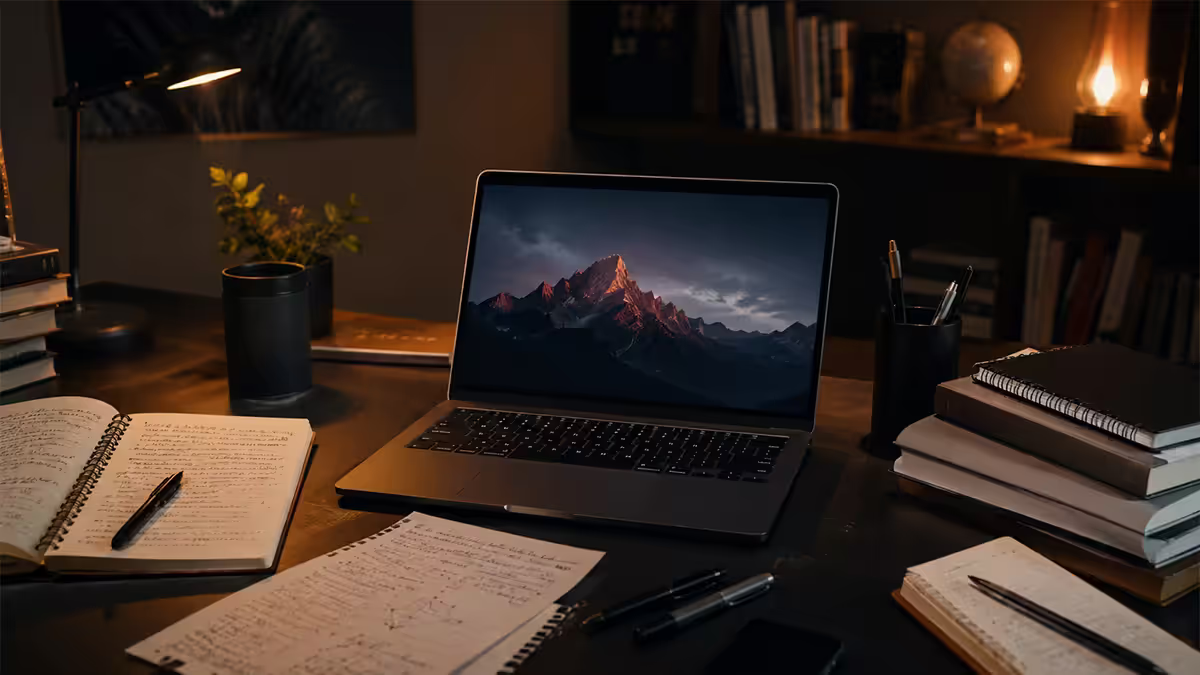
A student laptop has a different job to a desktop gaming PC, a content-creation machine, or a high-powered workstation. It has to survive a full lecture day on one charge, weigh little enough to carry in a backpack between three buildings, and type 5,000-word essays without your hands cramping. Everything else is secondary.
The mistake most first-time buyers make is shopping by specs that don't matter for student life — GPU performance, peak gaming FPS, RGB lighting — and ignoring the specs that genuinely do. CPU power is irrelevant if your battery dies at 11 AM. The fastest SSD in the world won't save you if the laptop is too heavy to bring to campus.
The seven specs that actually matter, ranked by impact on your daily university experience:
| Priority | Target | Why it matters |
|---|---|---|
| Battery life | 8+ hours real-world | Survive a full lecture day, load-shedding immunity |
| Weight | Under 1.6 kg | Carryable for 3-4 km of campus walking |
| Keyboard quality | Quality scissor or chiclet | You'll type thousands of pages on this |
| RAM | 16 GB minimum | Chrome + Teams + PDFs + Spotify open at once |
| Storage | 512 GB minimum | Software, documents, music, OneDrive cache |
| Screen quality | 14"-15", 1920×1200 IPS | Hours of reading and writing daily |
| Connectivity | USB-C charging, Wi-Fi 6+ | Modern campus infrastructure |
Screen size — 14" is the modern sweet spot
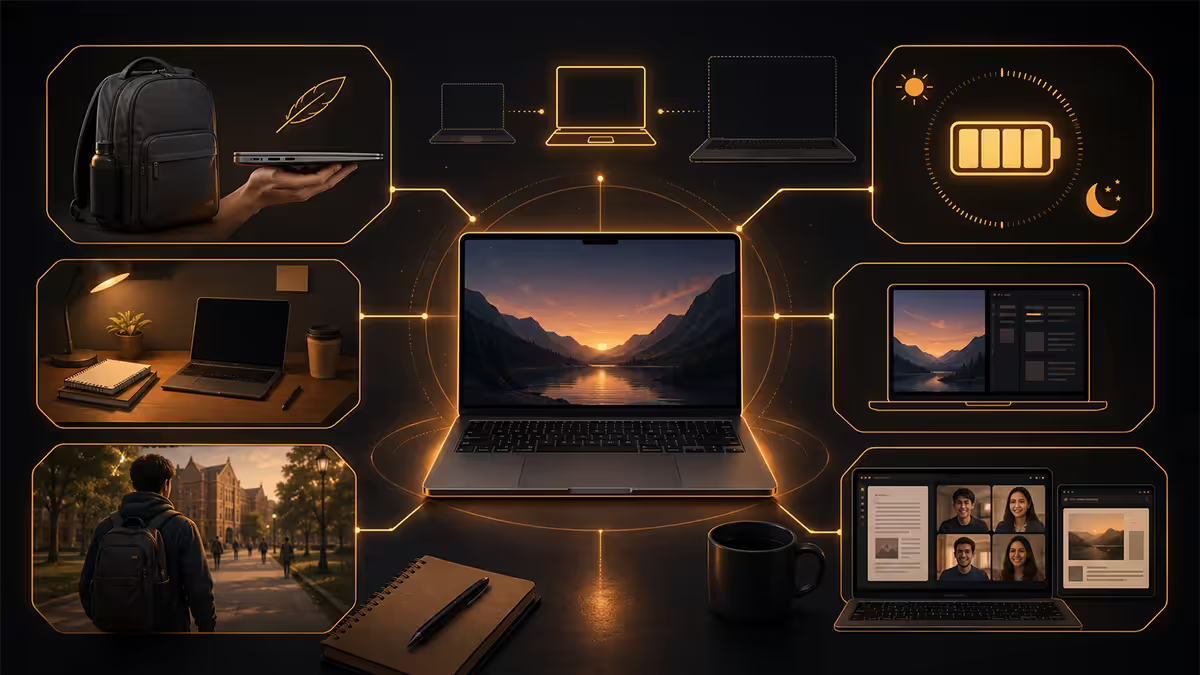
Screen size trades portability for working area. The right answer depends on whether you primarily use the laptop at a desk or on the move.
13" laptops are ultra-portable but cramped for serious writing or split-screen workflow. Fine for note-taking and PDF reading, frustrating for sitting in the library writing a research paper with three reference windows open. Most premium 13" laptops (MacBook Air 13", ASUS ZenBook 13) compensate with high pixel density and excellent panels.
14" is the 2026 student sweet spot. Large enough for productive multi-window work, light enough to carry comfortably (1.2-1.6 kg typical), and now the most heavily contested category — every major brand has multiple compelling 14" options. Lenovo IdeaPad Slim 5, HP Pavilion Plus 14, ASUS Vivobook 14X, MacBook Air 13"/15", Lenovo Yoga Slim 7, Acer Swift Go 14.
15" laptops trade roughly 300-400 g of weight for a meaningfully larger working area. Sensible if you spend 80%+ of your time at a desk and just commute the laptop occasionally. HP Pavilion 15, ASUS Vivobook 15, Lenovo IdeaPad 5 15. Less ideal if you walk 3+ km of campus daily.
Avoid 16"-17" laptops for student use. The weight (2.0-2.5 kg) and the size make them impractical to carry between buildings. The two extra inches of screen aren't worth a sore shoulder by week four.
Panel quality matters too: aim for IPS (in-plane switching) at minimum, with 1920×1200 or 1920×1080 resolution. OLED is genuinely lovely if budget allows (ASUS ZenBook 14 OLED, Lenovo Yoga Slim 7 OLED) — exceptional contrast, deeper blacks, and easier on the eyes for long reading sessions. Avoid 1366×768 panels — still being sold at the bottom of the market in 2026, but unusable for serious work.
CPU choice — mid-range is the right tier
For almost every student workload (browsers, Word, Teams, PDFs, light photo editing, the occasional Zoom call), any mid-tier 2024+ laptop CPU is more than enough. You don't need the most powerful chip in the catalogue. You need one that runs cool, sips power, and lasts a full day on the battery.
The 2026 student CPU recommendations:
| Tier | Examples | Best for |
|---|---|---|
| Entry | Ryzen 5 7530U, Core i3-1315U | Browser + Word + PDF — that's it |
| Mid (sweet spot) | Ryzen 5 8640HS, Core Ultra 5 125H, Snapdragon X | Most students — speed + battery |
| Premium | Ryzen 7 8845HS, Core Ultra 7 155H, Snapdragon X Elite, Apple M4 | Engineering, CS, design students |
| Workstation (overkill) | Ryzen 9 HX, Core Ultra 9, Apple M4 Pro/Max | 3D, video editing, ML research — most students don't need this |
Snapdragon X-series (ARM) laptops deserve special mention. Qualcomm's ARM chips deliver MacBook-like battery life (14-18 hours real-world) on Windows for the first time. Caveat: app compatibility — most software runs through Microsoft's emulation layer, which is fast for productivity apps but slow for some legacy tools. Check your faculty-required software list before buying ARM-Windows; Intel/AMD remains the safer all-purpose choice in 2026.
U-series vs H-series Intel/AMD: U-series (e.g. Ryzen 7 8840U) is power-optimised — lower TDP, longer battery, slightly slower. H-series (Ryzen 7 8840HS) is performance-optimised — higher TDP, faster, slightly worse battery. For students, U-series usually wins.
RAM and storage — 16 GB + 512 GB is the 2026 minimum
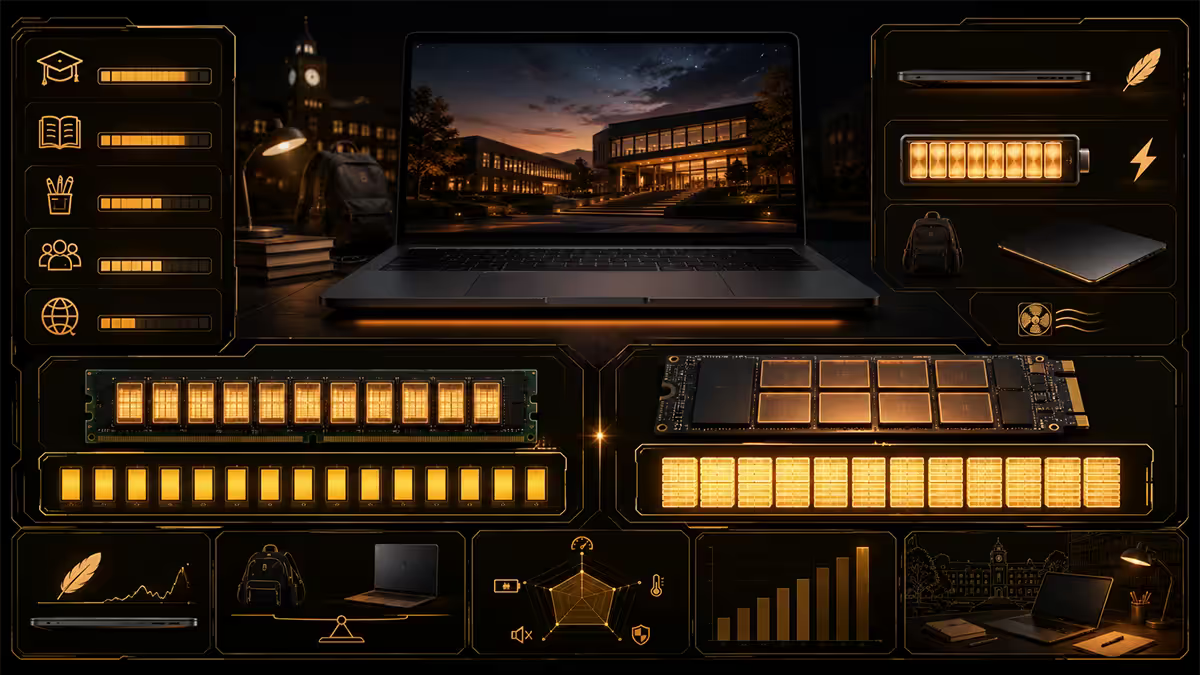
16 GB RAM is the floor in 2026. 8 GB worked fine in 2018, struggles now. Modern student workflows routinely have Chrome with 15-20 tabs, Word, Teams running in the background, Spotify, a PDF reader with 3-4 papers open, OneDrive syncing, and Windows itself eating 4-5 GB. 8 GB systems start to stutter under that load; 16 GB has comfortable headroom for the next 3-4 years.
Most ultraportables solder their RAM directly to the motherboard, which means no upgrade later. Buy what you need on day one. 32 GB is overkill for most students; only worth it if you're studying engineering with heavy CAD/simulation tools, computer science with VMs and containers, or design with large Photoshop files.
512 GB SSD is the minimum. 256 GB fills within a year between:
- Windows OS + updates (60-80 GB)
- Microsoft Office suite (10-15 GB)
- OneDrive offline-synced files (variable, but 30-100 GB common)
- Spotify offline music (20-40 GB if you download albums)
- One Steam game (Cyberpunk alone is 80+ GB)
- Documents, photos, assignments, software for various courses
1 TB is a sensible stretch if budget allows — gives 3-4 years of comfortable runway without juggling cloud storage. Like RAM, most modern thin-and-light laptops have soldered SSDs; some Lenovo and Framework models accept M.2 2230 upgrades, but most don't.
Keyboard for essay-writing sessions
You'll type the equivalent of several novels on this laptop over a three-year degree. The keyboard matters more than spec sheets suggest.
What to test before buying:
- Key travel — modern laptops are thin, but anything under 1.2 mm key travel feels mushy. 1.3-1.5 mm is the sweet spot for chiclet keyboards.
- Layout — full-size arrow keys (not the squished half-height variety), separated function keys, and ideally a dedicated Page Up / Down cluster.
- Backlight — essential for working in dim halls, libraries and at night. White single-colour backlight is sufficient; multi-zone RGB is gimmick.
- Layout localisation — SA usually ships US-International layout; ensure the @ symbol is where your fingers expect it.
Brands consistently praised for keyboard feel: Lenovo ThinkPad series (legendary, but expensive), Lenovo IdeaPad Slim (good budget option), HP Pavilion Plus and Spectre, ASUS ZenBook (excellent), Apple MacBook (best chiclet feel on the market). Brands with mushier keyboards in their budget tiers: most Acer Aspire, most Dell Inspiron under R12,000, budget Lenovo IdeaPad 1.
Camera and connectivity
Online tutorials, group calls and presentations remain part of university life — and most laptop webcams remain mediocre.
1080p webcam is the 2026 floor. 720p still ships on the bottom of the market and looks visibly worse on Teams calls. Premium laptops (MacBook Air, Lenovo Yoga Slim 7, HP Spectre, ASUS ZenBook) increasingly use 5 MP / 1440p cameras with IR (Windows Hello / Face ID for fast unlock).
Connectivity essentials:
- USB-C with Power Delivery charging — universal cables, lighter charger, charge from a portable power bank during load-shedding.
- Wi-Fi 6 or Wi-Fi 6E — most modern campus networks now run Wi-Fi 6 access points. Wi-Fi 7 is bleeding-edge in 2026, nice-to-have not essential.
- Bluetooth 5.2+ for wireless mouse, headphones, AirDrop-equivalent file sharing.
- HDMI port for connecting to lecture-room projectors. If laptop lacks HDMI, plan to carry a R200 USB-C-to-HDMI adapter.
- 3.5 mm audio jack — still useful for wired headphones during exams or in airline travel.
MacBook vs Windows — the honest comparison
The MacBook question splits SA student opinion. Here's the honest take, free of religious wars.
When MacBook Air makes sense
The MacBook Air M3/M4 (R22,000-R27,000 SA) is genuinely the best in-segment laptop for a specific use case: arts, humanities, business, law, and most science students who need a long-lasting, quiet, well-built machine for essay-writing, browsing, Teams, and light creative work.
Wins:
- Best battery life in segment — 15-18 hours real-world.
- Fanless silent operation — no whining under load.
- Longest software support — Apple supports macOS on a given Mac for 8-10 years.
- Excellent build quality — aluminium chassis, premium feel, retains resale value better than any Windows competitor.
- Best-in-class keyboard, trackpad and speakers.
- iOS/macOS integration — AirDrop, iMessage, Apple Pay if you already have an iPhone.
Trade-offs:
- Limited gaming — most AAA titles not available natively on macOS; can run some via translation but not ideal.
- Some SA university-required software is Windows-only — engineering simulation packages, niche statistical tools, certain accounting software. Check your faculty's software list before committing.
- Repair costs are higher; out-of-warranty fixes (especially battery replacement) are pricey.
- RAM and storage decisions are permanent — buy enough on day one; Apple charges painful premiums.
- SA Apple support is more limited than Europe / US — iStore network covers most cities but turnaround can be slow.
The verdict: if budget allows R22k+ and your faculty doesn't mandate Windows-only software, MacBook Air is the safest "I'll use this for four years" student laptop choice in SA. For tight budgets or Windows-required courses, look at the Lenovo Yoga Slim, ASUS ZenBook, HP Pavilion Plus tier instead.
SA pricing tiers and recommended laptops
| Tier | Recommended | SA price |
|---|---|---|
| NSFAS / budget | Acer Aspire 5, Lenovo IdeaPad 1/3, HP 250 G10 | R7,500-R10,000 |
| Mid value | Lenovo IdeaPad Slim 5, HP Pavilion 14/15, ASUS Vivobook 14X | R10,000-R14,000 |
| Mid premium | HP Pavilion Plus 14, Lenovo Yoga Slim 7, Acer Swift Go 14 | R14,000-R18,000 |
| Premium ultraportable | ASUS ZenBook 14 OLED, HP Spectre x360, Lenovo ThinkPad X1 Carbon | R18,000-R25,000 |
| MacBook Air entry | MacBook Air M3 13" 8/256 (consider 16/512 upgrade) | R22,000-R25,000 |
| MacBook Air comfortable | MacBook Air M4 13"/15" 16/512 | R25,000-R32,000 |
| ARM Windows | ASUS Vivobook S15 Copilot+, HP OmniBook Ultra, Lenovo Slim 7x | R18,000-R28,000 |
Avoiding "gaming-laptop creep"
A common trap: student arrives at the laptop-shopping decision, sees that gaming laptops (Lenovo Legion, ASUS ROG, MSI Cyborg) advertise impressive GPU and CPU specs at competitive prices, and reasons "I'll use it for studying AND gaming, perfect."
It almost never works out. Here's why:
- Weight: 2.2-2.5 kg vs 1.3-1.6 kg for an ultraportable. By week three of carrying the gaming laptop across campus, you'll wish you had a thin-and-light.
- Battery: gaming laptops have huge GPUs but small relative batteries. Real-world 3-4 hours of mixed use vs 8-12 hours on an ultraportable. You'll be tethered to power outlets.
- Heat and noise: gaming-laptop fans audibly ramp up even under light office load. Distracting in a quiet study space.
- Size: 15.6"-17" footprint dominates a small lecture-hall desk. The student around you will hate you.
- Cost: R20,000+ for a "study + game" laptop that's a compromise at both. The same money buys a great ultraportable for study PLUS a R8,000 second-hand console or a steady console subscription for gaming at home.
The honest path: get a great ultraportable for student life, game on a desktop PC at home (or a PlayStation 5 / Xbox Series X) where the gaming hardware lives. Best of both worlds, neither compromised.
Exception: if you genuinely need the GPU for coursework (engineering with CAD, design with 3D rendering, computer science with deep-learning), a thin-and-powerful design like ASUS ROG Zephyrus G14, Lenovo Legion Slim, or Razer Blade 14 is the right answer — they're 1.6-1.8 kg, gaming-capable, and battery-respectable.
Key takeaways
- Battery first, weight second — 8+ hours, under 1.6 kg. Everything else is negotiable.
- 14" is the modern student sweet spot — large enough for split-screen, light enough to carry.
- 16 GB RAM + 512 GB SSD is the 2026 minimum — both are usually soldered, no upgrades later.
- MacBook Air is the safest 4-year choice if budget allows R22k+ and Windows-only software isn't required.
- Avoid the gaming-laptop trap — heavier, hotter, shorter battery, dominates desk space. Get an ultraportable for study and game at home.
Frequently asked questions
What is the best laptop for a SA university student?
14" or 15", Ryzen 5 / Core 5 / Snapdragon X, 16 GB RAM, 512 GB SSD, 8+ hr battery, under 1.6 kg, R12k-R18k. Lenovo IdeaPad Slim 5, HP Pavilion Plus 14, ASUS Vivobook 14X are 2026 sweet spots.How much RAM does a student laptop need?
16 GB is the 2026 minimum. 8 GB struggles with modern multi-tasking. Most ultraportables have soldered RAM — buy what you need on day one.Is a MacBook Air worth it for a student in South Africa?
Yes if budget allows R22k+ and faculty doesn't mandate Windows-only software. Best battery, longest support, premium build. Check faculty software list first.What screen size is best for a student laptop?
14" is the modern sweet spot — large enough for productive work, light enough for daily carry. 15" if mostly at a desk. Avoid 16"+ for student life.How important is battery life on a student laptop?
The single most important spec. Target 8+ hours real-world. Manufacturer claims are optimistic — divide by 1.5-2 for honest expectations.What about storage — 256 GB, 512 GB or 1 TB?
512 GB minimum. 256 GB fills in a year. 1 TB is sensible runway. Most thin-and-light laptops have soldered SSDs — buy enough on day one.Do students need a dedicated GPU?
Almost never. Modern integrated GPUs handle every academic workload. Discrete GPUs add weight, halve battery, cost R6k-R10k extra — engineering and design students may need them, others don't.What features should I avoid on a student laptop?
Heavy gaming laptops over 2 kg, 1366×768 screens, 4 GB or 8 GB RAM, 128 GB or 256 GB SSDs, mushy plastic keyboards.
Get the Evetech app
Exclusive app-only prices, daily flash sales, and free delivery on orders over R4,000 — download the app and start saving.