Thermal Paste Buying Guide
How to choose thermal paste.
The tiny syringe most builders fixate over delivers maybe 2°C of difference between bargain and best. Application matters more than brand. Here's what's actually worth the money.
- application
- Pea-sized
- reapply window
- 3-5 yrs
- per tube
- R150-R400
Types of thermal paste
Modern thermal pastes fall into three practical categories. The differences are real but smaller than the marketing suggests.
| Type | Best for | Real-world temp delta |
|---|---|---|
| Ceramic / silicone-based | Budget builds, OEM use | Baseline |
| Carbon-based | Most builders (Arctic MX-6, Kryonaut) | 2-3°C cooler than ceramic |
| Liquid metal (gallium) | Enthusiasts, delidded CPUs | 4-7°C cooler than premium carbon |
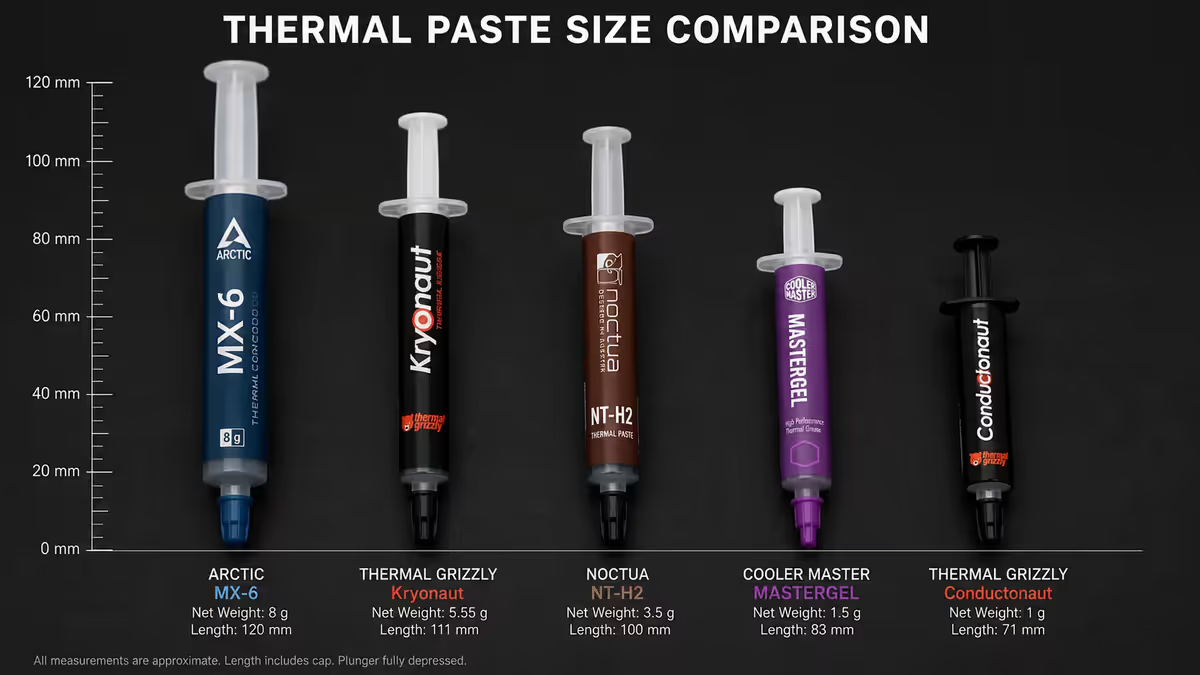
Carbon-based pastes (Arctic MX-6, Thermal Grizzly Kryonaut, Noctua NT-H2) are non-electrically-conductive — if a tiny bit squeezes onto the motherboard near the CPU socket, nothing bad happens. They cure within 24 hours of mounting and stay stable for 3-5 years.
Ceramic pastes (Arctic MX-4, Cooler Master MasterGel) are the old standard. Still fine for budget builds but slightly less thermally efficient than carbon. Often pre-applied on bundled cooler ship sets.
Liquid metal — only if you're brave
Liquid metal (Thermal Grizzly Conductonaut, Cooltek Liquid Pro) is gallium-based and offers the absolute lowest thermal resistance available — typically 4-7°C cooler than top-tier carbon paste at the same fan speeds. So why doesn't everyone use it?
Two big reasons:
- Electrically conductive. A single drop on the wrong motherboard pin will short and destroy the board. Application requires careful preparation, masking and patience.
- Reacts with aluminium. Most CPU cooler cold plates are nickel-plated copper (safe), but anything aluminium-bare will be eaten by gallium. Always verify your cooler's cold plate material before considering liquid metal.
When liquid metal makes sense: delidded enthusiast CPUs, extreme overclocking, or laptop CPUs with extreme thermal limits. For the typical Ryzen 9 / Core Ultra 9 build in a normal case, the 5°C delta isn't worth the risk for most people.
How to apply thermal paste — pea method wins
There are several application methods circulating online (pea, X-pattern, line, spread-with-card). After tens of thousands of builds, the answer is simple:
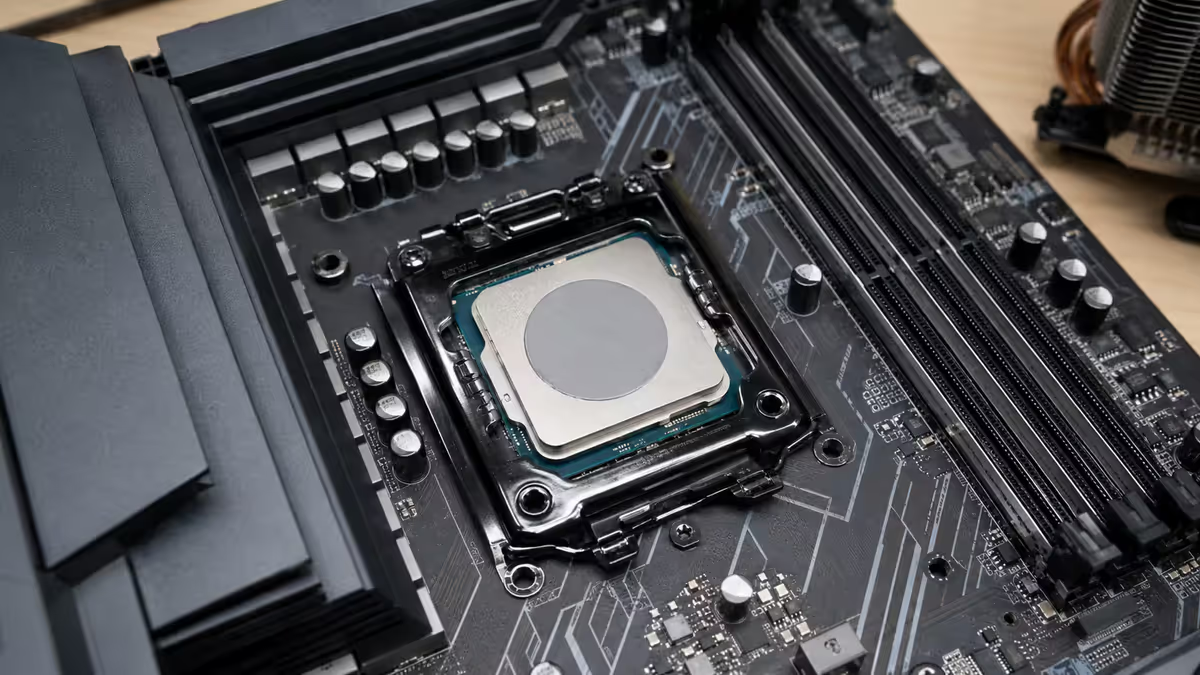
Apply a pea-sized dot in the geometric centre of the CPU heat spreader. Mount the cooler with even pressure on all four corners. The cooler's downforce spreads the paste into a thin, even layer.
Why pea works best:
- The pressure from the cooler spreads paste evenly from centre outward — exactly what you want.
- Too much paste squeezes out the edges; too little leaves uncovered corners.
- Pre-spreading with a credit card introduces air pockets that hurt thermal transfer.
- X-pattern and line methods are largely cosmetic — within 0.5°C of pea in tests.
For larger CPUs (Threadripper, Xeon-W with bigger IHS): use a slightly larger dot or two side-by-side pea dots. For laptop CPUs with bare-die contact: a smaller dot or spread method (since there's no IHS to even out coverage).
When to reapply thermal paste
Modern thermal paste doesn't dry out the way 2000s-era cheap pastes did. Quality carbon-based paste holds performance for 3-5 years easily, and even longer in cool environments.
Reapply when:
- You remove the cooler for any reason (always — never reuse spread paste).
- CPU temps climb 5-10°C above baseline at the same workload (paste degradation indicator).
- 3-5 years has passed since last application as preventative maintenance.
- You're upgrading your CPU cooler or moving to a new build.
Don't reapply just because: "It's been a year." Quality paste shouldn't need annual reapplication. If your temps haven't changed and you haven't moved the cooler, leave it alone.
Cleaning old thermal paste
Removing old paste before applying new is essential. Wrong technique can damage components; the right technique takes 60 seconds.
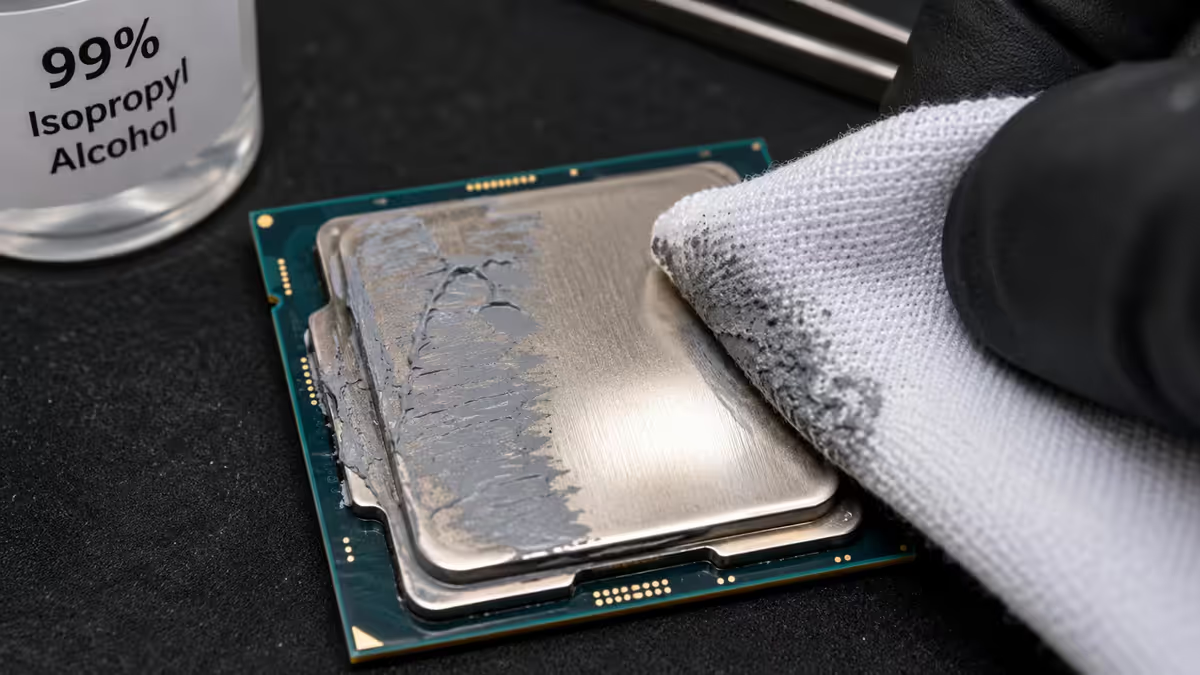
What you need: 99% isopropyl alcohol (IPA), a lint-free microfibre cloth or paper coffee filter, and a few minutes.
Procedure: apply IPA to the cloth (not directly to the chip). Wipe the CPU IHS in straight lines from edge to edge until all visible paste is gone. Repeat with a fresh portion of cloth. Wait 30-60 seconds for IPA to fully evaporate before applying new paste.
Avoid: methylated spirits (leaves residue), abrasive scrubbing material (scratches the IHS), water-based cleaners (corrosion risk), and excessive pressure (can flex the CPU socket pins below).
Recommended thermal pastes by use case
| Use case | Pick | SA price |
|---|---|---|
| Best value (most builders) | Arctic MX-6 (4g) | R200-R280 |
| Budget option | Arctic MX-4 (4g) or Cooler Master MasterGel | R130-R180 |
| Enthusiast pick | Thermal Grizzly Kryonaut (1g) or Noctua NT-H2 (3.5g) | R250-R380 |
| High-end overclocking | Thermal Grizzly Kryonaut Extreme | R400-R550 |
| Liquid metal (experienced) | Thermal Grizzly Conductonaut | R550-R700 |
| Workshop / bulk use | Arctic MX-6 (8g or 20g jar) | R400-R900 |
| Pre-cut thermal pad replacement | Thermal Grizzly Carbonaut pad | R250-R400 |
Common thermal paste mistakes
Applying too much paste. The most common mistake. Excess paste squeezes out around the IHS edges and can pool near socket components. A pea-sized dot is plenty.
Spreading paste with a card. Introduces micro-bubbles into the paste, leaving air pockets between IHS and cold plate. The cooler's pressure alone spreads paste better than any card technique.
Reusing paste from previous install. Once paste has been compressed and heated, it shouldn't be reused. Always clean and apply fresh paste when remounting.
Buying the most expensive paste available. The performance ceiling for non-liquid-metal paste is roughly Arctic MX-6 / Thermal Grizzly Kryonaut. Paying R400+ for similar paste rebadged with different branding adds nothing.
Liquid metal on aluminium coolers. Gallium reacts with bare aluminium and destroys the cooler. Verify the cold plate is nickel-plated copper before any liquid metal application.
Key takeaways
- Arctic MX-6 is the right pick for almost every build — non-conductive, lasts 3-5 years, R200-R280.
- Pea-sized dot in the geometric centre — the cooler spreads the paste evenly under pressure.
- Reapply every 3-5 years or whenever you remove the cooler. Never reuse spread paste.
- Liquid metal drops temps 4-7°C but is conductive and reacts with aluminium — experienced builders only.
- Clean old paste with 99% IPA and lint-free cloth. No methylated spirits, no abrasives.
Frequently asked questions
What thermal paste should I buy for my CPU?
Arctic MX-6 for almost every builder — R200-R280, non-conductive, lasts 3-5 years. Thermal Grizzly Kryonaut for enthusiasts. Liquid metal only for experienced applicators.How much thermal paste should I apply?
A pea-sized dot in the geometric centre of the CPU heat spreader. The cooler's downforce spreads it evenly. Too much squeezes out and can short components below the socket.How often do I need to reapply thermal paste?
Every 3-5 years for quality paste, or whenever you remove the cooler. Modern carbon-based pastes don't dry out the way old silicone pastes did.Is liquid metal thermal paste worth it?
Only for experienced builders. 4-7°C cooler than premium carbon paste but electrically conductive and reacts with aluminium coolers. High risk for most users.Pre-applied vs separate thermal paste — which is better?
Pre-applied is fine for mid-tier coolers. Premium coolers usually ship with a separate syringe. If you have Arctic MX-6 spare, use that instead of bundled paste.Should I use thermal paste on my GPU?
Only repaste out-of-warranty GPUs showing high temps. New GPUs ship with adequate factory paste; repasting voids warranty.Do thermal pads need replacing too?
Thermal pads on GPU VRMs and memory degrade over 4-6 years. Replacement with high-conductivity pads can drop temps 10-15°C on older cards. Enthusiast mod, not necessary on new hardware.How do I clean off old thermal paste?
99% isopropyl alcohol on a microfibre cloth or coffee filter. Apply to cloth (not the chip), wipe gently, wait 60 seconds for IPA to evaporate before applying new paste.
Get the Evetech app
Exclusive app-only prices, daily flash sales, and free delivery on orders over R4,000 — download the app and start saving.