Mac Desktop Buying Guide
Mac Mini vs iMac. — Same chip. Different shape. Different desk.
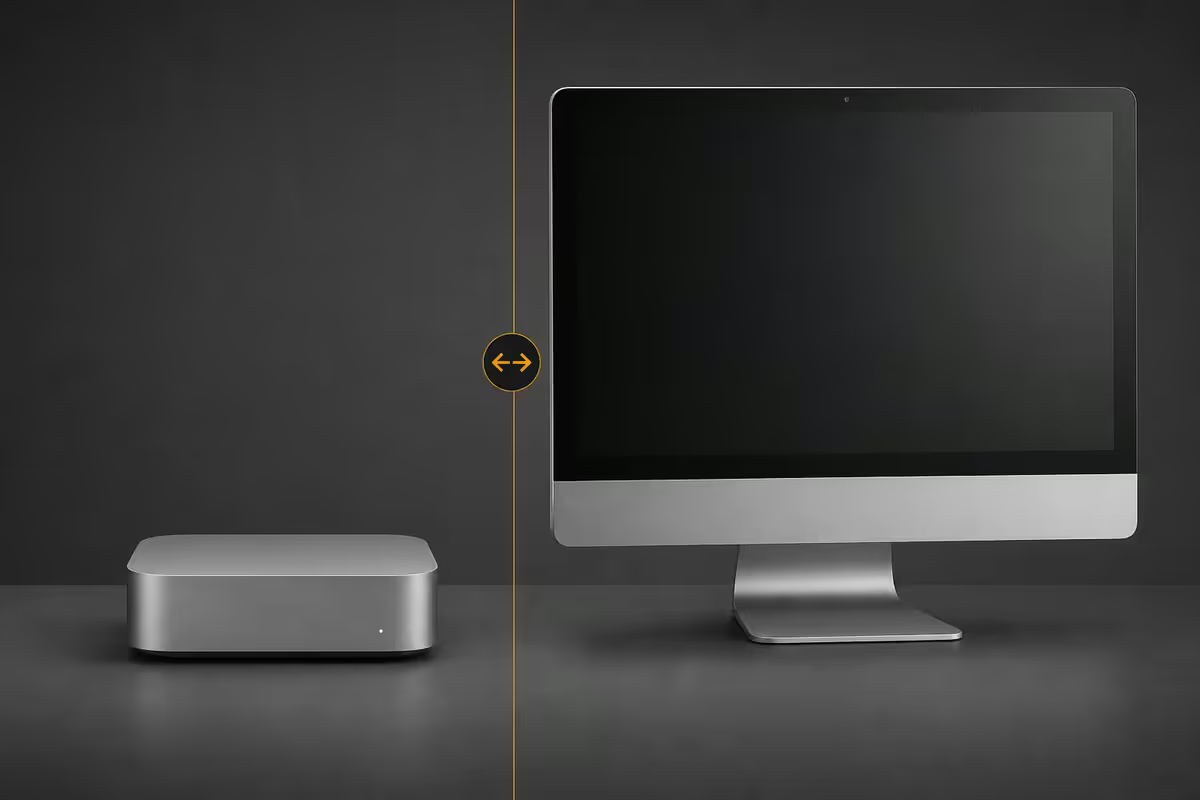
The Mini and the iMac M5 run the same silicon at the same speeds. The real choice is form factor, monitor flexibility and how you want your desk to look on day one and in year four.
- silicon parity
- Same M5
- price delta typical
- R15k
- external displays
- 2 vs 1
Chip parity — the M5 settles the performance argument
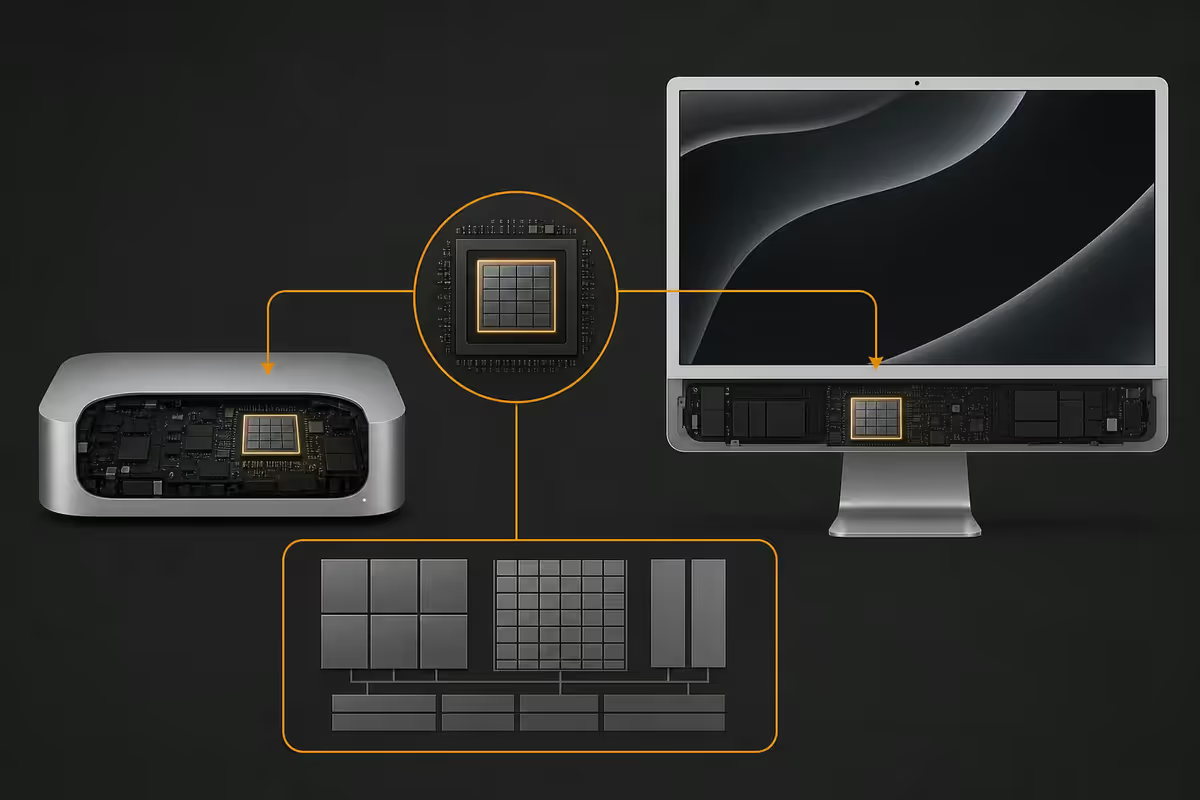
In every previous generation of Apple's desktop line, the iMac and Mac Mini had differentiated silicon. That stopped with M-series unification, and 2026 has made it absolute. The Mac Mini M5 and iMac M5 share the same 10-core CPU, the same 10-core GPU, the same 16-core Neural Engine, the same memory bandwidth and the same Thunderbolt 5 controller. Identical silicon. Identical clocks. Identical sustained boost behaviour for the first 15 minutes of any workload.
Where they diverge is purely thermal. The Mini sits in a 12.7 cm aluminium puck with active cooling and a generous fan curve. The iMac M5 hides its cooling inside a 11.5 mm chassis behind the display. In our own testing with Final Cut Pro exporting a 20-minute 4K ProRes timeline, the iMac throttles roughly 3% sooner than the Mini. For a six-hour Premiere render, that delta might add 5–7 minutes to a job. For everything else — Xcode builds, Photoshop, Logic Pro sessions, software development, photo editing, web browsing — you cannot measure the difference.
Display — the actual tradeoff
This is where the decision lives. The iMac M5 ships with a calibrated 4.5K Retina display — 4480 × 2520 native, 500 nits SDR, P3 wide colour gamut, True Tone, and a panel that has been factory-calibrated for colour accuracy. It is genuinely a beautiful display, and for designers and photographers it removes any second-guessing about colour.
The Mac Mini ships with no display. Whatever monitor you put in front of it is yours to choose. Three paths most SA buyers take:
- Apple Studio Display — 5K, P3, beautiful, R45,000+. Effectively turns your Mini into an iMac at a premium.
- Dell U2723QE / LG UltraFine 27UP850 — 27" 4K, IPS, USB-C hub, R12,000–R18,000. The pragmatic prosumer pick.
- BenQ PD2725U or ASUS ProArt PA279CV — 4K, P3-accurate, factory-calibrated for content creators. R20,000–R28,000.
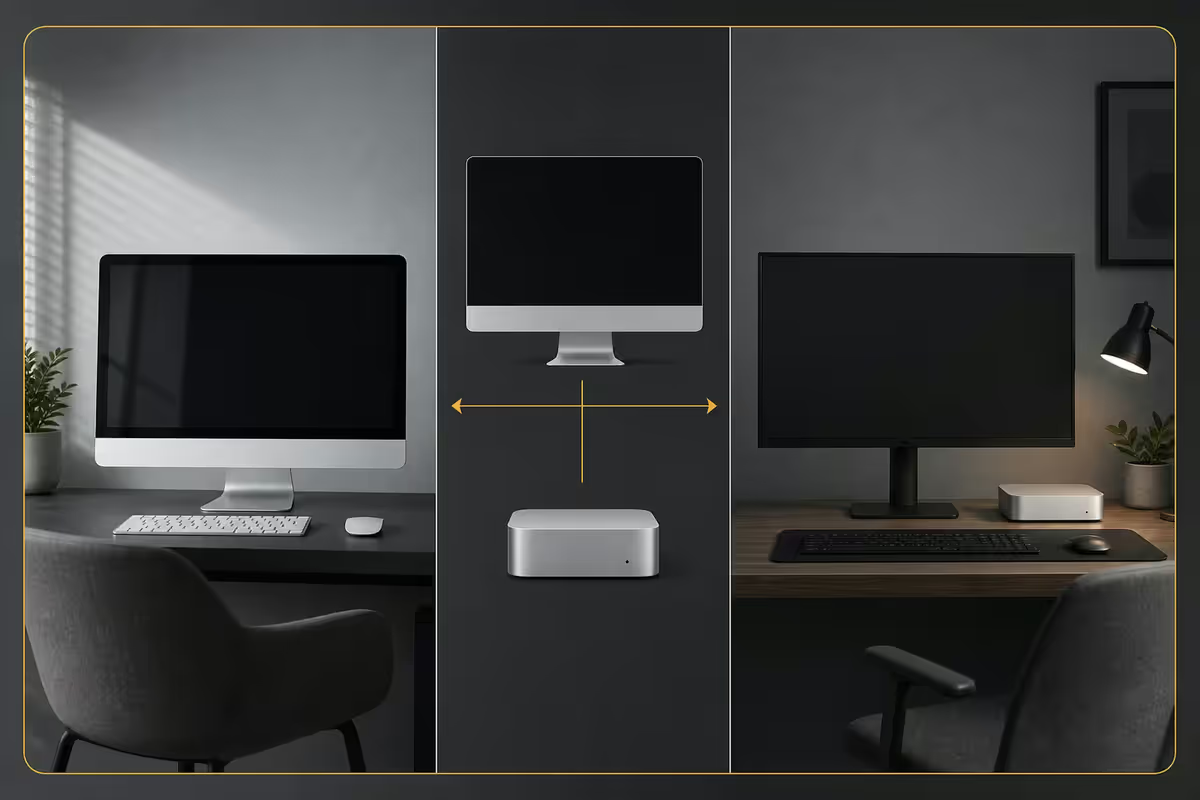
A Mac Mini plus a Dell U2723QE costs roughly R10,000–R15,000 less than a comparably-specced iMac and gives you a brighter, larger 27" surface area. The catch: it looks like two devices on a desk, not one. The iMac's design language disappears into a clean kitchen or studio in a way the Mini-plus-monitor stack does not.
There is also the upgrade path argument. Five years from now, your iMac is whatever the iMac was on day one. Your Mac Mini can be paired with a new monitor — or a second monitor — without replacing the computer.
Ports and expansion
The Mac Mini M5 has the better port loadout. Front: two USB-C ports (USB 3.2) plus a headphone jack — genuinely useful for quick external drive jobs or audio interfaces. Back: three Thunderbolt 5 ports, HDMI 2.1, Gigabit Ethernet (10 GbE upgrade available), and the power inlet. Up to two external displays on the base M5, up to four on the M5 Pro.
The iMac M5 hides its ports on the back of the display panel. The base model has two Thunderbolt 4 ports; the higher-tier configurations add two USB-C ports and Gigabit Ethernet (which Apple, oddly, routes through the power brick). No HDMI. No front-facing USB. The iMac drives its built-in 4.5K plus one external display.
| Port / capability | Mac Mini M5 | iMac M5 |
|---|---|---|
| Front USB-C | 2 ports | None |
| Thunderbolt | 3 × TB5 | 2 × TB4 (base) |
| HDMI | HDMI 2.1 | None |
| Ethernet | 1 GbE (10 GbE option) | 1 GbE via power brick |
| Max external displays | 2 (4 on M5 Pro) | 1 external + built-in |
| Headphone jack | Front-facing | Side of display |
For dual-monitor setups, recording rigs, or anyone who plugs and unplugs storage daily, the Mini is materially more practical. For someone who just wants a clean Mac that they never touch the back of, the iMac is fine.
Upgradability — the myth that needs killing
Neither machine is user-upgradable. This is not new but it still surprises buyers. Both ship with unified memory soldered onto the Apple Silicon package and SSD storage soldered directly to the logic board. There are no SO-DIMM slots, no M.2 sockets, no user-accessible RAM door. The iMac was last user-upgradable in 2020. The Mini was last user-upgradable in 2018.
The buying implication is direct: specify what you need at purchase, because you will not be adding RAM or storage later.
Sensible 2026 baselines:
- Light prosumer / student — 16 GB RAM, 512 GB SSD. Comfortable for office work, web dev, light photo editing, and a four-year ownership cycle.
- Photo/video creator — 32 GB RAM, 1 TB SSD. Lightroom catalogues with 50k+ images, Final Cut timelines, Davinci Resolve will all benefit.
- Heavy 4K/6K video, Xcode at scale — 32–64 GB RAM, 2 TB SSD. Likely also a candidate for the M5 Pro variant.
Who each Mac is actually for
After helping hundreds of SA buyers through this decision, the pattern is consistent enough to summarise.
The Mac Mini is for:
- Developers and engineers — Xcode, VS Code, Docker, multiple terminals, two external displays. The Mini's port layout fits how developers actually work.
- Photo editors with their own colour-managed monitor — your BenQ or ASUS ProArt is already calibrated; you don't need to pay for a second 4.5K display.
- Video editors with existing studio setups — the Mini Pro plus your existing monitor saves R15,000+ vs the iMac route.
- Home server / always-on Mac — for Plex, Homebridge, Time Machine destination, automated tasks. The Mini sips power and tucks behind a shelf.
- Music producers — Logic Pro, Ableton, audio interfaces. Quiet under sustained load, plenty of Thunderbolt for interfaces.
The iMac is for:
- Family or shared household computers — one device, one cable, kid-resilient form factor, doesn't look like an office.
- Designers and creatives valuing the calibrated P3 display — if your Mac's monitor is your colour reference, the iMac saves the headache of pairing.
- Small office front-of-house — reception, consult rooms, retail counters. Looks intentional. No cable spaghetti.
- Buyers who genuinely don't want decisions — one box, one purchase, no monitor research. There's real value in that for some people.
SA pricing reality (May 2026)
| Configuration | Mac Mini M5 | iMac M5 |
|---|---|---|
| Base (16 GB / 512 GB) | R18,999 | R34,999 |
| Sensible prosumer (16 GB / 1 TB) | R24,999 | R40,999 |
| Creative (32 GB / 1 TB) | R32,999 | R48,999 |
| M5 Pro path (24 GB / 1 TB) | R39,999 | R54,999 |
| Add: 4K monitor (Dell U2723QE) | +R14,500 | — |
| Add: Magic Keyboard + Trackpad | +R5,500 | Included |
Once you fully kit out a Mac Mini with a 27" 4K monitor and Apple input peripherals, you've spent around R5,000–R8,000 less than the iMac at the same chip/RAM/storage tier — and the Mini gives you a bigger screen surface. The iMac premium is real but smaller than the spec sheets suggest.
When a MacBook Pro is actually the right answer
A surprising fraction of "Mini vs iMac" questions are actually "should I buy a Mac at all, given that I sometimes work from a coffee shop?" The honest answer for many buyers is the MacBook Pro M5.
If your work life involves any meaningful movement — coffee shop afternoons, university campus, client visits, working from a parent's place when load shedding hits — the MacBook Pro is the better long-term call. You pay R8,000–R15,000 more than a comparably-specced Mini, but you get a 16-hour battery, the same chip, a beautiful mini-LED XDR display and the option to dock at a desk via Thunderbolt.
The Mac Mini is the right pick only when your Mac genuinely lives in one place. If you've moved your current laptop more than three times in the past month, the Mini is going to feel like a regression. Be honest with yourself before locking into a desktop.
The accessory ecosystem — what you actually need
A few essentials regardless of which Mac you choose:
- Magic Keyboard with Touch ID — Touch ID for sudo, password autofill, Apple Pay on the desktop. Worth the premium over generic keyboards.
- Magic Trackpad or Logitech MX Master 3S — Trackpad if you came from a MacBook and want continuity; MX Master if you'd rather have a precision mouse with proper scroll.
- UPS for load shedding — APC Back-UPS or Mecer 1000VA. Apple Silicon Macs sip power, but they still don't enjoy a hard cut.
- Thunderbolt 4 dock — CalDigit TS4 or OWC Thunderbolt Dock. Particularly useful if you have a Mac Mini and want to centralise USB, audio and Ethernet through one cable.
Key takeaways
- M5 chip parity is real — same CPU, GPU, memory bandwidth. Don't pay for performance differences that don't exist.
- Mac Mini wins on flexibility, ports, and value when paired with a good third-party monitor.
- iMac wins on aesthetic, integrated calibrated display, and shared-household use.
- Neither is upgradable — buy 16 GB / 512 GB minimum, 32 GB / 1 TB if you do creative work.
- If you move with your Mac weekly, the MacBook Pro is the right answer — not either desktop.
Frequently asked questions
Is the Mac Mini M5 faster than the iMac M5?
They run the same Apple M5 silicon at the same clock speeds. CPU and GPU performance is essentially identical at matched RAM and storage tiers. The iMac's slimmer chassis throttles fractionally sooner under sustained 100% load (think 4K video exports of 30+ minutes), but for 95% of workloads you will never measure the difference.Can I upgrade RAM or storage on the Mac Mini or iMac?
No. Both ship with unified memory soldered to the Apple Silicon package and storage soldered to the logic board. Specify the RAM and SSD you need at purchase — 16 GB / 512 GB is the realistic baseline for 2026 prosumer work, 32 GB / 1 TB for photo/video editors. The upgradability myth was retired with Intel iMacs.Should I buy a Mac Mini and a Studio Display or an iMac?
A Mac Mini plus a third-party 4K monitor (Dell U2723QE, LG UltraFine 27UP850) costs R10,000–R15,000 less than the iMac while giving you a brighter, larger display and the ability to upgrade the monitor independently. Choose the iMac when you genuinely want the integrated, cable-free aesthetic and the calibrated P3 display matters to your work.Mac Mini M5 vs MacBook Pro M5 — which makes more sense?
The Mac Mini costs R8,000–R15,000 less than a similarly-specced MacBook Pro and runs the same chip without thermal throttling. Buy the Mini if your Mac lives on a desk. Buy the MacBook Pro if you genuinely move between locations weekly. The 'I might travel sometimes' case is almost always better served by Mini plus a borrowed laptop when needed.How many monitors can a Mac Mini M5 drive?
The base M5 Mac Mini drives two external displays — one via Thunderbolt 5 up to 6K, plus one via HDMI up to 4K at 60 Hz. The M5 Pro Mini drives up to four external displays at 6K. The iMac M5 uses its built-in 4.5K Retina panel as the primary display and drives one additional external monitor.Is the iMac M5 good for gaming?
Better than people assume. Apple Silicon GPUs handle Resident Evil Village, Death Stranding, Cyberpunk 2077 and most macOS-native or Apple GPTK ports at 1440p with respectable frame rates. It is not a Windows gaming desktop replacement — competitive multiplayer titles like Valorant and Apex Legends remain Windows-only — but for AAA single-player on macOS it is genuinely usable.Do I need the Mac Mini M5 Pro instead of the base M5?
Only if your work is sustained heavy lifting — Final Cut on 6K ProRes timelines, Xcode compiling large iOS projects, Logic Pro with 80+ track sessions, or scientific computing. The base M5 with 16 GB / 512 GB handles photo editing, design work, software development for web/mobile and 4K video editing comfortably. Spend the Pro premium on RAM and SSD instead — they help more workflows.Mac Mini vs iMac for a family computer?
iMac wins for shared family use. The all-in-one form factor means one power cable, no separate monitor purchase, calibrated speakers and microphone built in, and the kid-proof aesthetic of a single device. A Mac Mini with a separate monitor, speakers and webcam ends up costing the same once you add the bits and looks like a workstation, not a kitchen-counter Mac.
Get the Evetech app
Exclusive app-only prices, daily flash sales, and free delivery on orders over R4,000 — download the app and start saving.