Developer Workstation Guide
The best desktop setup for programmers. — 32GB, 4K, mechanical, ergonomic.
Devs don't need the rig the gaming forums tell them to buy. Docker doesn't care about ray-tracing cores. Here's what actually matters — and where to spend the saved money.
- RAM sweet spot
- 32 GB
- monitor pick
- 27" 4K
- build tiers
- R20-55k
The dev workload (and why GPU rarely matters)
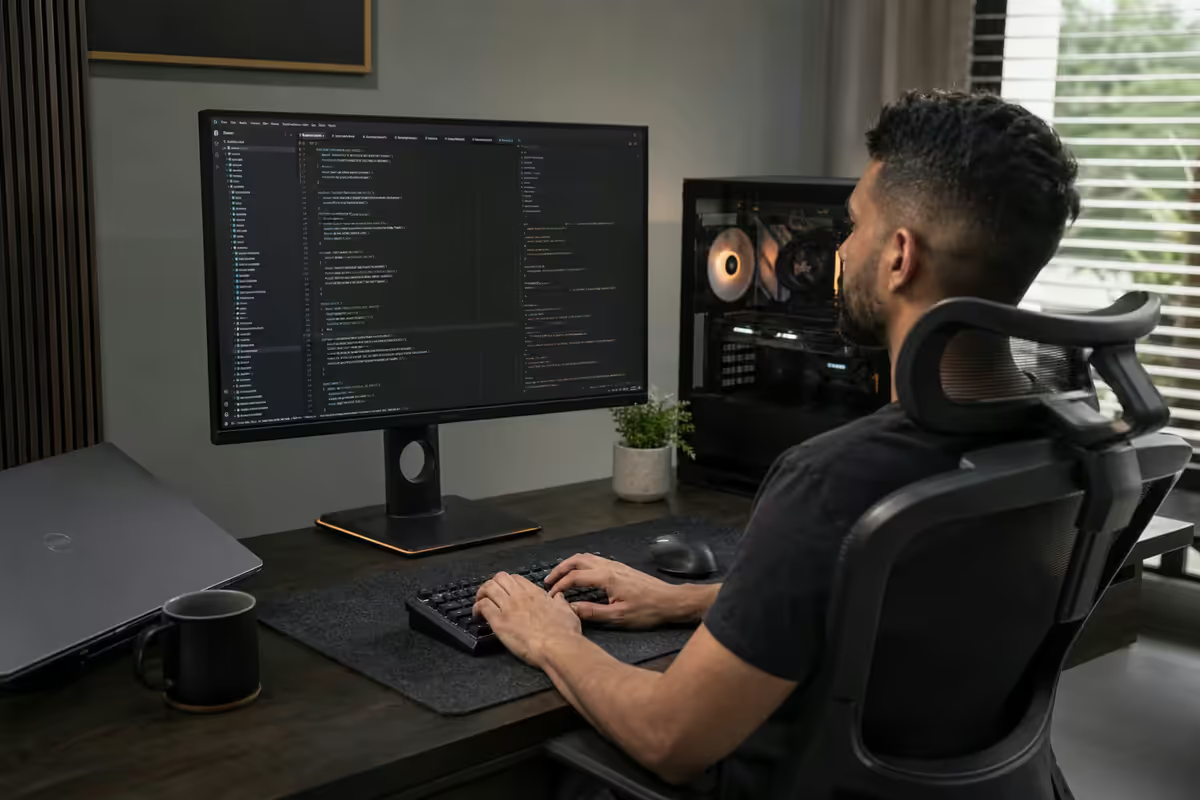
Before we spec anything, be honest about what runs on your machine all day. For most developers — backend, frontend, mobile, devops, data engineering — the workload is CPU-bound and RAM-hungry, never GPU-bound. VS Code's TypeScript server, IntelliJ's indexer, Docker Desktop running Postgres + Redis + RabbitMQ, a Node dev server, two Chrome windows with 40 tabs each, Slack, and an Android emulator. None of that touches the GPU.
We ship more R6,000 RTX 4060s into dev rigs than we ship RTX 5080s. Docker doesn't care about ray-tracing cores. An entry-level discrete GPU drives a 4K monitor at 60Hz crisply, decodes video in browsers, and runs the occasional Steam session for sanity — that's the actual job.
The exceptions where a serious GPU pays off:
- Local LLMs. Running Llama 3, Qwen or Mixtral locally needs 12-24GB of VRAM. Step up to an RTX 4070 Ti Super (16GB) or RTX 4090 used (24GB).
- On-device ML training. CUDA matters. NVIDIA only. 4070 minimum, 4080+ if you're serious.
- Unity / Unreal / 3D work. The editor viewport benefits from a meaty GPU. RTX 4070 or up.
- You game on the same machine. Fair enough — but be aware that's a gaming purchase, not a dev one.
Outside those cases, spend the saved R10-15k on RAM, a better monitor, and a chair that won't wreck your lower back. That's the actual productivity unlock.
CPU — cores or clocks?
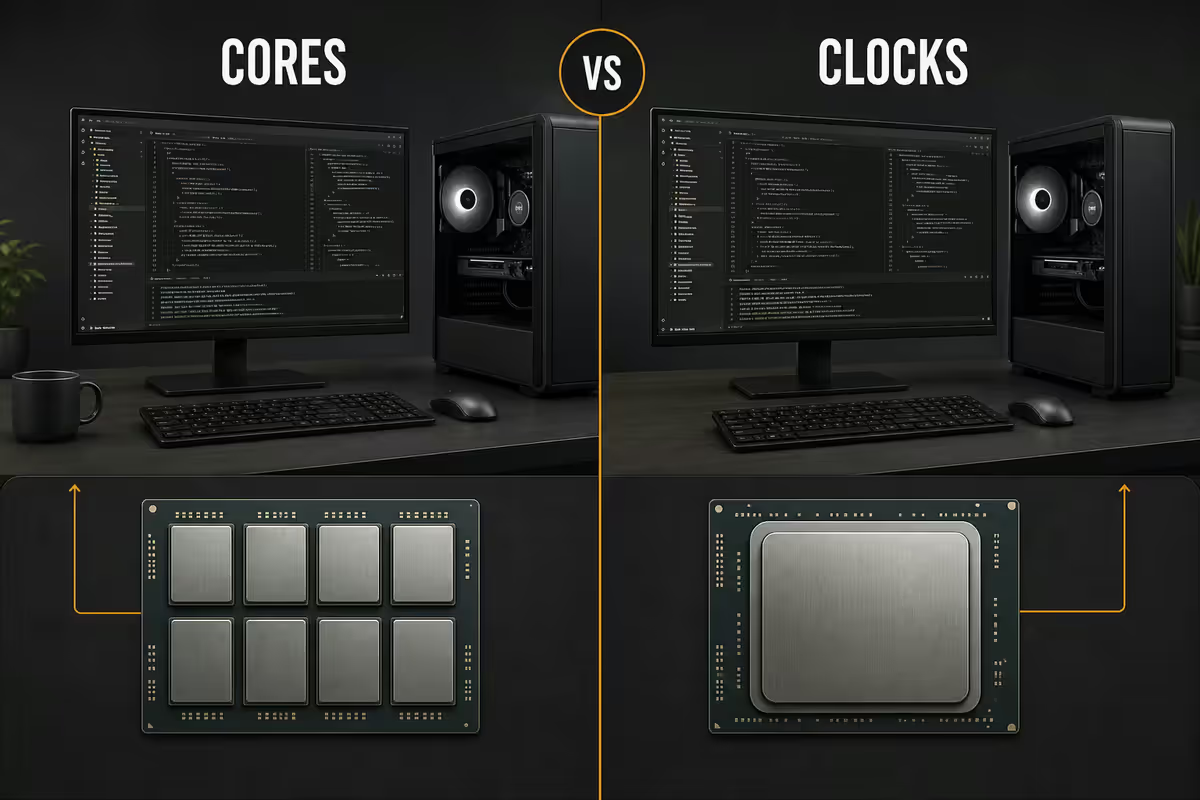
Both, in that order. Single-thread performance dictates how fast your code editor responds, how snappy git operations feel, and how quickly TypeScript or Rust compiles incremental changes. Core count dictates how many Docker containers and background processes you can run before everything starts to swap.
In 2026, the two sweet-spot picks at Evetech are the Ryzen 7 9700X (R7,500) and the Intel Core Ultra 7 265K (R8,200). Both are 8-core (Ryzen) or 20-thread (Intel) chips with excellent single-thread performance. The Ryzen 7 9800X3D (R9,900) is the gaming favourite — overkill for pure dev but excellent if your desktop pulls double duty.
Step up to the Ryzen 9 9900X (R10,500) if you compile large C++/Rust codebases, run heavy multi-container Docker stacks, or do CPU-side ML inference. The 12 cores cut warm-rebuild times noticeably.
RAM — 32GB is the sweet spot
If there is one place to never compromise on a dev machine, it's memory. 32GB DDR5 is the right answer for 2026. 16GB is the new minimum and is fine for greenfield web work, but you will feel it the day you boot Docker Desktop with Postgres + Redis, open WebStorm with three projects, fire up Slack, and have Chrome with 30 tabs in the background.
Modern Electron tools (VS Code, Slack, Discord, Notion) each take 400-800MB. A single Chrome process with React DevTools open can hit 1.5GB. A Postgres container idles at 300MB. Add a Node dev server, a Webpack/Vite build process, and an Android emulator and you've eaten 24GB before lunch.
| RAM Tier | Right for | What you'll hit |
|---|---|---|
| 16GB DDR5 | Light frontend, no Docker | Swap once Docker + IntelliJ open |
| 32GB DDR5 | 95% of devs — the sweet spot | Comfortable headroom with full stack running |
| 64GB DDR5 | Local LLMs, multiple VMs, data work | Future-proof; rarely capped |
| 96-128GB DDR5 | Niche — ML researchers, virtualisation labs | Only justified by specific workloads |
Stick with a 2 × 16GB kit at 6000 MT/s CL30 for Ryzen, or 2 × 16GB at 6400 MT/s for Intel Core Ultra. Avoid 4-stick configs on AM5 unless you genuinely need 128GB — running four DIMMs on Ryzen often drops the speed to 4800 MT/s and you lose more than you gain.
Storage — NVMe scratch + bulk archive
Storage is where most builds we see are quietly under-spec'd. Cloning a couple of monorepos, building Docker images, pulling node_modules, caching IntelliJ indexes — and a 500GB SSD is full inside a year. 1TB NVMe is the floor. 2TB is sensible.
For developers, random read/write IOPS matter more than peak sequential bandwidth. A drive that does 7,000 MB/s sequential but chokes at 4K random reads will feel slower compiling than one that posts 5,000 MB/s sequential but excels at small-block IO. The Samsung 990 Pro 2TB (R3,200) remains the dev favourite for that reason, with the WD Black SN850X 2TB (R2,900) as a strong alternative.
Two-drive layout is the move:
- Primary 1-2TB Gen 4 NVMe — OS, applications, active code repos, current Docker images.
- Secondary 2-4TB SATA SSD or Gen 3 NVMe — archived projects, VM images, Steam library, video reference material.
Skip the spinning hard drive. The R200 saving versus a 2TB SATA SSD isn't worth the noise, slower boot of any process that touches the drive, and inevitable failure after the warranty runs out.
The monitor decision (27" 4K vs dual)
This is the single highest-impact purchase on a dev desk. You stare at it 8-12 hours a day. The monitor is the productivity unlock, not the CPU.
The two real choices for developers:
| Setup | Best for | SA price (2026) |
|---|---|---|
| Single 27" 4K (LG 27UP850N) | Editor + terminal split, sharp text | R9,500-R11,000 |
| Single 32" 4K (Dell U3223QE) | More real estate, slightly less PPI | R14,000-R17,000 |
| Dual 27" 1440p (e.g. LG 27GP850) | Constant cross-screen reference work | R12,000-R14,000 pair |
| 27" 4K + 24" vertical secondary | Editor primary, Slack/terminal vertical | R14,000-R16,000 |
| Ultrawide 34" 1440p (LG 34WN780) | Heavy split-pane / multi-window work | R11,500-R14,000 |
| Samsung Smart Monitor M8 32" | WFH casual + light dev (built-in apps) | R12,500-R14,500 |
For most developers in 2026, a single 27" 4K at 150% scaling is the sweet spot. You get the equivalent usable space of two 1080p screens, with crisp text rendering that makes long sessions less fatiguing. The LG 27UP850N (R9,500) and Dell U2723QE (R11,000) are the two we recommend on rotation — both IPS, both ~95% DCI-P3, both KVM-capable.
If you live in split-screen with docs/Slack permanently visible, add a 24" 1440p in vertical orientation as a secondary. Terminals, Slack channels, and Jira/Linear boards live there. Some devs prefer dual 27" 1440p, and that's defensible — but the bezel gap and slightly fuzzier text after a year of staring nudge most experienced devs back to the single-4K camp.
Refresh rate matters less than you think for code work. 60Hz at 4K is genuinely fine for typing. If you have a gaming side, get a 144Hz second monitor or accept that 60Hz coding is universal.
Keyboard, mouse, KVM
After the monitor, your hands touch the keyboard and mouse more than anything else. Cheap input devices teach your wrists bad habits.
Mechanical keyboard
The Keychron Q1 (75% layout, R3,500) or Keychron Q3 (TKL, R4,500) are the developer-community favourites for good reason — aluminium chassis, hot-swappable switches, gasket-mounted plate, full QMK/VIA firmware support so you can bind macros to keys. Tactile or brown switches are the safe pick for shared offices; reds if you type fast and don't mind the rattle.
Don't sleep on the Logitech MX Mechanical Mini (R3,200) if you want something quieter and Bluetooth-multi-device — pair it with a work laptop and a home desktop, switch with a key combo.
Mouse
The Logitech MX Master 3S (R2,200) is the default and for good reason — silent clicks, electromagnetic scroll wheel for racing through long files, customisable thumb buttons for back/forward in browsers and IDEs. The MX Anywhere 3S (R1,900) if you travel with a laptop. Gaming-focused mice (G502, Razer Basilisk) are fine but the productivity-tuned MX line wins for code work.
KVM — one keyboard, two machines
If you have a work laptop and a personal desktop, get a monitor with built-in KVM (the Dell U2723QE has one) or a USB-C dock that does the same job. Switch keyboard, mouse, and monitor input with a single button. End the cable-jungle dance forever.
The chair — buy the monitor first, then this
If you sit for 8+ hours a day, your chair will affect your career length more than your CPU will. But — counter-intuitive advice — buy the monitor before the chair. A bad chair on launch day is uncomfortable; a bad monitor on launch day is unproductive and stays that way for years. Once the monitor is sorted, redirect the next budget into seating.
The honest tiers we recommend:
- Budget — ErgoChair Pro+ (R8,500). Mesh back, adjustable lumbar and armrests, fits 95% of body sizes. Three-year build that's genuinely good, not just OK.
- Mid-tier — used Herman Miller Aeron (R12,000-R18,000). Best value-per-rand in office seating. A refurbished Aeron with a fresh mesh is a 15-year chair for under R18k. Check OfferUp, Gumtree, or office liquidators.
- Long-haul — new Herman Miller Aeron (R32,000) or Embody (R45,000+). 12-year warranty. Pays for itself in physio bills not paid. The Aeron is the safe pick; the Embody if you sometimes recline.
Whatever you choose, the non-negotiables are adjustable lumbar, armrest height adjustment, and a seat depth that doesn't cut into the back of your knees. If a chair is missing any of those three, it's not a developer chair regardless of what the marketing says.
Add a standing desk converter (Flexispot E7 frame from R6,500) if your back tells you to. Standing for an hour mid-afternoon resets the worst of the slump. Don't believe the "stand all day" advice — alternation is what matters.
Three builds by budget (R20k / R35k / R55k)
Three honest builds for SA developers in 2026. Tower only — add monitor, peripherals, and chair separately based on the sections above.
| Component | R20k Starter | R35k Sweet Spot | R55k Heavy Stack |
|---|---|---|---|
| CPU | Ryzen 5 9600X | Ryzen 7 9700X | Ryzen 9 9900X / 9800X3D |
| Motherboard | B650 (MSI Tomahawk) | B850 (MSI Edge Wi-Fi) | X870E (Asus ROG Strix-A) |
| RAM | 32GB DDR5 5600 | 32GB DDR5 6000 CL30 | 64GB DDR5 6000 CL30 |
| Primary NVMe | 1TB WD SN770 | 2TB Samsung 990 Pro | 2TB Samsung 990 Pro |
| Secondary | — | 2TB SATA SSD | 4TB WD Black SN850X |
| GPU | Radeon RX 7600 8GB | RTX 4060 8GB | RTX 4070 Ti Super 16GB |
| PSU | 650W 80+ Gold | 750W 80+ Gold | 850W 80+ Gold |
| Cooler | Deepcool AK400 | Arctic Liquid Freezer III 240 | Arctic Liquid Freezer III 360 |
| Case | Phanteks XT Pro | Lian Li Lancool 216 | Fractal North XL |
| Total | ~R20,000 | ~R35,000 | ~R55,000 |
R20k Starter — the right machine for a junior or career-changer, a contractor running a small Docker stack, or a remote worker on backend work. Eight cores, 32GB RAM, fast NVMe — all the dev essentials covered. The RX 7600 is your only compromise, but it drives a 4K monitor at 60Hz with no fuss.
R35k Sweet Spot — what we recommend most often. Senior dev workload covered for the next 4-5 years. Two-drive layout, big enough cooler for sustained compile loads, room to grow. This is the build your future self will thank you for.
R55k Heavy Stack — for senior engineers running heavy local stacks, ML researchers wanting to fine-tune small models on-device, devs who also stream or game seriously. The 4070 Ti Super (16GB VRAM) makes local LLM work viable; 64GB RAM means you'll never see the swap file again.
Common dev-desktop mistakes
Buying an RTX 5080 for "future-proofing" a dev rig. Future-proof your RAM and storage, not your GPU. A R20k GPU on a dev machine is R15k of waste unless you do local ML or game seriously. Buy a 4060 / 4070, bank the difference.
Going 16GB to save money up front. The cheapest stage to add RAM is at build time. Upgrading from 16GB to 32GB later requires either buying matched DIMMs (annoying) or replacing the kit (wasteful). Just buy 32GB on day one.
One drive, 500GB. You will fill it. Docker, node_modules, IntelliJ caches, Postgres data volumes — the storage tax of modern development is real. 1TB minimum, 2TB sensible.
Cheap monitor, expensive tower. If your budget is R30k total, R15k on tower and R12k on monitor is a better split than R25k on tower and R5k on monitor. Your eyes will tell you why six months in.
Ignoring the chair until your back tells you to stop. By the time your back tells you, it's already too late. Budget for a real chair on day one or commit to upgrading within six months.
Cluttered cable management on a desk you'll use for years. An hour spent on cable management on assembly day saves dozens of frustrating "why can't I reach that port" moments. Get a cable tray under the desk.
Key takeaways
- 32GB DDR5 is the sweet spot. 16GB is the new minimum; 64GB only matters for local LLMs and VM-heavy work.
- GPU rarely matters — an RX 7600 / RTX 4060 at R6,000 drives a 4K monitor smoothly. Skip the RTX 5080.
- 2TB NVMe primary, 2TB secondary. Docker, node_modules and IntelliJ caches will fill anything smaller.
- A single 27" 4K monitor (LG 27UP850N / Dell U2723QE) beats dual 1440p for most dev workflows.
- Mechanical keyboard (Keychron Q1/Q3) and MX Master 3S. Don't cheap out on the parts your hands touch.
- Buy the monitor first, the chair second. Both matter more than the CPU you obsess over.
Frequently asked questions
Do programmers need a powerful GPU?
For 95% of dev workloads, no. An RTX 4060 or RX 7600 (R6,000) drives a 4K monitor and handles the occasional game. Step up only if you run local LLMs, do on-device ML training, or work on Unity/Unreal.How much RAM does a developer actually need in 2026?
32GB is the sweet spot. 16GB is the new minimum but you'll feel it once Docker, IntelliJ and Chrome are all open. 64GB only matters for ML researchers, local LLM users, or VM-heavy workflows.Is one 4K monitor better than dual 1440p for coding?
A single 27" 4K is the sweet spot for most devs — sharper text, no bezel gap, equivalent usable space to two 1080p screens. Dual monitors win if you constantly cross-reference docs on a second screen.What's the best CPU for development in 2026?
Ryzen 7 9700X (R7,500) or Intel Core Ultra 7 265K (R8,200) for most. Step up to Ryzen 9 9900X for heavy C++/Rust compile loads, or Ryzen 7 9800X3D if you game on the same rig.Why do developers love mechanical keyboards?
Tactile feedback reduces errors during long sessions, build quality survives years of daily use, and programmable layers let you bind macros to keys. The Keychron Q1/Q3 is the developer favourite.Is an ergonomic chair really worth the cost?
Yes — but buy it second, after the monitor. A Herman Miller Aeron is a 15-year purchase that pays for itself in saved physio bills. The ErgoChair Pro+ (R8,500) is a strong middle-ground.Do I need ECC memory for development?
No, unless you run production servers from your desk or do critical scientific computation. Modern non-ECC DDR5 at 6000 MT/s is extremely reliable. Spend the premium on more capacity instead.How much storage does a developer need?
1TB NVMe minimum for OS and active projects, plus a 2TB secondary for archives, VMs and Docker images. The Samsung 990 Pro 2TB (R3,200) is the dev favourite — random IOPS matter more than peak sequential speed.
Get the Evetech app
Exclusive app-only prices, daily flash sales, and free delivery on orders over R4,000 — download the app and start saving.