MacBook Productivity Desk Setup
The MacBook desk setup. — The aesthetic is the discipline.
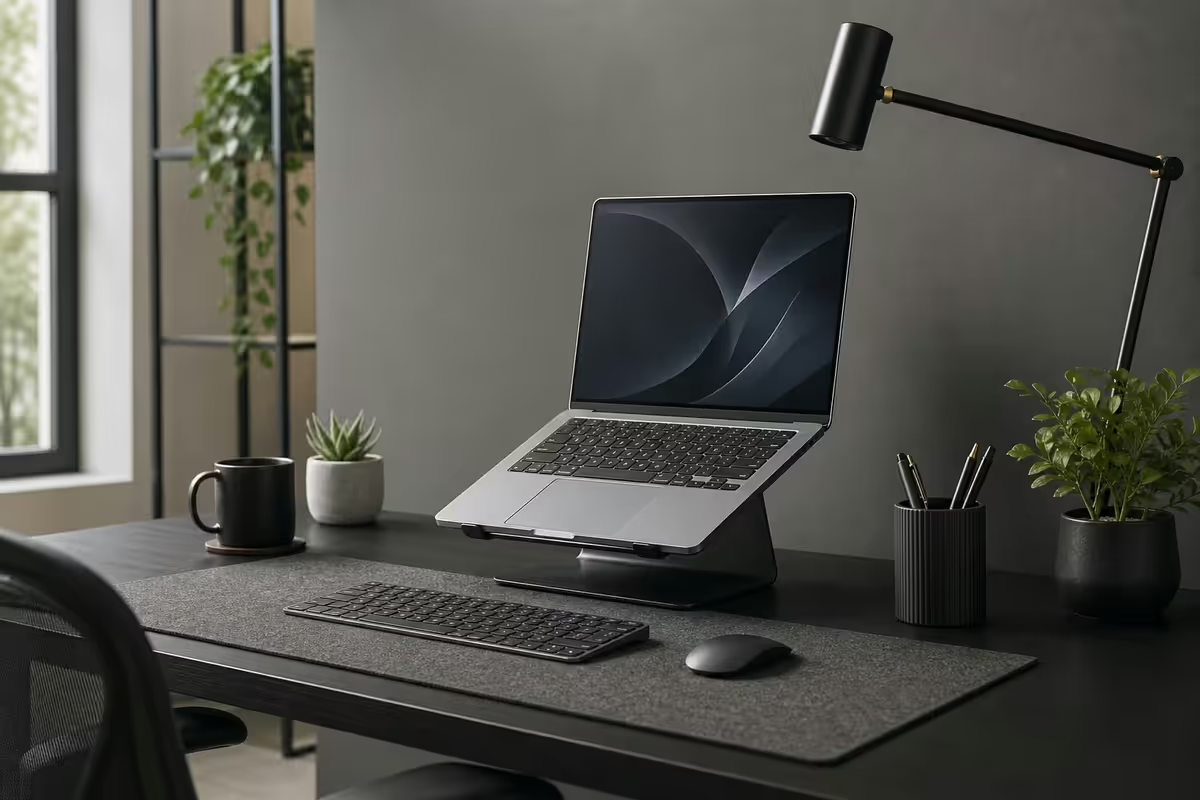
The clean MacBook desk you see on Reddit isn't an Instagram aesthetic. It's a working argument: every cable hidden is a distraction killed, every surface decision is a sustained-attention decision, every R3,000 monitor arm is a posture you'll actually keep. Spend the Rand right and the desk does the focus work for you.
- screen centre height
- 110cm
- SA discipline build
- R30k+
- SA full aesthetic
- R85-110k
Monitor at eye level — the single most important decision
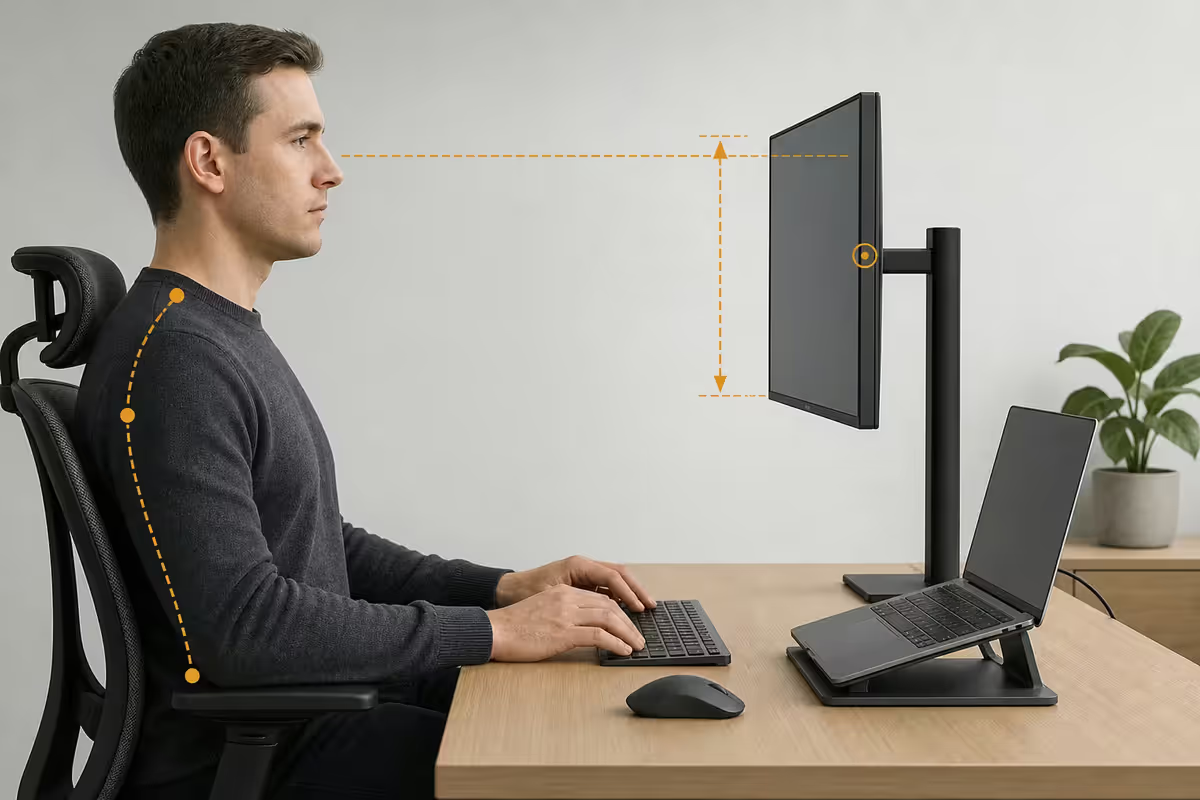
Every part of this guide matters less than this one. The top of the visible content area on your monitor should sit at or slightly below your eye line when you're seated with relaxed shoulders. Fixed stands almost never reach the correct height — you end up tilting your head down 15-25 degrees for hours, and your neck pays for it forever.
The fix is a monitor arm. Not because it looks clean (it does), but because it lets you set the height to your eye line specifically, and adjusts as you change posture during the day.
Quality monitor arms in SA:
- Ergotron LX — R3,800-R5,500. The benchmark. 35cm height range, smooth tension. Lifetime warranty.
- Ergotron HX (heavy duty) — R7,500-R10,000. For 32-43" displays or twin-screen builds.
- Brateck (mid-range) — R1,200-R2,200. Solid budget pick at SA prices, less smooth than Ergotron.
- Vivo / Loctek (budget) — R600-R1,200. Functional but the gas-spring tension drifts over time.
Thunderbolt 4 dock — one cable
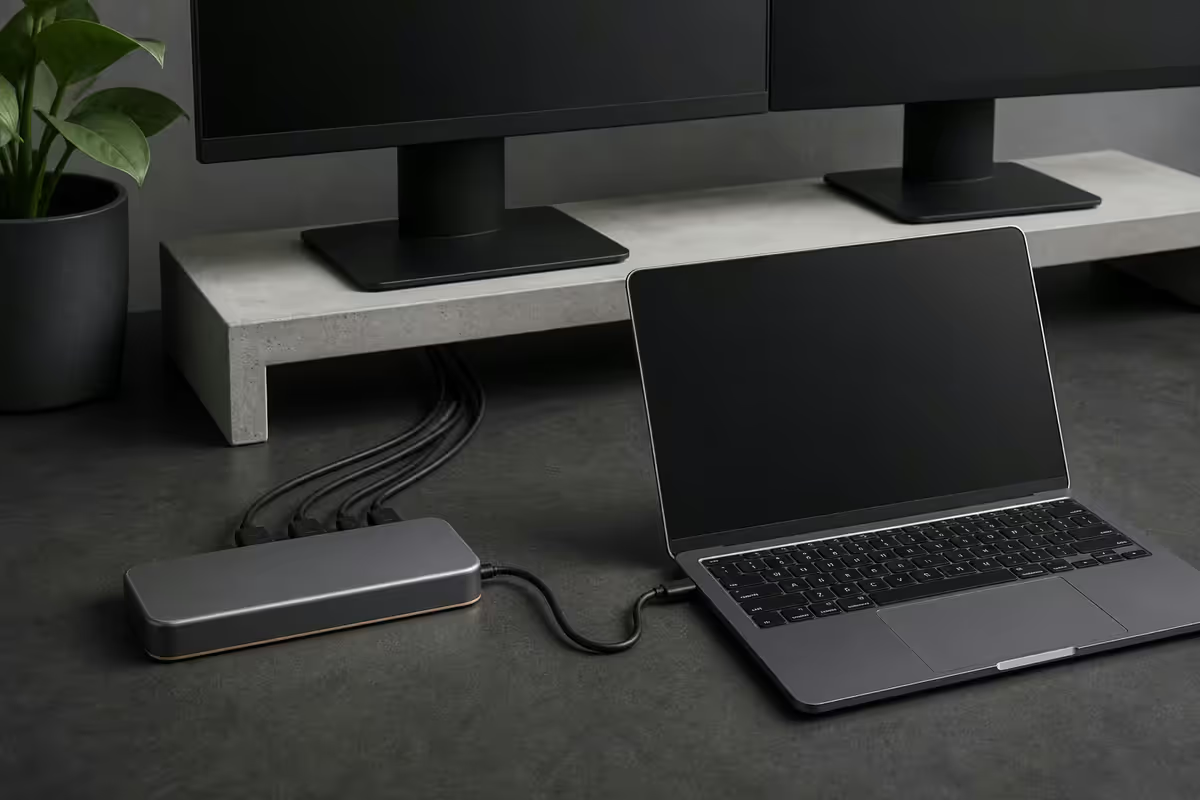
A MacBook desk setup without a dock is a daily ritual of plugging in five cables. With a TB4 dock, the daily ritual is one cable. Both work; the dock saves you about a minute every transition, which over a year is several hours of focus left intact.
The shortlist:
| Dock | Best for | SA price |
|---|---|---|
| CalDigit TS4 | Gold standard, 18 ports, drives 2 native + 1 TB4 displays | R8,500 - R10,500 |
| OWC Thunderbolt Hub | Lean 3× TB4 downstream, smaller footprint | R6,500 - R8,500 |
| Anker 778 (USB4) | Best value for single-monitor setups | R3,500 - R4,800 |
| Apple Studio Display (acts as dock) | If you're buying one, it has 3× USB-C downstream | Display-priced |
Magic Keyboard + Magic Trackpad — the integration nobody else has
You can pair any Bluetooth keyboard or mouse with a Mac. Only one combination gives you Touch ID at the desk — and that one detail is the strongest argument for staying with Apple's peripherals.
Why Touch ID at the desk matters: in clamshell mode (lid closed for an external display), the MacBook's own Touch ID is inaccessible. Without the Magic Keyboard with Touch ID, every macOS authentication prompt forces you to type your full password. With it, every prompt is a thumb tap.
Configuration choices:
- Magic Keyboard with Touch ID + Numeric Keypad — R4,800-R5,500. The full size for accountants, spreadsheet work, gamers.
- Magic Keyboard with Touch ID (compact) — R3,500-R4,200. Cleaner desk, no numeric.
- Magic Trackpad (white or black) — R2,800-R3,600. The gesture-rich pointing device. Macros, Mission Control, swipes all native.
- Logitech MX Master 3S for Mac — R2,200-R2,600. The best precision mouse for productivity work. Skip if you primarily use the trackpad gestures.
- Magic Mouse — R1,900-R2,400. Polarising. Beautiful, awful charge-port placement.
Wireless charging pad — AirPods + Watch + iPhone
A 3-device wireless charging pad on the corner of the desk eliminates four cables (iPhone, AirPods case, Apple Watch puck, sometimes a second device). It's a small thing but cumulatively transforms the desk surface.
SA picks in 2026:
- Belkin BoostCharge Pro 3-in-1 with MagSafe — R2,800-R3,400. The Apple-blessed option, 15W to MagSafe iPhone, 5W to Watch and AirPods.
- Anker 3-in-1 Cube — R1,800-R2,400. Folding/travel form. Great value.
- Mophie 3-in-1 stand — R3,200-R3,800. Pretty, expensive, premium materials.
Lighting — two layers, three colour temperatures
The Mac aesthetic's secret weapon. A MacBook desk in a poorly-lit room looks expensive but feels like a hospital exam. Add two layers of warm controllable light and the whole setup transforms.
Layer 1 — bias lighting behind the monitor. A warm light strip behind the screen eliminates the harsh contrast between bright monitor and dark wall. Reduces eye fatigue measurably during long sessions.
- Philips Hue Play light bars — R1,800 each (you want two). HomeKit integrated, dimmable via menu bar via HomeRun. Colour temperature dialled to 2700K-3000K.
- Govee Glide — R1,200. RGB strip, takes a custom shape. Less polished than Hue but better Rand-per-photon.
- MediaLight Mk2 Flex — R900. Single-purpose bias light, 6500K daylight or 2700K warm. Professional-grade colour for content creators.
Layer 2 — ambient room light. A warm-toned table lamp or sconce 3000-4000K, positioned 60-90cm from the desk edge, behind your dominant typing hand. The lamp casts onto the wall behind the monitor, not onto the screen itself.
- Philips Hue Iris — R2,200. Glowing accent at the back of the desk.
- BenQ ScreenBar Halo — R3,500. Monitor-mounted light bar with auto-dim. The single most-recommended desk lamp on r/macsetups for a reason.
- Any warm bedside-style lamp — R400-R1,200 from Mr Price Home or @home. Doesn't have to be smart.
Cable raceway — the discipline visible
Hide every cable. Under the desk. Out of sight. This is the single highest-discipline-per-Rand move in the entire setup.
The system:
- Under-desk cable raceway (J-channel) — R200-R400 for 1.5m on Takealot. Self-adhesive, holds all cables in a hidden channel along the underside of the desk.
- Cable matrix / cable sleeve — R150-R300. Wraps multiple cables into a single tube where they run from the desk to the floor.
- Cable clips (3M Command-style) — R80-R150 for a pack. Route individual cables along the desk leg.
- Cable tray under-desk — R900-R1,800. The premium option: a metal mesh tray that holds the dock, power strip, and excess cable underneath.
The order of operations: mount the cable tray and J-channel before you place any electronics. Run all cables through the raceway as you install each device. If you try to add cable management after the fact, you'll have to disassemble everything you've already built.
Studio Display + Mac Mini — the alternative aesthetic
For users who don't need the MacBook to leave the desk often, a Mac Mini + Apple Studio Display delivers the most coherent visual setup Apple offers — at less than the cost of a comparable MacBook Pro.
The 2026 pairing:
- Mac Mini M4 — R14,500-R18,500 (16GB/512GB).
- Apple Studio Display (standard glass, tilt stand) — R32,000-R36,000.
- Magic Keyboard with Touch ID + Magic Trackpad — R6,500-R7,800.
- Total — around R56,000-R62,000 before lighting and chair.
Why this can be the right choice: the Studio Display's 5K resolution, P3 colour, native scaling, and centre-stage camera integrate with macOS in ways no third-party display does. The Mac Mini sits behind the display invisibly — there's no MacBook to dock and undock. For a permanent home office, this is the cleanest possible Apple setup.
Why it can be wrong: if you ever need the Mac to leave the desk — café, client visit, travel — Mini doesn't go. You'll end up buying a MacBook anyway and the Studio Display becomes external display only. Decide which side of the portability question you're on before spending.
Desk surface and chair — the foundation
Desk: wood vs MDF reality
Real wood (solid or veneer) ages with grace. MDF with melamine finish ages with chip edges and surface scratches that show every coffee ring. For a 5-10 year desk, the price difference is amortised; for a 1-2 year temporary setup, MDF is fine.
- Solid wood (oak, pine) — R3,500-R7,000 at SA suppliers (Decofurn, OAK Furniture Land, local joinery). Lasts decades. Sits comfortably with any monitor arm.
- Wood veneer over MDF (mid-range) — R2,200-R3,500. Looks like wood, similar lifespan to solid for indoor use.
- Pure MDF + melamine — R900-R2,000. Functional, ages quickly, fine for renters.
- Standing desk (sit-stand) — R5,500-R12,000 for SA-stocked frames (FlexiSpot, Saedi). The motorised base is the cost; pair with any tabletop.
Chair: never skimp here
If you spend 8+ hours daily at the desk, the chair is the second-biggest decision after the Mac itself. A "gaming chair" is the wrong choice — racing-car bucket seats force a fixed posture that fights you on long days.
- Herman Miller Aeron — R18,000-R28,000 depending on size and configuration. The standard. Lifetime build.
- Steelcase Series 1 — R12,000-R16,000. Excellent intermediate.
- Herman Miller Sayl — R12,000-R16,000. The minimalist Aeron sibling.
- Ergohuman Plus — R8,000-R12,000. Best Rand-per-comfort in SA, available widely.
- OfficeMax / Game basics — R2,000-R4,500. Avoid for long-term daily work — back pain costs more than the saved Rand.
The two ZAR builds
| Component | Pick | Cost |
|---|---|---|
| Monitor | Dell P2725D 27" 1440p IPS | R5,500 |
| Arm | Ergotron LX | R4,200 |
| Dock | Anker 778 USB4 | R4,200 |
| Keyboard | Magic Keyboard w/ Touch ID | R3,800 |
| Trackpad | Magic Trackpad | R3,000 |
| Lighting | Govee Glide + warm desk lamp | R2,000 |
| Cables | Raceway + ties | R450 |
| Charger | Anker 3-in-1 | R2,100 |
| Chair | Ergohuman Plus | R9,800 |
| Desk | Wood veneer 140cm | R2,800 |
| Component | Pick | Cost |
|---|---|---|
| Display | Apple Studio Display 27" 5K | R34,500 |
| Arm | Studio Display tilt-height stand | R2,500 |
| Dock | CalDigit TS4 | R9,500 |
| Keyboard | Magic Keyboard w/ Touch ID + Numpad | R5,200 |
| Trackpad | Magic Trackpad (black) | R3,400 |
| Lighting | 2× Hue Play + Hue Iris | R5,800 |
| Cables | Under-desk metal tray + raceway | R1,800 |
| Charger | Belkin BoostCharge Pro 3-in-1 MagSafe | R3,200 |
| Chair | Herman Miller Aeron | R22,000 |
| Desk | Solid oak 160cm | R5,500 |
Key takeaways
- Monitor arm at eye level. Top of content area at eye line. Single highest-ROI decision.
- Thunderbolt 4 dock collapses five daily cables into one. CalDigit TS4 is the gold standard.
- Magic Keyboard with Touch ID is the only desk-Touch-ID option. Worth it for the auth shortcut alone.
- Two layers of warm light — bias behind monitor, ambient on desk. 2700K-3000K.
- Discipline build R30k+ above the Mac; full aesthetic R85-110k. Don't skip the chair.
Frequently asked questions
What is the ideal monitor height for a MacBook desk setup?
The top of the visible content area should sit at or slightly below your eye line when you're seated with relaxed posture. For most adults at a standard 75cm desk and a quality chair, this means the monitor's centre is roughly 110cm from the floor. A monitor arm is the single highest-ROI ergonomic purchase — fixed stands almost never reach the right height, and your neck pays the daily tax. Budget R1,200-R3,500 for a proper single arm; R5,000-R8,000 for a quality dual-arm.Do I really need a Thunderbolt 4 dock for a MacBook desk setup?
If you dock and undock your MacBook daily, yes — one cable connects everything. A TB4 dock handles power delivery to the Mac, drives your monitor(s), connects keyboard/mouse/audio, and provides Ethernet. The CalDigit TS4 (R8,500-R10,500) is the gold standard. The OWC Thunderbolt Hub (R6,500) is the lighter option. For a permanently-tethered Mac Mini desk setup, you can skip the dock and use the Mac Mini's ports directly — but the moment a MacBook returns to the desk, a dock saves you 60 seconds of cable shuffling every time.Magic Keyboard with Touch ID and Magic Trackpad — or a third-party keyboard and mouse?
For the discipline of the Mac aesthetic and seamless Touch ID at the desk, the Apple Magic Keyboard + Magic Trackpad pair is unmatched. Touch ID at the desk lets you authenticate apps, password autofill, and Apple Pay without reaching for a phone. The Logitech MX Master 3S for Mac is a better productivity mouse for many users (especially those using the third-monitor-as-Slack pattern from a triple-monitor setup), and the MX Keys S for Mac is a solid keyboard if you prefer mechanical-style travel over the Magic Keyboard's shallow throw. Mix as you see fit — the Touch ID Magic Keyboard is the one piece worth keeping Apple.What lighting do I need for a MacBook desk setup?
Two layers. (1) Bias lighting behind the monitor — Philips Hue Play bars (R1,800 each) or Govee Glide (R1,200) eliminate the eye-fatigue contrast between bright screen and dark wall. (2) Ambient room light at 3000-4000K colour temperature — a Hue Iris (R2,200) or any warm bedside-style lamp on the side of the desk. Avoid overhead office fluorescents directly above the screen — they reflect on glass surfaces. The Pixel-by-pixel lighting trend (Govee Pixel, Twinkly) is purely aesthetic — beautiful but doesn't help productivity.Is the Apple Studio Display worth it for a MacBook desk setup?
The Studio Display (5K 27", around R32,000-R36,000 in SA) is the only third-party-priced display that integrates with macOS as cleanly as a built-in Retina — calibrated colour, native scaling, MagSafe-style colour profile sync, and the centre-stage camera. The catch: at R34,000 it's the price of two excellent 4K UltraFine alternatives. For a MacBook Mini + Studio Display pairing (around R45,000 total in SA) the aesthetic and integration are unmatched. For multi-display setups, the value gets harder to defend versus 27" Dell U2725QE at a third of the price.What chair should I pair with a MacBook desk setup?
The Herman Miller Aeron (R18,000-R28,000 in SA depending on size and configuration) remains the de facto premium choice for 8+ hour desk days. The Steelcase Series 1 (R12,000-R16,000) and Ergohuman Plus (R8,000-R12,000) are excellent value steps down. Avoid 'gaming chairs' with racing-car bucket seats for productivity work — the deep bolsters force a fixed posture that fights you on long days. Lumbar support, breathable mesh back, and seat depth that doesn't pressure the back of the knees are the three things to verify in person.Wood desk vs MDF desk for a MacBook setup — does it matter?
For the Mac aesthetic, real wood (or a quality wood veneer) reads as intentional and ages well. MDF with melamine finish costs less, but the edges chip, the surface scratches more easily, and the screw mounts for monitor arms strip over time. A solid wood Pinewood or Oak desk runs R3,500-R7,000 at SA suppliers like Decofurn, OAK Furniture or custom Joinery; equivalent MDF lands at R1,200-R2,200 from Makro/Game. For a long-term desk setup, the price difference is amortised over 5-10 years — the wood wins. For a starter setup or a temporary work-from-home arrangement, MDF is fine.How much does a full Mac aesthetic productivity desk cost in South Africa?
The full Mac aesthetic — MacBook Pro M4 + Studio Display + Magic Keyboard with Touch ID + Magic Trackpad + monitor arm + bias lighting + cable raceway + solid-wood desk + Aeron chair — lands around R85,000-R110,000 in SA in 2026. The discipline version (no Studio Display, M Pro instead of Max, single 27" Dell, Ergohuman chair instead of Aeron) comes in around R30,000-R35,000 above just the Mac itself. The aesthetic isn't the spend — the discipline is.
Get the Evetech app
Exclusive app-only prices, daily flash sales, and free delivery on orders over R4,000 — download the app and start saving.