Desk Lighting Buying Guide
How to choose desk lighting. — Light yourself, not the screen.
The single highest-ROI desk upgrade is a R300 bias light behind your monitor. The second is never pointing a lamp at your screen. Most people get this exactly backwards.
- bias · key · task · ambient
- 4 layers
- warm to cool CCT
- 2700–6500K
- SA pricing tiers
- R300–R8000
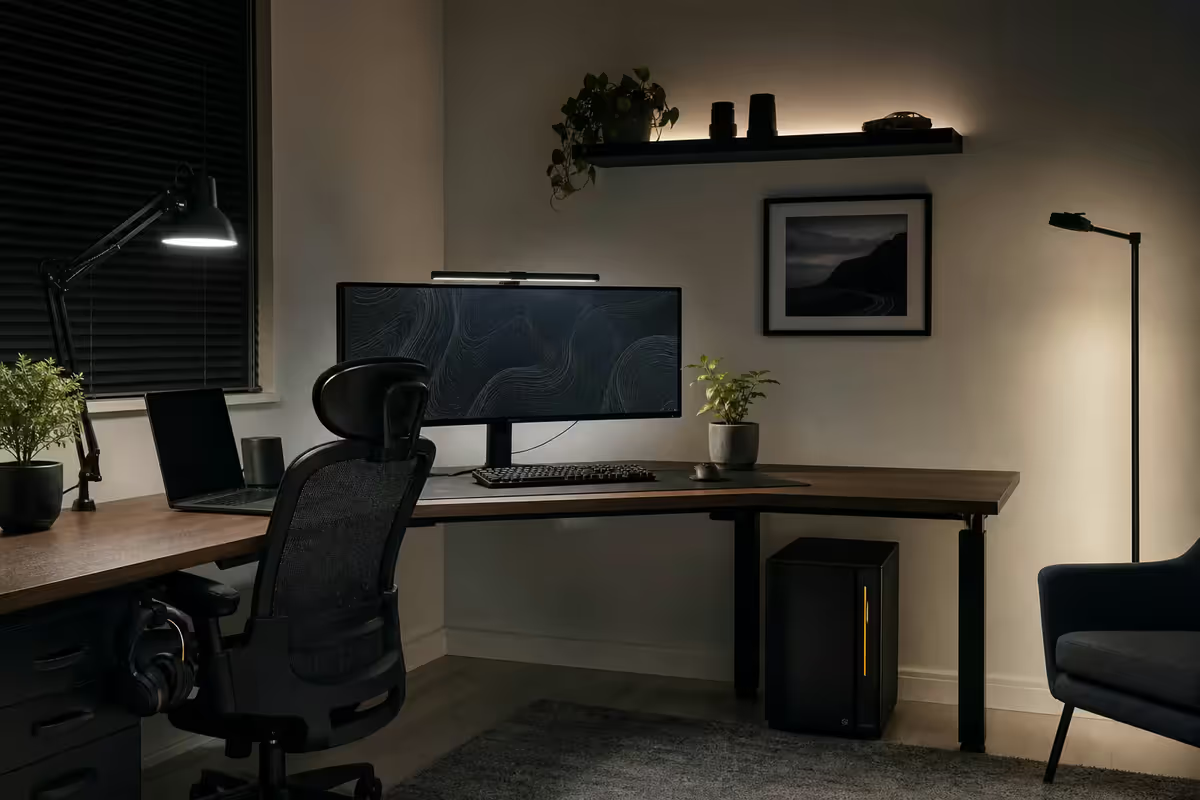
Bias light — the single highest-ROI upgrade
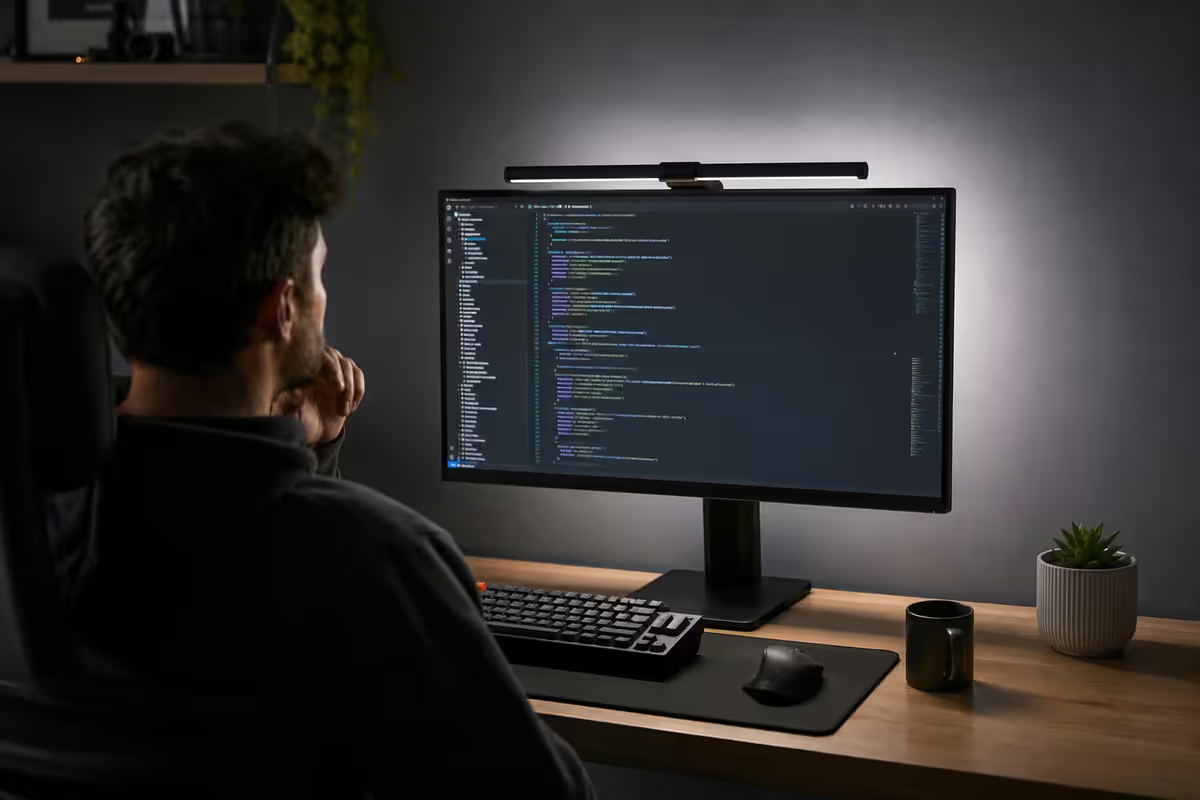
A bias light is a soft LED strip mounted behind your monitor, washing the wall behind the screen in warm or daylight white. It sounds gimmicky. It is not. It is the cheapest, fastest, most-visible-difference desk upgrade you can make.
Why it works: in a dark room, your pupils dilate to gather light from the bright screen, then constrict every time you look away. That constant adjustment is what causes the dry, scratchy eye fatigue at 5pm. A bias light raises the ambient brightness around the screen, reducing the contrast ratio your eyes have to fight against. Perceived screen contrast actually improves at the same time.
| Option | Best for | SA price |
|---|---|---|
| USB warm-white LED strip | Budget — does the job | R150-R400 |
| Govee T2 Pro Backlight | Smart, colour-changing, scene presets | R1,000-R1,400 |
| Philips Hue Play (2-pack) | Hue ecosystem, ambient sync | R2,500-R3,500 |
| BenQ ScreenBar Halo | Bias + task in one (rear glow + front bar) | R3,200-R4,000 |
Key light — for video calls and streaming
A key light is the primary light source on your face during video calls or recording. It sits to the side of your camera (typically 30–45° off-axis, slightly above eye level) and gives you the soft, even, professional look that distinguishes a R5 video call from a R50,000 video call.
For occasional Teams or Zoom calls, the Logitech Litra Glow (R2,200) clips onto your monitor and gives you camera-ready output instantly. For streamers or anyone who's on camera for hours daily, the Elgato Key Light Mini (R2,800) or full-size Elgato Key Light (R5,500) on a desk arm gives broadcast-grade output with app control. The Lume Cube Panel Mini (R1,800) is a strong third option, often cheaper than the Litra Glow and bicolour-capable.
- Bicolour CCT. 2700–6500K range so you can match the room — mixed temperatures look bad on camera.
- Diffused, not point-source. A bare bulb creates harsh shadows. A panel or bar gives soft falloff.
- App or physical control. You'll change brightness and CCT a lot. App-only is annoying mid-meeting.
- Mounted off-axis. Never directly behind the camera — that flattens your face like a passport photo.
CCT — bicolour 2700K to 6500K
Correlated colour temperature (CCT) is measured in Kelvin and runs from warm (2700K, orange-yellow candlelight) to cool (6500K, midday daylight). It's the single most-impactful spec on a desk lamp after brightness.
| CCT | Feels like | Use for |
|---|---|---|
| 2700K | Candlelight, sunset | Evening reading, wind-down |
| 3000K | Warm incandescent | Late afternoon, casual work |
| 4000K | Neutral white | All-day general task light |
| 5000K | Bright daylight | Focus work, morning |
| 6500K | Midday sky | Colour-accurate design, video |
Bicolour LEDs let you scrub the full range with a dial or app. The Xiaomi Mi LED Desk Lamp 1S (R900), BenQ ScreenBar (R2,500) and BenQ ScreenBar Halo (R3,500) all do this well. The melatonin-suppression research is solid — cool light in the morning keeps you alert, warm light at night protects your sleep cycle.
Avoid single-temperature LEDs unless you only work during one part of the day. A "warm white only" lamp at 9am makes you sluggish; a "daylight only" lamp at 9pm wrecks your sleep.
The no-glare rule
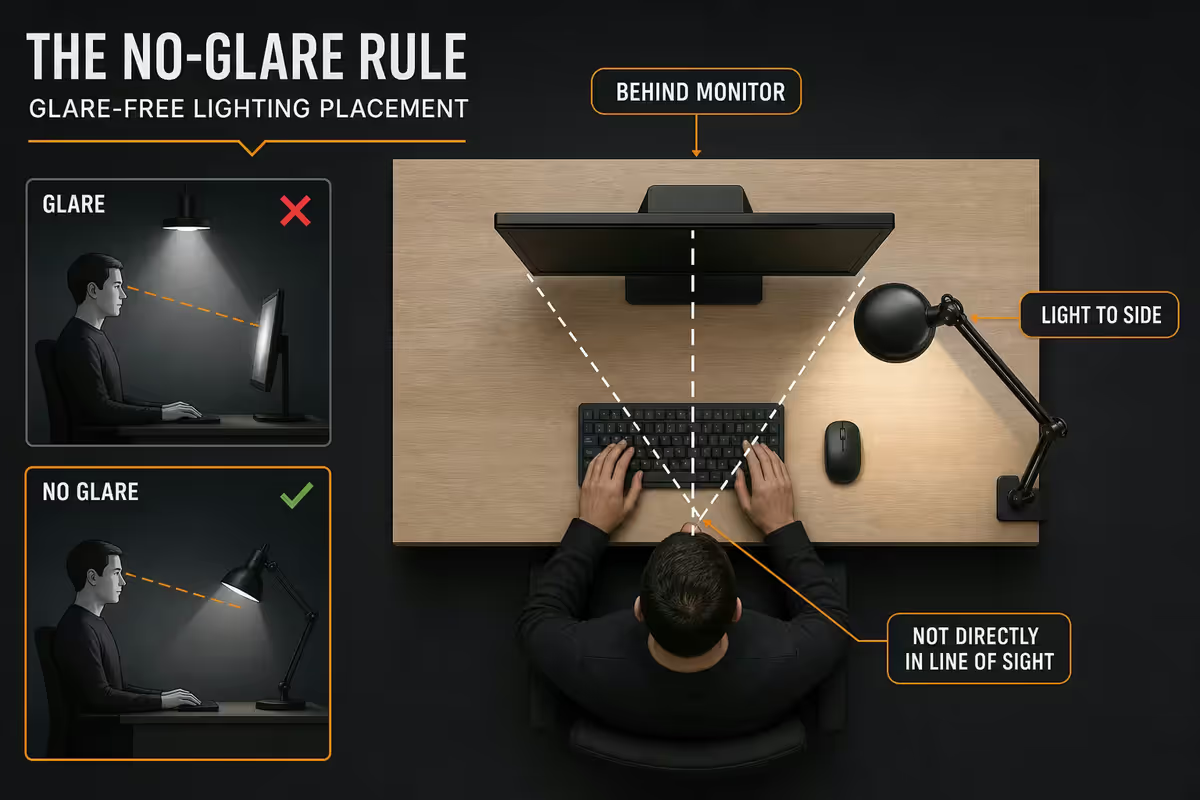
The single most-broken lighting principle in home offices: never let a light source point at the screen. Light hitting the monitor glass creates glare and reflections that wash out colour, hurt contrast and force your eyes to work harder. Headaches follow.
Every light source on your desk should point one of three ways:
- At you, from the side. Key light at 30–45° for video calls.
- Behind the monitor. Bias light washing the wall.
- Upward at the ceiling. Ambient bounce for room fill.
This is why traditional desk lamps with downward-facing shades cause problems — they spill onto the monitor surface from above. Monitor-mounted bars like the BenQ ScreenBar and BenQ ScreenBar Halo solve this physically: they clamp onto the top bezel and project a directed cone onto the desk surface in front of the monitor, with zero spill onto the screen itself.
Dimmer + scene control
The most under-appreciated lighting feature is the dimmer. Full brightness at 9am is great. Full brightness at 9pm is a sleep-cycle disaster. If you can't easily ramp down, you won't.
There are three ways to do this:
- Physical dimmer dial. The BenQ ScreenBar Halo's wireless puck, a Lutron Caseta dimmer or any in-line USB dimmer. Friction near zero — best option for a one-lamp desk.
- App scenes. Hue, Govee, Yeelight and Nanoleaf apps let you save "focus", "video call", "evening read" and "movie" presets across multiple bulbs and switch with one tap.
- Voice scenes. "Hey Google, focus mode" sets every light in the room. "Hey Siri, movie time" drops them to 10% warm. This is where smart-home integration earns its keep.
Pick one of the three. Don't skip them all and live with full-brightness lights at 9pm — that's how good lighting gear ends up unused after the first week.
Smart-home integration
In 2026, the smart-home compatibility question has finally simplified. The standard to look for is Matter — the cross-ecosystem protocol now supported by Google Home, Amazon Alexa, Apple HomeKit and Samsung SmartThings simultaneously. Matter-certified bulbs work across all four without bridge lock-in.
| Ecosystem | Best brands | SA availability |
|---|---|---|
| Google Home / Matter | Govee, Nanoleaf, Xiaomi Yeelight | Wide — Takealot, Evetech, Loot |
| Apple HomeKit / Matter | Philips Hue, Nanoleaf, Eve | Hue easy; Eve via iStore |
| Amazon Alexa | Govee, Philips Hue, TP-Link Tapo | Wide — most bulbs support it |
| SmartThings / Matter | Samsung, Aqara, Nanoleaf | Limited but growing |
The practical advice: if you're starting fresh in 2026, pick Matter-certified bulbs. If you already own Philips Hue, the bridge and ecosystem are excellent — keep extending it. If you want the cheapest path to smart lighting that works, Govee is the SA value pick — full app + Matter + Alexa + Google support at half the Hue price.
Picks and SA pricing tiers
| Tier | What you buy | SA price |
|---|---|---|
| Entry — R300 | Basic clip-on LED + USB warm-white strip behind monitor | R250-R400 |
| Mid — R2,500 | Govee T2 Pro bias kit + Xiaomi 1S or BenQ ScreenBar bicolour | R2,300-R2,800 |
| Pro — R8,000+ | Elgato Key Light Mini + Philips Hue Play bias + 2× Hue smart bulbs + Nanoleaf panels | R8,000-R14,000 |
| Streamer — R15,000+ | 2× Elgato Key Lights + Elgato Light Strip + Nanoleaf Shapes set | R15,000-R25,000 |
| Designer / photo | BenQ ScreenBar Halo (high-CRI) + bias light at 6500K | R4,500-R6,000 |
| Sleep-friendly | Bicolour everything + scene presets dropping to 2700K after 7pm | From R2,500 |
Key takeaways
- Bias light behind the monitor is the single highest-ROI lighting upgrade — start at R300 with a USB warm-white strip.
- Key light at 30–45° off-axis for video calls — Logitech Litra Glow, Elgato Key Light Mini or Lume Cube Panel Mini.
- Bicolour 2700–6500K matters more than peak brightness. Cool for focus, warm after sundown.
- Never point a light at the screen. Side, behind, or upward — never at the panel.
- A dimmer or scene control is what turns good gear into actually-used gear. Pick physical, app or voice.
- Matter-certified bulbs in 2026 work across Google Home, Alexa, HomeKit and SmartThings — buy Matter unless you're already in Hue.
Frequently asked questions
What is bias lighting and why does my desk need it?
A soft LED strip behind your monitor washing the wall in light. It reduces perceived screen contrast, eases eye strain in dim rooms and actually makes colour look better. Govee T2 Pro Backlight (R1,200), Hue Play (R2,800) or a USB strip (R300) all work.What key light should I buy for video calls in South Africa?
Logitech Litra Glow (R2,200) for occasional calls. Elgato Key Light Mini (R2,800) or full-size Key Light (R5,500) for streamers and daily on-camera work. Lume Cube Panel Mini (R1,800) is the budget bicolour pick.What CCT should my desk lights be?
Cool 5000–6500K daylight for focus and morning. Warm 2700–3000K for evening reading and wind-down. Buy bicolour LEDs (Xiaomi 1S, BenQ ScreenBar) so you can scrub the range.Why should light never point at my monitor?
Glare and reflections wash out colour, hurt contrast and force your eyes to work harder. Every light should point at you, behind the monitor, or up at the ceiling — never at the screen.Should I get smart bulbs or dumb LED strips?
Smart is worth it if you'll use scenes — focus mode, evening mode, movie mode. Otherwise save the money. In 2026, look for Matter compatibility for cross-ecosystem support.What is an ambient light bar or LED strip for?
Room fill — it stops the space around your monitor feeling like a black void. Govee strips (R600+), Hue Bloom (R2,400), Nanoleaf panels (R3,500+). Not a substitute for bias or key light.How much should I spend on desk lighting in SA Rands?
R300 entry, R2,500 mid (Govee bias + bicolour BenQ ScreenBar), R8,000+ pro (Elgato Key Light + Hue ecosystem + Nanoleaf). Worth scaling with how much time you spend on camera.Do I need a dimmer or scene control?
Yes. A physical dial (BenQ ScreenBar Halo puck), app scenes (Hue, Govee) or voice (Google, Alexa, Siri) — pick one. Otherwise you'll leave lights blasting at full brightness at 9pm.