Lifestyle · Lighting Guide
The RGB setup that doesn’t look like a kids’ party. — One ecosystem. Two colours. Honest light.
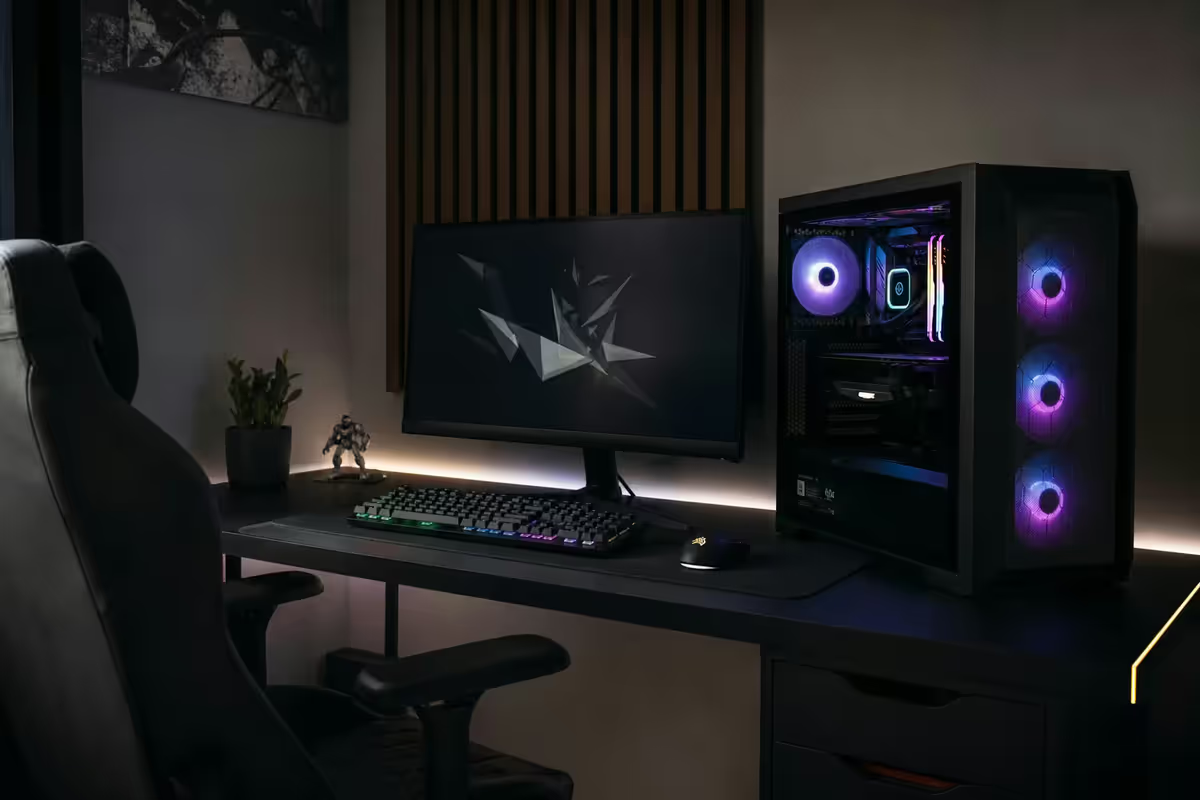
The Instagram-grade setups aren’t using more lights than yours. They’re using fewer, smarter, in tighter colour palettes. Discipline is the cheap upgrade most gamers skip.
- ecosystem only
- 1
- premium look
- 2 colours
- budget tiers
- R1.5k–R15k
Pick one ecosystem — and only one
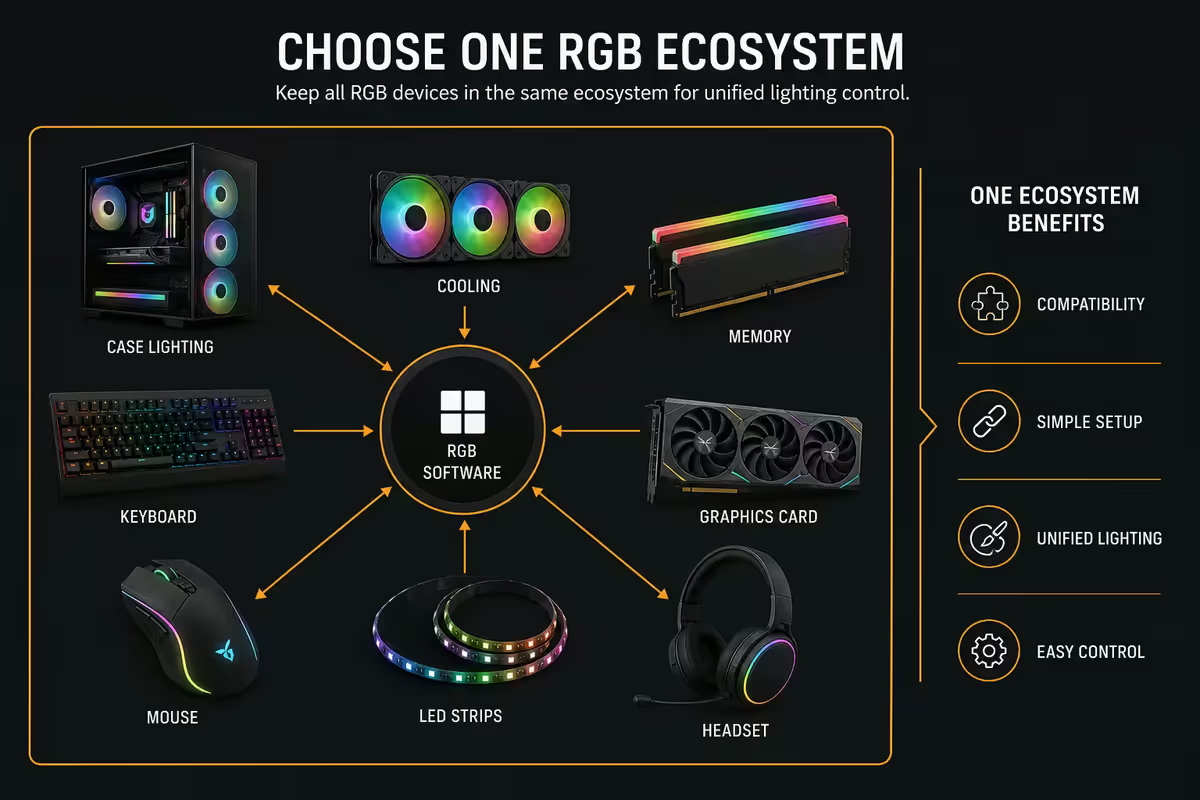
The single biggest reason RGB setups look chaotic isn’t bad taste — it’s too many ecosystems running in parallel. A Corsair keyboard, Razer mouse, NZXT case fans and ASUS motherboard all trying to sync produces visual noise no amount of fine-tuning fixes.
| Ecosystem | Strongest in | Pick if |
|---|---|---|
| Razer Chroma | Peripherals + 300 partner products | Mixed kit, broad sync (incl. Philips Hue) |
| Corsair iCue | Cases, AIOs, fans, peripherals | Full-tower build, deep customisation |
| ASUS Aura Sync | ROG motherboards + Aura partners | Already on an ROG board |
| NZXT CAM | NZXT cases, AIOs, fans | NZXT-only build (H-series + Kraken) |
| OpenRGB | Cross-brand, no vendor lock-in | Tinkerer, happy with setup friction |
| SignalRGB | Game-aware effects, modern UX | Streamer, content creator |
The cheap rule: if you already own one branded ecosystem device, your next 5 RGB purchases should match. Selling off mismatched gear and replacing with consistent kit usually beats buying new sync software.
Bias lighting — the single biggest upgrade
A soft LED strip behind your monitor that illuminates the wall is the highest-perceived-value upgrade in any RGB setup. It does three things at once:
- Reduces eye strain by raising ambient brightness behind the screen, so your pupils don’t fight contrast.
- Makes the monitor look higher-contrast through the same mechanism — bright wall behind = darker-seeming monitor blacks.
- Anchors the entire setup visually. Photos and streams of bias-lit setups always feel more “pro.”
| Bias light | SA price (2026) | What it does |
|---|---|---|
| Govee Immersion T2 | R1,200–R1,600 | Camera-based screen colour sync |
| Govee H6076 RGBIC strip | R600–R900 | Music-reactive RGB, app control |
| Philips Hue Play (2-pack) | R2,500–R3,500 | HDMI-sync, premium brightness |
| Philips Hue Play Gradient strip | R3,800–R4,500 | Per-segment HDMI sync |
| Plain warm-white USB strip | R150–R400 | Static bias, zero features, works |
Case fan colour balance
Through tempered glass, mixed RGB fan colours read as chaos. The pro look:
- One hue family per side. All three front intake fans the same colour. Top exhaust the same colour. Rear exhaust matches.
- Two-colour scheme max. Magenta intake + cyan rear = clean. Eight cycling colours = noise.
- Brand-match across positions. Lian Li UNI Fan, NZXT F-series, Corsair iCue Link — pick one fan family and use 5–7 of them. Mixed brand fans rarely sync cleanly.
- White fan bodies diffuse better than black. The light passes through the white frame and reads cleaner on camera. Black-frame RGB fans look more aggressive but photograph harsher.
Keyboard + mouse + headset — the sync triangle
Peripherals are the most visible RGB on your desk. Three rules:
- Same ecosystem across all three. Corsair keyboard + Corsair mouse + Corsair headset means they sync cleanly under iCue. Mix brands and your headset stays out of step.
- Avoid per-key macros on the keyboard. Static breathing or solid colour looks more premium than 104 keys cycling rainbow. Reserve animation for specific game-trigger keys (low health, ult ready) where it conveys info.
- Mouse and headset share the keyboard’s accent colour. Don’t have your keyboard in magenta with a green mouse logo and orange headset earcups.
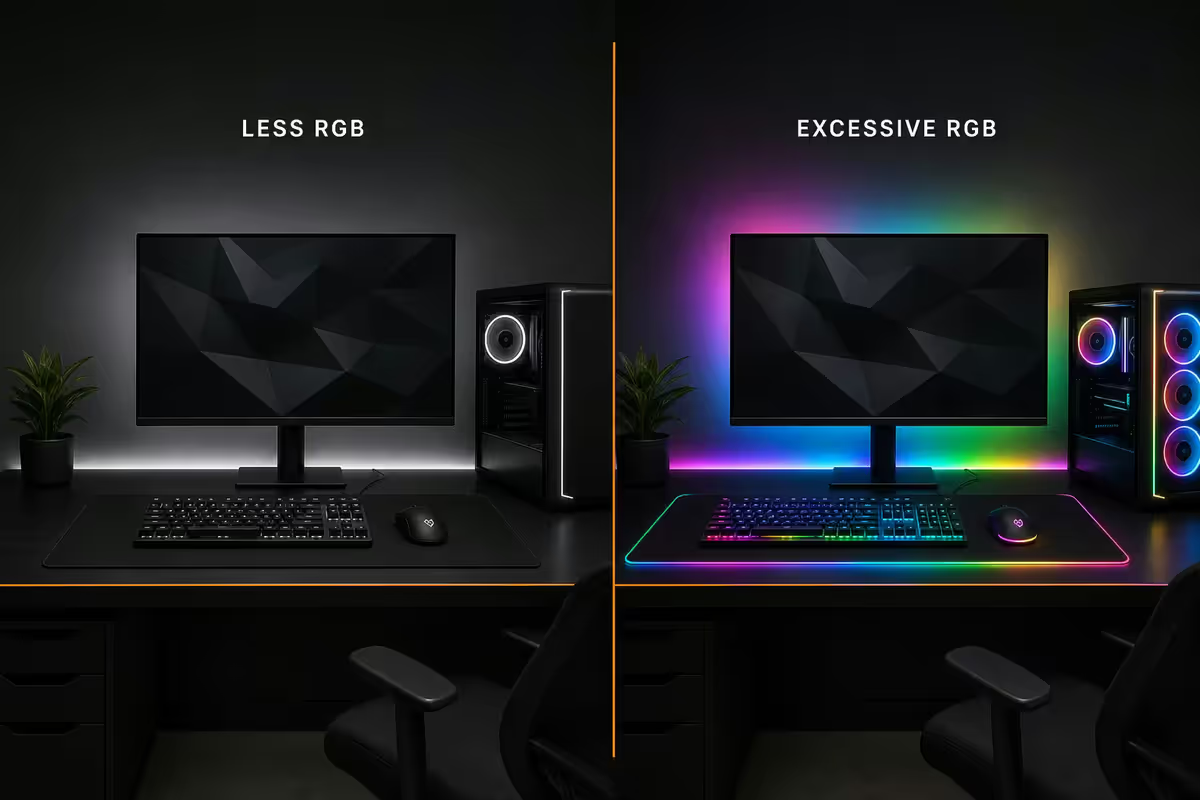
Why less RGB looks more premium
Open Instagram and scroll #pcmasterrace. The 100k-like setups almost universally share three traits:
- Deep blacks. Black desk, black monitor stand, black peripherals. RGB pops against black; it gets lost against light wood or glass desks.
- Two-colour discipline. Usually one warm and one cool — magenta + cyan, blue + orange, purple + teal.
- Negative space. Not every surface lit. A single accent light on a clean wall reads as intentional. Five strips on every edge reads as panic.
The amateur instinct is “more lights = more impressive.” The pro discipline is the opposite. Buy less RGB. Place it more deliberately. Lock to a tight palette.
Room ambient — the bigger picture
RGB on your desk is fighting the rest of the room’s lighting. Most gaming rooms ruin their RGB by leaving a harsh 6500K daylight bulb burning overhead.
The gaming-room lighting stack:
- Overhead — warm and dimmable. A 2700–3000K bulb on a smart dimmer (Lifx, Philips Hue, Govee) lets you fade overhead to a low warm glow when gaming.
- Bias light behind monitor. Always on.
- One or two accent lamps. Philips Hue Iris, Govee floor lamp, Lifx Beam — placed off-axis from the camera/eye so they fill the room without glaring.
- No direct light on the monitor face. Curtains or blinds during day. The monitor’s own brightness handles foreground; ambient lights handle the surround.
How to photograph your setup honestly
Instagram is full of fake-looking RGB photos because people over-edit, use ultra-wide phone lenses or over-light the room. Honest setup photos look better than over-edited fakes once you know the trick.
The setup-photo recipe:
- Shoot in the dark. Turn off overhead lights. Let RGB do the lighting work.
- One warm key light from above-camera-left. A small warm desk lamp aimed away from the lens fills your face/hands without killing the RGB contrast.
- 50mm-equivalent lens or wider. Phone ultra-wide is the enemy — it stretches the room. Use the 1x (main) camera, not the 0.5x ultra-wide.
- Manual exposure. 1/30s, ISO 400, white balance 4500K (Kelvin). Apple ProRAW or Android Pro mode gives full control.
- Don’t crank saturation in editing. Modern RGB is already saturated. Editing pushes it cartoonish.
SA-available kit picks by R-tier
| Tier | Kit | SA price (2026) |
|---|---|---|
| Entry RGB | Govee H6076 strip + cheap RGB mouse + warm overhead dimmer | R1,500–R3,000 |
| Mid RGB | Govee Immersion T2 + Razer Chroma keyboard + Razer mouse + 2x RGB case fans | R5,000–R10,000 |
| Premium RGB | Full Corsair iCue stack — keyboard, mouse, headset, mousepad, 6 case fans, AIO + Philips Hue Play strip + Hue Iris lamp | R15,000–R28,000 |
| Streamer / creator | Premium + Philips Hue Gradient HDMI strip + Elgato Key Light Air + SignalRGB Pro | R28,000–R45,000 |
| Bias-light only | Plain warm-white USB strip + dimmable overhead bulb | R350–R800 |
Key takeaways
- Pick one ecosystem (Chroma, iCue, Aura, CAM, OpenRGB) and never mix. Single biggest source of “looks bad” is mixed sync.
- Bias light behind monitor is the highest-perceived-value RGB upgrade. Govee R900–R1,400 wins for most.
- Two colours, not eight. Static or breathing, not rainbow cycle. Discipline reads as money.
- Case fans: one hue family per side, brand-matched, white frames diffuse cleaner than black.
- Photograph in the dark with one warm key light. Don’t use phone ultra-wide. Don’t over-saturate in editing.
Frequently asked questions
Which RGB ecosystem should I pick?
Pick one and commit. Razer Chroma for the broadest partner ecosystem. Corsair iCue for deep customisation. ASUS Aura if on ROG board. NZXT CAM for NZXT-only builds. OpenRGB if you accept setup friction.What is bias lighting and do I need it?
LED strip behind monitor illuminating the wall. Reduces eye strain, makes the monitor look higher-contrast. Single biggest perceived upgrade. Govee R900–R1,400, Hue Play R2,500.How many colours should I use?
Two — three at most. Rainbow cycle looks amateur. Premium setups lock to a tight two-colour palette with deep blacks.Best case fan colour balance?
One hue per side. Brand-match across positions (Lian Li UNI, NZXT F, iCue Link). White frames diffuse cleaner than black through tempered glass.How do I photograph my setup honestly?
Shoot in the dark, one warm key light off-camera, 1x lens (not ultra-wide), manual exposure 1/30s ISO 400 WB 4500K. Don’t over-saturate in edit.Does RGB affect performance?
RGB controllers use 0.5–2% CPU — irrelevant. Heavy iCue with full peripheral suite can hit 5–8%. Disable effects in ‘gaming mode’ for competitive play.What room ambient lighting works?
2700–3000K warm dimmable overhead + bias light + 1–2 off-axis accent lamps. Avoid 6500K daylight bulbs — they kill RGB contrast.Budget for a good RGB setup in SA?
Entry R1.5–3k (bias + RGB mouse). Mid R5–10k (Govee + Chroma keyboard + 2 fans). Premium R15–28k (full iCue + Hue Play). Bias-only R350–800.
Get the Evetech app
Exclusive app-only prices, daily flash sales, and free delivery on orders over R4,000 — download the app and start saving.