Content Creator Setup Guide
The complete creator setup.
Everyone obsesses over the camera. The viewers who clicked away in three seconds did so because of your audio. Here's the honest order of operations from a Centurion warehouse that ships creator kits every week.
- three honest tiers
- R20k → R85k+
- NVENC era
- Single-PC
- priority order
- Mic first
01 · Buy the microphone first
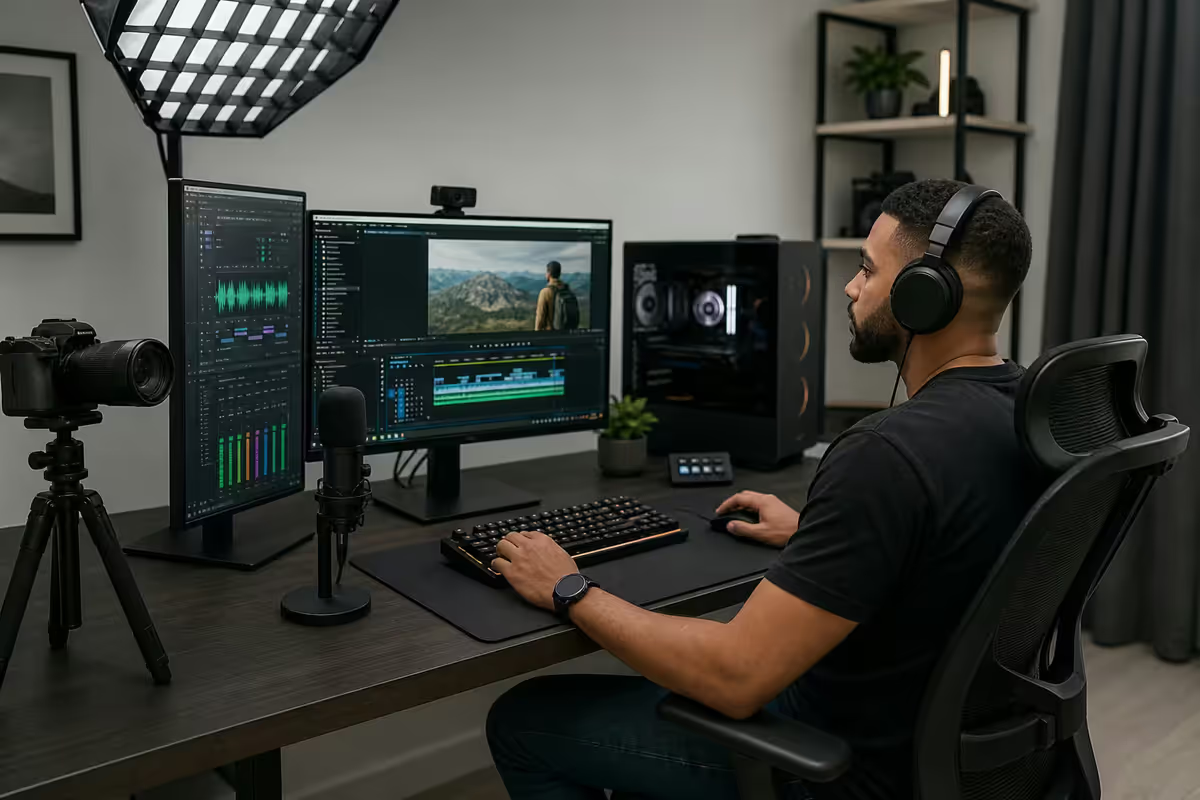
The single most expensive mistake new creators make is spending R30,000 on a mirrorless camera while plugging into the AirPods microphone they had in their drawer. Your viewers do not need 4K. They need to be able to listen to you for ten minutes without flinching.
The numbers from YouTube's own creator dashboard back this up: average view duration drops 47% when audio scores below "clean" on the platform's automated quality check. No camera upgrade in the world fixes a click-away in second three.
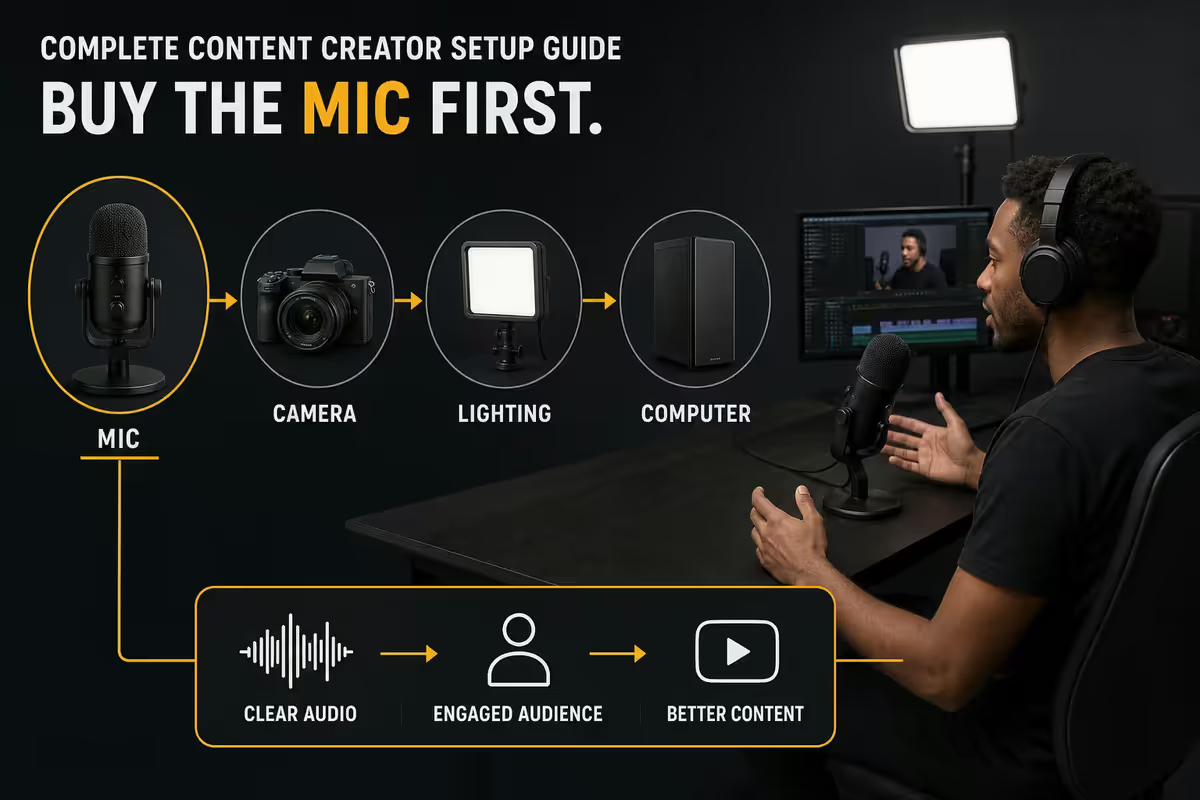
The honest priority order for a new creator in 2026:
- Microphone — the difference between someone watching and someone leaving.
- Lighting — turns a webcam into something that looks deliberate.
- Camera — yes, third. A lit webcam beats an unlit mirrorless every day.
- PC upgrade — only if your current rig actually drops frames while encoding.
- Stream Deck and accessories — production-quality and consistency multipliers.
The starter pick: Rode PodMic USB at R3,800. Cardioid pattern (rejects room noise), onboard DSP, headphone passthrough, one USB-C cable. The Shure MV7+ at R7,200 is the step up — auto-level, built-in voice isolation, and the same broadcast tonality as Joe Rogan's SM7B at a third of the cost. Both plug straight into your current PC. No interface required.
02 · The PC — NVENC and single vs dual rig
This is where most "creator setup" content is three years out of date. The dual-PC streaming rig — one PC plays the game, the other encodes via Cam Link — was the right answer in the GTX 1080 era when x264 software encoding cost you 15-25 FPS in heavy CPU-bound games. That world is gone.
A single RTX 5070 with NVENC has made dual-PC streaming setups largely obsolete for almost every creator. NVIDIA's 9th-gen NVENC encoder on Ada and Blackwell cards runs in dedicated silicon — not on the shaders that render your game. At 1080p60 8000 kbps (Twitch's max), the visual quality is now indistinguishable from x264 medium in side-by-side blind tests. The CPU cost? Around 1-3%.
When dual-PC still makes sense:
- You're streaming a CPU-bound competitive title (Tarkov, MMOs) and running heavy facial-tracking VTuber software on the same rig.
- You're a multi-platform simulcaster pumping four 1440p outputs (Twitch, YouTube, Kick, X) with custom overlays per platform.
- You already own a second decent PC and don't have to buy one.
The honest single-PC spec for streaming in 2026: Ryzen 7 9700X or Core Ultra 7 265K, 32GB DDR5-6000, NVIDIA RTX 5070 (R16,500) for 1080p60 streaming or RTX 5080 (R28,000) if you want 1440p60 with no compromise. Avoid AMD GPUs for streaming specifically — their AV1 and H.264 encoders have closed the gap on quality but the OBS ecosystem and game compatibility still favour NVENC.
03 · Camera — DSLR vs mirrorless vs webcam
DSLR is dead for new content creators in 2026. Optical viewfinders, mirror flip noise, and older autofocus systems all lose to mirrorless cameras for the talking-head-on-a-tripod use case. The only people who should still buy DSLRs are wedding photographers running out their existing EF/F-mount lens collection.
For everyone else, the choice splits cleanly into three tiers based on what you actually do:
| Camera | Best for | SA price (body) |
|---|---|---|
| Logitech MX Brio 4K | Streaming, web meetings, plug-and-play | R5,500 |
| Insta360 Link 2C | AI tracking webcam for solo creators | R4,800 |
| Sony ZV-E10 II | YouTube talking-head, clean HDMI out, no record limit | R22,000 |
| Sony A6700 | Client video work + creator hybrid | R34,000 |
| Sony FX30 | Serious YouTube + commercial work | R45,000 |
| Canon EOS R50 | Canon ecosystem, vlogging lens set | R19,500 |
The honest pick for most creators: if you only sit at your desk, the Logitech MX Brio 4K does 90% of what a mirrorless does once lighting is sorted. If you also leave the house with your camera, the Sony ZV-E10 II body with a Sigma 16mm f/1.4 lens and an Elgato Cam Link 4K (R3,200) is the sweet spot — clean HDMI out, no overheating, and real interview-quality autofocus.
About the Cam Link: any mirrorless or DSLR streaming into OBS needs an HDMI-to-USB capture device. The Elgato Cam Link 4K is the standard — works on Windows, macOS and Linux out of the box, supports 1080p60 and 4K30, and shows up as a UVC webcam in any application. Generic R600 Chinese capture cards work for casual use but drop signal under load.
04 · Lighting kit — the actual differentiator
If you only spend money on one upgrade beyond the microphone, make it lighting. A R5,500 webcam in a well-lit room looks more professional than a R30,000 mirrorless under a single dim ceiling light. Camera sensors compress badly in low light; the image processor crushes shadows and amplifies noise. There is no software fix for missing photons.
The two-light standard creator setup:
- Key light — main light on your face, 45° from camera. The Elgato Key Light Air (R3,200) is the standard for desk creators: bi-colour, app-controlled, sturdy desk clamp.
- Fill light — softer secondary light on the opposite side to reduce shadow under one eye. A second Key Light Air or a cheaper R1,200 LED panel works.
The three-light upgrade: add a back/accent light — Aputure Amaran T2c (R2,800) tube light behind you for separation from background, or a coloured LED bar (Govee, Nanoleaf) for the now-standard creator aesthetic. The accent is what makes a setup look intentional rather than improvised.
For YouTube sit-down video (not livestream), step up to the Aputure Amaran 60d (R4,500) bounced into a 60cm softbox. The bigger source = softer shadows = more flattering skin. The Key Light Airs are excellent for livestream because they're small and adjustable from your phone; they're not ideal for high-production video.
05 · Stream Deck + OBS scene library
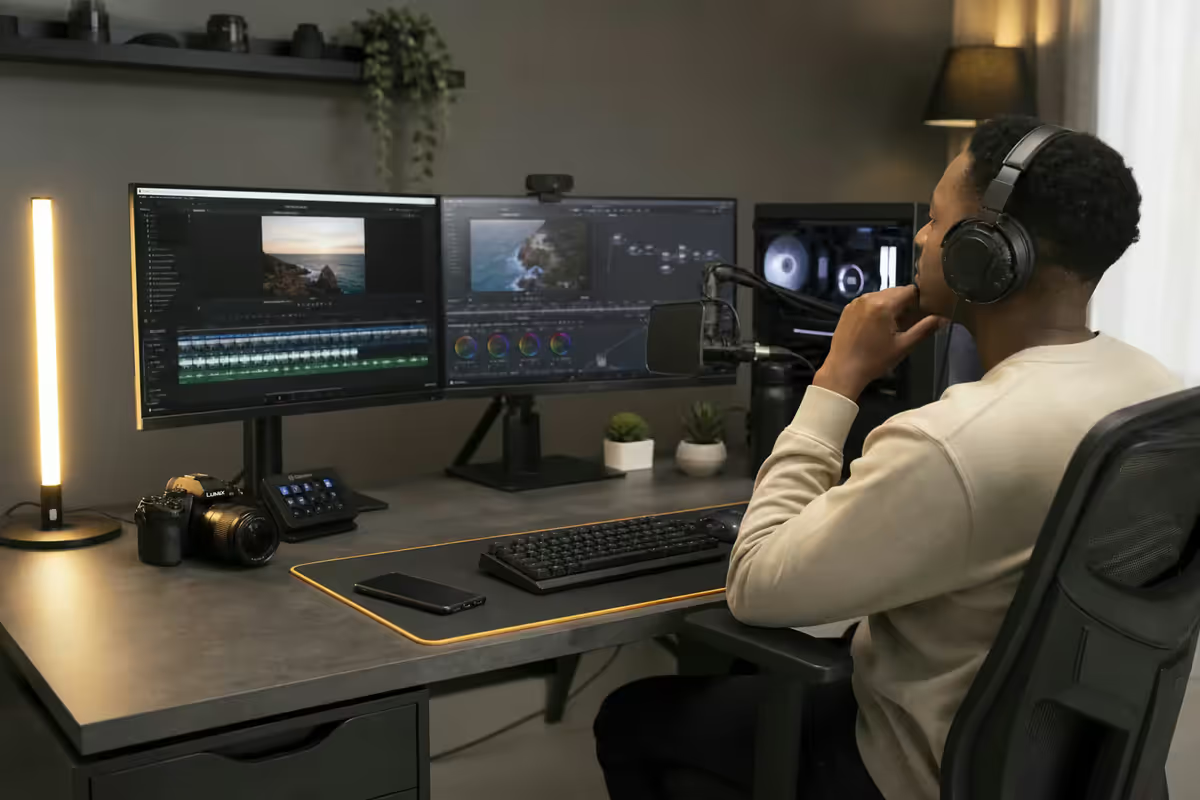
The Stream Deck is the most underrated piece of creator hardware in 2026. The Elgato Stream Deck MK.2 (15 keys, R3,500) and Stream Deck + (eight keys plus four dials and a touchscreen, R6,800) are not stream-only tools — they are programmable hotkey decks that work across OBS, Photoshop, DaVinci, Premiere, Zoom and your browser.
What goes on the keys for a streaming setup:
- Scene switches (Just Chatting, Gameplay, Be Right Back, Starting Soon, Ending Soon).
- Microphone mute toggle with visual feedback (red key when muted).
- Replay buffer save (Shadowplay-style 30-second clip to disk).
- Camera sources on/off (face-cam, full-body, second angle).
- Music control (volume up/down, skip track, mute background).
- Chat reactions and emote spam shortcuts.
- Scene transitions with custom stinger animations.
The OBS scene library that actually works: a "Starting Soon" countdown scene, a main "Live" scene with multiple camera sources, a "BRB" scene with looping animation, a full-screen "Gameplay" scene for cinematic moments, and an "Ending Soon" scene with social handles. Six scenes total — anything beyond that and you'll forget which key does what during a live show.
Stream Deck + over the MK.2 if you can stretch: the physical dials are genuinely transformative for live audio. Mic gain, music level, voice-chat volume and game audio each get their own knob. No more alt-tabbing to a Voicemeeter window mid-stream because chat said your music is too loud.
06 · Green screen vs background blur
In 2022, a green screen was mandatory for any creator who didn't want to stream their bedroom wall. In 2026 the answer is more nuanced — software background removal has caught up dramatically, but green screens still win in specific contexts.
When AI background removal (NVIDIA Broadcast, OBS built-in) is good enough: sit-down YouTube talking-head, podcast-style streams, work meetings, tutorials. On an RTX 5070 or better, NVIDIA Broadcast's segmentation chooses your hair correctly almost every time, runs at <5% GPU cost, and doesn't require any physical setup.
When you still want a real green screen: gameplay overlay scenes where you appear as a floating talking head over the game, fast camera movement (Just Dance-style streams), light-coloured hair where AI segmentation tends to chew the edges, and high-production YouTube where you'll keyframe a custom matte. The Elgato Green Screen MT (R3,800) collapses into a metal case behind your desk in five seconds and stays wrinkle-free.
Lighting the green screen is the part most creators miss: the green has to be lit independently of you — same brightness across the surface, no shadow from your body. Two cheap R600 LED panels behind you angled at the screen do the job. Without that, the chroma key produces a halo of green pixels around your hair.
07 · Three full builds by budget
Honest South African pricing as of mid-2026, sourced from Evetech, Wootware and Rebel Tech retail. Prices fluctuate with the rand — these are baseline figures for stable months.
| Component | R20k Entry | R45k Sweet-spot | R85k+ Pro |
|---|---|---|---|
| PC (CPU + GPU class) | Ryzen 5 8400F + RTX 5060 | Ryzen 7 9700X + RTX 5070 | Ryzen 9 9900X + RTX 5080 |
| RAM + Storage | 16GB DDR5 + 1TB NVMe | 32GB DDR5-6000 + 2TB Gen4 | 64GB DDR5-6400 + 4TB Gen5 |
| Monitor | 1× 27" 1080p 144Hz | 2× 27" 1440p 165Hz | 32" 4K 240Hz + 27" 1440p |
| Microphone | Rode PodMic USB | Shure MV7+ | Shure SM7dB + Rode Caster Duo |
| Camera | Logitech MX Brio 4K | Sony ZV-E10 II + Cam Link 4K | Sony A6700 + Sigma 16mm f/1.4 |
| Lighting | 2× generic LED softbox | 2× Elgato Key Light Air | Aputure Amaran 60d + 2× T2c + Key Light |
| Stream Deck | — | Stream Deck MK.2 | Stream Deck + |
| Extras | Boom arm | Boom arm + Elgato Green Screen | Acoustic foam + diffuser panels |
| Total | ~R20,000 | ~R45,000 | R85,000+ |
The R20k entry tier is what we'd recommend for someone genuinely starting out who has no idea if they'll stick with it. Everything is upgradeable — the case, motherboard and PSU all carry forward into a R45k upgrade six months later. The PodMic USB and MX Brio are both keepers; you don't replace them when you grow.
The R45k sweet-spot is where 80% of serious South African creators land. The diminishing returns above this tier are real — every additional R10k buys progressively smaller improvements. The RTX 5070 handles 1440p60 NVENC streaming with headroom, the MV7+ is broadcast-grade, the ZV-E10 II is the same camera most R-rate YouTubers use.
The R85k+ pro tier only makes sense if you're earning from content already, doing client video work, or running a multi-platform multi-streamer studio. The Caster Duo handles XLR mics with hardware processing; the SM7dB is the broadcast standard for spoken voice; the A6700 with a fast prime is genuinely cinema-grade for talking-head video.
08 · Common mistakes
Buying the camera before the microphone. The single most common new-creator mistake. Spending R30k on a Sony body when your audio is a R200 gaming headset is a guaranteed retention killer. The mic literally matters more.
Skimping on lighting because "the camera handles it." Camera sensors do not handle low light gracefully — they amplify noise and crush shadow detail. A R5,500 webcam with two key lights looks better than a R30,000 mirrorless under a single bulb. Always.
Building a dual-PC streaming rig in 2026. NVENC on RTX 5070+ has made this obsolete for almost every creator. The dual-PC complexity (Cam Link sync, audio routing, separate OBS instances) costs hours of debugging for a quality improvement nobody can see in a blind test.
Putting the microphone on a desk stand. Every keyboard click, mouse thud and chair creak goes straight into the capsule. A boom arm with internal cable routing solves this and costs R3,000-R4,000. Non-negotiable for serious creators.
30 OBS scenes when you only need six. Production complexity that you forget mid-stream is worse than no production at all. Six scenes max, bound to dedicated Stream Deck keys with visual labels.
Ignoring your room acoustics. Bare walls and hard floors create the echoey "bathroom" sound that audiences subconsciously associate with amateurs. Two foam panels behind you and a rug between you and the mic does more than a R20,000 mic in a bare room.
09 · Key takeaways
- Buy the microphone first. Audio quality drives retention; camera resolution does not.
- Single-PC NVENC streaming on an RTX 5070+ is now better than dual-PC for almost every creator.
- Lighting beats camera. A lit webcam beats an unlit mirrorless. Always kill the backlight.
- R20k entry / R45k sweet-spot / R85k+ pro — the R45k tier is where 80% of serious creators land.
- Six OBS scenes mapped to a Stream Deck MK.2 saves 40 minutes per stream and eliminates dead air.
- AI background removal on NVIDIA Broadcast is good enough for sit-down content. Green screen only for overlay scenes.
Frequently asked questions
What should I buy first when starting as a content creator?
The microphone, always. Viewers forgive grainy video but close tabs on bad audio in three seconds. Rode PodMic USB (R3,800) or Shure MV7+ (R7,200) plugged straight into your existing PC. Lighting second, camera third.Do I need a dual-PC streaming setup in 2026?
For almost every creator, no. RTX 5070+ with NVENC delivers visually identical quality to x264 medium at <3% game performance cost. Dual-PC only makes sense for CPU-bound competitive titles plus heavy VTuber tracking, or multi-platform simulcast.DSLR, mirrorless or webcam — which camera should a creator buy?
Logitech MX Brio 4K (R5,500) for desk-only streaming. Sony ZV-E10 II (R22,000) for YouTube talking-head with portability. Sony A6700 (R34,000) only if you also shoot client work. DSLR is dead for new creators in 2026.How much should a content creator spend on lighting?
R3,000 to R8,000 covers two soft key lights plus one accent. Two Elgato Key Light Airs (R3,200 each) handle 80% of desk setups. Light matters more than camera resolution — period.USB mic or XLR with an audio interface — which is better?
USB for most creators in 2026 — the Shure MV7+ and Rode PodMic USB have closed the quality gap. Go XLR (Shure SM7dB into a Focusrite Scarlett 2i2 or Rode Caster Duo) only for podcasts with multiple guests or hardware processing.Is a Stream Deck worth it for a beginner creator?
Yes — the MK.2 (R3,500) saves roughly 40 minutes per stream and pays for itself in two weeks of regular use. Stream Deck + (R6,800) adds physical dials for live audio mixing without alt-tabbing.Do I need a green screen or is background blur fine?
NVIDIA Broadcast and OBS built-in are good enough for sit-down talking-head content on RTX 5070+. Real green screen wins for gameplay overlays where crisp hair edges matter, or fast camera movement.What's a realistic full creator setup budget in South Africa?
R20,000 entry (Ryzen 5 / RTX 5060 PC, MX Brio, PodMic USB). R45,000 sweet-spot (RTX 5070, Sony ZV-E10 II, Shure MV7+, 2× Key Light Air, Stream Deck MK.2, dual 27" monitors). R85,000+ pro (RTX 5080, Sony A6700, SM7dB + Caster Duo, full Aputure lighting kit).
Get the Evetech app
Exclusive app-only prices, daily flash sales, and free delivery on orders over R4,000 — download the app and start saving.