Build Guide · YouTubers & Creators
The creator PC, honestly built. — R30k starter, R55k workhorse, R85k 4K rig.
Premiere open, DaVinci in the background, OBS recording, Chrome with 30 tabs, Photoshop for the thumbnail and Discord beeping in the corner. Creator workloads are not gaming workloads — and the right build looks different.
- three SA tiers
- R30 - 85k
- RTX 50-class encoder
- NVENC
- RAM ceiling
- 32 → 64GB
The creator workload is not the gaming workload
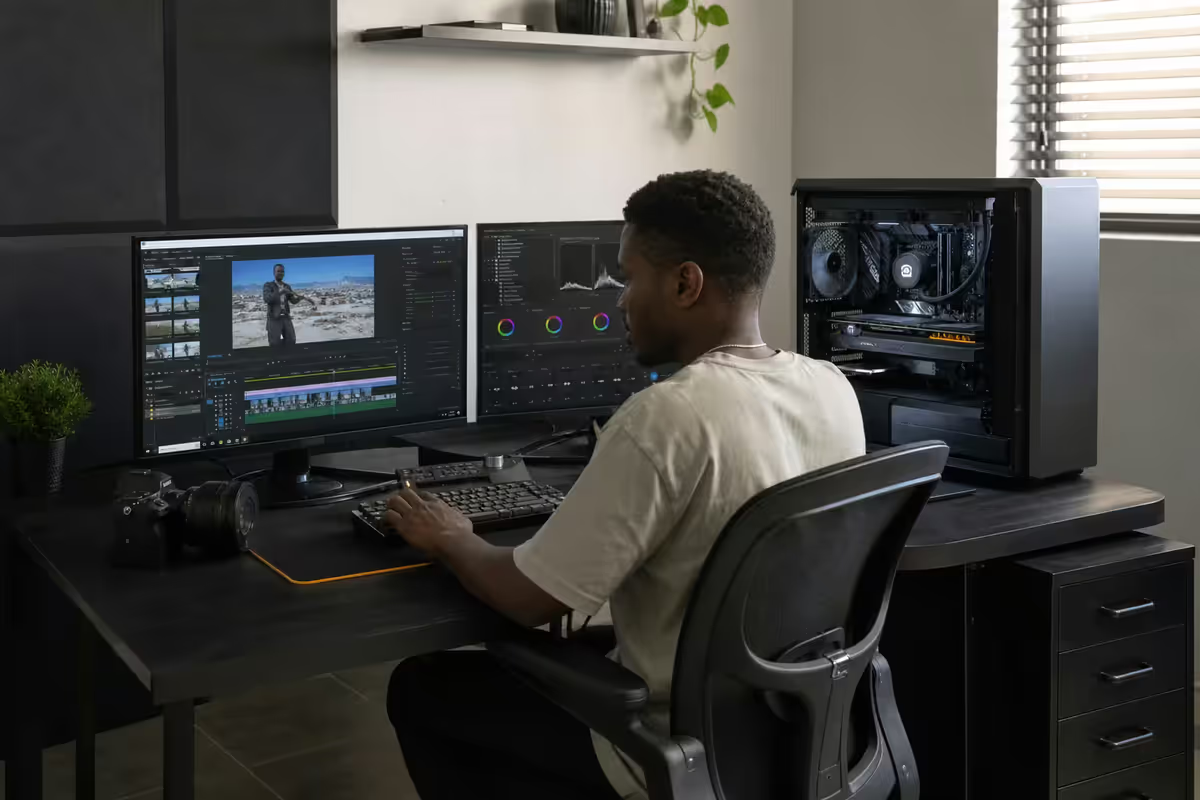
A gaming PC has one job: feed the GPU one game at full priority and get out of the way. A creator PC has six jobs running concurrently: Premiere with a 4K timeline, Photoshop with the thumbnail open, Chrome with analytics dashboards and stock-music research, OBS in the background screen-recording the workflow, Discord pinging with collab requests, and an LLM in another tab helping with the script. Every app fights for CPU threads, RAM, and storage bandwidth.
This is why creator builds optimise differently. A gamer can get away with 16GB RAM and a single SSD. A creator running the same setup will see Premiere swap to disk, scrubbing become molasses, and renders abort with out-of-memory errors. Headroom — not headline benchmarks — is the spec that matters.
A useful frame: imagine you're editing tomorrow's video on a deadline. Premiere is open with three 4K layers, a colour grade, and 6 audio tracks. Slack pings, you check it. A render is queued in the background. You open Photoshop to redo the thumbnail. Whatever your PC does in that moment without complaint is your real spec — not the cherry-picked benchmark scene that ships with the GPU box.
CPU vs GPU — what each one actually does
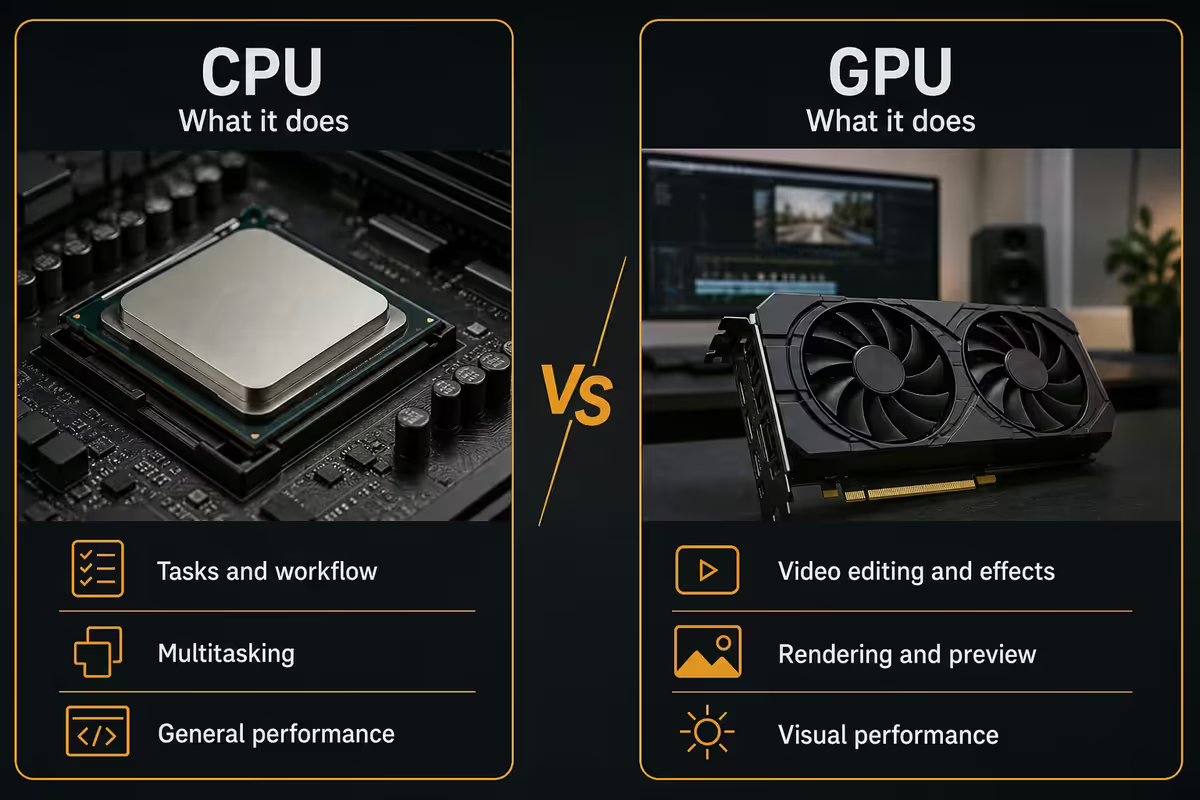
For creators in 2026, here's the practical division of labour:
CPU handles: timeline scrubbing responsiveness, audio mixing, project file load and save, Lightroom catalogue import, Photoshop large-file operations, code/script execution, browser tab load. The CPU is what makes the PC feel fast. A high-end CPU with mid-range GPU feels snappier day-to-day than the opposite combination.
GPU handles: video preview rendering (especially with effects), DaVinci Resolve's GPU-accelerated colour pipeline, NVENC hardware encoding, AI tools (auto-caption, content-aware fill, upscaling), and 3D in Blender or After Effects. The GPU is what makes renders fast and effects real-time. A high-end GPU on a weak CPU still feels sluggish in the editor.
The sweet spot for most YouTube creators in 2026 is a Ryzen 9 7900X3D / Core Ultra 7 265K class CPU paired with an RTX 5070 Ti or 5080 GPU. The CPU keeps the editor responsive; the GPU delivers fast NVENC encoding and DaVinci colour acceleration. Spending more on either side individually delivers diminishing returns past this point.
| Workload | CPU-bound or GPU-bound | Notes |
|---|---|---|
| Premiere scrubbing | CPU primarily | Single-thread + GPU preview cache |
| DaVinci Resolve colour grading | GPU heavily | VRAM matters — 12GB+ for 4K |
| OBS streaming / recording | GPU (NVENC) | Minimal CPU impact at modern settings |
| Premiere/DaVinci export | Both | NVENC handles encode, CPU handles effects |
| Photoshop large file ops | CPU + RAM | Scratch disk speed matters |
| After Effects motion graphics | CPU heavily | Multi-core throughput essential |
| Blender 3D render | GPU (OptiX/CUDA) | RTX accelerates by 3-10x |
RAM — where 32 stops being enough
32GB DDR5 is the new minimum for a creator build. It comfortably runs Premiere with a 1080p timeline plus Photoshop plus Chrome plus Discord plus OBS. The day you open a 4K timeline with two After Effects compositions linked in, you'll see Premiere greedily consume 26GB by itself, and the rest of the system starts swapping.
64GB DDR5 is the sweet spot for daily 4K creators. Multi-layer 4K timelines, motion graphics, large Photoshop files, Lightroom catalogues with thousands of RAW files, OBS recording, Premiere render in the background — all of it sits in RAM and stays responsive. The price difference between 32GB and 64GB DDR5 in SA is roughly R1,500-R2,500 — by far the best value-per-rand upgrade in the entire build.
96-128GB is enthusiast territory. Justified for 8K editing, Blender simulations, heavy AE work with 4K precomps, or running multiple VMs alongside production work. For most YouTubers, this is overspend — money better invested in faster storage.
NVMe scratch disk + archive — the three-tier setup
Storage in a creator build is not "one big drive". It's three drives doing three different jobs.
Tier 1 — Boot/OS NVMe (1TB Gen 4). Windows, all apps, plugin libraries. Samsung 990 Pro or WD SN850X. Doesn't need to be the absolute fastest because OS workloads aren't bandwidth-bound. R1,800-R2,400 in SA in 2026.
Tier 2 — Scratch/active project NVMe (2-4TB Gen 4). This is the critical one. Current quarter's project files, render cache, Premiere/DaVinci scratch, Lightroom previews. Needs sustained 3GB/s+ write speed. Samsung 990 Pro 4TB, WD SN850X 4TB, Kingston Fury Renegade 4TB. R4,500-R6,500 for 4TB in SA. This drive's speed directly affects scrubbing performance and render time.
Tier 3 — Archive HDD or NAS (8TB+). Completed projects, raw footage older than 60 days, brand kits, music libraries. Spinning rust is fine here — Seagate IronWolf 8TB or WD Red Plus. R3,500-R5,000 per 8TB in SA. Network-attached storage (Synology, QNAP) becomes useful once you're collaborating with editors or backing up to off-site.
NVENC — why creators stopped needing dual PCs
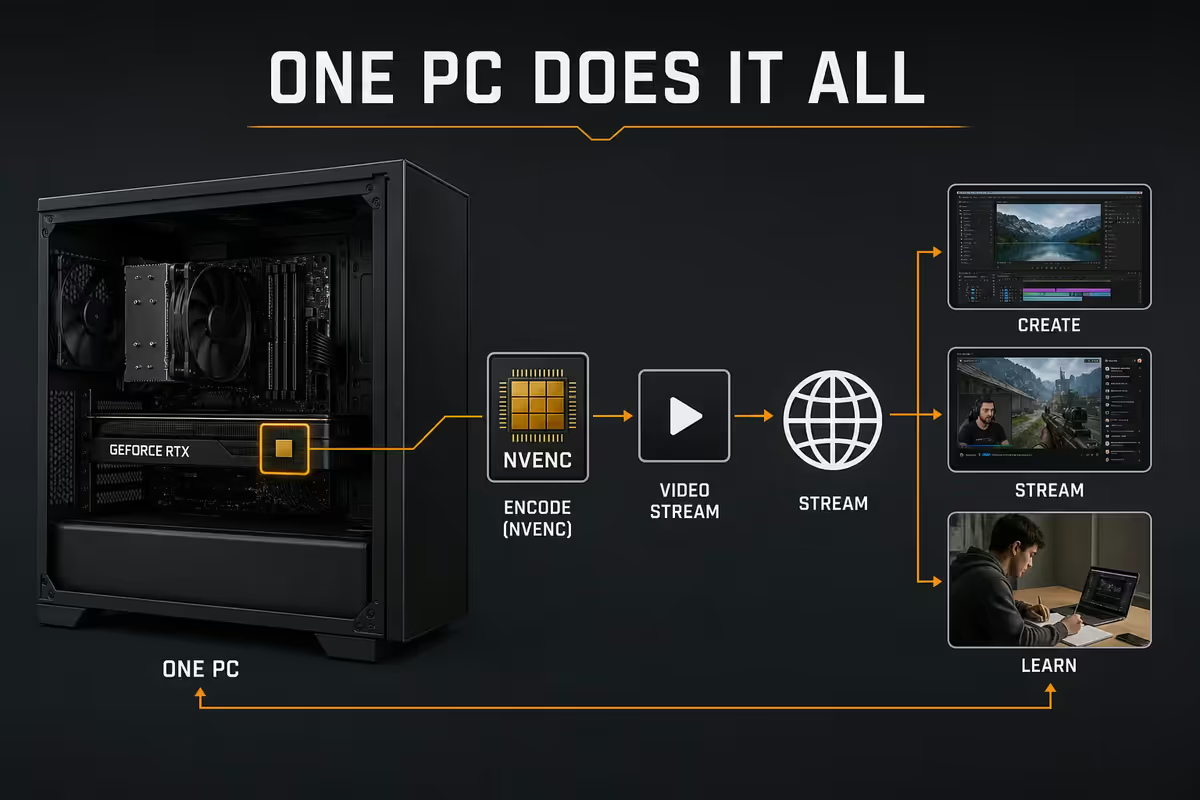
NVENC is the hardware video encoder built into every RTX GPU since the 2000-series. On RTX 40 and 50 series, it handles H.264, H.265 (HEVC), and AV1 encoding at near-software-quality with effectively zero CPU and minimal GPU overhead.
For YouTube creators this changed everything. Streaming and recording to disk while gaming used to require a second "streaming PC" because software x264 encoding would crater game FPS. NVENC offloads that work to dedicated silicon. You can stream 1080p60 to Twitch and record locally at 4K60 simultaneously with effectively zero gaming FPS hit on an RTX 5060 or higher.
For VOD upload work, NVENC AV1 encoding on RTX 50-series is now quality-competitive with software AV1 at one-third the encoding time. A 30-minute 4K YouTube export that takes 18 minutes with software x265 takes around 4 minutes with NVENC AV1. Time is the creator currency NVENC saves.
When software encoding still wins: client-grade VOD delivery where the absolute best quality-per-bit matters (commercial spots, festival submissions), and AV1 encoding for highly motion-complex content where the software encoder's better rate control has a small but real edge. For 99% of YouTube and Twitch work, NVENC is the right answer.
Colour-grading monitor — when accuracy matters
If you grade colour, design thumbnails, or build for a brand client, the monitor matters as much as any internal component. A poorly-calibrated cheap panel will silently sabotage all your other spend.
For colour-critical creators: IPS or OLED panel with 99%+ DCI-P3 or sRGB coverage, hardware HDR support (DisplayHDR 600+ for HDR work), factory calibration certificate, and 27-32 inch size at 4K resolution. SA picks in 2026: BenQ PD2725U, ASUS ProArt PA279CV, Dell U2724DE, LG UltraFine 27 OLED. R12k-R28k bracket.
For general YouTube editors who don't grade for clients: any modern 27 inch 4K IPS panel will do — Dell S2722QC, LG 27UP850, Samsung ViewFinity S8. R7k-R12k. Avoid VA panels — slow response times cause smearing during scrubbing that drives editors mad.
A dual-monitor setup is more useful for creators than a single ultrawide. Primary 4K screen for the timeline and main app; secondary 1440p screen for reference, browser, Discord, and Premiere's program monitor as a second window. The cognitive load of a single ultrawide juggling timeline + preview + tool palettes is genuinely tiring across an 8-hour edit day.
Three Evetech build tiers for SA creators
Three reference builds we ship from Centurion. Prices are 2026 retail including chassis, PSU, AIO cooler, Windows 11 Pro and three-year warranty. Adjust storage upward as your project library grows.
| Spec | YT Starter ~R30k | YT Pro ~R55k | YT Max ~R85k |
|---|---|---|---|
| CPU | Ryzen 7 7700 | Ryzen 9 7900X3D | Ryzen 9 7950X3D |
| GPU | RTX 5060 8GB | RTX 5070 Ti 16GB | RTX 5080 16GB |
| RAM | 32GB DDR5-6000 | 64GB DDR5-6000 | 96GB DDR5-6000 |
| SSD | 1TB NVMe Gen 4 | 1TB OS + 2TB scratch | 1TB OS + 4TB scratch RAID |
| Cooler | 240mm AIO | 360mm AIO | 420mm AIO |
| PSU | 650W Gold | 850W Gold | 1000W Gold |
| Best for | 1080p YT, OBS, light grade | Daily 4K edit + stream | 4K daily, AE, brand work |
Which tier is right for you?
- YT Starter (R30k) — sub-10k YouTube subscriber channels, 1080p uploads, gaming + light overlay streaming. Handles the workflow with headroom.
- YT Pro (R55k) — full-time 10k-200k subscriber creators, 4K uploads with edit complexity, occasional motion graphics, weekly live streams. The sweet spot for most paid creators in SA.
- YT Max (R85k) — agency creators, brand-client deliverables, daily 4K production, After Effects-heavy workflows, multi-cam edits. Pays for itself in render time saved within 6-9 months for full-time editors.
Key takeaways
- Creator builds optimise for concurrent multi-app load, not benchmark peaks. Headroom is the real spec.
- 64GB DDR5 RAM is the sweet spot for daily 4K editing. Best value-per-rand upgrade in the build.
- Three-tier storage: 1TB OS, 2-4TB NVMe scratch, 8TB+ archive HDD/NAS. Never edit on the OS drive.
- NVENC AV1 on RTX 50-series cuts export time by 60-75% versus software x265 with no quality loss for YouTube.
- R30k starter, R55k workhorse (most picked), R85k 4K rig. Three Evetech tiers that match SA creator economics.
Frequently asked questions
What is the minimum PC spec for a YouTube content creator in 2026?
Ryzen 7 7700 or Core Ultra 5 245K, 32GB DDR5, 1TB NVMe and an RTX 5060/5060 Ti. R28-32k Evetech build. Handles 1080p YouTube and OBS comfortably.Do I need more than 32GB of RAM for video editing?
For 1080p, 32GB is fine. For 4K with multiple layers or AE comps, 64GB. For 8K or Blender simulations, 96-128GB. The best-value upgrade is 32→64GB.Is NVENC enough or do I need a separate encoder card?
NVENC on RTX 40/50 series is excellent for YouTube and Twitch — H.264, HEVC, AV1 at near-software quality. Dedicated encoder cards aren't needed in 2026.What storage setup do content creators need?
1TB NVMe for OS/apps, 2-4TB NVMe Gen 4 scratch (3GB/s+ sustained), 8TB+ HDD/NAS for archive. Never edit on the OS drive.Should YouTubers buy a workstation GPU (Quadro/RTX A) or a gaming GPU?
Gaming GPUs outperform workstation cards for YouTube creator workloads. Workstation cards only justify cost for enterprise CAD, 24/7 render or ECC-needed use.Does the CPU matter more for editing or rendering?
Editing snappiness = single-thread + GPU preview. Export speed = multi-core + NVENC. The 3D V-Cache CPUs (X3D) feel snappier; the 16-core non-X3D parts export faster.What monitor should content creators buy in SA?
For colour-critical: BenQ PD2725U, ASUS ProArt PA279CV, Dell U2724DE. For general editing: any modern 27" 4K IPS. Avoid VA panels for editing work.Do I need a dedicated streaming PC?
Not in 2026 for most creators. NVENC offloads streaming encoding. Single-PC setups handle game + OBS + recording without significant FPS impact.
Get the Evetech app
Exclusive app-only prices, daily flash sales, and free delivery on orders over R4,000 — download the app and start saving.