Developer Workstation Guide
Best PC for programming. — 32GB RAM, multi-core, Linux-ready.
Gaming guides won't help you here. Developer needs differ — RAM bottlenecks before GPU, IDE responsiveness beats raw FPS, and the hardware that powers your compile is not the one that wins benchmarks.
- ram mandatory
- 32GB
- compile times
- Multi-core
- hardware first
- Linux-ready
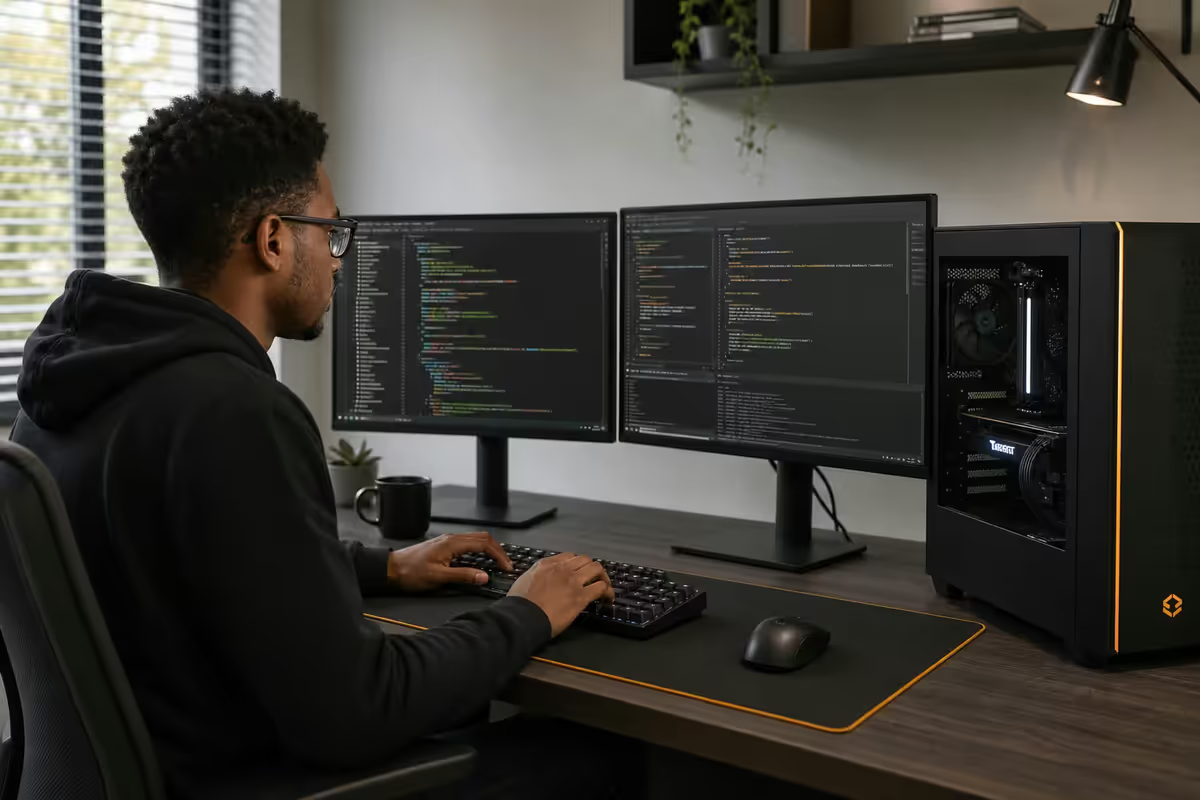
What programmers actually need from a PC
Gaming PC guides are a poor model for developer hardware. A R30,000 gaming rig with 16GB DDR5 and an RTX 5070 will swap to disk during compile while sub-utilising the GPU. A R30,000 dev workstation with 32GB DDR5 and integrated graphics will outperform it for every task short of rendering or ML.
The hierarchy of what actually impacts dev productivity, in order:
- RAM capacity — first bottleneck, hits hardest. Swap to disk = stutter, lag, broken concentration.
- Single-core CPU speed — IDE responsiveness, autocomplete latency, the "feel" of typing.
- Multi-core CPU — compile times, test suites, Docker container startup.
- NVMe storage speed and capacity — repo cloning, Docker pulls, npm installs, IDE indexing.
- Monitor real estate — code on one screen, docs/browser/terminal on another. Productivity multiplier.
- Keyboard — you type for 6-10 hours a day. Mechanical with the right switch matters.
- GPU — irrelevant for most dev work, critical for ML/AI/graphics dev.
Notice the GPU is last. Unless you're doing ML/AI, graphics programming, or game development, your code does not care what GPU you have. The integrated graphics on a Ryzen 7 9700X are perfectly adequate for VSCode, IntelliJ, multi-monitor productivity work and basic 3D acceleration.
CPU — multi-core for compile times
Modern compile tools (Rust's cargo, Go's go build, large C++ projects, Bazel, Webpack, Vite, Gradle) parallelise across cores. The difference between 6 cores and 16 cores on a Rust monorepo compile is roughly 2-3× faster wall-clock time. For day-to-day backend or web work, single-core matters more — your IDE's autocomplete and linting run on a primary thread.
| CPU | Best for | SA price (May 2026) |
|---|---|---|
| Ryzen 5 9600X (6c/12t) | Web dev, scripting, light backend | R5,200 |
| Ryzen 7 9700X (8c/16t) | Sweet spot — most developers | R7,800 |
| Ryzen 9 9900X (12c/24t) | Heavy backend, Java/C++ compile | R11,500 |
| Ryzen 9 9950X (16c/32t) | Rust monorepos, ML training prep | R16,500 |
| Threadripper 7960X (24c/48t) | Compile farms, VM hosts, render | R42,000+ |
| Intel Core Ultra 7 265K (20c) | Intel alternative, similar tier | R8,500 |
| Apple M4 Pro 12c (Mac mini M4 Pro) | iOS/macOS dev, Unix workflow | R28,000+ (full machine) |
The Ryzen 7 9700X is the right call for most developers. Eight cores handle Rust/Go/large web compiles comfortably, single-core boost is excellent for IDE responsiveness, and at R7,800 it sits in the value sweet spot. Step up to the Ryzen 9 9900X (R11,500) only if you regularly compile large C++ projects or run multiple VMs simultaneously.
Apple Silicon comparison: M4/M5 Pro chips are genuinely excellent for many dev workflows — single-core matches or exceeds desktop Ryzen, multi-core is competitive for many tasks, and battery life on MacBooks is unbeatable. The downsides: macOS-only (you cannot run Windows-native software properly), limited GPU compute (no CUDA, MLX is great but ecosystem is smaller), no hardware upgradeability, and a fixed price/spec at purchase. For iOS development it's mandatory; for general web/backend it's a stylistic choice rather than a performance one.
RAM is the first bottleneck — 32GB is mandatory
If you take one thing from this guide, take this: 16GB of RAM is not enough for serious development in 2026. It works for plain HTML/CSS or learning Python, but the moment you run a modern IDE with extensions, a browser with realistic tab count, a Slack/Teams client and Docker, you'll swap to disk constantly.
A typical full-stack dev workload at any given moment:
- VSCode with 5-10 extensions: 4-6GB
- Chrome/Firefox with 30+ tabs: 6-10GB
- Docker Desktop with 3-4 containers (Postgres, Redis, app, queue): 8-12GB
- Slack + Discord + Teams (yes, all three): 2-3GB
- Local LLM helper (Ollama with 7B model): 5-8GB
- OS + miscellaneous (1Password, antivirus, Spotify, etc.): 4-6GB
Conservative total: 29-45GB. Even ignoring the local LLM and using a smaller browser footprint, you're typically over 24GB. With 16GB total RAM, Windows or Linux begins paging memory to disk, and your IDE typing latency rises into noticeable territory.
64GB territory: if you do ML/AI work with larger local models, run multiple VMs simultaneously, or work in data science with large in-memory datasets — go straight to 64GB. The marginal cost over 32GB is roughly R3,000-R4,500 and the headroom transforms multi-tasking comfort.
Storage — 2TB NVMe minimum
Code repositories themselves don't take much space. The growth comes from everything else dev requires.
A typical dev's storage breakdown after 12-18 months of use:
- OS + applications: 120-180GB
- Active git repos (20-30 projects): 40-80GB
- node_modules folders (the cursed black hole): 50-150GB
- Docker images and volumes: 80-200GB
- Language runtimes (multiple Python/Node/Ruby versions): 30-60GB
- IDE caches and indexes: 20-40GB
- VM disk images: 40-200GB
- Downloads, design assets, screenshots: 50-100GB
Conservative total: 430-1,010GB. A 1TB drive fills up within the first year for any active developer. Go straight to 2TB.
Recommended drives in SA: Samsung 990 Pro 2TB at ~R4,400 is the premium pick (fastest, best endurance, MagicLAN management software). Crucial T700 2TB at ~R4,200 is the value enthusiast option. WD Black SN850X 2TB at ~R4,100 is the third strong contender. For archival storage, add a 4TB SATA SSD (R3,500-R4,500) or a 4-8TB HDD (R1,500-R2,800) — useful for old project archives, large media files and backups.
Monitor setup — clarity beats refresh rate
Gaming monitors prioritise refresh rate (144Hz, 240Hz, 360Hz). Dev monitors prioritise pixel density, colour accuracy and screen real estate. Your eyes don't care if your IDE redraws at 60Hz or 240Hz, but they care intensely about whether text is sharp and your neck angle is right.
Three sensible monitor configurations:
- Dual 27" 1440p (R8,000-R11,000 total): the popular default. Primary monitor for IDE, secondary for browser/docs/terminal. Match models for visual consistency. LG 27GP850 or Gigabyte M27Q work well in SA.
- Single 34" ultrawide 1440p (R7,500-R12,000): cleaner aesthetic, similar usable area, one bezel instead of three. Excellent for IDE + browser side-by-side via window snapping. Samsung Odyssey G5 or LG UltraGear 34GP63A are the SA-stocked picks.
- Single 32" 4K (R8,000-R15,000): the code-density champion. At 4K on a 32" panel, you can fit two 80-column files side by side with both fully readable. Requires good eyes or willingness to use display scaling. LG 32UN880-B or Dell U3225QE.
Vertical orientation on a secondary monitor is an underused power-user move — long log files, single-file code reading, documentation and chat clients all benefit from vertical real estate. Most monitor arms support 90° rotation.
Keyboard — you type all day, take it seriously
A developer types between 60,000 and 120,000 keystrokes per day. The keyboard is not an accessory — it's a primary tool. The difference between a R400 membrane keyboard and a R2,500 mechanical with the right switches is measurable in long-session fatigue.
Switch type matters more than brand:
- Tactile (MX Brown, Boba U4T, Holy Panda): the right pick for most developers. Light feedback bump, no loud click, comfortable for long typing sessions.
- Linear (MX Red, Gateron Yellow, Cream): smooth all the way down, no bump. Preferred by some — feels fast for high-WPM typists. Slightly easier to mistype on accident.
- Clicky (MX Blue, Kailh Box White): avoid for shared offices unless you enjoy being hated. Otherwise fine at home.
- Topre / Realforce / HHKB: the cult favourite for typists. Electrocapacitive, smooth, premium. R4,000-R8,000 in SA via import. Polarising — try before buying if possible.
Layout choice: 60% (HHKB-style) maximises desk space and works for vim/emacs purists. TKL (tenkeyless) is the productivity sweet spot — full keys, no numpad. Full-size only if you do significant numeric data entry.
SA-available picks: Keychron K8 Pro (R2,200-R2,800), Logitech MX Mechanical (R2,800-R3,500), Razer BlackWidow V4 Pro (R3,500-R4,200), Keychron Q1/Q2 (R3,500-R5,500). For premium custom feel, Drop CTRL or GMMK Pro require import.
Linux compatibility — verify before you buy
If you intend to run Linux as your primary OS (or even just dual-boot), hardware compatibility is not automatic. Most components Just Work in 2026, but three categories cause persistent issues.
1. Wi-Fi and Bluetooth cards. Intel Wi-Fi 6E/Wi-Fi 7 cards (AX210, BE200) have near-universal Linux support. MediaTek and Realtek cards (often included on cheaper motherboards) work but sometimes need out-of-tree drivers or have buggy power management. Before buying a motherboard, check that its Wi-Fi card is Intel.
2. GPU drivers. AMD GPUs (RX 6000/7000/9000 series) have excellent open-source kernel drivers shipping with the Linux kernel — install and it works. NVIDIA requires the proprietary driver, which generally works fine but occasionally lags behind a new kernel release by a few weeks and adds friction for Wayland (the modern Linux display server). For pure Linux dev that isn't AI/ML, AMD is the friendlier choice. For ML/AI work on Linux, NVIDIA's CUDA ecosystem is mandatory despite the driver friction.
3. Recent CPU platform support. Ryzen 9000 series and Intel Core Ultra 200 require a Linux kernel from late 2024 onwards for full feature support (power management, schedulers, integrated graphics). If you install an older distro release, you'll likely need to upgrade the kernel manually. Use a recent distro release (Ubuntu 24.10+, Fedora 41+, Arch rolling) and you'll have no issues.
GPU — when ML/AI dev changes everything
For most dev work — web, backend, mobile, embedded, DevOps, data engineering — GPU is genuinely irrelevant. Integrated graphics handle multi-monitor productivity comfortably. A GT 1030 (R1,500) is enough for basic 3D acceleration if your CPU has no iGPU.
For ML/AI development, the GPU becomes the most important component you'll buy.
| GPU | ML/AI use case | SA price |
|---|---|---|
| RTX 4060 8GB | Learning, small models, fine-tuning toy datasets | R7,500 |
| RTX 4070 Super 12GB | Serious local training, 7B LLM inference | R12,500 |
| RTX 4070 Ti Super 16GB | 13B model inference, broader fine-tuning | R17,500 |
| RTX 5080 16GB | Local LLM inference up to 13B, production model dev | R23,500 |
| RTX 5090 32GB | 70B+ local LLMs, larger model training | R55,000 |
| RTX A6000 48GB | Production ML workstation, 70B fine-tuning | R85,000+ |
The honest answer for most ML/AI hobbyists: RTX 4070 Super 12GB at R12,500 is the practical entry point. It runs 7B Llama and Mistral models comfortably, handles diffusion model inference (Stable Diffusion XL), and trains small custom models. Step up to RTX 5080 16GB if you regularly work with 13B models or need faster training.
For pure local LLM inference (running models like Llama 3 70B locally for code assistance), VRAM is everything. The RTX 5090's 32GB makes it the only consumer card that runs 70B quantised models without offloading. The R55,000 cost is genuinely justified if you use local LLM inference daily.
Virtualisation considerations
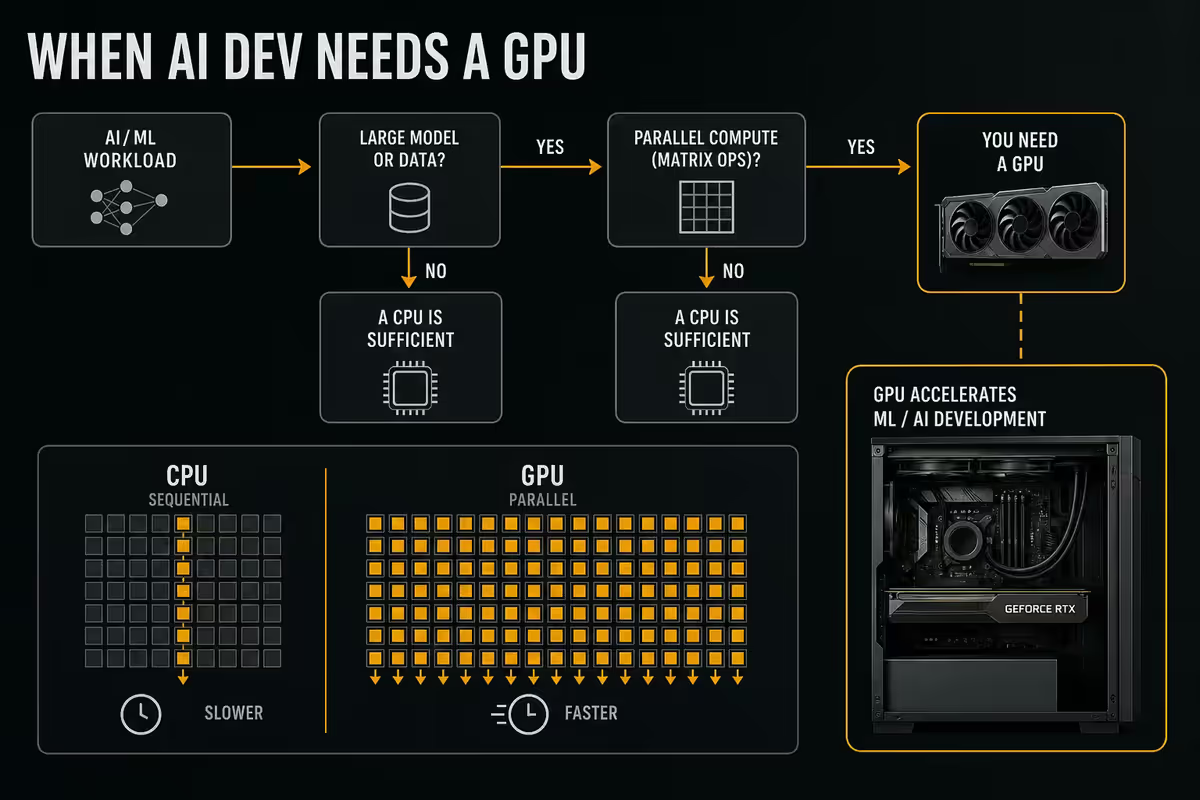
If you regularly run VMs (testing on multiple OSes, Kubernetes locally with kind/minikube, hypervisor work, security research), three CPU/RAM specifics matter.
- CPU virtualisation flags: AMD-V (Ryzen) and Intel VT-x are enabled by default on all current consumer CPUs. Verify in BIOS that "SVM Mode" (AMD) or "Intel Virtualisation Technology" is enabled — it usually is, but worth checking.
- RAM headroom: each running VM permanently reserves the RAM you allocate to it. Two 8GB VMs + 16GB host workload = 32GB total usage. 64GB total RAM gives you comfort to run multiple VMs simultaneously without crowding the host.
- Storage IOPS: VM disk images stress storage hard. NVMe (any modern model) is fine; HDDs make VMs feel terrible. If you run multiple VMs, dedicate a second NVMe drive specifically for VM storage.
WSL2 on Windows is a hybrid case — it uses Hyper-V under the hood and benefits from the same RAM headroom and virtualisation flags. WSL2's memory allocation is dynamic but caps based on .wslconfig settings; if your host has 32GB RAM, give WSL2 up to 20GB and it will mostly behave well.
SA pricing tiers — R20k, R35k, R55k+
R20,000 — Budget dev workstation
Handles: web dev, backend (Node, Python, Go), mobile dev (Android Studio with one emulator), light Docker, data analysis. Won't comfortably handle: ML training, multiple heavy VMs, large monorepo compile.
| Component | Pick | SA price |
|---|---|---|
| CPU | Ryzen 5 9600X (6c/12t, iGPU) | R5,200 |
| Motherboard | MSI B850 Pro WiFi (Intel Wi-Fi 7) | R3,800 |
| RAM | 32GB DDR5-6000 CL30 (2×16GB) | R2,800 |
| Storage | Crucial T500 1TB NVMe | R2,400 |
| GPU | Integrated Radeon (no discrete GPU) | R0 |
| PSU | Corsair RM550e 80+ Gold | R1,500 |
| Case + cooler + fans | Fractal Pop Mini + Wraith Stealth | R2,400 |
| Total | ~R18,100 + build/cables | R20,000 |
R35,000 — Balanced developer build
Handles everything from above plus: light ML/AI experimentation, multiple VMs, large monorepo compile, 4K monitor support, smooth local LLM helper. The "buy once, cry once" tier for most serious developers.
| Component | Pick | SA price |
|---|---|---|
| CPU | Ryzen 7 9700X (8c/16t) | R7,800 |
| Motherboard | ASUS ROG B850-F WiFi (Intel Wi-Fi 7) | R5,500 |
| RAM | 32GB DDR5-6000 CL30 (2×16GB) | R2,800 |
| Storage | Samsung 990 Pro 2TB NVMe | R4,400 |
| GPU | RTX 4060 8GB (light ML / display) | R7,500 |
| PSU | Corsair RM750e 80+ Gold | R2,200 |
| Case + cooler + fans | Lian Li Lancool 216 + Peerless Assassin | R3,400 |
| Total | ~R33,600 + build/cables | R35,000 |
R55,000+ — ML/AI dev workstation
Handles everything above plus: local LLM inference up to 13B, serious model fine-tuning, multi-container/multi-VM workflows, professional ML experimentation. Step up to R75k+ if you need RTX 5090 32GB for 70B local models.
| Component | Pick | SA price |
|---|---|---|
| CPU | Ryzen 9 9900X (12c/24t) | R11,500 |
| Motherboard | ASUS ROG X870-E WiFi (PCIe 5.0) | R9,500 |
| RAM | 64GB DDR5-6000 CL30 (2×32GB) | R6,500 |
| Storage | Samsung 990 Pro 2TB + Crucial P5 4TB | R7,800 |
| GPU | RTX 5080 16GB (LLM inference, dev ML) | R23,500 |
| PSU | Corsair RM1000x 80+ Gold | R3,200 |
| Case + cooling | Fractal Define 7 + Noctua NH-D15 G2 | R5,500 |
| Total | ~R67,500 (R55k mid-spec achievable) | R55,000-R68,000 |
Common developer PC mistakes
Underspeccing RAM. The #1 mistake. 16GB feels fine for a week, then bottlenecks every workflow for years. Always 32GB minimum.
Buying a gaming PC and calling it a dev PC. A gaming-oriented R30k build typically has 16GB RAM, mid-tier CPU and a high-end GPU. For dev work, you want the opposite balance: more RAM, more cores, modest GPU.
Skimping on storage. 500GB drives fill up within months for an active dev. Docker + node_modules + IDE caches devour space. 2TB minimum, no exceptions.
Ignoring Linux compatibility on motherboard Wi-Fi. Booted Ubuntu and have no Wi-Fi? It's your motherboard's MediaTek or Realtek card. Verify Intel Wi-Fi 6E/7 before buying.
Buying high-end GPU "for ML someday." If you're not currently doing ML/AI, an RTX 5080 sits idle. Buy the GPU when you actually need it; the dev RAM/CPU/storage spec is more urgent.
Cheap mechanical keyboard from a no-name brand. You'll type 60,000+ keystrokes daily. Switches matter. Keychron, Logitech and Razer are the safe SA-stocked floor; anything sub-R1,500 from an unknown brand has been a reliable disappointment in our service history.
Single low-res monitor. One 1080p monitor at 24" is genuinely productivity-limiting for dev work. Dual 1440p or single 4K transforms code visibility.
Key takeaways
- 32GB RAM is mandatory in 2026 — IDE + Docker + browser + chat easily exceeds 24GB.
- Ryzen 7 9700X (R7,800) is the CPU sweet spot for most developers — 8 cores, strong single-core.
- 2TB NVMe minimum — Docker images and node_modules will fill 1TB within a year.
- GPU is irrelevant for general dev; mandatory for ML/AI. Verify Linux Wi-Fi compatibility before buying motherboard.
- SA tiers: R20k budget, R35k balanced (most developers), R55k+ ML/AI workstation.
Frequently asked questions
How much RAM does a programmer need in 2026?
32GB minimum. IDEs, Docker, browser and chat clients easily exceed 24GB in realistic use. 64GB for ML/AI or heavy virtualisation work.What CPU should I buy for programming?
Ryzen 7 9700X (R7,800) is the sweet spot for most developers. Step up to Ryzen 9 9900X/9950X for heavy compile workloads or Threadripper for VM farms.Do I need a GPU for programming?
No, for general dev — integrated graphics handle multi-monitor work fine. Yes, for ML/AI — RTX 4060 entry, RTX 5080 for serious local LLM inference, RTX 5090 for 70B+ models.Should I get a Mac or PC for programming?
Mac for iOS/macOS dev and battery life on laptops. PC for ML/AI (CUDA), Windows-specific dev, hardware upgrades and better price-to-performance.Is Linux compatibility a concern when buying a developer PC?
Yes. Verify Intel Wi-Fi card on motherboard, AMD GPUs have better open-source driver support than NVIDIA, and use a recent distro for Ryzen 9000/Core Ultra 200 support.What monitor setup is best for coding?
Dual 27" 1440p or single 34" ultrawide 1440p. Single 32" 4K is excellent for code density. Vertical orientation on a secondary monitor is an under-used power move.How much storage does a developer need?
2TB NVMe SSD minimum. Docker, node_modules, multiple runtimes and VM disks add up fast. Active devs use 600GB-1TB within the first year easily.How much does a good programming PC cost in SA in 2026?
R20,000 budget (Ryzen 5 + 32GB + iGPU), R35,000 balanced (Ryzen 7 + 32GB + RTX 4060), R55,000+ ML/AI workstation (Ryzen 9 + 64GB + RTX 5080).
Get the Evetech app
Exclusive app-only prices, daily flash sales, and free delivery on orders over R4,000 — download the app and start saving.