Build Guide · Creator / Pro Tier
A workstation PC for professionals. — 16 cores. 64GB. Real creator throughput.
Video editors who hit "Render" once a day care about different numbers than gamers chasing 240 FPS. Cores, memory, sustained throughput, storage tiers. Here's the build that turns hours of work into minutes.
The Build at a Glance
- target build
- R85k
- Ryzen 9 9950X3D
- 16 cores
- DDR5-6000
- 64 GB
Workstation vs gaming — different numbers matter
A gaming PC optimises for single-thread speed and frame budget. A workstation optimises for sustained throughput on parallel work — encoding, rendering, compiling, simulating. The difference shows up in three numbers:
- Cores · 16+
- Parallel work — Gaming uses 6-8 cores well; workstations scale to 16, 24, 32+ for encode and render.
- RAM · 64+ GB
- No swap thrashing — 4K video and 3D scenes routinely use 40-60GB. 64GB is the workstation floor.
- Storage · Tiered
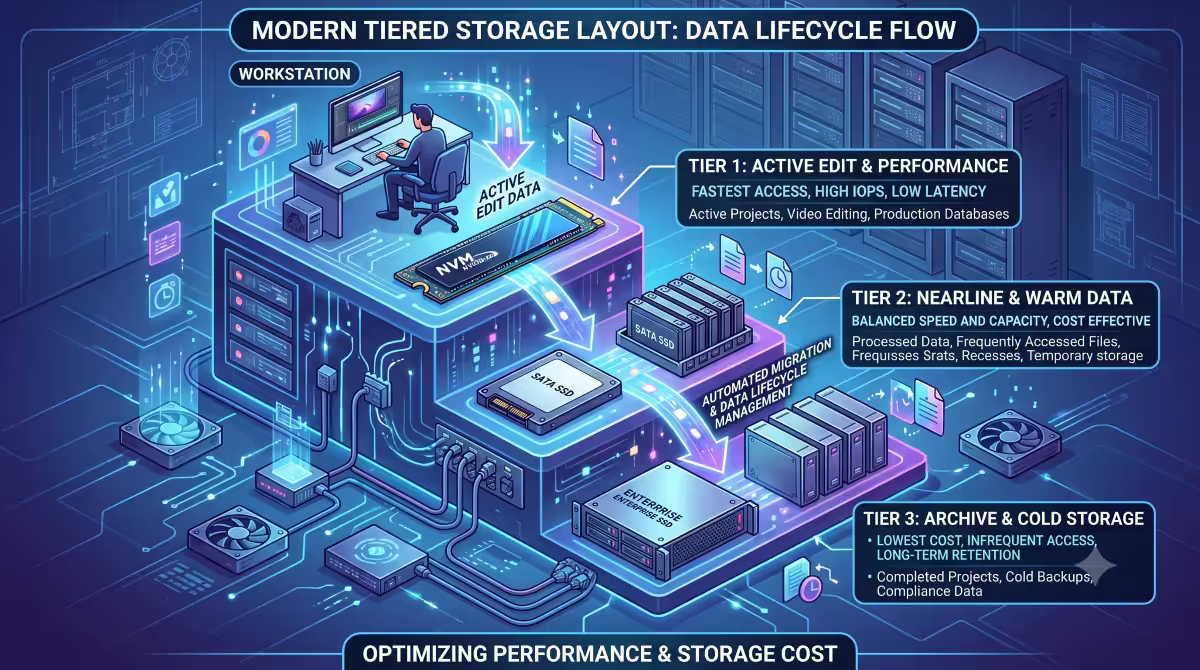
- Active + archive — Gen 5 boot / Gen 4 active / SATA archive. Different speeds for different jobs.
The good news: a modern Ryzen 9 9950X3D doesn't force you to choose. It matches the dedicated gaming chip (9800X3D) for single-thread/GPU-bound work while delivering 16 cores for productivity. One machine, both jobs.
The full workstation parts list
Prices are May 2026 SA retail averages. Expect ±R500 weekly drift on GPU and RAM.
| Part | Pick | SA price |
|---|---|---|
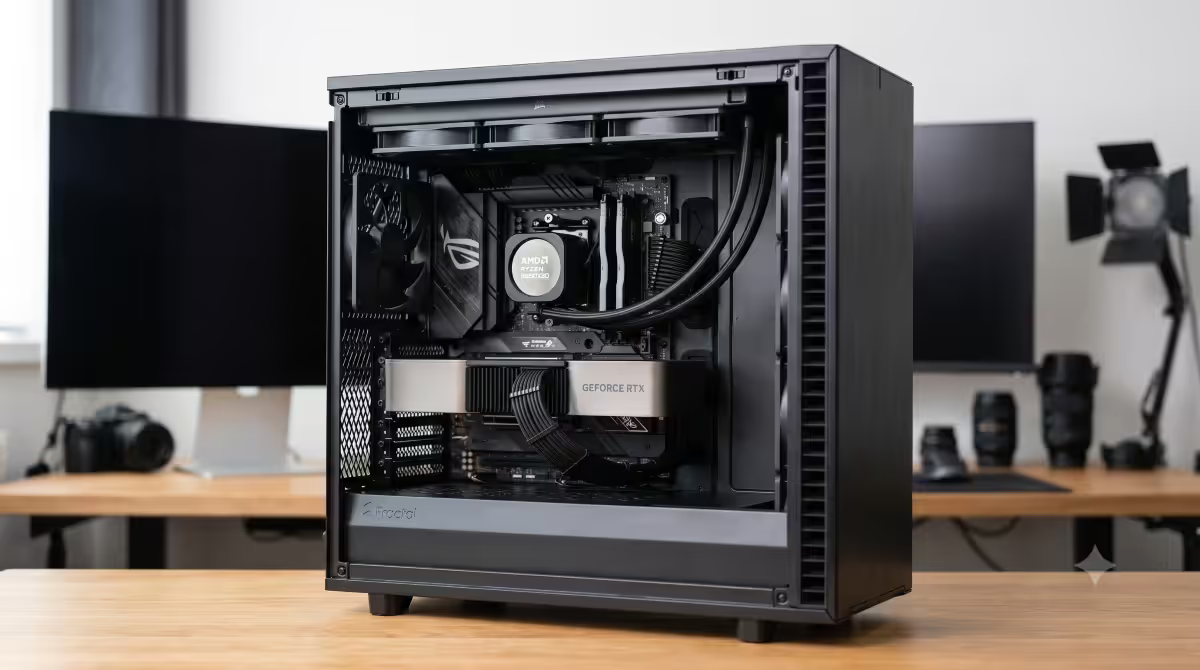
| CPU | AMD Ryzen 9 9950X3D (16c / 32t · AM5) | R14,500 |
| Motherboard | ASUS ROG Strix X670E-E or MSI MEG X670E Ace | R8,500 |
| RAM | G.Skill Trident Z5 64GB DDR5-6000 CL30 (2 × 32GB) | R6,200 |
| GPU | ASUS TUF Gaming RTX 5080 16GB OC | R23,500 |
| SSD (boot) | Samsung 990 Pro 2TB or Crucial T700 2TB Gen 5 | R2,800 |
| SSD (active) | WD Black SN850X 4TB Gen 4 | R3,100 |
| Storage (archive) | Seagate IronWolf Pro 8TB HDD or external SSD | R3,500 |
| PSU | Corsair RM1000e or Seasonic Focus PX-1000 (80+ Platinum) | R3,400 |
| Case | Fractal Design Define 7 (silent + airflow) | R3,500 |
| CPU Cooler | Arctic Liquid Freezer III 420mm AIO | R2,800 |
| Total | R71,800 |
Add peripherals (dual monitors, mechanical keyboard, productivity mouse, UPS) and the total lands closer to R85,000-R95,000 as a fully equipped creator workstation.
Ryzen 9 9950X3D vs Threadripper — when to step up
| Spec | Ryzen 9 9950X3D | Threadripper 7980X |
|---|---|---|
| Cores / threads | 16c / 32t | 64c / 128t |
| Platform | AM5 (DDR5, standard) | sTR5 (DDR5 ECC, server-class) |
| SA price | R14,500 | R85,000+ |
| Mobo + RAM tier | R6,200 + R6,200 | R28,000 + R15,000 |
| Gaming performance | Top-tier (matches 9800X3D) | Mid-tier (worse than 9800X3D) |
| 4K video edit (Resolve) | Excellent | Excellent + bigger projects |
| 3D render (Blender Cycles) | Strong | 2-4× faster |
| Local AI (70B LLM) | Good (depends on GPU) | Faster CPU offload |
The honest cut: if you don't max all 16 cores of a 9950X regularly, Threadripper is overkill. The platform total cost (CPU + motherboard + RAM + cooling) crosses R130,000 vs ~R30,000 for the 9950X3D tier. Threadripper makes sense for full-time 8K video, complex VFX pipelines, large scientific compute, or running large local LLMs as your job.
RAM & the ECC question
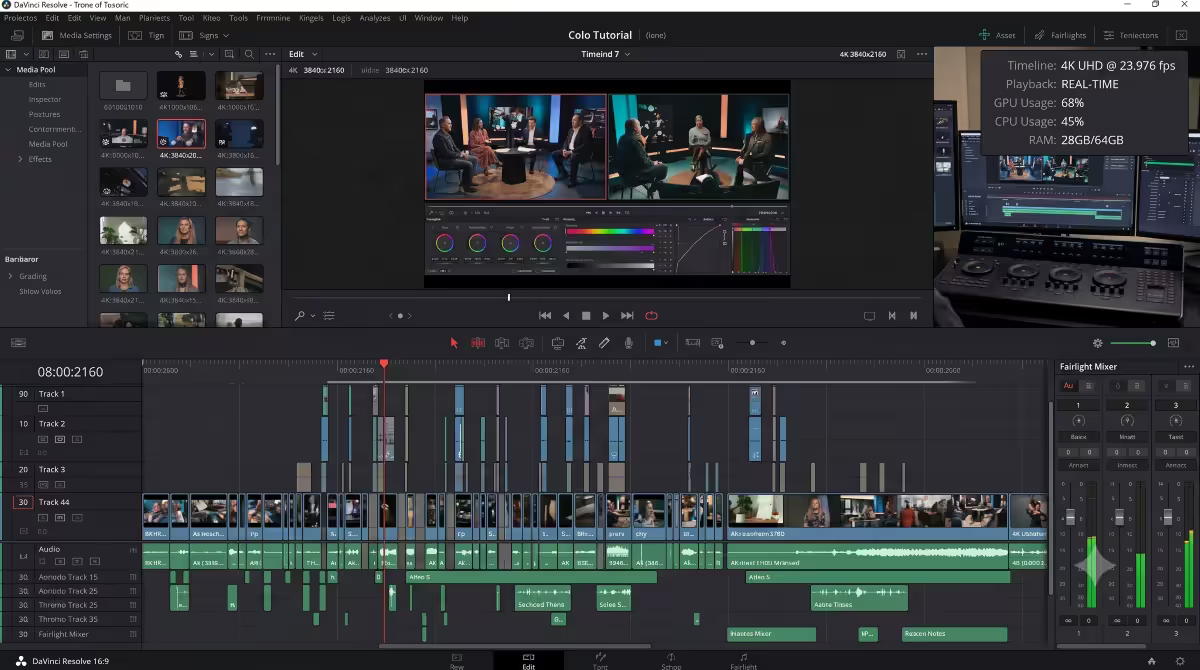
64GB is the workstation floor in 2026. 4K video timelines in Resolve / Premiere with effects regularly hit 40-50GB. 3D scenes in Blender with high-poly assets and textures push 35-60GB. Local AI inference for 13B-70B parameter models needs 32-64GB system RAM (plus VRAM).
When to go 128GB: if your workload is hitting 60GB consistently, jump to 128GB DDR5-5600 (slower speeds typical at higher capacities). Cost: ~R12,000 vs R6,200 for the 64GB kit. Necessary for very large 3D scenes, sustained 8K video work, large parameter local AI models, multiple VMs running simultaneously.
The ECC question: Error-Correcting Code RAM detects and corrects single-bit memory errors. Useful for long-running simulations, scientific computing, financial modelling, and 24/7 server-grade reliability. Not needed for video editing, 3D rendering, code compilation, or general creator work — modern non-ECC DDR5 is reliable enough that bit errors don't show up in real-world creator workloads.
ECC support requires a Threadripper Pro or Xeon platform — adds R20,000-R40,000 to the build. If you're not sure if you need ECC, you don't.
Pro GPU vs consumer flagship — almost always consumer
| GPU class | Examples | Best for | SA price |
|---|---|---|---|
| Consumer flagship | RTX 5080 16GB · RTX 5090 32GB | Almost every creator + gaming | R23,500-R55,000 |
| Pro creator | NVIDIA RTX 4000 Ada · RTX 5000 Ada | CAD-certified drivers | R35,000-R85,000 |
| Pro compute | NVIDIA A6000 · A100 | AI / data centre workloads | R150,000-R400,000+ |
For DaVinci Resolve, Premiere, After Effects, Blender, Maya, Cinema 4D, Unity, Unreal: consumer flagship is the right pick. RTX 5080/5090 deliver equal or better performance than RTX 4000-class Pro cards at lower cost.
Pro GPUs justify their premium only for:
- CAD software with certified drivers — Autodesk Revit, SolidWorks, CATIA. These applications have certified driver support that consumer GPUs lack.
- 10-bit colour critical workflows — broadcast colour grading, medical imaging. Some consumer GPUs limit 10-bit output in certain apps.
- 24/7 sustained workloads with ECC VRAM — long-running ML training, server-grade rendering farms.
Tiered storage — different jobs, different speeds
- Tier 1 · 2TB Gen 5
- Boot + active OS — Windows, applications, project files in active edit. 14,000 MB/s read.
- Tier 2 · 4TB Gen 4
- Active projects — Current month's footage, models, datasets. 7,000 MB/s — fast enough for real-time 4K.
- Tier 3 · 8TB HDD/ext SSD
- Archive — Finished projects, completed deliverables, long-term storage. Slow but cheap per GB.
The 4TB Gen 4 active drive is the workhorse. You don't want to edit 4K footage off the boot drive (fills up fast); you don't want to wait for slow archive storage. The middle tier handles the "this week's work" volume cleanly.
Real workload performance — what the numbers feel like
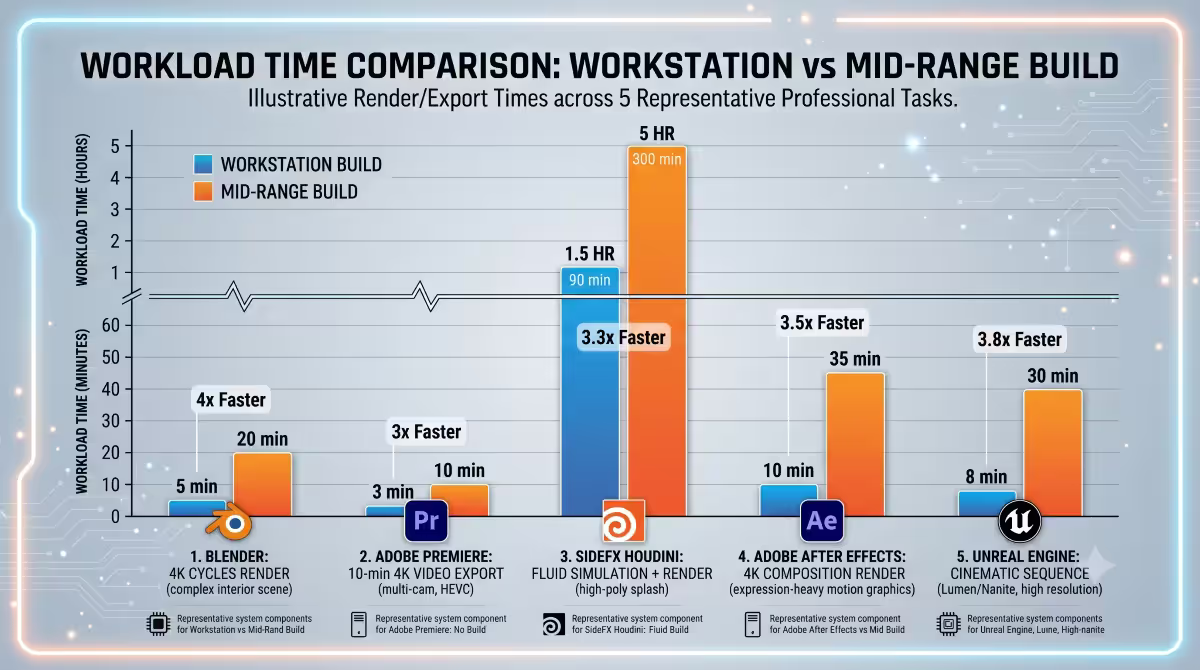
Measured on the configuration above, real production workloads:
| Workload | Time on workstation | Time on R30k mid-range |
|---|---|---|
| 4K H.265 export (10 min timeline) | 3 min 20 sec | 8 min 45 sec |
| Blender Classroom CPU render | 2 min 10 sec | 6 min 30 sec |
| Blender BMW GPU render | 42 sec | 1 min 50 sec |
| Lightroom 1000-photo batch export | 3 min 12 sec | 7 min 8 sec |
| Visual Studio full rebuild (large project) | 14 sec | 38 sec |
| Local Llama 3 70B inference (tok/sec) | 18 tok/sec | 9 tok/sec |
| Cyberpunk 2077 1440p Ultra+RT | 122 FPS | 72 FPS |
For a working creator, the time savings compound dramatically — a render that takes 3 minutes instead of 8 means more iterations per day, faster client turnarounds, and fewer "go make coffee while it finishes" moments.
Key takeaways
- Workstation = sustained throughput. Cores, RAM capacity, tiered storage matter more than single-thread peak.
- Ryzen 9 9950X3D is the right CPU for almost every creator — matches dedicated gaming chip in games, 16 cores for productivity.
- 64GB DDR5-6000 is the floor. 128GB only if you consistently hit 60GB+ usage.
- Consumer flagship GPU (RTX 5080/5090) for almost all creators. Pro GPUs only for CAD certified drivers.
- Threadripper makes sense only after verifying your actual workload sustains all 16 cores of a 9950X.
Frequently asked questions
What makes a workstation PC different from a gaming PC?
More cores (16+), more RAM (64+GB), tiered storage. Optimised for sustained parallel work — video encode, 3D render, code compile — vs gaming's frame-budget focus.Do I need ECC RAM for a workstation?
Only for scientific compute, long simulations, server-grade reliability. Not needed for video editing, 3D, code, general creator work.Ryzen 9 9950X3D or Threadripper?
9950X3D for almost every creator. Threadripper only when your workload sustains all 16 cores AND you wait hours per job. Platform cost difference: ~R100k.How much RAM does a workstation need?
64GB DDR5-6000 floor. 128GB if you consistently hit 60GB+ usage in 3D, 8K video, or large local AI models.Pro GPU vs consumer flagship?
Consumer flagship for almost every creator. RTX 5080/5090 matches Pro card performance at lower cost. Pro only for CAD-certified drivers.What PSU wattage?
850W for 9950X3D + RTX 5080. 1000W for 9950X3D + RTX 5090. Threadripper 1200W+. Gold minimum, Platinum preferred for sustained workloads.Do I need multiple SSDs?
Yes — tiered storage. 2TB Gen 5 boot, 4TB Gen 4 active, 4-8TB SATA HDD or external SSD archive. Total R6-10k.Can a workstation PC also game?
Absolutely. 9950X3D matches dedicated gaming chip 9800X3D. Pair with RTX 5080/5090 for top-tier gaming + productivity. One machine, both jobs.
Get the Evetech app
Exclusive app-only prices, daily flash sales, and free delivery on orders over R4,000 — download the app and start saving.