PC Building · HTPC Build Guide
Build a Home Theatre PC. — Silent. Small. 4K HDR. Plex-ready.
A modern HTPC handles 4K HDR streaming, Plex / Kodi / Jellyfin server duties, retro-console emulation and couch co-op — all from a slim chassis tucked under your TV, running near-silent. R20k complete, mostly off-the-shelf SA stock.
- + small + cool
- Silent
- 10-bit Dolby
- 4K HDR
- Jellyfin native
- Plex/Kodi
What an HTPC is actually for
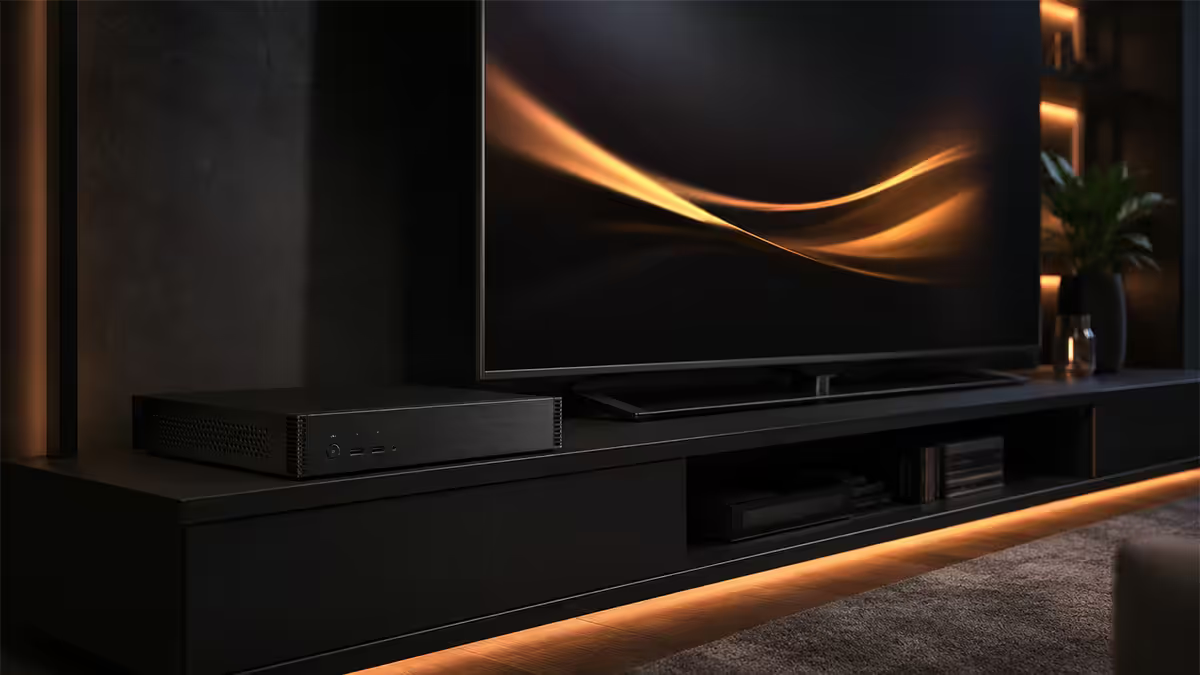
A Home Theatre PC is a small, near-silent computer that sits in your living room and handles the entertainment workload your TV's built-in apps can't quite manage. It's not a gaming PC, it's not a workstation — it's a dedicated media and casual-gaming box optimised for couch use.
The HTPC sweet spot:
- 4K HDR media playback from local storage or NAS — including high-bitrate Blu-ray remuxes, HDR10+ and Dolby Vision content that smart TV apps often choke on.
- Plex / Kodi / Jellyfin server for managing and transcoding your library across devices in the house.
- Retro-console emulation — Nintendo through GameCube/Wii, PlayStation through PS2, arcade ROMs.
- Couch co-op gaming on indie titles, Steam Big Picture and Xbox Game Pass.
- Streaming service browsing with proper keyboard input (rather than fighting a TV remote).
- Light productivity on the big screen — looking up information, browsing photos, video calls on the TV.
What an HTPC is not: a primary gaming PC at 4K, a CAD workstation, or a render farm. If you want to play Cyberpunk at 4K Ultra in your lounge, you want a full gaming tower next to the couch with a longer HDMI cable — not an HTPC.
Chassis form factor — slim, cube or fanless
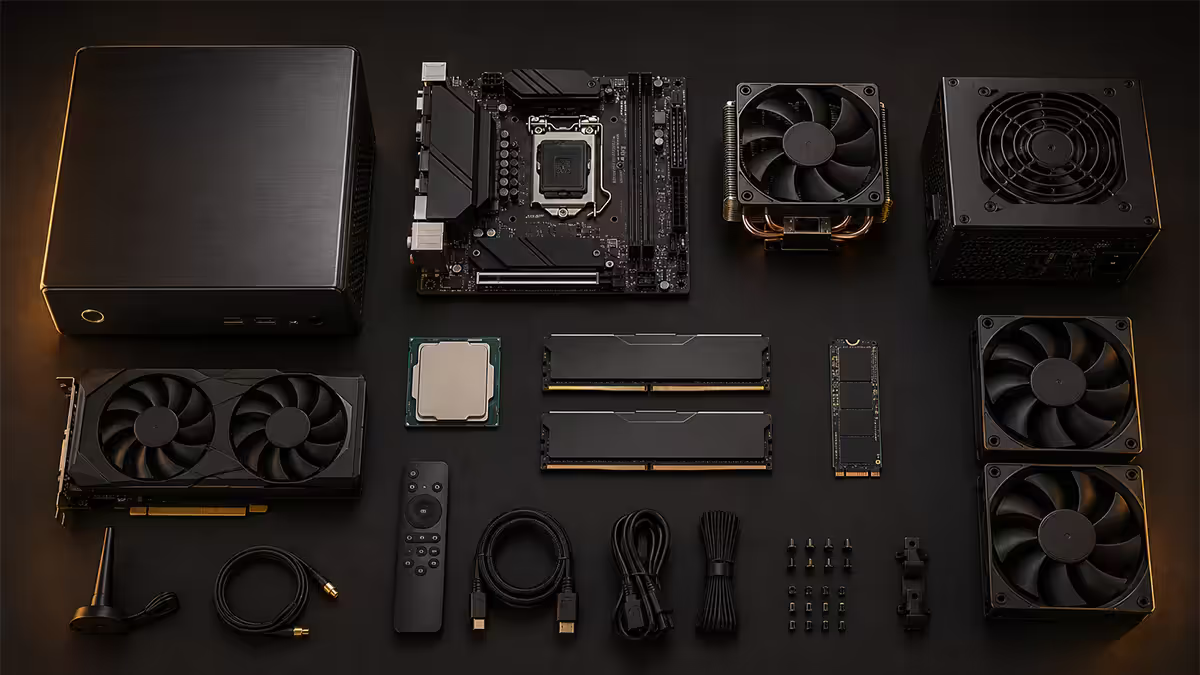
The chassis defines everything else about the HTPC. It dictates motherboard form factor, cooler height limit, PSU type, GPU clearance, and ultimately how the machine looks in your TV unit.
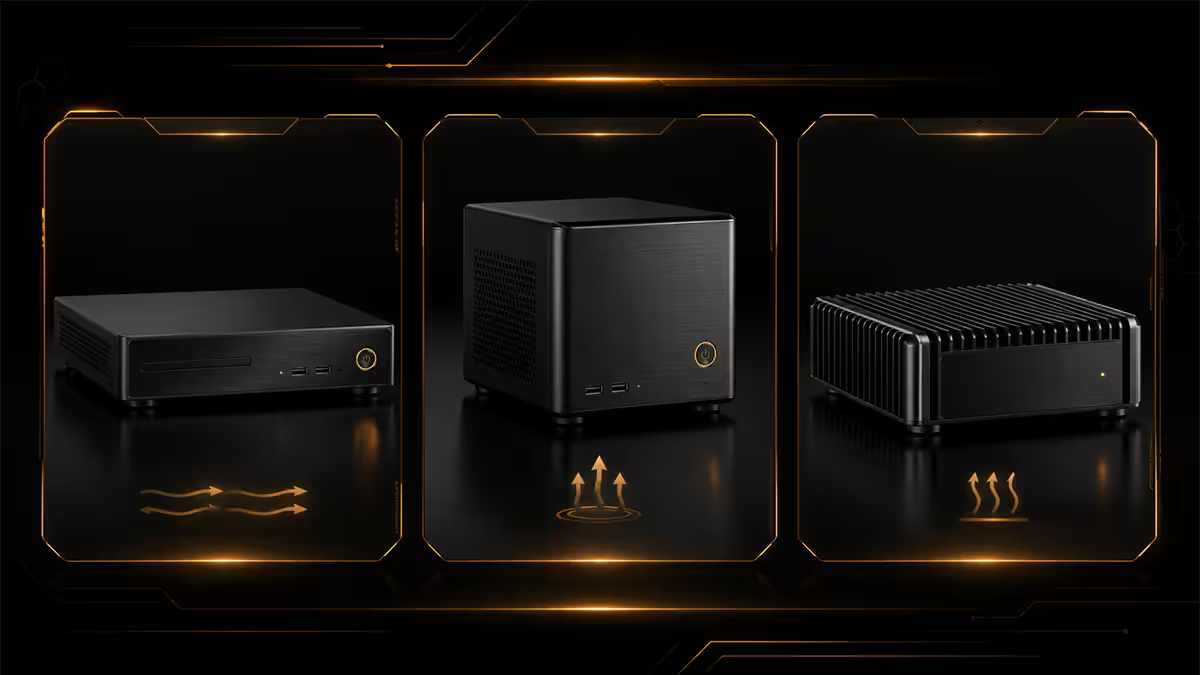
Three viable form factors:
- Slim desktop (horizontal). Fits under or next to a TV, low profile. Top SA picks: Silverstone GD09, GD11, Cooler Master Elite 110. Accepts mATX or ITX motherboards, low-profile GPUs only, SFX power supply.
- Cube / square. Fits next to AV equipment. Fractal Design Node 304, Cooler Master NR200P, Sliger SM550. Slightly more flexible on GPU and cooler height.
- Fanless / passive. The premium option — Streacom DB4, HDPLEX H1.S, Akasa Newton series. CPU and PSU are passively cooled via the chassis itself. Total silence at the cost of strict TDP limits (typically 35-65W CPU max).
For most builders, the Silverstone GD-series slim case is the right starting point. It fits a standard ATX PSU or SFX, accepts mATX motherboards, has reasonable cooler clearance (around 80-100mm) and looks at home in a TV unit.
CPU choice — iGPU is almost always enough
For pure HTPC duties, an integrated graphics CPU is the right answer. It eliminates the discrete GPU entirely — smaller chassis, no separate GPU power, lower heat, lower noise, simpler build.
The 2026 HTPC CPU picks:
| CPU | iGPU strength | SA price |
|---|---|---|
| Ryzen 5 8500G | Adequate — 4K decode, light emulation | R3,500 |
| Ryzen 5 8600G | Strong — 4K HDR, PS2 emulation | R4,500 |
| Ryzen 7 8700G | Excellent — 4K HDR + GameCube/Wii + 1080p indie gaming | R5,500 |
| Intel Core Ultra 5 245K iGPU | Strong — 4K HDR, good emulation | R6,000 |
| Ryzen 5 7600 + RTX 4060 LP | Light AAA gaming on TV | R8,500 combined |
The Ryzen 7 8700G is the HTPC sweet spot. The Radeon 780M iGPU handles 4K HDR 10-bit decode in hardware, runs GameCube and Wii emulation at full speed, and plays 1080p indie / older AAA titles at 60 FPS without breaking a sweat. It draws 65W max — comfortable in any slim chassis with a 92mm air cooler.
Add a low-profile RTX 4060 only if you specifically want light current-gen AAA gaming on the TV. Even then, the discrete GPU adds heat and noise, so consider whether a second machine for gaming makes more sense.
Storage tier — fast boot, slow archive
HTPC storage splits into two clear tiers: fast solid-state for OS and apps, large mechanical for media library. Get the tiering right and the machine flies; get it wrong and you'll be moving files around forever.
Tier 1 (boot drive): 1TB NVMe SSD. Hosts Windows or Linux, Plex/Kodi/Jellyfin, all emulator cores, all Steam library games you want fast-loading, browser cache. WD Black SN770, Samsung 980 Pro, Kingston KC3000 are all good at the R1,200-R1,500 mark in SA.
Tier 2 (media library): 4-8TB HDD. Hosts your film and TV library, music collection, photo archive, less-frequently-played emulator ROMs. WD Red Plus, Seagate IronWolf, or budget WD Blue 7200rpm. R1,500-R3,500 depending on capacity.
Tier 3 (optional): external 4-8TB HDD via USB 3.2 for backup, or a network NAS (Synology DS224+, QNAP TS-262) if your library outgrows local storage.
HDMI 2.1 and audio passthrough
HDMI 2.1 is the safe target in 2026. It carries 4K @ 120Hz with HDR, Dolby Vision, Variable Refresh Rate, eARC for full Dolby Atmos and DTS-X audio passthrough, and the bandwidth headroom for whatever the next two TV generations introduce.
If your iGPU outputs from the motherboard's HDMI port, check the motherboard spec sheet carefully. Many budget B650 boards still ship with HDMI 2.0 — fine for 4K @ 60Hz, but limiting if you want 4K @ 120Hz on a newer TV. Look for boards explicitly listing HDMI 2.1 in the rear-IO spec.
Audio passthrough basics:
- Bitstream pass-through in Plex / Kodi means the HTPC sends the original audio track unchanged over HDMI to the AV receiver / soundbar, which decodes Dolby Atmos or DTS-X locally. This is what you want for high-end audio setups.
- PCM stereo down-mix means the HTPC does the audio decode and sends stereo to the TV. Use this only if your audio chain is a TV's built-in speakers or a basic 2.0 soundbar.
- Audio output device in Windows should be set to "HDMI" or your AV receiver's specific HDMI output rather than the TV speakers, so passthrough actually reaches the decoder.
HDMI-CEC — TV remote controls the PC
HDMI-CEC (Consumer Electronics Control) is the single most under-known HTPC feature. It lets your TV's existing remote send basic commands (up/down/left/right/select/back/play/pause) to the HTPC over the HDMI cable. No extra remote, no keyboard fumbling, no IR receiver.
Enabling CEC:
- On the TV: enable HDMI-CEC. Each brand calls it something different — Anynet+ (Samsung), Bravia Sync (Sony), Simplink (LG), EasyLink (Philips), HDMI-CEC (TCL, Hisense).
- On the HTPC: install Kodi (which has CEC support built in for the leading TV brands), or for Windows in general install a Pulse-Eight USB CEC Adapter or use a motherboard that supports CEC over its iGPU HDMI output (some newer boards do).
- Test: open Kodi or your media app, point the TV remote at the TV, press up/down/select — the on-screen highlight should move on the HTPC.
For more advanced control (volume, custom keys, app launching), pair CEC with a Logitech K400 Plus wireless keyboard/touchpad combo or a Flirc USB IR receiver programmed to your favourite universal remote.
Silent operation — under 28 dB target
An HTPC sitting two metres from the couch needs to be inaudible during a quiet film scene. The target is under 28 dB at one metre — the rough equivalent of a whisper. Above 30 dB and the fan noise becomes noticeable in quiet dialogue.
How to hit silent:
- Noctua NH-L9a-AM5 or Noctua NH-L12S low-profile CPU cooler. The L9a is 37mm tall — fits in any slim chassis with the Noctua AM5 mount kit. The L12S is 70mm and handles up to 95W TDP cleanly. Both whisper-quiet at default fan curves.
- Noctua NF-A12x15 120mm slim case fan as the chassis exhaust — moves air without the high-frequency whine of cheap fans.
- Custom fan curve in BIOS: set CPU fan to start at 35% PWM at 50°C, ramp to 100% only above 80°C. Most HTPC workloads (4K decode, light gaming) stay well under 60°C with this curve.
- SSD-only build option: if your media library lives on a NAS, removing the HDD eliminates the only mechanical noise source. Pure-SSD HTPC + Noctua fans = essentially inaudible.
- Avoid AIO water cooling — pump noise is more intrusive than air at low loads, and an HTPC doesn't need AIO thermal headroom.
Software stack — Plex, Kodi, Jellyfin, Steam Big Picture
| Software | Use | Pick when |
|---|---|---|
| Plex Media Server | Library + transcoding | Streaming to multiple devices / remote access |
| Jellyfin | Open-source Plex alternative | No subscription, no cloud, full control |
| Kodi 21 ("Omega") | Front-end / TV interface | Browsing library on the TV itself |
| Steam Big Picture | PC gaming TV mode | Couch indie / co-op gaming |
| RetroArch | Multi-system emulator | Retro console gaming |
| Launchbox / BigBox | Emulator front-end | Curated retro library experience |
| Moonlight (client) | Stream from gaming PC | Have a beefier PC elsewhere |
| Sunshine (server) | Open-source GameStream | Stream HTPC games to other rooms |
The classic stack for a fresh HTPC: install Windows 11 (or Linux Mint Cinnamon if you prefer), then Plex Media Server (or Jellyfin), then Kodi as the everyday front-end. Add Steam Big Picture for any gaming. Add RetroArch and emulator cores as the final layer. Total installation time: an afternoon.
Wireless input devices — keyboard, controller, remote
Logitech K400 Plus is the de facto HTPC keyboard — wireless USB receiver, built-in touchpad, R600 in SA. Slips under the couch and pairs immediately with any HTPC.
Xbox Wireless Controller works flawlessly with Steam Big Picture on Windows out of the box — no extra software, pairs to a single USB Bluetooth/Xbox receiver. Same controller doubles as your gaming pad and a navigation device for Kodi.
Flirc USB receiver teaches any IR universal remote (Logitech Harmony, the basic ones from Game) to send keyboard commands to the HTPC. Useful if you want one remote for TV + soundbar + HTPC.
HDMI-CEC — already covered, but worth repeating: this lets the existing TV remote drive basic HTPC navigation with zero extra hardware.
SA-specific — fibre speed and load shedding
Fibre / Vumatel / Openserve: 100 Mbps is plenty for 4K streaming from Netflix / Disney+ / Showmax (typical 4K stream is 15-25 Mbps). 200 Mbps gives headroom for multiple simultaneous 4K streams plus Plex remote streaming from outside the home. 1 Gbps is overkill for HTPC use unless you're running a full home network with multiple streamers.
Load shedding considerations:
- UPS for the HTPC + router. A 1000VA Mecer / APC / Eaton sits R2,500-R3,500 in SA. Keeps the HTPC and the fibre router up during load shedding — your library and Plex server stay online so you can stream to phones / tablets during the outage.
- UPS the network gear too. Pointless having an HTPC running if the fibre ONT / router is down. Put both on the same UPS.
- Schedule HTPC backups outside load-shedding windows. Use Task Scheduler / cron to back up the media library at 3am rather than during peak schedule risk.
- Mobile data backup for fibre downtime: Mikrotik or TP-Link routers with 4G/5G failover keep streaming alive when the fibre line itself goes down (planned maintenance / cable cuts in your area).
Complete parts list — balanced ~R20k SA build
| Component | Recommended | SA price |
|---|---|---|
| CPU | Ryzen 7 8700G (with 780M iGPU) | R5,500 |
| Motherboard | ASRock B650M-HDV/M.2 or Gigabyte B650M ITX | R3,500 |
| RAM | 32GB DDR5-6000 CL30 (G.Skill / Corsair) | R2,000 |
| Boot SSD | 1TB NVMe Gen4 (WD Black SN770 / Kingston KC3000) | R1,400 |
| Media HDD | 4TB WD Red Plus / Seagate IronWolf | R1,800 |
| Chassis | Silverstone GD09 / GD11 | R2,300 |
| PSU | 450W SFX 80+ Gold (Corsair SF / Cooler Master V SFX) | R1,500 |
| CPU cooler | Noctua NH-L9a-AM5 (low-profile) | R1,000 |
| Wireless keyboard | Logitech K400 Plus | R600 |
| UPS | Mecer 1000VA line-interactive | R2,500 |
| Total | Complete HTPC + UPS | ~R22,100 |
Lean variant (~R12,000): Ryzen 5 8500G, 16GB DDR5, 1TB NVMe only (no HDD — stream from NAS), generic ITX chassis, Cooler Master Hyper 212. Skip the UPS if you're confident in your load-shedding cover.
Premium variant (~R30,000): Ryzen 7 8700G, 64GB DDR5, 2TB NVMe, 8TB HDD, Streacom DB4 fanless chassis, fanless 400W picoPSU, dual UPS protection. Genuinely silent, looks like a piece of audio equipment, lasts a decade.
Common HTPC mistakes
Buying a discrete GPU you don't need. The Ryzen 7 8700G iGPU handles every typical HTPC workload. Adding a GPU because "more is better" doubles chassis size, adds noise, raises temperature, and costs R3,000+ for zero practical benefit.
Cheap PSU in a slim case. Slim cases have poor ventilation. A generic 400W PSU runs its fan harder under load and dies faster. Spend up on a Corsair SF / Cooler Master V SFX 80+ Gold — quiet, efficient, lasts 7+ years.
Forgetting the HDMI 2.1 check. Buying an entry B650 motherboard without confirming HDMI version, then discovering at first plug-in that the iGPU output only does 4K @ 60Hz. Check the motherboard spec sheet — explicit HDMI 2.1 listing only.
Mounting an HDD in a vertical chassis. Slim HTPC cases often mount HDDs horizontally; cube cases sometimes mount them vertically. Vertical HDD mounting on a budget WD Blue can shorten lifespan slightly versus horizontal — non-issue on Red Plus / IronWolf NAS drives designed for both orientations.
Not enabling hardware decode in Plex. Plex transcodes media in software by default. Enable hardware transcoding in Plex settings (uses the iGPU's video engine) to drop CPU usage from 60% to 5% on a 4K HEVC stream. Free performance, big difference.
Key takeaways
- Ryzen 7 8700G iGPU handles 4K HDR media + GameCube/Wii emulation cleanly — no discrete GPU needed.
- Slim chassis (Silverstone GD-series), low-profile Noctua cooler, SFX Gold PSU = silent under 28dB.
- Storage tiering: 1TB NVMe boot + 4-8TB HDD media. Don't run your library off the SSD.
- HDMI 2.1 + bitstream audio passthrough + HDMI-CEC = TV remote controls the PC.
- UPS the HTPC + router together for load-shedding-proof streaming. ~R20k complete in SA.
Frequently asked questions
What is an HTPC used for?
A small living-room PC for 4K HDR media playback, Plex/Kodi/Jellyfin server duties, retro-console emulation, couch co-op gaming and streaming. Not a primary gaming rig — a dedicated entertainment machine.Do I need a discrete GPU in an HTPC?
Usually no. The Ryzen 7 8700G iGPU handles 4K HDR decode, GameCube/Wii emulation and light indie gaming. Add a low-profile RTX 4060 only if you specifically want light AAA gaming on the TV.What chassis is best for an HTPC?
Slim desktop for under-TV (Silverstone GD09/GD11), cube for next-to-AV (Fractal Node 304, Cooler Master NR200P), or fanless premium (Streacom DB4, HDPLEX). Aim for under 25cm tall.What software should I run on an HTPC?
Plex Media Server (or Jellyfin) for library + transcoding, Kodi 21 as the TV front-end, Steam Big Picture for couch gaming, RetroArch for retro emulation. Windows 11 or Linux Mint both work.How do I make my TV remote control the HTPC?
Enable HDMI-CEC on the TV (Anynet+ / Bravia Sync / Simplink / EasyLink) and use Kodi or install a Pulse-Eight USB CEC Adapter. Pair with a Logitech K400 Plus for fuller control.What HDMI version do I need for 4K HDR?
HDMI 2.1 — supports 4K @ 120Hz HDR, Dolby Vision, eARC for Dolby Atmos and VRR. HDMI 2.0 does 4K @ 60Hz HDR which is fine for media but limits future gaming. Check the motherboard rear-IO spec sheet explicitly.Does an HTPC need a lot of storage?
1TB NVMe boot for OS + apps, 4-8TB HDD for media library. For very large libraries (5,000+ 4K films) move to a NAS like Synology DS224+ and stream over the network.How much does a complete HTPC build cost in South Africa?
Balanced 2026 build: ~R20,000-R22,000 complete (Ryzen 7 8700G + 32GB + 1TB NVMe + 4TB HDD + slim chassis + UPS). Lean variant ~R12,000, premium fanless ~R30,000.
Get the Evetech app
Exclusive app-only prices, daily flash sales, and free delivery on orders over R4,000 — download the app and start saving.