Streaming Setup Buying Guide
How to build a streaming PC setup. — One tower. Five hours of polish. Go live.
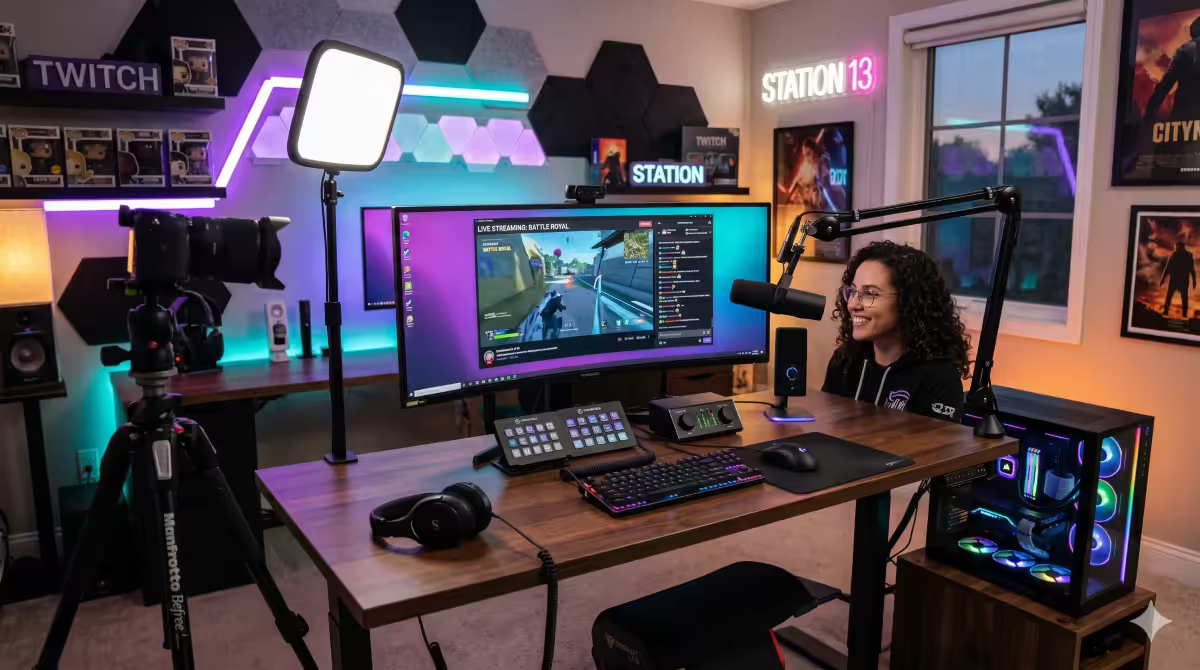
NVENC quietly killed the dual-PC streaming setup. In 2026, a single tower handles 1080p60 broadcast with effectively no game performance cost. Here's the complete kit, the OBS settings, and the brands we actually ship.
- PC decision
- Single / Dual
- = single PC OK
- NVENC
- streaming standard
- 1080p60
Single-PC vs dual-PC — start here
The dual-PC streaming setup was born in the era of x264 software encoding, where the gaming PC's CPU couldn't simultaneously run a demanding game and encode video without dropped frames. A second PC took the encoding load, freeing the gaming machine to focus on FPS.
That era is over. NVENC (NVIDIA, RTX 20-series onward) and AMF (AMD, RX 7000-series onward) encode entirely on dedicated silicon. The performance cost on the gaming PC is 1-3% of FPS — well within margin of error. For most streamers in 2026, a single-PC setup is now the right call.
| Scenario | Recommended setup | Why |
|---|---|---|
| Solo IRL / Just Chatting / variety streaming | Single-PC | Webcam + mic load is trivial. NVENC handles everything. |
| 1080p60 gaming stream (Twitch / Kick / YouTube) | Single-PC | NVENC P6 preset costs ~2% FPS. Saves R30,000+. |
| 1440p60 gaming stream | Single-PC with RTX 5080+ | Bigger GPU + NVENC. Bitrate becomes upload-limited. |
| Multi-cam podcast / 1440p60 + heavy effects | Dual-PC | Worth the second machine when you have 4+ video inputs and complex routing. |
| Console streaming (PS5 / Xbox / Switch) | Streaming PC + capture card | Console feeds HDMI into capture card. Same as dual-PC pattern. |
| 4K60 streaming | Dual-PC (specialist) | Niche territory. YouTube only — Twitch caps lower. |
OBS encoder choice — NVENC vs AMF vs x264
OBS Studio gives you three encoder options. The hardware encoder you choose depends on your GPU brand.
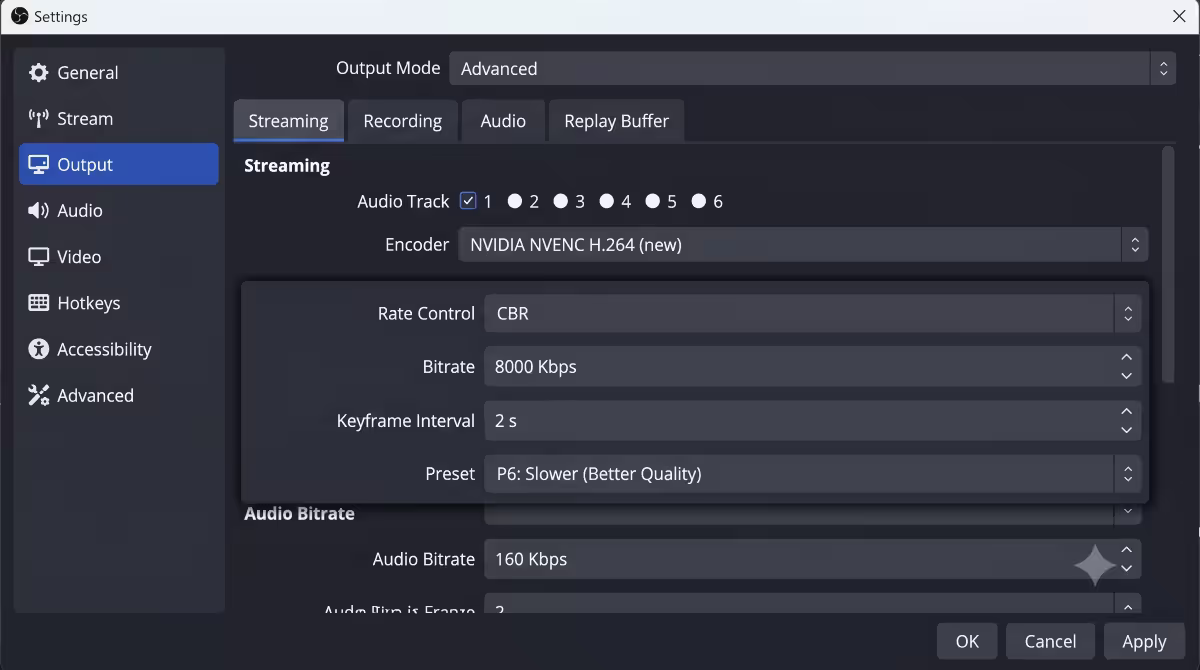
NVENC (NVIDIA, RTX cards): the gold standard. The 7th-generation NVENC chip on RTX 40-series and 8th-generation on RTX 50-series produces visibly better stream quality than older silicon. Use P6 or P7 preset for best quality at the same bitrate. NVENC HEVC (H.265) is supported on YouTube but not Twitch.
AMF (AMD, RX cards): AMD's hardware encoder. AMF on RX 7000 and 9000 series finally closed the gap with NVENC — in 2026, the difference at 1080p60 6000 Kbps is genuinely small. Use the "Quality" preset in OBS.
x264 (software, CPU): the highest-quality option in theory but at the cost of game FPS. Only worth using on a dual-PC setup where the streaming PC is dedicated. Veryfast preset for single-PC if you must (don't).
| Setting | Value | Notes |
|---|---|---|
| Resolution | 1920×1080 | 1080p60 is the streaming standard for 95% of channels. |
| Frame rate | 60 FPS | 30 FPS only if your upload is unstable. |
| Encoder | NVENC (new) / AMF (Quality) | Hardware encoders always for single-PC. |
| Rate control | CBR | Constant Bitrate — required by Twitch, YouTube. |
| Bitrate | 6000 Kbps (Twitch) / 8000 Kbps (YouTube/Kick) | Twitch caps non-partners at 6000. |
| Keyframe interval | 2 seconds | Required by all major platforms. |
| Preset | P6 (NVENC) / Quality (AMF) | Best quality at lowest GPU cost. |
| Profile | High | H.264 High profile for max compatibility. |
| Audio bitrate | 160 Kbps stereo | Audio quality matters more than people think. |
Webcam picks — three tiers
Webcam quality matters less than lighting. A R2,500 webcam under a R3,500 key light beats a R8,500 webcam in monitor-glow.
Tier 1 — Entry (R1,500-R3,000): Logitech C920 (still the value benchmark in 2026), Razer Kiyo X. Adequate 1080p30, plug-and-play.
Tier 2 — Mainstream (R3,500-R6,500): Logitech Brio 500, Insta360 Link 4K, Razer Kiyo Pro Ultra. Real 1080p60, low-light improvement, autofocus that actually tracks faces.
Tier 3 — Broadcast (R8,000-R20,000): Sony ZV-1F or Sony ZV-E10 with HDMI clean output through a capture card. Mirrorless-camera image quality, shallow depth of field, professional colour science. Overkill for casual streaming, transformative for serious channels.
Microphone — the upgrade viewers actually notice
If you upgrade one piece of gear, upgrade the mic. Viewers will tolerate iffy webcams indefinitely but will leave instantly on bad audio.
Tier 1 — USB plug-and-play (R2,500-R4,000): Blue Yeti, RØDE NT-USB Mini, HyperX QuadCast S. No interface, no driver fiddling. The QuadCast S in particular punches well above its price.
Tier 2 — Better USB (R4,500-R7,000): Shure MV7, RØDE PodMic USB, Elgato Wave:3. Broadcast-grade capsules with built-in DSP, USB and XLR outputs (futureproofing for an interface upgrade later).
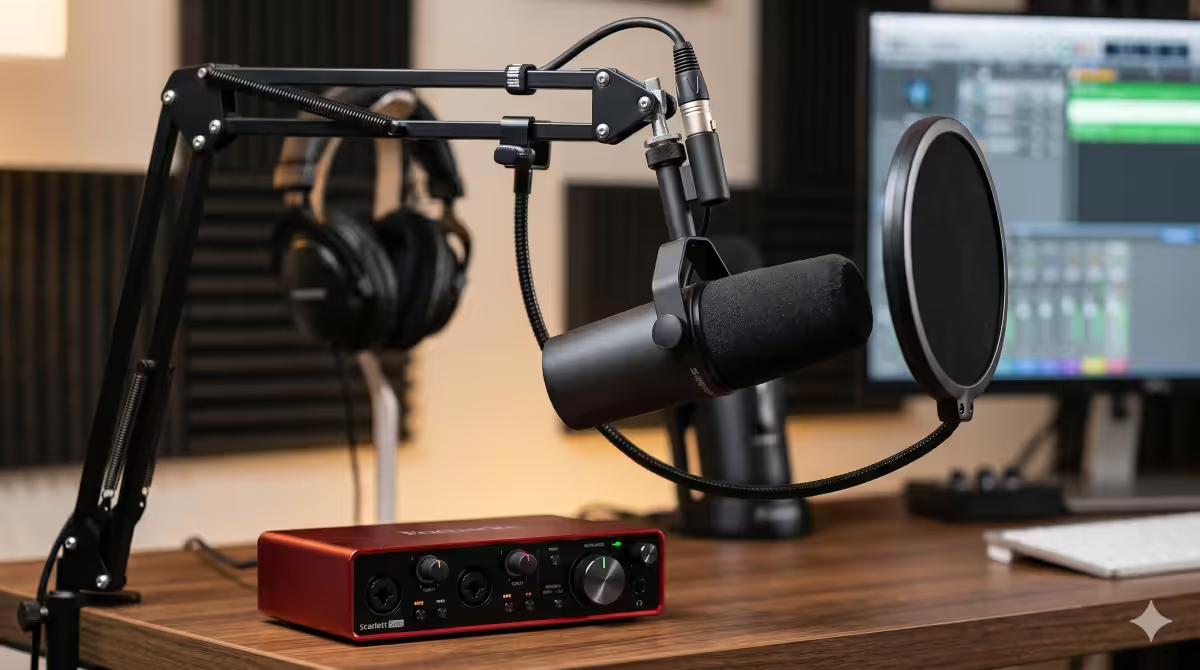
Tier 3 — XLR + interface (R10,000-R20,000): Shure SM7B or Electro-Voice RE20 with a Focusrite Scarlett Solo, RØDECaster Duo or GoXLR. The audio bar you hear on top podcasts. Requires phantom power or a Cloudlifter pre-amp for the SM7B (which is low-gain by design).
Audio interface and key light
An audio interface lives between an XLR mic and your PC. It converts analog to digital, supplies phantom power, and gives you proper gain control via a physical knob.
Focusrite Scarlett Solo (R3,500): the value benchmark. One XLR input, one instrument input, headphone out. Bulletproof drivers, USB-C, has been the streaming standard for a decade.
GoXLR (R12,500) and GoXLR Mini (R7,500): built specifically for streamers. Physical faders for game / chat / music / mic, voice-effects buttons, ducking, sample-pad triggers. Worth every cent once you outgrow Scarlett Solo simplicity.
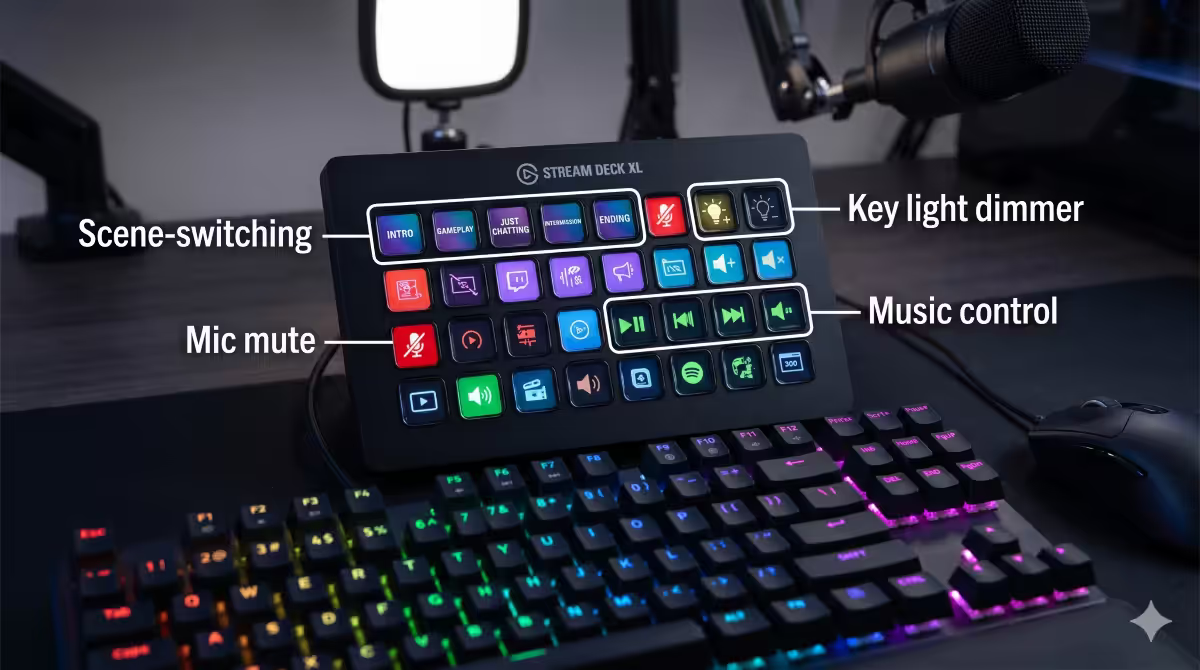
Key light: the highest ROI gear upgrade. Even a R1,200 NEEWER ring light dramatically improves webcam image. The Elgato Key Light Air (R3,800) and Key Light full (R6,000) add temperature/brightness via Stream Deck and don't degrade webcam autofocus the way ring lights can.
Capture card — only if you need one
A capture card converts HDMI input into a video source your streaming PC can use in OBS. You need one for: console streaming, mirrorless-camera webcams, or dual-PC setups.
Elgato HD60 X (R4,500): USB external, 1080p60 capture with 4K60 HDR passthrough. The right pick for console streamers.
Elgato 4K60 Pro Mk.2 (R8,500): internal PCIe, 4K60 HDR capture with zero-latency passthrough. The dual-PC standard.
AVerMedia GC553G2 (R6,500): the strong competitor — USB-C, 4K60 HDR capture. Pick whichever has SA stock the day you buy.
Monitor layout — two screens minimum
Streamers need at least two monitors. The primary screen runs the game; the secondary runs OBS preview, chat, alerts, music controls and Stream Deck overlays. Trying to run all of it on one screen is the fastest path to a glitchy stream.
Primary monitor (gaming): 27" 1440p 165Hz IPS minimum. The MSI MAG 274QRF-QD, LG 27GP850, Samsung Odyssey G7 are all strong picks in SA. OLED monitors (LG 27GR95QE, Samsung G6 OLED) are exceptional but show burn-in risk for static OBS UI — keep your gaming screen for games only.
Secondary monitor (OBS/chat): 24" 1080p 60Hz is plenty. A used office monitor at R1,500 works fine. The Dell P2422H or any flat-panel from Wootware second-hand is the budget answer.
Optional tertiary: a small 14" portable USB-C monitor or iPad with Sidecar/Spacedesk for an always-on chat view. Useful but not essential.
CPU and GPU recommendations
| Stream tier | CPU + GPU | RAM / Storage |
|---|---|---|
| Starter (1080p60 + light games) | Ryzen 5 9600X + RTX 5060 Ti | 32GB DDR5-6000, 1TB Gen 4 |
| Mainstream (1080p60 + AAA games) | Ryzen 7 9700X + RTX 5070 | 32GB DDR5-6000, 2TB Gen 4 |
| Pro (1440p60 + heavy AAA) | Ryzen 9 9900X3D + RTX 5080 | 32GB DDR5-6400, 2TB Gen 4 + 4TB archive |
| Top (1440p60 + multi-cam + heavy) | Ryzen 9 9950X3D + RTX 5090 | 64GB DDR5-6400, 4TB Gen 5 |
| Dual-PC streaming PC | Ryzen 5 9600X + RTX 4060 (or any NVENC card) | 32GB DDR5, 1TB SSD |
Why 32GB minimum: OBS, browser sources (alerts, chat overlays, Streamlabs), Discord, Spotify and the game itself all share RAM. 16GB will get you crashes and stuttering inside 6 months.
Why 2TB+ storage: OBS records VODs locally as a backup. A 4-hour 1080p60 stream is roughly 45-65GB. If you save clips and edit between streams, the drive fills fast.
Common streaming setup mistakes
Buying x264 software encoding hardware. Some old guides still recommend a "streaming CPU" — a Ryzen 9 or Core i9 specifically to run x264. NVENC and AMF have made this obsolete. Save the budget for a better GPU.
Upgrading the webcam before the mic. Viewers leave on bad audio in seconds. A R1,500 USB mic upgrade is worth more than a R5,000 webcam upgrade every time.
Streaming at 1080p30. 30 FPS streams look choppy compared to 60 FPS streams of the same game. Stream at 60 unless your upload genuinely can't sustain 6000 Kbps.
Streaming in VBR mode. Variable Bitrate causes Twitch to flag the stream as unstable. Always CBR.
Running OBS alongside Streamlabs Desktop. Pick one. Streamlabs Desktop is a fork of OBS with more bloat. Pure OBS Studio + Streamlabs/StreamElements web alerts as browser sources gives better stability.
Trying to stream and game on the same monitor. Two monitors is the minimum. Single-monitor streaming forces alt-tabbing that registers as scene chaos.
Skipping the key light. The single highest-ROI gear upgrade. Even a R1,200 ring light visibly transforms webcam image.
Key takeaways
- Single-PC works for most streamers. NVENC and AMF run on dedicated GPU silicon — game cost is 1-3%.
- OBS settings: 1080p60, CBR, 6000-8000 Kbps, NVENC P6 or AMF Quality, 2s keyframe, 160 Kbps audio.
- Spend on the mic before the webcam. Viewers leave instantly on bad audio.
- Key light is the highest-ROI single upgrade. Even a R1,200 ring light transforms image quality.
- Mainstream 2026 streaming build: Ryzen 7 9700X + RTX 5070 + 32GB DDR5 + 2TB NVMe. Two monitors minimum.
Frequently asked questions
Do I need a dual-PC setup to stream in 2026?
No. Most streamers use single-PC with NVENC/AMF in 2026. Dual-PC only for 1440p60+ with multi-cam or complex audio routing.What is NVENC and why does it matter for streaming?
NVENC is a dedicated hardware encoder on every RTX GPU. It encodes your stream on separate silicon, costing only 1-3% of in-game FPS. Effectively free single-PC streaming.What bitrate and resolution should I stream at?
1080p60 at 6000 Kbps CBR for Twitch, 8000 Kbps for YouTube/Kick. NVENC P6 preset, 2-second keyframe, 160 Kbps audio.What microphone should I buy for streaming?
Entry: Blue Yeti or HyperX QuadCast S (R2,500-R3,500 USB). Pro: Shure SM7B + Focusrite Scarlett Solo (R12,000-R15,000 total XLR). Audio matters more than video.Do I need a capture card?
Only for dual-PC, console streaming, or mirrorless-camera webcams. For single-PC PC streaming, OBS captures the screen directly — no card needed.What CPU and GPU do I need to stream from one PC?
Ryzen 7 9700X + RTX 5070 + 32GB DDR5 for 1080p60. Step up to 9900X3D + RTX 5080 for 1440p60 + heavy AAA. RAM 32GB minimum.Is a key light worth the money?
Yes — the highest-ROI upgrade. Even a R1,200 ring light transforms image. Elgato Key Light Air (R3,800) is the streamer standard.Should I use Streamlabs or OBS Studio?
OBS Studio. Streamlabs Desktop is a bloated fork. Use OBS plus the Streamlabs/StreamElements alerts as a browser source — better stability.
Get the Evetech app
Exclusive app-only prices, daily flash sales, and free delivery on orders over R4,000 — download the app and start saving.