Photographer PC Build Guide
The right PC for photographers. — 32 GB minimum. Calibrated colour. Three tiers from R30k.
Photo work asks unusual things of a PC. Massive RAM. Fast scratch storage. A panel that shows colour truthfully. AI denoise that takes seconds not minutes. Here's how to spec all of it for SA prices.
- RAM minimum
- 32 GB
- monitor target
- 99% AdobeRGB
- build tiers
- R30k–R85k
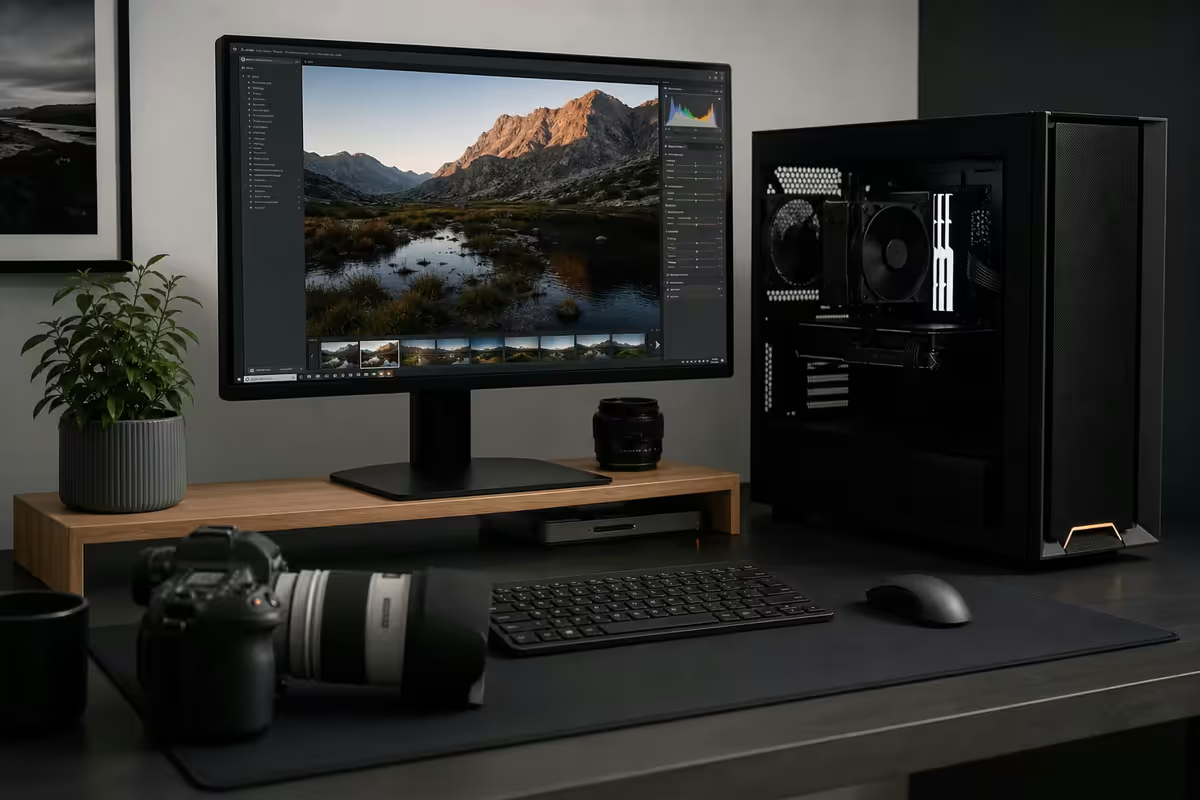
The workflow shapes the build
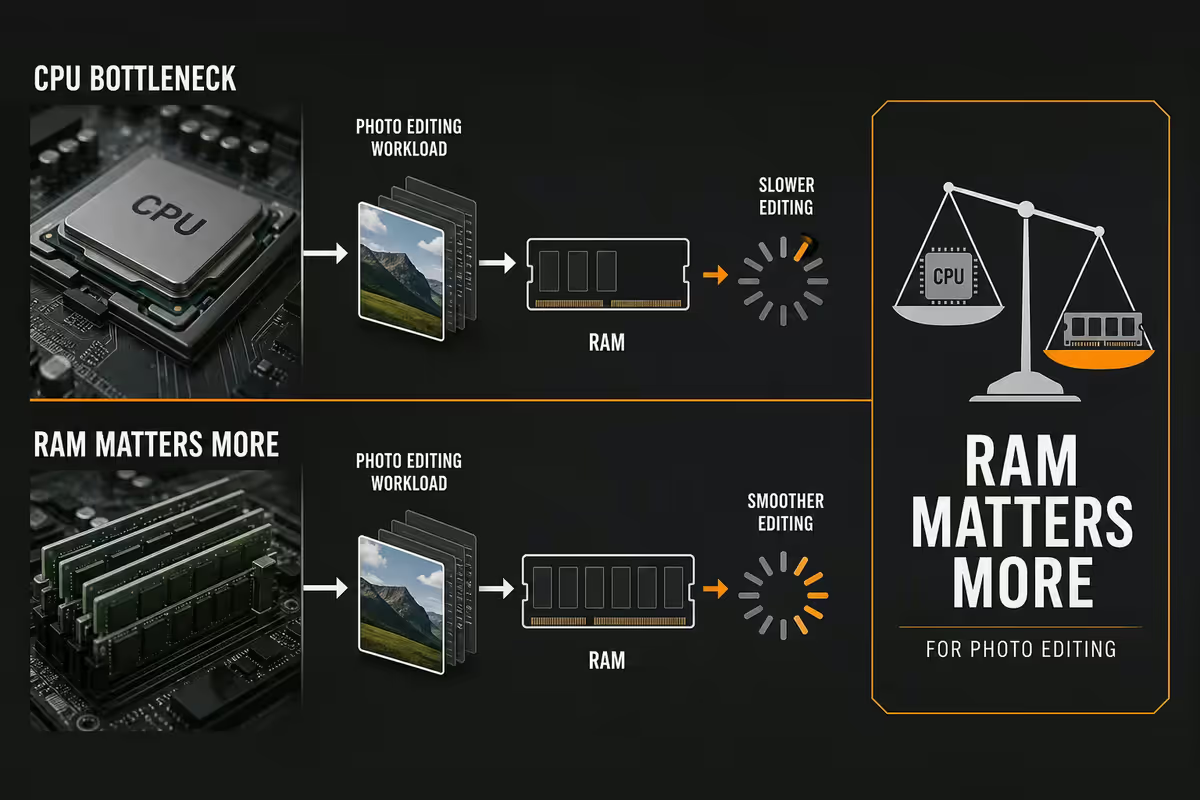
A photographer's PC isn't a gaming rig with a different sticker. The bottlenecks are different. Where a gaming build prioritises GPU shading horsepower, a photo build prioritises RAM, fast storage, AI-capable but moderate GPU, and a panel that shows colour truthfully. Spec the build wrong and you'll spend years watching loading bars instead of editing.
Two workflows dominate. Lightroom Classic plus Photoshop remains the professional standard — local catalogue, full-feature editor, deep masking, panorama stacking, plug-in ecosystem. Capture One is the high-end Lightroom alternative favoured by tethered studio shooters and Phase One users. Both are similarly demanding on hardware in slightly different ways: Lightroom hammers RAM and storage on catalogue browsing; Capture One leans harder on CPU single-thread performance for adjustments.
Layered on top are the AI tools that have become essential by 2026 — Lightroom AI Denoise, Photoshop Generative Fill, Select Subject and Select Sky, Lightroom AI Masking. All run on the GPU. All take seconds on a modern card or minutes on an older one. The difference in real workflow time across a week of edits is substantial.
RAM and CPU — RAM matters more
For photo work, RAM matters more than CPU in nearly every configuration. 32 GB DDR5 is the absolute minimum for active Lightroom Classic + Photoshop work. 16 GB systems hit swap-to-disk constantly on real catalogues — every interaction takes an extra half-second to feel sluggish, edits stack delay on delay.
64 GB DDR5 is the right call if any of the following describe you: catalogue exceeds 50,000 photos, you regularly stack 5+ image panoramas or HDR brackets, you run Lightroom and Photoshop side-by-side rather than one-at-a-time, or you composite heavily in Photoshop. The price gap between 32 GB and 64 GB DDR5 kits in SA is currently R1,800–R2,500 — a small price relative to the workflow benefit.
On CPU: photo work likes single-thread speed for adjustments and multi-thread for AI denoise, generative work, and large exports. The sweet spots are Ryzen 7 7800X3D or Intel Core Ultra 7 265K for sub-R55k builds, stepping up to Ryzen 9 7950X or Core Ultra 9 285K for power-user tiers. The 3D V-Cache on Ryzen X3D parts genuinely helps Lightroom catalogue browsing and develop-module responsiveness — measurable.
GPU — for Adobe AI, not for raw shading
A photographer doesn't need a gaming-tier GPU, but they do need a GPU good enough for AI features. The current Adobe AI suite (Lightroom Denoise, Photoshop Generative Fill, Select Subject and family) runs primarily on NVIDIA CUDA acceleration. AMD GPUs work but are noticeably slower for Adobe AI specifically.
| GPU | Adobe Denoise time / 24MP RAW | SA price |
|---|---|---|
| RTX 4060 8 GB | ~6 seconds | R6,500–R7,800 |
| RTX 5060 8 GB | ~4 seconds | R8,500–R10,500 |
| RTX 4070 12 GB | ~3 seconds | R12,500–R15,500 |
| RTX 5070 12 GB | ~2.5 seconds | R14,500–R17,500 |
| RTX 5070 Ti 16 GB | ~2 seconds | R19,500–R23,500 |
| RX 7800 XT 16 GB | ~12 seconds (AMD, ROCm) | R12,000–R14,000 |
Past RTX 5070 Ti the photo-workflow returns flatten dramatically. An RTX 5080 saves you maybe 0.5 seconds per Denoise versus the 5070 Ti — not worth the R10,000+ price gap unless you're also doing heavy video editing or AI generative work alongside photo.
Storage architecture — three tiers
Photo work is storage-intensive in ways most other PC workloads aren't. RAW files at 30–50 MB each pile up fast. A wedding shoot of 1,500 images is 50–75 GB. A year of professional shooting is 2–5 TB raw. Catalogues balloon. Without a structured storage architecture, you'll be juggling external drives within a year.
Three-tier storage is the professional standard:
- Boot drive — 1 TB NVMe Gen 4 (Samsung 990 Pro, WD SN850X). Holds OS, Adobe apps, plug-ins.
- Working drive — 2 TB NVMe Gen 4. Holds Lightroom catalogue, smart previews, current-year RAW files. Fast random read is what catalogue browsing needs.
- Archive drive — 8–16 TB HDD (Seagate IronWolf or WD Red Plus 7200 RPM). Holds completed/delivered projects. HDD cost-per-TB still beats SSD by 4–5x for cold archive.
If you want quieter and faster archive, a 4–8 TB SATA SSD (Samsung 870 QVO or Crucial MX500) replaces the HDD for R3,500–R6,500 — useful if you reference older projects often.
Monitor and calibration — the part most builders underspec
The monitor is where many photographers under-invest and regret it within months. A typical gaming monitor (Samsung Odyssey G5, AOC 24G2) covers maybe 70% Adobe RGB. Edits look correct on it but shift visibly when the image lands on a client's calibrated screen, in print, or on Instagram via a wide-gamut phone display.
The minimum spec for accurate photo work is:
- 27 or 32-inch IPS panel — IPS for colour accuracy, 27/32-inch for editing real estate.
- 1440p minimum, 4K ideal — pixel density matters for fine detail evaluation.
- 99%+ Adobe RGB or 95%+ DCI-P3 coverage. Sub-95% panels skew skin tones and miss saturation in reds and oranges.
- Hardware calibration support ideal but not mandatory (factory-calibrated panels skip this).
- 10-bit colour depth for gradient smoothness on long sunset/sky tonal transitions.
Two paths to colour-accurate output:
Path 1 — Factory-calibrated panels. BenQ SW272U (27", 4K, 99% Adobe RGB) at R18,000–R22,000. ASUS ProArt PA32UCG-K (32", 4K, 98% DCI-P3) at R45,000–R55,000. Eizo ColorEdge CG2700S at R55,000+. You pay more upfront but skip needing a colorimeter — they ship calibrated and hold calibration well.
Path 2 — Good general 4K IPS + colorimeter. Dell U2723QE (27", 4K, 98% DCI-P3) at R10,500–R12,500. Plus an X-Rite i1 Display Pro (R6,500) or Datacolor SpyderX Pro (R4,500) for monthly calibration. Total: R15,000–R19,000. You actively calibrate each month but achieve genuine reference-monitor accuracy at the cost of the colorimeter.
3-2-1 backup — the non-negotiable
The single irreplaceable thing on a photographer's PC is the catalogue plus the originals. Lose either to drive failure, ransomware, theft or fire and the career damage is often unrecoverable.
The professional rule is 3-2-1: three copies, on two different media types, with one off-site. In SA-practical terms:
- Copy 1 — live working files on your PC's NVMe working drive.
- Copy 2 — local NAS (Synology DS224+, R5,500–R7,500 plus drives) or external HDD synced weekly. Different physical drive, in the same room.
- Copy 3 — off-site cloud backup. Backblaze Personal is the standard professional pick at US$9/month for unlimited storage. Continuous background backup. Different country, different physical hazard exposure.
For SA-specific resilience consider also a second local backup at a different physical address (parent's house, sibling's place, studio). Load-shedding and surge events can damage multiple devices at the same address simultaneously.
Three SA build tiers — complete spec sheets
R30,000 entry build — the starting professional
| Component | Spec |
|---|---|
| CPU | AMD Ryzen 5 7600 or Intel Core Ultra 5 245K |
| RAM | 32 GB DDR5-6000 (Corsair Vengeance or Kingston Fury) |
| GPU | NVIDIA RTX 4060 8 GB |
| Boot SSD | 1 TB NVMe Gen 4 (WD SN770 or Crucial T500) |
| Archive | 2 TB Seagate Barracuda 7200 RPM HDD |
| Monitor | 27-inch Dell S2722QC 4K IPS (95% sRGB, basic but accurate) |
| Extras | Datacolor SpyderX Pro colorimeter (R4,500) |
R55,000 professional build — the working photographer
| Component | Spec |
|---|---|
| CPU | AMD Ryzen 7 7800X3D or Intel Core Ultra 7 265K |
| RAM | 64 GB DDR5-6000 (G.Skill Trident Z5 or Corsair Vengeance) |
| GPU | NVIDIA RTX 5070 12 GB |
| Boot SSD | 1 TB NVMe Gen 4 Samsung 990 Pro |
| Working SSD | 2 TB NVMe Gen 4 WD SN850X |
| Archive | 8 TB WD Red Plus or Seagate IronWolf |
| Monitor | 27-inch BenQ SW272U 4K factory-calibrated, 99% Adobe RGB |
| Backup | Synology DS224+ NAS 2-bay + Backblaze Personal subscription |
R85,000 power-user build — heavy commercial / fine-art
| Component | Spec |
|---|---|
| CPU | AMD Ryzen 9 7950X or Intel Core Ultra 9 285K |
| RAM | 64 GB DDR5-6400 (room for 128 GB upgrade) |
| GPU | NVIDIA RTX 5070 Ti 16 GB |
| Boot SSD | 2 TB NVMe Gen 4 Samsung 990 Pro |
| Working SSD | 4 TB NVMe Gen 4 WD SN850X |
| Archive | 16 TB Seagate IronWolf Pro + 4 TB SATA SSD for hot archive |
| Monitor | 32-inch ASUS ProArt PA32UCG-K 4K HDR1000 + secondary 27-inch BenQ SW272U |
| Calibration | X-Rite i1 Display Pro Plus colorimeter |
| Backup | Synology DS923+ NAS 4-bay (RAID-5) + Backblaze Personal + off-site rotation drive |
Key takeaways
- RAM is the most-undersold spec for photo work — 32 GB minimum, 64 GB for serious workflows. Spend here before CPU or GPU.
- NVIDIA RTX 4060/5060/5070 covers Adobe AI Denoise, Generative Fill and Select Subject at sweet-spot prices. AMD GPUs work but slower for Adobe AI.
- Three-tier storage — NVMe boot, NVMe working, HDD archive — plus Backblaze cloud and local NAS. 3-2-1 backup isn't optional.
- 27–32 inch IPS at 99% Adobe RGB, factory-calibrated or colorimeter-calibrated monthly. Gaming monitors don't cut it for client-delivery work.
- SA tier picks: R30k entry (RTX 4060 + 32 GB), R55k pro (RTX 5070 + 64 GB + BenQ SW272U), R85k power (5070 Ti + ProArt + dual monitor).
Frequently asked questions
How much RAM does a photographer's PC actually need in 2026?
32 GB minimum for active Lightroom Classic and Photoshop work. 64 GB for large catalogues (50,000+ photos), heavy panorama and HDR stacking, or simultaneous Lightroom + Photoshop + Capture One workflows. RAM is the most-undersold spec for photo work — Adobe apps cache aggressively and 16 GB systems hit swap-to-disk constantly on real catalogues, slowing every interaction noticeably.Lightroom Classic or Lightroom Cloud — which for SA in 2026?
Lightroom Classic remains the professional standard — full local catalogue, every feature, complete metadata control, faster bulk operations, plug-in ecosystem. Lightroom Cloud (the consumer subscription called just 'Lightroom') is convenient for multi-device editing but slower, with fewer pro features, and dependent on Adobe Cloud sync limits. In SA where reliable broadband is uneven and ZAR-Cloud costs add up, Lightroom Classic on local storage is the professional choice.Do I need a GPU for photo editing?
Yes — Lightroom and Photoshop both use the GPU for AI features. Adobe Camera Raw Denoise, Generative Fill, Select Subject, and Lightroom AI masking all run on GPU. An RTX 4060 or RTX 5060 (8 GB+ VRAM) is the sweet spot. RTX 4070 helps if you do heavy AI generative work. You don't need a 5080 — diminishing returns past 5060/5070 for pure photo workflows.What monitor do I need for accurate photo editing?
A 27 or 32-inch IPS panel with 99%+ Adobe RGB coverage (or 95%+ DCI-P3) at minimum 1440p, ideally 4K. Factory-calibrated panels (BenQ SW-series, ASUS ProArt, Eizo ColorEdge) save the cost of buying a colorimeter but cost more upfront. The cheaper route: a good general 4K IPS monitor plus an X-Rite i1 Display Pro or Datacolor SpyderX colorimeter for monthly calibration. Either path is better than a typical gaming monitor for colour-critical work.How should I structure storage for a photo PC?
Three tiers. Boot drive (1 TB NVMe Gen 4) holds OS and apps. Working drive (2 TB NVMe Gen 4) holds Lightroom catalogue and current-year RAW files for fastest access. Archive drive (8–16 TB HDD or large SATA SSD) holds completed projects. Plus a 3-2-1 backup — Backblaze Personal cloud (US$9/month), local NAS or external HDD weekly, and one copy off-site. Catalogue corruption or drive failure without backup ends careers.What does an X-Rite or Datacolor colorimeter actually do?
It measures the actual colour your monitor displays and builds a profile that tells software what to compensate for. Monitors drift slowly — colours shift over months, brightness changes with age. A colorimeter brings the monitor back to a known standard (typically D65 white point, 120 cd/m² brightness, Gamma 2.2). Without one, your edits look different on your screen than they print or display elsewhere — a real problem for client-delivery work.How much should a photographer's PC cost in SA in 2026?
Three meaningful tiers. R30,000 entry: Ryzen 5 7600 / Intel Core Ultra 5, 32 GB DDR5, RTX 4060, 1 TB NVMe + 2 TB HDD, basic 27-inch IPS. R55,000 professional: Ryzen 7 7800X3D / Core Ultra 7, 64 GB DDR5, RTX 5070, 2 TB NVMe + 4 TB HDD, 27-inch BenQ SW272U. R85,000 power-user: Ryzen 9 7950X / Core Ultra 9, 64 GB DDR5, RTX 5070 Ti, 2 TB NVMe Gen 4 + 16 TB HDD, 32-inch ASUS ProArt PA32UCG-K, X-Rite calibrator.Is a Mac Studio better than a Windows PC for photographers?
Mac Studio M4 Max is excellent for photo work — wonderful colour management, fast, quiet, native Apple Silicon Lightroom/Photoshop. But a comparably-spec'd Windows PC delivers more flexibility (NVIDIA AI features, third-party plug-in compatibility, broader peripheral support) at lower cost in SA — R55k Windows build matches roughly R85k Mac Studio configuration for photo workflows. Mac wins for tight Apple ecosystem integration; Windows PC wins on raw value and AI capability for SA budgets.
Get the Evetech app
Exclusive app-only prices, daily flash sales, and free delivery on orders over R4,000 — download the app and start saving.