For Graphic Designers · SA 2026
Best PC for graphic designers. — Built for Illustrator, not benchmarks.
Design work hammers a different part of a PC than gaming does. Single-thread CPU, fast NVMe scratch, colour-accurate panel, AI-capable GPU — and almost none of the Twitter-recommended specs. Here's what actually moves Photoshop and Illustrator forward in 2026.
- RAM standard
- 32GB
- monitor floor
- 99%+ sRGB
- three tiers
- R25-75k
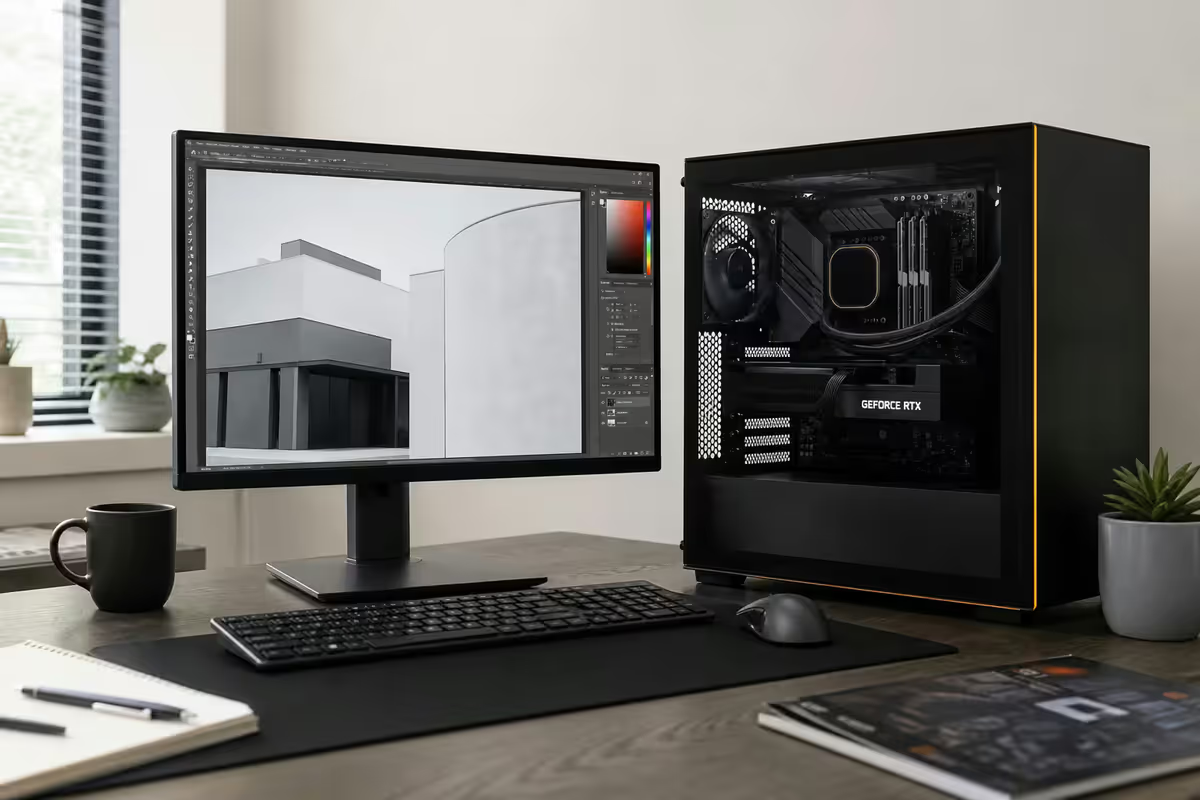
What design work actually hammers
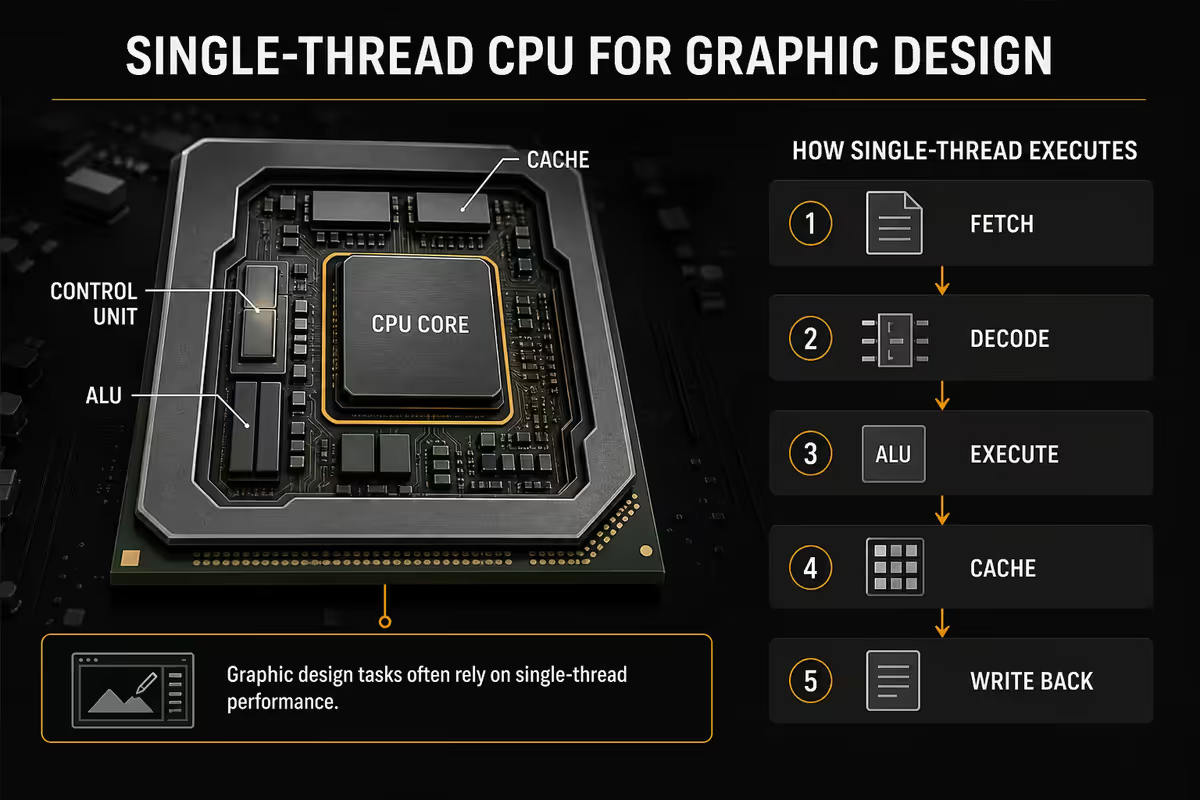
Generic "creator PC" guides treat graphic design like video editing or 3D rendering — heavy multi-core CPU, mountains of RAM, workstation GPUs. The reality of Illustrator, Photoshop, InDesign, Figma and After Effects work is different: the operations that feel slow day-to-day are dominated by single-thread CPU performance and storage IO, not by core count or GPU compute.
| Operation | What it hammers | What to upgrade |
|---|---|---|
| Illustrator vector pathfinding, complex pathfinder ops | Single-thread CPU | Faster cores, not more cores |
| Photoshop brush smoothing & large layered files | Single-thread CPU + RAM + scratch NVMe | 32GB RAM, separate NVMe scratch |
| InDesign multi-page document scrolling | Single-thread CPU + storage IO | Fast CPU, fast NVMe |
| Figma in browser, multi-canvas files | Browser process (CPU + RAM) | RAM and CPU; GPU less important |
| Photoshop Generative Fill, AI features | GPU (Tensor cores or equivalent) | RTX 5060+ or RX 9060+ |
| After Effects compositions | Multi-core CPU + RAM + GPU + VRAM | Ryzen 7/9 or Core i7/9, 32-64GB, 12-16GB VRAM |
| Premiere Pro / DaVinci Resolve timeline | GPU CUDA / OpenCL + NVMe | RTX 5060 Ti+ with 16GB VRAM |
| Cinema 4D, Blender, Substance | Multi-core CPU + GPU + VRAM | Workstation-tier build |
If your work is print, brand identity, logo design, layout and digital design, the CPU dominates. If your work includes video, motion, 3D mock-ups or AI-heavy retouching, the GPU joins the priority list. Almost nobody actually needs a Threadripper or RTX 5090 for graphic design — that's video editor / 3D animator territory.
CPU — single-thread is the real lever
The conventional wisdom that "more cores is better for creators" is mostly wrong for graphic design. Photoshop's brush engine, Illustrator's pathfinder operations, InDesign's text rendering and most Figma operations run on one core. A 6-core Ryzen 5 7600 with strong single-thread performance feels faster in daily design work than a 16-core Ryzen 9 7950X with marginally slower per-core clocks.
| CPU | Single-thread perf | Best for |
|---|---|---|
| Ryzen 5 7600 / 9600 | Excellent | Vector and raster designers, R25k tier |
| Intel Core i5-14400 / 15400 | Excellent | Intel-preferring designers; similar to Ryzen 5 |
| Ryzen 7 7700 / 9700X | Excellent + 8 cores | Designers who occasionally do motion / After Effects |
| Intel Core i7-14700 / 15700 | Excellent + hybrid cores | Mixed workflow including video work |
| Ryzen 9 7900X / 9900X | Top-tier + 12 cores | Senior designers, multi-disciplinary, video and 3D in mix |
| Ryzen 9 7950X / 9950X | Top-tier + 16 cores | Rarely the right pick for pure design — workstation territory |
| Threadripper | Workstation | 3D rendering, video, scientific — not graphic design alone |
The Ryzen 5 7600 is the unglamorous correct answer for the majority of SA graphic designers in 2026. Excellent single-thread, six cores (plenty for design plus a browser plus Slack plus a code editor), runs cool, easy to cool, and leaves R3,000-R5,000 in the budget for the bits that matter more — RAM and monitor.
RAM and NVMe scratch — the design quality-of-life duo
If there's one upgrade most working designers should make today, it's RAM and a dedicated NVMe scratch drive. Both interventions deliver visible speed-up immediately, more so than any other component.
RAM — 32GB is the 2026 standard
A modern designer's RAM use profile: Photoshop with a 500MB layered file open (1.5-3GB), Illustrator with one or two open documents (0.5-1.5GB), Chrome with 30+ tabs of references and asset libraries (4-6GB), Figma in browser (1-2GB), Slack and Teams (1GB combined), Spotify (0.5GB), Lightroom catalogue browsing (1-3GB), Windows + drivers + background apps (4-6GB). Total: 15-23GB without breaking a sweat. 16GB barely survives; 32GB is comfortable; 64GB is luxurious headroom for After Effects users.
DDR5 vs DDR4 matters less than total capacity for design work. A 32GB DDR4-3200 setup is faster than a 16GB DDR5-6400 setup for the simple reason that hitting page-file swap kills any RAM speed advantage. Pick capacity first, speed second.
NVMe scratch — separate from OS drive
Photoshop's scratch disk holds intermediate undo states, layer caches and large operations. By default it lives on the OS drive, where it competes with Windows updates, Chrome cache, the page file and every other system process for IO. On a single-drive system, that contention causes the infamous Photoshop pause ("Photoshop is not responding").
The fix is straightforward: install a second 1TB NVMe Gen 4 drive and point Photoshop's scratch (and After Effects' cache, and DaVinci's media cache) at it. The OS drive handles Windows and apps; the scratch drive handles design-software temp files. The Photoshop pause disappears entirely. Cost in SA: R1,100-R1,500 for 1TB Gen 4 NVMe. Best value-per-Rand upgrade in design PC building.
GPU — where AI changed the calculation
For most of design's history, the GPU was a low-priority component — accelerating canvas zoom, smooth scrolling, brush rendering, but rarely a bottleneck. 2024-2026 changed that. AI features in every major design tool are GPU-accelerated, and the speed difference between integrated and discrete GPU on these features is dramatic.
AI features now common in design software:
- Photoshop Generative Fill / Expand — runs in seconds on RTX 5060, two minutes on integrated graphics.
- Photoshop Neural Filters (Skin Smoothing, Smart Portrait, Style Transfer, Colorize) — GPU-bound entirely.
- Illustrator Generative Recolor — uses local GPU acceleration when available.
- Premiere Pro Enhance Speech, Scene Edit Detection, Text-Based Editing — heavy GPU lean.
- After Effects AI-driven rotoscoping (Roto Brush 3) — significant GPU acceleration.
- DaVinci Resolve Magic Mask, Object Removal, Voice Isolation — CUDA-accelerated.
- Affinity Photo 2 AI tools, Topaz Labs, ON1 Photo RAW — all CUDA or OpenCL accelerated.
The 2026 GPU sweet spot for designers is the RTX 5060. Reasons: 8GB VRAM is sufficient for layered Photoshop and 1440p After Effects compositions, the Tensor cores deliver fast AI inference, CUDA acceleration speeds Premiere and Resolve by 3-5x over integrated, NVENC handles export encoding, and the card runs quiet at design workloads. SA pricing sits at R7,500-R8,500.
Step up to RTX 5060 Ti (16GB) if you regularly do After Effects compositions, 4K video editing, or Stable Diffusion / Flux locally. The doubled VRAM unlocks larger AI models and prevents VRAM-overflow stutter on heavy After Effects projects. SA pricing: R10,000-R11,500.
RTX 5070 territory only makes sense if 3D work (Cinema 4D, Blender, Substance Painter) or full local Stable Diffusion XL / Flux pipelines are part of your daily workflow. For pure 2D graphic design, the 5070's extra performance goes mostly unused.
AMD Radeon alternatives: the RX 9060 and 9070 are competitive on raster but lag NVIDIA on AI workloads in Adobe software due to weaker AI tooling support in 2026. If you're certain you won't use Adobe's AI features, AMD saves money. If you might, NVIDIA is the safer pick.
The monitor — most under-budgeted component
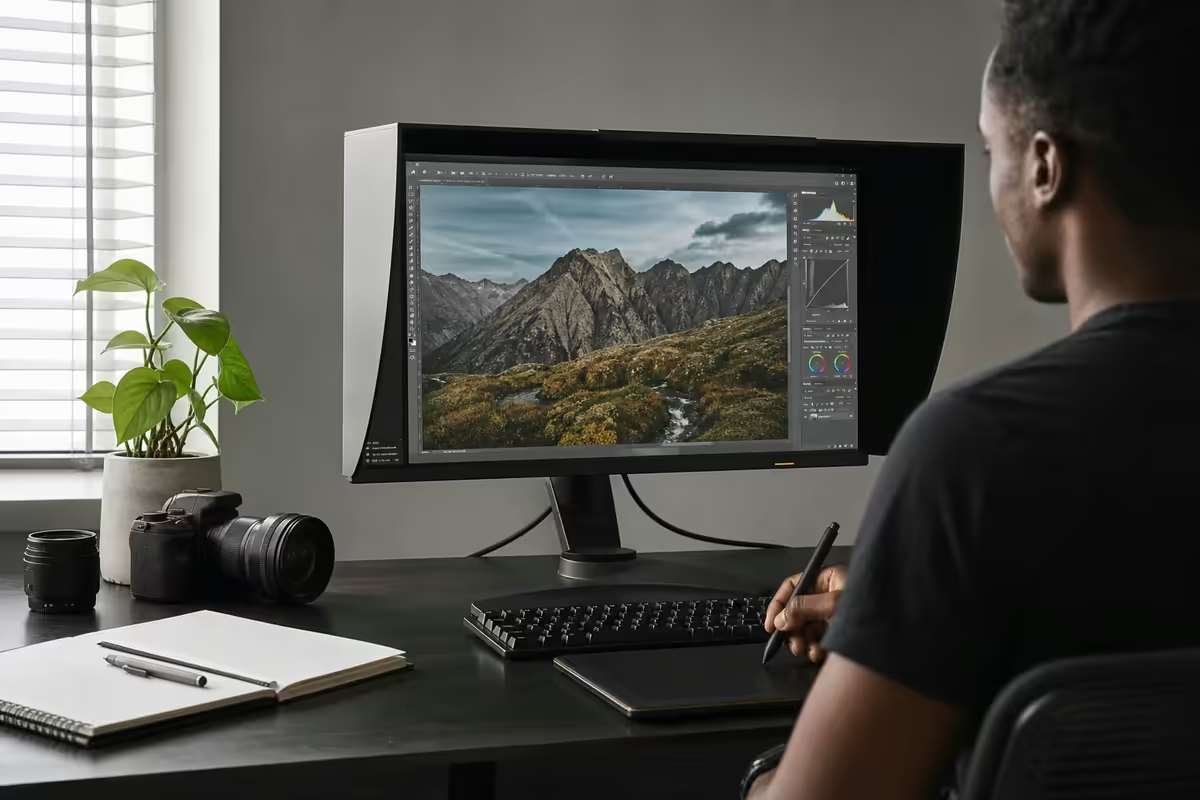
The monitor is the single most under-budgeted component in design PC builds. Designers spend R6,000 on a CPU they barely tax and R3,500 on a monitor they stare at 8 hours a day. The inversion is a mistake.
What matters for design monitors, in priority order:
- Colour gamut coverage. 99% sRGB is the floor for any design work. 95%+ DCI-P3 if you do motion graphics or anything for video / film. 95%+ Adobe RGB is wide-gamut territory for print designers working with CMYK proofs.
- Factory calibration with verified Delta-E. Look for Delta-E < 2 stated in spec sheet — this means colour error is below human perceptual threshold. Premium monitors include calibration reports per unit (e.g., Eizo, BenQ SW series, ASUS ProArt).
- Panel type. IPS is the workhorse — strong colour and angles. OLED is gorgeous but ABL behaviour can dim sustained white canvases. TN is unusable for design. VA is fine for budget but watch the colour shift at angles.
- Resolution. 27-inch 1440p is the practical sweet spot for designers. 32-inch 4K if your work involves reviewing at 100% on large compositions. Avoid 4K on 27-inch — Windows scaling is still imperfect in 2026 and small UI elements punish you.
- Brightness uniformity. Cheap panels have visibly different brightness across the screen (corners 10-20% dimmer than centre). Look for "uniformity correction" or "deltaY uniformity" specifications on quality panels.
- Bit depth. 10-bit (8-bit + FRC is acceptable) for smooth gradients without banding. 6-bit panels show visible banding on smooth-graded designs.
| Tier | Pick | SA price |
|---|---|---|
| R25k tier monitor | LG 27UP650-W or BenQ PD2705U (27" 4K IPS, 99% sRGB) | R7,500-R8,500 |
| R45k tier monitor | ASUS ProArt PA279CV or BenQ SW272U (27" 4K, 99% sRGB + 95% DCI-P3) | R12,000-R15,000 |
| R75k tier monitor | Eizo ColorEdge CS2740 or BenQ SW272Q Pro (27" with hardware calibration) | R22,000-R32,000 |
| Secondary monitor | 24" 1080p or 1440p IPS for tools/palettes panel | R2,500-R4,000 |
Dual-monitor reality: Photoshop and Illustrator both work substantially better with palettes and tools moved to a secondary monitor — leaving the primary 100% canvas. The second monitor doesn't need to be colour-accurate; a basic 24" 1080p IPS does the job. Total spend on dual monitor setup: R2,500-R4,000 secondary on top of primary.
Tablet, stylus and the input layer
A graphics tablet isn't strictly necessary for all design work, but it's transformative for retouching, illustration, masking and any expressive drawing. Even pure vector designers benefit from tablet-driven smooth-pen work in Illustrator.
| Use case | Tablet pick | SA price |
|---|---|---|
| Entry / occasional use | Wacom Intuos S or XP-Pen Deco Mini | R1,400-R2,000 |
| Daily professional vector / raster | Wacom Intuos Pro Medium | R5,500-R6,500 |
| Budget pro alternative | XP-Pen Deco Pro Medium Gen 2 | R2,800-R3,500 |
| Illustration / concept art | Wacom Cintiq 16 or 22 (drawing-on-screen) | R16,000-R32,000 |
| Senior studio illustration | Wacom Cintiq Pro 27 | R65,000+ |
For pure graphic design (logos, brand work, layout, infographics): a basic Wacom Intuos S at R1,400 is plenty. The tablet is occasional support, not the primary input.
For retouching, photo editing and illustration: Wacom Intuos Pro Medium remains the professional standard. Pressure sensitivity 8192 levels, tilt recognition, customisable ExpressKeys. Long lasting — many designers are still using the Intuos Pro they bought in 2018.
For drawing-on-screen workflow: Wacom Cintiq 16 is the entry pro pick, Cintiq 22 the comfortable size for studio work, Cintiq Pro 27 the senior choice with 4K and high colour gamut.
Across the 200,000+ machines we've shipped — including thousands sold to SA design studios from Cape Town agencies to Joburg in-house brand teams — the single most common upgrade request from designers six months after delivery is "can you swap my monitor for a better one". Almost never "can you upgrade my CPU". Build the GPU and the monitor first, the CPU second. The designer who spends R12,000 on a CPU and R6,000 on a monitor will be unhappy. The designer who spends R6,000 on a CPU and R12,000 on a monitor will be productive for five years.
Behind the build · From our Centurion workstation bench
Three SA build tiers — R25k, R45k, R75k
Vector + raster comfortable
- Ryzen 5 7600
- 32GB DDR5-5600
- 1TB NVMe Gen 4
- RTX 4060 8GB
- 650W Gold PSU
- + 27" 1440p 99% sRGB monitor
- + Wacom Intuos S
Honest agency standard
- Ryzen 7 7700
- 32GB DDR5-6000
- 1TB OS + 2TB scratch NVMe
- RTX 5060 Ti 16GB
- 750W Gold PSU
- + 27" 4K 99% sRGB + 95% DCI-P3
- + 24" secondary monitor
- + Wacom Intuos Pro M
Multi-disciplinary
- Ryzen 9 7900X
- 64GB DDR5-6000
- 1TB OS + 4TB scratch NVMe
- RTX 5070 12GB
- 850W Gold PSU
- + 32" 4K hardware-calibrated
- + 27" secondary IPS
- + Wacom Cintiq 22 or Intuos Pro L
Each tier above is a tower + monitor + tablet bundle. The R25k tier is the "I'm a junior designer or freelance just starting out" entry. The R45k tier is the "I'm a working professional and this needs to be fast and reliable for 4+ years" sweet spot — the tier we recommend to most agency hires. The R75k tier is the "I do brand, motion, video and occasional 3D" senior multi-disciplinary tier.
Mac vs PC for SA designers — the honest take
The Mac-vs-PC question gets emotional in design circles. Both are professionally viable in 2026. Here's the actual decision tree without the tribal allegiance.
Pick Mac if:
- You're already in the Mac ecosystem (iPhone, iCloud, existing software licenses) and switching would cost time and money.
- Your client work requires Mac-only software (Sketch, Final Cut Pro, Logic Pro for sound).
- You work in agencies or studios that have standardised on Mac and need file/colour parity with colleagues.
- Resale value matters — a 4-year-old MacBook Pro retains roughly 50% of original price; a 4-year-old PC retains 25-30%.
- You value the polish of macOS font rendering, system colour management and built-in colour profile handling.
Pick PC if:
- Budget is a real constraint. An equivalent-spec PC is 30-45% cheaper than a comparable Mac in SA in 2026 — a R45k PC matches a R65-75k Mac Studio or MacBook Pro.
- Upgrade flexibility matters — a PC user can swap GPU, add RAM, replace drives without buying a new machine. A Mac user buys a new Mac.
- Discrete GPU for AI / 3D / video work is part of the future workflow. M-series Apple Silicon GPUs are excellent for general work but lag NVIDIA for CUDA-accelerated AI and rendering pipelines.
- You play games, want PC VR, or want a single machine that handles work and entertainment.
- You're choosing your first design machine and not locked into either ecosystem.
The genuine honest answer: the OS matters less than the monitor, the peripherals, the chair you sit on, and your own discipline. A senior designer on a calibrated 27" 4K monitor with a Wacom Intuos Pro and 32GB RAM will produce better work than a junior on the latest M4 Max MacBook with an uncalibrated 24" budget panel. Spend the budget on the things you touch and look at, regardless of OS.
Key takeaways
- Single-thread CPU performance matters more than core count — Ryzen 5 7600 / Core i5-14400 are correct for most designers.
- 32GB RAM is the 2026 standard. Add a separate 1TB NVMe Gen 4 scratch drive — biggest quality-of-life win in design PCs.
- RTX 5060 (or 5060 Ti 16GB for motion work) is the AI-acceleration sweet spot — Photoshop Generative Fill, Premiere CUDA, AE rotoscoping.
- Spend on the monitor. 27" 1440p IPS at 99%+ sRGB minimum, 95%+ DCI-P3 for motion work, Delta-E < 2 calibration.
- Three SA tiers: R25k entry, R45k pro sweet-spot, R75k senior multi-disciplinary. PC delivers 30-45% more capability per Rand than Mac at every tier.
Frequently asked questions
What CPU matters most for graphic design work?
Single-thread (per-core) performance, not core count. Ryzen 5 7600 / 9600 or Intel Core i5-14400 / 15400 deliver strong single-thread for Illustrator, Photoshop and InDesign. Step up to Ryzen 7 / Core i7 only if After Effects or 3D enters the mix.How much RAM does a graphic designer actually need?
32GB is the 2026 standard. 16GB chokes when Photoshop, Chrome, Figma and Slack run together. 64GB is useful for After Effects users and multi-disciplinary designers. 128GB is overkill for non-3D, non-video designers.Does a graphic designer need a discrete GPU?
Yes in 2026. AI features in Photoshop, Illustrator, Premiere and DaVinci all GPU-accelerate substantially. RTX 5060 is the sweet spot; 5060 Ti 16GB for After Effects and 4K video; 5070 for 3D work.What monitor specs matter for graphic design?
99%+ sRGB minimum, 95%+ DCI-P3 for motion work, Delta-E under 2 factory calibration, 27" 1440p IPS sweet spot (32" 4K for large canvas review). Avoid TN and budget VA panels.What is the build tier breakdown for SA designers?
R25k: Ryzen 5 7600 + RTX 4060 + 32GB + 27" 1440p. R45k: Ryzen 7 7700 + RTX 5060 Ti 16GB + 32GB + dual monitors + Wacom Pro. R75k: Ryzen 9 7900X + RTX 5070 + 64GB + 32" 4K hardware-calibrated.Mac vs PC for graphic design in SA — which is better?
Both are professionally viable. PC is 30-45% cheaper in SA at equivalent spec; Mac wins on ecosystem polish and resale value. Pick the OS your existing software and colleagues live on — spend the savings on monitor and peripherals.What tablet should a graphic designer pair with a PC?
Wacom Intuos Pro Medium is the professional standard. XP-Pen Deco Pro is the strong budget alternative at half the price. Wacom Cintiq 16/22 for drawing-on-screen workflow. Basic Wacom Intuos S (R1,400) is plenty for pure vector and layout work.Do graphic designers need NVMe scratch storage?
Yes — a separate 1TB NVMe Gen 4 scratch drive eliminates the Photoshop pause. Best value-per-Rand upgrade in design PC building. Point Photoshop's scratch, AE's cache and DaVinci's media cache at the secondary drive.
Get the Evetech app
Exclusive app-only prices, daily flash sales, and free delivery on orders over R4,000 — download the app and start saving.