Hardware Explainer · Memory
What is dual channel RAM, and does it actually matter? — Two sticks. A2/B2. Don't argue.
A single stick of RAM is the silent killer of perfectly good builds. iGPUs lose 30-80% of their performance. Modern CPUs were designed around two channels — running one is leaving half the chip dormant.
- correct slots
- A2 + B2
- iGPU uplift
- +30-80%
- beats 1×32GB
- 2×16GB
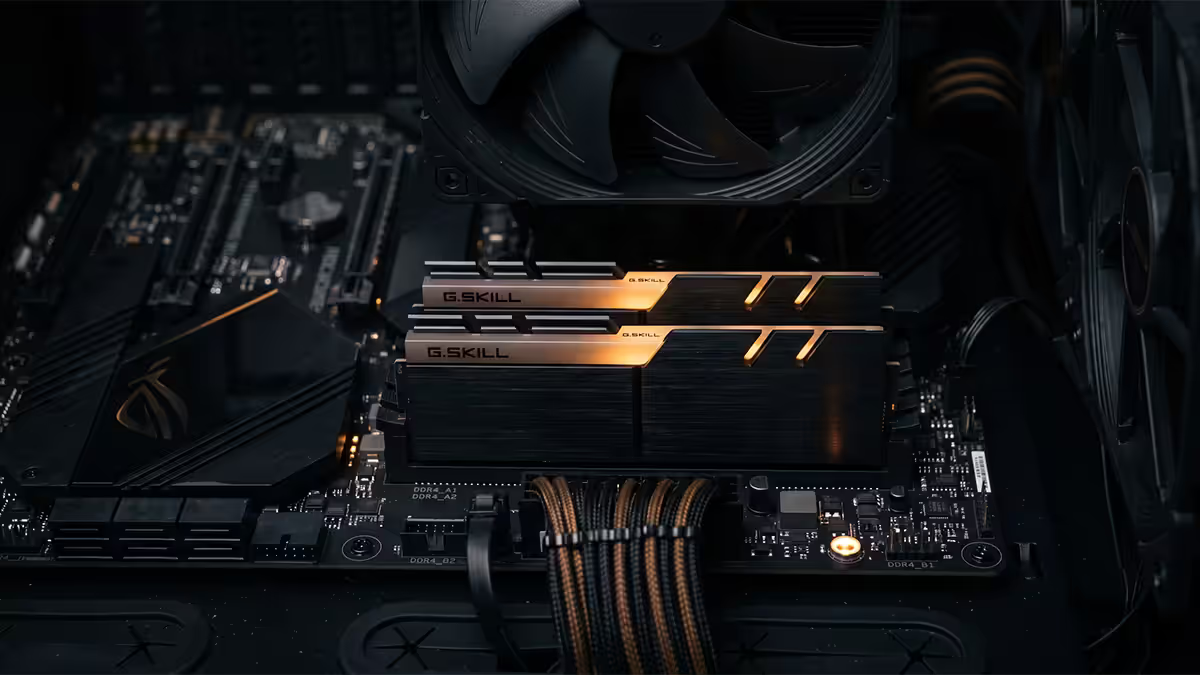
What "dual channel" actually means
Inside your CPU sits a component called the integrated memory controller (IMC). On every modern desktop platform — AM5, AM4, LGA1851, LGA1700 — the IMC is built with two physical memory channels, called Channel A and Channel B. Each channel is a separate data path between the CPU and the DIMM slots.
When you populate one slot per channel — typically one stick in Channel A's preferred slot, one in Channel B's preferred slot — the CPU can read and write to both sticks in parallel. The effective memory bandwidth doubles. That's dual channel.
When you populate a single stick (or two sticks in the same channel), one of those channels sits idle. You're paying for a CPU with two data lanes and using one. Modern silicon was not designed to run this way — it's a "still boots" configuration, not a sensible one.
The real performance delta
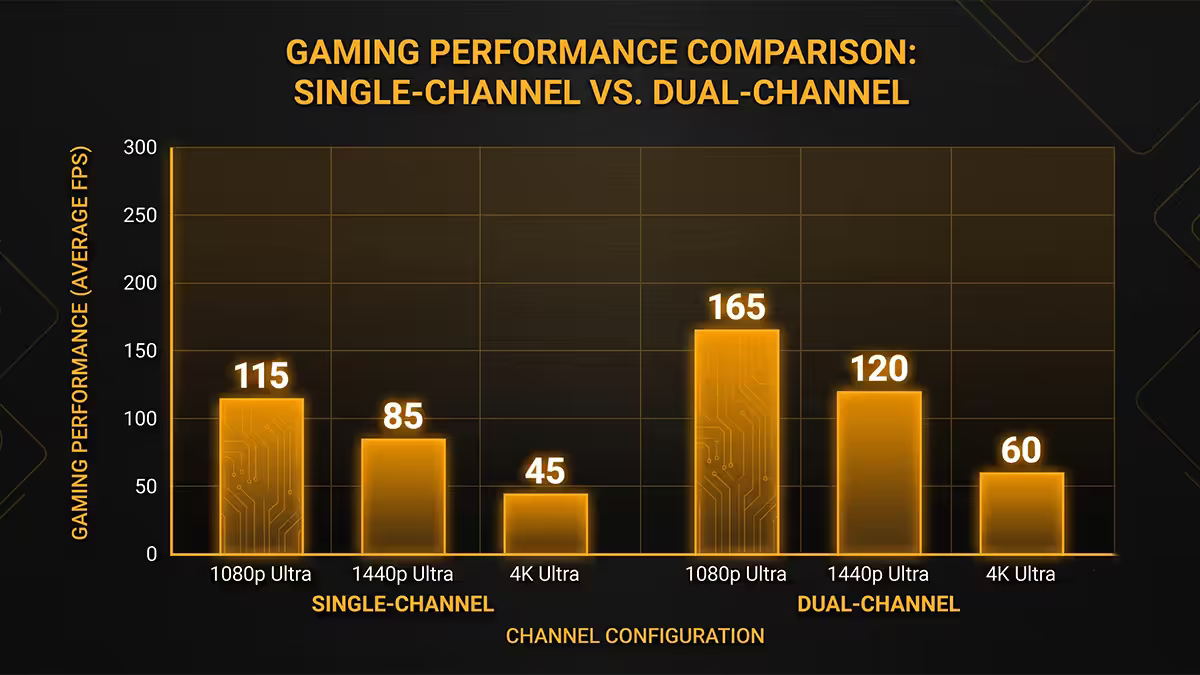
"Does it matter" is the only question that counts. The answer depends entirely on what's reading the memory.
| Workload | Single channel | Dual channel uplift |
|---|---|---|
| iGPU gaming (Radeon 780M, Arc 140V) | Baseline (starved) | +30-80% FPS |
| Discrete GPU at 1080p, CPU-bound | Baseline | +10-15% FPS |
| Discrete GPU at 4K, GPU-bound | Baseline | +1-3% FPS |
| Video editing / encoding | Baseline | +10-20% |
| 7-Zip / compilation | Baseline | +15-25% |
| Office / browsing / email | Baseline | Negligible |
The killer case is integrated graphics. iGPUs have no dedicated VRAM — they steal bandwidth from system RAM. A Ryzen 8000G or Core Ultra with integrated graphics on a single stick of DDR5 is effectively a half-functional GPU. Add the second stick and the same chip suddenly runs Valorant, CS2 and esports titles at framerates that were unreachable seconds earlier.
For discrete GPU builds, the gain is real but smaller. Games that lean on the CPU for crowd simulation, draw calls and AI — Total War battles, Microsoft Flight Sim, Star Citizen, Cyberpunk crowd zones — show clear single-digit-to-low-double-digit uplifts. Pure GPU-bound 4K gaming sees almost nothing because the bottleneck is the GPU and its own VRAM, not the system memory bus.
For productivity, the gain is consistent and real. Compiling code, encoding video, decompressing large archives, running databases — anything that streams a lot of data through the CPU benefits from doubled bandwidth.
The A2/B2 slot rule
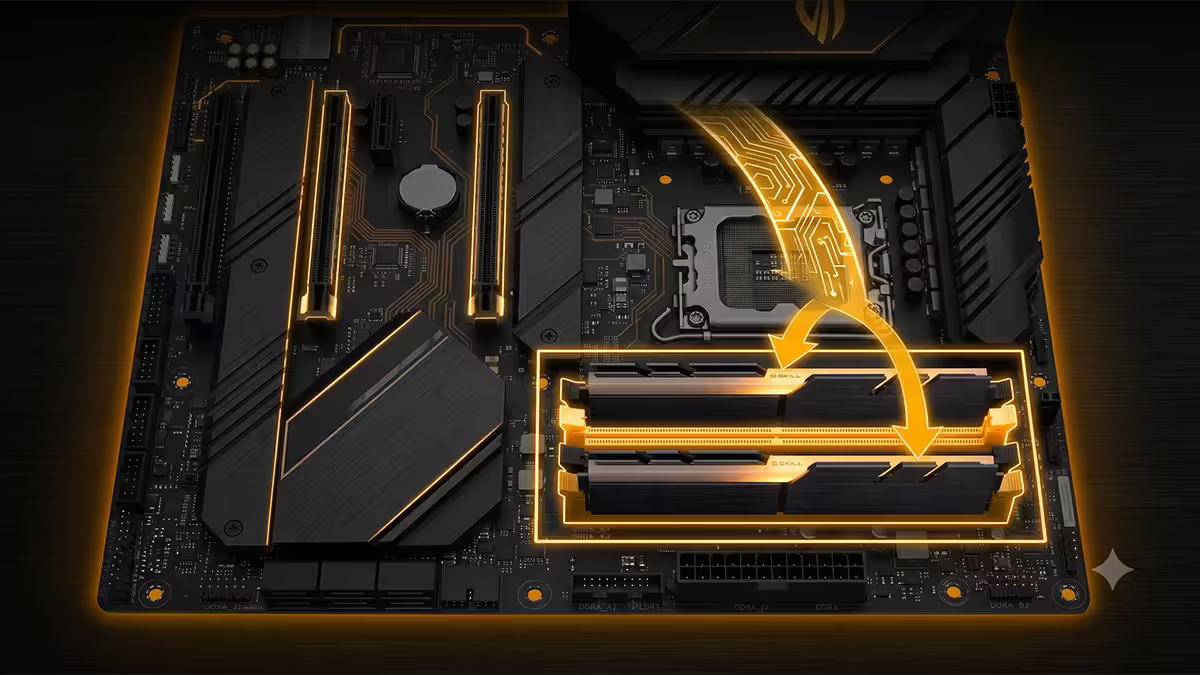
On virtually every ATX motherboard sold since 2017, the correct slots for a two-stick kit are A2 and B2 — the second and fourth slot counting from the CPU.
The reason is electrical, not arbitrary. The PCB traces from the CPU's IMC to the A2 and B2 slots are length-matched and shielded for high-speed signalling. The A1 and B1 slots exist primarily so that four-DIMM configurations can populate the board — but for a 2-stick kit, A2/B2 is the recommended pair on the printed manual of every major board vendor: ASUS, Gigabyte, MSI, ASRock and Biostar.
The wrong way: two sticks in A1 and A2 (same channel) gives you single-channel operation with two sticks installed — the worst of both worlds. Capacity but no bandwidth gain.
Mixing kits — the real risk
A common scenario: you bought a 2x8GB kit two years ago. You want to upgrade to 32GB. The cheap path is to buy another 2x8GB and run all four sticks. Does it work? Often. Should you do it? Probably not.
Three things differ between RAM kits even when the model number looks identical:
- IC dies. The actual memory chips on the PCB. Samsung B-die, Hynix M-die, Hynix A-die, Micron Rev.E — all respond differently to voltage and timing. Two kits with the same speed rating can use different dies if bought months apart.
- Rank. Single-rank sticks present one logical bank to the memory controller; dual-rank presents two. Mixing single and dual rank often forces the IMC to drop training speeds.
- XMP/EXPO profile. Two kits with identical advertised speed can have subtly different secondary timings — and the BIOS will pick the most conservative profile, sometimes dropping below either kit's rated speed.
The safe path: decide your final capacity up front and buy one kit. Need 32GB? Buy 2x16GB. Need 64GB? Buy 2x32GB. The cost difference between a fresh matched kit and your existing kit-plus-an-add-on is usually under R500, and you sell the old kit second-hand to recover most of it.
The four-stick penalty on AM5
On AM5 (Ryzen 7000 and 9000 series), populating all four DIMM slots forces the memory controller into a lower speed mode. The DDR5-6000 EXPO sweet spot — what every AM5 build is tuned for — becomes unreachable with four sticks installed. Practical 4-DIMM speeds on AM5 sit around DDR5-3600-4800, sometimes worse depending on the kit.
This is a deliberate design choice. AMD tuned the Ryzen IMC for two-DIMM operation, which is by far the most common configuration. The trade-off is that capacity ceilings on a 4-slot AM5 board are practically limited to 2x kits — you'll see better real performance from 2x48GB at DDR5-6000 than 4x32GB at DDR5-4400.
Intel platforms (LGA1700, LGA1851) handle four sticks better but still see speed reductions — typically dropping from a 7200 sweet spot to 5600-6400 with four sticks populated. The pattern is universal: more sticks means more electrical complexity for the IMC, which means more conservative training.
Laptops, SODIMM and the single-stick trap
Laptop RAM uses SODIMM modules — physically smaller but electrically subject to the exact same dual channel rules. A single SODIMM is single channel; two matched SODIMMs in both slots is dual channel.
The trap: budget and mid-range laptops are routinely shipped with a single stick to hit a price point. A 16GB laptop ships as 1x16GB rather than 2x8GB. This is fine for office work but cripples the iGPU performance for gaming, video editing or any GPU-heavy workload.
Before buying a laptop: check the spec sheet or open the panel and confirm the memory configuration. If it ships as 1x stick, factor in the cost of a second matching SODIMM. If it's soldered single-channel (some ultrabooks), you're stuck — buy a model with dual-channel soldered memory or no soldering at all.
Some 2024-2026 laptops use LPDDR5X soldered as either dual or quad channel depending on the model. Apple Silicon and recent Snapdragon X laptops use unified memory architectures that bypass the SODIMM question entirely — but for any Windows laptop with replaceable SODIMM slots, the dual-channel rule absolutely applies.
How to verify you're running in dual channel
The fastest check on Windows is Task Manager:
- Open Task Manager (Ctrl+Shift+Esc).
- Click Performance tab.
- Click Memory in the left rail.
- Read the Slots used row in the bottom right. It should say "2 of 4" (or "2 of 2" on mITX boards). If it says "1 of 4", you're running a single stick.
For a deeper check, install CPU-Z (free, lightweight). Open the Memory tab. Look at the "Channel #" field. It will say Dual, Single or in rare cases Single (2 DIMM) — which is the "two sticks in the wrong slot pair" failure case.
If you see Single with two sticks installed, power down, move the sticks into A2 and B2, boot again. The IMC will re-train at first boot — first power-up after a memory move can take 30-90 seconds to display POST. This is normal. Don't panic.
Key takeaways
- Always buy a matched 2-stick kit. Never a single stick. Never a 4-stick kit on AM5.
- Slots A2 and B2 — second and fourth from the CPU. Universal on every modern ATX board.
- iGPU gaming gains 30-80%, discrete GPU gains 5-15%, productivity 10-25%. The gain is real.
- Mixing kits introduces die, rank and profile mismatch risk. Buy the final capacity up front.
- Verify in Task Manager → Performance → Memory → "Slots used: 2 of 4".
Frequently asked questions
What is dual channel RAM?
Dual channel is two RAM sticks running in parallel across two physical memory channels on the CPU's memory controller, effectively doubling bandwidth compared to a single stick. Every modern desktop platform is designed around dual channel as the default configuration.Does dual channel RAM actually make a difference?
Yes — meaningfully. Integrated graphics gain 30-80% FPS. Discrete GPU gaming gains 5-15% in CPU-bound titles. Productivity workloads gain 10-25%. Only single-threaded office work is unaffected.Which slots should I put my RAM in?
A2 and B2 — the second and fourth slots from the CPU on virtually every modern ATX motherboard. Two sticks in A1 and A2 is single channel with two sticks installed (wrong).Can I mix RAM kits?
It works but isn't recommended. Different IC dies, ranks and profiles between kits can cause BIOS training to drop below either kit's rated speed. Buy one matched kit at the final capacity you want.Is four sticks of RAM bad on AM5?
On AM5, four sticks typically forces speeds to DDR5-3600-4800 — well below the DDR5-6000 EXPO sweet spot. For 64GB+, buy a 2x32GB kit instead of 4x16GB.What about quad channel and laptops?
Quad channel exists on HEDT (Threadripper, Xeon-W). Laptops use SODIMM but follow the same dual channel rules — confirm your laptop ships with 2x sticks, not 1x of double the capacity.Will I see dual channel benefit if I have a discrete GPU?
Yes, but smaller — 5-15% in CPU-bound titles. Pure GPU-bound 4K gaming sees minimal benefit. Productivity workloads still benefit clearly.How do I check if my RAM is running in dual channel?
Task Manager → Performance → Memory → "Slots used: 2 of 4". For deeper checks, CPU-Z's Memory tab shows "Channel #" as Dual or Single.
Get the Evetech app
Exclusive app-only prices, daily flash sales, and free delivery on orders over R4,000 — download the app and start saving.