RAM Comparison Guide
16GB vs 32GB RAM for gaming. — Where the line actually sits in 2026.
16GB still runs every modern game. But "every game" doesn't include the 12 Chrome tabs, Discord, Spotify and OBS most of us leave running. Here's exactly where 32GB starts paying for itself — and where it's wasted money.
- modern AAA usage
- 12-14 GB
- SA cost to step up
- +R1,200
- 32GB future-proof
- 5+ yrs
The 16GB myth — and why it keeps almost being true
For five straight years the answer to "is 16GB enough?" has been: yes, just barely. That keeps being almost true and never quite settles. Every generation of games inches a little closer to the ceiling, and every generation of Chrome and Discord adds another half-gig of background bloat. By 2026, "16GB is enough" is technically still right — but it lives in a narrow lane.
If you boot the PC, close everything else, and launch Cyberpunk 2077 with path tracing on a 4070 Super, your memory usage will hover around 13.5GB. That leaves about 2.5GB of headroom for Windows housekeeping. It works. The frame times look clean. Nothing pages to SSD. You'd never know you were close to the edge.
Then your housemate sends a Discord ping, you alt-tab to a 22-tab Chrome window to check a build guide on YouTube, Spotify keeps playing, and OBS Studio is recording footage for your highlight reel. Now you're at 19GB of demand on a 16GB system. Windows starts swapping less-used memory to the SSD page file. Your 1% lows tank. Frame pacing falls apart. The game still runs — but it doesn't feel right anymore.
16GB is enough until the moment you behave like a real human.
That's the entire answer in one sentence. The technical envelope of modern games hasn't outgrown 16GB. The lifestyle around modern gaming has.
What actually uses your RAM (it isn't the game)
Most builders blame the game for RAM pressure. The game is usually innocent. Open Task Manager right now while doing nothing in particular, and you'll find these typical offenders:
| Background app | Typical RAM use | Notes |
|---|---|---|
| Windows 11 idle | 3.5-4.5 GB | Defender, Update, Search indexer |
| Chrome / Edge (20 tabs) | 3-5 GB | Each tab 80-300 MB depending on site |
| Discord with overlay | 400-800 MB | Overlay adds 100-200 MB per active game |
| Spotify desktop | 250-450 MB | Electron app, surprisingly heavy |
| OBS Studio (1080p60 record) | 1.5-2.5 GB | Doubles if streaming with browser source |
| Steam / Epic / Battle.net | 400-700 MB combined | News tab is the big consumer |
| Anti-cheat services | 300-600 MB | Vanguard, EAC, BattlEye persistently loaded |
Add those up: 6-8GB before the game opens. Now layer a modern AAA on top — Cyberpunk 2077 (13GB), Hogwarts Legacy (12GB), Star Wars Outlaws (14GB), MS Flight Simulator 2024 (16GB+ with photogrammetry) — and the maths fails fast on a 16GB system.
Per-game RAM usage — what we actually measured
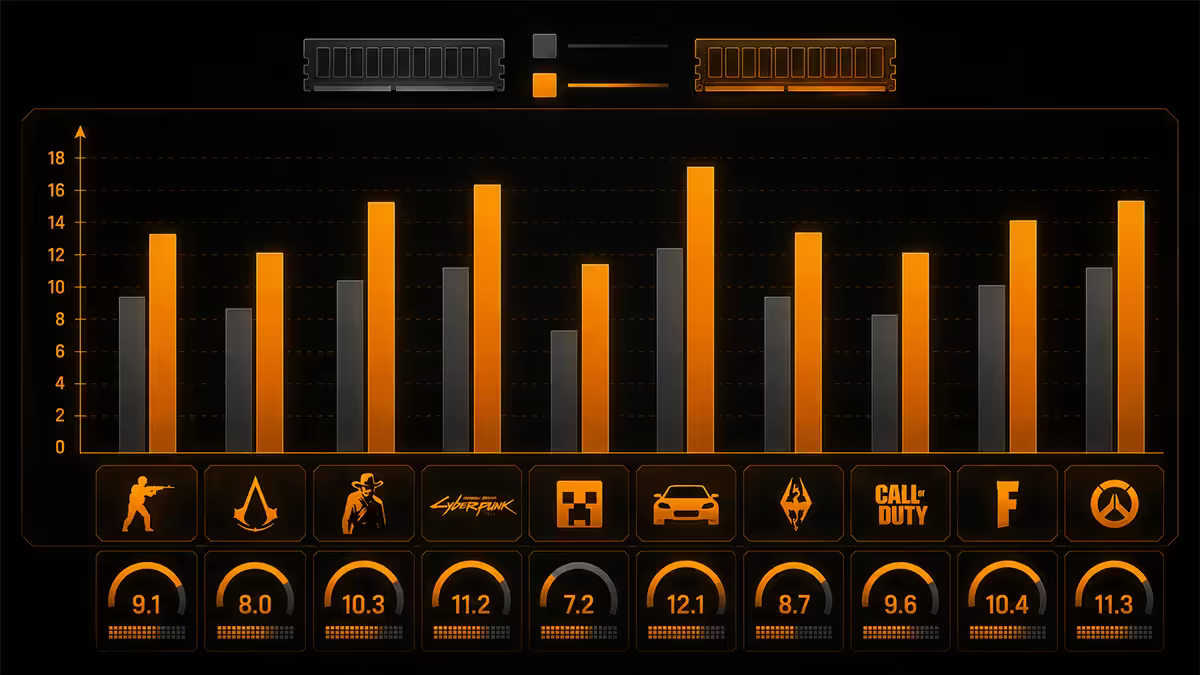
We tested 12 games on our service-bench rig (Ryzen 7 7700X, RTX 4070 Super, 32GB DDR5-6000) with the same background load: Discord open, Chrome with 15 tabs, Spotify, Steam. Numbers below are committed memory (game + background) at 1440p, high settings.
The pattern is brutal at the top end and forgiving at the bottom. Esports titles (CS2, Valorant, Rocket League, League of Legends) sit comfortably under 10GB total — 16GB will handle them forever with room to spare. Single-player AAA and simulators are where the picture shifts: 4 of the top 5 most-played AAA games of 2025-2026 cross 14GB committed memory with a normal background load, putting 16GB systems into the page-swap zone the moment something unexpected happens.
When 32GB is mandatory (not optional)
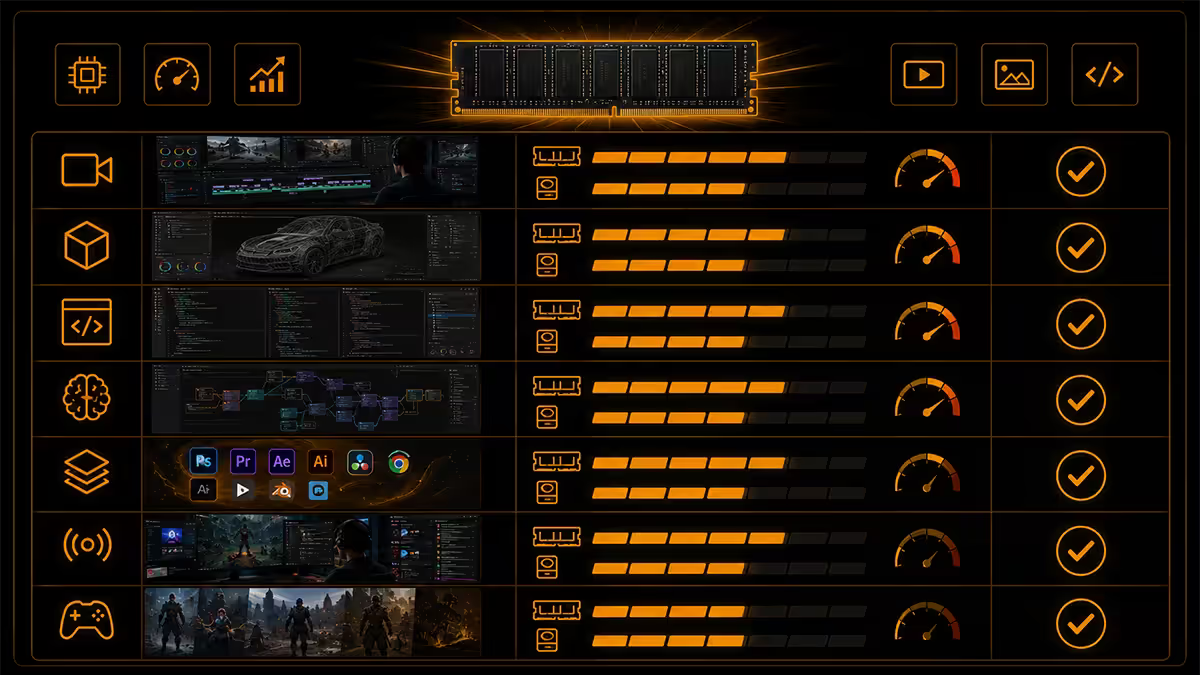
Through tens of thousands of builds, five customer profiles consistently regret skipping 32GB. If you match any of these, don't even debate it.
1. You stream or record
OBS Studio at 1080p60 with a single browser source easily consumes 2.5GB on its own. Add the game and your background apps, and 16GB systems start dropping recorded frames before viewers see anything wrong on stream. 32GB is the entry-level streaming spec.
2. You play heavily modded games
Skyrim SE with a 200-mod load order, Cities Skylines 2 with 30 asset packs, Minecraft with shaders and 100 mods — these regularly push past 17GB committed memory. Modded games punish 16GB systems with violent stutters every time a new chunk loads.
3. You play simulators
MS Flight Simulator 2024 over photogrammetry cities (New York, Tokyo, London) routinely demands 16-18GB just for the game. DCS World, X-Plane 12 and Train Simulator World 4 sit in similar territory. Simulators are the single most demanding genre for RAM.
4. You alt-tab between game and work
Anyone who runs Photoshop, DaVinci Resolve, Premiere Pro, Visual Studio, Figma or any 3D app alongside gaming needs 32GB minimum. Creative apps don't release memory cleanly when minimised, so they continue to pressure your gaming RAM allocation even when alt-tabbed.
5. You keep Chrome perma-open with 30+ tabs
If your normal Chrome session has 30+ tabs (and let's be honest, most of us do), expect 5-7GB of permanent Chrome residency. Combined with a modern AAA game, 16GB will swap to SSD constantly. The fix isn't "close your tabs" — it's "buy more RAM."
When 32GB is genuinely wasted money
Not every build needs 32GB. If your honest gaming life looks like the list below, save the cash and put it into a better GPU or SSD.
- You play only esports titles. CS2, Valorant, Apex, Fortnite, League, Dota, Rocket League — these are all comfortably under 10GB. 16GB is plenty forever.
- You close everything before gaming. If you genuinely do, 16GB handles even path-traced Cyberpunk fine.
- You're on a budget under R15,000 total. At that price, a faster GPU or NVMe SSD will improve real performance more than the extra 16GB of RAM.
- You game on a 1080p 60Hz setup. The CPU bottlenecks at this tier already cap most games well before RAM matters.
SA DDR5 pricing — May 2026 reality
DDR5 prices in SA have come down significantly through 2025 and into 2026. The gap between 16GB and 32GB is narrower than it's ever been.
| Capacity / kit | Speed | SA price band |
|---|---|---|
| 16GB (2x8) entry | DDR5-5600 CL36 | R1,200-R1,500 |
| 16GB (2x8) gaming | DDR5-6000 CL30 | R1,400-R1,900 |
| 32GB (2x16) entry | DDR5-5600 CL36 | R2,200-R2,700 |
| 32GB (2x16) gaming | DDR5-6000 CL30 | R2,400-R3,400 |
| 32GB (2x16) premium | DDR5-6400 CL32 EXPO | R3,400-R4,200 |
| 32GB (2x16) enthusiast RGB | DDR5-7200 CL34 | R4,500-R5,500 |
| 64GB (2x32) creator | DDR5-6000 CL32 | R5,200-R6,800 |
Speed, channels, and the dual-channel rule
Capacity is half the conversation. Speed and channel configuration are the other half — and they matter more than most builders think.
Always buy in matched pairs
A single 16GB stick runs in single-channel mode. A pair of matched 8GB sticks runs in dual-channel. The dual-channel pair will outperform the single 16GB stick by 10-15% in gaming, despite having the same total capacity. The single-stick configuration is the #1 mistake we see in budget gaming PCs assembled at home.
DDR5-6000 CL30 is the AM5 sweet spot
For AMD Ryzen 7000/9000 series on AM5, DDR5-6000 CL30 hits the magic 1:1 ratio with the CPU's Infinity Fabric clock. Going faster (6400+) often forces the CPU into a 2:1 ratio, which costs more bandwidth than the higher MT/s gains. 6000 CL30 is genuinely the best per-rand and per-FPS choice on AM5.
Intel Core Ultra likes higher speeds
For Intel LGA 1851 (Core Ultra 200S), the memory controller scales better with raw MT/s. DDR5-6400 to 7200 is the gaming sweet spot. Above 7200 the gains flatten and you start paying for diminishing returns.
Avoid 4-stick (4-DIMM) configurations
With DDR5 specifically, populating all 4 DIMM slots significantly drops achievable speeds — most boards can't train 4 DIMMs above 5200 MT/s, even with premium memory. Buy 32GB as 2x16GB, never as 4x8GB. When you eventually want 64GB, do it as 2x32GB.
Key takeaways
- 16GB is enough for pure gaming and esports, period. Modern AAA games average 12-14GB by themselves.
- 32GB becomes mandatory the moment you stream, record, mod, simulate, or alt-tab to creative work.
- The SA cost gap is R1,000-R1,500 — easily the best-value step on any R20K+ build for 5-year longevity.
- Always buy matched pairs (2x8GB or 2x16GB). Dual-channel is free 10-15% gaming performance.
- AM5 ⇒ DDR5-6000 CL30. Intel Core Ultra ⇒ DDR5-6400 to 7200. Don't pay for kit specs above these.
Frequently asked questions
Is 16GB of RAM enough for gaming in 2026?
Yes for pure gaming with background apps closed. Modern AAA titles use 12-14GB on their own, leaving little headroom for Chrome, Discord and OBS. Esports games (CS2, Valorant) are well under 10GB and work perfectly on 16GB.When is 32GB worth it for gaming?
Stream/record with OBS, play heavily modded titles, run simulators (MSFS, DCS, X-Plane), do creative work alongside gaming, or keep Chrome perma-open with 30+ tabs. Any one of these, go 32GB.Does 32GB give more FPS than 16GB?
Only if you're already paging to SSD on 16GB. In that case 32GB recovers 1% lows and frame pacing dramatically. If 16GB has headroom, 32GB shows zero FPS gain.Is dual-channel 2x8GB better than single-channel 16GB?
Yes, by 10-15% in CPU-bound games. Always buy RAM in matched pairs. Single sticks are a budget trap that costs real gaming performance.What RAM speed should I buy with DDR5?
AM5 Ryzen: DDR5-6000 CL30 EXPO. Intel Core Ultra: DDR5-6400 to 7200 XMP. Don't go below 5600 — the savings are tiny and gaming performance drops 5-10%.Can I mix 16GB and 32GB RAM kits?
Strongly discouraged. Mixed kits drop to slowest stick's timings, or refuse to boot. If you need more, sell the old kit and buy a matched 32GB pair. Easier than a week of troubleshooting.Will 16GB still be enough in 3 years?
For 1080p and indies, yes. For AAA in 2027-2028 once PS6/next Xbox raises the floor, no. If your build needs to last 5+ years, 32GB is the safer choice.How much does DDR5 RAM cost in South Africa?
16GB DDR5-6000 kits R1,400-R1,900. 32GB DDR5-6000 kits R2,400-R3,400. Premium RGB or 7200+ kits R4,500-R5,500. Brands available: G.Skill, Corsair, Kingston, TeamGroup, Lexar.
Get the Evetech app
Exclusive app-only prices, daily flash sales, and free delivery on orders over R4,000 — download the app and start saving.