Hardware Explainer · Display Cables
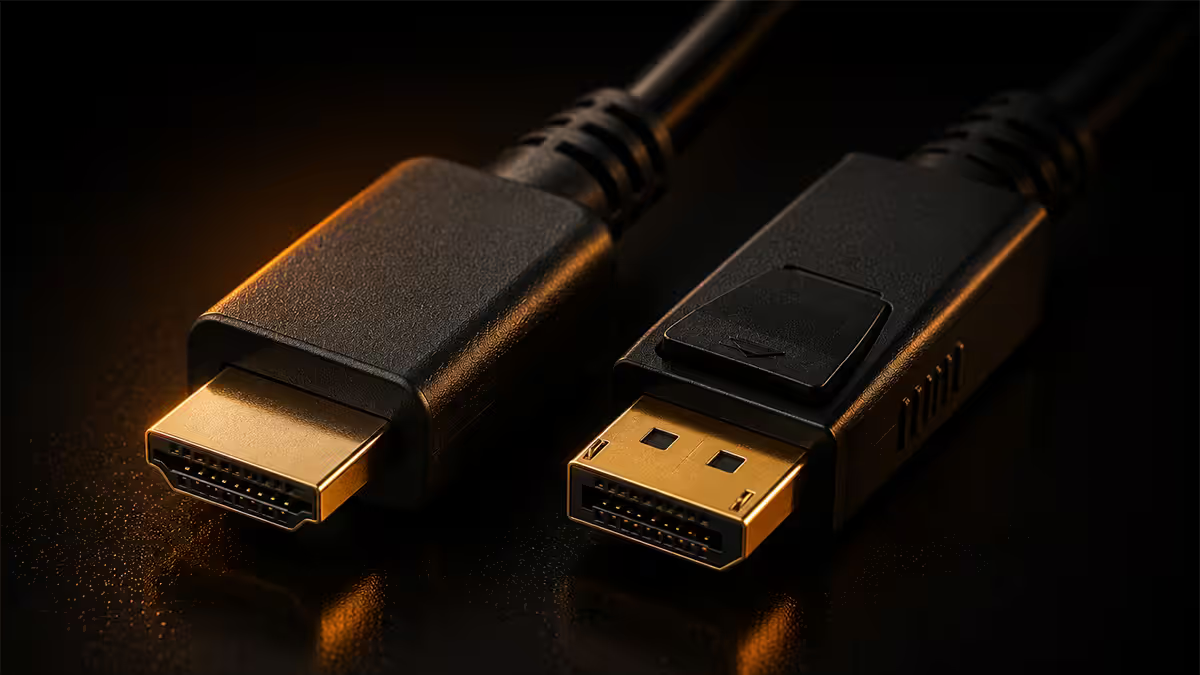
HDMI 2.1 vs DisplayPort 2.1. — 48 Gbps vs 80 Gbps. Console vs PC. Which one moves your pixels?
Both standards promise 4K-and-beyond. Only one of them actually delivers it uncompressed at high refresh rates — and neither is a "winner" until you know what's on the other end of the cable.
- HDMI 2.1 ceiling
- 48 Gbps
- DP 2.1 UHBR20
- 80 Gbps
- certified cable
- R250–R400
Bandwidth — what the numbers actually mean
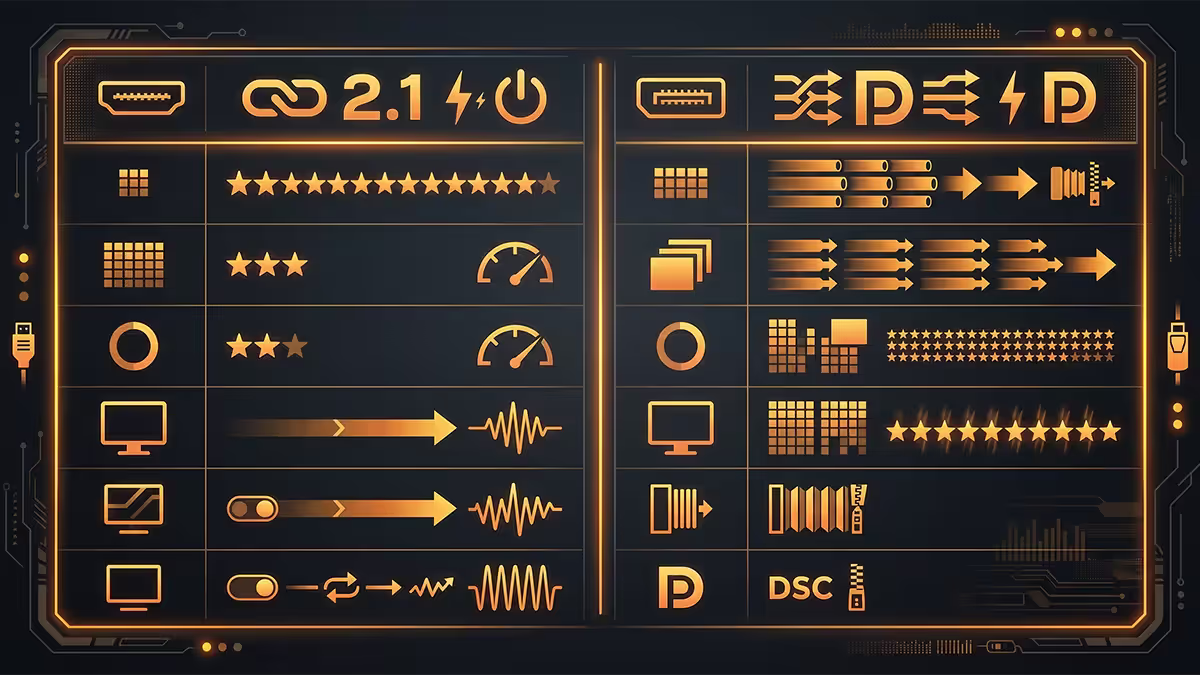
Both standards advertise headline figures the way car manufacturers advertise top speed. The headlines are accurate; the picture below them is the part that matters.
| Spec | HDMI 2.1 | DisplayPort 2.1 |
|---|---|---|
| Raw bandwidth | 48 Gbps | 80 Gbps (UHBR20) |
| Usable video bandwidth | ~42 Gbps | ~77 Gbps |
| Lane count | 4 (TMDS / FRL) | 4 (8b/10b → 128b/132b) |
| Encoding overhead | ~12.5% | ~3% (128b/132b) |
| Lower tiers exist? | Same spec, certified cable matters | UHBR10 (40), UHBR13.5 (54), UHBR20 (80) |
DisplayPort 2.1 has the headline win on paper — 80 Gbps versus 48 Gbps, with lower encoding overhead. But "DP 2.1" on a monitor's spec sheet doesn't tell you which UHBR tier the panel supports. Many monitors marketed as DP 2.1 actually only run UHBR10 (40 Gbps), which is below HDMI 2.1's ceiling. Always check the exact UHBR rating before assuming you're getting the full 80 Gbps.
Max realistic resolution + refresh combos
Headline bandwidth resolves into actual usable combinations. These are the most useful combos for 2026 gaming hardware:
| Resolution / Refresh | HDMI 2.1 (48 Gbps) | DP 2.1 UHBR20 (80 Gbps) |
|---|---|---|
| 4K 120Hz HDR 10-bit | Uncompressed ✓ | Uncompressed ✓ |
| 4K 144Hz HDR 10-bit | Uncompressed (just barely) | Uncompressed ✓ |
| 4K 240Hz HDR 10-bit | Requires DSC | Uncompressed ✓ |
| 5K 144Hz | Requires DSC | Uncompressed ✓ |
| 8K 60Hz HDR | Uncompressed (just barely) | Uncompressed ✓ |
| 8K 120Hz | Requires DSC | Uncompressed ✓ |
In practical terms: everything most gamers actually do — 4K up to 144Hz — fits comfortably inside HDMI 2.1 uncompressed. Where DisplayPort 2.1 pulls ahead is the 4K 240Hz and 5K territory, plus headroom for whatever the next OLED panel generation lands.
DSC — the "visually lossless" reality
Display Stream Compression (DSC) is a VESA-standard compression both HDMI 2.1 and DisplayPort 2.1 can use to push high-tier combos that exceed raw bandwidth. The VESA marketing calls it "visually lossless" — which is mostly true and partly a sleight of hand.
Side-by-side blind tests with current OLED panels suggest most viewers cannot distinguish DSC-compressed video from uncompressed. However:
- DSC adds a small latency penalty — under 1 ms typically, but measurable on competitive setups.
- HDR transitions can show edge artefacts on certain panels, particularly QD-OLED at low ABL.
- DSC interacts with some software — older DisplayLink docks and a few KVM switches refuse DSC streams entirely.
- You cannot disable DSC at the cable level — it's a panel/driver negotiation. If the combo exceeds raw bandwidth, DSC turns on.
For competitive shooters at 4K 240Hz, run DP 2.1 UHBR20 to stay uncompressed if you can. For HDR cinema or single-player titles, DSC is fine and you'll likely never notice.
VRR, G-Sync and Adaptive Sync
In 2026 the VRR story is finally calm. Both standards support variable refresh rate across the major implementations:
- HDMI VRR (HDMI Forum spec) — works on PS5, Xbox Series X and any HDMI 2.1 TV/monitor that lists support.
- FreeSync / FreeSync Premium / Premium Pro — runs over both HDMI and DisplayPort. AMD-side certification is broadest.
- G-Sync Compatible (NVIDIA) — works over both HDMI 2.1 and DisplayPort on certified monitors.
- Full hardware G-Sync (G-Sync module) — DisplayPort only. Mostly legacy at this point; the G-Sync module is being phased into G-Sync Pulsar.
Bottom line: VRR works on either cable in 2026. The only setup where DisplayPort is mandatory is full hardware G-Sync, which is a shrinking category. For G-Sync Compatible and FreeSync — the formats almost every gamer actually has — pick whichever cable suits your monitor.
Console mandates — HDMI is the only option
If your gaming setup includes a PS5, PS5 Pro, Xbox Series X or Xbox Series S, the cable question is already answered: HDMI 2.1, Ultra High Speed certified, full stop.
These consoles do not have DisplayPort outputs and never will. To unlock the things you paid for — 4K 120Hz, VRR, ALLM (Auto Low Latency Mode) — you need:
- A TV or monitor with HDMI 2.1 input — HDMI Forum certified, marketed with the 48 Gbps logo or "8K Ready" badge.
- An Ultra High Speed HDMI cable — the holographic anti-counterfeit label is the only reliable indicator of true 48 Gbps capability.
- The right port on your TV. Many 2023–2024 TVs only have HDMI 2.1 on two of four ports (the other two are 2.0b). Plug into the labelled 2.1 port specifically.
The Nintendo Switch 2 also outputs HDMI — but at HDMI 2.0 bandwidth, so the 48 Gbps spec doesn't matter for it. Any decent HDMI cable works.
eARC and the soundbar question
Enhanced Audio Return Channel (eARC) is the HDMI 2.1 feature that lets a TV pass lossless Atmos and DTS:X audio back to a soundbar or AVR through a single HDMI cable. There is no DisplayPort equivalent at all.
If your audio chain runs console → TV → soundbar and you want true lossless object-based audio (not lossy Dolby Digital Plus), eARC over HDMI is the only consumer route. AVR and soundbar inputs must also be HDMI 2.1 with eARC for the chain to work end-to-end.
If your audio chain is PC → USB DAC → desk speakers, eARC is irrelevant — your audio path doesn't touch the video cable at all.
Length limits — when passive stops being enough
Both standards push enormous bandwidth, which means the physics of cable length matters. Beyond a certain distance, passive copper cables lose signal integrity and the connection either drops, drops to a lower tier or shows visual artefacts.
| Cable type | HDMI 2.1 max length | DP 2.1 UHBR20 max length |
|---|---|---|
| Passive copper | ~3 m at 48 Gbps | ~1.5 m at 80 Gbps |
| Active copper | ~10 m | ~3 m |
| Active optical (fibre) | 15–30 m | 10–20 m |
For a typical SA desk setup with the PC under the monitor, a 1–2 m passive cable is ideal. For a media room with the source 5+ metres from the display, budget for active fibre (R800–R2,500 in SA) and don't try to save money with a R200 long cable from a marketplace — it won't reliably work at 4K 120Hz.
The "any cable will do" myth
This is the single most expensive misconception in gaming setups. Marketplaces and online retailers are flooded with cables marketed as "HDMI 2.1" and "8K 120Hz" that have never been certified by the HDMI Forum. They typically include a real 48 Gbps cable bundled with extra non-functional plugs, or simply mis-label a basic 18 Gbps cable.
What "non-certified" actually means in practice:
- Random black flickers every 5–30 minutes during 4K 120Hz gaming.
- Refresh rate quietly capped at 60Hz or 4K 60Hz with no error shown.
- HDR turning off intermittently as the cable renegotiates a lower mode.
- Audio drops out during scene transitions.
- Adaptive Sync / VRR fails to negotiate at boot.
The fix: buy from retailers who carry HDMI Forum certified Ultra High Speed cables and VESA-certified DisplayPort 2.1 cables. Look for the holographic certification label on the packaging — it has a QR code that resolves to the HDMI.org or VESA database. R250–R400 for a quality 2 m cable is the right ballpark in SA; R80 cables are a false economy.
Matching the cable to your hardware — quick map
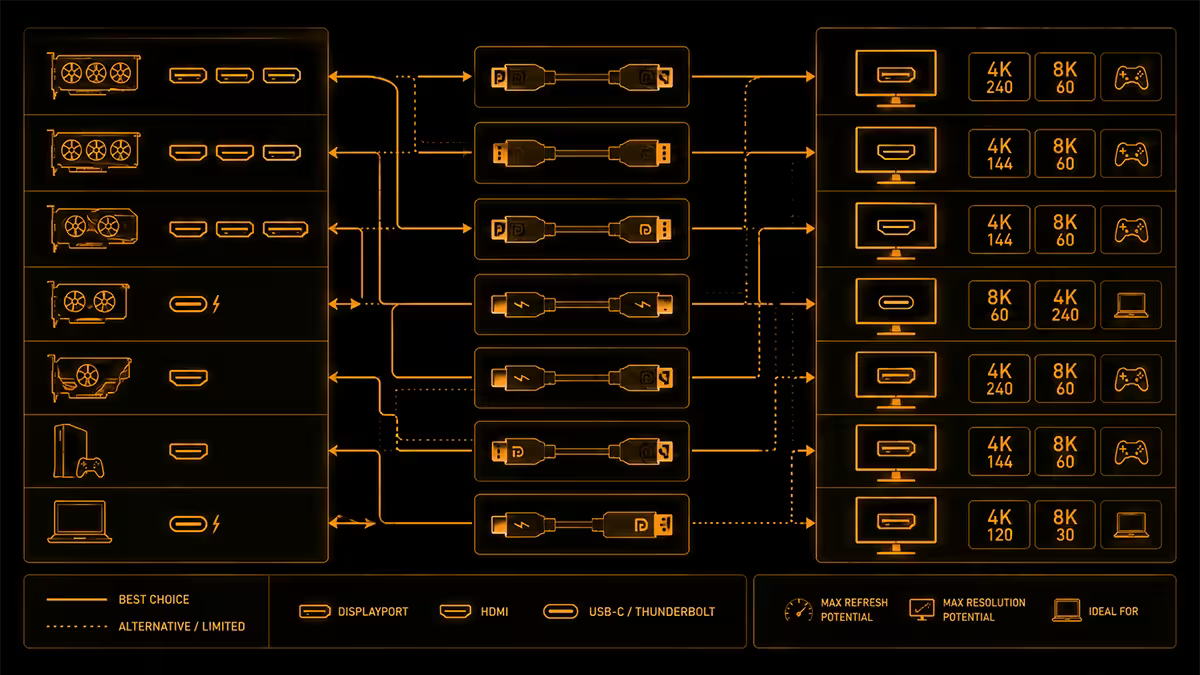
| Your setup | Cable to buy | Why |
|---|---|---|
| RTX 4070+ / RX 7800+ to 4K 144Hz monitor | DP 2.1 UHBR10/13.5 | Comfortably uncompressed, broad VRR |
| RTX 5080+ to 4K 240Hz OLED | DP 2.1 UHBR20 | Uncompressed 4K 240Hz HDR |
| PS5 / Series X to OLED TV | HDMI 2.1 Ultra High Speed | Only console-compatible standard |
| PC + console feeding same TV | HDMI 2.1 throughout | Both can use HDMI; saves cable swaps |
| 1440p 165Hz office monitor | HDMI 2.0 or DP 1.4 is fine | Comfortably inside older bandwidth |
Key takeaways
- HDMI 2.1 = 48 Gbps. DP 2.1 UHBR20 = 80 Gbps. DP wins on paper; the real question is what's on the other end.
- PS5, PS5 Pro, Xbox Series X/S = HDMI 2.1 only. There is no DisplayPort option on consoles.
- 4K 144Hz fits inside HDMI 2.1 uncompressed. 4K 240Hz needs DP 2.1 UHBR20 to stay uncompressed.
- DSC is "visually lossless" — true 95% of the time, with edge cases on HDR and competitive latency.
- Certified cables matter. R250–R400 buys reliability; R30–R80 marketplace cables silently break 4K 120Hz.
Frequently asked questions
Is HDMI 2.1 or DisplayPort 2.1 better for gaming?
DisplayPort 2.1 has more bandwidth for PC monitors at 4K 240Hz and beyond. HDMI 2.1 is mandatory for consoles. Pick the cable that matches your hardware, not the spec sheet winner.What is the bandwidth difference between HDMI 2.1 and DisplayPort 2.1?
HDMI 2.1 is 48 Gbps total (~42 Gbps usable). DisplayPort 2.1 UHBR20 is 80 Gbps (~77 Gbps usable). DP 2.1 has lower tiers (UHBR10, UHBR13.5) so check the exact rating.Do I need HDMI 2.1 or DisplayPort 2.1 for a PS5 or Xbox Series X?
HDMI 2.1, Ultra High Speed certified. Consoles do not output DisplayPort. The certified holographic label is the only reliable 48 Gbps guarantee.What is DSC and does it hurt image quality?
Display Stream Compression is "visually lossless" VESA compression. Imperceptible for HDR cinema; can add tiny latency and rare HDR edge artefacts on competitive setups.Can a cheap cable really do 4K 120Hz?
Often not. HDMI 2.1 needs Ultra High Speed certification — uncertified cables fall back to 18 Gbps under load. R250–R400 buys a real one in SA.Does eARC work over DisplayPort?
No. eARC is HDMI-exclusive. For lossless Atmos through a TV-to-soundbar chain, HDMI 2.1 with eARC is the only consumer route.How long can an HDMI 2.1 or DisplayPort 2.1 cable be?
Passive HDMI 2.1: ~3 m. Passive DP 2.1 UHBR20: ~1.5 m. Beyond that, use active or fibre-optic cables — they cost more but run 10–30 m without loss.Is G-Sync or FreeSync better over HDMI or DisplayPort?
G-Sync Compatible and FreeSync both work over either cable. Full hardware G-Sync (G-Sync module) is DisplayPort-only — but that's a shrinking category.
Get the Evetech app
Exclusive app-only prices, daily flash sales, and free delivery on orders over R4,000 — download the app and start saving.