Hardware Explainer · Monitors
What is ultrawide gaming? — 21:9 vs 16:9 vs 32:9, honestly.
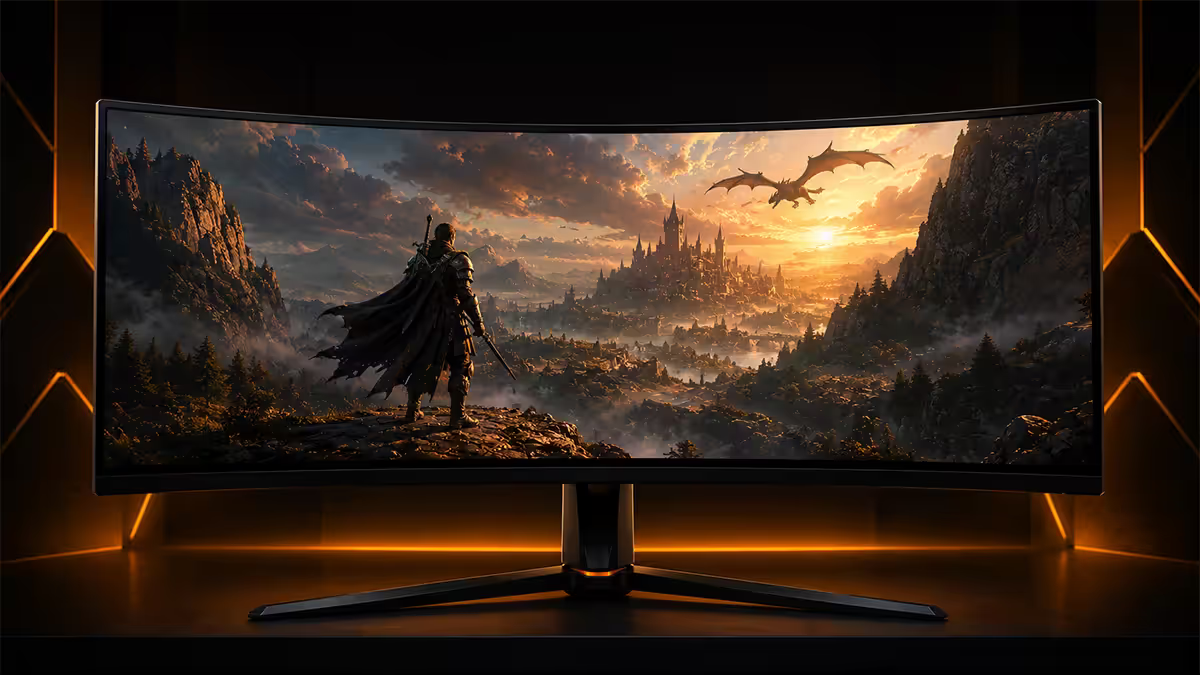
The cinematic look is the easy sell. The harder questions are which games still don't support it, what your GPU has to push, and whether 32:9 super-ultrawide is a flex or a real upgrade. Here is the 2026 read.
- UWQHD sweet spot
- 3440 x 1440
- horizontal FOV vs 16:9
- +33%
- SA 34" ultrawide range
- R7k-R22k
The aspect ratio maths
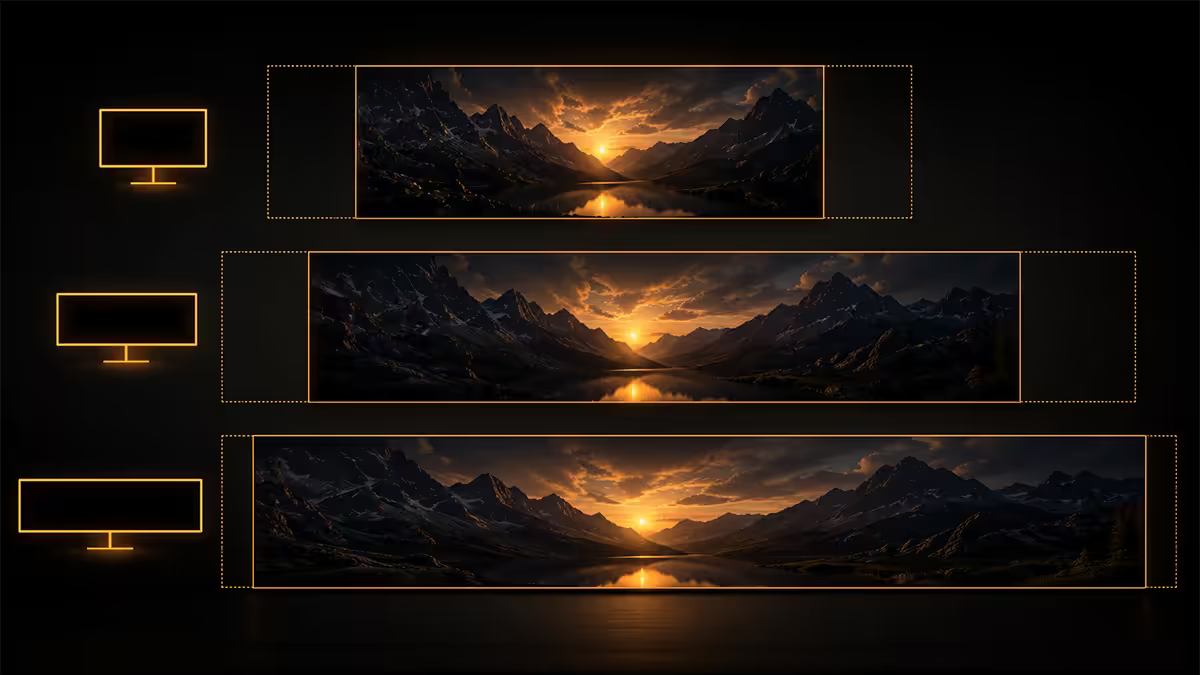
Aspect ratio is just width divided by height. A standard 16:9 panel is 1.78 times wider than tall. A 21:9 ultrawide is 2.33 times wider — that's a roughly 33% horizontal expansion at the same vertical pixel count. 32:9 super-ultrawide pushes that to 3.56 times wider, effectively gluing two 16:9 panels into one.
| Ratio | Common resolution | Vs 16:9 at same height |
|---|---|---|
| 16:9 (1080p) | 1920 x 1080 | Baseline |
| 16:9 (1440p) | 2560 x 1440 | Baseline |
| 21:9 (UW-FHD) | 2560 x 1080 | +33% width |
| 21:9 (UWQHD) | 3440 x 1440 | +34% width |
| 21:9 (UW5K) | 5120 x 2160 | +33% width vs 4K |
| 32:9 (DQHD) | 5120 x 1440 | +100% width |
| 32:9 (DUHD) | 7680 x 2160 | +100% width vs 4K |
A 34-inch 3440x1440 ultrawide and a 27-inch 2560x1440 standard panel have almost identical pixel density (~109 PPI). The ultrawide just gives you an extra 880 pixels of width to play with. That's the entire pitch in one number.
FOV advantage — the actual gameplay impact
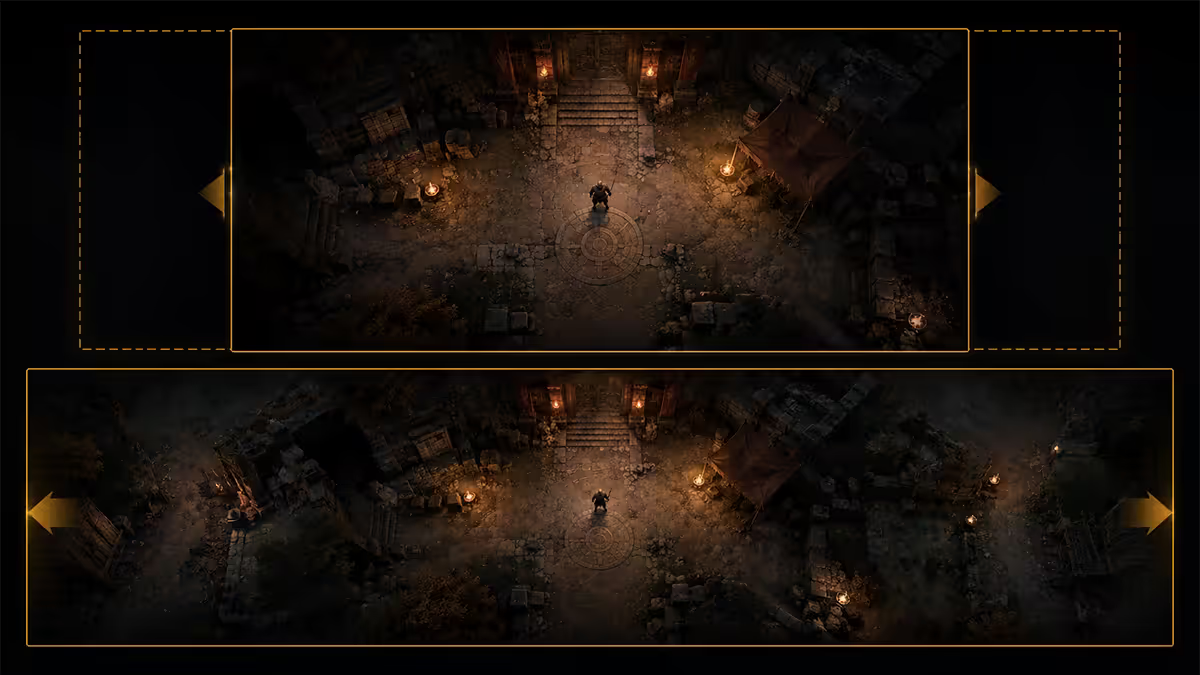
In games that support 21:9 natively, the engine adds horizontal field-of-view rather than stretching the 16:9 image. You see more world to your left and right without zooming out — useful peripheral awareness in everything from Cyberpunk 2077 to Forza Horizon to iRacing.
In sim racing this is the killer app. Mirrors sit in their natural peripheral position, the apex of a corner stays visible longer, and you stop having to glance left-right to track AI cars on either side. Pros and serious sim racers have been on 32:9 or triple-screen setups for a decade for this exact reason.
In open-world RPGs and exploration games (Elden Ring, The Witcher 4, Starfield, Horizon: Forbidden West) the FOV gain isn't a competitive thing — it's just more world per eyeful. Cutscenes are usually letterboxed to 16:9 or 2.39:1 cinematic regardless of your panel, but exploration and combat fill the screen.
Game support in 2026 — the honest list
Native 21:9 support is the default for AAA in 2026, not the exception. Engines like Unreal 5, Unity 6, RE Engine, Decima and Frostbite all ship with arbitrary aspect ratio support out of the box. Most modders fix the rest within a week of launch via Flawless Widescreen or community ini patches.
Native 21:9 (works on day one):
- All Forza Motorsport / Horizon games, iRacing, ACC, Le Mans Ultimate, F1 25, EA Sports WRC
- Cyberpunk 2077, The Witcher 4, Baldur's Gate 3, Hogwarts Legacy 2, Starfield
- Elden Ring (DLC update), Helldivers 2, Path of Exile 2, Diablo 4
- Microsoft Flight Simulator 2024, Star Citizen, No Man's Sky
- Most Total War, Civilization VII, Stellaris, Cities Skylines II
Black bars at 21:9 (renders 16:9 inside ultrawide panel):
- Valorant, CS2, Overwatch 2 (capped by Riot/Valve/Blizzard for fairness)
- Rocket League (locked 16:9 competitively)
- Fortnite competitive mode
- League of Legends (cropped)
Resolution sweet spot — 1440p ultrawide wins
There are three ultrawide resolution tiers worth knowing:
2560x1080 UW-FHD (1080p ultrawide): exists, cheap (R5,000-R7,000), looks soft on anything above 30 inches because pixel density drops below 90 PPI. Skip for new builds — you're saving R3,000 to look at a worse image for the next five years.
3440x1440 UWQHD (1440p ultrawide): the sweet spot. 34" panels at ~109 PPI look sharp at desk distance, and a mid-range GPU (RTX 5070, RX 9070) can drive most modern games above 90 FPS with DLSS Quality or FSR 4 Quality. R12,000-R18,000 in SA for a quality OLED.
5120x2160 UW5K (40" 4K-equivalent): the premium tier. Stunning sharpness, demands RTX 5080-class compute, R25,000+ in SA. Worth it for content creators and high-end sim rigs; overkill for most gamers.
OLED vs IPS in 2026: WOLED panels (LG-supplied to MSI, Asus, Alienware, LG itself) are the default premium ultrawide tech — perfect blacks, 0.03 ms response, 240 Hz common. QD-OLED (Samsung-supplied, Dell/Alienware/MSI/Asus brand) competes hard with slightly better fullscreen brightness. IPS ultrawides exist as a value play around R10,000 but contrast can't touch OLED.
32:9 super-ultrawide — flex or upgrade?
A 49" 5120x1440 DQHD super-ultrawide (Samsung Odyssey G9, Corsair Xeneon, MSI MEG 491CQP) is essentially two 27" 1440p panels fused with no bezel. The curvature (typically 1000R, sometimes 1800R) wraps around peripheral vision in a way a flat 34" 21:9 cannot.
Where 32:9 genuinely wins:
- Sim racing — iRacing, ACC, Le Mans Ultimate fill the wrap-around naturally.
- Flight sim — Microsoft Flight Simulator 2024 cockpit panel views.
- Star Citizen, X4 Foundations, Elite Dangerous and other "cockpit" games.
- Productivity — three side-by-side windows comfortably, plus an audio meter or chat rail.
Where 32:9 disappoints: any game that doesn't natively support 32:9 will black-bar even harder than 21:9 (effectively rendering 21:9 inside a 32:9 panel — yes, double black bars), GPU load is significantly higher than 21:9, and the panel takes up half a metre of desk width. Not a flex — a commitment.
Trade-offs nobody on YouTube admits to
YouTube and TV black bars. 16:9 video plays with vertical bars on the sides of your ultrawide. Netflix and Disney+ originals shot 2.39:1 cinematic actually fill the screen. Twitch streams are 16:9. You will see black bars on the sides of YouTube content forever — most people stop noticing in a week.
Desk space. A 34" ultrawide is 81 cm wide. A 49" super-ultrawide is around 1.2 m. Measure your desk before committing — many South African gaming desks at 1.2 m width can't accommodate a 34" panel without spilling over the edges.
HDR can be hit-or-miss. DisplayHDR 600 minimum for a real HDR experience on ultrawide — anything labelled DisplayHDR 400 is a marketing tick, not a true HDR panel. OLED ultrawides have excellent HDR; IPS ultrawides usually don't.
GPU cost goes up. 3440x1440 has ~33% more pixels than 2560x1440 — your GPU works harder for the same frame rate. Plan one GPU tier higher than you would for a 1440p 16:9 build.
Content creator workflow benefit
If you stream, edit video, write code or do design work, the productivity case for 21:9 is arguably stronger than the gaming case. Premiere Pro, DaVinci Resolve, Logic Pro and CapCut all benefit massively from a wider timeline view. Code editors easily host three side-by-side panes (editor, terminal, browser preview) on a 34" 3440x1440. Photoshop and Lightroom palettes can stay open without compressing the canvas.
Streamers and Twitch creators love being able to play in 16:9 letterbox mode (for esports) while keeping chat, alerts, OBS, Discord and Spotify visible in the sidebars — the equivalent of a second monitor without the bezel.
Recommended ultrawides by use case
| Use case | Pick | SA price |
|---|---|---|
| Best all-rounder | LG 34GS95QE OLED 34" 3440x1440 240Hz | R16,000-R18,000 |
| Sim racing / cinema | Samsung Odyssey G9 OLED 49" 5120x1440 | R32,000-R38,000 |
| Premium content creation | Dell U4025QW 40" 5120x2160 | R30,000-R36,000 |
| Mid-range IPS value | LG 34WP65C-B 34" 3440x1440 160Hz | R9,500-R11,500 |
| Esports + ultrawide combo | Asus ROG Strix XG349C 34" 180Hz IPS | R12,500-R14,500 |
| Avoid | Any 1080p ultrawide above 29 inches | — |
Key takeaways
- 3440x1440 at 34" is the ultrawide sweet spot — sharp, well-supported, mid-range GPU friendly.
- 21:9 gives a real horizontal-FOV gain in sim racing, RPG, open-world and strategy games.
- Valorant, CS2, Overwatch and Rocket League black-bar at 21:9 by design — competitive shooters lose out.
- 32:9 super-ultrawide is incredible for sim racing and cockpit games, overkill for everything else.
- 1080p ultrawides above 29" look soft — skip them for new builds.
- YouTube and Twitch will always black-bar on 21:9 — Netflix and Disney+ cinematic content fills the screen.
Frequently asked questions
What does 21:9 ultrawide actually mean?
21:9 is an aspect ratio — the screen is 2.33 times wider than it is tall, compared to 1.78 for 16:9. On a 34-inch 1440p ultrawide you get 3440x1440 pixels: an extra 720 pixels of horizontal real-estate versus a standard 2560x1440 16:9 panel. That extra width is what gives the cinematic look and the wider in-game field of view.Do all PC games support 21:9 ultrawide?
Most modern AAA titles support 21:9 natively in 2026 — racing sims, RPGs, open-world, sandbox and strategy games almost always do. The exceptions are competitive esports: Valorant, CS2, Overwatch, Fortnite competitive and Rocket League either render at 16:9 with black bars or actively cap FOV at 21:9 to prevent unfair vision advantage. Always check WSGF.org or the game's settings before buying.Is ultrawide worth it for gaming?
For sim racing, flight sims, RPGs, open-world, MMOs and cinematic single-player — yes, the immersion jump is huge and you cannot go back. For competitive shooters and twitch esports — debatable, sometimes a disadvantage. For mixed-use gamers who also do work, content creation or multitasking — yes, the productivity benefit alone pays for it.What is the difference between 21:9 and 32:9 super-ultrawide?
32:9 super-ultrawide is essentially two 16:9 monitors fused into one panel — typically 5120x1440 (DQHD) or 7680x2160 (DUHD) at 49 inches. It gives a head-turning sim-racing experience and great productivity, but game support is narrower than 21:9, the price is significantly higher, and the curve is aggressive (1000R is common). 21:9 stays the practical mainstream ultrawide; 32:9 is the enthusiast tier.What resolution should an ultrawide monitor be?
3440x1440 (UWQHD) at 34 inches is the sweet spot in 2026 — sharp enough at typical viewing distance, affordable, and well-supported by mid-range GPUs (RTX 5070 / RX 9070). 2560x1080 (UW-FHD) 1080p ultrawides exist but look soft on anything 30 inches and up. 5120x2160 (UW5K) at 40 inches is the premium tier — demands an RTX 5080 or better. Avoid 1080p ultrawide for new builds.Does ultrawide give an unfair FOV advantage in games?
In games that allow it, yes — you see more peripherally without zooming out, which is why competitive shooters lock or cap horizontal FOV. In sim racing it is a genuine and accepted advantage. In RPGs and open-world it is simply more immersion. Competitive shooters that black-bar at 21:9 are explicitly preventing the advantage; that is by design and is not a bug.How do YouTube and Netflix look on ultrawide?
YouTube and most TV content is filmed at 16:9, so it plays with vertical black bars on the left and right of an ultrawide. Netflix and Disney+ originals shot cinematically (2.39:1 or 2:1) fill the screen almost completely or entirely. Many users report not noticing the YouTube bars after a week. Browser extensions can crop and zoom 16:9 YouTube to fill 21:9 if it bothers you.Does ultrawide hurt esports performance?
For competitive esports specifically — yes, slightly. Valorant, CS2, Overwatch and Fortnite force 16:9 rendering with black bars (you lose nothing, but the extra panel space goes unused). Some pros even prefer smaller 24-inch 16:9 monitors because the entire game world fits in central vision. If you play primarily competitive shooters at a serious level, get a 24-27 inch 16:9 high-refresh panel instead.
Get the Evetech app
Exclusive app-only prices, daily flash sales, and free delivery on orders over R4,000 — download the app and start saving.