Resolution Comparison Guide
1080p vs 1440p vs 4K. — Which resolution is right for you?
Twice the pixels means roughly half the FPS at the same settings. Choosing resolution isn't a number on a box — it's a contract between your GPU, your monitor and how close you sit. Here's how to pick well.
- resolutions on the table
- 1080 / 1440 / 2160
- card determines pixels
- GPU = reality
- it outlives the GPU
- Monitor first
What resolution actually is
Resolution is the count of pixels on your screen — width × height. The three you care about as a gamer:
| Name | Pixel dimensions | Total pixels | Relative to 1080p |
|---|---|---|---|
| 1080p (Full HD) | 1920 × 1080 | 2.07 million | 1.00× |
| 1440p (QHD) | 2560 × 1440 | 3.69 million | 1.78× |
| Ultrawide 1440p | 3440 × 1440 | 4.95 million | 2.39× |
| 4K (UHD) | 3840 × 2160 | 8.29 million | 4.00× |
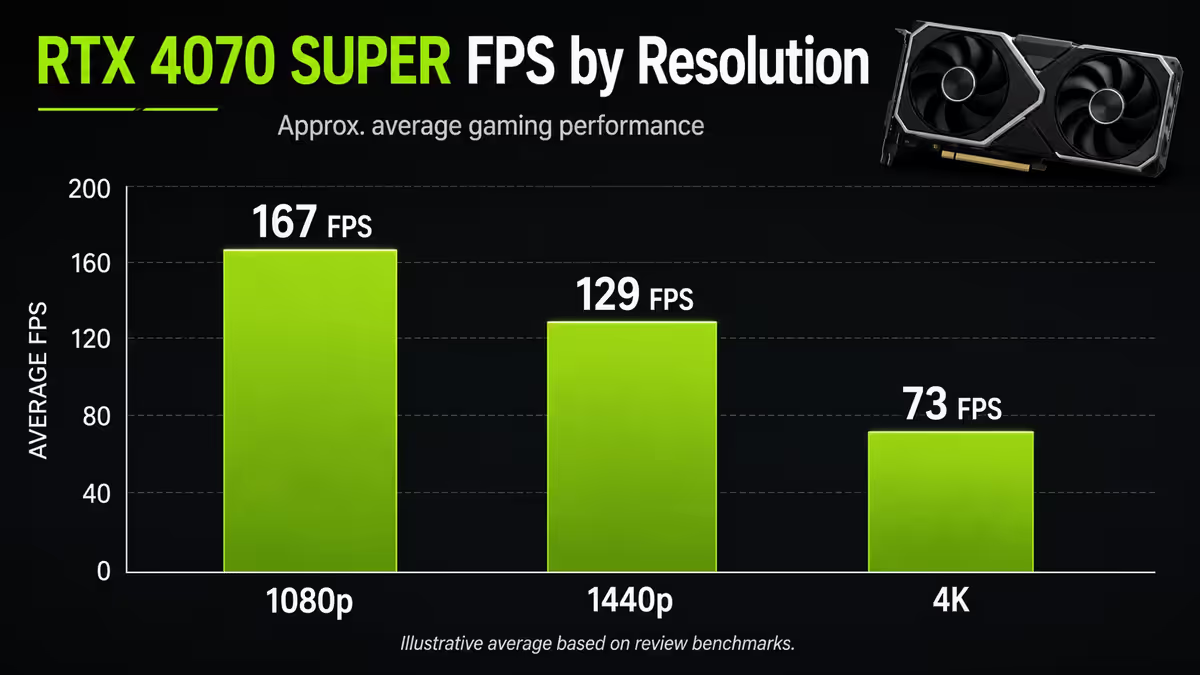
The maths matters because GPU load scales roughly linearly with pixel count. A game running 144 FPS at 1080p will land near 80 FPS at 1440p (1.78× pixels means roughly 1/1.78 FPS) and around 36 FPS at 4K (4× pixels means roughly 1/4 FPS). Real-world results are slightly better than this back-of-envelope because the CPU and memory bandwidth bottleneck partially absorb the pixel-count increase, but the maths is the starting point.
What this means in plain language: doubling the resolution is the most expensive single setting change you can make. Going from 1080p Ultra to 1440p Ultra costs more FPS than disabling ray tracing, dropping textures from Ultra to High, or any other typical tweak.
FPS impact — how much do you lose going up?
Here's a typical RTX 4070 Super in Cyberpunk 2077 with the same settings (High, no ray tracing, DLSS off) across the three resolutions:
| Resolution | Avg FPS (RTX 4070 Super) | Pixels rendered/sec |
|---|---|---|
| 1080p High | 142 FPS | 294 megapixels/s |
| 1440p High | 95 FPS | 350 megapixels/s |
| 4K High | 47 FPS | 389 megapixels/s |
| 4K + DLSS Quality | 74 FPS | ~290 megapixels/s (internal) |
Notice the pixels-rendered-per-second column actually goes up as resolution climbs — the GPU is working harder in absolute terms at 4K than 1080p. The FPS counter drops because each frame contains more pixel work. This is why the GPU class needed scales steeply with resolution, not gently.
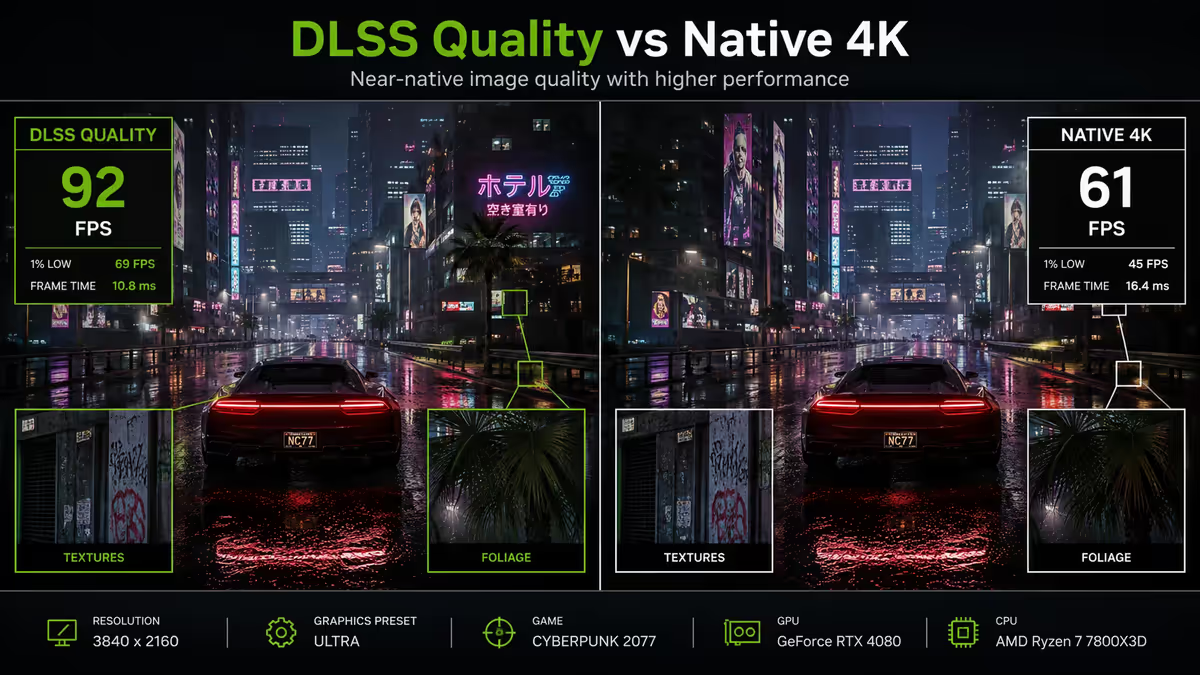
The DLSS Quality row is the magic. Internal render at 1440p, AI-upscaled to 4K — the result looks essentially identical to native 4K on a 27-32" monitor at desk distance, while the GPU is doing 1440p-class work. This is why DLSS (and AMD's FSR, and Intel's XeSS) have effectively reshaped which GPU you need for which resolution.
GPU class needed per resolution
These are the realistic floors. You can run any game at any resolution by dropping settings — these are the recommended GPU classes for "high settings, smooth experience" in modern AAA titles.
1080p — comfortable floor
- 60+ FPS High: RTX 4060, RX 7600, RTX 3060, GTX 1660 Super (entry).
- 144+ FPS High (competitive): RTX 4060 Ti, RX 7700 XT, RTX 4070.
- 240+ FPS competitive (CS2/Valorant settings): RTX 4070 Super or higher.
1440p — the modern default
- 60+ FPS High: RTX 4060 Ti, RX 7700 XT (minimum comfort).
- 100+ FPS High: RTX 4070, RX 7800 XT.
- 144+ FPS High: RTX 4070 Super, RTX 4070 Ti, RX 7900 GRE.
- 1440p with ray tracing + DLSS Quality: RTX 4070 Ti Super or RTX 5070 minimum.
4K — premium territory
- 60+ FPS High native: RTX 4080 Super, RTX 5080, RX 7900 XTX (realistic floor).
- 60+ FPS High with DLSS Quality: RTX 4070 Ti Super, RTX 5070 Ti.
- 120+ FPS native: RTX 4090, RTX 5090 only.
- 4K ray tracing native: RTX 4090, RTX 5090 only at consistently 60+ FPS.
Monitor size and viewing distance
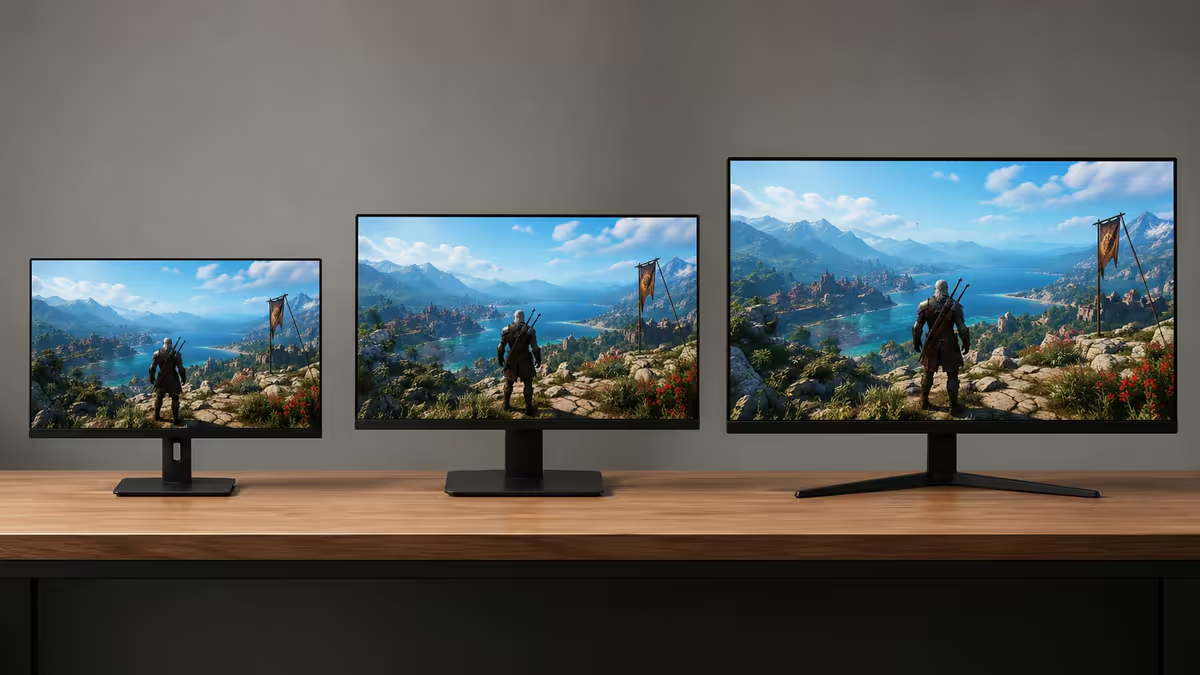
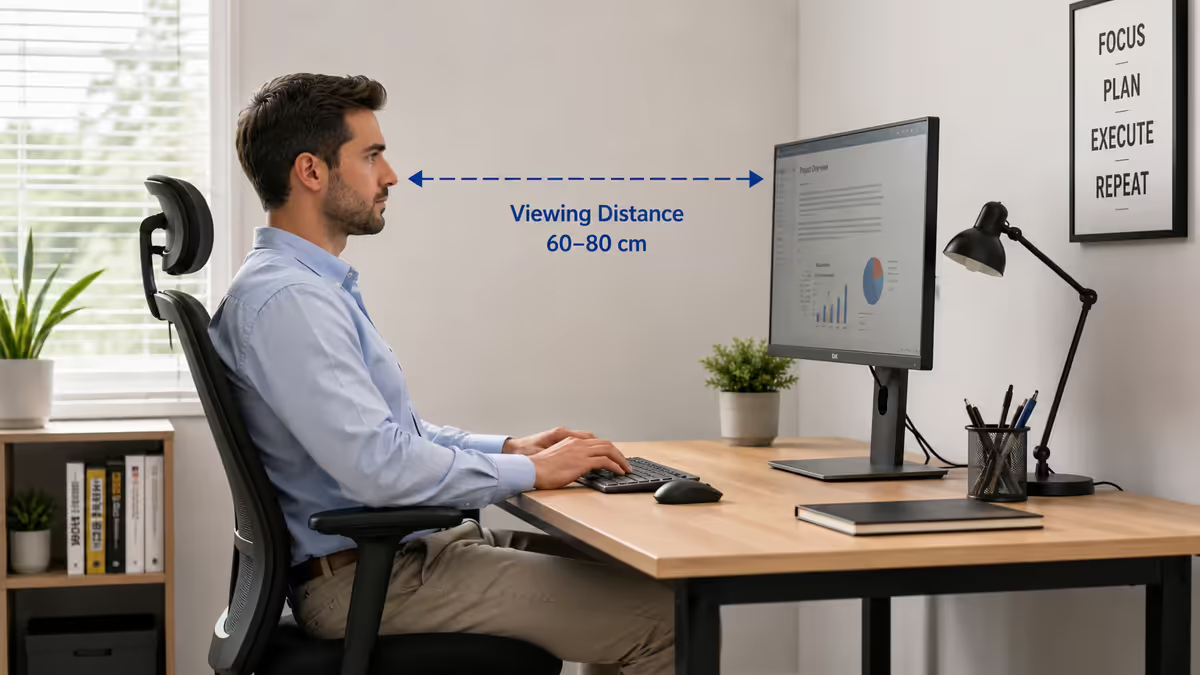
Resolution interacts with screen size to determine pixel density, and pixel density is what your eyes actually perceive. Below 90 PPI, text and image edges start looking soft from typical desk viewing distance (60-80cm). Above 130 PPI, the eye stops resolving individual pixels — extra density delivers diminishing returns.
| Panel size | 1080p PPI | 1440p PPI | 4K PPI | Best for |
|---|---|---|---|---|
| 24" | 92 | 122 | 184 | 1080p sweet spot |
| 27" | 82 | 109 | 163 | 1440p sweet spot |
| 32" | 69 | 92 | 138 | 4K sweet spot |
| 34" ultrawide | — | 110 (3440×1440) | — | ultrawide 1440p |
| 42-48" TV use | — | — | 104-92 | 4K couch gaming |
The mismatched pairings to avoid:
- 27" 1080p — 82 PPI is too soft. Looks like an old monitor. Save up R2000 more for a 27" 1440p panel.
- 32" 1080p — 69 PPI is genuinely uncomfortable for text. Only acceptable for couch gaming at 2m+ distance.
- 24" 4K — 184 PPI is overkill at desk distance. You're paying for pixels your eyes can't resolve, and Windows scaling is awkward. Get 24" 1440p instead.
- 32" 1440p — borderline. 92 PPI is fine, but feels slightly chunky next to a 27" 1440p side-by-side. Acceptable for desk gaming if you want screen real estate.
Refresh rate considerations
Resolution is half the equation — refresh rate is the other. A 1080p 240Hz monitor and a 4K 60Hz monitor cost similar money but deliver wildly different experiences. Which matters more depends entirely on what you play.
Competitive shooters (CS2, Valorant, Apex, Overwatch, Rainbow Six): refresh rate wins. 1080p 240Hz / 360Hz with a fast GPU outperforms 4K 60Hz in every measurable way for these games. You want the visible motion clarity from high refresh, and you want the GPU headroom to hit 240+ FPS consistently.
Single-player AAA / RPG / open world (Cyberpunk, Baldur's Gate 3, Elden Ring, GTA VI, Witcher series): resolution wins. Visual fidelity matters more than the difference between 100 and 200 FPS. 1440p 144Hz or 4K 120Hz with a top GPU is the sweet spot for these games.
Mixed (you play everything): 1440p 165-180Hz is the universal answer for 2026. Tournament-ready for esports, sharp enough for cinema-feel single-player.
DLSS, FSR and XeSS — upscaling changes the maths
AI-based upscaling has rewritten the resolution rules of 2020. Three flavours, all available, all worth understanding:
NVIDIA DLSS (RTX 20-series and newer): the gold standard. Uses dedicated Tensor cores. DLSS Quality renders internally at 67% of native and upscales — visually nearly identical to native, performance close to internal resolution. DLSS Frame Generation (RTX 40/50-series) inserts AI-predicted intermediate frames, doubling FPS in supported games. Best image quality of the three.
AMD FSR (works on any GPU including NVIDIA and Intel): open-source, no dedicated hardware needed. FSR 3.1 closed most of the gap with DLSS Quality at 4K, though it's still slightly softer in motion. FSR Frame Generation works similarly to DLSS FG. Use this on AMD Radeon, GTX 16-series, Intel Arc.
Intel XeSS: hybrid approach, runs on any GPU but accelerated on Intel Arc cards. Image quality between FSR and DLSS. Smaller game support library, growing slowly.
What upscaling means for resolution decisions: a 1440p-class GPU (RTX 4070 Super, RX 7800 XT) can drive a 4K monitor with DLSS Quality or FSR Quality and look essentially indistinguishable from native 4K at desk viewing distance. This is the biggest single change to GPU-vs-monitor pairing logic in years. It does not mean you should buy 4K with a mid-range GPU — it means a 4K monitor is no longer locked behind RTX 4090 budget if you're happy using upscaling.
The catch: competitive shooters generally don't support DLSS / FSR well, and competitive players turn it off anyway for input latency reasons. If you play CS2 or Valorant primarily, upscaling doesn't help you — pick a resolution your GPU can hit natively at 240+ FPS.
Common resolution mistakes
Buying GPU first, monitor second. The most common build mistake. Builders spend R18000 on an RTX 4070 Super, then R4000 on a 24" 1080p monitor because they're out of budget. The GPU sits idle at 250+ FPS in everything. The monitor outlives the GPU — spend the monitor budget first, GPU to match.
Believing the 4K marketing. "4K gaming" is the most over-marketed term in the industry. Most people sit far enough back from their screen that 1440p at 27" looks identical to 4K at 27" in actual gameplay — but the 4K monitor costs 2× and demands 3-4× the GPU horsepower. Save money, get 1440p, spend the saved budget on a higher refresh rate.
Ignoring refresh rate for resolution. A 4K 60Hz monitor for a gaming PC is rarely the right answer in 2026. The motion blur penalty of 60Hz is more visually disruptive than the sharpness gain of 4K over 1440p. 1440p 144-180Hz beats 4K 60Hz for nearly everyone.
Running games at non-native resolution. If you own a 1440p monitor and your GPU struggles in a specific game, lower settings — don't lower resolution to 1080p. The 1080p signal scaled to 1440p looks worse than native 1440p with medium settings because the panel can't pixel-double cleanly. Drop shadows, reflections, or post-processing first.
Mismatching panel size to seating distance. 32" 4K from 50cm distance is too close — you'll see pixel structure in dark scenes. 24" 4K from 80cm is too small to benefit from the resolution. Match panel size to distance: 24" at ~60cm, 27" at ~70cm, 32" at ~80-90cm.
Key takeaways
- 1440p (2560×1440) at 27" 165Hz is the modern default — sweet spot for hardware, price and visual quality in 2026 SA.
- 1080p remains the right pick for competitive esports (240Hz+) and sub-R8k GPU budgets.
- 4K only makes sense paired with RTX 4080 Super / RTX 5080 / RX 7900 XTX or higher. Anything less and you'll regret the pairing.
- DLSS Quality and FSR Quality let mid-range GPUs drive 4K monitors with near-native image quality — but not in competitive shooters.
- Buy the monitor first, GPU to match. The monitor outlives 2-3 GPU upgrades.
Frequently asked questions
What resolution should I game at in 2026?
1440p (2560×1440) at 27" 165Hz is the modern default for builds in R20k-R40k range. 1080p for competitive esports or sub-R8k GPU budgets. 4K only with RTX 4080 Super / RTX 5080 / RX 7900 XTX or higher.How much harder is 4K to render compared to 1440p?
4K has 2.25× more pixels than 1440p (8.3M vs 3.7M) and 4× more than 1080p. FPS scales roughly with pixel count — a build hitting 144 FPS at 1440p lands around 80-95 at 4K. DLSS Quality reclaims most of that gap.What GPU do I need for 1440p gaming?
RTX 4060/4060 Ti or RX 7600 XT/7700 XT for 60+ FPS High. RTX 4070/4070 Super or RX 7800 XT/7900 GRE for 120+ FPS High. RTX 4070 Ti Super or RTX 5070 for 1440p with ray tracing.What GPU do I need for 4K gaming?
RTX 4080 Super / RTX 5080 / RX 7900 XTX as realistic floor for 60+ FPS native. With DLSS Quality the bar drops to RTX 4070 Ti Super. RTX 4090/5090 only cards consistently doing 4K ray tracing native at 60+.Is 1080p still good for gaming in 2026?
Yes — for competitive esports players chasing 240Hz+ and budget builders with sub-R8k GPUs. Struggles above 25" panel size due to pixel density.Does DLSS or FSR change which resolution I should buy?
Yes. DLSS Quality and FSR Quality effectively bump a 1440p-class GPU into 4K-capable territory in supported games. Doesn't help in competitive shooters that disable upscaling.Does monitor size change which resolution I need?
Yes. Recommended pairings: 24" for 1080p (92 PPI), 27" for 1440p (109 PPI), 32" for 4K (138 PPI). Below 90 PPI feels soft at desk distance.Should I pick my monitor or my GPU first?
Monitor first. It sets the resolution and refresh rate ceiling and outlives 2-3 GPU upgrades. Buy the monitor that matches how you want to play, then match the GPU class to drive it.
Get the Evetech app
Exclusive app-only prices, daily flash sales, and free delivery on orders over R4,000 — download the app and start saving.