Surround Sound Explainer
7.1 surround. Mostly software. — Why pros run stereo in CS2.
Every gaming headset box screams "7.1 surround." Two drivers. Eight channels of marketing. Behind the badge is a software algorithm doing surround, and a clean stereo signal through the same drivers often picks out footsteps better.
- in "7.1 headsets"
- 2 drivers
- Windows Sonic built-in
- Free
- competitive pro choice
- Stereo
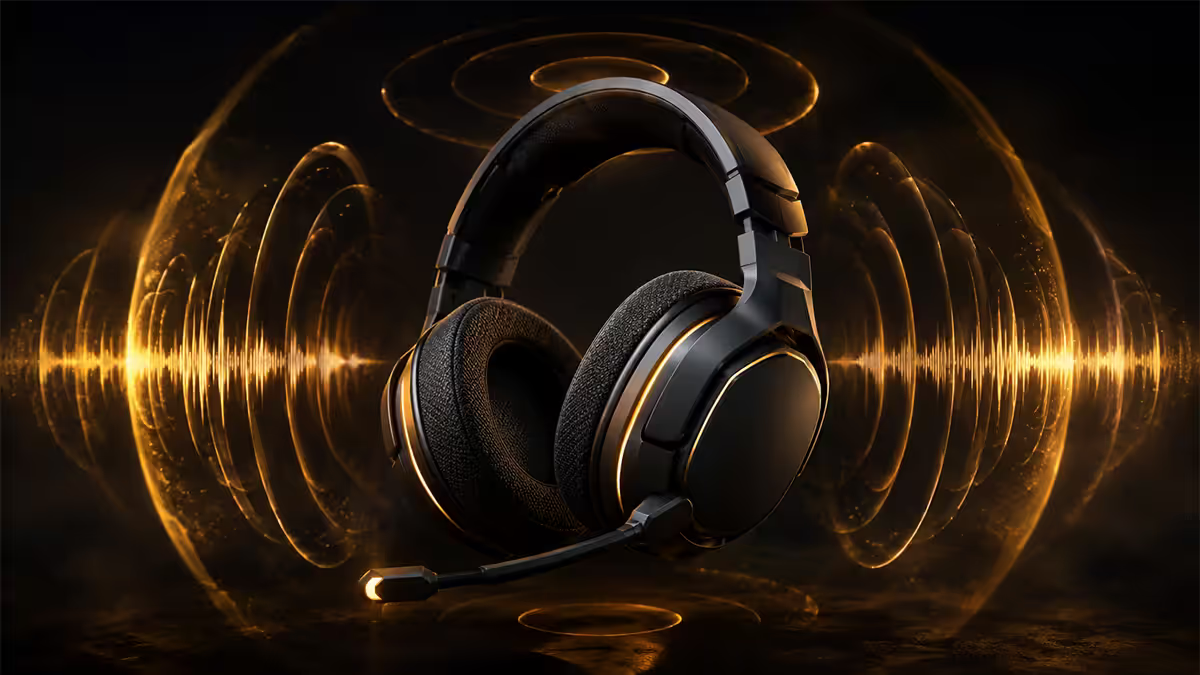
Virtual 7.1 vs true 7.1 — the marketing reality
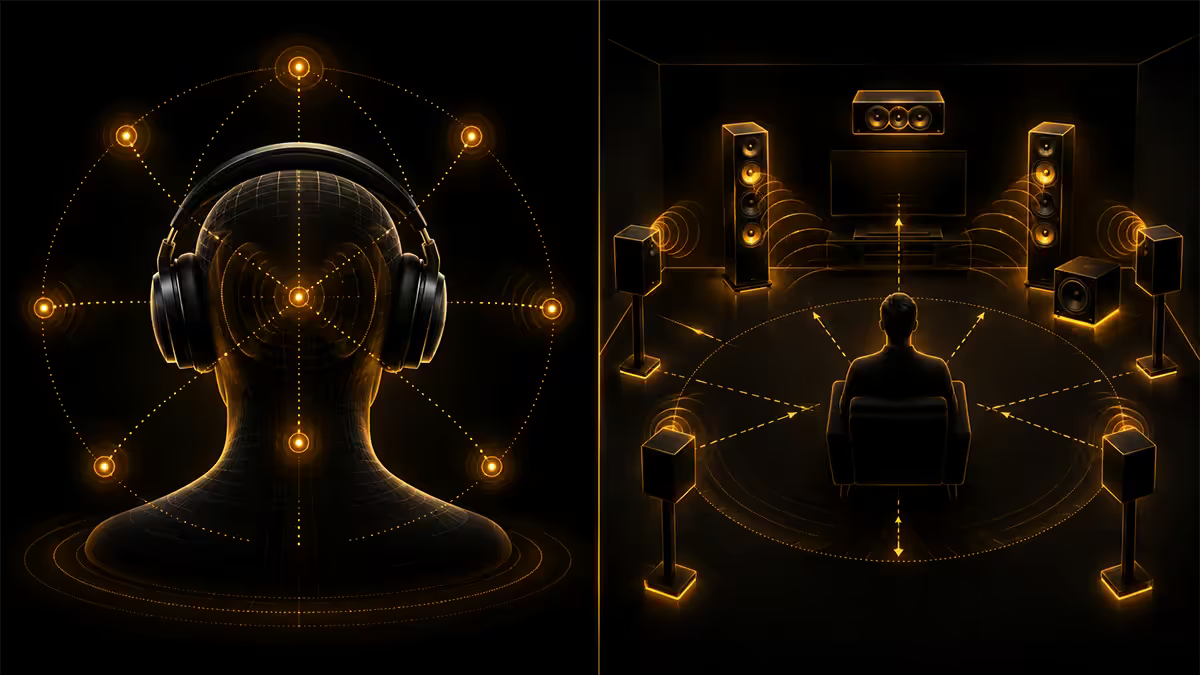
True 7.1 surround sound requires eight speakers physically arranged around a listener — front left, front right, centre, side left, side right, rear left, rear right, plus a subwoofer. Each channel is driven by a dedicated speaker. The "7" is seven main channels; the ".1" is the low-frequency subwoofer channel.
Almost every "7.1 surround gaming headset" on the market has two drivers — one per ear. The "7.1" comes from a software algorithm called HRTF (head-related transfer function) processing that simulates surround through stereo drivers. The algorithm adds phase shift, delay and frequency response changes to trick your brain into perceiving direction.
| Type | How it works | Cost |
|---|---|---|
| True 7.1 speakers | 8 physical speakers, AVR-driven | R30000-R120000+ |
| Virtual 7.1 headset | 2 drivers + HRTF software | R1500-R8000 |
| Virtual 7.1 software-only | Any stereo headphone + Atmos / DTS:X / Sonic | Free-R500 |
| True 7.1 headset (rare) | Multiple drivers per cup (e.g. Razer Tiamat V2, EoL) | Discontinued |
The crucial insight: a "7.1 surround" gaming headset is providing the same virtual surround you'd get for free with Windows Sonic on a generic stereo pair. The headset is not delivering more channels of hardware — it's bundling a software algorithm that runs on the system anyway.
This is not necessarily marketing fraud — virtual surround is a real and useful technology — but understanding what's happening prevents you from paying extra for a "7.1" badge on a headset that's really just stereo plus software.
Dolby Atmos, DTS:X 2.0, Windows Sonic — what to enable
There are three major virtual surround standards in 2026. All work with any stereo headphone. Each has subtle character differences.
Windows Sonic for Headphones. Free, built into Windows 10/11. Decent virtual surround processing, neutral character. Enable in Sound Settings → Spatial Sound. Best for: trying virtual surround at zero cost before paying for alternatives.
Dolby Atmos for Headphones. R250 from Microsoft Store. Object-based audio that processes height channels — sounds can appear to come from above. Genuinely impressive in Atmos-supporting games (Battlefield, Halo Infinite, Cyberpunk, Forza Horizon, Diablo IV) and Atmos movies. Better than Windows Sonic for atmospheric content.
DTS Headphone:X 2.0. R350-R500 from Microsoft Store or bundled with select headsets. Alternative psychoacoustic tuning to Atmos — some players prefer its sound. Less Atmos game support but works on any stereo content.
Tempest 3D AudioTech (PS5). Sony's proprietary virtual surround, included free with PS5. Works with any stereo headphone. Spider-Man Miles Morales, Returnal and Demon's Souls showcase it well.
Razer Surround / SteelSeries Sonar / Logitech G HUB. Vendor-specific software bundles with their own virtual surround algorithms. Generally inferior to Microsoft/Dolby standards, but free with headsets and integrated with vendor mic processing.
Why stereo often wins competitive FPS
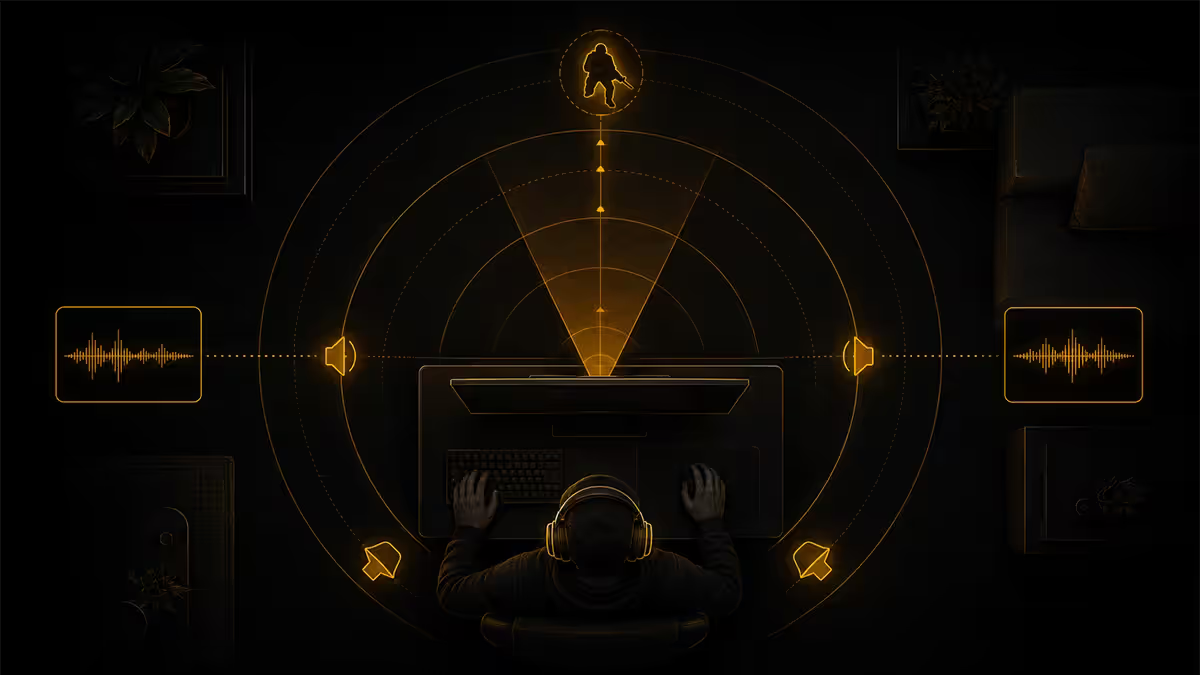
Most professional CS2, Valorant and Apex players run stereo with virtual surround disabled. The reason: virtual surround processing can degrade the precise positional cues these games use natively.
CS2's audio engine outputs already-positioned sounds in stereo with precise timing differences between left and right ear (interaural time difference) and slight volume differences (interaural level difference). Your brain uses these subtle cues to localise footsteps to within a few degrees of arc.
When virtual surround processing is enabled, the algorithm adds:
- Reverb / room simulation — adds time-smearing to footsteps that can blur exact timing.
- HRTF filtering — applies generic ear shape curves that may not match your actual ear shape.
- Channel mixing — sometimes degrades stereo separation in pursuit of "wraparound" feel.
- Processing latency — measurable but small (under 10ms typically).
For a fast-paced FPS where you need to track footsteps to within a metre, the trade-off often costs more than it gains. Pros report that disabling virtual surround makes footsteps "crispier" and direction calls more accurate.
The clean stereo + wide-soundstage open-back combination (Sennheiser HD 560S, DT 990 Pro, HD 6XX) is the dominant pro setup. The natural soundstage of the headphone itself provides excellent positional cues without algorithmic intervention.
Real 7.1 hardware — when speakers beat headphones
A genuine 7.1 surround system (or 7.1.4 Atmos with height channels) using speakers has no peer for atmospheric single-player gaming and movies. The physicality of bass through a real subwoofer, the wall-shaking impact of explosions, the precision of localised effects across a room — virtual surround cannot match it.
A quality entry 7.1 setup in SA in 2026:
- AV receiver: Denon AVR-X1800H or Yamaha RX-V6A — R12000-R18000 for 7.2 channel with HDMI 2.1.
- Front L/R speakers: Polk Audio Signature S20 or KEF Q150 pair — R8000-R15000.
- Centre speaker: Polk Audio CS10 or KEF Q250c — R3500-R6500.
- Surround speakers (4): Polk Audio S15 bookshelves or compact in-walls — R6000-R12000 set.
- Subwoofer: SVS PB-1000 Pro or Polk PSW10 — R8000-R30000.
- Atmos heights (optional): ceiling mounts or upfiring atop fronts — R5000-R12000 pair.
Total budget entry: R45000-R75000. Mid-tier system: R80000-R150000. The investment changes the home theatre and atmospheric gaming experience completely. But for competitive headphone-level FPS audio, even a great speaker setup loses to a well-tuned headphone — you can't get foot-level positioning in a horizontal speaker array.
SteelSeries Sonar — what it actually does
SteelSeries Sonar is a software audio suite that ships with SteelSeries Arctis headsets and runs on most stereo headphones. It does several things, not all about surround.
- Parametric EQ — adjust frequency response per game or globally. Often genuinely useful for compensating headphone tuning.
- Virtual surround — SteelSeries's own algorithm, comparable to Windows Sonic.
- ChatMix — separate volume slider for game audio vs Discord voice. Genuinely useful.
- AI noise reduction on mic — removes background noise from outgoing mic audio. Good but adds processing latency.
- Per-app routing — send Spotify to one virtual device, game to another. Convenient for streamers.
Sonar is free with Arctis headsets and worth installing. For non-SteelSeries headsets, it works with limited features. The advanced version (Sonar Pro) is paid but rarely necessary for typical users.
The catch: Sonar's processing adds 5-15ms latency depending on settings. For competitive FPS where every millisecond matters, some pros disable Sonar and run direct stereo through onboard audio. For casual gaming, the latency is unnoticeable and the convenience features are valuable.
What to use, when
| Use case | Recommended setup | Format |
|---|---|---|
| Competitive FPS (CS2, Valorant) | Open-back stereo + virtual surround OFF | STEREO |
| Casual FPS / battle royale | Open or closed-back + Windows Sonic ON | VIRTUAL 7.1 |
| Atmospheric single-player (Cyberpunk) | Closed or open + Dolby Atmos for Headphones | ATMOS |
| Movie watching (headphones) | Closed or open + Dolby Atmos for Headphones | ATMOS |
| Home theatre & movies (speakers) | True 7.1 / 7.1.4 Atmos AVR + speakers | TRUE 7.1.4 |
| Single-player with mood music | Open-back + DTS Headphone:X 2.0 | DTS:X |
| Streaming & multitasking | Any headset + SteelSeries Sonar (ChatMix) | VIRTUAL |
| Console (PS5 / Series X) | Stereo headphones + Tempest 3D (PS5) / Dolby Atmos (Xbox) | SPATIAL |
Common surround sound mistakes
Paying premium for a "7.1 headset" assuming it has more drivers. Almost no gaming headsets have more than two drivers. The "7.1" is software processing you can get free with Windows Sonic on any stereo headphone.
Leaving virtual surround on for competitive FPS. Many CS2 and Valorant players default-enable Sonic or Atmos without ever testing whether stereo improves their positional accuracy. Try both for 20 minutes and trust the result.
Building a 7.1 speaker system in a small bedroom. True surround needs space for speakers behind the listener and to the sides. A 3×4 metre bedroom doesn't have the geometry — soundbar or headphones make more sense.
Ignoring room treatment for real 7.1. A R50000 speaker system in a bare-walled room performs worse than R20000 in a treated room. Treatment is not optional for serious home theatre.
Using vendor virtual surround over Microsoft/Dolby standards. Razer Surround, Corsair iCUE virtual surround and similar are usually inferior to Atmos and Sonic. If you have an Atmos license, prefer it for game audio.
In our testing with competitive CS2 and Valorant players, most ranked players performed better with stereo virtual surround disabled on the same wide-soundstage open-back headphone. For atmospheric games and movies the result flipped completely — Dolby Atmos for Headphones was rated more immersive by nearly every tester in Cyberpunk 2077 and Star Wars Andor. The right format depends entirely on what you're playing. Surround on for atmosphere. Stereo on for accuracy.
Behind the Audio Lab · Evetech SA test bench
Key takeaways
- Almost every "7.1 gaming headset" is stereo + virtual surround software — not 8 hardware channels.
- Competitive FPS pros mostly disable virtual surround — stereo through wide-soundstage open-back wins.
- Atmospheric single-player and movies benefit from Dolby Atmos for Headphones (R250).
- Try Windows Sonic free before paying for Atmos or DTS:X to see if virtual surround helps your ears.
- True 7.1 speakers (R45000+ including room treatment) transform home theatre but don't beat headphones for FPS.
Frequently asked questions
What's the difference between virtual 7.1 and true 7.1?
True 7.1 uses 8 physical speakers driven by an AVR. Virtual 7.1 simulates surround through 2 headphone drivers using HRTF software processing. Almost every "7.1 gaming headset" is virtual.Why is virtual surround controversial for FPS gaming?
Virtual processing often adds reverb and phase shift that muddies the precise positional cues CS2 and Valorant use. Clean stereo through a wide-soundstage headphone often tracks footsteps more accurately. Many pros disable virtual surround.What about Windows Sonic, Dolby Atmos and DTS:X 2.0?
Three virtual surround standards. Windows Sonic is free in Windows. Dolby Atmos for Headphones (R250) adds height processing. DTS Headphone:X 2.0 (R350-R500) is similar with different tuning. All work with any stereo headphone.Should I use 7.1 virtual surround in Counter-Strike 2 or Valorant?
Most pros say no — they disable virtual surround for these games. CS2 and Valorant have excellent native stereo positional audio. Test both on a deathmatch server and trust the result.Do gaming headsets with '7.1 surround' have real surround drivers?
Almost none. The Razer Tiamat 7.1 V2 was a rare exception, now discontinued. Virtually every 7.1-marketed headset has 2 drivers + software processing. Not fraud, but understand what you're buying.What's a real 7.1 setup worth in 2026?
R45000-R75000 entry, R80000-R150000 mid-tier, plus room treatment. AVR (Denon, Yamaha) + 7 speakers + subwoofer + Atmos heights. Transformative for movies and atmospheric games.What is SteelSeries Sonar and is it worth it?
Free SteelSeries software with parametric EQ, virtual surround, ChatMix and mic AI noise reduction. Works with most stereo headphones. Useful but adds 5-15ms latency — competitive FPS players often disable it.What's the best setup for competitive FPS in 2026?
Wide-soundstage open-back headphone (HD 560S, DT 990 Pro, HD 6XX) + clean stereo + virtual surround disabled. The native stereo positional audio outperforms virtual 7.1 for footstep tracking.
Get the Evetech app
Exclusive app-only prices, daily flash sales, and free delivery on orders over R4,000 — download the app and start saving.