Comparison · Wired vs Wireless · 2026
Wired vs wireless gaming peripherals. — 2026 finally killed the "competitive must be wired" rule.
Tournament-grade latency over 2.4 GHz is no longer a marketing claim — it's the default. The honest verdict on mouse, keyboard and headset, plus the cable habit that's quietly worth keeping.
- wireless latency
- < 2 ms
- mouse battery
- 70-120 h
- wireless premium
- R600-R2,500
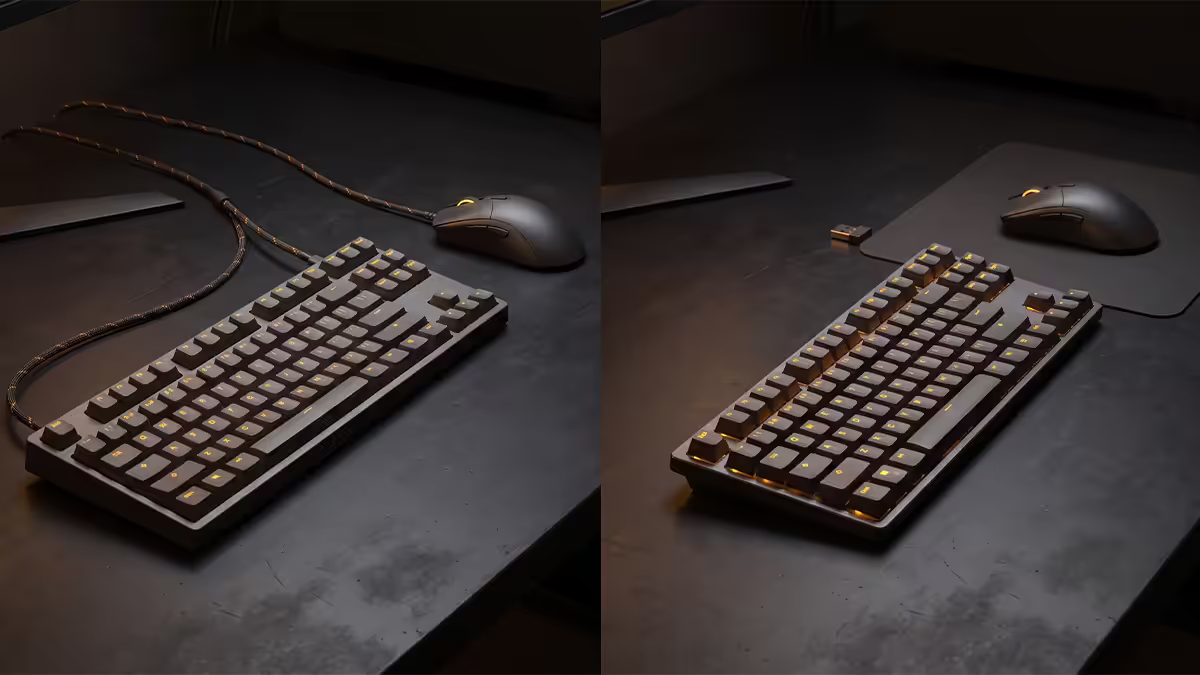
The state of 2.4 GHz wireless in 2026
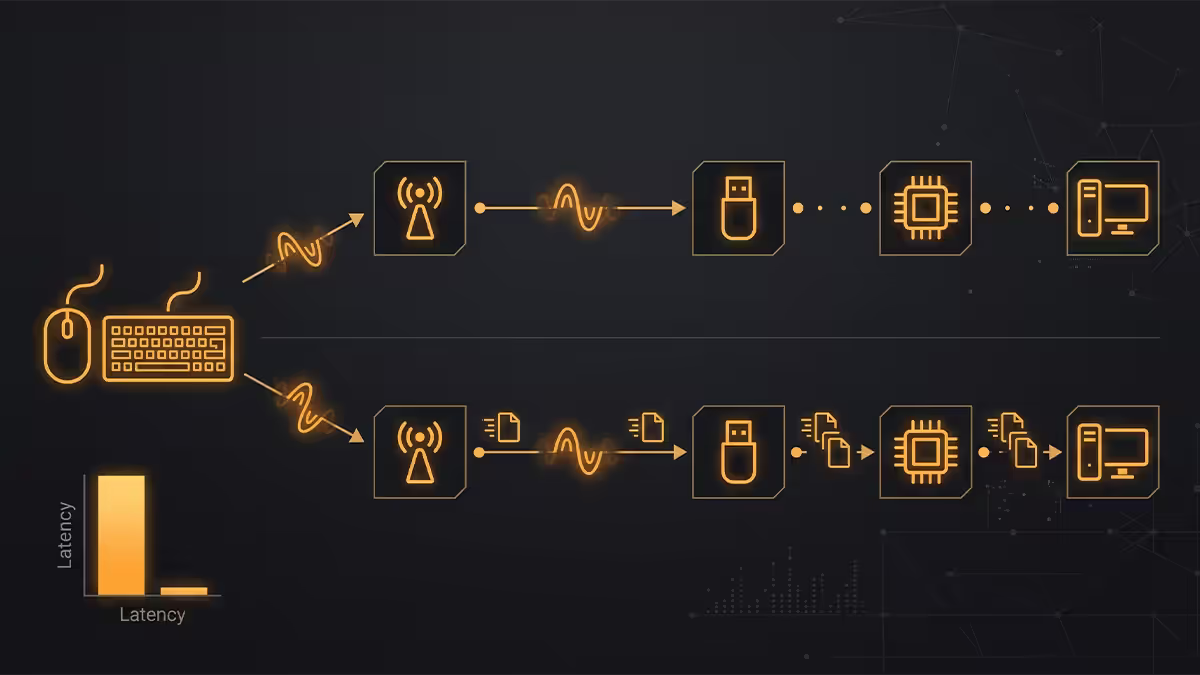
A short story to set the scene. In 2017, wireless gaming mice were universally considered worse than wired — laggy, heavy because of the AA-cell weight, prone to interference at LANs where 40 other dongles fought for spectrum. The “competitive = wired” rule was a real performance trade-off, not a meme.
In 2026, that trade-off is gone. 2.4 GHz wireless on Razer HyperSpeed, Logitech LIGHTSPEED, ASUS ROG SpeedNova, SteelSeries Quantum Air and Pulsar's PCS-7 protocol all match wired latency within measurement noise. Independent tests by RTINGS and Battle(non)Sense show the gap at 0.1 to 0.3 milliseconds — comparable to the variance between two different wired mice.
What changed:
- Proprietary spectrum-hopping protocols — each brand built its own protocol stack tuned for sub-2 ms latency and aggressive packet retransmission, not Bluetooth's general-purpose codec.
- 8000Hz polling support — wireless polling at 8000Hz (Razer HyperPolling Wireless, Logitech 8K Wireless) was a 2024 launch and is now mainstream.
- Battery density jumps — modern Li-Po cells give 80-120 hours of mouse life at 1000Hz polling, with USB-C fast charging.
- Weight reduction — Logitech G Pro X Superlight 2 (60g) and Razer Viper V3 Pro (54g) are now lighter than most wired mice were five years ago.
Mouse — go wireless
The mouse is where the wireless case is most clearly won. Sub-2 ms latency, no cable drag, 80+ hour battery, 50-60g weight — wireless mice in 2026 are objectively better tools.
| Metric | Top wired mouse | Top wireless mouse |
|---|---|---|
| Latency at 1000Hz | ~2 ms | ~2.2 ms |
| Latency at 8000Hz | ~0.5 ms | ~0.5 ms |
| Weight (cable drag included) | 70-90g + 12g cable drag | 54-65g, no drag |
| Battery | n/a | 70-120 hours @ 1000Hz |
| Top-tier price SA | R1,400-R2,200 | R2,000-R3,500 |
Even the cable drag matters less than you'd think — a quality paracord cable on a wired mouse is genuinely close to wireless feel. But “close to wireless” is not better than wireless, and the cable still routes somewhere, still gets caught on the edge of the desk, still has to be replaced when it kinks.
Keyboard — depends on the user
The keyboard verdict is less clean. 2.4 GHz wireless mechanical keyboards now match wired latency within 1 ms — the Logitech G Pro X 60 Wireless, Razer BlackWidow V4 75% wireless, and SteelSeries Apex Pro TKL Wireless all benchmark within tournament tolerances. The remaining issues are practical:
- RGB-heavy boards drain batteries fast. Full RGB at full brightness drops a 4000 mAh battery from 200 hours (no RGB) to about 25 hours. Practical pattern: charge at end of day.
- Bigger devices = bigger batteries = more weight. A wireless full-size keyboard with battery weighs 25-40% more than its wired version.
- You don't move keyboards mid-session. Unlike mice, the cable on a keyboard rarely interferes with how you use it.
Wireless keyboard makes sense if: you want a clean desk aesthetic, you move between PC and tablet/Mac with the same board (use Bluetooth + 2.4 GHz dual-mode boards), or you have multiple workstations.
Wired keyboard makes sense if: you regularly forget to charge things, you want to keep one less thing in a charging routine, or you want the cleanest tournament rules compliance (some smaller leagues still mandate wired keyboards).
Headset — wireless wins outright
For PC gaming the headset verdict is the cleanest of the three. 2.4 GHz wireless gaming headsets win on every metric versus wired, with the exception of price.
- No cable to catch on the chair — the single most annoying daily headset moment.
- No microphone codec switching — unlike Bluetooth, 2.4 GHz wireless headsets run lossless stereo + microphone simultaneously, no A2DP/HSP drop.
- 30-80 hour battery — at typical session lengths, you charge twice a week.
- Quick desk freedom — get up, walk to the kitchen, audio still works.
The “Bluetooth headset for gaming” category is honestly dead in 2026. Bluetooth codec switching (A2DP music ↔ HSP/HFP voice call) ruins the audio every time Discord opens. If you need a gaming headset, it should be 2.4 GHz wireless or wired — not Bluetooth.
Battery life — what to actually expect
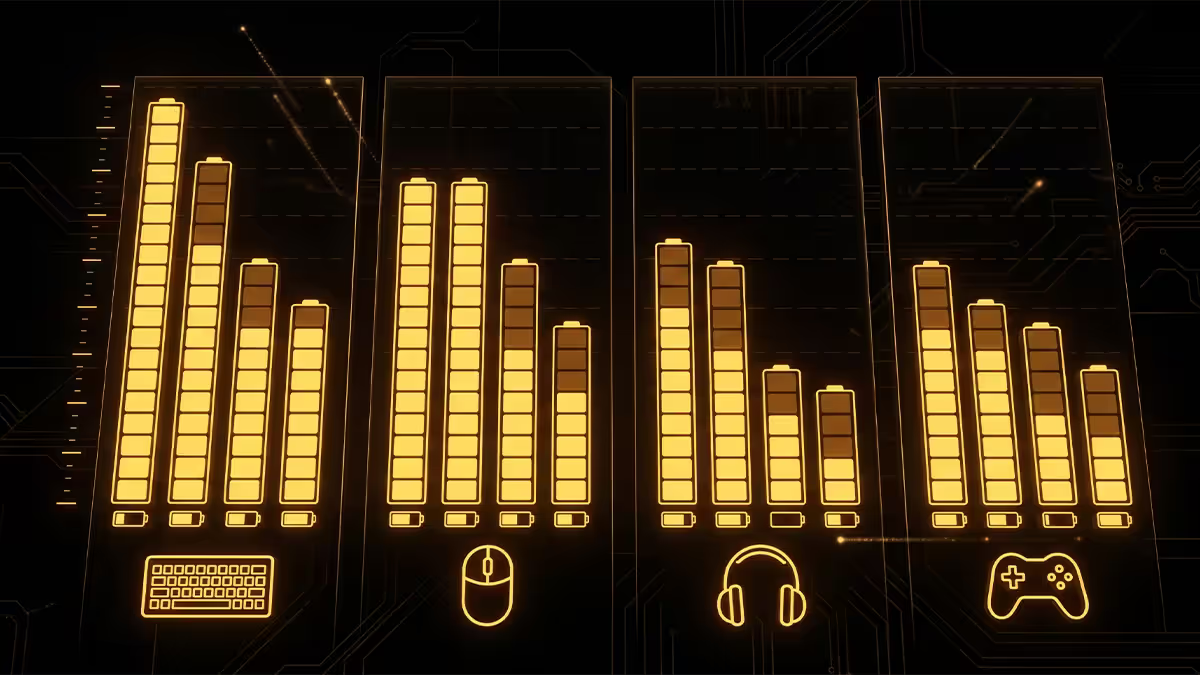
| Device | 1000Hz / minimal RGB | 8000Hz / full RGB |
|---|---|---|
| Mouse (Razer Viper V3 Pro) | 95 hours | ~38 hours |
| Mouse (G Pro X Superlight 2) | 120 hours | ~50 hours |
| Keyboard (G Pro X 60 Wireless) | 180-200 hours | ~22 hours |
| Keyboard (Razer BlackWidow V4 wireless) | 150 hours | ~28 hours |
| Headset (Arctis Nova Pro Wireless) | 38 hours (hot-swap) | ~38 hours |
| Headset (HyperX Cloud III Wireless) | 110 hours | ~110 hours (no RGB) |
Real-world ownership pattern: mouse plugged in overnight every 3-5 nights. Keyboard charged via USB-C while in use occasionally — most are usable while charging. Headset on a charging stand at end of each session. Total time spent thinking about batteries: about 30 seconds per week.
Charge from flat to "all-day usable": 5-10 minutes on USB-C fast charge across all three categories. Charge from flat to 100%: 90 minutes for a mouse, 2-3 hours for keyboard and headset.
Across the 200,000+ custom PCs we've shipped from Centurion, the peripheral mix in 2026 build orders has flipped from mostly wired a few years ago to mostly wireless today. The most common upgrade path we now sell is: customer buys their first wireless mouse (Razer or Logitech), realises it's better in every way, comes back six months later for the matching keyboard and headset. The ecosystem lock-in we mention below is not a hypothesis — it's the actual sales pattern. Customers who start with Razer HyperSpeed almost never switch to Logitech; the opposite is also true.
Evetech Hardware Team — From our service bench
The "tournament-only-wired" rule decay
The professional esports rule “competitive must be wired” was always two separate rules conflated:
- Tournament organisers want consistency — wired peripherals share visible setup with the audience, support staff can verify connection at a glance, and there's no "what if the battery dies" liability. This is operational, not performance.
- Players historically wanted predictability — early wireless had real latency spikes and interference issues at LANs. This is performance, and it's largely fixed in 2026.
What you see in 2026:
- More than half of top-100 FPS pros (CS2, Valorant, Apex) now use 2.4 GHz wireless mice in daily practice.
- Tournament rules increasingly allow wireless explicitly — both ESL and BLAST permit wireless mice in 2026.
- The remaining "wired only" tournaments are usually smaller leagues operating with limited tech infrastructure.
- The cable habit at the top tier survives mostly for risk-avoidance: a 0.01% chance of battery failure mid-tournament is too much for a R1m prize pool.
The cable as a tactile reset
There's one wired argument that doesn't show up in latency benchmarks. A cable is a tactile reference — flicking a mouse for an aim correction feels different when there's a known cable drag than when the mouse is fully free. Some long-time wired players have built their muscle memory around that drag, and the transition to wireless throws their micro-adjustments off for weeks.
This is a real effect, particularly for older players who started competitive gaming in the 2010s on wired peripherals. The transition from wired to wireless is a 2-4 week recalibration period. Some players never complete it and revert; most do.
Pragmatic recommendation: if you've used a wired mouse competitively for 5+ years and you're happy with your aim, don't switch unless you want to. The 0.2 ms latency win isn't worth retraining muscle memory. If you're newer to PC gaming or playing casually, start wireless and never bother with the cable era.
The "buy one wireless ecosystem only" rule
Here's the most important practical rule for wireless peripherals: commit to one brand's ecosystem and stay there.
Why this matters:
- One dongle for multiple devices. Razer HyperSpeed Multi-Device, Logitech G HUB Powerplay, and ASUS ROG Aura share a single 2.4 GHz dongle across mouse + keyboard. Mixing brands means two USB ports occupied with dongles.
- One configuration app. Razer Synapse for all Razer gear, Logitech G HUB for Logitech, ASUS Armoury Crate for ASUS. Three apps fighting over RGB and macro settings is exhausting.
- One charging system. Logitech Powerplay (wireless charging mousepad) only charges Logitech mice. Razer Mouse Dock Pro is Razer-only.
- Consistent firmware updates. Synapse or G HUB updates everything at once. Mixed brands mean separate update cycles and occasional driver conflicts.
How to choose your ecosystem:
- Razer — best mouse line (Viper V3 Pro), strong headsets (BlackShark V2 Pro), solid keyboards. Polished software. Premium pricing.
- Logitech G — most polished software (G HUB), best wireless mousepad (Powerplay). Slightly more conservative product design.
- SteelSeries — strong headsets (Arctis), good keyboards (Apex Pro), competent mice. Software (GG) is decent.
- ASUS ROG — newer to peripherals; SpeedNova wireless protocol is strong; best if you already use ASUS motherboard + monitor for unified RGB.
Key takeaways
- 2.4 GHz wireless mouse is the right buy in 2026 — within 0.2 ms of wired and lighter than most wired alternatives.
- Headset goes wireless decisively. Skip Bluetooth gaming headsets entirely — codec switching ruins voice chat.
- Keyboard is the genuine "depends" call — wired still wins for users who hate charging routines.
- SA wireless premium: R600-R2,500 per device. Down 30% versus 2023; still real, less brutal.
- Pick one ecosystem — Razer, Logitech, SteelSeries or ASUS — and stay in it. Shared dongles, one app, one charging system.
Frequently asked questions
Are wireless gaming mice as fast as wired in 2026?
Yes — measurably so. Razer HyperSpeed Wireless (Razer), Logitech LIGHTSPEED, ASUS ROG SpeedNova and SteelSeries Quantum Air all run at 1000Hz or higher polling with sub-2 ms total latency. Independent tests by RTINGS and Battle(non)Sense show wireless and wired latency at typical 8000Hz polling are within measurement noise — about 0.2 ms apart. Esports pros on Razer, Logitech and Pulsar wireless mice routinely outperform wired competitors. The wireless penalty in 2026 is essentially zero.What about wireless keyboards — same story?
Mostly yes, with one caveat. 2.4 GHz wireless mechanical keyboards (Logitech G Pro X 60, Razer BlackWidow V4 75% wireless, Keychron Q-series with 2.4 GHz dongle) match wired latency within 1 ms. The remaining concern is battery anxiety on RGB-heavy boards — running full RGB drops a 4000 mAh battery from 200 hours (no RGB) to about 25 hours. If you forget to charge, you're suddenly wired. For most gamers a wireless keyboard is fine; for tournament regulars who want zero variables, wired is still safer.Is wireless or wired better for a gaming headset?
For PC gaming in 2026, 2.4 GHz wireless wins decisively. SteelSeries Arctis Nova Pro Wireless, HyperX Cloud III Wireless, Razer BlackShark V2 Pro and Audeze Maxwell all deliver wired-equivalent quality with no Bluetooth-style codec switching. Battery runs 30-80 hours depending on model. The cable saves you nothing here — the audio signal is already lossless at the dongle. Skip Bluetooth headsets for PC entirely; their codec switching (A2DP to HSP) ruins voice chat quality.What does "8000Hz polling" actually mean?
Polling rate is how many times per second your mouse reports position to the PC. Standard for years was 1000Hz (one position update per millisecond). 8000Hz means eight updates per millisecond — 0.125 ms intervals. In practice the visible benefit is only noticeable on 240Hz+ monitors and competitive FPS at high frame rates, and it costs about 1-2% CPU overhead. Razer HyperPolling, Logitech 8K and Pulsar X2 8K all support this. For 144Hz gaming, 1000Hz polling is genuinely indistinguishable.How long do gaming peripheral batteries actually last in 2026?
Real-world figures: top-tier wireless mice last 70-120 hours per charge at 1000Hz polling (Logitech G Pro X Superlight 2, Razer Viper V3 Pro). 8000Hz polling cuts this to 35-50 hours. Wireless keyboards run 25-200 hours depending on RGB usage. Wireless headsets run 30-80 hours of constant playback. Most fast-charge over USB-C in under 30 minutes for a full day's gaming. The 'always plug it in at end of day' habit is the realistic ownership pattern.Why do some pro players still use wired?
Three reasons. (1) Tournament rules sometimes mandate wired peripherals for spectator setup reasons, not performance ones. (2) The cable is a tactile reset — flicking a mouse for an aim correction feels different with a known cable drag than with a free wireless puck. Some pros build their muscle memory around it. (3) Risk avoidance — battery dying mid-tournament is a zero-tolerance event. Outside competition, more than half the world's top FPS pros now use 2.4 GHz wireless daily.How much do I pay extra for wireless in SA?
Wireless premium in SA pricing 2026: gaming mice cost R600-R1,200 more than equivalent wired models. Wireless keyboards cost R1,200-R2,500 more than wired. Wireless headsets cost R800-R1,800 more. A full wireless peripheral set (mouse, keyboard, headset, mousepad with wireless charging) runs R6,000-R12,000 versus R3,500-R8,000 wired. The premium is real but has come down 30% versus 2023 pricing as the wireless tech matured into mainstream.Should I commit to one wireless ecosystem like Razer or Logitech?
Yes — and the discipline saves you headaches. Mixing Razer HyperSpeed mouse with Logitech LIGHTSPEED keyboard means two USB dongles, two configuration apps (Synapse and G HUB), two charging cables, two battery levels to monitor. Picking one ecosystem (Razer's HyperSpeed Multi-Device dongle, Logitech G HUB Powerplay, ASUS ROG Aura) lets you share a single dongle for mouse + keyboard, charge through one mat, and configure in one app. The ecosystem lock-in is annoying but the practical convenience is real.