Gaming Performance
Wired vs WiFi for gaming. — 1 ms versus 15 ms. The jitter matters more than the number.
For some games it makes no difference. For others, ethernet versus WiFi is the difference between hitting your shots and dying behind cover. WiFi 6E and WiFi 7 have narrowed the gap, but they haven't closed it — and the SA fibre router on your wall almost certainly isn't helping.
- ethernet to router
- 1-2 ms
- good WiFi 6E
- 5-15 ms
- ethernet jitter
- ±0 ms
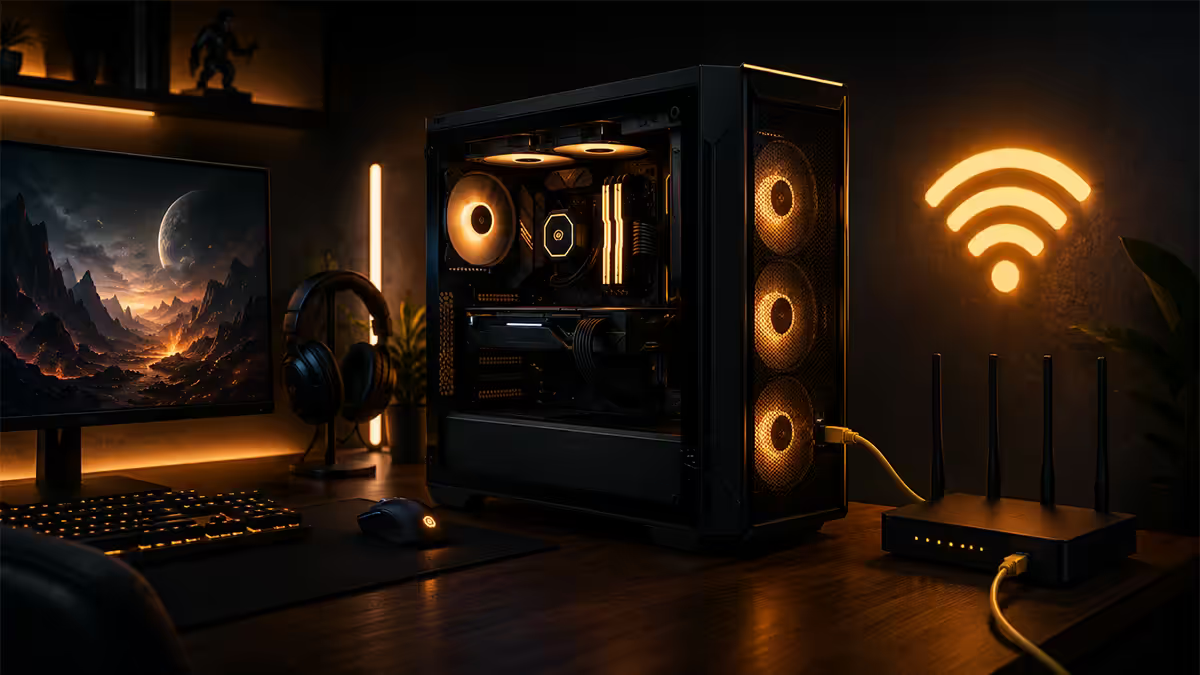
The real latency numbers in 2026
Forget vendor marketing. Here's what ethernet and WiFi actually deliver in real-world conditions in a typical SA home — between your PC and your fibre router, before the connection even leaves the building.
| Connection | Avg latency to router | Jitter |
|---|---|---|
| Cat6 ethernet | 1-2 ms | <0.5 ms |
| WiFi 7 (320 MHz, MLO) | 5-8 ms | 2-4 ms |
| WiFi 6E (6 GHz band) | 6-12 ms | 3-8 ms |
| WiFi 6 (5 GHz) | 8-15 ms | 5-12 ms |
| WiFi 5 (5 GHz, older) | 12-25 ms | 8-20 ms |
| 2.4 GHz WiFi (congested) | 25-100 ms | 15-50 ms |
| MoCA 2.5 | 3-5 ms | 1-2 ms |
| Powerline AV2 | 10-40 ms | 5-20 ms |
These numbers describe latency between your PC and your router. The total ping to a game server adds the ISP route on top — typically 5-15 ms to local SA servers, 80-130 ms to EU, 200-250 ms to US East. On a wired connection that ISP route is the only variable. On WiFi, your in-home latency is on top of all that — and varies frame-to-frame.
Jitter is more important than average ping
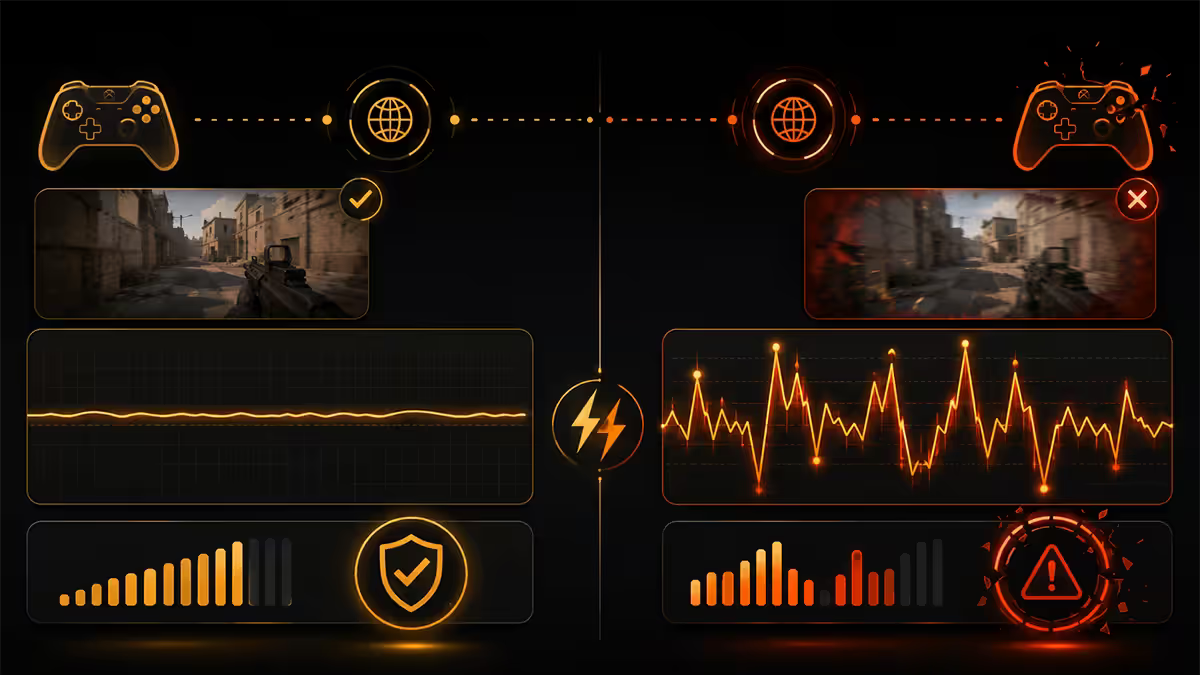
If you only remember one technical point from this guide, make it this: jitter — the variation in ping from packet to packet — affects gameplay more than average ping does. A connection with steady 80 ms ping is materially better for competitive play than one with 30 ms ping that occasionally spikes to 200 ms.
Why? Modern game netcode uses your previous ping pattern to predict where your inputs and the server state will line up. When ping is stable, this prediction is accurate — your shots register where you saw the enemy, your dash lands when expected. When ping varies, the prediction breaks down — you'll see "rubber-banding" where enemies snap to new positions, you'll die behind walls because the server saw you somewhere else, abilities will fire late.
Ethernet's signature feature isn't its low latency number. It's that the latency doesn't vary. Every packet arrives in the same predictable window. WiFi's signature problem isn't that its average is higher — it's that the average hides a fat distribution. A WiFi connection that pings 12 ms average might be 5 ms most packets and 80 ms on the occasional bad one. Your game engine and your aim both notice.
Packet loss — the silent rage-quit
Beyond latency and jitter, WiFi suffers from packet loss in a way ethernet essentially doesn't. Wireless signals get absorbed by walls, scattered by furniture, interfered with by neighbours' routers, microwave ovens, baby monitors. When a packet doesn't make it, the game has to resend it — and during the resend gap, your client is operating on stale information.
In competitive shooters, 1-2% packet loss is enough to make a match unplayable. Your shots don't register. Movement inputs queue up and fire late. Headshots become bodyshots because the server processed your aim 100 ms after you sent it. You'll rage at "lag" and "bad servers" when the real problem is sitting against the wall behind your TV.
Wired ethernet realistically delivers 0% packet loss in any half-functional home network. WiFi typically delivers 0.1-2% under normal conditions, climbing rapidly under interference. There's no fix on WiFi other than reducing interference or moving closer to the router — which itself is often a sign that the cable run would have been cheaper than the ongoing problem.
WiFi 6E and WiFi 7 — the gap narrows
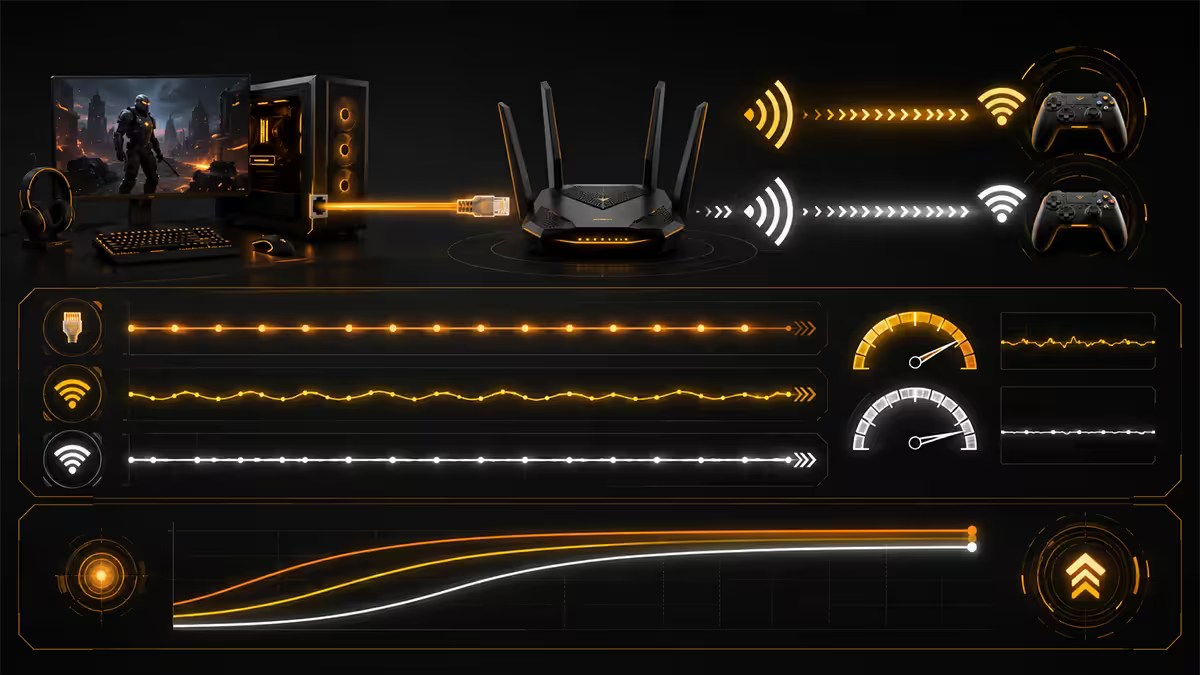
The latest WiFi generations have introduced features that genuinely close some of the gap with ethernet, but not all of it. Worth understanding what each adds:
WiFi 6E opened up the 6 GHz band. The new band is essentially unused (no legacy device pollution like 2.4 GHz suffers from), giving cleaner spectrum. Latency typically drops to 6-12 ms in clean conditions. Both router and client device need to be 6E-capable; same goes for the band you're trying to reach.
WiFi 7 added two major things. Multi-Link Operation (MLO) lets a client simultaneously use multiple bands (e.g. 5 GHz and 6 GHz at the same time) and pick the best one packet-by-packet. 320 MHz channel widths in 6 GHz double the available bandwidth per channel. The combination drops typical latency to 5-8 ms with much lower jitter than WiFi 6.
But — and this is the important caveat — WiFi 7 is still a shared medium. Your router serves all clients on it; their traffic affects yours. Your neighbours' routers occupy the same 5 GHz channels. Microwave ovens still emit 2.4 GHz noise. WiFi 7 doesn't change physics, it just handles them better. In an idealised lab test, WiFi 7 approaches ethernet performance. In a Joburg flat with 25 visible neighbouring WiFi networks, it's still meaningfully behind.
When ethernet runs are impossible — MoCA, powerline, USB-Ethernet
For most SA homes, running a Cat6 cable from the router to the gaming desk would require either lifting carpets, drilling through walls, or unsightly cable runs along skirting boards. Three workarounds get you most of ethernet's benefits without the physical cabling:
MoCA (Multimedia over Coax Alliance) uses existing TV coax cabling to deliver ethernet. Latency 3-5 ms, gigabit speeds, very low jitter. Best alternative when cable runs are impossible and you have suitable coax already installed. In SA, MoCA is poorly supported — most homes have older coax not rated for it, and adapters are expensive imports. Worth considering only for DStv installations where the coax already exists and is in good condition.
Powerline adapters (HomePlug AV2) use your electrical wiring. Latency 10-40 ms typical, varies based on what appliances are running on the same circuit. Convenient — plug one adapter into the router's circuit, one into the gaming room's circuit. Widely available at Takealot and most SA tech retailers. Quality varies massively; TP-Link AV2000 and Devolo Magic 2 are reliable. Avoid no-name R400 powerline kits — they'll deliver worse performance than WiFi.
USB-C / USB-A to gigabit ethernet adapters are the unsung hero of laptop gaming. R250-R500 for a TP-Link UE300, Anker or UGREEN adapter. Plug it into your laptop or PC, plug ethernet into the adapter. Performance is identical to a built-in NIC — 1-2 ms latency, zero jitter. For gaming laptops without an ethernet port, this is the single best upgrade you can make under R500. The catch: you still need to physically reach a router port, which only solves the "no ethernet port" problem, not the "no cable run" problem.
The combination workaround: a long ethernet run to a powerline adapter or WiFi access point near the gaming desk, then a short ethernet cable from that to the PC. Often the most practical compromise in older SA homes.
When WiFi is genuinely fine
This guide leans heavily towards ethernet because the topic is gaming, and for the games that matter ethernet really is meaningfully better. But there are plenty of scenarios where WiFi 6E or WiFi 7 works perfectly:
- Single-player games. No network at all — anything beyond the initial activation check is local.
- Co-op shooters with friends (Helldivers 2, Deep Rock Galactic, Diablo IV co-op). Casual modes, no MMR pressure. 10-15 ms of extra ping doesn't change outcomes.
- MMOs (Final Fantasy XIV, World of Warcraft, Lost Ark). Tab-target combat is forgiving of latency. PvE is fine on WiFi.
- Slower-paced multiplayer — League of Legends, Dota 2, online card games like Hearthstone or Marvel Snap. Reaction window is measured in hundreds of ms, not single-digit ms.
- Streaming — Netflix, Twitch, YouTube. Buffering hides latency.
- Cloud gaming — GeForce Now and Xbox Cloud Gaming. The cloud server's input latency is already 30-50 ms; adding 10 ms of WiFi makes negligible difference.
When wired is genuinely mandatory
For these scenarios, do not try to wing it on WiFi. The compromise will be felt every match:
- Ranked Valorant, CS2, Rainbow Six Siege, Overwatch 2. Hit registration is tied to ping consistency. WiFi jitter measurably hurts your rank.
- Apex Legends ranked, ranked Fortnite, ranked Rocket League. Movement timing windows are tight enough that 8-15 ms variance is felt.
- Fighting games online — Tekken 8, Street Fighter 6, Mortal Kombat 1. Frame-perfect inputs over network. Cannot tolerate any wireless jitter.
- Sim racing online — iRacing, ACC, Rennsport. Position interpolation breaks at high jitter.
- Speedrunning online leaderboards with split sync.
- Esports practice and tournaments — any time your network is the difference between progressing and not.
The SA fibre router truth
Almost every fibre install in SA ships with the lowest-cost router the ISP could source. Vumatel, Openserve, Frogfoot, Octotel — they all bundle entry-tier routers like the TP-Link Archer C6, Huawei HG8245 or generic ZTE/Nokia ONT-routers. These work, but they're aggressively cost-optimised and perform poorly when more than 6-8 devices are connected, when streaming is happening on multiple devices, or when several family members are gaming simultaneously.
The ISP router stays in place as the ONT (the part that talks to the fibre). What you replace is the WiFi / routing function — by disabling the ISP router's WiFi and routing, putting it in bridge mode if possible, and adding your own quality router after it.
SA-stocked gaming routers that are worth the money:
- ASUS RT-AX86U Pro (R5,500-R7,500). Excellent QoS, gigabit ports, WiFi 6 with strong range. Sweet spot for most homes.
- TP-Link Archer AX73 (R3,500-R4,500). Best mid-tier value. Solid WiFi 6, good range, basic QoS.
- ASUS RT-BE92U (R8,500-R11,000). WiFi 7 with 2.5 GbE WAN. Future-proofed pick if your ISP supports 2.5 GbE.
- TP-Link Deco BE65 mesh (R12,000-R16,000 for 2-pack). WiFi 7 mesh for larger homes. Pricey but transformative for double-storey or face-brick houses.
Key takeaways
- Ethernet: 1-2 ms with zero jitter. WiFi 6E: 6-12 ms with 3-8 ms variance. WiFi 7 narrows but doesn't close the gap.
- Jitter — variance in ping packet-to-packet — affects gameplay more than average latency does.
- For ranked Valorant, CS2, Apex, Rocket League and fighting games, ethernet is non-negotiable.
- USB-C to gigabit ethernet adapters (R250-R500) are the single best gaming upgrade for a laptop.
- SA ISP routers are budget-tier. Replacing with a quality router cuts WiFi latency 5-10 ms.
Frequently asked questions
Is ethernet really faster than WiFi for gaming?
Lower latency and zero jitter — what gaming actually needs. Ethernet 1-2 ms vs WiFi 5-15 ms, with WiFi's variance being the real problem. For competitive games, ethernet is materially better.How much latency does WiFi actually add?
Best case (clean 5 GHz, modern WiFi 6E, close to router): 3-8 ms. Typical home conditions: 8-25 ms. Bad conditions: 30-100 ms with packet loss. Ethernet stays at 1-2 ms regardless.Does WiFi 7 close the gap with ethernet?
Narrows it, doesn't close it. MLO and 320 MHz channels drop typical latency to 5-8 ms with lower jitter, but WiFi remains a shared medium affected by interference and other clients.Do I need to run an ethernet cable to my gaming PC?
For competitive multiplayer, yes. For single-player and casual co-op, WiFi 6E or WiFi 7 is fine. MoCA or USB-Ethernet adapters are viable workarounds when cable runs are impossible.What about MoCA and powerline adapters?
MoCA: 3-5 ms over coax, excellent but poorly stocked in SA. Powerline AV2: 10-40 ms, convenient and works well in homes with newer wiring. Avoid no-name powerline kits.Can I use a USB-Ethernet adapter for my gaming laptop?
Yes — single best gaming upgrade under R500. TP-Link UE300, Anker or UGREEN USB-C to gigabit adapters deliver identical performance to a built-in NIC. Avoid no-name R100 dongles.Why does my WiFi ping spike randomly?
Neighbour's router on same channel, microwave or Bluetooth devices on 2.4 GHz, another device on your network downloading, or your router auto-switching channels. Switch to 5 GHz or 6 GHz and manually pick a less-congested channel.Will a better router help my WiFi gaming?
Yes — SA ISP routers are budget-tier. A quality router like the ASUS RT-AX86U or TP-Link AX73 cuts WiFi latency by 5-10 ms and adds gaming QoS. R3,000-R6,000 well spent.