Glossary & Reference
PC gaming glossary. — 150+ terms. Plain English. Bookmarkable.
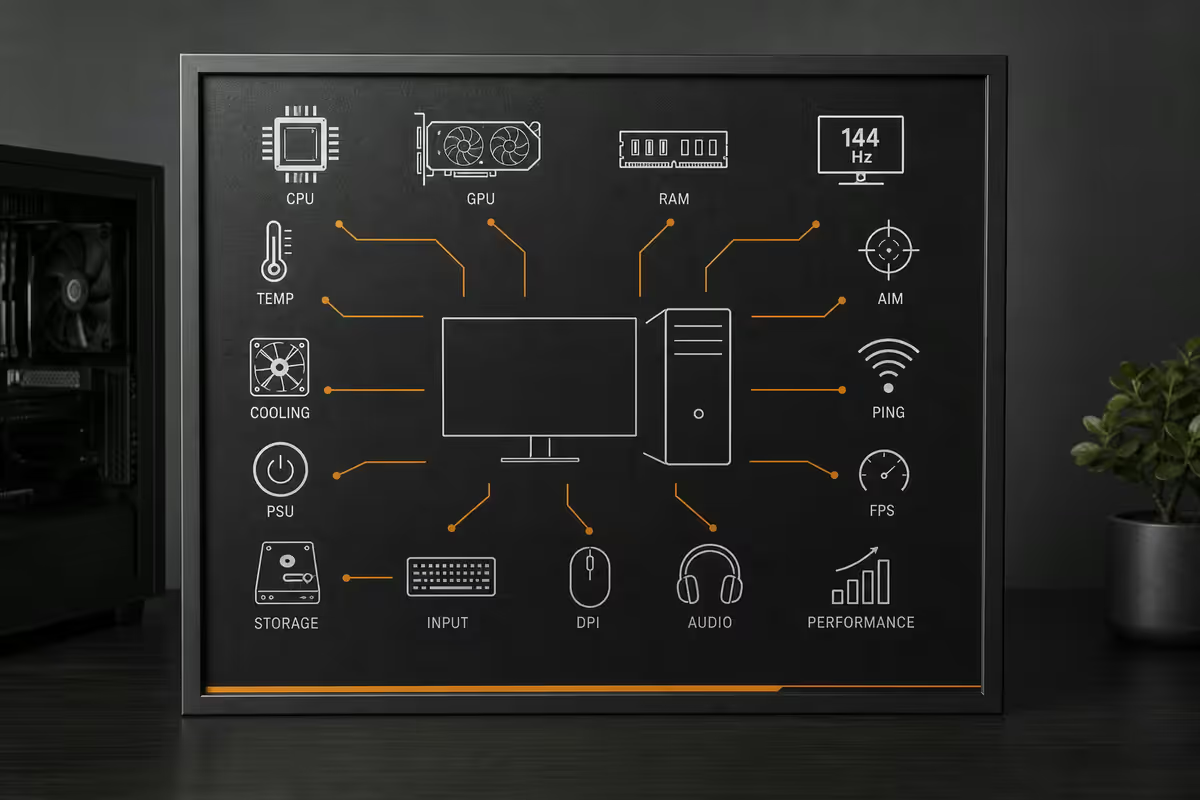
From VRAM to NVMe Gen 5, CUDA cores to CAS latency — every PC gaming term you'll encounter in forums, reviews and spec sheets, explained in the language your IT-savvy friend would actually use.
By the end of this guide, you'll have a permanent reference for the language of PC gaming hardware, organised by category so you can find any term in 10 seconds and understand why it matters when buying.
CPU terms
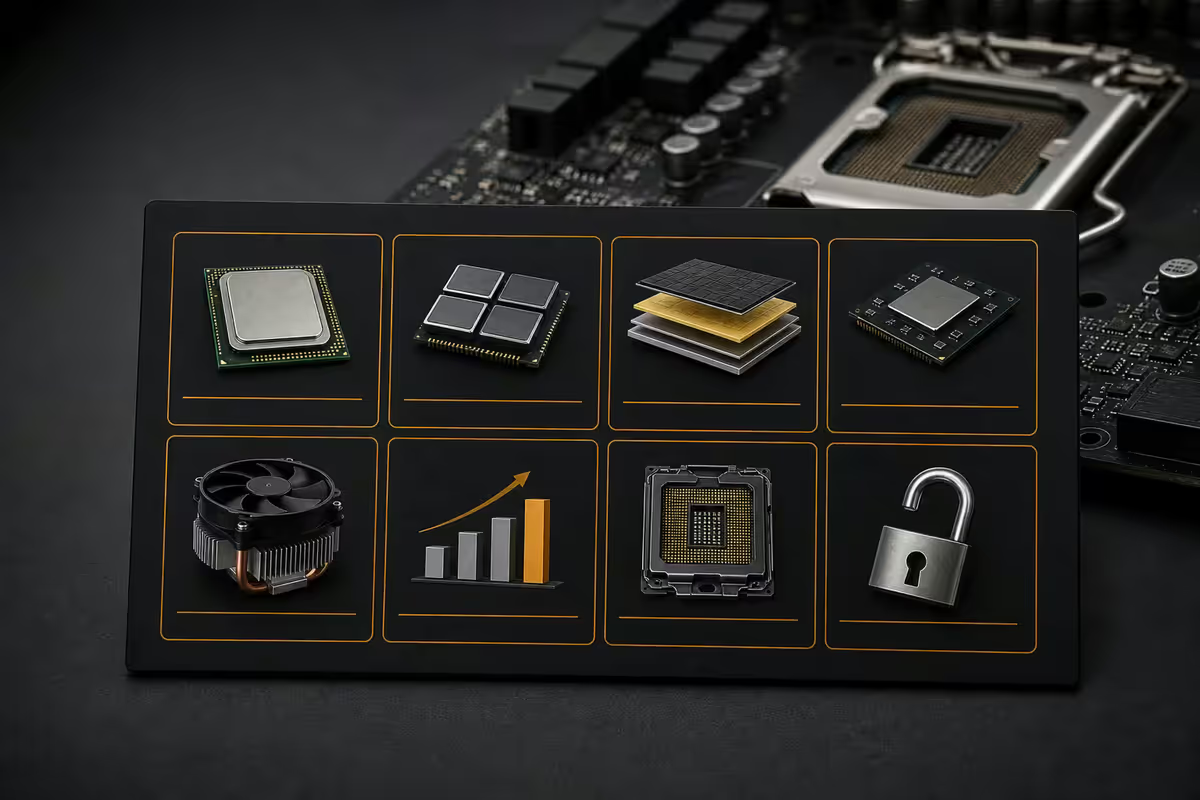
Everything related to processors — Ryzen, Core Ultra, and the silicon that runs your operating system and game logic.
| Term | Plain definition | Why it matters |
|---|---|---|
| CPU | The general-purpose processor that runs your OS, game logic, AI/physics. | The "brain" — gaming wants high single-thread speed + 6-12 cores. |
| Core | An independent processing unit inside the CPU. More cores = more parallel work. | 8-core CPUs are the gaming sweet spot in 2026. |
| Thread | A virtual stream of work. SMT/Hyper-Threading doubles thread count per core. | "16-thread" usually means 8 cores with SMT. |
| Clock speed (GHz) | How many cycles per second a CPU core executes. | 5+ GHz boost is the 2026 standard. Games love high single-core speed. |
| Boost clock | The peak speed a core hits under load when thermals permit. | Manufacturer headline number — real sustained speed is slightly lower. |
| All-core clock | The speed sustained when all cores are busy. | Productivity workloads care about this more than gaming. |
| IPC | Instructions Per Cycle — how much work per clock tick. | Higher IPC = more done per Hz. Newer architectures = higher IPC. |
| Cache (L1/L2/L3) | Small fast memory on-die that holds frequently accessed data. | Larger L3 dramatically helps gaming — see X3D. |
| X3D | AMD's 3D V-Cache CPUs with extra L3 stacked vertically. | Best gaming CPUs available. 9800X3D, 9950X3D etc. |
| TDP | Thermal Design Power — heat the cooler must dissipate, in watts. | Matches cooler capacity. 65W = budget air cooler. 170W = 240mm AIO. |
| Socket | The physical CPU connector (AM5 for AMD, LGA1851 for Intel). | Determines motherboard compatibility. |
| Chipset | Motherboard companion chip that adds I/O features and PCIe lanes. | B650 / X670 (AMD) and B860 / Z890 (Intel) are the 2026 staples. |
| iGPU | Integrated GPU inside the CPU package. | Modern Ryzen + Core Ultra have basic iGPUs — enough for desktop use, not gaming. |
| SoC | System on a Chip — CPU + iGPU + memory controller + I/O in one die. | All modern desktop CPUs are SoC-style now. |
GPU terms
Everything about graphics cards — the silicon that determines your gaming performance.
| Term | Plain definition | Why it matters |
|---|---|---|
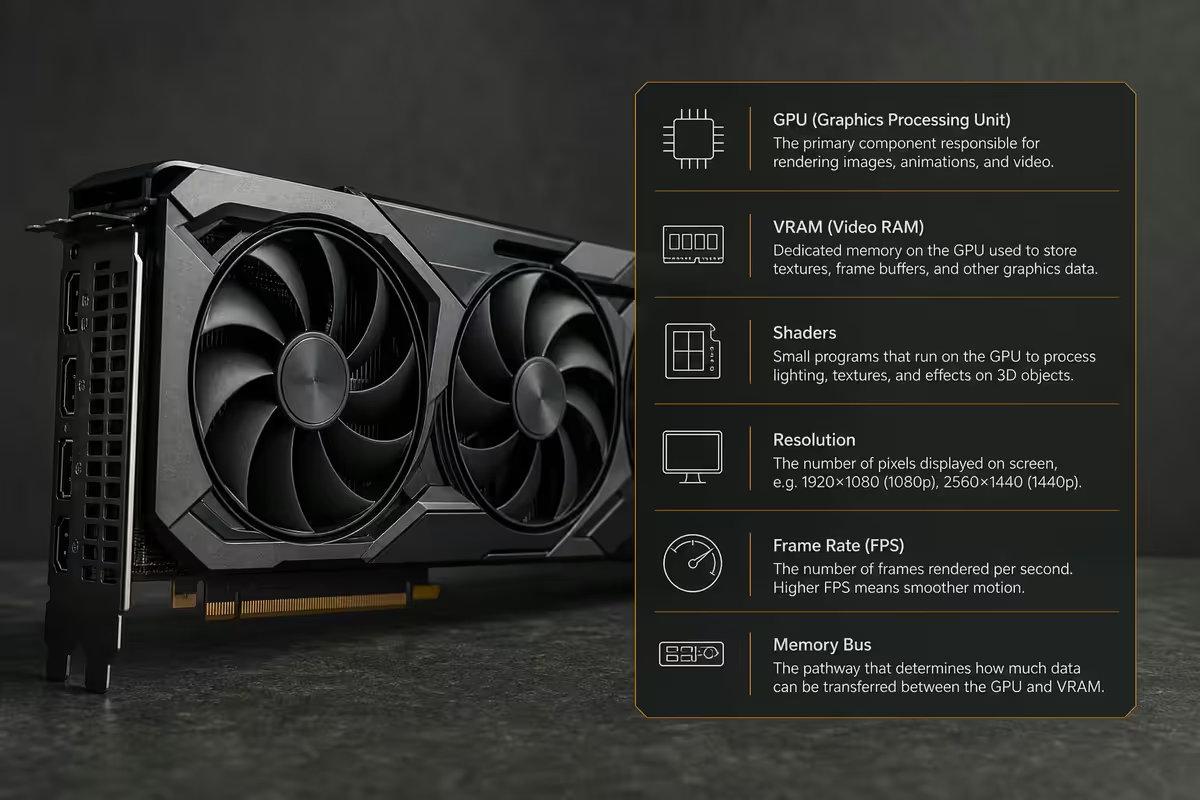
| GPU | Graphics Processing Unit — handles game rendering. | The single most important gaming component. |
| VRAM | Video RAM — dedicated GPU memory for textures, frames, shaders. | 8GB = entry, 12GB = mid, 16GB = high, 24GB+ = halo. |
| CUDA cores | NVIDIA's general-purpose shader processors. | Headline GPU spec — more = more raster performance. |
| Stream Processors | AMD's equivalent of CUDA cores. | Not directly comparable to CUDA counts — architecture differs. |
| RT cores | Dedicated ray tracing hardware on RTX GPUs. | More RT cores = better path-traced game performance. |
| Tensor cores | AI accelerators on RTX GPUs — power DLSS. | DLSS quality scales with Tensor core count. |
| TGP / TBP | Total Graphics Power / Total Board Power — wattage. | Determines PSU sizing. RTX 5090 = 575W. RTX 5070 = 250W. |
| Raster | Traditional rendering without ray tracing. | Still the bulk of game rendering work in 2026. |
| Ray tracing | Real-time light simulation for accurate reflections, shadows, lighting. | Eye candy that costs FPS. DLSS/FSR offset the cost. |
| Path tracing | Full ray-traced rendering (every light interaction). | Top-end visual mode. Cyberpunk 2077, Alan Wake 2. RTX 5080+ only. |
| DLSS | NVIDIA Deep Learning Super Sampling — AI upscaling. | Render at lower res, AI-upscale to native. Big FPS boost. |
| FSR | AMD FidelityFX Super Resolution — open upscaling. | Works on any GPU. FSR 4 narrowed the gap with DLSS 4. |
| XeSS | Intel Xe Super Sampling — Arc-optimised upscaling. | Works on any GPU; faster on Arc with XMX cores. |
| Frame Generation | AI-inserted intermediate frames between real frames. | Roughly doubles FPS at cost of latency. DLSS 3+, FSR 3+. |
| Multi Frame Gen | DLSS 4 — inserts up to 3 AI frames per real frame. | Up to 4x FPS on RTX 50-series. |
| Reflex | NVIDIA's latency reduction technology. | Cuts input lag. Always-on on RTX cards. |
| NVENC | NVIDIA's hardware encoder for streaming/recording. | Single-PC streaming killer. 8th-gen on RTX 50. |
| AMF | AMD's hardware video encoder. | Caught up to NVENC in RX 7000 / 9000. |
| GDDR6 / GDDR7 | VRAM speed standards. | GDDR7 is RTX 50-series. Higher bandwidth = better at high res. |
| Memory bus | Width of the VRAM connection (192-bit, 256-bit, 384-bit). | Wider bus = more bandwidth. Affects 4K performance. |
| AIB partner | Add-In-Board — third-party (ASUS, MSI, Gigabyte) versions of the same GPU. | Different coolers, RGB, factory OC. Same GPU silicon. |
Display and monitor terms
Monitors are where the GPU's work actually shows up. These terms dominate every monitor purchase.
| Term | Plain definition | Why it matters |
|---|---|---|
| Resolution | Pixel count (1080p, 1440p, 4K). | Higher res = sharper, but needs more GPU power. |
| 1080p / FHD | 1920×1080 pixels — Full HD. | Still relevant for high-FPS competitive gaming. |
| 1440p / QHD | 2560×1440 pixels — Quad HD. | The 2026 sweet spot for 27-inch gaming. |
| 4K / UHD | 3840×2160 pixels — Ultra HD. | Needs an RTX 5080 or 5090 for high-FPS modern gaming. |
| Refresh rate / Hz | How many times per second the monitor updates. | 165Hz minimum for gaming. 240Hz+ for competitive. |
| Response time | How fast pixels change colour, in milliseconds. | 1ms (GtG) for esports, 4ms-5ms is fine for general gaming. |
| Ghosting | Trail of previous frame visible behind moving objects. | Result of slow response time. Annoying in fast games. |
| Tearing | Horizontal line splitting frame in two. | GPU output desynced with monitor. Fixed by G-Sync/FreeSync. |
| G-Sync | NVIDIA's variable refresh rate tech. | Eliminates tearing. G-Sync Compatible badge covers most modern monitors. |
| FreeSync | AMD's variable refresh rate tech. | Royalty-free, works on most monitors. |
| VRR | Variable Refresh Rate — umbrella term. | Always-on for any monitor with G-Sync or FreeSync. |
| IPS | In-Plane Switching panel. | Best balance: colour accuracy + viewing angles + speed. |
| VA | Vertical Alignment panel. | Deeper blacks, slower response. Good for movies. |
| TN | Twisted Nematic panel. | Fastest response, worst colour. Dying segment in 2026. |
| OLED | Organic LED self-emissive panel. | Best contrast and response. Burn-in risk for static UI. |
| QD-OLED | OLED + quantum dots. | Brighter than standard OLED. Samsung G6/G8. |
| HDR400 / 600 / 1000 | HDR brightness tiers. | HDR400 is fake HDR. HDR600+ is real. HDR1000 is transformative. |
| Peak brightness (nits) | Maximum brightness output. | 1,000 nits for HDR impact, 400 nits adequate for SDR. |
| Contrast ratio | Ratio between deepest black and brightest white. | OLED = infinite. IPS = 1000:1. VA = 3000:1+. |
| Colour gamut (sRGB / DCI-P3) | Range of reproducible colours. | 100% sRGB is baseline. 90%+ DCI-P3 for HDR content. |
| Pixel response (GtG) | Grey-to-grey transition speed. | Common spec for response. 1ms ideal. |
| Ultrawide (21:9, 32:9) | Wider-than-16:9 aspect ratios. | Immersive for sim/RPG. Some games don't support 32:9 properly. |
Storage and memory terms
SSDs, HDDs and RAM — the unsung heroes of fast game loading and smooth performance.
| Term | Plain definition | Why it matters |
|---|---|---|
| SSD | Solid State Drive — flash-based storage. | 10-100× faster than spinning HDDs. Required for modern gaming. |
| NVMe | Non-Volatile Memory Express — modern SSD protocol. | 10× faster than SATA SSDs. Plugs into M.2 slots. |
| SATA SSD | SSD using older SATA bus. | Slower than NVMe but cheaper for bulk storage. |
| PCIe Gen 4 | 4th-generation PCIe lanes. Common in 2026. | 7,000 MB/s sequential — fast enough for everything. |
| PCIe Gen 5 | 5th-generation PCIe lanes. Premium tier. | 14,000 MB/s sequential. Marginal real-world gaming gain. |
| M.2 | Physical SSD form factor (a stick). | The slot on modern motherboards for NVMe SSDs. |
| 2280 form factor | 22mm × 80mm M.2 SSD size. | The standard. Some boards support 22110 (longer). |
| TBW | Terabytes Written — SSD endurance rating. | 1TB drive lasts 40-80 years at normal gaming writes. |
| DRAM cache | SSDs with onboard DRAM for faster random access. | Higher tier. Crucial for sustained writes. |
| HMB | Host Memory Buffer — uses system RAM instead of DRAM cache. | Cheaper, slightly slower. Acceptable for budget tier. |
| QLC NAND | 4-bit-per-cell flash. | Cheap but lower endurance. Avoid for OS drive. |
| TLC NAND | 3-bit-per-cell flash. | Sweet spot. Almost all good consumer SSDs use TLC. |
| DDR5 | 5th-gen DDR memory standard. | Universal in 2026 platforms. DDR4 is dead for new builds. |
| MHz / MT/s | RAM speed (e.g., DDR5-6000). | 6000 MT/s is the AM5 sweet spot. |
| CL / CAS Latency | Clock cycles of delay per request. | Lower CL = faster, but only at same MT/s. |
| XMP / EXPO | Memory speed profiles enabled in BIOS. | Without them, DDR5 runs at slow 4800 default. |
| Dual-channel | Two RAM sticks running in parallel. | 2× bandwidth vs single-channel. Always use 2 sticks. |
| ECC RAM | Error-Correcting Code memory. | Workstation/server use. Not relevant for gaming. |
| HDD | Hard Disk Drive — spinning platter. | Cheap bulk storage. Not for game install in 2026. |
| RAID | Redundant Array of Independent Disks. | Multiple drives for speed or redundancy. Enthusiast use. |
Networking terms
Internet, Wi-Fi and the metrics that determine online gaming feel.
| Term | Plain definition | Why it matters |
|---|---|---|
| Bandwidth | Total data capacity per second (Mbps, Gbps). | 100Mbps fibre is plenty for solo gaming. |
| Ping / Latency | Round-trip time in milliseconds. | <30ms is great, <60ms playable. Affects responsiveness. |
| Jitter | Variance in ping over time. | Low jitter = consistent feel. High jitter = laggy moments. |
| Packet loss | Percentage of data lost in transit. | >1% causes rubber-banding and disconnects. |
| Wi-Fi 6 / 6E | 802.11ax wireless standard. | Sub-1ms latency to router. 6E adds 6GHz band. |
| Wi-Fi 7 | 802.11be — newest standard. | 4× throughput vs Wi-Fi 6. Worth it for high-bandwidth users. |
| 5GHz / 6GHz | Wireless frequency bands. | 5GHz = better speed/range balance. 6GHz = clearest, shortest range. |
| Ethernet | Wired networking via RJ45 cable. | Always faster and lower latency than Wi-Fi. |
| 2.5GbE | 2.5 Gigabit Ethernet. | Standard on modern motherboards. Future-proof. |
| Mesh Wi-Fi | Multiple Wi-Fi nodes forming one network. | Covers larger homes. Eero, TP-Link Deco, Netgear Orbi. |
| QoS | Quality of Service — router traffic prioritisation. | Prioritise gaming over downloads. On most modern routers. |
| VPN | Virtual Private Network — encrypted tunnel. | Adds latency. Useful for accessing region-locked games. |
| NAT type | Network Address Translation behaviour. | Open NAT = best for multiplayer. Strict NAT causes connection issues. |
| Bufferbloat | Excessive buffering in network gear. | Causes ping spikes during heavy use. Modern routers handle it. |
Audio and peripheral terms
| Term | Plain definition | Why it matters |
|---|---|---|
| Driver size | Diameter of headphone speaker element (mm). | 40-50mm is gaming standard. Larger drivers = bigger bass. |
| Impedance (ohms) | Electrical resistance of headphone driver. | 16-50Ω = phone/console direct. 80Ω+ needs amp. |
| Frequency response | Range of audible frequencies a driver reproduces. | 20Hz-20kHz covers human hearing. Wider = HiFi. |
| Open-back / Closed-back | Headphone enclosure design. | Open = better soundstage, leaks audio. Closed = isolation, less natural. |
| DAC | Digital-to-Analog Converter. | Improves audio quality over motherboard onboard sound. |
| Amp | Headphone amplifier. | Drives high-impedance headphones to proper volume. |
| Surround sound | Multi-channel audio positioning. | Real 5.1/7.1 or virtual via DTS:X, Dolby Atmos for Headphones. |
| Polling rate | How often a mouse/keyboard reports position (Hz). | 1000Hz standard, 4-8000Hz competitive. Higher = more responsive. |
| DPI / CPI | Dots/Counts Per Inch — mouse sensitivity. | 400-1600 DPI for FPS gaming. Higher = faster cursor. |
| Mechanical keyboard | Individual mechanical switches per key. | Better feel, longer life. MX Red, Brown, Blue most common. |
| Hall effect / magnetic keys | Analog-input keyboard switches. | Adjustable actuation point. Newer tech (Wooting, Razer Huntsman). |
Gaming concept terms
| Term | Plain definition | Why it matters |
|---|---|---|
| FPS (frame rate) | Frames Per Second the GPU produces. | 60 minimum, 144+ for high-refresh monitors. |
| FPS (game genre) | First-Person Shooter — CS2, Valorant, COD. | Same acronym, very different meaning by context. |
| 1% / 0.1% lows | Lowest 1% / 0.1% of frame rates over time. | Determines smoothness feel. Higher = less stutter. |
| V-Sync | Vertical sync — caps FPS to monitor refresh rate. | Old solution to tearing. Adds input lag. Use G-Sync/FreeSync instead. |
| Input lag | Delay between physical input and on-screen response. | Sub-10ms feels instant. 30ms+ is sluggish. |
| System latency | Total mouse-to-photon delay. | NVIDIA Reflex measures and reduces this. |
| Anti-aliasing (AA) | Smoothing of jagged pixel edges. | TAA / DLAA modern norms. FXAA is fast but blurry. |
| DLAA | DLSS Anti-Aliasing — image quality enhancement without resolution change. | Best AA quality available, RTX-only. |
| Anisotropic filtering | Sharpness of textures at oblique angles. | Always set to 16x — costs nothing on modern GPUs. |
| Texture quality | Resolution of game art assets. | Limited by VRAM. Ultra textures need 12GB+ at 4K. |
| LOD / Level of Detail | Distance-based asset complexity. | Higher = better visuals at distance, more VRAM/CPU work. |
| Draw distance | How far the game renders detail. | Open-world games eat CPU at high draw distance. |
| Bottleneck | The slowest component limiting overall performance. | CPU bottleneck at 1080p, GPU at 4K — usually. |
| Overclocking | Running components above stock speed. | GPU OC gives 5-10%. CPU OC less common on AM5. |
| Undervolting | Reducing voltage at same speed. | Lower temps, quieter fans. Common on RTX cards. |
| AAA / AA / Indie | Game budget tiers. | AAA = $50M+ budget. Indie = small studio. |
| KDA / K/D | Kills/Deaths/Assists ratio (multiplayer stat). | Common online metric. Not related to KDR cheating slang. |
| TTK | Time To Kill — how fast enemies die. | Low TTK = tactical (CS2). High TTK = arena (Overwatch). |
| Aim assist | Controller targeting help. | Required on console. Limited or off in PC competitive. |
| FOV | Field of View — how much you see. | 90-110° typical PC. Higher = more peripheral but smaller objects. |
Common acronyms reference
Quick-scan reference for the alphabet soup that fills every PC gaming forum.
| Acronym | Expansion | Context |
|---|---|---|
| RTX | Ray Tracing eXtreme (NVIDIA brand) | NVIDIA GPU brand since 2018. |
| RX | Radeon (AMD brand) | AMD GPU brand. |
| SAM / ReBAR | Smart Access Memory / Resizable BAR | Enable in BIOS for ~5-10% gain. |
| RGB | Red Green Blue (lighting) | The lights inside your PC. |
| ARGB | Addressable RGB | Individually controlled LED strips. |
| AIO | All-In-One liquid cooler | Closed-loop CPU cooler. |
| PSU | Power Supply Unit | The thing that converts AC to DC. |
| SFF | Small Form Factor | Mini-ITX builds. Compact, harder to assemble. |
| HEDT | High-End Desktop | Threadripper / Xeon-W tier. |
| API | Application Programming Interface | DirectX 12, Vulkan, Metal — game rendering APIs. |
| VRR | Variable Refresh Rate | G-Sync / FreeSync umbrella term. |
| UEFI | Unified Extensible Firmware Interface | Modern BIOS replacement. |
| TPM | Trusted Platform Module | Security chip. Required for Windows 11. |
| SMT | Simultaneous Multi-Threading | AMD's name for hyper-threading. |
| BIOS | Basic Input/Output System | Pre-OS firmware. Press Del at boot. |
| OEM | Original Equipment Manufacturer | Pre-built brands; OEM Windows = limited licence. |
| HEVC | High Efficiency Video Coding (H.265) | Better-than-H.264 video codec. |
| AV1 | AOMedia Video 1 codec | Next-gen codec; YouTube/Twitch starting to use. |
| HDR | High Dynamic Range | Wider brightness/colour range than SDR. |
| HUD | Heads-Up Display | In-game UI overlay. |
| MMR | Match Making Rating | Hidden skill score in ranked games. |
| RNG | Random Number Generation | Game's luck/randomness system. |
Key takeaways
- CPU specs that matter most for gaming: cores, boost clock, cache (X3D for top-tier), TDP.
- GPU specs that matter most: VRAM amount, CUDA/Stream cores, generation. Don't compare cores across generations.
- Monitor: Hz, response time, panel type (IPS/OLED), HDR tier, VRR support. 165Hz IPS at 1440p is the sweet spot.
- Storage: NVMe Gen 4 for OS drive, larger Gen 4 or SATA SSD for game library, HDD only for backup archive.
- RAM: DDR5-6000 32GB dual-channel with EXPO/XMP enabled. CL30-32 is normal, CL28 enthusiast.
Frequently asked questions
What does VRAM mean?
Video RAM — dedicated GPU memory for textures and frame buffers. 8GB entry, 12GB mid, 16GB high-end, 24GB+ halo. Running out causes massive frame drops.What is the difference between CUDA cores and RT cores?
CUDA cores handle raster rendering and general compute. RT cores are specialised for ray tracing. Tensor cores handle AI / DLSS. All three work together but do different jobs.What is the difference between Hz and FPS?
Hz is monitor refresh rate. FPS is GPU frame output. You see the lower of the two. Ideal: GPU FPS ≥ monitor Hz with G-Sync/FreeSync.What does TBW mean for an SSD?
Terabytes Written — endurance rating. A 1TB drive at 600 TBW lasts 40-80 years of gaming writes. Only matters for video editing or server use.What is the difference between CL14 and CL16 RAM?
CL is clock cycles of delay. Lower = faster, but only at same MT/s. CL16 at DDR5-6000 often beats CL14 at DDR5-5200 in real latency.What is HDR1000?
VESA cert meaning 1,000 nits peak brightness with proper local dimming, 10-bit colour, wide gamut. Real transformative HDR. HDR400 is marketing.What does the suffix 'X3D' mean on a Ryzen CPU?
3D V-Cache — extra L3 stacked vertically. Boosts gaming 10-25% vs non-X3D. 9800X3D, 9950X3D are top gaming CPUs.What is the difference between DLSS, FSR and XeSS?
All three upscale low-res render to monitor native res for higher FPS. DLSS (NVIDIA Tensor) > FSR (AMD software) > XeSS (Intel). Gap is narrowing in 2026.
Related guides
Related Articles5