Hardware Explainer
What is anti-aliasing. — FXAA, TAA, MSAA, DLAA decoded.
Every game's graphics menu has six AA options, three of them with cryptic four-letter acronyms, and one of them tanks your FPS by 30%. Here's what each one actually does — and which to enable in 2026.
- used in 2026
- 5 modes
- FPS cost range
- 1-40%
- quality king
- DLAA
Why jaggies happen in the first place
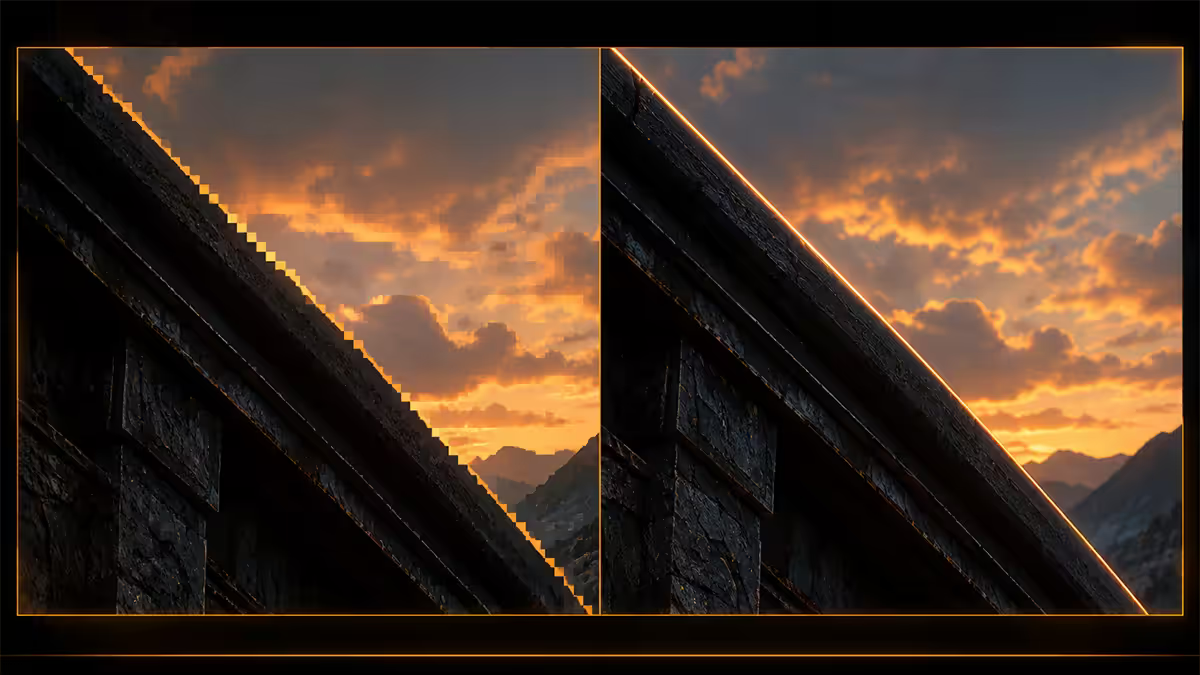
Your monitor is a grid of square pixels. Your GPU has to decide what colour each pixel is. The simplest method — used in real-time 3D rendering — is to take one colour sample at the centre of each pixel and call it done. This is fast. It's also the cause of every jagged staircase edge you've ever seen in a game.
When a 3D triangle's edge falls diagonally across the pixel grid, the centre-sample method only knows whether the centre is inside the triangle or outside. A diagonal line that should look smooth becomes a step-pattern of fully-coloured pixels next to fully-empty ones. The eye reads this as a staircase — and the technical name for it is aliasing.
Anti-aliasing is the umbrella term for every technique that tries to fix this. They differ in where and when they sample, and that's what produces the wildly different performance costs and image-quality results between modes.
| AA mode | How it works (one line) | Year mainstream |
|---|---|---|
| MSAA | Multiple samples per pixel on triangle edges only | 2003 |
| FXAA | Post-process blur — cheap edge detect and smooth | 2011 |
| TAA | Sub-pixel jitter blended across frames in time | 2014 |
| DLAA | NVIDIA AI model at native res — best quality | 2021 |
| FSR Native AA | AMD FSR algorithm at native res | 2023 |
FXAA — the cheap post-process
Fast Approximate Anti-Aliasing was NVIDIA's 2011 gift to the world: an AA technique that runs as a single post-process pass after the frame is rendered, costing almost no FPS. It looks at pixel-colour contrast in the final image, identifies what looks like an edge, and applies a directional blur to soften it.
FXAA has two virtues: it's fast (1-3% FPS cost on modern hardware) and it works on absolutely everything because it doesn't care about 3D geometry. It has one obvious flaw: it can't tell an edge from a high-contrast texture detail. So text, fine textures and HUD elements get blurred along with the actual jaggies. Modern engines rarely use pure FXAA any more — it shows up as a fallback option for older GPUs (anything below RTX 3060 or RX 6600 class).
TAA — the modern workhorse (and why it looks blurry)
Temporal Anti-Aliasing samples the scene at slightly different sub-pixel offsets every frame. The GPU jitters the camera by fractions of a pixel each render, then blends the results over the last 4-8 frames. Effectively, each pixel ends up with multiple samples — just spread across time instead of taken simultaneously like MSAA.
When it works, TAA produces remarkably clean edges at 3-7% FPS cost. Crucially, it also smooths shader aliasing (specular highlights, hair, foliage) that MSAA cannot touch — which is why every Unreal Engine 5 game ships TAA on by default.
The downside: moving objects pick up previous-frame data and look smeared. A character running across the screen carries a faint ghost of where they were a frame ago. Bad TAA implementations look like everything's covered in Vaseline. Good ones (Unreal Engine 5 TSR, Frostbite TAAU, Decima Engine's solution) clean up motion vectors and produce remarkably sharp results.
In SA, many players (especially CS2 and Valorant competitive scenes) disable TAA entirely and accept jaggies for a sharper, lower-latency image. For story games and open-world titles, TAA is the right call.
MSAA — the once-king now mostly dead
Multisample Anti-Aliasing was the gold standard for 15 years. The GPU takes multiple samples per pixel — usually 2, 4 or 8 — but only on pixels that fall on geometry edges. The samples are averaged to produce a final smoothed colour. MSAA 4x looks fantastic. It also costs 20-40% FPS.
MSAA fell off because modern deferred renderers don't play nicely with it. Deferred shading writes per-pixel material data to G-buffers and shades after geometry pass. Multiple samples per pixel multiply the memory bandwidth and break a lot of effects (SSAO, screen-space reflections). Modern games either don't offer MSAA at all, or offer it broken — sampling only the depth buffer (which doesn't help shader aliasing on hair or foliage).
Where MSAA still lives: older titles (anything before ~2018), forward-renderer games (some VR titles), and racing sims (iRacing, Assetto Corsa) where geometry is hard-edged and shader aliasing is minimal. For anything else, MSAA is a checkbox to leave unchecked.
DLAA and FSR Native AA — the AI generation
DLAA (Deep Learning Anti-Aliasing) is NVIDIA's smartest AA move. It uses the same neural network as DLSS Super Resolution — but instead of upscaling from a lower internal resolution, it runs at native resolution as a pure quality pass. The AI model has been trained to recognise edges, reconstruct missing detail, and eliminate aliasing without the smear of traditional TAA.
On a RTX 5070 Ti at 1440p, DLAA delivers the cleanest image you can get in a real-time 3D game — full stop. The cost is 10-15% FPS versus no AA, putting it between TAA and broken MSAA on performance.
FSR Native AA is AMD's equivalent, using the FSR 3.1 / 4.0 spatial-temporal algorithm at native resolution. It launched in 2023 and has improved dramatically with FSR 4 (RDNA 4 / RX 9000 series). On RX 9070 and 9070 XT, FSR Native AA is genuinely competitive with DLAA. On older RDNA 3 cards (RX 7700 XT, RX 7800 XT), it's a step behind but still better than TAA.
When to use which: if your GPU supports it, the game supports it, and you have the FPS headroom — use DLAA on NVIDIA or FSR Native AA on AMD. They're the modern best-image-quality choice. Always.
Performance ranking — what each mode actually costs
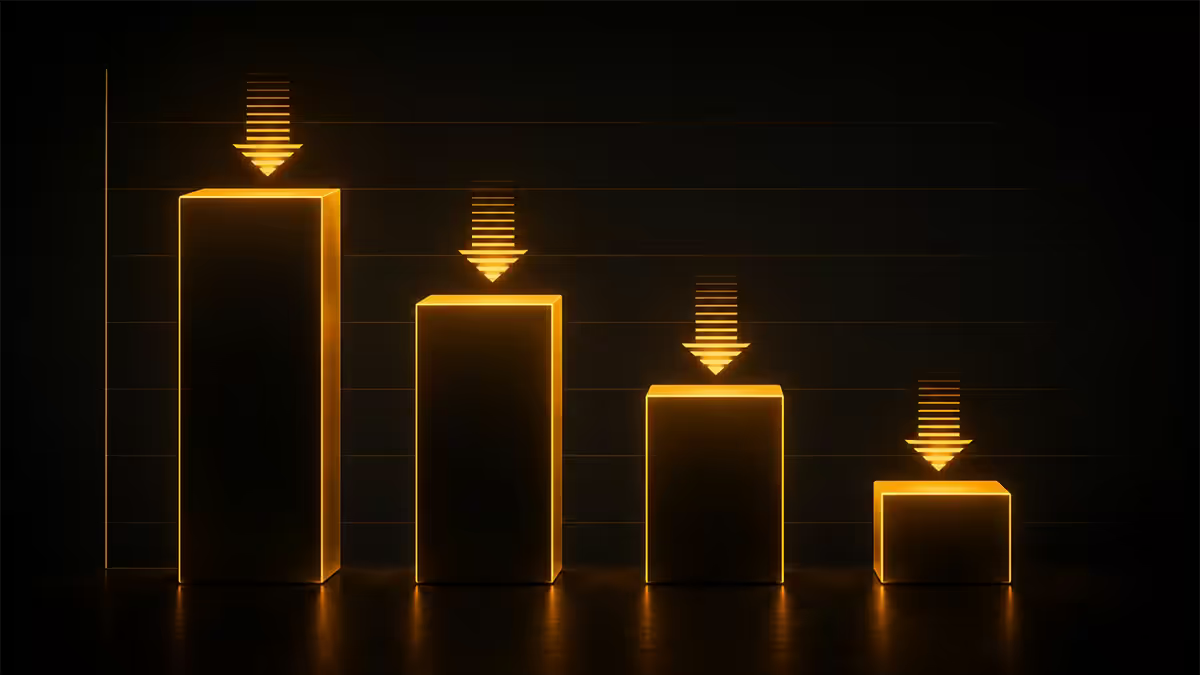
FPS cost varies by engine, GPU and resolution, but the rough order is consistent across modern titles. Numbers below are averaged from Cyberpunk 2077, Alan Wake 2, Helldivers 2 and Starfield on a RTX 4070 Super at 1440p.
| AA mode | Typical FPS cost | Image quality |
|---|---|---|
| None (off) | 0% | Jaggies everywhere |
| FXAA | 1-3% | Smooths edges, blurs text |
| TAA (default) | 3-7% | Clean static, blurry motion |
| DLAA | 10-15% | Best in class — sharp + clean |
| FSR Native AA (FSR 4) | 8-12% | Excellent on RX 9000 |
| MSAA 4x | 20-40% | Edges only — broken on modern |
| MSAA 8x | 35-60% | Wasteful — don't bother |
Anti-aliasing + frame generation — how they interact
Frame generation (DLSS 4 FG, FSR 4 FG, AMD AFMF 2) inserts AI-generated intermediate frames between real ones. The catch is that frame gen works with whatever the AA pass hands it. Aliased input frames produce aliased generated frames. Smeary TAA input produces smeary generated frames.
The pairing that works best is DLAA + DLSS 4 Multi Frame Generation on RTX 50 cards. DLAA hands frame gen a crisp, clean, native-resolution image. Frame gen then doubles, triples or quadruples the FPS with very few artefacts. The same principle applies on AMD: FSR Native AA + FSR 4 FG on RX 9070 / 9070 XT.
Avoid FXAA + frame gen — FXAA's directional blur sometimes confuses the frame-gen motion estimation and produces visible warping on moving objects. TAA + frame gen works but the temporal smear stacks.
Motion blur vs AA — the tradeoff people miss
Motion blur is sometimes called "free anti-aliasing" because it hides edge aliasing on fast-moving objects. This is technically true but useless advice — motion blur introduces its own input-lag-feeling blur and is almost always set wrong by default. Most SA competitive players disable motion blur entirely. For story games and cinematic experiences, per-object motion blur (not full-screen) at 50% intensity looks great paired with TAA or DLAA.
When to enable each — a quick decision tree
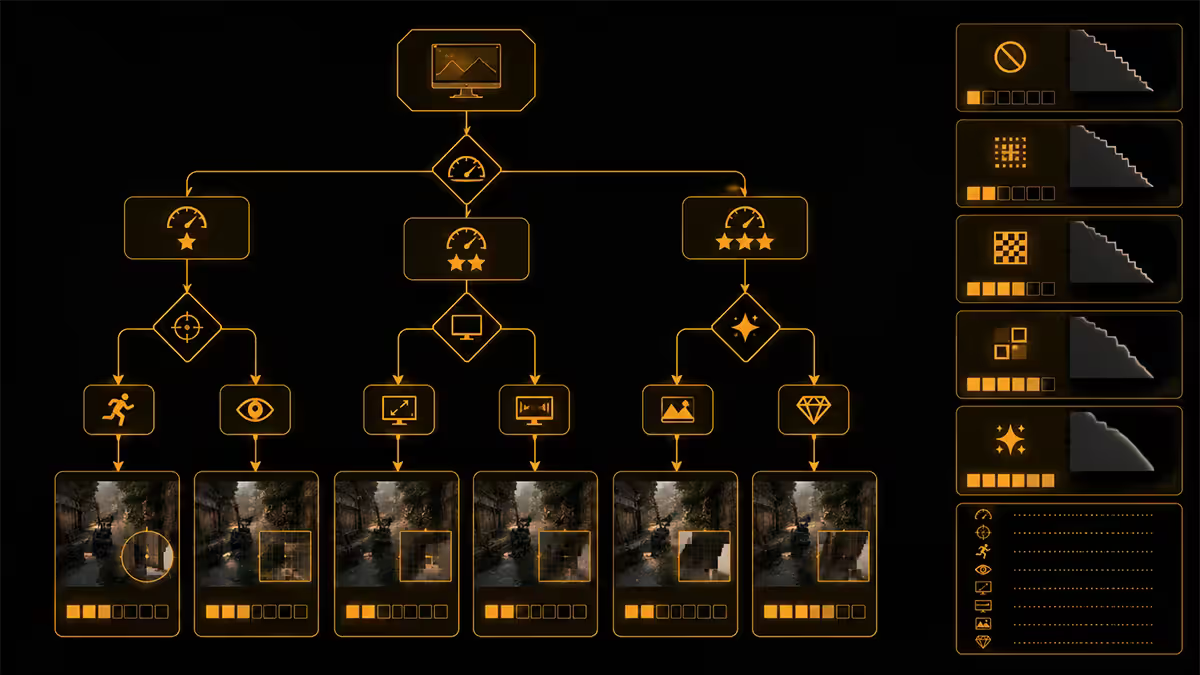
You have RTX 4070 / RX 9070 or higher, the game supports DLAA / FSR Native AA: use it. End of decision.
You have RTX 3060 / RX 7700 XT class, game has DLSS Quality / FSR Quality: use those for AA + upscaling combined. They include their own AA pass and give you 30% extra FPS at near-native quality.
You have a mid-range GPU and the game only offers TAA: use TAA. It's the modern default for a reason. If TAA looks excessively smeary, drop to FXAA or use the game's "TAA Sharp" / "TAA High" variant if available.
You're playing competitive FPS (CS2, Valorant, Apex): turn AA off or use FXAA. The sharper image and lower input latency matter more than smooth edges.
You're playing on a 4K TV at 2-3m distance: FXAA or low TAA. The pixels are tiny, the jaggies are barely visible, save the FPS for graphics quality elsewhere.
Key takeaways
- DLAA is the highest-quality AA available in 2026 — use it if you have RTX 4070+ and the game supports it.
- FSR Native AA on RX 9070 / 9070 XT is genuinely competitive with DLAA.
- TAA is the practical default for modern titles — 3-7% FPS cost, clean static images, motion smear is the tradeoff.
- MSAA is dead in modern games — it breaks deferred renderers and costs 20-40% FPS. Skip it.
- Competitive shooters: AA off or FXAA. Story games: DLAA / TAA. 4K TVs: FXAA or low TAA.
Frequently asked questions
What is anti-aliasing in games?
AA smooths the jagged staircase edges on 3D geometry caused by single-sample-per-pixel rendering. Modern modes include FXAA, TAA, MSAA, DLAA and FSR Native AA — each with different cost and quality tradeoffs.Which anti-aliasing should I use in 2026?
DLAA if you have RTX 4070+ and the game supports it. Otherwise TAA is the modern default. FXAA on older GPUs. MSAA is largely dead.Does anti-aliasing reduce FPS?
Yes. FXAA costs 1-3%, TAA 3-7%, DLAA 10-15%, MSAA 4x 20-40%. The cost varies wildly between modes.What is TAA and why does it look blurry?
TAA samples sub-pixel positions across multiple frames and blends them. It produces clean edges cheaply but introduces motion blur on moving objects due to ghosting from previous frames.Is DLAA better than DLSS?
For image quality, yes. DLAA runs the AI network at native resolution; DLSS upscales from lower. DLAA looks better, DLSS gives more FPS.What is FSR Native AA?
AMD's answer to DLAA — uses the FSR 3.1 / 4.0 algorithm at native resolution. Excellent results on RX 9000 cards, available in any game with FSR 3.1+ support.Should I enable anti-aliasing at 4K?
Yes, but lighter AA. At 4K jaggies are smaller because pixels are smaller. FXAA or low TAA is often enough. DLAA at 4K still looks gorgeous if your GPU has the headroom.Does frame generation work with anti-aliasing?
Yes. Frame generation runs after the AA pass. Cleaner input (DLAA or FSR Native AA) produces cleaner generated frames. DLAA + DLSS 4 FG is the current premium pairing on RTX 50.