Profession Series · Accountants
The best PC for accountants. — Excel-tuned. Dual-monitor. SARS-deadline ready.
Accountants don't need RGB or a discrete GPU. They need single-thread Excel performance, 32GB of RAM, dual or triple monitors, and a UPS that survives load shedding mid-VAT-return.
- RAM sweet spot
- 32GB
- monitor count
- 2-3
- build tiers
- R15-40k
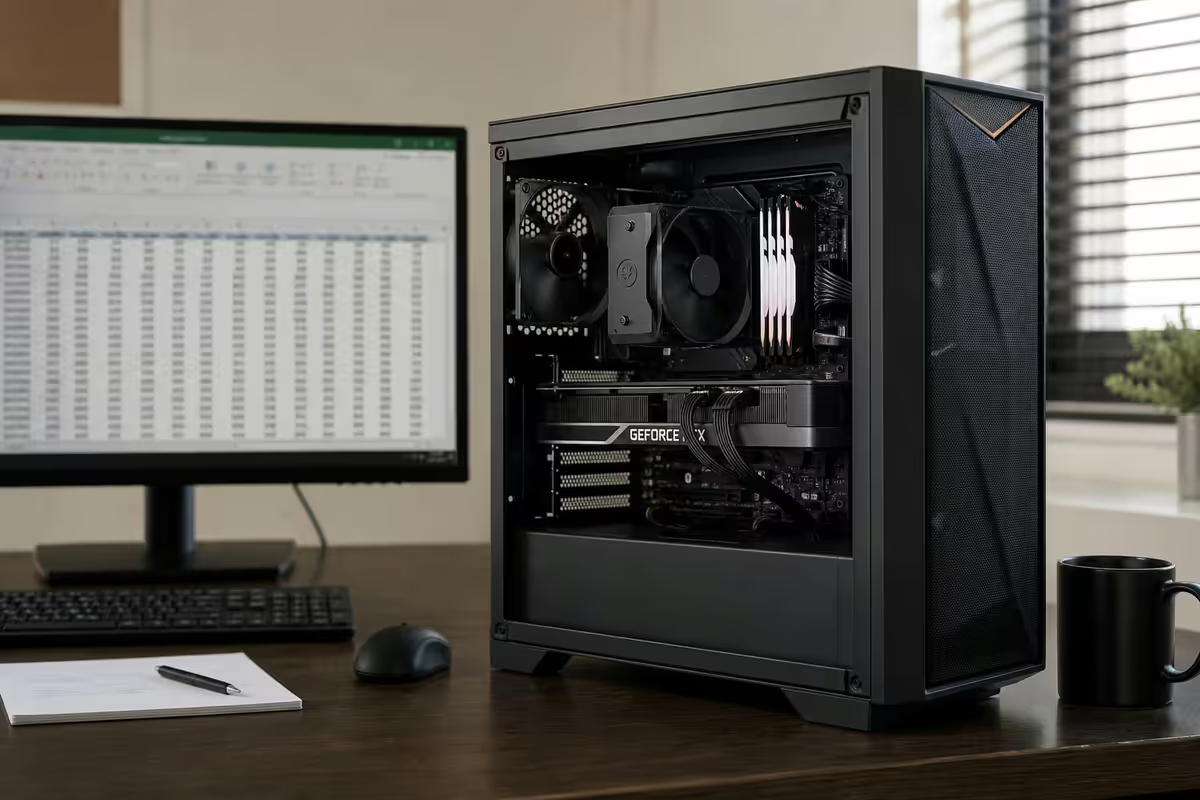
The accounting workload, honestly described
Spec sheets aimed at gamers or content creators don't describe accountants' real bottlenecks well. The accounting workload is dominated by a few specific patterns:
- Excel-heavy days — multiple workbooks open simultaneously, often with cross-references between them. Power Query pulling data from CSVs, databases or SAGE exports. Power Pivot running data models. SUMIFS, INDEX-MATCH and XLOOKUP chains across thousands of rows.
- Multiple monitors used as paper substitutes — left screen the active ledger or working spreadsheet, right screen the source PDF invoice, email thread, or reference data the numbers are being reconciled against.
- Long sessions in accounting software — SAGE, Pastel, QuickBooks (online or desktop), Xero, Greatsoft, Caseware. Most of these are network-bound, not CPU-bound.
- Video calls with clients and audit teams — Teams or Zoom, screen sharing, sometimes with multiple documents on screen at once.
- SARS deadline crunches — eFiling deadlines for PAYE, VAT, provisional tax and year-end. Long, focused sessions that can't tolerate interruption.
- Document handling — large PDF year-end packs, scanned source documents, signed agreements.
Notice what's not on this list: GPU-intensive workloads. 3D rendering. Heavy video encoding. The accountant's PC should be optimised for the workloads that actually happen.
CPU and RAM choices that actually matter
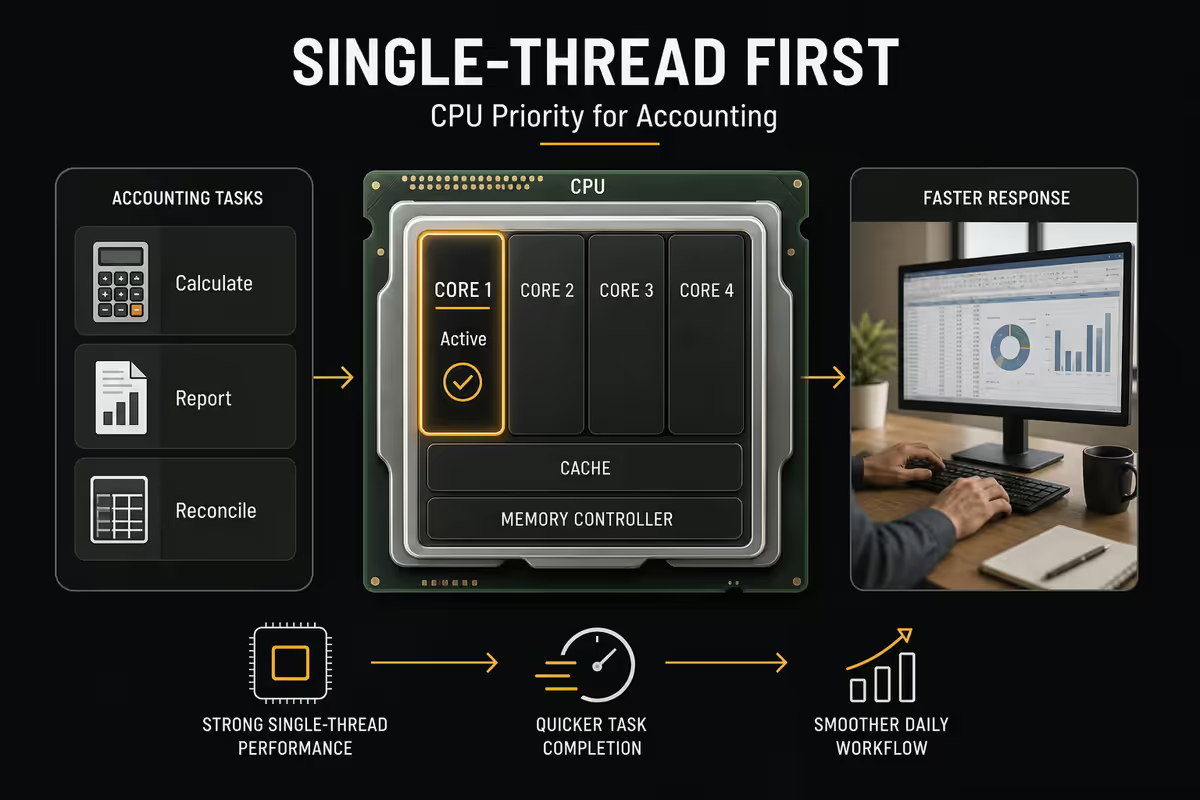
CPU — single-thread first, cores second
Excel recalculates formulas largely single-threaded. A monster 16-core CPU with mediocre single-thread performance loses to a 6-core CPU with strong single-thread on most accounting workloads. Power Query and Power Pivot do scale to multiple cores, but the typical ceiling is 4-8 cores effectively used.
Recommended CPU picks in 2026:
| Use level | AMD pick | Intel equivalent |
|---|---|---|
| Solo bookkeeper, cloud-only | Ryzen 5 9600X | Core Ultra 5 245 / i5-14400 |
| Small practice, multi-client | Ryzen 7 9700X | Core Ultra 7 265 / i7-14700 |
| Audit team / Power BI heavy | Ryzen 9 9900X | Core Ultra 7 265K / i7-14700K |
| Laptop equivalent (mainstream) | Ryzen 7 8845HS / AI 7 365 | Core Ultra 7 155H / 245H |
RAM — 32GB is the sweet spot
16GB is the absolute floor in 2026 for serious accounting work. Modern Excel, Teams, Edge with 30 tabs and SAGE Pastel running together pushes 12-14GB easily. With 16GB you'll hit swap when consolidating workbooks or running Power Query on large datasets.
32GB is the sweet spot — comfortable headroom for everything an accountant typically runs, future-proof for Windows 12 and increased Office RAM appetite, and the price delta over 16GB is small (R600-R900 in SA in 2026).
64GB only makes sense if you're running heavy Power BI semantic models, multi-client consolidated audit files at year-end, or virtual machines.
GPU — usually no, occasionally yes
Modern integrated graphics handle multi-monitor accounting workloads without breaking sweat. The AMD Radeon 880M (in Ryzen 9000-series iGPU configurations) and Intel Arc graphics (Core Ultra) both:
- Drive dual or triple 4K monitors at full refresh.
- Hardware-accelerate Edge, Chrome and Teams.
- Run Power BI dashboards smoothly.
- Handle accounting software UIs with no lag.
When a discrete GPU makes sense for an accountant:
- You also use the PC for image or video editing on the side.
- You run very large Power BI dashboards with heavy DAX calculations and want GPU acceleration.
- You need four or more monitors and prefer dedicated GPU outputs over USB-C hubs.
- You run CAD or 3D modelling alongside accounting (architectural practices, engineering finance roles).
For pure accounting workflows, a cheap GTX 1650 or RTX 4060 adds heat, noise, R3,000-R7,000 cost and zero useful benefit. Spend that money on more RAM, a better monitor, or a UPS.
Monitor configuration — productivity multiplier
If there's one productivity upgrade for an accountant that pays back immediately, it's a second monitor. The improvement is real and measurable: studies of paper-substitute display setups consistently show 15-30% productivity gains on document-comparison and reconciliation tasks.
Dual monitor — the minimum. Common configurations:
- Two 27-inch 1440p monitors — the most productive sweet spot for most accountants. Plenty of horizontal space for wide spreadsheets, comfortable reading distance for PDFs, R3,500-R5,500 each (LG, Samsung, Dell, AOC).
- One ultrawide 34-inch 1440p curved + one 24-inch portrait — power-user setup. Ultrawide replaces dual-monitor for active work, portrait monitor for long documents and email. R8,000-R12,000 total monitor spend.
- Two 24-inch 1080p — entry-tier dual-monitor. Tight for wide spreadsheets but very affordable (R2,200-R3,500 each).
Triple monitor — meaningful upgrade for tax-season workloads. Common arrangement: primary monitor for active spreadsheet, second for email and Teams, third (often portrait-oriented) for long PDFs and source documents. Requires either an iGPU with three display outputs or a discrete GPU.
Avoid for accounting: ultra-high-refresh gaming monitors (240Hz, 360Hz — wasted budget), curved 1080p monitors smaller than 32 inches (text rendering suffers), and TN panels (poor colour, washed-out PDFs).
Prefer: IPS panels for accurate text and colour, 1440p or 4K resolution (not 1080p) for sharp text at typical viewing distances, ergonomic adjustable stands or VESA mount with monitor arm, and matt anti-glare coating (offices have windows).
UPS for SARS deadlines — the R5,000 insurance policy
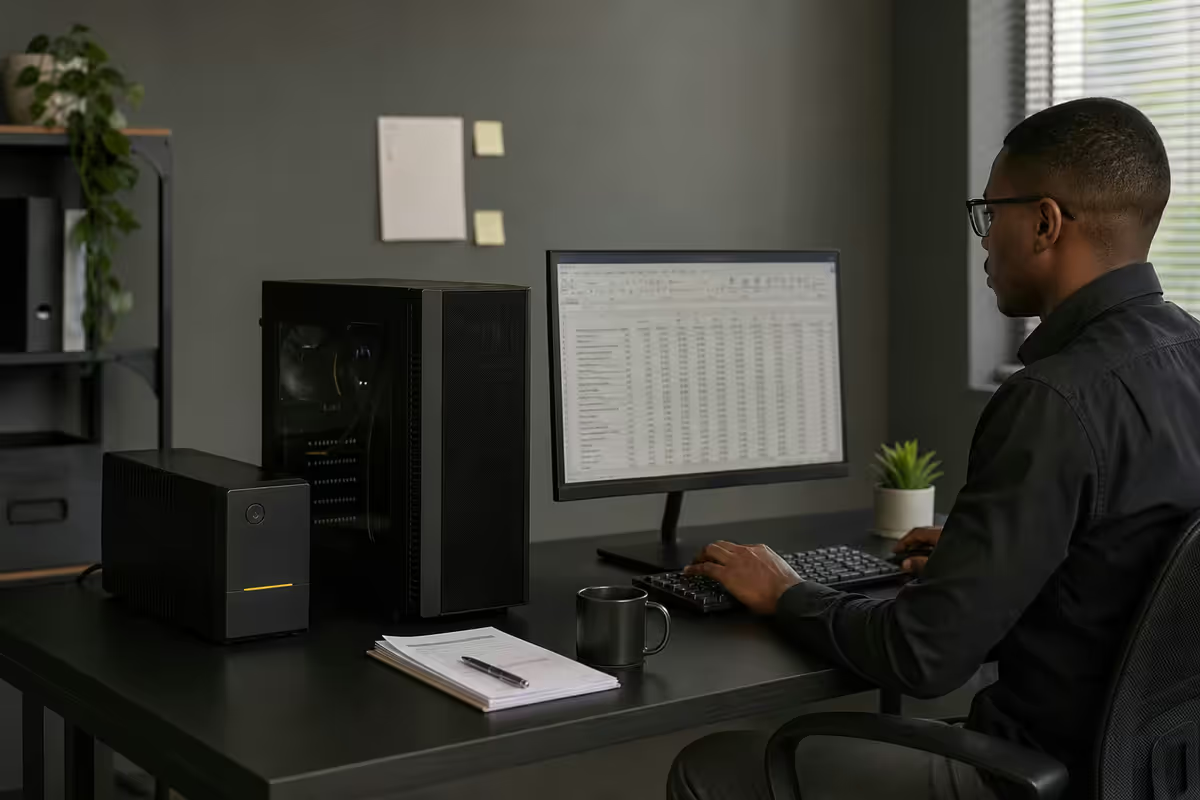
A PC mid-Excel-recalculation or mid-eFiling submission that loses power can corrupt workbooks, lose unsubmitted forms, and disconnect from cloud accounting databases at the worst moment. A UPS solves this for less than the cost of a single mid-tier monitor.
UPS specifications for an accounting workstation:
- Line-interactive topology (not standby/offline) — protects against brownouts and voltage sags that load shedding causes.
- 1500VA / 900W minimum — covers a typical desktop tower plus one monitor for 10-20 minutes of runtime. Enough time to save and shut down cleanly.
- Pure sine wave output preferred — modern PSUs with active PFC don't always like simulated-sine UPSes. Most mid-tier UPSes in 2026 are pure sine.
- USB connection to PC — Windows can detect UPS battery state and trigger automatic shutdown when battery is low.
Recommended SA picks:
| UPS | Capacity | SA price |
|---|---|---|
| Mecer 1200VA Line-Interactive | 1200VA / 720W | R3,200-R3,800 |
| APC Back-UPS Pro 1500 | 1500VA / 900W | R4,800-R5,800 |
| Eaton 5E 1500 USB | 1500VA / 900W | R5,200-R6,200 |
| RCT 2000VA Line-Interactive | 2000VA / 1200W | R4,500-R5,500 |
| APC Smart-UPS 1500VA (premium) | 1500VA / 1000W pure sine | R12,000-R15,000 |
Quiet builds for client calls
If half your working day is on Teams or Zoom, your PC fan noise becomes background noise for every client and audit team meeting. Modern builds can be near-silent at idle and quiet under typical Excel load.
The quiet-build playbook:
- CPU cooler — Noctua NH-U12S (R1,400), be quiet! Dark Rock 4 (R1,200), or Arctic Freezer 36 (R900). Each uses PWM fans with slow idle RPM (300-400 RPM at low load — inaudible at desk distance).
- Case — Fractal Design Define 7 Compact (R2,200), be quiet! Pure Base 600 (R1,900), or Cooler Master Silencio S400 (R1,600). All include sound-dampening foam and solid side panels.
- PSU — semi-passive PSUs (Corsair RM Series, Seasonic Focus Plus) shut off the fan entirely below 30-40% load. For accounting workloads (rarely above 30% PSU load), the PSU runs fan-off most of the day.
- Case fans — Noctua NF-A14 PWM or Arctic P14 PWM PST. Configure a custom fan curve in BIOS that idles at 400-500 RPM and only ramps when CPU temperature exceeds 60°C.
- No mechanical HDD — pure NVMe SSD storage. HDDs spin at 5400-7200 RPM constantly and contribute audible noise.
SAGE, Pastel, QuickBooks, Xero — hardware compatibility
All four common SA accounting platforms run on standard Windows hardware without special requirements. The differences are practical:
| Platform | Type | Hardware notes |
|---|---|---|
| SAGE 50cloud Pastel | Windows desktop install | 16GB+ RAM, NVMe preferred for fast file open |
| SAGE 200 / SAGE Evolution | Windows desktop or terminal | 32GB RAM for larger company files |
| SAGE Business Cloud Accounting | Browser-based | Modern browser, fast network |
| QuickBooks Desktop | Windows install | 16GB RAM, NVMe SSD |
| QuickBooks Online | Browser-based | Edge or Chrome, fast network |
| Xero | Browser-only | Network speed matters, hardware doesn't |
| Greatsoft / Caseware | Windows desktop | 32GB RAM, NVMe for large audit files |
The pattern: if you primarily use cloud accounting (Xero, QBO, SAGE Cloud), your bottleneck is network speed and stability, not PC specs. If you use desktop SAGE Pastel or QuickBooks Desktop, RAM and NVMe SSD speed matter. For mixed use, build for the desktop tools — they're more demanding.
Across the <strong>200,000+ custom PCs</strong> we've shipped from Centurion, our accountant builds follow a consistent shape: <strong>Ryzen 7 or Core Ultra 7</strong>, <strong>32GB DDR5-6000</strong>, <strong>1TB Gen4 NVMe</strong>, integrated graphics, <strong>quiet tower</strong>, and crucially a <strong>1500VA UPS bundled in</strong>. The number of customers who've returned the next year saying "the UPS saved me during the August VAT deadline" is honestly remarkable. The R5,000 UPS line item is the one customers try to cut at quote time and the one we push back on hardest.
Behind the Build · Evetech Workstation Desk
Three SA builds — R15k, R25k, R40k
All prices include VAT and are typical 2026 SA retail figures. Component variations within a tier are normal.
| Component | Spec |
|---|---|
| CPU | Ryzen 5 8500G (iGPU) |
| RAM | 16GB DDR5-5600 |
| Storage | 500GB NVMe Gen4 |
| Motherboard | B650M micro-ATX |
| PSU | 500W 80+ Bronze |
| Case | Quiet mATX tower |
| Monitors | 1 included, dual ready |
| UPS | Mecer 1000VA add-on |
| Component | Spec |
|---|---|
| CPU | Ryzen 7 9700X |
| RAM | 32GB DDR5-6000 |
| Storage | 1TB NVMe Gen4 |
| Motherboard | B650 ATX |
| PSU | 650W 80+ Gold semi-passive |
| Case | Fractal Define 7 Compact |
| Cooling | be quiet! Pure Rock 2 |
| UPS | APC 1500VA bundled |
| Component | Spec |
|---|---|
| CPU | Ryzen 9 9900X |
| RAM | 64GB DDR5-6000 |
| Storage | 2TB NVMe Gen5 |
| Motherboard | X670E ATX |
| PSU | 750W 80+ Gold semi-passive |
| Case | Define 7 sound-damped |
| GPU | RTX 4060 (Power BI accel) |
| UPS | APC Smart-UPS 1500 pure sine |
Add monitors and peripherals on top of these builds: dual 27-inch 1440p monitors (R7,000-R10,000), keyboard and mouse (R600-R1,500), webcam if not built into monitor (R800-R1,500), good headset for Teams (R1,200-R2,500).
Total complete workstation budget: R20k entry-tier, R35k sweet-spot, R55k+ power-user. The sweet-spot tier is what we ship most often for sole practitioners and small audit teams.
Key takeaways
- Spend on RAM (32GB sweet spot), not GPU. Integrated graphics handle dual or triple monitors comfortably.
- CPU single-thread performance matters more than core count for Excel. Ryzen 7 9700X or Core Ultra 7 hits the sweet spot.
- Dual monitor minimum, triple monitor for tax-season power users. 27-inch 1440p IPS is the productive sweet spot.
- UPS is non-negotiable for SARS deadline weeks. 1500VA line-interactive, R4,500-R6,500.
- Build quiet — half your day is on Teams. PWM fans, dampened case, semi-passive PSU.
Frequently asked questions
What's the most important spec for an accountant's PC?
RAM, in honest order. 16GB is the floor for serious Excel work in 2026 — once you start using Power Query, Power Pivot or open multiple workbooks with cross-references, 16GB fills up fast. 32GB is the sweet spot for any accountant working with consolidated ledgers, year-end audit files or multiple client books open simultaneously. CPU single-thread performance matters more than core count for Excel formula recalculation.Do accountants need a discrete GPU?
Almost never. Modern integrated graphics (AMD Radeon 880M, Intel Arc on Core Ultra) handle dual or triple 4K monitors comfortably and easily run Power BI dashboards, accounting software UIs and video conferencing. A discrete GPU adds heat, noise, power consumption and cost without meaningful benefit for accounting workflows. Save the budget for more RAM and a better monitor.How many monitors does an accountant really need?
Two minimum for any serious work — one for the active spreadsheet or ledger, one for email, PDF source documents or reference data. A third monitor (often portrait-oriented for long PDFs) is a meaningful upgrade for tax-season workflows. Triple monitors require an iGPU or GPU with three display outputs and proper desk depth. Many accountants find dual 27-inch 1440p more productive than triple 24-inch 1080p.Do I need a UPS for accounting work in South Africa?
Yes — non-negotiable during SARS deadline weeks. A mid-tier 1500VA line-interactive UPS (Mecer, APC, Eaton, around R4,500-R6,500) gives 10-20 minutes of runtime for a typical office PC plus a single monitor. Long enough to save your work, close out SAGE/Pastel/QuickBooks cleanly, and shut down. During load shedding, an unprotected PC mid-calculation can corrupt Excel workbooks and accounting databases. The R5,000 UPS pays for itself the first time it prevents lost work on a deadline.Will SAGE, Pastel, QuickBooks and Xero run on my Windows PC?
All four run on Windows 11 without special hardware requirements. SAGE 50cloud Pastel, SAGE 200 and SAGE Business Cloud are all Windows-native. QuickBooks Online runs in a browser. Xero is browser-only — no install needed. The hardware bar is low: 16GB RAM, NVMe SSD, modern CPU. The performance limit on these apps is rarely CPU; it's network latency to cloud servers or the speed of importing large CSV files.What CPU should an accountant buy in 2026?
Sweet spot is the AMD Ryzen 5 9600X or Ryzen 7 9700X for desktop builds, or Ryzen 5 8640HS / Ryzen 7 8845HS for laptops. Intel equivalents are Core Ultra 5 245 / 265 or Core i5-14600K / i7-14700K. Excel benefits more from single-thread performance than raw core count. Avoid HEDT or 16-core CPUs — overkill for accounting and they generate more heat and noise during client calls.How much should an accountant spend on a PC in 2026?
R15,000 entry tier for solo practitioners running cloud-based accounting only (QuickBooks Online, Xero). R25,000 for the typical sweet spot: 32GB RAM, dual-monitor, NVMe storage, fits most SAGE and Pastel desktop installs comfortably. R40,000+ for power users running heavy Power BI dashboards, multi-client consolidated workbooks, or audit teams with very large datasets.How do I keep an accounting PC quiet during client video calls?
Three rules: pick a CPU cooler with PWM fan control and a slow base RPM (Noctua NH-U12S, be quiet! Dark Rock 4), use a case with sound dampening (Fractal Design Define R7, be quiet! Pure Base 600) or at minimum solid side panels, and configure case fans for low RPM idle with curve-based ramp. A whisper-quiet build is achievable at any budget tier and matters more than people expect when half your day is on Teams or Zoom.
Get the Evetech app
Exclusive app-only prices, daily flash sales, and free delivery on orders over R4,000 — download the app and start saving.